Discover how the Getting Things Done (GTD) framework helps you move ideas out of your head and into a trusted system so you can focus, reduce stress, and get more done.
September 13, 2025 (1y ago) — last updated January 24, 2026 (7mo ago)
Getting Things Done (GTD): Boost Productivity
Learn the GTD system to clear mental clutter, build a trusted workflow, and boost productivity with practical steps, tools, and a weekly review.
← Back to blog
Title: Getting Things Done (GTD): Boost Productivity
Summary: Learn the GTD system to clear mental clutter, build a trusted workflow, and boost productivity with practical steps, tools, and a weekly review.
Introduction: Discover how the Getting Things Done (GTD) framework helps you move ideas out of your head and into a trusted system so you can focus, reduce stress, and get more done.
Tags: getting things done, GTD, productivity, task management, workflow
The Getting Things Done (GTD) methodology is a proven system for wrangling commitments, tasks, and ideas. At its heart, it’s about moving everything out of your head and into a trusted external system so you stop worrying about what you might be forgetting and can focus on the work that matters.
Your Mind Is for Having Ideas, Not Holding Them
Think of your brain like a computer’s RAM. It’s great for processing information and sparking ideas, but it’s a poor long-term storage system. Holding every appointment, project detail, and random thought clogs your mental RAM and creates low-grade stress and overwhelm.
GTD is not just another to-do list; it’s a complete workflow built on a single idea: your mind is for having ideas, not holding them. By moving every commitment into an external system you trust, you free up mental bandwidth to solve problems, focus in meetings, or be present with the people you’re with.
GTD as the Air Traffic Controller for Your Life
Picture GTD as an air traffic control tower. A controller doesn’t memorize every plane’s altitude, speed, and flight path. They rely on a system to show the whole picture so they can make calm, strategic decisions. GTD gives you that system: a way to capture every “open loop”—any incomplete task, promise, or idea—and organize it so nothing slips through the cracks. For a deeper look at structuring your commitments, see our guide to personal productivity systems.
This process funnels everything you capture toward either an actionable next step or a designated storage place, helping you reach a state of “mind like water,” where you respond appropriately to what comes your way instead of reacting under stress.
Proven Origins and Evidence
GTD was introduced by David Allen in his 2001 book Getting Things Done1. Its core practices—capturing, clarifying, organizing, reflecting, and engaging—are widely used by professionals across industries. Research into cognitive offloading shows that externalizing information can reduce memory load and improve decision-making and creativity, which helps explain why GTD works in practice2.
The Five Steps of the GTD Workflow
The engine of GTD is a five-step workflow that turns chaotic inputs into clear actions. Practice these steps consistently—Capture, Clarify, Organize, Reflect, and Engage—and you build a system you can trust.
These stages form a continuous loop so nothing important falls through the cracks. Mastering them is how you move from reactive stress to calm, focused productivity.
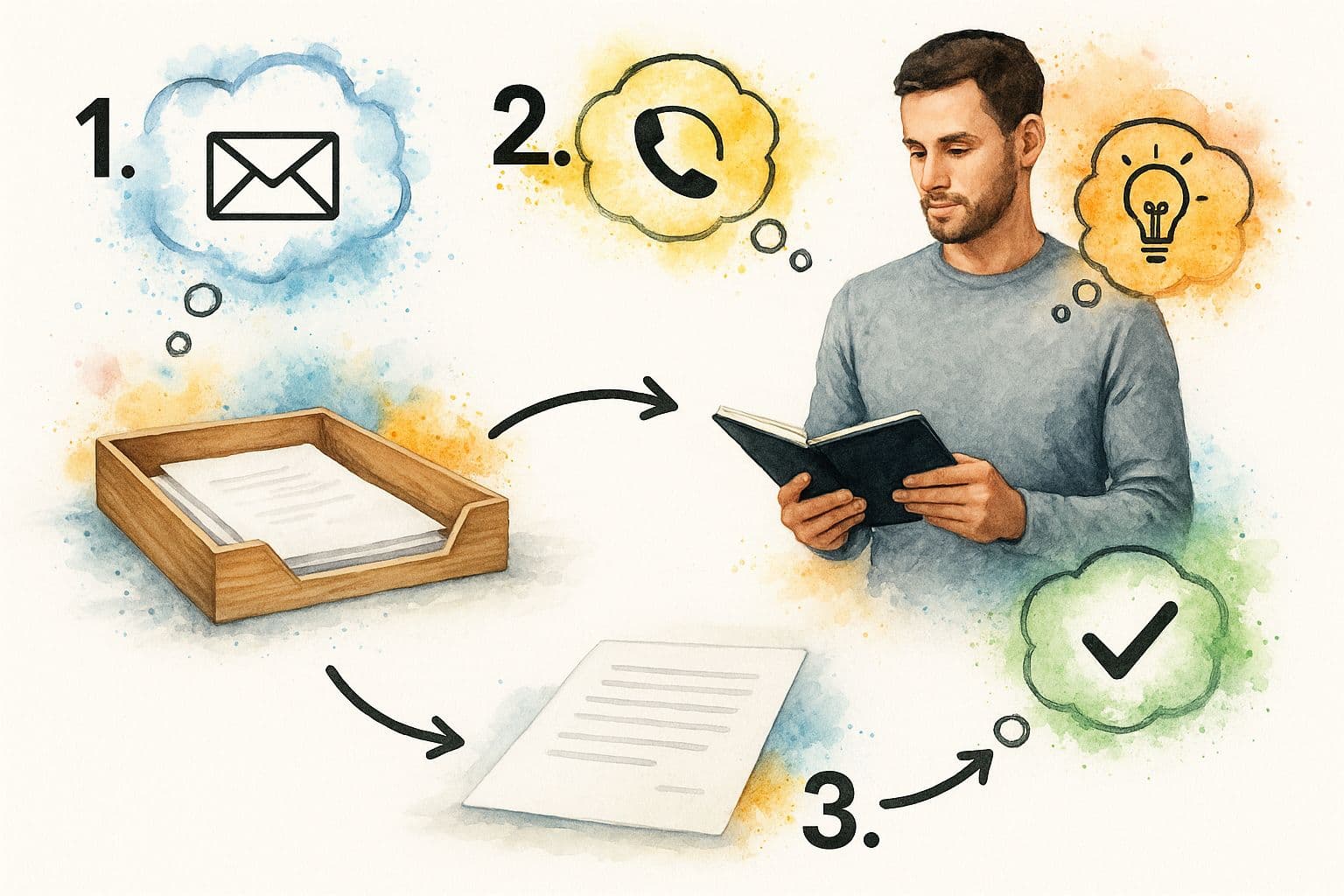
Step 1: Capture Everything
Start by capturing every single thing that has your attention. Your “inbox” can be a physical tray, a notebook, a voice memo app, or a digital tool like Fluidwave. The tool doesn’t matter as much as the habit: if it’s on your mind, record it.
What to capture:
- Tasks, e.g., “Call the plumber about the leaky faucet.”
- Ideas, e.g., “New marketing angle for Q4 launch.”
- Reminders, e.g., “Buy a birthday card for Mom.”
- Commitments, e.g., “Send the report to Sarah by Friday.”
Aim for complete capture. When you trust your inboxes, your mind can release those items and focus on the present work.
Step 2: Clarify Your Inputs
Process your inbox one item at a time and ask: “Is it actionable?” If no, either trash it, file it as reference, or add it to a Someday/Maybe list. If yes, define the very next physical action required to move it forward. “Plan Mom’s birthday party” is a project; “Email siblings to decide on a date” is a next action.
Apply the Two-Minute Rule: if a task takes less than two minutes, do it immediately. It often takes longer to organize a two-minute task than to finish it3.
Step 3: Organize Actionable Items
With clarified items, organize them into the right buckets. GTD isn’t a single, overwhelming list. It’s a structured system.
- Calendar: Anything that must happen on a specific day or at a specific time.
- Next Actions Lists: Tasks organized by context, such as @Computer, @Calls, or @Errands.
- Projects List: Outcomes that require more than one action.
Using Fluidwave or similar tools makes creating context-based lists and project folders simple and searchable.
Step 4: Reflect on Your System
Reflection—especially the Weekly Review—is the maintenance that keeps your system trustworthy. Once a week, process every inbox to zero, review projects and next actions, and scan your Someday/Maybe list for inspiration. This routine ensures your lists are current and your priorities are clear.
Step 5: Engage with Confidence
When your system is current, you can choose what to work on based on:
- Context: Where are you and what tools do you have?
- Time available: How much time before your next appointment?
- Energy level: Can you do deep work or only quick tasks?
- Priority: What’s the most important thing you could do right now?
Using those criteria, you pick actions that fit your moment and move work forward with confidence.
How to Build Your Personalized GTD System
GTD is a framework you adapt to yourself. The best system is the one you’ll use—whether it’s a dog-eared notebook or a powerful digital tool. Choose tools that fit your workflow and environment.
Choosing Core Tools: Digital, Physical, or Hybrid
- Digital: Tools like Todoist, Notion, or Fluidwave offer search, tags, and cross-device access if you need mobility.
- Physical: Pen and paper can be more mindful and reduce digital distractions.
- Hybrid: Capture on paper or voice, then transfer to a digital system during your daily review.
Adapt your setup to where you work, including hybrid or remote environments.
Essential Lists to Create
- Project List: Each project is an outcome that requires multiple actions.
- Next Actions Lists (by Context): Curated lists that show what you can do right now, such as @Computer or @Calls.
- Someday/Maybe List: A place to park ideas you might pursue later.
Start with these core lists and tweak as you learn what works for you.
Why the Weekly Review Is Your Secret Weapon
The Weekly Review is the critical habit that keeps GTD alive. When you review weekly, you prevent forgotten deadlines and last-minute emergencies, which in turn saves time and reduces stress. Treat the review as a regular appointment—60 to 90 minutes each week—to process inboxes, update lists, and plan the week ahead4.

The Three Stages of an Effective Weekly Review
- Get Clear: Process every inbox to zero.
- Get Current: Update projects and next actions.
- Get Creative: Scan Someday/Maybe for ideas to activate.
Make the review non-negotiable. It’s the habit that turns a collection of lists into a reliable system.
Common GTD Pitfalls and How to Avoid Them
These hurdles are normal. Spotting them early helps you stick with the system.
Spending Too Much Time on Tools
Don’t chase the perfect app. Start simple with a notebook or a basic app and build the workflow first. Add more advanced tools later when you know what you need.
Writing Vague Next Actions
Next actions must be the next physical, visible step. Replace vague items like “Plan company retreat” with concrete actions such as “Email venue options to the planning committee.” Clear next actions reduce procrastination and make starting easy.
Letting Inboxes Overflow
Keep inboxes processed regularly. Processing to zero means deciding what each item is and where it belongs, not necessarily doing every task immediately. Regular processing keeps your system reliable.
Feeling Overwhelmed by Long Lists
When your capture habit works, lists grow long—sometimes tracking 30 to 100 projects and more than 150 next actions5. Use context lists to filter what you can do right now, turning a mountain of tasks into a manageable menu.
Frequently Asked Questions About GTD
What’s the difference between GTD and a standard to-do list?
A standard to-do list mixes big projects and small tasks, which creates overwhelm. GTD is a workflow that separates outcomes (projects) from the next physical actions and organizes actions by context so you always see a curated set of things you can actually do now.
How long does it take to implement GTD fully?
The initial capture and setup can take a full day or two. Building the habit takes a few months of consistent practice. The Weekly Review is the single habit that most accelerates proficiency.
Is GTD good for creative professionals?
Yes. GTD frees cognitive space by externalizing admin and logistics, allowing creative people to focus on idea generation and deep work while still tracking necessary tasks and deadlines.
Quick Q&A: Common User Questions
Q: How do I start if I’m overwhelmed? A: Do a focused mind sweep: capture every open loop into inboxes, then schedule a Weekly Review to process and prioritize.
Q: What tool should I use? A: Use whatever you’ll actually use. Start with a simple notebook or a basic app, then move to Fluidwave or Notion if you need cross-device organization.
Q: How do I keep the system from falling apart? A: Make the Weekly Review non-negotiable and write clear next actions so tasks are easy to start.
Ready to stop juggling tasks in your head and build a system you can trust? Fluidwave provides flexible tools to implement every GTD step. Create context lists, manage projects, and delegate tasks to virtual assistants to gain clarity and focus. Get started for free with Fluidwave today: https://fluidwave.com.
1.
David Allen, Getting Things Done: The Art of Stress-Free Productivity (New York: Viking, 2001); see also Getting Things Done, “About GTD,” https://gettingthingsdone.com/about-gtd/.
2.
Sparrow, Liu, and Wegner, “Google Effects on Memory: Cognitive Consequences of Having Information at Our Fingertips,” Science, 2011, https://www.science.org/doi/10.1126/science.1207745.
3.
Two-Minute Rule and other GTD practices described in David Allen, Getting Things Done: The Art of Stress-Free Productivity (Viking, 2001); see summary at https://gettingthingsdone.com/.
4.
David Allen on the Weekly Review as a critical success factor, Getting Things Done, https://gettingthingsdone.com/.
5.
Discussion of long lists and overwhelm on Getting Things Done website: “Are You Overwhelmed by Long Lists?,” GettingThingsDone.com, https://gettingthingsdone.com/2021/06/are-you-overwhelmed-by-long-lists/.
Focus on What Matters.
Experience lightning-fast task management with AI-powered workflows. Our automation helps busy professionals save 4+ hours weekly.