Create a time-blocked calendar to boost focus and control your schedule. This guide gives professionals practical steps, tool recommendations, and routines to get more done with less stress.
September 8, 2025 (1y ago) — last updated January 8, 2026 (9mo ago)
Master Time Blocking: Calendar Strategies
Create a time-blocked calendar to protect deep work, reduce decision fatigue, and boost productivity with practical steps, tools, and routines.
← Back to blog
Master Time Blocking: Calendar Strategies
Create a time-blocked calendar to boost focus and control your schedule. This guide gives professionals practical steps, tool recommendations, and routines to get more done with less stress.
A time-blocked calendar is a way of scheduling your day into dedicated chunks of time. Each block is reserved for a single task or a group of similar tasks. Instead of reacting to a to-do list, you proactively assign time so your priorities actually get the attention they deserve. It’s a small shift with big returns: clearer priorities, fewer interruptions, and less decision fatigue.
Why time blocking changes how you work

A standard digital calendar becomes a clear roadmap when you block time. Each colored block is a commitment you’ve made to yourself, turning a wide-open schedule into a plan of action. This isn’t about a rigid, minute-by-minute prison; it’s a strategic framework that helps you align daily work with long-term goals.
The method works because it reduces decision fatigue. When each hour already has a job, you stop asking, “What should I do next?” That saved mental energy goes straight into the task, which usually means better work and less stress.
Defending your most valuable asset: your time
Your time-blocked calendar is your best defense against the constant stream of distractions and “quick questions” that derail focus. Visually blocking time for deep work creates a clear boundary—both for you and for colleagues who can see your calendar. This proactive approach helps your most important projects get uninterrupted focus.
“A 40-hour time-blocked work week, I estimate, produces the same amount of output as a 60+ hour work week pursued without structure.” 1
The market for time-blocking tools reflects how many professionals are adopting this mindset. The global market for time-blocking calendar apps was estimated at about USD 1.64 billion in 2024 and is projected to reach USD 4.24 billion by 2033, showing sustained demand for smarter scheduling solutions.2 Time-blocking apps in North America generated roughly USD 600 million in 2023 as adoption rose with remote and hybrid work models.3
Time blocking lets you move from a reactive to a proactive mindset. You decide how your day unfolds.
For related strategies on improving team output, see this guide on increasing workplace efficiency: How to Increase Efficiency in the Workplace.
Crafting your first time-blocked calendar
Start with a task audit: get every commitment, obligation, and goal out of your head and onto one list. Don’t worry about order—dump it all. Include deadlines, recurring meetings, appointments, and vague “I should” items. This brain dump becomes the raw material for your schedule and prevents important items from slipping through the cracks.
You’ll be surprised how much mental clutter this clears. Seeing responsibilities in one place lets you make deliberate choices instead of letting items bounce around in your head.
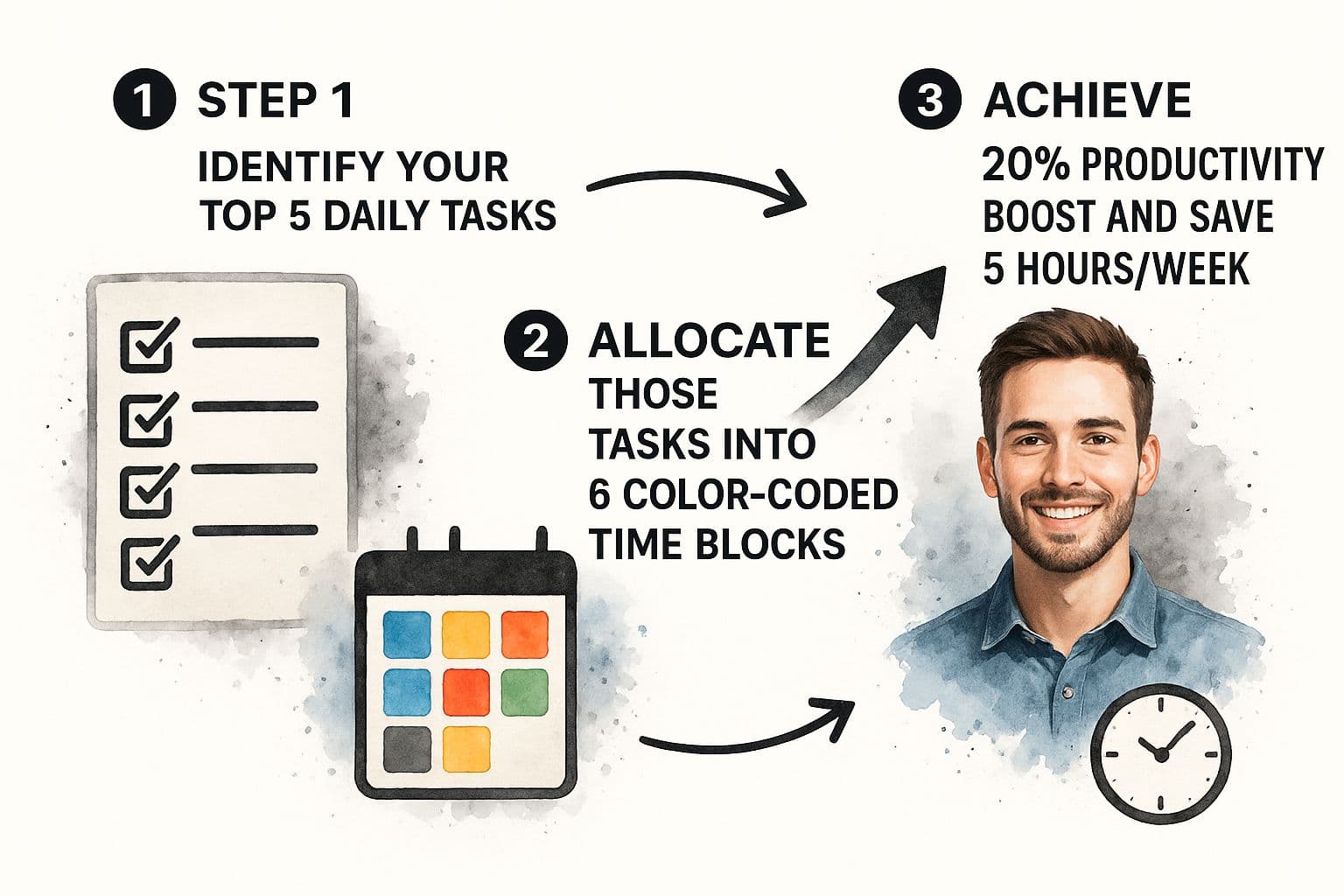
Categorize and group tasks
Group tasks into logical categories that reflect how you work. Categories become the building blocks for your calendar and make batching similar activities easy.
Examples:
- Deep Work — focused design sprints, writing, or analysis
- Client Communication — calls, meetings, and client follow-ups
- Admin Tasks — invoicing, project updates, inbox processing
- Personal Time — lunch, exercise, appointments
Categorizing helps you batch activities and avoid switching mental gears. For content planning, see a social media content calendar blueprint here: Social Media Content Calendar Blueprint.
Estimate time and start blocking
We often underestimate how long tasks take. Be generous with estimates, especially at first. If a report feels like 60 minutes, block 90. It’s better to finish early than let one task derail your day.
Avoid scheduling your day back-to-back with no breathing room. Build 15–30 minute buffer blocks between major tasks to handle overruns, grab a coffee, or reset.
Example Monday for a freelancer:
- 9:00 AM–11:30 AM — Deep Work (Drafting logos for Project Alpha)
- 11:30 AM–12:00 PM — Admin (Process weekend emails)
- 12:00 PM–1:00 PM — Personal (Lunch and a quick walk)
- 1:00 PM–2:00 PM — Client Communication (Call with Project Beta client)
- 2:00 PM–4:30 PM — Deep Work (Revisions for Project Gamma)
Color-coding these blocks in a digital calendar gives an at-a-glance view. For setup guidance, see this time-blocking schedule guide: Time Blocking Schedule.
Finding the right tools for your workflow

A time-blocking strategy only works if the tools fit your routine. Many professionals start with familiar options like Google Calendar or Outlook. They offer event creation, color-coding, and easy sharing, which makes team coordination simple.
The downside is that standard calendars are manual. You drag and drop tasks, guess durations, and play scheduling Tetris when meetings change. That manual work can erode the time-blocking benefit.
Digital calendars versus specialized apps
Dedicated time-blocking apps like Motion or Reclaim.ai automate scheduling, offering smart task placement and dynamic adjustments. These tools analyze your to-do list, priorities, and calendar, then find the best open slots for deep work.
Imagine a consultant with 20 tasks across three clients. A dedicated app can auto-schedule and reprioritize, saving hours of manual planning.
Compare standard calendars and dedicated apps:
| Feature | Standard Digital Calendars (Google, Outlook) | Dedicated Time-Blocking Apps (Motion, Reclaim.ai) |
|---|---|---|
| Task scheduling | Manual placement of blocks | Automatic scheduling based on priority and deadlines |
| Flexibility | Manual edits required | Dynamic reshuffling when conflicts appear |
| Calendar syncing | Basic viewing and manual management | Advanced multi-account sync to avoid conflicts |
| Analytics | Little to no time-usage insights | Reports on time usage, productivity, and completion |
The market shift toward smarter scheduling is clear: professionals are choosing tools that reduce admin and protect focus.23
Choosing the right solution
Which tool fits you depends on your work patterns:
- For managers with many collaborative meetings, a standard calendar’s sharing features usually suffice.
- For consultants and freelancers juggling shifting deadlines, a dedicated app that auto-schedules and reprioritizes can save hours.
Start with what you know. If you spend more time managing your calendar than doing the work, try a specialized app.
Advanced strategies to protect your focus
Once you have the basics, add techniques that turn your calendar into a resilient system for deep work.
One effective tactic is theme days: assign a type of work to each day. For example, reserve Mondays for meetings and project kickoffs, Tuesdays for creative work, and Fridays for admin and planning. Theme days reduce context switching and help you get into the right headspace.
Build resilience into your schedule
Avoid packing your day so tightly it can’t absorb surprises. Buffer blocks—15–30 minute gaps between major sessions—act as shock absorbers. If a call runs long, you still have room.
Clock blocking is another defensive move: reserve blocks in shared calendars for focused work so teammates know those hours are unavailable. Around 27% of UK workers already use clock blocking to reclaim focus, and another 16% plan to start.4
Clock blocking isn’t about being uncooperative; it frames your focus as a valuable asset that deserves protection.
Combine theme days, buffer blocks, and clock blocking to create a calendar that defends your attention and adapts to the unexpected.
Keeping your calendar realistic and sustainable

A beautifully color-coded calendar is only useful if you live by it. The biggest mistake is treating the schedule as law. A system that won’t bend will break. Your calendar should guide your day, not trap you.
The power of the weekly review
Adopt a weekly review as a non-negotiable appointment. Spend 30–60 minutes on Friday reflecting and planning. Ask:
- What worked well? Did deep work blocks move my big projects forward?
- Where did things go off the rails? Which tasks consistently took longer?
- What surprised me? How can I add buffer time for recurring surprises?
- Did I protect personal time? Was downtime sufficient?
This habit turns your calendar from a static plan into a dynamic tool that evolves with reality.
Avoid burnout by building flexibility
Don’t treat a packed calendar as a point of pride. Block lunch and short breaks daily, and schedule 15-minute gaps between meetings. Treat personal time like client time. When flexibility is a feature, not a failure, your system supports well-being and sustained productivity.
Common hurdles and practical fixes
What do I do when my day gets completely derailed?
Plan for the unexpected with built-in flex time. Reserve at least one unscheduled 30–60 minute block to absorb surprises. When urgent requests appear, they have a home without forcing a full day rework.
How detailed should my blocks be?
Start broad. Use category-level blocks like “Process Email Inbox” or “Draft Q3 Report” rather than itemizing every micro-task. If you drift, add a few bullet points in the event description to keep you focused.
How do I get my team to respect my blocked time?
Share your calendar and use clear labels like “DEEP WORK — PLEASE DO NOT DISTURB.” Follow up with a short conversation about why you’re trying this method and how it improves your output. Once the team sees the results, they’ll be more likely to respect your blocks.
Ready to stop just managing tasks and start directing your focus? Fluidwave combines smart task management with a network of virtual assistants to put your workflow on autopilot. Build your ideal time-blocked schedule and delegate the rest from one platform designed to minimize distractions. Get started for free.
Quick Q&A
What is a time-blocked calendar and why use it? A time-blocked calendar assigns specific time slots to focused tasks, reducing decision fatigue and protecting deep work so you accomplish higher-value work with less stress.
How do I start time blocking without feeling overwhelmed? Begin with a task audit, group tasks into categories, estimate generously, and add buffer time. Start broad and refine blocks as you learn what works.
Which tools should I use? Start with Google Calendar or Outlook for sharing and familiarity. If you need automation and dynamic scheduling, consider dedicated apps like Motion or Reclaim.ai.
1.
Cal Newport, Deep Work: Rules for Focused Success in a Distracted World (Grand Central Publishing, 2016).
2.
Global time-blocking app market estimates and projections: https://dataintelo.com/report/global-time-blocking-app-market.
3.
North America time-blocking app market revenue estimate: https://dataintelo.com/report/global-time-blocking-app-market.
4.
Survey and market commentary on clock blocking adoption in hybrid work environments: https://www.verifiedmarketreports.com/product/time-blocking-app-market/.
Focus on What Matters.
Experience lightning-fast task management with AI-powered workflows. Our automation helps busy professionals save 4+ hours weekly.