Learn 10 task management skills that matter in 2026, from prioritization and delegation to time blocking and focus, with practical tips for each.
October 25, 2026 (1d ago)
10 Task Management Skills for 2026 That Actually Work
Learn 10 task management skills that matter in 2026, from prioritization and delegation to time blocking and focus, with practical tips for each.
← Back to blog
It's Monday morning and you're already behind. The inbox filled overnight, three people have flagged something as urgent, and the project that mattered most last week barely moved. By 10 a.m. you've answered messages, sat through one meeting, and opened the same document twice without getting anywhere on it.
That's rarely an effort problem. Many professionals work hard, but they lack repeatable task management skills for deciding what matters, protecting time to do it, handing work off cleanly, and noticing when a list has gone stale. Deloitte's 2025 Global Human Capital Trends respondents reported spending 41% of their daily time on work that does not contribute to organizational value. You feel that drift before you can name it.
The ten skills below work as a practical toolkit, not a full system overhaul. Each one names the failure it prevents and gives you a starting move you can do in under ten minutes this week. Communication runs through all of them, because delegation, shared boards, and status updates only work when outcomes, owners, and deadlines are written down where other people can see them.
Start with the skill that matches your loudest problem. Run it once, see what breaks, and adjust. A small routine you trust beats a perfect setup you'll abandon by Thursday.
1. Time Blocking
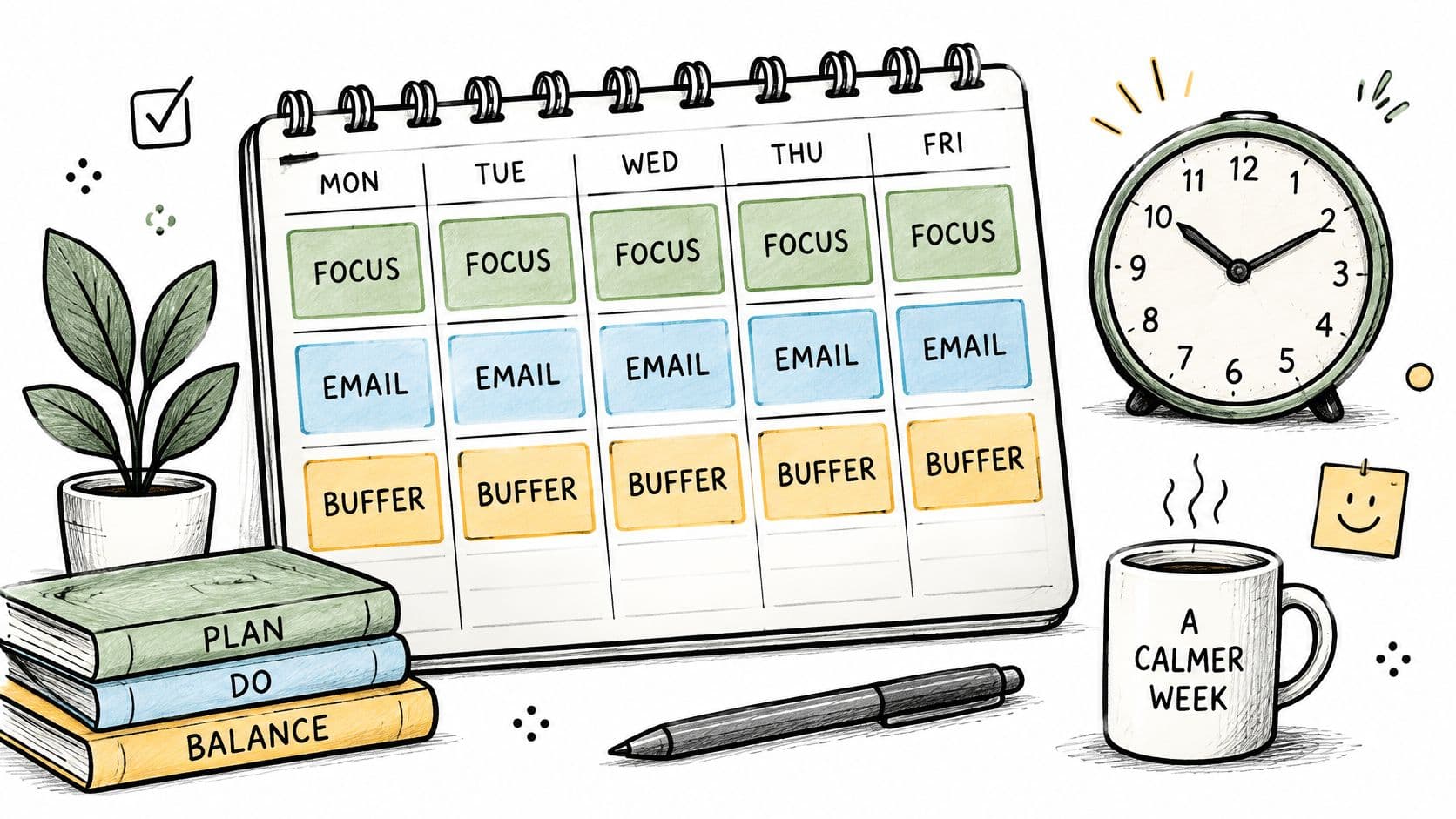
Time blocking means assigning a chunk of your calendar to one task or type of work, like client emails 9:00 to 9:30 or proposal draft 10:00 to 12:00. You stop hoping a to-do list will find a home in your day. The appointment makes the tradeoff visible, because a new request has to displace something named.
It prevents the classic failure of a busy day with nothing finished. Field research summarized by Gallup found people changed activities roughly every three minutes and switched working spheres about every 10 minutes and 29 seconds. Without blocks, that fragmentation becomes your default schedule.
A Founder Setup That Sticks
One founder blocks Monday and Wednesday mornings for product strategy and leaves afternoons for investor and team calls. A project manager reserves Friday afternoons for status reports and risk reviews so they don't leak across the week. Fluidwave's calendar view pairs with this habit when you want tasks sitting on a schedule, not floating in a separate list.
- Start with three blocks: One deep work, one admin, one buffer.
- Name the outcome: Write "finish pricing page draft," not "work on website."
- Leave gaps: Put 15 to 30 minutes between blocks to reset.
- Move the repeat offender: At day's end, reschedule anything that always slips.
Starting move: Block tomorrow's first working hour for one outcome, then defend it like a meeting.
2. Eisenhower Matrix Prioritization
Ask two questions of every task. Is it urgent, and is it important? The Eisenhower Matrix sorts work into four boxes, because urgent tasks require immediate attention while important tasks contribute to longer-term goals. Columbia's guide describes doing urgent and important work, scheduling important but not urgent work, delegating urgent but less important work, and eliminating the rest.
The failure it prevents is living in urgent mode. Many people default to whoever asked last or loudest, which is often low value work wearing a deadline costume. Dwight D. Eisenhower is quoted as having two kinds of problems, the urgent and the important, with the urgent rarely being important.
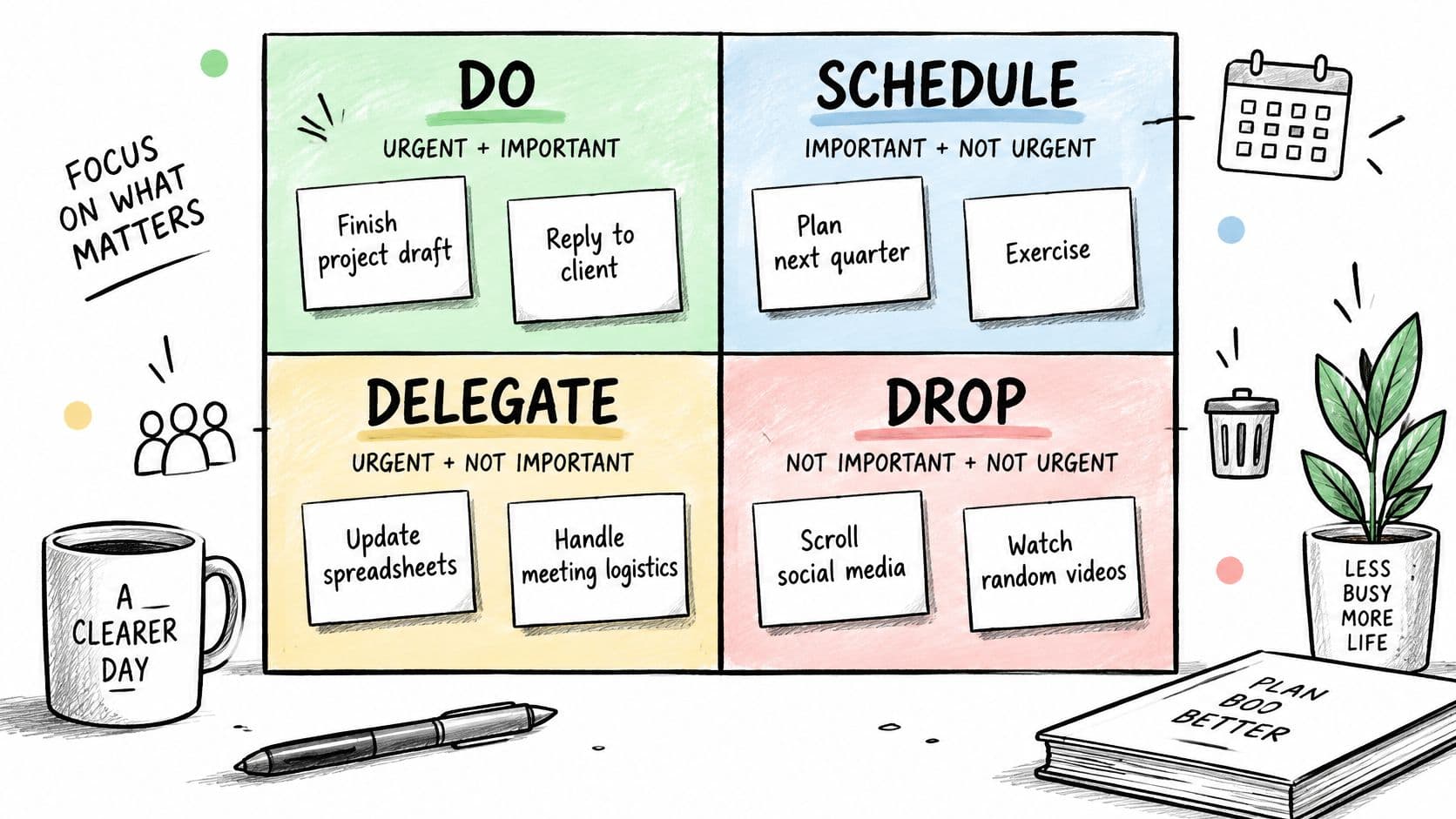
A freelancer sorting client requests this way often finds three "urgent" revisions are formatting jobs that can be delegated, freeing time for business development. A product team might separate bug fixes, which are urgent and important, from roadmap research, which is important and needs a scheduled slot. Auto-prioritization in tools like Fluidwave can rank tasks quickly, but the matrix is your human check on whether that ranking makes sense.
- Define important first: One sentence, such as "moves revenue or key goals forward."
- Re-sort weekly: Urgency changes faster than importance.
- Write delegate outcomes: State what done looks like before you hand work off.
Starting move: Sort today's list into four quadrants on paper. If the schedule quadrant is empty, you're stuck reacting.
3. Pomodoro Technique
You don't need motivation to start a 25 minute timer. That's the whole trick behind Pomodoro, developed by Francesco Cirillo in the late 1980s using a tomato shaped kitchen timer. Work in focused intervals, traditionally 25 minutes, take a short break, and after four intervals take a longer break of 15 to 30 minutes.
It prevents the failure of avoiding a task because it feels endless. Commitment stays small, the stopping point is clear, and breaks are planned instead of stolen through scrolling. For people with ADHD or anyone who procrastinates on starting, that external structure lowers the barrier without requiring a perfect morning.
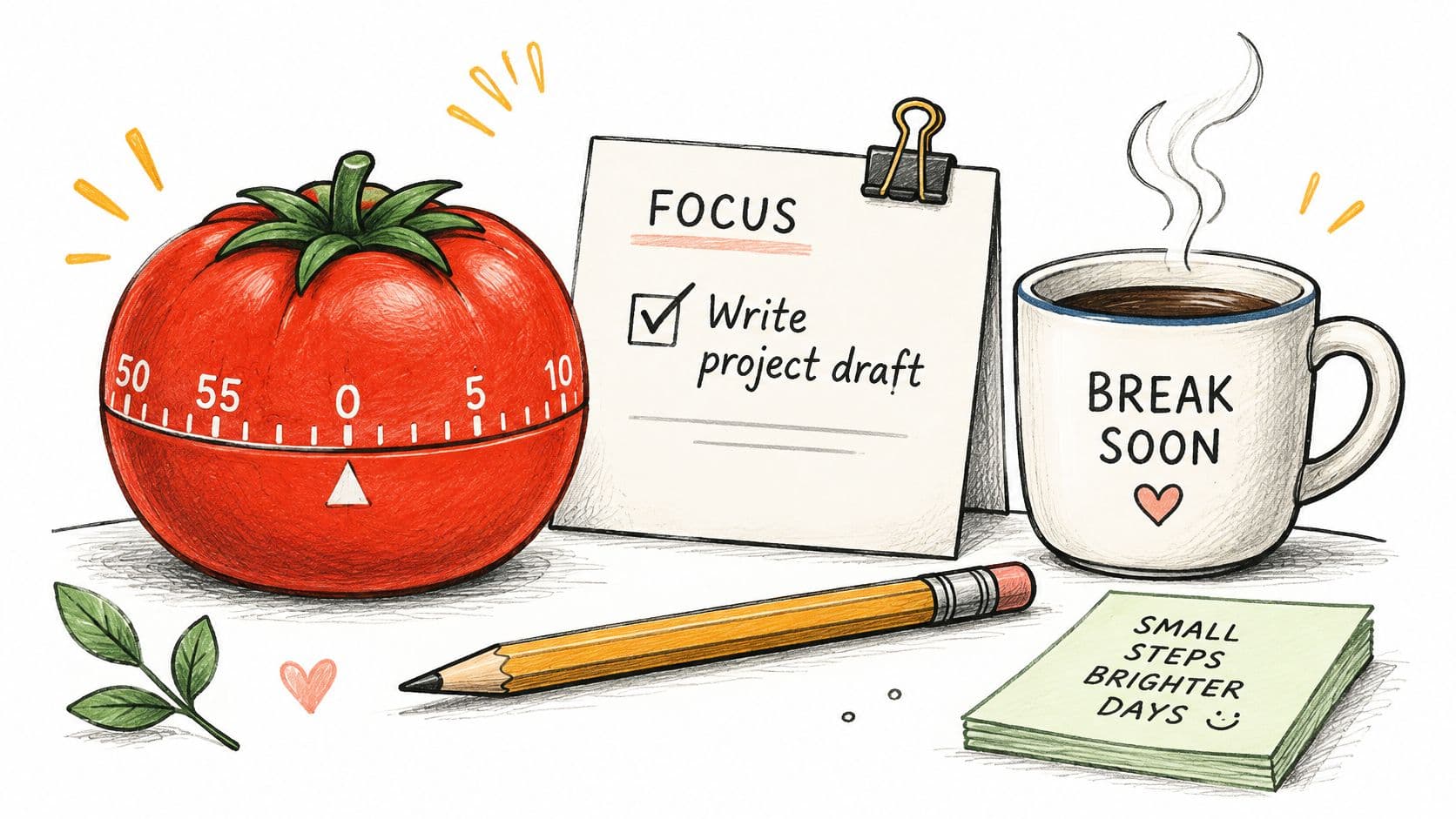
A writer can use four Pomodoros to draft a post in one morning, using breaks to stretch and refill water. An operations manager might run two Pomodoros on a dreaded expense report each afternoon and finish it within the week, instead of letting it hang over every day.
Make the Timer Work for You
- Pick one task first: Write it down before you start the clock.
- Park distractions on paper: Note the thought, don't chase it.
- Adjust the length: Try 15 or 50 minutes if 25 doesn't fit your attention.
- Leave screens on long breaks: Walk, snack, look out a window.
Starting move: Set one timer for the task you've been avoiding. Stopping at the bell is allowed.
4. Breaking Tasks Into Next Actions
"Plan the product launch" is not a task. It's a project wearing a task's clothes, and your brain knows it, so it stalls. A next action is the smallest visible step that moves it forward, like "email the design team to request mockups by Thursday."
David Allen's Getting Things Done makes this point well. Projects stall because nobody defined the next step. Writing it out reduces friction, makes delegation possible, and gives you somewhere to restart after an interruption. A Microsoft Research diary study found 40% of the time, people did not immediately resume the interrupted task, and returning got harder as complexity and interruptions increased. A visible next action is a restart point.

Instead of "redesign onboarding," a SaaS team writes "list the five drop-off points in the current signup flow." A freelancer turns "get more clients" into "send three follow-up emails to last month's warm leads" and finishes before lunch. Fluidwave's task structuring works well here, since a defined action is easier to assign and track.
- Start with a verb: Draft, call, review, send.
- Shrink stale actions: If it's sat a week, it's probably two actions.
- Add context: Include links and reference material in the task itself.
Starting move: Rewrite one vague task as a verb plus a finish line.
5. Effective Task Delegation
A project manager hands off meeting notes and action tracking to a team member, then uses the recovered time for strategy work. The handoff succeeds when the owner knows the outcome, deadline, relevant context, and when to check in. Clear communication is part of delegation, not a separate follow-up task.
The failure this prevents is the boomerang task: work returns incomplete and costs more time to repair than to finish yourself. Before assigning it, explain what done looks like and where the person can ask questions. Delegation can free manager time for developing employees, a focus the Deloitte report on workplace tensions also discusses.
A founder can assign weekly competitor research with a brief listing the sources to check and the summary format. Fluidwave's pay-per-task model supports small recurring handoffs, while a reusable task delegation template helps keep instructions consistent.
- Set a four-part brief: State the outcome, deadline, resources, and acceptance criteria.
- Start with low-risk work: Build trust before assigning a high-impact task.
- Check an early draft: Catch misunderstandings soon, then reduce oversight as the work becomes consistent.
Starting move: Choose one task you can explain in five minutes. Spend that time writing its outcome, deadline, context, and check-in point.
6. Kanban Workflow Visualization
If you can't see the work, you can't see where it's stuck. Kanban uses columns like To Do, In Progress, Review, and Done, with each task as a card moving across. It grew out of Toyota's production system and was adapted for knowledge work in the late 2000s by David Anderson and others.
The failure it prevents is invisible pileup. In a list, everything looks equal. On a board, a column stuffed with cards tells you approvals, reviews, or one person is the bottleneck. A 2024 daily diary study of 33 professional workers linked highly fragmented days with lower work flow and lower daily job performance. Visual limits help you start less and finish more.
Here's a short walkthrough of how a board makes that flow obvious at a glance.
A marketing team limiting its Review column to three cards quickly exposed an approval backlog slowing every campaign. A solo consultant with Backlog, Doing, and Done limits Doing to two client projects to protect quality. Fluidwave's Kanban and card views show this in real time, and sensible work in progress limits keep any column from becoming a parking lot.
- Keep columns few: Four to six is plenty.
- Label blocked work: Don't let stalled cards hide in progress.
- Archive weekly: Old cards erode trust in the board.
Starting move: Draw three columns and move today's work into them.
7. Weekly Review
By Friday afternoon, a task list can still show work that is finished, deadlines that have shifted, and requests that never made it onto the page. A weekly review is a 30 to 60 minute block to update that picture: close or remove stale tasks, check what is waiting, and choose what deserves time next week. It turns a list into a usable record of current commitments.
The failure it prevents is discovering too late that a deadline moved or a handoff stalled. Lists drift when nobody checks them against completed work, new requests, and the calendar. A review catches those gaps before they shape next week's schedule.
A list you don't review is just a record of what worried you last Tuesday.
A freelancer can use Friday's review to confirm active projects, invoice for finished work, and reserve time for upcoming deliverables. A product team can review on Monday, compare planned work with what shipped and customer feedback, then adjust priorities. Fluidwave's progress tracking and calendar views show completed, overdue, and upcoming work in one place.
- Follow a fixed checklist: Check open tasks, the calendar, waiting-for items, and deadlines.
- Keep the appointment: Choose Friday afternoon or Monday morning and repeat weekly.
- Remove stale work: Delete tasks that no longer matter instead of carrying them forward.
- Choose one or two priorities: Make the week's main outcomes clear before new requests arrive.
Starting move: Book 30 minutes this Friday. Review your open tasks and calendar, remove one stale item, and name next week's top priority. A rough first review is more useful than an ideal checklist you never use.
8. Realistic Time Estimation With Buffers
You'll finish that report in an hour. Except you won't, and you knew that last time too. Psychologists Daniel Kahneman and Amos Tversky called this the planning fallacy, our habit of underestimating how long things take even with experience telling us otherwise.
The failure it prevents is cascading lateness. If you routinely squeeze four hours of work into a two hour slot, every promise downstream breaks, including ones you make to clients. The fix isn't pessimism. It's using past data, breaking work into smaller parts, and adding buffer for interruptions and surprises.
What Better Estimates Look Like
A consultant who notices proposals consistently take twice as long as planned starts scheduling with a large buffer and quoting clients accordingly. A startup team that logs time for two sprints might find integration work always runs over, then builds that into future plans. Fluidwave's habit of defining budgets and timelines before delegating is this skill in practice, and better timeline estimation makes pricing and handoffs more accurate.
- Estimate three cases: Best, likely, worst. Plan around likely.
- Track actual time: Two to four weeks gives you a personal baseline.
- Buffer the day, not just tasks: One overrun shouldn't wreck the afternoon.
- Share estimates when delegating: Ask for a flag if work runs long.
Starting move: Take your next estimate, write down the likely case, and add buffer before committing.
9. Task Batching
At 9:12, you answer an email. At 9:47, another arrives, and invoices wait between calls. Each small switch creates a re-engagement cost. Task batching groups similar work into one session: process invoices in one 45-minute block, or answer support email during two set windows.
The failure it prevents is scattered attention and repeated setup. Batching gives concentration-heavy work fewer interruptions, but it only works if other channels are managed too. A 2025 Frontiers in Computer Science study found that making smartphones less accessible reduced phone use, while participants shifted non-work activity to their computers and overall fragmentation did not change. Close chat and email during a focus batch, not just your phone.
Use batching selectively. Grouping calls may simplify the day, but a fixed email window can delay a time-sensitive reply. Set expectations with colleagues or customers when response times change.
- Group similar tasks: Put calls, approvals, or errands together.
- Set a clear window: Give the batch a start and finish.
- Silence notifications: Close distracting channels across devices.
- Delegate a complete batch: Repetitive, well-defined work is easier to hand off as a group. Agree on what “done” means and when to flag exceptions.
Starting move: Choose one task type you handle in scattered moments. Spend under ten minutes setting two windows for it tomorrow, then tell anyone who depends on your response.
10. Daily Shutdown Routine
Work doesn't end when you close the laptop if your head keeps rehearsing tomorrow's problems. A daily shutdown routine is a short, consistent set of steps that closes open loops before you stop. Cal Newport calls his version a shutdown complete ritual, and the name matters less than the repetition.
The failure it prevents is evening rumination and next morning scramble. You review what's done, capture anything unfinished, choose tomorrow's priorities, and give your brain permission to switch off. In a survey of 141 software developers, 91% reported losing track of their work after disruptive interruptions. Ending the day with a written restart point is the same protection, applied on purpose.
Practical rule: Never end the day with a task that only exists in your memory.
A founder might review a Done column, move unfinished work to tomorrow, and write the top three priorities before logging off. A remote project manager might send a final summary of progress and blockers, which cuts down evening Slack noise. For people with ADHD who hold tasks in their heads, externalizing those loops can notably lower anxiety and forgotten follow-ups.
- Keep it short: Three to five checklist items, under 10 minutes.
- Write tomorrow's top three: Don't decide them half awake.
- Use a parking lot list: Capture late thoughts there, review tomorrow.
Starting move: Tonight, write tomorrow's top three and close every tab on purpose.
How the ten task management skills compare on setup effort, time commitment, and main drawback
| Item | Best For | Setup Effort | Time Commitment | Main Drawback |
|---|---|---|---|---|
| Time Blocking | Executives, founders, and knowledge workers with fragmented days | Schedule task blocks and buffers | Regular calendar planning and maintenance | Rigid schedules can break when priorities shift |
| Eisenhower Matrix Prioritization | Managers and anyone balancing urgent requests with long-term goals | Sort tasks by urgency and importance | Quick to apply; review regularly | Importance can be subjective |
| Pomodoro Technique | People with ADHD, procrastinators, and anyone who struggles to start tasks | Low; choose a task and use a timer | Focus intervals with short and longer breaks | Short intervals can interrupt deep work |
| Breaking Tasks Into Next Actions | Project managers, freelancers, and teams handling complex work | Define concrete next steps for each project | Ongoing task-list updates | Overbreaking tasks can create clutter |
| Effective Task Delegation | Executives, founders, and teams seeking to scale | Prepare clear outcomes, deadlines, and context | Briefing and progress checks | Poor instructions can waste time |
| Kanban Workflow Visualization | Teams and people managing multiple ongoing workstreams | Create workflow columns and task cards | Ongoing board upkeep | Boards can become cluttered |
| Weekly Review | Freelancers, team leads, and anyone managing many moving parts | Set a recurring review and checklist | Usually 30–60 minutes weekly | Easy to skip during busy weeks |
| Realistic Time Estimation With Buffers | Freelancers, agencies, project managers, and deadline-setters | Track past work and estimate task components | Ongoing tracking and adjustment | Accurate tracking takes effort |
| Task Batching | Operations staff, executive assistants, and people seeking fewer context switches | Group similar tasks into sessions | Dedicated batch windows | Delaying tasks between batches can be a problem |
| Daily Shutdown Routine | Founders, executives, remote workers, and people with ADHD | Create a short end-of-day checklist | Usually 5–15 minutes daily | Easy to skip on chaotic days |
Start With One Skill This Week
A new system often meets its first test between meetings, when an urgent request bumps the task you meant to do. Choose one routine and try it under those conditions. Installing all ten skills at once creates more upkeep than most schedules can absorb.
Match the routine to a specific failure. If unfinished work follows you into the evening, test a daily shutdown. If priorities shift without a clear decision, try the weekly review. If meetings break your day into fragments, reserve a time block for one important task. The goal is to see whether that routine prevents the problem, not to build a perfect system.
Give the test one 30-minute slot this week. Set up the routine, use it once, and write down what broke. A meeting may take over the block. A task may stall because the needed file is missing. A batch may run long while waiting for approval. Record the obstacle and the next adjustment. That gives you a practical change to try, instead of a vague judgment that the routine “didn't work.”
Fit matters more than features. A 2025 study of adults with ADHD identified difficulties with time management, planning, prioritization, working memory, and emotional regulation, and noted participants wanting personalized interventions and environmental accommodations. If a digital setup adds steps or keeps going unused, try a paper checklist with one visible next action. A simpler method can make it easier to restart after interruptions, which are associated with resumption lag and the risk of forgetting to resume the original task.
Keep the routine that makes the work easier to resume and maintain. If a time block repeatedly gets displaced, reserve a shorter window or protect it from recurring meetings. If a weekly review takes too long, remove steps that do not change what you will do next. Adjust the routine to the friction you observed, rather than adding another tool or a second habit before the first one is usable.
Once the routine fits, keep your task list, board, and handoffs somewhere you can check them. A notebook may be enough. Fluidwave is another option for organizing and prioritizing tasks. Choose a place that lets you see what is planned, what changed, and what has been handed off without searching through scattered notes.
Put this week's routine where it can survive a real schedule. Fluidwave lets you organize and auto-prioritize tasks, then delegate well defined work to human assistants on a pay-per-task basis. Visit Fluidwave and set up your first task today.
Focus on What Matters.
Experience lightning-fast task management with AI-powered workflows. Our automation helps busy professionals save 4+ hours weekly.