Overwhelmed by multitasking? Use work in progress limits to cut stress, boost focus, and achieve more. Guide for individuals & teams.
June 14, 2026 (3mo ago)
Master Work in Progress Limits: Boost Focus & Productivity
Overwhelmed by multitasking? Use work in progress limits to cut stress, boost focus, and achieve more. Guide for individuals & teams.
← Back to blog
You're probably carrying more active work than you think.
A few tabs are open for the proposal you haven't finished. Slack keeps lighting up. Two approvals are waiting in your inbox. A meeting ended with three “quick follow-ups,” and each one now sits half-started in your task list. By late afternoon, you've worked all day, but it doesn't feel like anything fully moved.
That pattern looks productive from the outside. It rarely is. Most busy professionals aren't struggling because they lack effort. They're struggling because too many things are competing for attention at the same time. The result is stalled work, fuzzy priorities, and a low-grade sense that every task is overdue even when nothing has technically slipped.
Work in progress limits are one of the simplest ways to fix that. They sound restrictive at first. In practice, they create the space to finish work, spot bottlenecks early, and stop your day from dissolving into constant task-switching.
The Hidden Cost of Being Constantly Busy
A packed day often hides a broken workflow.
One common pattern looks like this: start a report, pause for a meeting, answer messages, review a draft, jump into a spreadsheet, return to the report, then realize you need input from someone else before you can finish it. So you start the next thing. By the end of the week, several items are “moving,” but very little is done.
Why busy work feels productive
Part of the trap is psychological. Starting gives you a sense of momentum. Finishing requires sustained attention, and that's harder when your day is fragmented. Every switch costs something. You have to reload context, remember what mattered, and reconstruct your mental model of the task.
That's why context switching hurts focused work even when each interruption seems small. The lost time isn't just the interruption itself. It's the restart.
Busy people often have a completion problem, not a motivation problem.
What this looks like in real work
For individuals, it shows up as a to-do list full of half-done work. For teams, it shows up as crowded boards, slow reviews, and a lot of “waiting on” status updates. Everyone is active. Nobody feels clear.
A useful way to notice the problem is to ask three questions:
- How many things are you actively doing right now: Not assigned to you. Not planned. In motion.
- How often do you reopen work you thought you were done thinking about: If it's constant, your attention is leaking.
- Where does work sit when it stops moving: Review, approval, feedback, and dependency queues often hide the underlying issue.
The alternative is calmer than most people expect
When work is limited on purpose, the day gets quieter. Fewer open loops. Fewer restarts. More completed items. That doesn't mean no interruptions or no urgency. It means you stop treating every incoming request as something that deserves immediate motion.
That's the first mindset shift. Work in progress limits aren't about doing less important work. They're about doing less at the same time.
What Exactly Are Work in Progress Limits
A work in progress limit sets a cap on how many items can be actively worked on at once. That cap can apply to one person, a team, or a specific stage of a workflow such as drafting, review, or waiting for feedback.
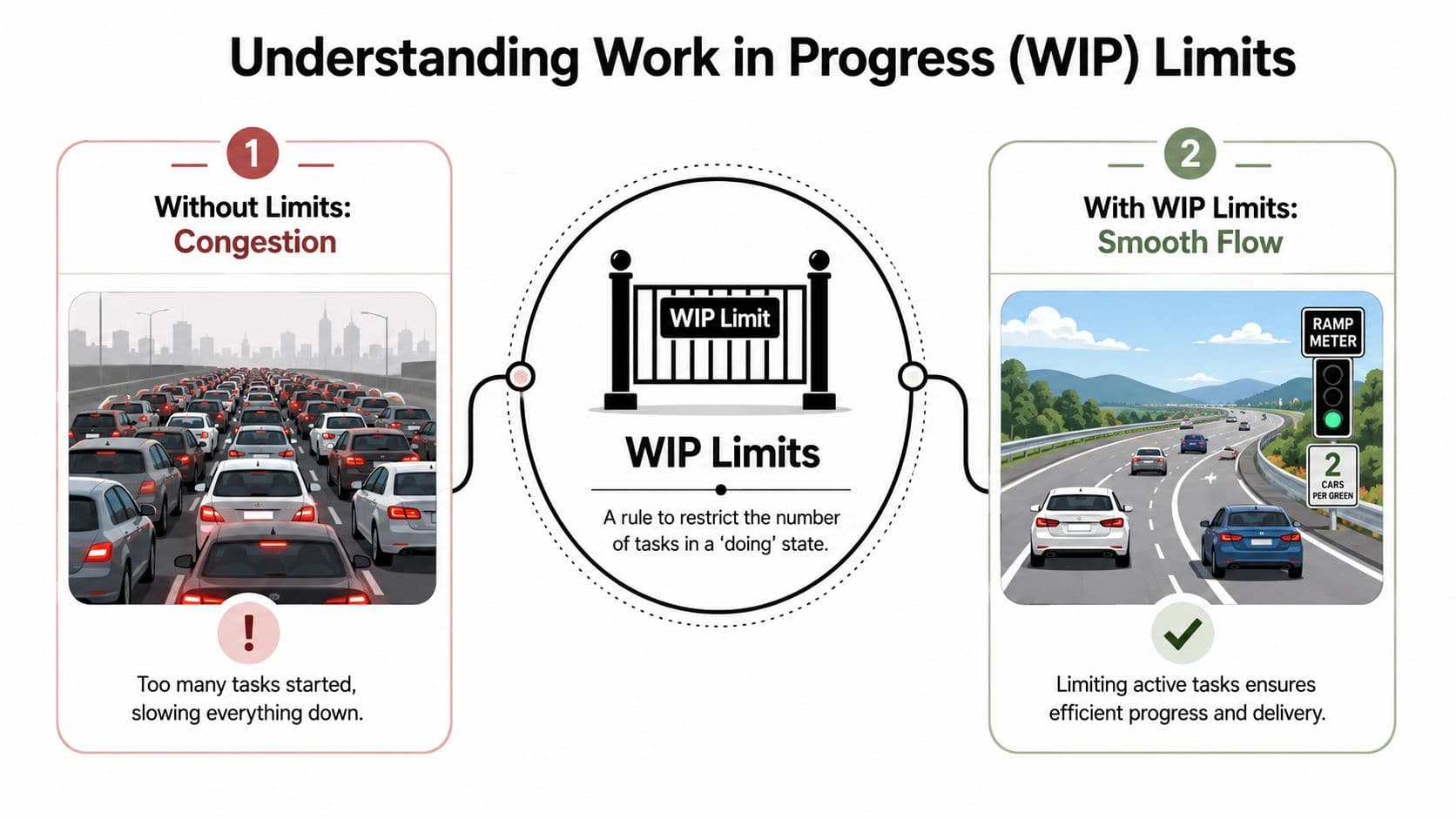
The easiest analogy is traffic. When too many cars enter a highway at once, everyone slows down. A ramp meter doesn't ban cars from driving. It controls entry so the whole system keeps moving.
A limit is a flow rule, not a punishment
People often hear “limit” and assume it means artificial constraint. That's the wrong frame. A WIP limit is a rule that protects flow. It says: don't pull in more active work until there's capacity to move it.
That's a core idea in Kanban. If you want a quick operational view of how teams use board policies, these Kanban best practices are a useful reference.
Here's the practical difference:
| Workflow state | Without WIP limits | With WIP limits |
|---|---|---|
| In Progress | People start new tasks whenever they're blocked or distracted | New tasks wait until current work clears |
| In Review | Review piles up behind a few overloaded reviewers | Review load stays visible and contained |
| Waiting for Feedback | Items sit quietly and clog the board | Waiting work is obvious, so teams resolve it sooner |
Where limits actually live
You can apply work in progress limits at several levels:
- Personal level: How many meaningful tasks you'll actively push in a day.
- Team level: How many items can sit in “In Progress.”
- Stage level: How many items can sit in “Review,” “QA,” or “Waiting on Client.”
- System level: How much total unfinished work the whole process can tolerate.
A simple board might have columns like To Do, In Progress, In Review, and Done. A more mature one may split design, implementation, review, approval, and external dependencies. The principle stays the same. If a stage has too much inventory, flow slows down.
A short explainer can help make the concept visual before you apply it:
Why this feels odd at first
Individuals often demonstrate commitment by starting quickly. Work in progress limits ask for a different behavior. Finish before you start more. If something is blocked, help unblock the system instead of opening a fresh task.
The point isn't to keep everyone busy every minute. The point is to keep work moving to done.
That distinction matters. A full-looking board can be a sign of congestion, not momentum.
The Surprising Benefits of Limiting Your Work
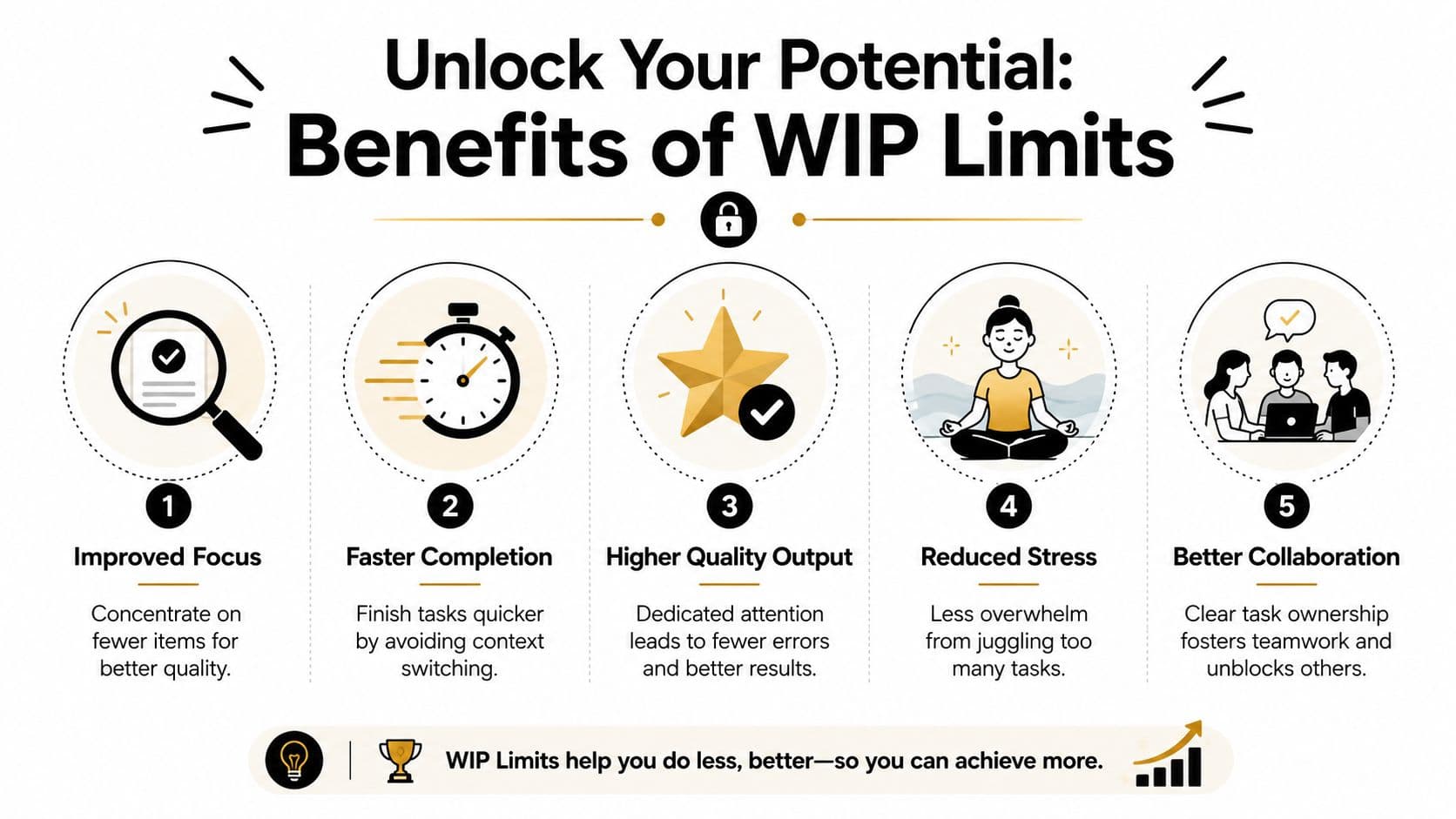
The biggest benefit of work in progress limits isn't discipline. It's speed with less chaos.
When fewer items compete for attention and resources, work moves through the system more cleanly. That affects completion time, handoffs, review quality, and how quickly you notice a problem.
Faster flow, not slower output
A lot of teams resist limits because they assume fewer active tasks means less productivity. In practice, limiting WIP reduces the pile of partially completed work that fights for the same people and the same time.
As noted in Boost's discussion of limiting work in progress, limiting WIP has a measurable effect on cycle time, throughput, and context switching because it reduces the number of partially completed items competing for the same resources. The same source notes that Atlassian advises keeping individual tasks to no more than 16 hours of work to improve flow, and that DORA guidance highlights how enforcing limits makes blockers visible even if teams initially experience some idle time.
Better quality comes from cleaner attention
Quality problems rarely start as effort problems. They start when people split attention across too many things, rush handoffs, or lose track of details between interruptions.
A smaller active workload improves quality in a few practical ways:
- Fewer mental resets: You remember the logic of the work because you haven't abandoned it five times.
- Cleaner reviews: Reviewers see smaller, more digestible units of work instead of oversized chunks.
- Earlier correction: If something is off, the issue appears sooner because less unrelated work is masking it.
Bottlenecks stop hiding
Limits prove useful even for skeptical teams. Without a cap, overloaded stages absorb pain unnoticed. Review gets slower. Feedback takes longer. Approval waits grow. Because work keeps entering the system, nobody has to confront the constraint directly.
With a limit, the jam becomes visible. The column fills. New work can't enter. That forces a conversation about the underlying blockage.
Practical rule: When a stage hits its limit, stop feeding it and help clear it.
That may mean reviewing instead of building, resolving dependencies instead of opening a new task, or breaking one oversized item into smaller parts.
Stress drops because the system gets more honest
People often describe WIP limits as calming once they've lived with them for a while. The work doesn't disappear. The ambiguity does.
You know what is active. You know what is waiting. You know when you're at capacity. That clarity is especially useful for managers and founders who are prone to carrying a dozen parallel priorities “just in case.”
The discomfort comes first. Then the relief.
How to Set and Tune Your First WIP Limits
Your first limit doesn't need to be perfect. It needs to be usable.
That matters because many teams overthink the starting number, then never enforce anything. A rough limit that people respect beats a complex limit everyone ignores.
A practical starting point for teams
A long-standing rule of thumb in Kanban is to start with team size + 1. For a 5-person team, that means a starting WIP limit of 6, as described in Businessmap's guide to WIP. The same guidance also suggests another common baseline: if the team is currently juggling 10 in-progress items, try a lower experimental limit such as 7 or 8 instead of preserving the status quo.
That gives you two valid ways to begin:
| Context | Suggested Starting WIP Limit |
|---|---|
| Team using a simple rule of thumb | Team size + 1 |
| 5-person team | 6 |
| Team currently handling 10 active items | Try 7 or 8 as an experiment |
A few implementation notes make this work better:
- Set the limit where work accumulates: Usually “In Progress,” “Review,” or another active stage.
- Use one visible rule: Hidden limits don't change behavior.
- Treat breaches as signals: If people keep breaking the limit, the process is telling you something.
A practical starting point for individuals
Individuals don't need a formal Kanban system to benefit from work in progress limits. You just need a clear rule for what counts as active.
A simple personal version works well:
- Keep a larger backlog of everything you might do.
- Choose a very short active list.
- Don't add another meaningful task until one leaves the list.
For many professionals, a small active list works better than trying to rank an endless one. If you manage strategy, delivery, client work, and admin all in the same week, your “active” definition should be stricter than your “important” definition.
Signs your limit is too high
If your first number isn't helping, don't abandon the idea. Tune it.
Your limit is probably too high if:
- Work keeps aging: Items sit active for long stretches without finishing.
- Review or approval keeps clogging: The team starts faster than it finishes.
- People say they're slammed but can't point to completions: Effort is spread too thin.
Signs your limit is too low
The opposite happens too. A limit can be so tight that the system starves.
You'll notice that when:
- People are waiting often with nothing meaningful to pull
- A small blocker halts too much of the workflow
- The team spends more time debating exceptions than moving work
That said, some initial idle time is normal. If you've been flooding the system for a long time, the first days with enforced limits can feel uncomfortably quiet.
Don't rush to raise a limit just because the board suddenly shows the truth.
Tune with observation, not opinion
A good adjustment cycle is simple:
- Run the limit for a short period
- Watch where work stalls
- Notice whether tasks are too large
- Change one thing at a time
The most common fixes aren't dramatic. Split oversized tasks. Tighten handoff rules. Add clearer ownership for review. Change one column limit instead of redesigning the whole board.
For personal workflows, the same principle applies. If your active list keeps overflowing, the answer usually isn't “work harder.” It's either reduce the active count or define the work in smaller chunks so something can finish.
Measuring Success and Improving Your Flow
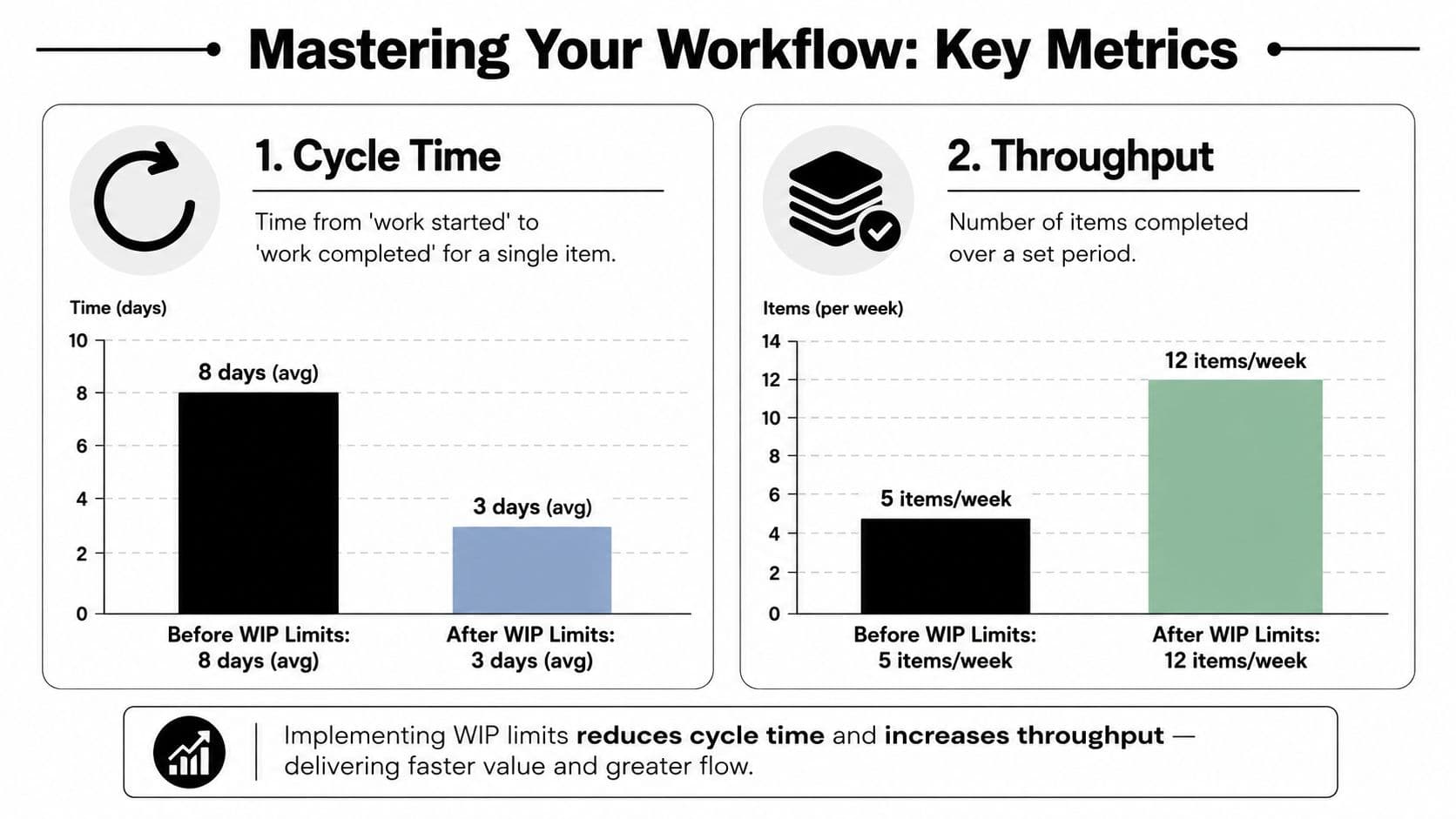
If you don't measure anything, WIP limits can turn into a philosophical debate. The simplest way to keep them practical is to track two things: cycle time and throughput.
Cycle time is how long one item takes from start to finish. Throughput is how many items you complete over a set period. You don't need a complicated setup to track either one. Start date. End date. Completed items.
What to watch first
If your cycle time shrinks and your throughput stays healthy, your flow is probably improving. If cycle time stays long, look for queues, blocked items, or work items that are too large.
If you want a broader measurement framework, these project tracking metrics give useful context around what teams should monitor regularly.
Here's a clean way to review your workflow each week:
- Look at completed items: Did work finish at a steady pace or in bursts?
- Check aging active work: Which items have been open too long?
- Review blocked tasks: Are the same dependency types appearing again and again?
Using Little's Law without overcomplicating it
DORA recommends measuring the date work starts and the date work ends so teams can calculate lead time and understand delivery patterns. It also ties WIP practice to Little's Law, which states WIP = throughput × cycle time. In DORA's guidance, a team completing 12 items per week with an average cycle time of 2 weeks would expect about 24 items in progress at steady state, which gives a quantitative check for whether a chosen limit makes sense, as explained in DORA's WIP limits guidance.
You don't need to become a statistician to use that. The practical takeaway is simple: if your system holds more active work than your completion rate and completion time can support, congestion builds.
A cumulative flow view makes the truth hard to ignore
A cumulative flow diagram sounds technical, but the reading is straightforward. It shows how much work sits in each stage over time. If one band widens steadily, that stage is accumulating inventory faster than it clears it.
A healthy workflow doesn't mean every line stays flat. It means queues don't quietly swell for weeks.
That's why visual tracking matters. Many workflow problems are obvious once they're charted. Until then, teams often explain slow delivery as “a busy month” when the underlying issue is unmanaged accumulation.
Tools and Strategies for Modern Workflows
Modern work creates a strange mix of speed and congestion. AI can help draft, summarize, categorize, and route work faster. It can also flood your system with more partially finished output than your review and decision-making process can handle.
That makes work in progress limits more important, not less.
Use tools that make limits visible
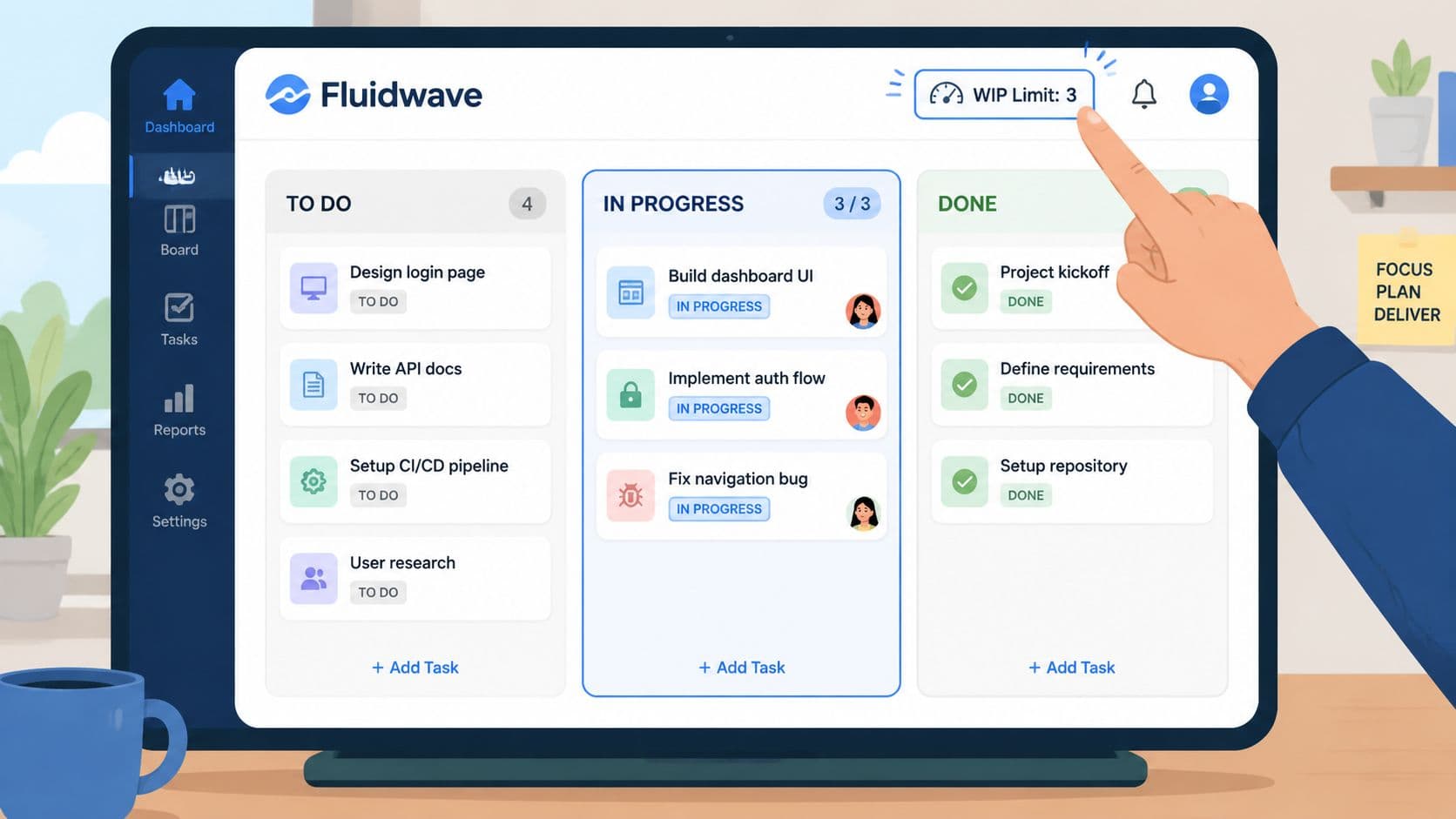
The best workflow tools don't just store tasks. They show where work is stuck and make active limits hard to ignore. Kanban views help because they turn hidden overload into something visible on the screen.
That's one reason some teams use platforms like Fluidwave, which combines task management views with automation and delegation support. In a setup like that, a manager can see active work, spot a blocked stage, and decide whether to pause intake, reassign effort, or delegate a subtask instead of passively adding more work to the same bottleneck.
Delegation is part of WIP management
Many professionals often miss an opportunity. When a task is blocked, the default reaction is often to start something new. That raises active work and makes the system noisier.
A better response is to ask: can part of this move forward without me?
Examples include:
- Admin dependencies: Scheduling, follow-up emails, document cleanup, and status updates can often be handed off.
- Preparation work: Research gathering, transcript summarization, and first-pass organization can move separately.
- Coordination work: Chasing inputs, confirming deadlines, and assembling review packages often unblock high-value work.
That's also why it's worth studying current best AI workflow automation tools with a critical eye. The useful question isn't which tool can generate more activity. It's which one helps your system finish more cleanly with less manual switching.
Keep AI from becoming a WIP multiplier
AI-generated drafts, tickets, notes, and code can create the illusion of acceleration while review queues expand. Smart teams use AI upstream to reduce friction, but they still protect downstream stages with limits, clearer definitions of done, and deliberate delegation.
For individuals, the same rule applies. Don't use AI to produce five more active threads of work you now have to monitor. Use it to reduce the time and cognitive load required to finish the thread already in motion.
The most effective setup is usually simple: visible limits, smaller tasks, explicit handoffs, and tools that support focus instead of feeding distraction.
If your workload feels full but strangely unfinished, that's a workflow problem you can fix. Fluidwave gives individuals and teams a way to organize tasks across Kanban, list, calendar, and table views, automate routine task handling, and delegate specific work without adding more clutter to the active queue.
Focus on What Matters.
Experience lightning-fast task management with AI-powered workflows. Our automation helps busy professionals save 4+ hours weekly.