Find the right shared to do list app for your team. Our guide covers key features, collaboration patterns, and tips for neurodivergent-friendly workflows.
June 6, 2026 (2mo ago)
Shared to Do List App: A Guide to Team Collaboration
Find the right shared to do list app for your team. Our guide covers key features, collaboration patterns, and tips for neurodivergent-friendly workflows.
← Back to blog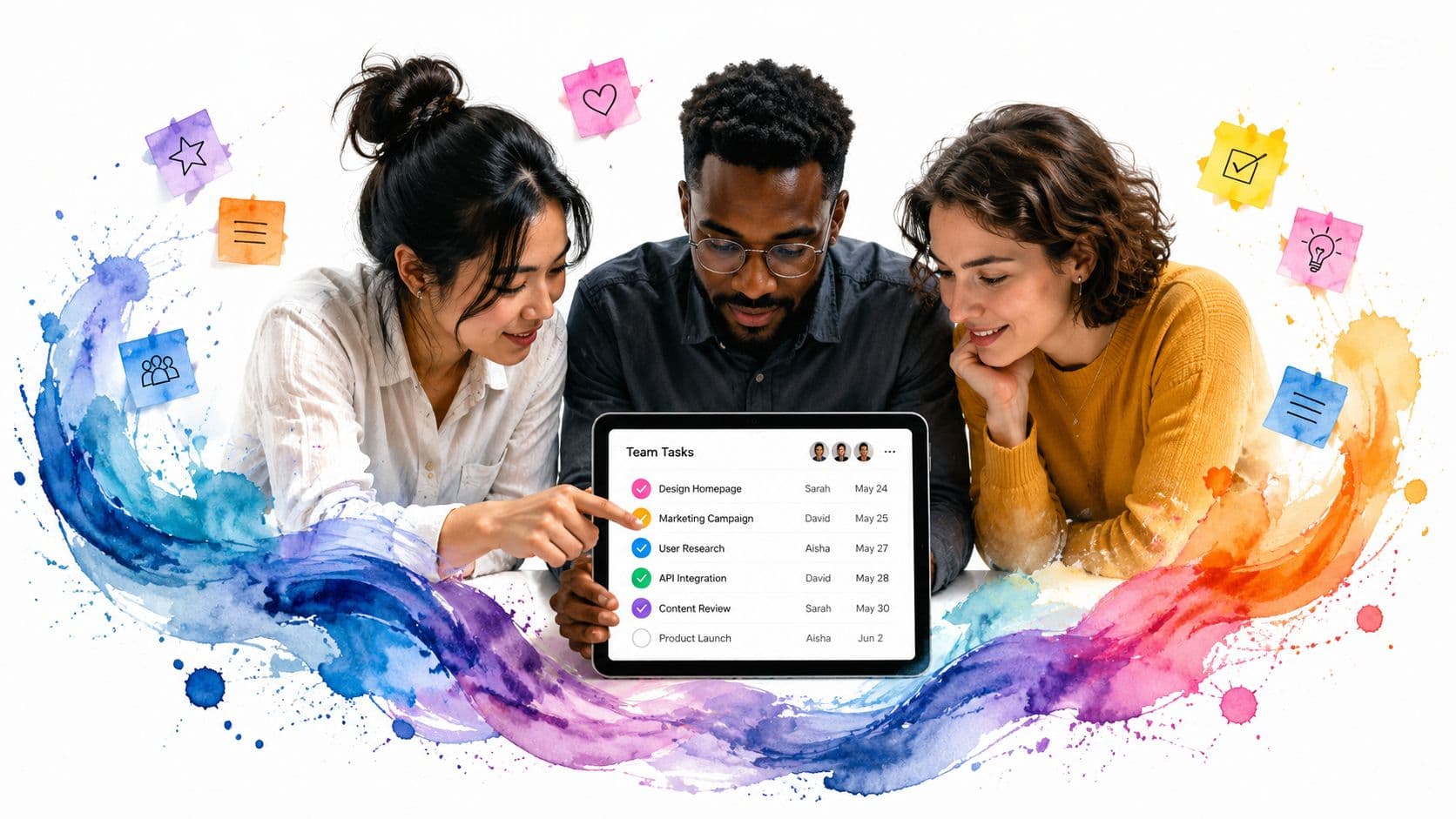
Your team probably has work hiding in five places right now.
A request came in by email. A deadline changed in Slack. Someone updated a spreadsheet, but only their version. Another teammate wrote action items in meeting notes. By Thursday, nobody is completely sure what's finished, what's blocked, or who owns the next step.
That's usually the moment people say they need “better project management.” Often, they need something simpler first. They need one shared place where tasks live, move, and get completed without a scavenger hunt.
A shared to do list app works like a digital command center. Instead of chasing status across inboxes and chat threads, everyone works from the same task list. Done well, it cuts down the small coordination failures that waste time: duplicate work, forgotten follow-ups, vague ownership, and meetings held just to reconstruct reality.
Moving Beyond Chaotic Email Chains and Spreadsheets
A familiar pattern shows up in growing teams.
At first, email works. A founder sends a few requests. A manager keeps a spreadsheet. People remember what they promised. Then the volume increases. One launch involves design, copy, approvals, handoffs, and client updates. The spreadsheet becomes a museum of old assumptions, and the inbox turns into a poor substitute for a task board.
The actual cost isn't just missed work. It's the energy spent checking, clarifying, and asking again.
What chaos looks like in practice
Here's a simple example. A marketing team is preparing a webinar.
- Email holds approvals: The title is approved in one thread.
- Chat holds changes: A teammate drops the revised CTA in Slack.
- The spreadsheet holds the old due date: Nobody notices until the day before.
- The meeting becomes detective work: People spend half the call figuring out what already happened.
That team doesn't have a motivation problem. It has a visibility problem.
A shared to do list app gives the team one operational view. Everyone sees the same assignments, due dates, and completion state. That changes the conversation from “Did anyone handle this?” to “This is blocked because legal review is still pending.”
For teams comparing broader software stacks, it can help to review LocalChat's list of all-in-one apps, especially if you're deciding whether shared tasks should live inside a larger collaboration hub or in a dedicated task tool.
The market shift toward this kind of coordination is real. Independent market research says the enterprise segment of the to do list app market is the fastest-growing end-user category, with a projected 11.7% CAGR from 2026 to 2034 according to Dataintelo's to-do list apps market report.
Why teams stick with shared lists
A lot of teams don't need heavyweight project software on day one. They need a system that answers four questions quickly:
| Question | What the team needs to see |
|---|---|
| What needs doing? | A clean list of open tasks |
| Who owns it? | Clear assignment |
| When is it due? | Visible deadlines |
| What changed? | Recent updates in one place |
Practical rule: If your team has to open email, chat, and a spreadsheet to understand one project, your task system is fragmented.
That's why shared lists tend to spread naturally through organizations. They solve a daily frustration people feel immediately. Less chasing. Fewer status meetings. Less rework from stale information.
A strong shared list won't fix bad decision-making. It will make decisions and responsibilities visible enough that people can act on them.
Here's a quick look at the kind of workflow this article is talking about:
What Makes a To-Do List App Truly Shared
A personal checklist is like a notepad in your pocket. It helps you remember what you need to do.
A shared to do list app is closer to a digital whiteboard mounted in the middle of the room. Everyone can see the same tasks. Everyone sees updates as they happen. And everyone works from the same version, not their own private copy.
That distinction matters more than people think.
The difference between shared and merely visible
Some tools let you export a list, email a list, or screenshot a list. That doesn't make the list collaborative. It only makes it viewable.
A shared system has a single source of truth. When one person checks off a task, assigns a subtask, or changes a due date, the rest of the group sees the current state. Nobody has to ask for the latest file.
That change sounds technical, but it's also cultural. Teams stop treating tasks as private reminders and start treating them as shared commitments.
How the category changed
Older to do tools were often built around solo capture. Write it down. Set a reminder. Check it off later.
Modern shared tools moved toward real-time coordination. A practical marker of that shift appears in coverage of shared list tools that notes how products added real-time task sharing and cloud syncing. The same discussion highlights WeDo reaching over 500,000 users while offering real-time sharing features for teams and families, which reflects how mainstream collaborative lists have become, as described in Fellow's roundup of shared to-do list tools.
What changed in plain language:
- Tasks became live objects: They can be reassigned, updated, and completed by more than one person.
- Lists became shared spaces: Families, couples, roommates, and work teams can operate in one place.
- Sync became expected: People assume the phone, laptop, and tablet all show the same current state.
A shared list stops being a memory aid and starts becoming a coordination system.
The minimum bar for “shared”
If you're evaluating tools, look for these signs that the app is collaborative:
- Common task state: Everyone sees whether a task is open, done, or waiting.
- Shared context: Notes, comments, files, or details stay attached to the task.
- Cross-device continuity: The list behaves consistently when people use different devices.
- Permissions: Not everybody needs identical access to everything.
A lot of confusion comes from tools that sit in the middle. They may support sharing links or inviting collaborators, but if updates feel delayed, responsibilities stay vague, or people still need chat to explain each task, the list isn't functioning as a real team workspace.
Core Features for Effective Team Collaboration
When teams shop for a shared to do list app, they often compare feature counts. That's not the right test. The better question is whether the app helps people coordinate work with less friction.
The easiest way to evaluate that is to group features by job.
Task management features that reduce ambiguity
The first job is turning vague work into actionable work.
A task called “Website” is useless. A task called “Approve homepage headline by Friday” gives people something they can finish. Good shared tools support that clarity with practical structure.
Look for features like:
- Subtasks: These help break a larger item into smaller actions without creating a separate project.
- Recurring tasks: Useful for weekly reviews, payroll checks, content publishing, or household chores.
- Due dates and priorities: These help people decide what needs attention first.
- Assignees: A task without an owner often becomes a group wish rather than a responsibility.
Without those basics, the list fills up fast but doesn't move work forward.
Collaboration features that cut down on side conversations
The second job is communication inside the task itself.
If every question about a task moves to email or chat, the task list becomes a signpost instead of a workspace. Comments, file attachments, and mentions keep the discussion tied to the work item so people don't have to reconstruct context later.
This matters most when teams work asynchronously. One person updates the task in the afternoon. Another checks it that evening. A third reviews it the next morning. The history stays attached to the item rather than scattered across channels.
For teams that also coordinate schedules alongside tasks, it helps to see how a shared calendar fits into the same operating model. This guide on creating a shared calendar for team planning is useful because many teams discover that deadlines only work when task visibility and time visibility support each other.
Visibility features that match how people think
Some people understand work best in a list. Others need a board, calendar, or timeline-style view to see bottlenecks and deadlines.
That doesn't mean every app needs every possible view. It does mean the app should present work in a way your team can scan quickly.
A simple comparison helps:
| Feature group | What it solves |
|---|---|
| List view | Quick scanning and daily execution |
| Board view | Workflow stages and handoffs |
| Calendar view | Deadline clustering and planning |
| Filters or labels | Focus by client, project, or priority |
A shared list becomes much more useful when people can answer “What matters today?” without clicking through layers of setup.
The technical feature you can't ignore
One requirement sits underneath everything else: real-time synchronization with conflict handling.
Microsoft To Do's shared-list approach emphasizes instant sharing, and the underlying challenge is bigger than it sounds. The system has to propagate edits quickly and reconcile simultaneous changes so tasks, deadlines, and completion states stay consistent for all collaborators, as discussed in Microsoft's post on list sharing in To Do.
If that layer is weak, teams see familiar failures:
- Duplicate tasks after overlapping edits
- Stale due dates on one person's device
- Confusing ownership when assignments don't update cleanly
- Low trust in the system itself
When people stop trusting the list, they go back to messaging each other. That's the beginning of tool failure.
The best shared apps don't just store tasks. They preserve a reliable shared reality.
How to Choose the Right Shared Task App for Your Team
The wrong app usually fails in one of two ways.
It's too light, so the team outgrows it and starts patching the gaps with email and chat. Or it's too heavy, so people avoid it and keep working from memory, sticky notes, or private documents. Both create the same result: the official system and the actual system split apart.
Start with coordination style, not brand names
Most app comparisons begin with logos and feature tables. Start somewhere else. Ask how your team coordinates work.
Does your team hand off tasks across roles? Do people need comments and files attached to tasks? Are deadlines flexible, or do they connect to client commitments, launch calendars, or operations? Does the team work mostly in real time, or across different schedules?
Those answers matter more than whether a tool looks polished in a demo.
A useful framing comes from product guidance that highlights the trade-off between simplicity and coordination quality. More features aren't automatically better. The better choice depends on whether the app reduces overhead or instead relocates it, as discussed in Evernote's guide to shared to-do list apps.
A practical decision filter
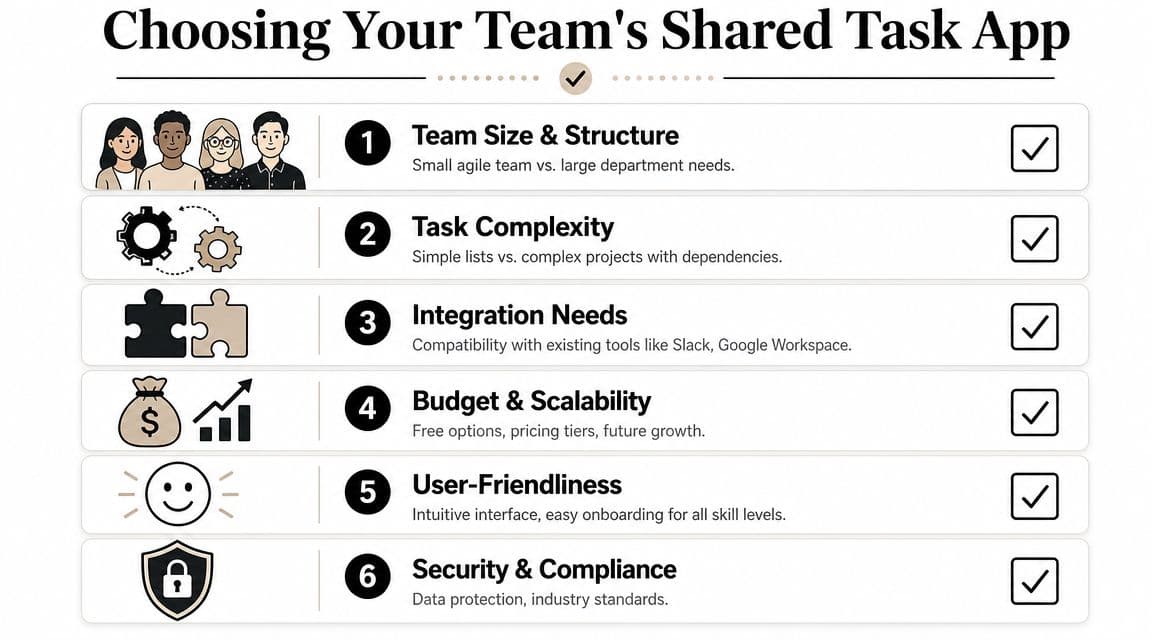
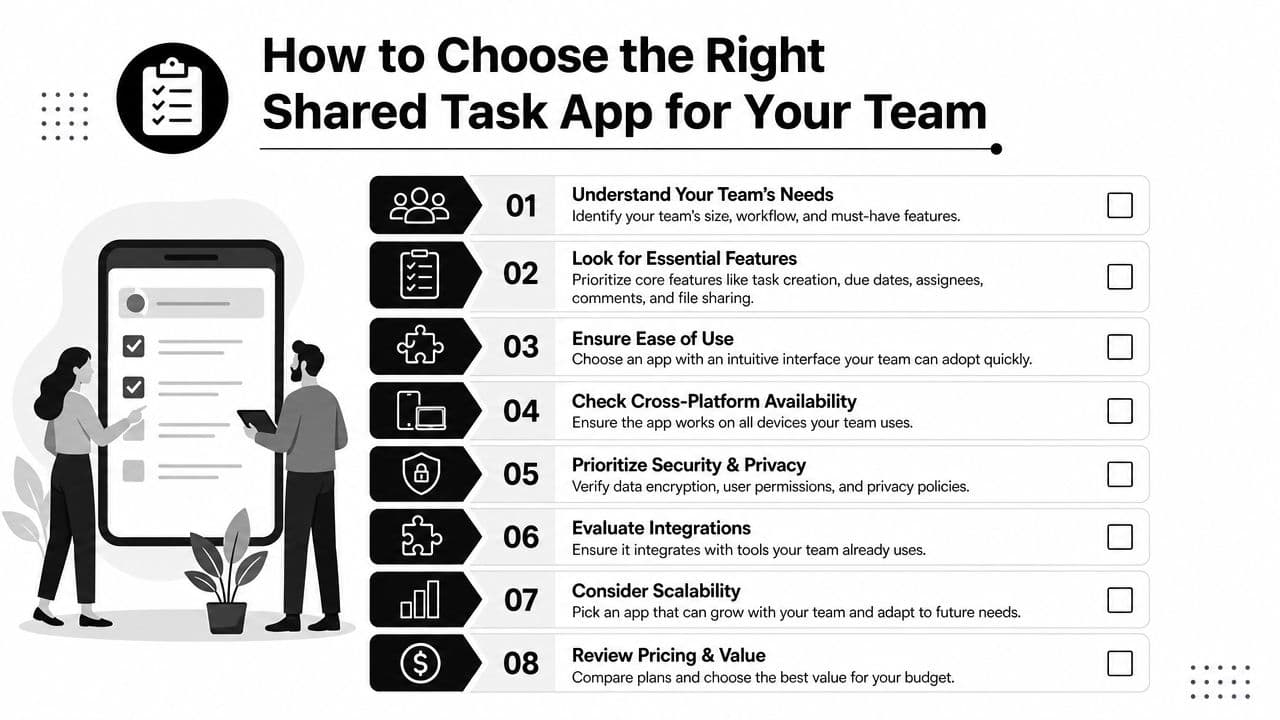
Use this checklist in a team discussion before you commit to anything:
-
How many people need to collaborate regularly?
A two-person working relationship is different from a department with managers, contributors, and reviewers. -
What kind of tasks live in the system?
Repeating admin work, creative production, client requests, and household coordination all behave differently. -
How much structure does the work require?
Some groups need only assignment and due dates. Others need subtasks, comments, recurring work, and view options. -
Where does the task start?
If work arrives through meetings, inboxes, forms, or chat, your team will care about capture speed and integration. -
What happens when a task stalls?
Many teams choose apps that create tasks well but don't support follow-through well. -
Will people use it daily? Adoption depends on low friction. If entering or updating work feels like paperwork, people will bypass it.
Watch for the hidden cost of “easy”
Minimal tools look attractive because they promise less setup. Sometimes that's the right move. A household grocery list does not need a workflow engine.
But simple tools can become expensive in human effort when the team has to compensate manually. If people must clarify ownership in Slack, repeat deadlines in meetings, or remind each other through side channels, the app is no longer simple. It's incomplete.
That's why comparison work matters. If you're narrowing options, this review of task management software comparison criteria is a useful companion because it focuses on fit, not hype.
Choose for the team you have, not the team in the demo
Vendors often show ideal behavior. Real teams are messier.
People forget to update status. Some team members want a board. Others want a plain list. One person needs everything time-blocked. Another gets overwhelmed by clutter. Neurodivergent teammates may need fewer visual distractions, clearer naming, and more predictable routines.
So test with real work for a short pilot. Use active tasks, active deadlines, and active handoffs. If the app makes day-to-day coordination calmer, you'll feel it quickly. If it creates more administration than clarity, you'll feel that quickly too.
Onboarding and Workflow Best Practices
A shared to do list app doesn't become useful when the account is created. It becomes useful when the team agrees how work will be entered, updated, and closed.
A common pitfall for many rollouts occurs when leaders pick a tool, invite everyone, and assume adoption will happen on its own. Then the list fills with vague titles, duplicate tasks, old deadlines, and silent confusion.
Pain point: tasks are hard to scan
If task names are messy, the list becomes mentally expensive.
Use a naming pattern that tells people the action, object, and outcome. “Client deck” is weak. “Revise client deck intro slide” is better. “Approve client deck intro slide” is even better when ownership is clear.
A few practical standards help:
- Use verbs first: Start with the action, such as draft, review, send, confirm, or publish.
- Add one owner: Shared ownership often means no ownership.
- Set one visible due date: If there's no time signal, tasks compete equally for attention.
- Break down large tasks: If it takes many steps, split it before assigning it.
Working rule: If a teammate can't tell what “done” means from the task title, rewrite the task.
Pain point: people assign work, but follow-through still slips
Some teams don't just need a place to track work. They need a way to delegate it outside the core team when capacity gets tight.
That's where tool choice and workflow design meet. Some platforms focus mainly on internal assignment. Others support broader delegation models. For example, Fluidwave combines shared task management with multiple views such as list, calendar, and Kanban, and it also supports task delegation to on-demand virtual assistants on a pay-per-task basis. That setup can help when the bottleneck isn't knowing what to do, but having enough execution capacity to get it done.

A screenshot never tells the whole story, but it's a reminder that layout matters. Some people work best from a visual board. Others need a calendar or linear list. Teams adopt systems faster when the same underlying tasks can be viewed in more than one way.
Pain point: comments replace process
If every task spawns a long comment thread, your workflow may be compensating for weak conventions.
Try a simple operating model:
| Situation | Team rule |
|---|---|
| New task enters the system | Add owner, due date, and next action |
| Task is blocked | Mark it blocked and note what is needed |
| Task changes hands | Reassign in the app, don't mention it only in chat |
| Task is done | Close it in the app the same day |
This keeps the list clean and reduces “I thought you had it” moments.
Pain point: the app becomes another inbox
Don't notify everyone about everything. That creates the same noise problem teams were trying to escape.
Instead, define when to use comments, when to use mentions, and when a quick conversation is faster. A good shared list reduces unnecessary communication. It doesn't ban communication.
The most durable setups are boring in the best sense. People know where official work lives. They know how to name tasks. They know what counts as blocked, active, and done. That consistency matters more than any flashy feature.
Quick Tips for High-Performing and Inclusive Teams
High-performing teams don't just move fast. They make work easy to see, easy to start, and easy to finish.
That matters for everyone, but it matters even more for neurodivergent teammates, people with ADHD, and anyone juggling a heavy cognitive load. A shared task system should reduce mental friction, not add another layer of interpretation.
Design for clarity first
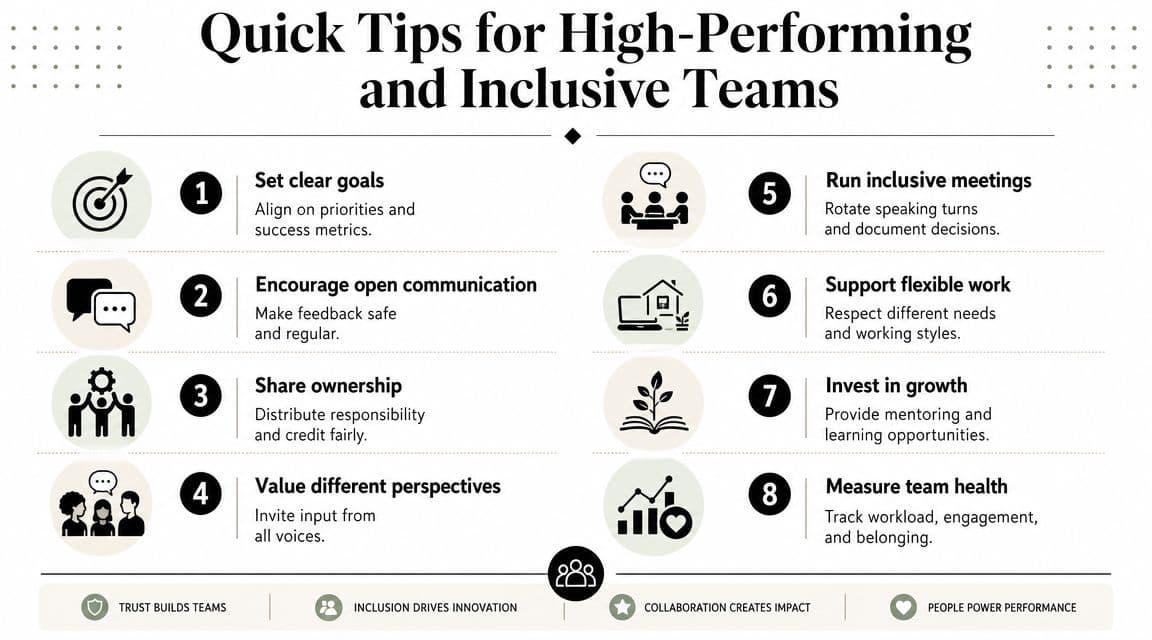
A few adjustments make a big difference:
- Keep task titles concrete: “Submit reimbursement form” is easier to act on than “Finance.”
- Use smaller steps for fuzzy work: Subtasks reduce overwhelm when a task feels too large to begin.
- Limit status labels: Too many categories force people to decode the system before using it.
- Match view to thinking style: Some people process better in boards, others in calendars, others in plain lists.
Reduce the number of decisions a person has to make before they can begin the task.
Build for low-friction coordination outside the office
Most advice about shared lists is written for workplace teams. That leaves a practical gap for households, roommates, caregivers, and couples. Coverage of the category often focuses on team productivity while skipping everyday coordination questions like chore permissions, grocery updates, and low-friction routines, as noted in Slack's guide to shareable to-do lists for teams.
That gap matters because the same principles still apply.
- For families: Keep recurring chores visible and predictable.
- For roommates: Use one shared grocery or bill list with clear ownership.
- For caregivers: Separate sensitive tasks from general household reminders.
- For asynchronous teams: Use comments for context, not for replacing assignment.
If your team is distributed or works on different schedules, these principles connect closely with broader asynchronous collaboration tools and habits.
Small habits that improve adoption
The most effective teams usually do a few simple things consistently:
- Review the list at the same time each day: A short shared rhythm beats occasional deep cleanup.
- Close completed tasks quickly: Done work should disappear from active attention.
- Audit stale items weekly: Old tasks create guilt and noise.
- Protect focus: Don't turn every update into a notification.
Inclusive task systems are not softer systems. They are clearer systems. They remove guesswork, make priorities visible, and give different kinds of minds a fair chance to do strong work.
If your team needs a shared task system that combines collaborative lists, multiple planning views, and optional delegation support, take a look at Fluidwave. It's built for people who want one place to organize work, stay in sync, and offload tasks when execution bandwidth is the main constraint.
Focus on What Matters.
Experience lightning-fast task management with AI-powered workflows. Our automation helps busy professionals save 4+ hours weekly.