Asynchronous collaboration lets teams work on their own schedule, avoiding simultaneous online presence. This approach creates a shared workspace that stays open, enabling deep, focused work instead of constant interruptions. This guide explains why async-first practices matter, which tools help most, and how to shift without sacrificing culture or momentum.
December 23, 2025 (9mo ago) — last updated February 17, 2026 (7mo ago)
Async Collaboration Tools for Modern Teams
Discover how async collaboration reduces meetings, boosts focus, and empowers distributed teams with practical tools, protocols, and best practices.
← Back to blog
Async Collaboration Tools for Modern Teams
Summary Discover how asynchronous collaboration reduces meetings, boosts focus, and empowers distributed teams with practical tools, protocols, and best practices.
Introduction
Asynchronous collaboration lets teams work on their own schedule, avoiding simultaneous online presence. This approach creates a shared workspace that stays open, enabling deep, focused work instead of constant interruptions. This guide explains why async-first practices matter, which tools help most, and how to shift without sacrificing culture or momentum.
Synchronous vs Asynchronous Work: A Quick Comparison
To see why asynchronous tools are powerful, compare them with the real-time, synchronous work most teams default to. One is about “right now,” while the other supports thoughtful, focused contributions.
| Characteristic | Synchronous Collaboration (Real-Time) | Asynchronous Collaboration (Own-Time) |
|---|---|---|
| Pace | Immediate, fast-paced, high pressure | Deliberate, thoughtful, flexible |
| Communication | Video calls, instant messages, in-person meetings | Shared documents, project boards, video messages |
| Best For | Urgent problem-solving, brainstorming, quick decisions | Deep work, detailed feedback, cross-time-zone projects |
| Primary Outcome | Quick alignment, immediate answers | High-quality output, documented decisions |
Each style has its place. The skill is choosing the right mode for the task instead of reflexively scheduling another meeting.
Why Your Team Is Stuck in Endless Meetings

Does your calendar look like a game of Tetris, packed with back-to-back video calls? You’re not alone. Many teams confuse being constantly available with being productive.
Imagine a marketing team in New York, London, and Tokyo trying to approve a campaign. For everyone to meet, someone logs on late at night while another joins early in the morning. That’s a fast track to burnout.
The pressure to be in sync creates a culture of “now,” where every ping feels urgent. Important conversations get rushed, creativity suffers, and decisions move from meeting to meeting. See our guide on effective meeting management for practical tips: https://fluidwave.com/blog/effective-meeting-management
The Shift to a Better Way of Working
Asynchronous work, powered by the right tools, changes this. It isn’t about working alone; it’s about working together with intention and respect for one another’s time. Team members contribute when they’re at their best and leave clear context so colleagues can add thoughtful input on their own schedule.
This shift is already reshaping how companies work: the team collaboration tools market is projected to grow significantly in the coming years5. Adopting async is about more than new software; it’s about building a calmer, more productive culture where the quality of work matters more than a green “online” light.
Unlocking Your Team’s True Potential
Going async is more than cutting meetings. It’s a strategic advantage: removing the pressure for immediate answers gives people space to think, leading to better ideas and smarter decisions. Instead of knee-jerk reactions, contributors digest context and return with well-formed input.
Fostering a More Inclusive Workplace
Async tools help create a fairer environment. Meeting-heavy workplaces favor fast talkers, but an async model levels the playing field:
- Empowers introverts: Quiet team members get the time to process and shape their thoughts without being talked over.
- Supports caregivers: Parents and people with caregiving responsibilities can contribute meaningfully without rigid 9-to-5 meeting demands.
- Connects global teams: Colleagues in different time zones can participate on an equal footing.
This approach helps the best ideas win, no matter who shared them or when.
Building a Lasting Knowledge Base
Async tools produce a living record of decisions, feedback, and updates. Everything becomes searchable, creating a single source of truth that ends the hunt for information. No more digging through old emails to ask, “What did we decide last Tuesday?”
All crucial information gets captured where the work happens, with context. That organic documentation cuts onboarding time and makes knowledge transfer seamless, so institutional memory isn’t locked in a few people’s heads4.
Finding the Right Tools for Your Workflow
Entering the async-tools ecosystem can feel overwhelming. You don’t need every app—build a focused toolkit that solves your team’s actual problems. Most effective async workflows use a core set of four tool types.
Centralized Communication Hubs
This is your team’s digital HQ: a central place where conversations live, replacing messy email chains. Tools like Slack or Twist organize searchable discussions and let you create dedicated channels for projects like #project-phoenix or #q4-marketing-campaign.
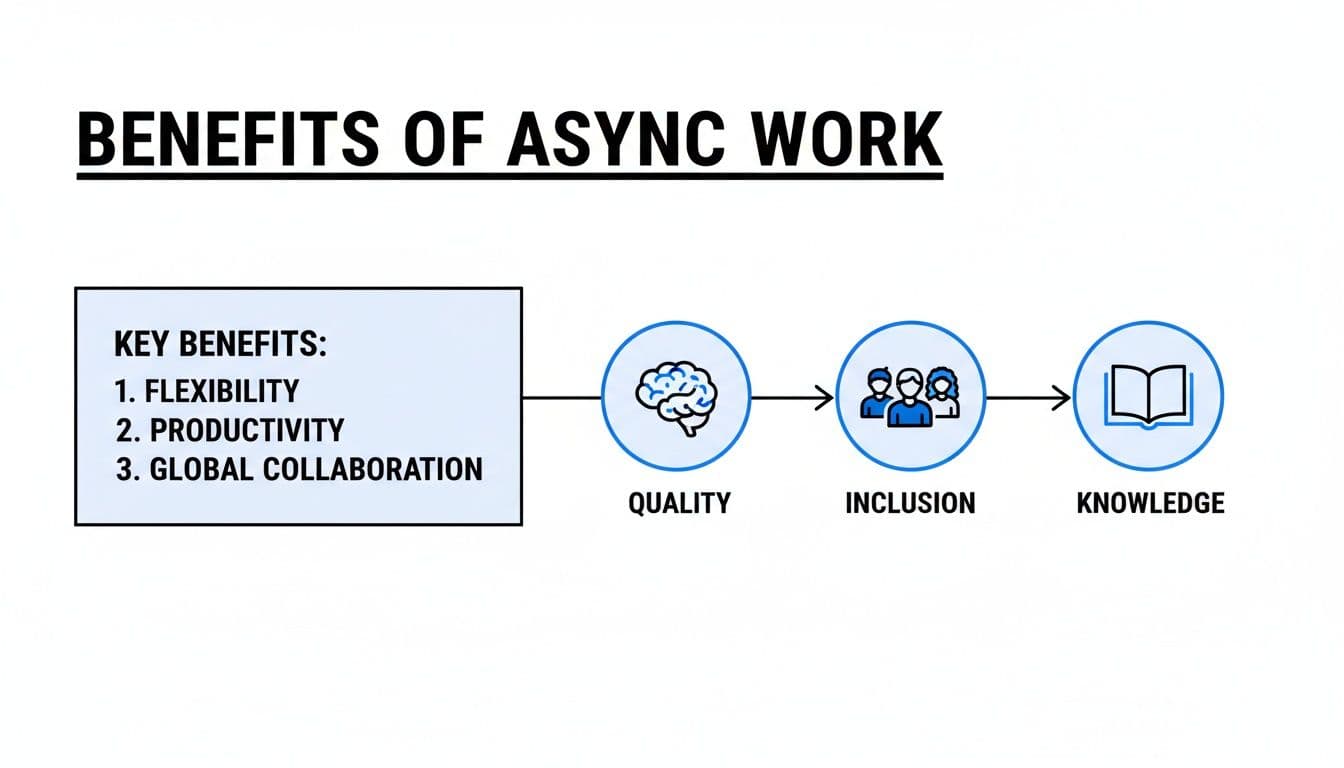
When communication is clear and easy to find, work quality improves and teams become more inclusive over time.
Project and Task Management Systems
Communication tells you what’s being discussed; project management tells you who is doing what and when. Tools like Asana or Trello provide clarity and accountability, helping you escape the “who owns this?” trap. Use these platforms to assign owners, set due dates, attach files, and track task progress. For comparisons, see our task management software comparison: https://fluidwave.com/blog/task-management-software-comparison
Shared Knowledge Bases
A shared knowledge base—tools such as Notion or Confluence—acts as your team’s collective brain. Company policies, project briefs, meeting notes, and how-to guides live in one searchable place. Documenting decisions and processes creates a self-serve resource that reduces repetitive questions and speeds onboarding.
Video Messaging Platforms
Not every update needs a scheduled meeting or a long email. Video messaging tools like Loom let you record quick screen shares for demos or walkthroughs. Viewers can leave time-stamped comments and reactions, creating focused conversations right on the recording.
Using short video updates in place of a live demo can cut the need for scheduling across time zones; in fact, a notable share of video meetings already bridge time-zone gaps3. These flexible options are increasingly important for distributed teams.
Putting Asynchronous Principles into Practice
Adopting async isn’t a quick fix; it requires new habits and clear cultural expectations. Build routines around clarity, documentation, and trust. Without the cultural groundwork, tools become notification noise.
Establish Clear Communication Protocols
Successful asynchronous teams share a clear set of rules for how, when, and where to communicate. Start by defining expected response times. Async doesn’t mean silence; it means reasonable expectations. A common guideline is a 24-hour window for non-emergencies. This lets people disconnect and focus without guilt.
Be intentional about where conversations happen:
- Project-Specific Channels: Give each project a dedicated home so context doesn’t get lost in direct messages.
- Urgent Matters: Define what truly counts as urgent and how to handle it, such as a dedicated
#urgentchannel and a written emergency protocol. - Social Channels: Create spaces for casual conversation to build connection without cluttering project discussions.
Formalize these rules in writing. Use a project communications plan template to set expectations and onboard new projects: https://fluidwave.com/blog/project-communications-plan-template
Master the Art of the Detailed Brief
Ambiguity is the project killer in an async environment. Every task needs clear documentation. A great brief anticipates questions, provides context, goals, resources, and constraints so someone can act even if the owner is offline. It’s more work upfront, but it prevents costly back-and-forth and keeps momentum moving.
A Look at Top Asynchronous Collaboration Tools
Match a tool’s strengths to your team’s biggest pain points. Below are a few standout platforms and why they matter for async work.
Slack For Focused Communication
Slack has evolved beyond instant chat. Features like Clips let teams record short audio or video updates with transcripts, replacing many quick sync meetings. Teams that adopt Slack’s async features report large drops in scheduled meetings, freeing up time for focused work2.
Asana For Project Clarity
Asana brings transparency to workloads with features like Workload management. This visual view eliminates many daily stand-ups by showing who’s doing what and where capacity is tight. Project managers can rebalance work without interrupting teammates.
Notion: The All-In-One Team Brain
Notion blends documents, databases, and task management into one flexible workspace. For async teams, it becomes a single source of truth where project context lives together with roadmaps and notes.
Loom For Visual Explanations
Loom’s quick screen recordings are often better than a long email or a scheduled meeting. With time-stamped comments and reactions, feedback happens in the right place, without forcing everyone to be present at once.
Common Questions About Asynchronous Work
How Do You Maintain Team Culture?
Async work doesn’t mean no interaction; it means being intentional about connection. Create separate social spaces, run optional social calls like virtual coffee breaks, and make time for low-pressure activities that build rapport.
What If You Need a Fast Answer?
Redefine “urgent” and document an emergency protocol. Set clear response-time expectations (for example, 24 hours for non-critical items), and reserve instant notifications for truly time-sensitive incidents.
How Do You Prevent Team Isolation?
Make work visible and celebrate progress. Encourage regular written updates in your project tool so everyone sees how individual contributions map to the bigger picture. Regular recognition keeps people feeling connected.
Ready to build a calmer, more productive workflow? Fluidwave combines intelligent task management with on-demand virtual assistants to help you master asynchronous collaboration. Start organizing, delegating, and achieving deep focus today. Get started for free at Fluidwave.
Quick Q&A
What is asynchronous collaboration and why does it matter?
Asynchronous collaboration means contributors work on their own time and document decisions and progress so others can pick up work without real-time meetings. It reduces interruptions and improves output quality.
How do you start shifting a team to async-first?
Begin with clear protocols: set response-time expectations, pick a small set of core tools, and require detailed briefs for handoffs. Train leaders to model async behavior.
How should urgent issues be handled?
Define what counts as urgent, document an emergency protocol, and use a dedicated channel or phone escalation process so true emergencies get immediate attention.
1.
Forecasts for the team collaboration tools market show significant growth; see Allied Market Research. https://www.alliedmarketresearch.com/team-collaboration-software-market-A18483
2.
Reports and vendor case studies indicate that teams shifting to async features can cut scheduled meetings substantially; see Slack and vendor case studies for examples. https://slack.com
3.
Industry analyses suggest a growing share of video meetings bridge time zones; see Zoom. https://zoom.us
4.
Harvard Business Review on knowledge capture and onboarding. https://hbr.org/2017/11/how-to-capture-knowledge-before-workers-retire
5.
“The truth about remote work.” Harvard Business Review. https://hbr.org/2021/11/the-truth-about-remote-work
6.
“Productivity in the era of digital collaboration.” McKinsey & Company. https://www.mckinsey.com/business-functions/organization/our-insights/how-to-improve-productivity-with-digital-collaboration-tools
7.
“Knowledge management improves onboarding and efficiency.” Gartner research. https://www.gartner.com/en
Focus on What Matters.
Experience lightning-fast task management with AI-powered workflows. Our automation helps busy professionals save 4+ hours weekly.