Find the perfect sample meeting notes format for any situation. Get 5 templates (board, 1-on-1, stand-up & more) and learn how to turn notes into action items.
May 29, 2026 (4mo ago)
Sample Meeting Notes Format: 5 Actionable Templates
Find the perfect sample meeting notes format for any situation. Get 5 templates (board, 1-on-1, stand-up & more) and learn how to turn notes into action items.
← Back to blog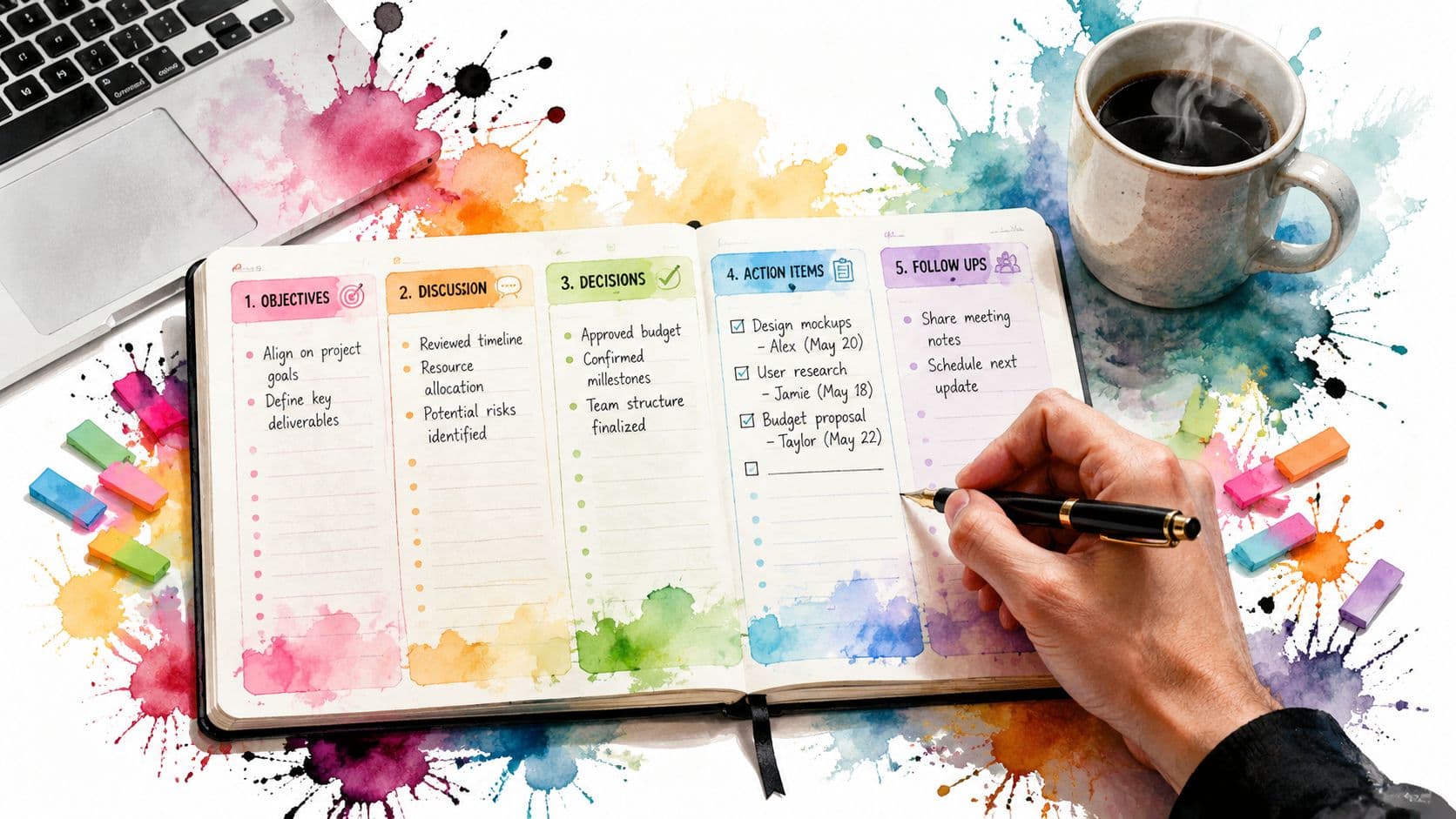
You've seen this version of meeting notes before. A long summary lands in your inbox after the call, nobody reads past the second paragraph, and by the next week people are arguing about what was decided.
That usually isn't a meeting problem. It's a note format problem.
A good sample meeting notes format doesn't just preserve what happened. It makes ownership obvious, separates discussion from decisions, and turns follow-up into something a team can execute. When notes work, they save the project manager from chasing updates, the executive assistant from rewriting recaps, and the team from doing the same work twice.
Why Most Meeting Notes Fail and How to Fix It
Most meeting notes fail because they try to be a memory dump.
Someone types everything. Side comments get mixed with real decisions. Action items sit buried in the middle of a paragraph. Then the note-taker sends a “helpful recap” that reads like a transcript and functions like dead storage.
That approach is outdated. Modern meeting notes work better when they behave like an operating document. The shift is visible in guidance that treats minutes as a repeatable process with five stages: pre-planning, recording during the meeting, transcribing, distributing, and filing for future reference, which reflects how notes moved from private recollection to auditable records according to meeting-minutes process guidance from Noota.
What breaks most notes
The failure points are usually predictable:
- No structure before the meeting: The note-taker starts with a blank page and reacts in real time.
- No separation of signal from noise: Discussion, opinions, and commitments all get treated the same.
- No ownership language: Teams write “follow up on pricing” instead of assigning a person and a due date.
- No post-meeting handoff: Notes get filed away instead of feeding the next workflow step.
A meeting note should answer a short list of practical questions. Who attended. What was discussed. What got decided. What needs to happen next. Who owns it.
Notes should reduce ambiguity, not document every sentence.
If your team wants better meetings, the fix usually starts before anyone opens a notes doc. Pre-fill the agenda, attendee list, and expected outcomes. Then capture only what supports execution. If your meetings themselves need work, this guide on how to run effective meetings pairs well with a stronger note format.
The better standard
The most useful notes are not literary. They're structured.
They link each discussion point to an agenda item. They capture decisions during the meeting, not from memory later. They make unfinished work visible so the next meeting starts with accountability instead of rehashing. That's the actual fix. Stop treating notes as a passive archive and start using them as the first step in the workflow.
The Anatomy of Effective Meeting Notes
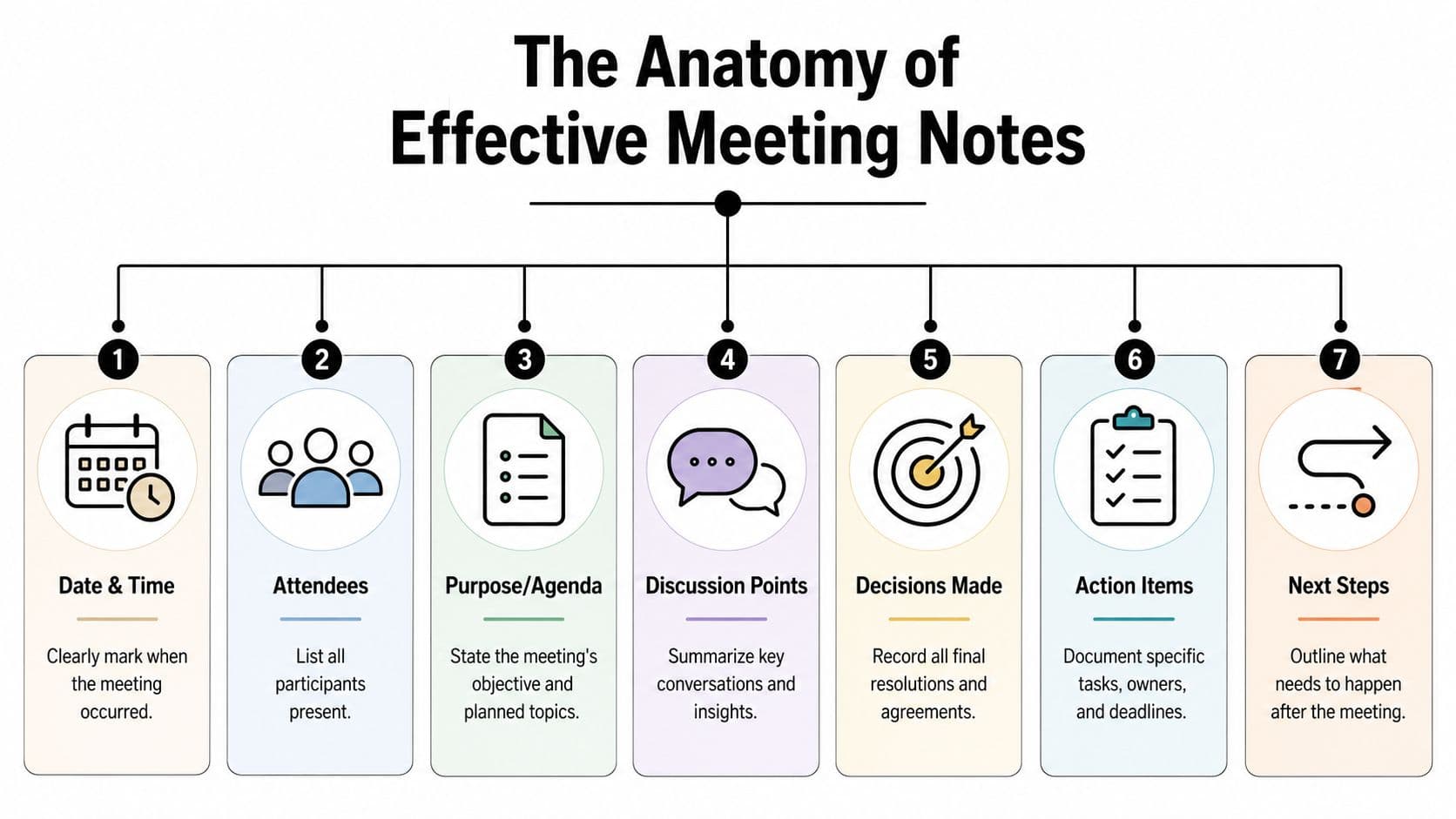
A reliable sample meeting notes format is built from a small set of parts. Strip away branding, software, and stylistic preferences, and the same core fields keep showing up: date and time, attendees, agenda items, decisions made, action items, and next steps. Template guidance also consistently centers action items, often requiring a responsible person and due date, which is what turns notes into an execution tool in FormSwift's meeting minutes guidance.
Start with metadata
The top of the document should handle the basics fast:
- Date and time: Useful for tracking decisions over time.
- Location or call link context: Helpful when notes get reviewed later.
- Organizer and note-taker: Important when someone needs clarification.
- Attendees and absences: Essential for accountability.
This seems minor until someone asks, “Was legal in that call?” or “Who agreed to that?” Metadata answers those questions without forcing anyone to reconstruct the meeting.
Keep the agenda visible
Good notes follow the agenda. That's not just cleaner. It makes the record easier to scan and easier to defend later.
If agenda item three was budget approval, your notes under that heading should show the summary, the decision, and the next action tied to that topic. This is also why teams that use structured notes often improve your monthly reporting outcomes, because the source record is already organized by workstream instead of buried in narrative recap.
Core trio: Decisions, actions, and owners should be impossible to miss.
Separate discussion from outcomes
A common mistake is keeping everything under one heading called “Notes.” That hides the only parts that matter after the meeting ends.
A stronger format creates separate sections such as:
| Component | What belongs there | What does not |
|---|---|---|
| Discussion points | Short objective summary of the conversation | Verbatim transcript |
| Decisions made | Final agreements, approvals, and resolved direction | Tentative ideas still under debate |
| Action items | Task, owner, due date | Vague “follow up” statements |
| Next steps | Immediate sequence after the meeting | Full project plan |
Make action items operational
Many templates collapse at this stage. “Sarah to review draft” is not enough.
A useful action line includes the task, the owner, and the deadline in one place. If there's context needed, keep it short and attached to the task itself. The note should work even if the reader didn't attend the meeting.
Add a next-meeting marker
If the conversation continues, include next-meeting details or unresolved items. That creates continuity and prevents the same open loop from floating around across three meetings with no clear owner.
A sample meeting notes format doesn't need to be complicated. It needs to be scannable, structured, and built for follow-through.
5 Sample Meeting Notes Formats for Any Situation
A single template rarely works for every meeting. A weekly operations sync needs a different level of detail than a board review or a one-on-one. The format should match the job the notes need to do.
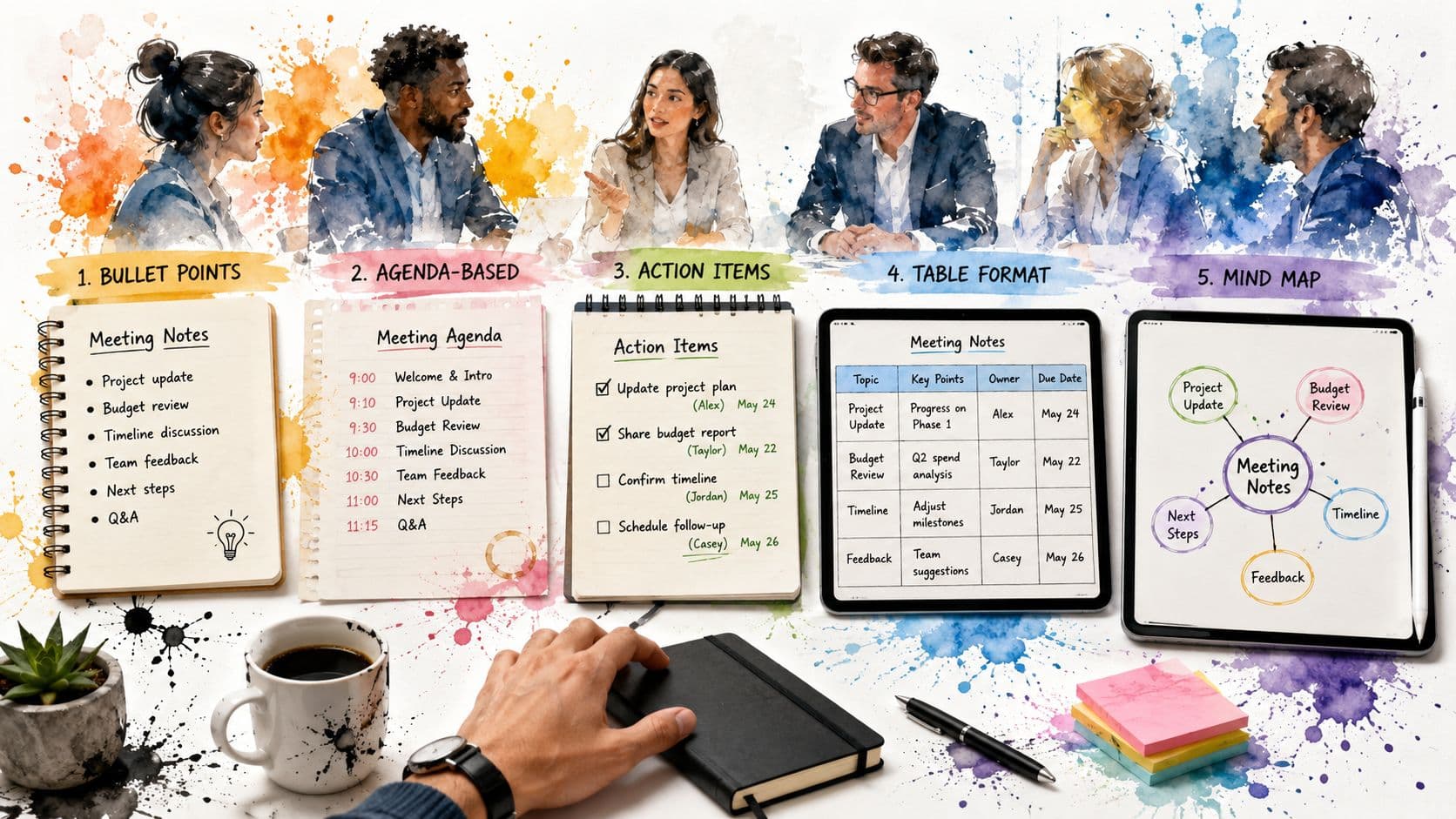
Which meeting notes format to use
| Meeting Type | Primary Goal | Recommended Format |
|---|---|---|
| Team sync | Align updates and assign follow-up | Standard action-focused notes |
| Daily stand-up | Surface blockers and next moves | Lean bullet format |
| One-on-one | Support coaching and accountability | Shared running notes |
| Project update | Track milestones and dependencies | Agenda-linked status format |
| Board meeting | Preserve formal decisions and approvals | Governance-ready minutes |
General purpose team meeting
This is the format needed most often. It works for weekly check-ins, department meetings, and cross-functional coordination.
Sample
Meeting: Marketing and Sales Weekly Sync
Date/Time: Tuesday, 10:00 a.m.
Organizer: Revenue Operations
Note-taker: Elena
Attendees: Priya, Daniel, Marcus, Elena
Absent: None
Agenda
- Lead quality feedback
- Webinar follow-up
- Q&A handoff process
Discussion
- Sales reported that recent inbound leads are asking more pricing questions earlier in the cycle.
- Marketing shared that the webinar landing page is still converting interest, but follow-up sequencing needs tighter coordination.
- Operations raised confusion about who owns post-demo FAQ responses.
Decisions
- Sales and Marketing will use one shared FAQ document for pricing objections.
- Webinar leads will receive a dedicated follow-up sequence instead of the generic nurture path.
- Revenue Operations will draft a handoff rule for post-demo questions.
Action items
- Marcus: Draft pricing FAQ outline by Thursday.
- Priya: Create webinar follow-up email sequence by Friday.
- Daniel: Propose Q&A handoff workflow before next sync.
Next steps
- Review FAQ draft in next week's meeting.
Daily stand-up
Stand-ups don't need polished prose. They need speed and clarity. Keep them short enough that the team can scan them in under a minute.
Sample
Meeting: Product Stand-up
Date: Wednesday
Attendees: Ana, Joel, Kim, Ravi
Yesterday
- Ana finished homepage QA review.
- Joel fixed export bug.
- Kim updated release notes draft.
- Ravi tested billing workflow.
Today
- Ana will verify mobile breakpoints.
- Joel will review API timeout issue.
- Kim will prepare release announcement copy.
- Ravi will retest payment edge cases.
Blockers
- Ravi needs confirmation on expected billing error message.
- Joel is waiting on staging access update.
Owner follow-up
- Kim: Confirm billing language with support lead today.
- Ana: Chase staging access with engineering manager.
This format works because it captures movement, not commentary.
One-on-one meeting notes
One-on-ones are different. The goal isn't just task tracking. It's continuity, coaching, and trust. These notes should be shared and lightweight, with room for context.
Sample
Meeting: Manager and Designer One-on-One
Date: Thursday, 2:00 p.m.
Attendees: Lauren, Maya
Topics
- Current workload
- Feedback on stakeholder reviews
- Career development goal
Discussion
- Maya said stakeholder feedback is manageable, but last-minute requests are disrupting design focus time.
- Lauren agreed to protect review windows more clearly.
- Maya wants more exposure to early discovery work, not just execution.
Decisions
- Design reviews will be grouped into two set windows each week.
- Maya will join the next product discovery session.
Action items
- Lauren: Update stakeholder review process and share expectations.
- Maya: Prepare one question set for the discovery session.
Watch list
- Check whether review-window changes reduce interruption load over the next few weeks.
One-on-one notes should remember patterns, not just promises.
Project update meeting
Project meetings need traceability. People should be able to see what changed, what slipped, and what needs escalation.
Sample
Meeting: Website Redesign Project Update
Date/Time: Monday, 11:00 a.m.
Project Lead: Aaron
Attendees: Product, Design, Engineering, Content
Agenda
- Timeline check
- Open dependencies
- Launch-readiness risks
Status by workstream
- Design: Homepage and pricing page approved.
- Engineering: CMS component build in progress.
- Content: Product comparison copy still under review.
- QA: Test cases drafted, pending environment readiness.
Decisions
- Launch date remains unchanged.
- Pricing page copy will be locked before development handoff.
- QA will start with approved pages first instead of waiting for all templates.
Risks
- Content approval delay may affect downstream QA.
- CMS component decision is still unresolved.
Action items
- Content Lead: Finalize product comparison copy by Wednesday.
- Engineering Lead: Confirm CMS component approach with product today.
- QA Lead: Start phased testing on approved pages.
Parking lot
- Post-launch analytics dashboard discussion moved to separate session.
Board meeting format
Board-style minutes need a stricter record. Generic templates often skip details that matter in governed settings. Board guidance typically adds quorum, motions, votes, and whether previous minutes were approved, which is what distinguishes a memory aid from an official audit trail in Atlassian's meeting notes template guidance.
Sample
Meeting: Board of Directors Meeting
Date/Time: Friday, 3:00 p.m.
Location: Virtual
Minute-taker: Corporate Secretary
Attendance
- Present: Board Chair, Treasurer, Secretary, two board members
- Absent: One board member
Quorum
- Quorum confirmed.
Approval of previous minutes
- Previous minutes reviewed and approved.
Agenda items
- Financial review
- Governance update
- Program approval
Motions and votes
- Motion to approve prior minutes. Approved.
- Motion to accept financial review. Approved.
- Motion to defer policy revision until next meeting. Approved.
Decisions
- Governance committee will return with revised language at the next meeting.
- Program proposal advances pending final document review.
Adjournment
- Meeting adjourned and recorded by the secretary.
The lesson is simple. The right sample meeting notes format depends on context. Use the lightest format that still preserves accountability.
Best Practices for Taking Notes That Get Read
A clean template helps. It doesn't solve the live note-taking problem.
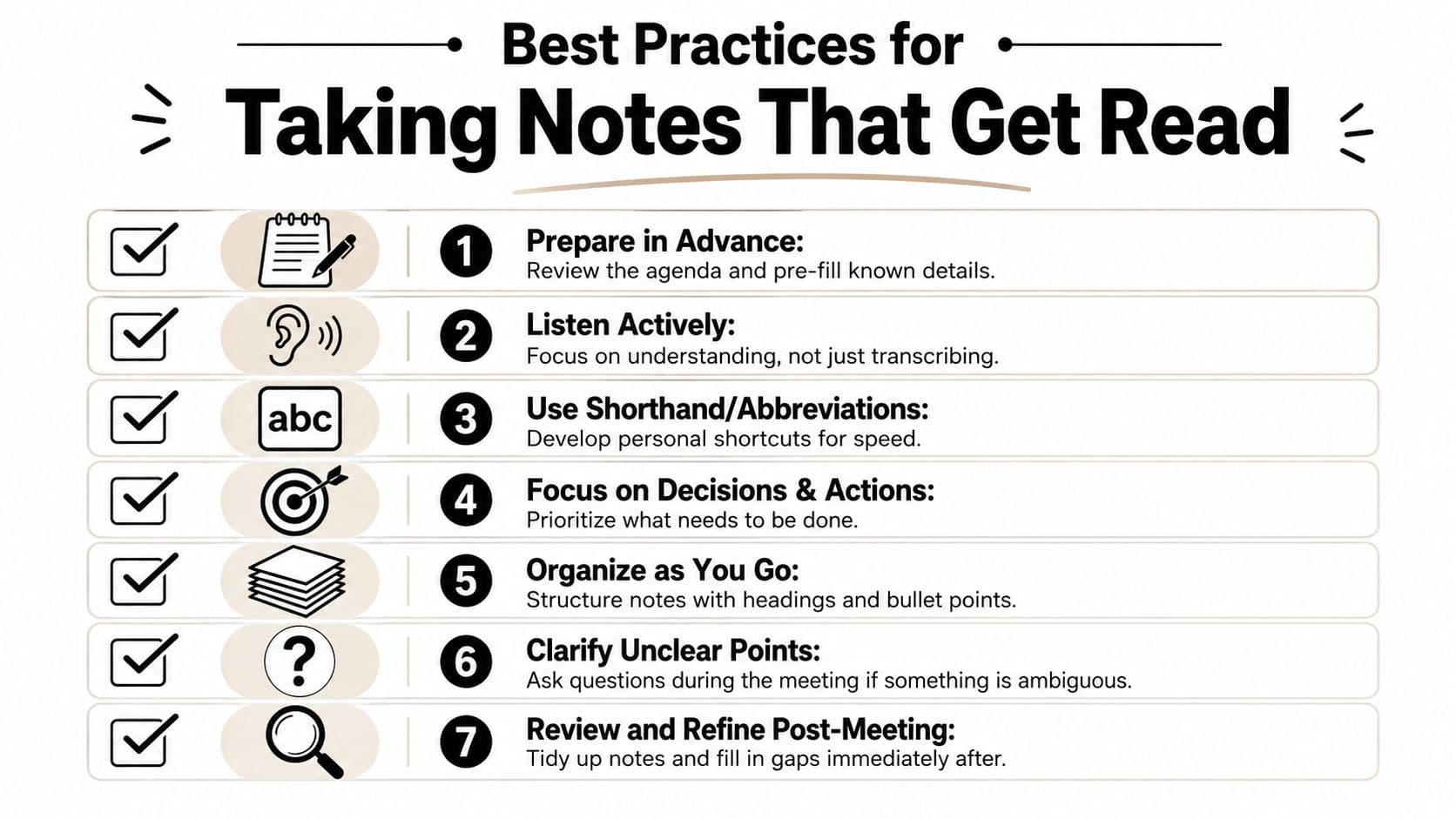
The hard part happens in the room or on the call, when people speak fast, interrupt each other, and switch from discussion to decision without warning. Good note-takers don't try to capture everything. They listen for what changed.
Use a live capture method that separates raw input from outcomes
One of the most practical approaches is a quadrant-style layout. Guidance on execution-focused notes recommends a layout with separate zones for raw notes, cues or keywords, and a summary plus action items, while emphasizing that action items should be captured in real time with the assignee and deadline in MeetJamie's note-taking guidance.
A simple version looks like this:
- Top left: Raw notes during the discussion
- Top right: Keywords, risks, or cues to revisit
- Bottom: Summary, decisions, and action items
- Side margin or footer: Parking lot items
This reduces cleanup later because you're organizing while the conversation is still happening.
Listen for trigger phrases
Most actionable notes come from a small set of verbal signals. Train yourself to catch them.
- Decision signals: “We're going with,” “Approved,” “Let's do X.”
- Ownership signals: “I'll take that,” “Can you handle this?”
- Deadline signals: “By Friday,” “Before the client review.”
- Escalation signals: “We need legal input,” “This is blocked.”
If nobody owns it and no date exists, it isn't an action item yet.
If you use dictation or AI transcription support, choose it carefully. Teams comparing capture methods often review tools like these best voice to text apps to reduce typing load, but the output still needs human review. Raw speech capture is not the same thing as usable notes.
A quick visual refresher helps if you're training a team on note-taking habits:
Clean up immediately after the meeting
The best time to fix your notes is right after the call ends, when context is still fresh.
Use a short post-meeting pass:
- Delete clutter: Remove side chatter and duplicate points.
- Confirm decisions: Make sure final outcomes are clearly labeled.
- Tighten action lines: Add missing owners or dates.
- Flag uncertainty: Mark tentative items so they don't get mistaken for commitments.
Readable notes don't happen by accident. They happen because the note-taker knows what to ignore.
Turning Your Notes into Actionable Tasks
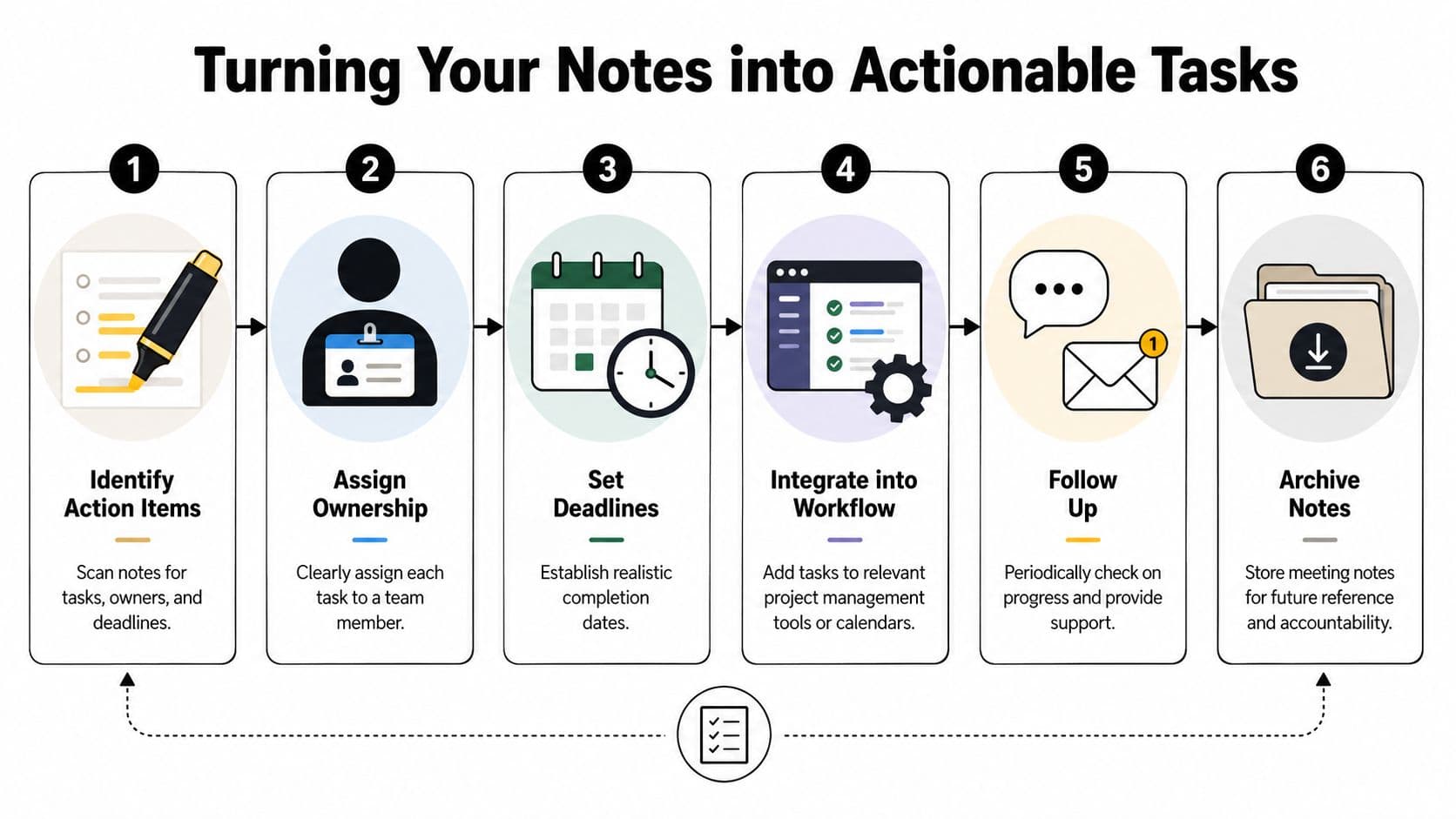
Meeting notes aren't finished when the meeting ends. They're finished when someone can take the output and do the work.
That's why transcripts and sprawling summaries underperform. They preserve speech, but they don't create movement. Modern guidance is explicit on this point: meeting notes shouldn't be a transcript. They should focus on objective summaries, capture exact commitment language, and tag owners and deadlines on one line, often for distribution within 24 hours, as described in Asana's meeting minutes template guidance.
Turn vague follow-up into assignable work
There's a big difference between a note and a task.
Compare these:
- Weak note: Follow up with vendor
- Usable task: Nina to email vendor for revised contract language by Thursday
- Weak note: Update onboarding doc
- Usable task: Devon to revise onboarding checklist with new approval step before next team training
That one-line structure matters because it can move directly into a task tool, calendar, or delegated workflow without translation.
Use a short post-meeting conversion pass
After the meeting, scan the notes for four categories:
| Category | Keep | Convert or remove |
|---|---|---|
| Decisions | Final outcomes | Tentative ideas |
| Actions | Task + owner + due date | Vague reminders |
| Risks | Open blockers needing attention | General frustration |
| Reference | Context needed later | Side conversations |
A lot of teams also need a cleaner recap for stakeholders who don't want the full note log. If you need a sharper summary layer on top of your working notes, this guide on how to write meeting recaps is a practical companion.
The note is the record. The task is the commitment.
Move tasks into a system people actually use
Once you've extracted the task lines, put them somewhere visible. That might be Asana, ClickUp, Notion, a shared spreadsheet, or a task platform such as follow-up meeting workflows in Fluidwave, where tasks can be organized, assigned, and tracked after the meeting. The tool matters less than the handoff.
What does matter is consistency:
- Assign one owner: Shared ownership usually means no ownership.
- Use concrete verbs: Draft, review, send, approve, schedule.
- Keep one deadline per task: Don't bury three dates in one line.
- Archive the note after extraction: The note remains the source record, but the task system becomes the execution layer.
When teams skip this conversion step, the notes become storage. When they do it well, the meeting ends with a working plan.
Your Quick Checklist for Flawless Meeting Notes
Good meeting notes come from a repeatable routine, not a perfect memory.
Use this checklist before, during, and after the meeting:
- Prepare the document early: Add the date, attendees, agenda, and note-taker before the call starts.
- Follow the agenda order: Keep notes tied to the actual meeting flow so they're easier to review later.
- Capture outcomes, not everything said: Focus on decisions, commitments, blockers, and next steps.
- Write action items on one line: Task, owner, due date.
- Separate confirmed decisions from open questions: Don't let tentative ideas look final.
- Remove side chatter after the meeting: Keep the record objective and useful.
- Distribute quickly: Send or share the cleaned version while details are still fresh.
- Store notes where the team can find them: A good format fails if nobody can retrieve it later.
- Review unfinished actions at the next meeting: That's where accountability becomes visible.
If you want a reusable version of this process for your own meetings, build one from a simple meeting checklist template and keep it attached to every recurring meeting.
If your notes already contain clear decisions, owners, and due dates, the next step is simple. Move them into a system that can track the work. Fluidwave is one option for turning meeting follow-up into assigned tasks, organized workflows, and delegated execution without rewriting everything by hand.
Focus on What Matters.
Experience lightning-fast task management with AI-powered workflows. Our automation helps busy professionals save 4+ hours weekly.