Make your follow up meeting productive with practical planning and clear outcomes. Discover proven, actionable strategies to plan, run, and track success.
March 3, 2026 (7mo ago) — last updated March 9, 2026 (7mo ago)
Follow up meeting Mastery: Boost Productivity with Effective Check-Ins
Make your follow up meeting productive with practical planning and clear outcomes. Discover proven, actionable strategies to plan, run, and track success.
← Back to blog
A follow up meeting is more than just a calendar entry—it’s the bridge between a great idea and getting things done. It’s where you check on progress, clear up roadblocks, and make sure the momentum from your last conversation doesn't just fizzle out.
Why Most Follow Up Meetings Fail and How to Fix Yours

Let's be real, we've all been there. You see that "quick sync" on your calendar and you can't help but sigh, knowing it’s probably another hour you won't get back. The meeting that was supposed to drive progress ends up feeling more like a recurring productivity nightmare, leaving everyone thinking, "Couldn't this have just been an email?"
The issue isn’t the idea of following up; it's how we actually do it. Far too many of these meetings are doomed from the start, suffering from the same, predictable flaws that drain energy and stall projects.
Let's break down the common pitfalls of a typical follow-up and stack it against a modern, high-impact approach.
The Anatomy of an Ineffective vs Effective Follow Up Meeting
| Characteristic | Ineffective Follow-Up | Effective Follow-Up |
|---|---|---|
| Agenda | Vague or nonexistent. "Team Sync." | Specific and action-oriented. "Finalize Q3 Budget & Assign Tasks." |
| Focus | Rehashing old discussions, unfocused chat. | Reviewing progress on action items, making decisions, clearing roadblocks. |
| Leadership | Passive; loudest voices dominate the conversation. | Active facilitation; makes sure all key updates are heard and discussion stays on track. |
| Outcomes | Fuzzy consensus, no clear next steps. | Concrete decisions, assigned action items with owners and deadlines. |
| Result | Lost momentum, team frustration, and the need for another follow-up. | Project moves forward, team is aligned, and everyone knows exactly what to do next. |
The table above really lays out the difference. One is a recipe for stagnation, while the other is a formula for real progress.
What a Bad Follow-Up Looks Like in Practice
You can spot a bad follow-up from a mile away. It often kicks off with no real agenda, just a vague notion to "catch up." The conversation quickly meanders, and before you know it, you're re-litigating decisions that were supposedly made weeks ago.
Without a strong hand guiding the discussion, the meeting gets hijacked, and critical updates are never shared. People leave confused, with no clue what was decided or who is responsible for what.
The real cost of a bad meeting isn't just the hour wasted. It’s the lost momentum, the stalled projects, and the slow erosion of team morale that follows when people feel their time is being disrespected.
The worst part? This cycle of inefficiency almost always leads to scheduling another follow-up meeting to clarify what the last one was about.
Shifting to High-Impact Syncs
But here's the good news: we can absolutely fix this. There's already a clear shift happening in how we work. With the rise of hybrid models, we've seen a 12.9% increase in meetings, and recurring check-ins now make up a staggering 48% of them.
Interestingly, these follow-ups are getting shorter, averaging just 28 minutes compared to 41 minutes for one-off meetings, according to some fascinating meeting statistics from Zippia.com.
This trend shows people are demanding more focused, valuable interactions. A truly effective follow-up is the polar opposite of its dysfunctional cousin: it’s short, laser-focused, and built entirely around action. The agenda is ruthlessly prioritized, and everyone comes prepared to make decisions and move forward.
This guide will give you the playbook to turn every follow-up from a time-suck into a powerful tool that drives your projects forward.
Planning Your Follow Up for Maximum Impact

Let's be honest: a follow-up meeting is often just a follow-up to a meeting that didn't accomplish its goals. The difference between another time-waster and a genuinely productive session all comes down to the prep work you do before anyone even accepts the invite.
If you just book a time and hope for the best, you’re contributing to a massive problem. Unproductive meetings can cost a company upwards of $29,000 per employee every year in wasted hours. And with 60% of one-off meetings happening without an agenda, it’s not hard to see where that time goes.
The flip side? When people see a thoughtful plan, they show up ready to contribute. In fact, a surprising 64% of employees are actually excited to attend a well-prepared meeting.
Craft a Razor-Sharp Agenda
Your agenda is the single most important document for keeping a follow-up on track. A good agenda isn't a vague list of topics; it's a concrete set of questions to answer and decisions to make. This is where you set the expectation for action, not just discussion.
For example, instead of a generic point like "Discuss marketing campaign," frame it as a decision: "Decide on final budget for the Q4 marketing campaign." This simple change shifts the entire group's mindset from aimless conversation to a clear, required outcome. Getting this right is a core part of any good communication plan template.
When building your agenda, be ruthless with your priorities. I always ask myself three questions:
- What's the one thing we absolutely must leave this meeting with? That goes right at the top.
- Which topics need input from this specific group of people? Anything that can be handled by one or two people offline gets cut.
- Can we tie these items to real work? In a tool like Fluidwave, for instance, you can link agenda items directly to their corresponding tasks. This keeps the conversation grounded in the actual work that needs to get done.
Be Selective with Your Invitations
Have you ever sat in a meeting and wondered why half the people were there? Inviting too many people is one of the fastest ways to kill productivity. Every extra person introduces another voice, another opinion, and another potential delay to making a decision.
The key is to keep the group as small as possible, including only the essential stakeholders.
Who's an essential stakeholder? Anyone who is a key decision-maker, has critical information no one else has, or is directly responsible for carrying out the action items we agree on. If they don't fit that description, they can get the summary later.
One of the best ways to build a culture of efficiency is to fiercely protect your team's time. By only inviting people who are truly needed, you show you respect their focus. Everyone else can—and should—be looped in with a clear, concise summary after the fact. This keeps the meeting lean and ensures the people in the room are the ones who need to be there.
Facilitating a Follow Up Meeting That Stays on Track

This is where all that careful planning comes to life. When you’re facilitating a follow up meeting, your role shifts from presenter to guide. You’re no longer just sharing information; you’re steering the conversation to keep it focused, productive, and on schedule.
Kick things off with immediate clarity. The second everyone is on the call, restate the single most important goal. Try something like, “Alright, thanks for joining. We’re here today to lock in the project timeline and assign owners for those next three action items. Let’s jump right into the first point on the agenda.” This simple act sets the tone and tells everyone you mean business.
Keeping the Conversation Focused
Let’s be honest—discussions wander. It’s completely natural. As the facilitator, it's your job to gently pull the conversation back when it starts to drift into the weeds. A simple, respectful interruption works best.
Something like, “That’s a great point, and I’ve made a note of it. To make sure we hit our goal for today, let’s circle back to the main agenda item,” is usually all it takes. It’s not about silencing people; it’s about honoring the commitment you all made to the agenda and respecting everyone's time.
The best outcomes come from hearing every voice in the room, not just the loudest. I’ve found it’s crucial to create space for quieter team members to contribute.
- Ask for their perspective directly: "Sarah, you've handled projects like this before. What's your take on this approach?"
- Gently manage dominant voices: If one person is monopolizing the conversation, you can step in. "Great points, John. I want to make sure we hear from a few others on this to get the full picture."
These small moves ensure you’re getting a true diversity of thought. If you’re looking for more ways to keep meetings productive, check out our complete guide on how to run effective meetings.
Driving Toward Action and Decisions
A follow-up that ends without concrete next steps is just a conversation, not a meeting. Your most important function is to listen for agreement and crystallize those discussion points into action. When a decision is made, don't just gloss over it. State it clearly for everyone.
The most critical moment in any follow-up is when you translate a conversation into a commitment. Don't leave the meeting until every action item has a clear owner and a specific deadline.
As you move through the agenda, make sure you capture these three key details for every single action item that comes up:
- The specific task: What, exactly, is the work?
- The owner: Who is the single point of contact responsible for getting it done?
- The deadline: When does this need to be completed?
Before anyone logs off, run through a quick final recap. A simple summary like, “Okay, to wrap up: Alex is sending the revised mockups by Friday, and Maria will get the client demo on the calendar for next week. Is everyone clear on that?” seals the deal. This final check guarantees everyone is aligned and that nothing gets lost in translation. This is how a follow-up becomes an engine for actual progress.
Creating Actionable Summaries That Get Results
Let's be honest: a meeting without a clear summary might as well have never happened. It’s the single most important step for turning talk into tangible progress, yet it's so often rushed or forgotten entirely. We have to move past simply recording minutes and start crafting sharp, actionable recaps for every follow up meeting.
The whole point is to create a document that anyone can scan and understand in 60 seconds. It needs to be so clear that even someone who missed the meeting can immediately grasp the key decisions, who owns what, and when it’s due.
This isn't just about being organized; it’s about maintaining momentum. I've seen it time and again—teams that send out prompt, detailed follow-ups are the ones that actually get their action items done on time.
The Anatomy of an Actionable Summary
A great summary isn't a play-by-play transcript. Think of it more like a blueprint for what happens next. The key is structuring it for instant clarity, using formatting to guide the reader’s eye straight to the important stuff.
I stick to a simple, effective structure that never fails:
- Key Decisions: Kick things off with a bulleted list of the main decisions that were finalized. No long explanations, just the outcomes.
- Action Items: This is the most critical part. Create a table or a clean list with three columns: the task, the owner, and the deadline. This simple layout creates undeniable accountability.
- Next Steps: Briefly map out what's on the horizon, like the next check-in or a major milestone to watch for.
This format makes your summary immediately useful.
From Notes to Action in Fluidwave
The real magic happens when you close the loop between your summary and your actual workflow. This is exactly what a platform like Fluidwave is designed for. As you're putting your summary together, you can turn those notes into live tasks right inside the system.
Instead of just typing "Alex will draft the proposal," you create a task in Fluidwave, assign it directly to Alex with a Friday deadline, and link it to the meeting notes. Suddenly, you have a seamless, trackable system where nothing can slip through the cracks.
This kind of efficient follow-up is changing how teams operate. With recurring sessions now making up 48% of all meetings and averaging a lean 28 minutes, there's no time to waste. Even though meeting attendance has jumped 13.5% since 2020, the ideal size for 64% of meetings is now six people or fewer—perfect for these focused check-ins.
Of course, the content of your summary is only half the battle. How you deliver it matters, too. Understanding professional email etiquette at work ensures your message lands well and gets the attention it deserves. A clear, professional email is what ultimately turns all that hard work from your follow up meeting into real-world action.
Here’s how you can turn all that talk into tangible progress.
A follow-up meeting is only as good as the action it inspires. We’ve all been in meetings that felt productive, only to see the momentum fizzle out days later because no one was sure who was doing what. The real work begins after the meeting, and bridging that gap between discussion and execution is where most teams stumble.
This is precisely the problem we had in mind when building Fluidwave. It acts as the connective tissue between your meeting notes and your team's actual workload. The difference is staggering; our research shows that teams with a clear, structured follow-through process complete 36% more of their action items on time. That's not just a small improvement—it's the kind of efficiency that defines high-performing teams.
The entire process really boils down to a simple, repeatable workflow.
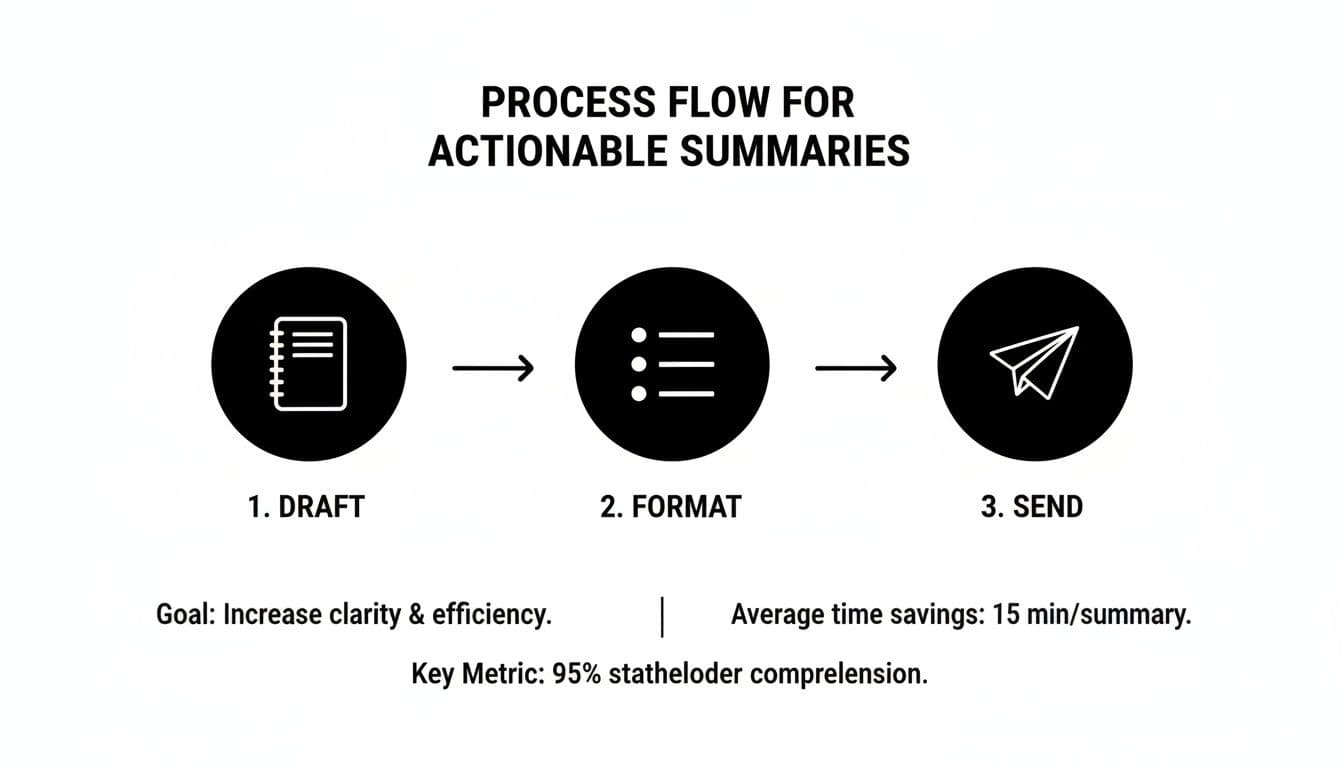
Think of it as: draft the raw summary, format it for clarity and action, and then send it out to get the ball rolling. This simple discipline prevents great ideas from getting lost in the shuffle.
Turn Notes Directly Into Tasks
Your meeting summary shouldn't be a static document that gets buried in an email chain. It needs to be a launchpad for action. This is where you can make an immediate impact.
As you review your notes, you can highlight a key decision or an agreed-upon next step right inside Fluidwave and, with a click, convert it into a live task. From there, you can assign it on the spot.
- Assign to internal team members: Tag the right person, and the task instantly appears in their workflow with a notification. No more "Did you see my email?" follow-ups.
- Delegate to a virtual assistant: For administrative or specialized work, you can delegate tasks directly to Fluidwave's network of vetted virtual assistants on a pay-per-task basis.
This tight loop between note-taking and task creation is fundamental to effective post-meeting follow-through.
Let AI Prioritize the New Workload
Okay, so you've created a handful of new tasks. Now what? The next big hurdle is figuring out where these new items fit into everyone's already-packed schedules. Manually re-shuffling priorities is tedious and often leads to important work being overlooked.
Fluidwave's built-in intelligence helps sort this out for you.
When a new task is created from your meeting notes, the system analyzes its deadline, dependencies, and the assignee's current workload. It then intelligently suggests where that new task should land in their priority list, giving everyone instant clarity on what to tackle next.
This is a game-changer. It removes the guesswork and ensures that urgent, high-impact items get the immediate attention they deserve without derailing other important projects.
Track Everything in One Place
Once tasks are out in the wild, you need a simple way to see what's happening. The last thing you want is a scramble for updates minutes before your next check-in. Fluidwave provides a central dashboard with multiple views so you can monitor progress without having to chase people down.
Depending on what you need to see, you can instantly switch between different layouts:
- Kanban View: My personal favorite for a quick visual status check. It’s perfect for watching tasks move from "To Do" to "Done."
- Calendar View: Essential for managing deadlines and seeing how projects are spread out over the coming weeks.
- List View: A no-nonsense, straightforward list that you can sort by owner, due date, or priority to find exactly what you're looking for.
This level of shared visibility makes accountability feel natural, not forced. It turns your follow-up process from a reactive chore into a smooth, proactive system that consistently delivers results.
Got Questions About Follow-Up Meetings?
Even when you've got a great system in place, some questions about follow-up meetings always seem to surface. After running these for years, I've noticed a few that come up time and time again. Let’s get you some straight, practical answers.
How Often Should We Have a Follow-Up Meeting?
Honestly? As little as possible, but as often as you truly need to. There’s no magic number here. The real key is to tie your meeting rhythm to the project's own pace and complexity.
- Fast-moving projects with daily changes: A quick, 15-minute daily huddle might be your best bet.
- Standard projects with weekly milestones: A weekly check-in usually hits the sweet spot for reviewing progress and knocking down roadblocks.
- Long-term strategic initiatives: You can often get away with a bi-weekly or even monthly follow-up, as long as progress is being tracked effectively between those sessions.
Before you book anything, ask yourself: "Is there enough new information or are there enough blockers to actually justify getting everyone in a room?" If the answer is no, you’ve just saved everyone some time.
How Do You Handle Someone Who Derails the Conversation?
We've all been in that meeting. One person keeps pulling the conversation off-track, and the whole agenda is at risk. The trick is to be firm without being rude. I’ve found the best way is to acknowledge their point and then immediately redirect.
A phrase I lean on is, "That's a really interesting point, and I want to make sure we give it the attention it deserves. Let's add it to our 'parking lot' so we can circle back after we've covered today's critical items."
It works because it shows you’ve heard them, but it keeps you in control of the meeting’s focus. If it's a recurring issue with the same person, a quick, private chat about the importance of respecting everyone's time might be necessary.
When Is an Email Better Than a Meeting?
My personal rule is simple: if you're just sharing information that doesn't need immediate debate or a group decision, use an email or a message. A follow-up meeting is for active collaboration, problem-solving, and making decisions together.
Before you hit "send" on that calendar invite, quickly ask yourself:
- Do I need a real-time discussion to figure this out? If not, it’s an update, not a meeting.
- Does this require a collective decision from the whole group? If one person can make the call, let them.
- Am I just looking for a simple "yes" or "no"? That’s a perfect job for a quick email or a Slack message.
Learning to make this call is one of the biggest favors you can do for your team's calendar. In fact, research shows that sending a clear follow-up within 24 hours can boost task recall by up to 80%. Sometimes, a well-written message is far more powerful than another meeting. This isn't just about cutting down on meetings; it's about building a culture where they're seen as a tool for progress, not just a default habit.
Ready to turn your meeting decisions into action without the hassle? Fluidwave combines smart task management with on-demand virtual assistants, ensuring your follow-up items never get lost. Transform your productivity and see how much time you can save. Get started for free at https://fluidwave.com.
Focus on What Matters.
Experience lightning-fast task management with AI-powered workflows. Our automation helps busy professionals save 4+ hours weekly.