Elevate project status reporting from updates to strategic insights and concise, actionable reports that align teams, flag risks, and accelerate success.
March 15, 2026 (7mo ago)
Mastering project status reporting: Turn Updates Into Strategy
Elevate project status reporting from updates to strategic insights and concise, actionable reports that align teams, flag risks, and accelerate success.
← Back to blog
Let's be real. Have you ever spent hours crafting a detailed project status report, only to suspect it was never actually read? If you're nodding along, you’ve run into a common, frustrating part of project management.
Too often, these reports are treated as a box-ticking exercise—a tedious chore for you and an ignored email for the reader. The result is more than just wasted effort; it leads to project drift, misalignment, and, ultimately, failure.
Why Your Project Status Reports Are Being Ignored

If your reports feel like they’re being sent into a black hole, the problem probably isn't you—it's the approach. Most ineffective reports are just a dry list of finished tasks. They tell stakeholders what happened but completely fail to explain why it matters.
This disconnect has staggering consequences. Industry data consistently shows that only about 35% of projects are considered fully successful. A major culprit is poor communication, leading to a global average loss of 12% of total project investment from rework and preventable issues. Your status report is your first line of defense against becoming one of those statistics.
The Shift From Passive Updates to Strategic Communication
The classic, passive report is a relic. It just looks backward. A modern, effective report, on the other hand, is an active tool that shapes the project's future. It should drive decisions, spotlight risks before they become problems, and keep everyone pulling in the same direction.
This means you need to stop just cataloging tasks and start telling the project's story. Think of your report less like a logbook and more like a compass pointing toward the project's goals.
Your status report isn't just an update; it's a powerful tool for stakeholder alignment, risk mitigation, and decision-making. Its job is to provide clarity, not just information.
The table below contrasts the old way of thinking with a modern, strategic approach to reporting.
Old vs. New Project Status Reporting
| Reporting Aspect | Outdated Approach (What to Avoid) | Modern Approach (What to Do) |
|---|---|---|
| Focus | Lists completed tasks and activities. | Tells a story about progress, problems, and the path forward. |
| Tone | Passive and purely informational ("Task A is done"). | Active and forward-looking ("Task A is done, unlocking our ability to start the critical path for Phase 2"). |
| Audience | One-size-fits-all document. | Tailored to the specific needs and concerns of the audience (e.g., executive summary vs. technical details). |
| Data | Presents raw data without context. | Translates data into insights ("Budget spend is at 60%, which is 10% ahead of schedule, reducing our risk of overruns"). |
| Purpose | Fulfills a bureaucratic requirement. | Drives specific actions, decisions, and conversations. |
Embracing the modern approach transforms your report from a document that gets archived into a conversation that drives results.
Understanding the True Purpose of Reporting
Ultimately, a report that gets read (and acted upon) does one thing exceptionally well: it connects the dots for your stakeholders. It answers their unspoken "so what?" for every piece of information you share.
This is the core of strong project management communication—the bedrock of any successful initiative. When you see your report as a vital communication tool instead of a bureaucratic task, everything changes. You stop just reporting facts and start guiding your team and stakeholders toward a successful outcome.
Great project status reports don't just happen when you sit down to write. They’re the result of smart, upfront planning. If you’ve ever sent a report into the void and heard nothing back, it’s likely because this foundational work was skipped.
Jumping straight into writing is a recipe for a report that’s ignored. But get the planning right, and you’ll create something that people actually read, understand, and act on.
Who Are You Talking To? (And Why?)
Before you even think about opening a document, stop and ask yourself two simple questions: Who is this for? and What do I need from them?
The biggest mistake I see people make is creating a one-size-fits-all report. It never works. An executive doesn't care about the nitty-gritty of a specific task, and a developer needs that level of detail.
Think about your stakeholders and what keeps them up at night.
- Executives & Senior Leaders: They're busy. They need the 30,000-foot view. Stick to the bottom line: Are we on schedule? Are we hitting the budget? What are the big-picture risks? Use visuals and tie everything back to strategic goals.
- Clients & Project Sponsors: They want to know their investment is paying off. Focus on progress against major milestones and how the project is delivering the value they were promised. Give them confidence.
- Your Team & Collaborators: This is where the details matter. They need to know about specific task statuses, who is blocked by what, and what's coming up next. This report is all about keeping the engine running smoothly day-to-day.
Once you know your audience, the purpose becomes much clearer. Are you trying to get a decision on a critical risk? Secure more budget? Or just keep everyone aligned for the week ahead?
If you can't articulate what you want your reader to think, feel, or do after reading your report, you're not ready to write it.
A report isn't just a data dump; it's a tool for communication and influence. Be clear about your objective, and you'll avoid wasting everyone's time.
Finding the Right Rhythm for Reporting
Now that you know who you're talking to, you need to decide how often you'll talk to them. This is your reporting cadence, and it should match the tempo of your project. A fast-paced two-week sprint requires a different rhythm than a six-month waterfall project.
Here are a few common cadences to consider:
- Daily: Best for short, intense projects or during a crisis. This is often informal, like a quick summary of a daily stand-up.
- Weekly: This is the sweet spot for most active projects. It creates a predictable pulse of information that keeps everyone in sync without causing "report fatigue."
- Bi-Weekly or Monthly: A good fit for longer projects or for high-level summaries sent to leadership who don’t need a constant stream of updates.
The most important thing is consistency. If you promise a report every Friday, deliver it every Friday. This builds trust and sets the expectation that information will always be available. For a massive undertaking like the U.S. Treasury's management of the $350 billion State and Local Fiscal Recovery Funds, a strict quarterly and annual reporting cadence across 30,000 entities is non-negotiable. It's the only way to maintain accountability at that scale.
Strong reporting is grounded in solid project management principles. While many guides focus on one methodology, the core ideas are universal. For a deeper dive, especially if you're in a technical environment, resources like A Guide To Project Management For Software Teams can provide a solid framework. By thinking about your audience, purpose, and cadence first, you turn reporting from a dreaded chore into one of your most powerful project management tools.
How to Structure a Status Report That Actually Gets Read
You’ve already done the hard work of figuring out who you're reporting to and why. Now comes the fun part: actually building the report. A great project status report is more than just a data dump; it’s a story. You're guiding your reader from the 30,000-foot view right down to the nitty-gritty details they need to know.
I always think of it like an inverted pyramid. Get the most crucial information right at the top. This approach respects everyone's time and makes sure the key message lands, even if they only skim the first few lines.
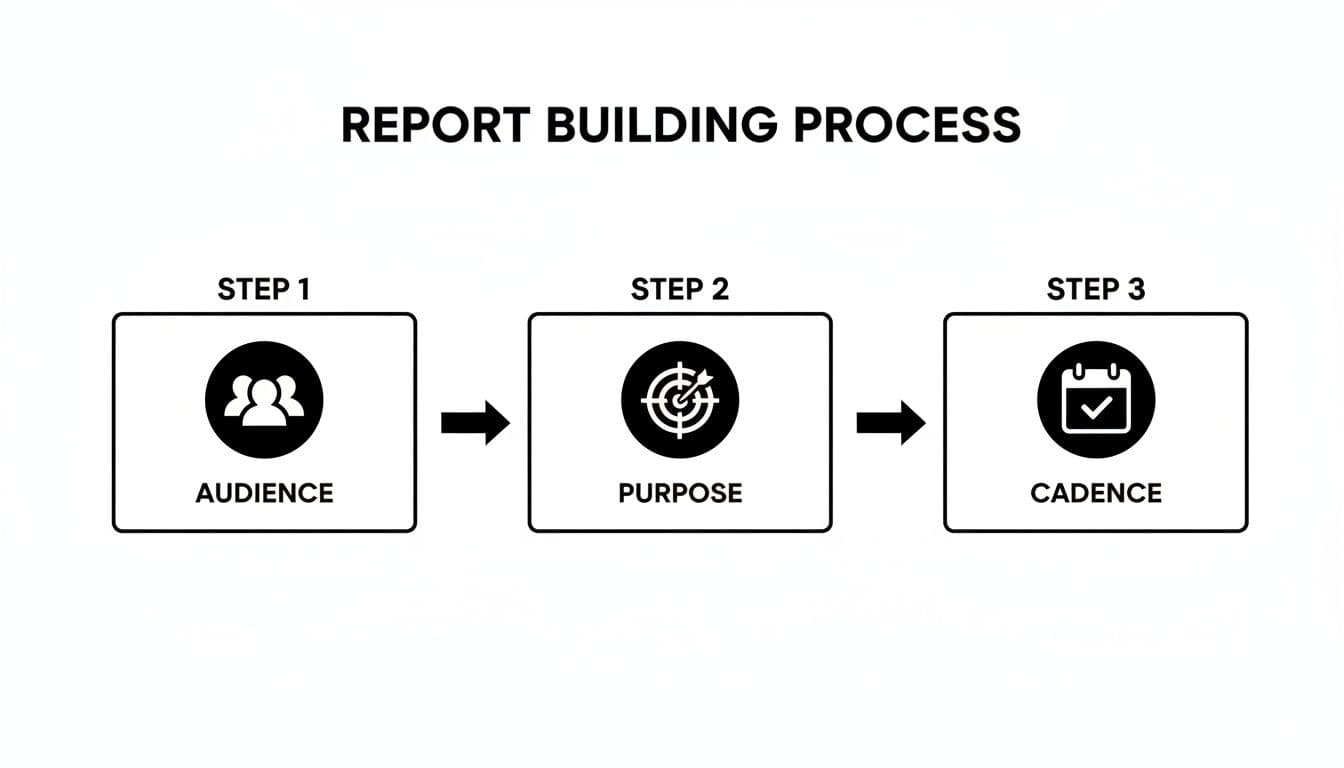
Before you even write a single word, these three pillars—audience, purpose, and cadence—must be solid. Getting this foundation right is what separates a report that gets filed away from one that sparks action.
Start with a Powerful Executive Summary
Let's be honest, your executives are busy. If they only read one part of your report, it will be the summary. Your job is to give them the complete project health in about ten seconds.
Use a simple Green/Yellow/Red system for the big four: Overall Health, Schedule, Budget, and Scope. But don't just stop at the color. The real value comes from the one or two sentences you add to explain why things are green, yellow, or red.
- Example:
- Overall: 🟢 On Track
- Summary: Phase 1 development wrapped up on schedule and we are still well within the approved budget. We’re moving into Phase 2 with no major roadblocks.
This gives a busy leader everything they need to know to either move on with their day, confident in your progress, or lean in and ask more questions.
Show Progress Against Key Milestones
After the high-level summary, you need to back it up with evidence of progress. This section should clearly outline what your team has accomplished since the last update. The trick here is to connect every completed task back to a major project milestone.
Visuals are your best friend here. A clean Gantt chart screenshot or a simple milestone tracker can show progress far more effectively than a dense paragraph. Focus on what you’ve just knocked out and what’s next on the docket.
- Accomplishments This Period:
- Completed the user authentication module, which unblocks the front-end integration work.
- Finalized the API documentation for our third-party payment gateway.
- Priorities for Next Period:
- Start integration testing between the new authentication and payment systems.
- Kick off the UI/UX design for the main customer dashboard.
Provide Transparent Financials and Resource Updates
Talking about money can feel tense, but crystal-clear transparency is your only option. Your stakeholders need to know where their investment stands. Simply stating the numbers isn't enough; you have to provide the context behind them.
A simple table is usually the clearest way to present this.
| Budget Item | Allocated | Spent to Date | Remaining | Status |
|---|---|---|---|---|
| Development | $50,000 | $28,000 | $22,000 | 🟢 On Track |
| Design | $15,000 | $16,500 | -$1,500 | 🟡 At Risk |
| Marketing | $20,000 | $5,000 | $15,000 | 🟢 On Track |
| Total | $85,000 | $49,500 | $35,500 | 🟢 On Track |
In a real report, you’d immediately follow this table with a quick note explaining that $1,500 design overage and your plan to mitigate it. For larger projects, having solid project tracking metrics is essential to keep this data reliable and easy to pull.
Articulate Risks, Issues, and Blockers (With Solutions)
This is the section that turns your report from a passive update into a proactive management tool. Never, ever hide the bad news. Bringing risks and issues to light shows you're in control and thinking ahead. The golden rule? Never present a problem without a proposed solution or at least a clear next step.
Don’t just write, "The timeline is at risk." That’s not helpful. Instead, be specific and solution-oriented: "The launch date is at risk of a 5-day slip due to a vendor supply issue. I’m proposing we reallocate a developer from Feature X to build a temporary workaround, which should keep us on track."
This proactive stance builds incredible trust with your stakeholders. It shows you aren't just a reporter of facts but a manager of outcomes. In fact, poor status reporting is cited as a key contributor to failure in 29% of projects. That’s a powerful reminder of how critical clear, data-backed communication really is.
Using Tools and Automation to Save Time
Let's be real—nobody enjoys the tedious grind of project reporting. The hours spent digging through spreadsheets, chasing down colleagues for updates, and fighting with formatting are a drain on everyone's time.
The secret to getting your schedule back isn't about putting in more hours on a Saturday morning. It's about letting your tools do the heavy lifting so you can focus on what really matters: analyzing the data and telling the story behind it.
Create a Single Source of Truth
The biggest game-changer I’ve seen in reporting is the move away from static documents toward live, interactive dashboards. When you use a platform like Fluidwave, Asana, Monday.com, or Jira as your project’s single source of truth, the reporting almost builds itself.
Think about it. Every time your team moves a card on a Kanban board, logs their hours, or checks off a milestone, that information feeds directly into a real-time dashboard. This simple connection makes manual data entry a thing of the past, which is where most reporting errors happen anyway.
- Kanban Boards: Give you an instant visual on where work is flowing and, more importantly, where it’s getting stuck.
- Gantt Charts: Timelines update automatically as tasks get done, so you always have a live look at your schedule's health.
- Task Lists: You can filter a log of completed work by date to instantly generate a progress summary for your report.
When everyone—from your team on the ground to the executives in the boardroom—is looking at the same live data, trust and alignment follow. Better yet, you can give stakeholders read-only access to these dashboards, empowering them to check in on their own and cutting down on those "just checking in" emails.
Delegate the Administrative Work to a Virtual Assistant
Even with the best tools, someone still needs to pull it all together, add context, and write that crucial executive summary. But what if that someone wasn’t you? Bringing in a virtual assistant (VA) to handle the initial report compilation is an incredible hack for busy project managers.
A good VA can take on the administrative legwork, freeing you up for the strategic analysis that only you can do. You don't even need a full-time hire; pay-per-task services make it easy to get expert help when you need it. If you're curious, you can find different ways to streamline your work through automated project management to see what fits your flow.
The key to making this work is a crystal-clear brief.
- Give them a blueprint. Start with a standardized report template that has clear sections for the summary, metrics, milestones, and risks. This gives your VA a consistent structure to follow.
- Grant ‘view-only’ access. Provide read-only permissions to your project management tool. This lets them pull all the data they need without the risk of them accidentally changing something.
- Tell them what matters. Be specific with your instructions. For example, "List the top three accomplishments from last week," "Flag any tasks that are more than two days overdue," or "Calculate the current budget burn rate."
- Review and add your insight. The VA will deliver a draft with all the raw data plugged in. Now your job is simple: review the facts, add your strategic analysis, and write the final summary.
By handing off the data-gathering, you can easily cut your reporting time by more than half. You stop being a data collector and become a strategic communicator—a far better use of your expertise.
This process turns a dreaded, multi-hour chore into a quick, 30-minute review session. The efficiency boost is massive. Plus, new systems are always popping up that are closing the feedback loop with AI and automation, making it even easier to gather and interpret project data. By combining smart tools with smart delegation, you can finally win back your time.
Common Reporting Mistakes You Need to Avoid
Even a perfectly planned project status report can fall flat. I've seen it happen dozens of times—well-intentioned reports that create more confusion than clarity. The gap between a helpful tool and a weekly annoyance often comes down to a few common, but critical, mistakes.
Learning to spot these pitfalls is just as important as knowing what to include. These errors don't just weaken your report; they can erode trust with stakeholders, hide ticking time bombs, and ultimately create more work for everyone involved. Let's look at the most frequent missteps and, more importantly, how to sidestep them.
The 'Watermelon Project' Phenomenon
Have you ever worked on a project where every status update is glowing green, but your gut tells you things are a complete mess? This is what we call a "Watermelon Project"—it looks green on the outside, but it’s bright red on the inside.
This happens when people are afraid to report bad news. They sugarcoat issues or downplay risks, hoping they can fix the problem before anyone important notices. The result? Stakeholders are completely blindsided when a project that was supposedly "on track" suddenly implodes.
- The Fix: You have to build a culture of radical transparency. Make it safe to report a risk or a setback. Frame it not as a personal failure, but as a sign of responsible project management. The goal isn't just to look good; it's to present reality so the team can tackle problems head-on.
A yellow or red status isn't a mark of shame. It's a call to action. It’s your way of asking stakeholders for help in clearing a roadblock or realigning priorities. Honesty builds trust far more effectively than a facade of perfection ever will.
Drowning in Details and Jargon
Another classic mistake is cramming a report with excessive detail or technical jargon your audience won't understand. A developer might need the nitty-gritty on an API integration snag, but your CEO definitely doesn't.
When faced with a dense report, busy executives will either ignore it completely or, even worse, misinterpret the information. Your job isn't to prove how much work is being done; it's to communicate the project's health and direction with absolute clarity.
- The Fix: Be ruthless about tailoring your report to the audience. Always lead with a crisp, clear executive summary. If you need to include granular details, put them in an appendix or a separate, more technical update for those who need it. And if you have to use an acronym, spell it out the first time.
Using Inconsistent or Vague Metrics
"We're about 80% done." What does that actually mean? Is it 80% of the budget spent, 80% of the timeline elapsed, or 80% of the tasks checked off? Metrics like this are dangerously ambiguous.
It's just as bad when you switch up your metrics from one report to the next. If you report on budget burn rate one week and task completion the next, you're giving stakeholders disconnected snapshots, not a continuous story they can follow.
- The Fix: Define your Key Performance Indicators (KPIs) at the very start of the project and then stick with them. Be specific and be consistent. Instead of a vague percentage, tie your progress to concrete, verifiable milestones.
- Bad: "Phase 2 is mostly complete."
- Good: "We have completed 3 out of 4 key milestones for Phase 2. The final milestone is on track for delivery next Tuesday."
This level of precision leaves no room for misinterpretation.
Quick Checklist Before You Hit Send
Before you ship your next report, run it through this quick mental check. It’s a simple way to catch these common mistakes before your stakeholders do.
- Is the main message clear in the first 10 seconds? (If not, your summary needs work.)
- Am I hiding any bad news? (Get risks and issues out in the open.)
- Is this report free of jargon my audience won't get? (Simplify your language.)
- Are my metrics specific and consistent with last week's report? (Ensure your data tells a clear story over time.)
- Does this report offer solutions, not just point out problems? (Show that you're proactive.)
By consciously avoiding these traps, you can elevate your status report from a simple administrative task to a powerful tool that builds confidence and drives your project toward success.
Your Project Reporting Questions, Answered
As you move from planning your reports to actually creating them, you're bound to run into some tricky situations. Theory is one thing, but practice always has a way of throwing curveballs. Here are my answers to the most common questions I hear from project managers, based on years of experience in the trenches.
How Do I Deliver Bad News Without Causing Panic?
This is, without a doubt, the toughest part of the job. Let's be honest, no one likes being the bearer of bad news. The secret is to be direct, take full ownership of the situation, and immediately pivot to the solution. Whatever you do, don't bury the bad news at the bottom of page three or try to sugarcoat it with vague corporate-speak.
Get right to the point in your executive summary. Instead of a weak opening like, "We're experiencing some headwinds," try being precise: "A critical vendor has confirmed a two-week delay in delivering the primary database server, which puts our planned launch date at risk."
But you can't stop there. The crucial next step is showing you're already on top of it. Immediately follow up with a clear mitigation plan: "I've identified two viable paths forward: 1) We can re-allocate one senior developer to build a temporary data-caching workaround, or 2) We can absorb the delay and shift our Phase 3 timeline. My recommendation is option 1, and I'll need your approval by EOD Friday to make it happen."
This simple shift in framing changes everything. You're no longer just a messenger of problems; you're a proactive leader with a plan. That’s how you build trust, even when things go wrong.
What Is the Right Level of Detail for Executives?
Time is the one resource executives never have enough of. They think in terms of outcomes and operate at a 30,000-foot view, so they need to grasp the project's health and its bottom-line impact in seconds. A report that makes them sift through technical jargon or a laundry list of completed tasks is a report that won't get read.
Your executive report needs to be ruthlessly efficient.
- Start with "traffic light" indicators: Use simple Green/Yellow/Red icons for the project's Overall Health, Budget, Schedule, and Scope.
- Explain the "why" in one sentence: For any status that isn't green, provide a succinct explanation. For example: "Schedule is Yellow due to a one-week slip in Q2, but our recovery plan is on track to make up the time in Q3."
- Translate progress into business impact: Always connect what you're doing to what they care about—revenue, cost savings, or hitting a strategic company goal.
- Only flag risks that need their attention: Your job is to handle most risks. Only bring up the ones that truly require executive-level intervention or awareness.
The goal is to give them everything they need to know in 60 seconds or less. Keep the main report to a single page or screen. If they need more detail, you can always link to an appendix or a separate operational report.
How Often Should I Report on a Fast-Moving Agile Project?
On an Agile project, the pace is relentless. A weekly report can feel outdated the moment you send it, but a daily one is just noise for anyone outside the core development team. The key is to match your reporting rhythm to your sprint cadence.
I’ve found the most effective approach is to send a summary at the end of each sprint, which is typically every two weeks. This creates a predictable and meaningful flow of information that aligns with the project's natural cycle of planning, doing, and reviewing.
Your sprint-end report should be a concise summary that covers:
- What the team accomplished during the sprint.
- How this progress tracks against the larger product roadmap.
- Any new risks or significant blockers that surfaced.
- A quick look at the priorities for the upcoming sprint.
This keeps stakeholders informed and confident without bogging them down. The day-to-day "reporting" for the technical team is already handled by the daily stand-up meeting.
Can I Use the Same Report for My Team and My Clients?
Please don't. This is a classic rookie mistake, and it serves absolutely no one. Your internal team thrives on granular detail—they need to know about specific tasks, technical dependencies, and bug queues. Your client, on the other hand, needs to see progress against the high-level milestones they agreed to and understand the business value you're delivering.
Sending a client your internal team’s nitty-gritty report is the fastest way to overwhelm them with irrelevant details and spark unnecessary anxiety. On the flip side, giving your team the high-level client summary leaves them without the specific, actionable information they need to actually do their work.
Always create two distinct reports, even if they pull from the same core data:
- The Client Report: Focuses on business value, milestone completion, budget tracking, and overall progress. The tone should be professional, confident, and reassuring.
- The Team Report: Focuses on task status, immediate blockers, resource allocation, and technical specifics. The tone is operational, direct, and all about execution.
Taking the extra 15 minutes to tailor your project status reporting ensures each message lands perfectly and serves the specific needs of its audience. It’s a small investment that pays huge dividends in clarity and alignment.
Stop wasting hours on manual reports and tedious tasks. Fluidwave combines smart task management with on-demand virtual assistants, letting you automate workflows, delegate the busywork, and focus on what truly matters. Reclaim your time and achieve a state of productive flow. Get started for free at Fluidwave.
Focus on What Matters.
Experience lightning-fast task management with AI-powered workflows. Our automation helps busy professionals save 4+ hours weekly.