Learn how to design, configure, and use a project planning board that fits real work. Covers Kanban setup, views, prioritization, and delegation workflows.
September 19, 2026 (1mo ago)
Project Planning Board: Design, Configure, and Use It Right
Learn how to design, configure, and use a project planning board that fits real work. Covers Kanban setup, views, prioritization, and delegation workflows.
← Back to blog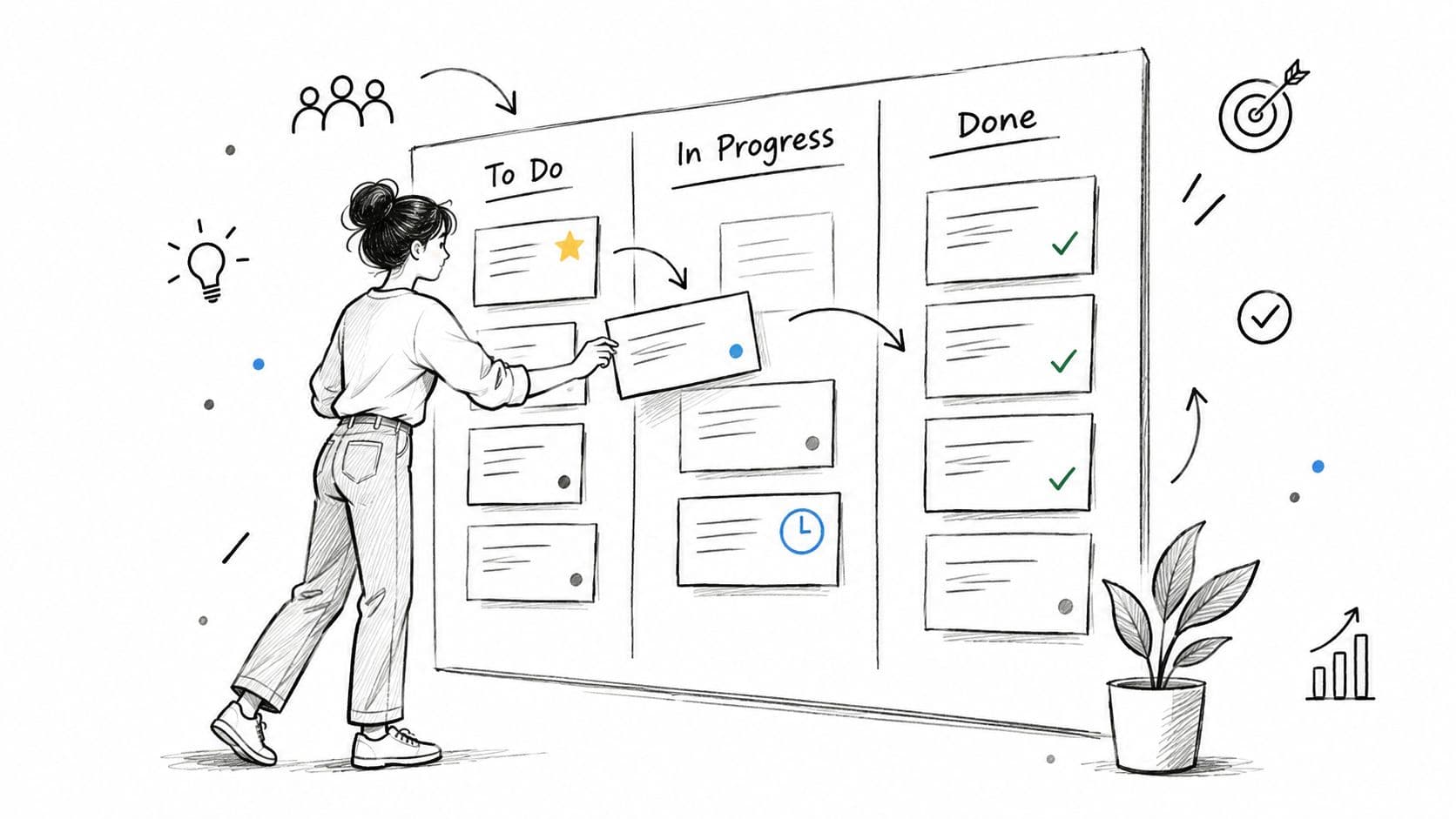
You open the board on Monday morning and it looks great. Clean columns. Color-coded cards. A tidy backlog. By Thursday, the team is asking the same old questions in chat. What should I pick up next? Who owns this review? Why is this blocked? Why are three projects all due at once?
That's the moment a lot of teams realize their project planning board isn't planning anything. It's documenting motion after the fact.
A useful board does more than display tasks. It helps people decide what to start, what to stop, what to delegate, and what to escalate. It also has to work above the single-team level. Founders, PMs, and department leads rarely manage one neat stream of work at a time. They're juggling launches, client delivery, internal ops, contractors, and now AI-assisted work that can create more output than the team can realistically review.
Boards have come a long way from physical Kanban systems that originated at Toyota in the 1950s and later spread into software and operations as a visual way to track work and limit bottlenecks. Digital boards became mainstream fast. One academic source notes that Trello, released in 2011 and acquired by Atlassian in 2017, self-reported 50 million users in 2019 in the broader rise of board-based workflow tools, as discussed in this Kanban workflow research overview.
The board market is no longer niche either. Independent market research says the global Project Planning Board market reached USD 1.92 billion in 2024 and is projected to reach USD 4.07 billion by 2033 at an 8.7% CAGR from 2025 to 2033, according to Project Planning Board market projections. That growth makes sense. Teams aren't buying boards for aesthetics. They're buying a control system for flow, visibility, and execution.
Why Most Project Planning Boards Fail Before Work Even Starts
A mid-sized product team I've seen more than once follows the same pattern. They pick a polished Kanban tool, load a default template, invite everyone in, and feel organized overnight. Three months later, shipping speed hasn't changed. Review queues are longer. Standups got shorter, but decisions got slower.
The board looked active because cards kept moving. Work wasn't moving.
The template trap
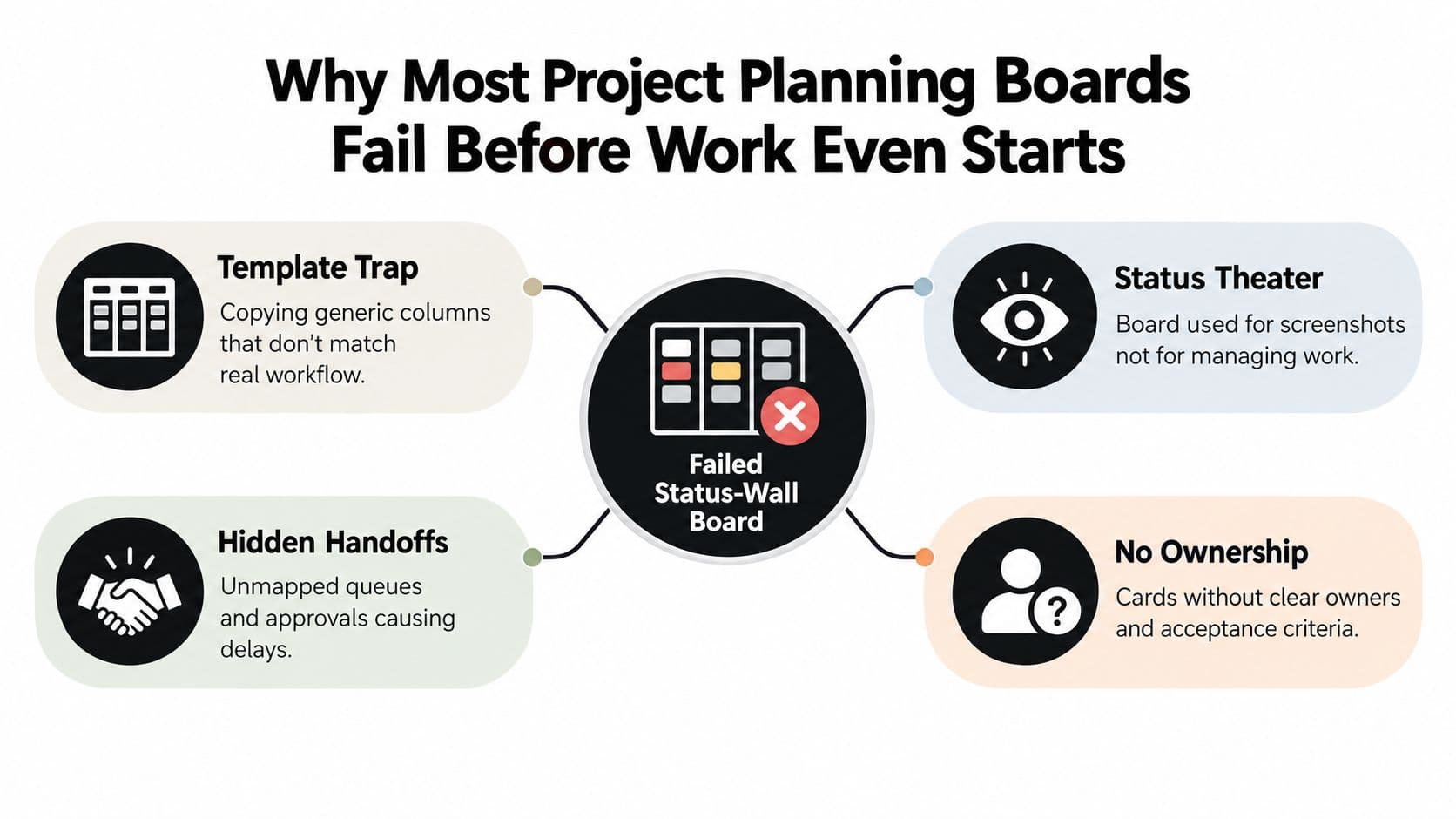
The first mistake happens before the first card is added. Teams copy a generic structure like Backlog, To Do, In Progress, Review, Done. That sounds sensible until you compare it to the work. The team may spend most of its time waiting on spec clarification, legal review, dependency approval, or release windows.
If the board ignores those real states, people start managing the work somewhere else. Usually in Slack, email, meetings, or memory.
Boards that mirror the org chart
Another failure mode is columns named after departments instead of workflow states. Design. Engineering. QA. Marketing. That setup tracks handoffs, but it doesn't show whether a task is ready, blocked, waiting, being revised, or accepted. It also encourages sideways card movement that makes progress look better than it is.
Practical rule: If a card can move columns without changing its actual state of readiness, the board is too shallow to manage delivery.
Missing ownership and weak exit criteria
A card without one accountable owner is usually a meeting request disguised as work. The same goes for cards that enter review with no acceptance criteria, no linked assets, and no decision-maker named. Teams then confuse activity with clarity.
Common signs the board is failing before execution even starts:
- Screenshot-first behavior: The board exists to reassure stakeholders, not to guide daily choices.
- Hidden queues: Approval steps, waiting states, and external dependencies aren't represented anywhere.
- Card ambiguity: Owners, due dates, blocked reasons, or done criteria are missing.
- Status theater: People move cards because an update is expected, not because the work changed.
A planning board starts working when it becomes a decision and delegation system. It should force clarity on sequence, expose capacity constraints, and show where work is aging before a deadline slips. If it doesn't change who decides what and when, it's a wallpapered task list.
Designing Your Board Structure from the Value Stream Up
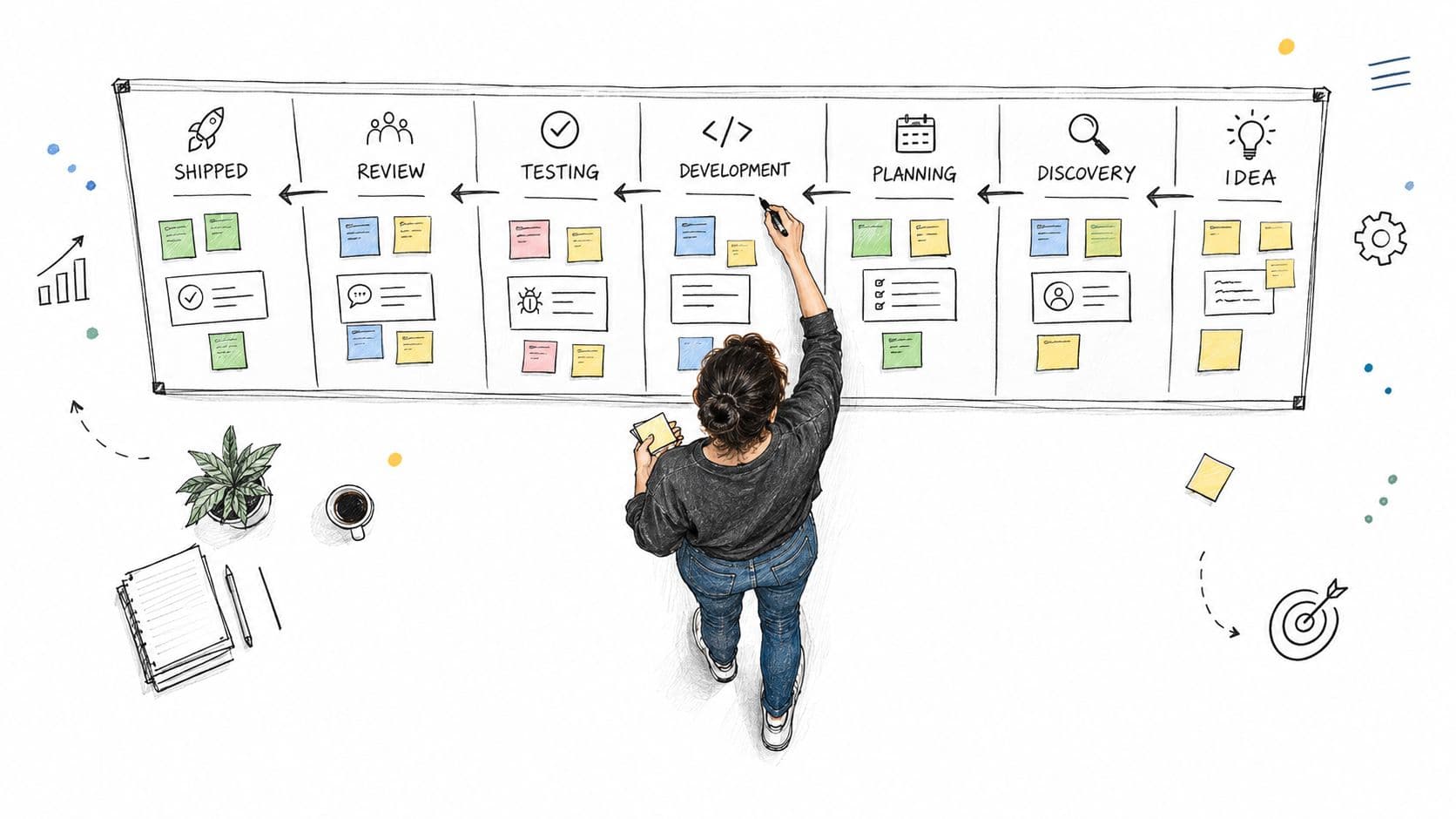
Start with one representative piece of work and trace it from idea to delivery. Don't start in the tool. Start on paper, in a doc, or on a whiteboard. Follow the request through every real state, every handoff, and every approval.
A board built this way usually ends up simpler and more truthful than the one built from a template.
Name columns after actual states
Generic columns hide important distinctions. Better columns use the team's real language. That might look like:
- Waiting on Spec
- Ready for Build
- In Build
- Ready for Review
- Changes Requested
- Awaiting Release
- Done
That naming matters. It tells the assignee what condition the work is in, not just where it sits. A board is a workflow map. Established guides describe each column as a stage of work, with limits attached to the stage itself so no one starts new work in a full column, as outlined in this Agile Kanban board guide.
If you're using Kanban for task execution as well as planning, this deeper look at task management Kanban setups is useful because it connects board structure to day-to-day operating habits.
Add complexity only when it earns its keep
Swimlanes help when one board carries different classes of work. Good reasons to add them include:
- Work type: feature, bug, ops, content, admin
- Surface or product area: web, mobile, backend, client delivery
- Service class: urgent, standard, fixed-date
Bad reason to add swimlanes: because the tool supports them. Every extra visual layer raises scanning cost.
The same rule applies to columns. Don't create a new column for every minor status check. Passive waiting states can often be collapsed if they don't change who acts next. The board should stay readable from a few feet away and detailed enough to run execution without side-channel translation.
Define the card contract
Most boards break at the card level, not the column level. Every card should require a small set of fields before it can enter active work:
- Owner: one accountable person
- Priority: clear enough to sort against neighboring work
- Estimate or effort marker: whatever the team already uses consistently
- Blocked reason: mandatory when stalled
- Due date or target window: only when it affects sequencing
- Acceptance criteria: enough to evaluate done without debate
Teams also need multiple views of the same board. One for grooming. One for active execution. One for portfolio rollups.
A short walkthrough helps if your team needs to see a board being shaped around real workflow rather than a default template.
A readable board doesn't try to display every fact at once. It shows the next decision clearly and leaves supporting detail on the card.
Setting WIP Limits That Actually Improve Flow
Hearing WIP limits often leads to assumptions of control or constraint. In practice, they're one of the clearest ways to reduce delay. The logic is simple. One guide frames it directly with cycle time = WIP / throughput and treats WIP as the number of active items in the system, in this explanation of Kanban WIP limits and flow math.
When too many items sit in progress, each one waits longer for attention. Reviews queue up. Testing batches grow. Work ages.
Start with observed flow, not guesswork
Atlassian's guidance is practical here. Observe the average number of items in each workflow state for a few sprints, then set limits from that baseline. In one published example, introducing WIP limits reduced average cycle time from 18 days to 12 days, increased throughput from 15 to 18 items per sprint, raised flow efficiency from 15% to 35%, and reduced defect rate from 12% to 7%, according to Atlassian's write-up on setting WIP limits in Kanban.
That's why I treat WIP limits as a flow lever, not a productivity score.
For teams that want a practical operating view, this piece on work in progress limits is worth reading alongside your own board data.
Good starting points
JetBrains' YouTrack documentation notes that teams usually apply WIP limits to every column except Done, tuning limits to the number of people in each stage and how much parallel work they can handle. It also treats cards above the limit as a bottleneck signal, covered in this WIP limits reference for project management.
A useful heuristic is to keep active limits below team size in the tightest review stages. Review and testing usually need lower caps than build because that's where invisible queues pile up fastest.
| Team Size | Build Column | Review Column | Testing Column |
|---|---|---|---|
| 3 to 4 | 3 | 2 | 2 |
| 5 to 6 | 4 to 5 | 2 to 3 | 2 to 3 |
| 7 to 9 | 6 to 7 | 3 to 4 | 3 to 4 |
| 10+ | split the workflow by team or service area | keep review local to each stream | keep testing local to each stream |
What teams get wrong
The most common mistakes aren't mathematical.
- They set limits without clearing old queues. The board still carries stale overload.
- They treat the limit like a quota. Hitting it isn't failure. It's information.
- They exclude blocked cards. Blocked work still consumes attention and space.
- They keep starting instead of finishing. A full column should trigger swarm behavior.
When a column is full, the next move isn't to negotiate an exception. It's to finish, unblock, or review the oldest item.
Choosing the Right View for Each Moment in the Day
One board can support several views without becoming several systems. That matters, because the best morning view usually isn't the best planning view, and neither is the right leadership view.
The mistake is forcing everyone to stare at the same board layout all day.
Match the view to the decision
Use the board differently across the day:
| Moment | Best View | Filter or Grouping | Signal Surfaced |
|---|---|---|---|
| Morning triage | Kanban | My swimlane or my team's active lane | What is blocked, aging, or ready now |
| Mid-day execution | List | Sorted by due date, owner, or dependency | What deserves uninterrupted focus |
| Weekly planning | Calendar | Group by assignee or work type | Load imbalance and fixed-date collisions |
| Dependency review | Timeline | Group by initiative with linked predecessors | Where sequencing risk is building |
| Leadership check-in | Portfolio rollup | Group by initiative or objective | Cross-project status and at-risk work |
Saved filters solve a lot of clutter. PMs can see all active work by initiative. Designers can see only cards waiting on assets. Executives can roll up by program without asking every team lead for a custom status deck.
Portfolio visibility is where many boards break
Single-team boards are easy. Portfolio visibility is the harder problem.
A useful portfolio rollup should answer four questions quickly: what is on track, what is stuck, what is aging, and what competes for the same people. That's one reason mainstream board setups often fall short. Recent coverage has pointed out that many tools still force users to inspect one project at a time instead of surfacing cross-project status and risk in one view, as discussed in this analysis of portfolio visibility gaps in board-based project management.
If you're building rollups for leadership, it also helps to track KPIs with culture data so performance conversations don't stop at throughput and deadlines. Team health affects flow more than most dashboards admit.
Gantt-style timelines help when dependencies matter more than pull flow. They're useful for launches, migrations, and multi-phase delivery. They create overhead when teams use them to micromanage short, independent tasks that would move faster on a board.
Prioritization Frameworks That Survive Contact with Reality
Teams rarely fail because they have no prioritization framework. They fail because they chose one that doesn't match the kind of work arriving on the board.
The useful question isn't which model is smartest on paper. It's which one your team will still use when requests start piling up.
The frameworks teams actually keep using
| Framework | Inputs Required | Cadence | Best Fit | Failure Mode |
|---|---|---|---|---|
| MoSCoW | Must, Should, Could, Won't categories | Milestone-based or contract planning | Fixed-scope delivery, stakeholder negotiation | Everything becomes a must |
| RICE | Reach, impact, confidence, effort | Backlog intake or discovery reviews | Product discovery and experiment pipelines | False precision when inputs are guessed |
| WSJF | Relative business value, time criticality, risk reduction or opportunity enablement, job size | Program or portfolio planning | Large portfolios with competing initiatives | Turns abstract if teams don't align scoring rules |
| ICE | Impact, confidence, ease | Fast triage | Lightweight prioritization under time pressure | Oversimplifies strategic trade-offs |
| Value/Effort matrix | Relative value and implementation effort | Workshops and roadmap debates | Cross-functional alignment sessions | Loudest stakeholder can dominate scoring |
Match the framework to the context
MoSCoW works when scope boundaries matter and stakeholders need plain language. RICE is useful when product teams compare opportunities before they become delivery commitments. WSJF is better higher up the stack, especially when multiple initiatives compete for the same constrained people.
ICE is the one I'd use when the team needs to triage quickly and move on. The Value/Effort matrix works best in the room, with stakeholders present, because it surfaces disagreement fast.
Here's the simple pairing logic I use:
- Discovery backlog: RICE
- Program sequencing: WSJF
- Client or contract delivery: MoSCoW
- Fast internal triage: ICE
- Live workshop alignment: Value/Effort
A good follow-on read is this guide on how to prioritise projects, especially if your board handles both strategic initiatives and routine delivery.
What survives real operating conditions
The framework should reduce debate, not create a scoring religion.
The minute the team spends more energy defending the model than deciding the work, the model is too heavy for the context.
Combining methods is usually the practical answer. Intake can use RICE. Program-level sequencing can use WSJF. Stakeholder workshops can use a Value/Effort matrix to settle visible trade-offs without pretending every decision needs mathematical purity.
Delegating Work Through the Board Without Losing Control
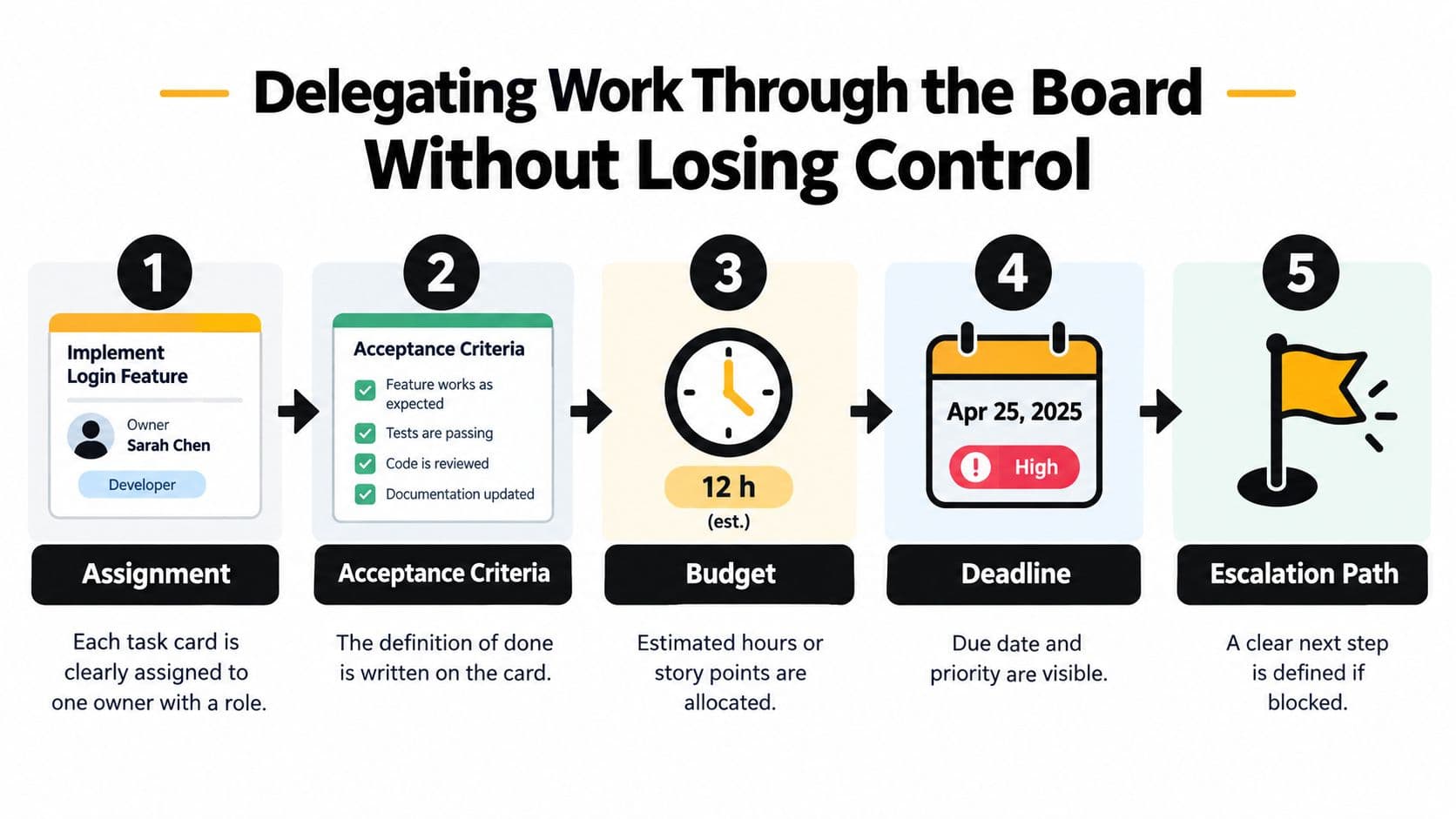
Delegation falls apart when the assignment lives in one place, the context in another, and the status updates in private chat. A strong board fixes that by making the card the operating contract.
Each card should carry the assignment, success criteria, budget, due date, and escalation path. If that information lives outside the board, the board stops being trustworthy.
Delegating to people
When assigning work to a person, define three things before the card enters active status:
- What done means. Not “draft the page.” Better: “submit draft with approved source links, headline options, and stakeholder questions resolved.”
- How much room they have to decide. Can they change approach, or only execute the request as written?
- When to escalate. Name the trigger. Missing input, dependency delay, scope change, or review conflict.
Card comments should hold the work log. That keeps discussion attached to the decision trail instead of disappearing into chat.
Delegating to AI agents and virtual assistants
AI changes the rhythm of board management because it can produce drafts, summaries, research notes, and first-pass analysis quickly. That helps, but it also creates a new bottleneck. Human review.
A good card for AI-assisted work includes:
- Card ID in the prompt
- Linked source documents
- Expected output format
- Autonomy level such as suggest-only, draft-only, or execute-then-submit
- Review gate before anything gets marked done
For example, a PM can delegate a research-and-draft task to an AI worker while keeping final review, approval, and publishing with the human owner. That setup speeds the middle of the workflow without pretending the machine owns the decision.
A tool such as Fluidwave fits this model because it combines task management views with delegation to human virtual assistants on a per-task basis, which is useful when the board needs to route work rather than only display it.
Keep delegation from creating invisible overload
The board should cap delegated work too. Atlassian explains that WIP limits belong to each workflow status, and when a column is full the team stops starting new work and focuses on finishing or unblocking what's already there, as covered in this overview of how WIP limits work at the status level.
That matters for AI and assistant-driven workflows. If one person dispatches five draft tasks at once, the board may look efficient while the review queue becomes the bottleneck.
Keeping Your Board Healthy and Your Team in Flow
A board doesn't stay useful by accident. It decays the same way any shared system decays. Small omissions pile up. Cards go stale. Owners disappear into columns. Dashboards get built once and ignored forever.
Healthy boards get maintained as an operating discipline.
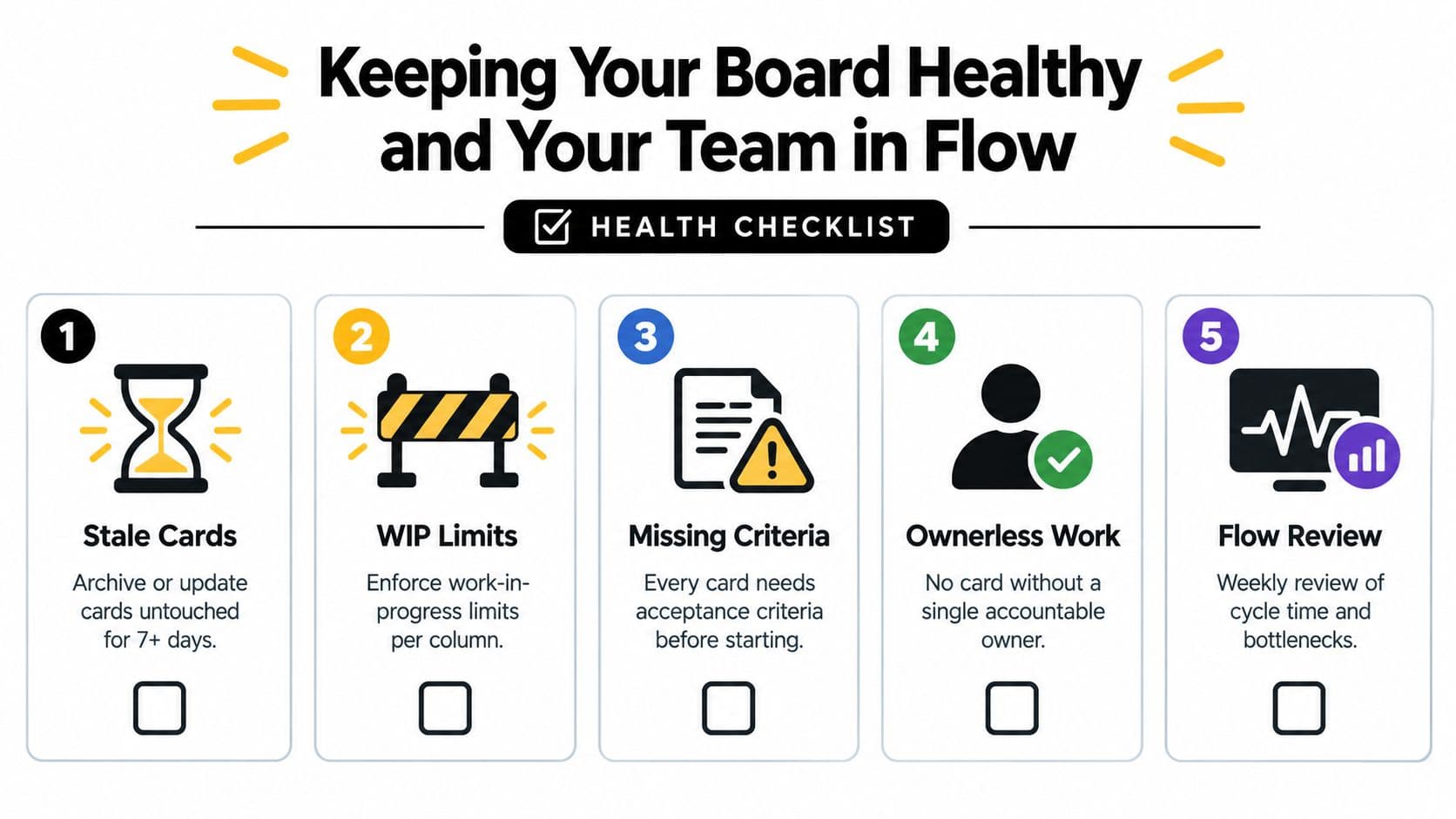
What board decay looks like
These are the failure modes I watch for first:
- Stale cards: Symptom is cards untouched for days. Cause is usually unclear ownership or missing next action.
- Frozen WIP: Columns stay full and nobody responds. Cause is that the team treats limits as decoration.
- Missing acceptance criteria: Review churn grows because nobody agreed what done meant.
- Ownerless work: A team or function is assigned instead of one person. Accountability diffuses.
- Unread dashboards: Metrics exist, but no routine ties them to decisions.
The habits that keep it trustworthy
Short routines do more than occasional cleanup marathons.
| Cadence | Habit | What it catches |
|---|---|---|
| Daily | Queue review of active columns | Aging work, blocked items, bad sequencing |
| Weekly | Column pruning and archive pass | Dead states, duplicate statuses, stale cards |
| Biweekly | WIP and cycle-time check | Emerging bottlenecks, overloaded review stages |
| Monthly | Flow retrospective | Structural board problems and recurring handoff pain |
One reason this matters more now is that boards are being asked to handle work they weren't originally designed for. Long-horizon, dependency-heavy projects expose the limits of pure Kanban boards, especially around milestones, resource allocation, critical path questions, and capacity across phases. Recent commentary on Kanban board limitations in complex planning points toward hybrid planning, predictive support, and AI-assisted decision systems as the practical response.
A workable first 30 days
Don't redesign the whole system at once. Sequence the changes.
- Week 1: Map one value stream and rename columns to actual work states.
- Week 2: Add mandatory card fields for owner, acceptance criteria, and blocked reason.
- Week 3: Set initial WIP limits on active columns and enforce them in standups.
- Week 4: Create role-based saved views for contributors, PMs, and leadership. Then review which statuses and reports nobody uses.
A board becomes reliable when people trust it enough to make decisions from it without opening three other tools first.
If nobody owns board health, the board will slowly become a museum of unresolved intentions. If someone does own it, and the team uses it to drive choices about sequence, delegation, and capacity, it becomes one of the few project tools that can reduce noise instead of adding more of it.
Fluidwave gives teams a practical way to run this style of board by combining multiple work views, AI-supported task handling, and pay-per-task delegation to human assistants in one place. If you want a project planning board that helps with execution, delegation, and cross-view visibility instead of just status tracking, visit Fluidwave.
Focus on What Matters.
Experience lightning-fast task management with AI-powered workflows. Our automation helps busy professionals save 4+ hours weekly.