Learn how task management kanban works, from WIP limits and board design to delegation and automation, with practical tips for personal and team use.
September 5, 2026 (1mo ago)
Task Management Kanban: A Practical Guide to Flow
Learn how task management kanban works, from WIP limits and board design to delegation and automation, with practical tips for personal and team use.
← Back to blog
Monday morning starts with forty-three open tasks scattered across Slack, email, a spreadsheet, and a notebook. You're answering a client question, waiting for a designer, reviewing a draft, preparing a meeting, and trying to remember which “urgent” request matters. By lunch, you've touched almost everything and finished very little.
That pattern usually isn't a discipline problem. It's an attention problem. A flat task list treats every item as if it deserves focus at the same time, while real work depends on handoffs, approvals, dependencies, and limited human capacity. Task management Kanban gives that work a visible path, restricts how much can be active, and makes delays difficult to ignore.
The useful part isn't drawing columns. It's deciding what belongs in planning, what belongs in doing, and what should be delegated or deliberately left alone. The mechanics below show how to build that boundary, set limits that protect attention, and use a board to improve flow rather than create another place to update.
When Your To-Do List Stops Working
At 8:47 on Monday, a project lead opens a spreadsheet containing forty-three rows. Slack has another cluster of requests, email has several promises made last week, and a recurring meeting has produced three more “quick” follow-ups. The lead moves between tabs, replies to two messages, starts a proposal, checks a missing approval, and then returns to the proposal without remembering where the argument was going.
By mid-afternoon, the board would probably show plenty of activity. Cards have been edited, messages have been sent, and several tasks have changed color. Yet the important work remains unfinished because every interruption has a chance to become the next priority.
A conventional to-do list fails here because it records inventory without controlling flow. It tells you what exists, but not what should receive attention now, what is waiting on someone else, or which task must finish before another can begin. The result is a queue that keeps expanding while your available focus stays fixed.
Practical rule: If every task is available to start, the system is quietly asking you to multitask.
Kanban approaches the problem differently. It makes work visible on a shared surface, separates stages, and limits the number of items being actively handled. A blocked approval can sit in a visible waiting state instead of consuming mental space, while a task in review can show that the next constraint isn't the person doing the work.
That distinction matters for executives, freelancers, project leads, and people managing attention-sensitive work. You don't need more reminders when the problem is too many simultaneous commitments. You need a system that makes starting harder and finishing easier.
The practical test is simple: can you see what's planned, what's being done, what's waiting, and what needs another person? The rest of this guide focuses on the board mechanics, WIP limits, delegation boundaries, and review habits that make that visibility useful.
How Kanban Actually Works
Kanban began in Japan as part of the Toyota Production System in the late 1940s. Taiichi Ohno was credited as the key engineer behind its development, and the original method used pull-based planning and inventory control to match production with customer demand and reduce waste, as described in this history of the Kanban methodology. In 2004, David J. Anderson adapted Kanban principles for knowledge work and software delivery, helping extend the approach beyond manufacturing.
A small warehouse makes the mechanic easier to understand. A truck arrives at the loading dock, workers sort boxes into shelves, and another worker pulls the next box only when there's room and capacity to handle it. The worker doesn't keep accepting boxes because they're available. The next item enters the active area when the previous work has moved forward.
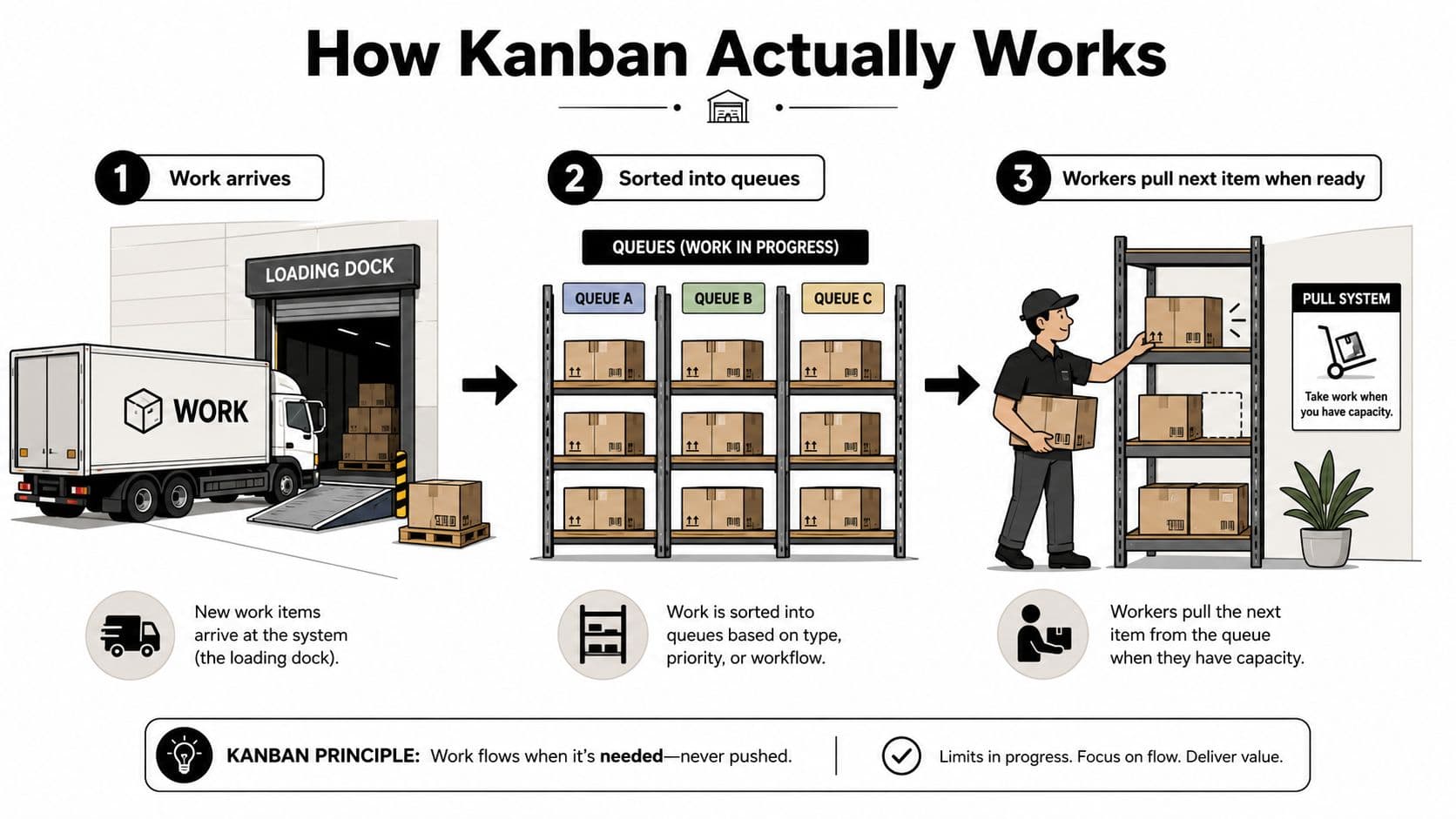
A digital Kanban board applies the same logic to tasks:
- Backlog: Ideas, requests, and commitments that haven't been selected.
- Ready: Work that has enough context to begin, including an owner and a clear outcome.
- Doing: Items receiving active attention now.
- Review: Work waiting for approval, testing, feedback, or a second pair of eyes.
- Done: Work that meets the agreed definition of completion.
Each card should represent a meaningful unit of work. Give it an owner, a result, relevant context, and a definition of done. “Prepare launch” is too vague for a useful card, while “Draft the customer email and add approved links” gives someone a visible, finishable outcome.
The important difference from a pure to-do list is the handoff between stages. A card doesn't merely change color because someone worked on it. It moves when a specific condition is met, such as a draft being ready for review or a dependency being resolved. Teams exploring digital options can compare a focused Kanban Software resource alongside their existing task tools.
Kanban is a pull system. When Doing reaches its limit, nobody should pull another card from Ready until an active item moves forward, gets delegated, or is removed. That pause feels uncomfortable at first, but it reveals the capacity of the system.
WIP Limits and the Math of Faster Delivery
Work in progress, or WIP, is the number of items currently inside a workflow stage. A WIP limit is an explicit cap on that number. If Doing has a limit of six, the team shouldn't move a seventh card into it just because someone has asked for faster delivery. The limit creates a decision point: finish, unblock, delegate, split, or renegotiate.
The relationship can be expressed through Little's Law:
Average cycle time is approximately average WIP divided by average throughput.
That doesn't mean a lower WIP automatically solves every delivery problem. If work is blocked by an unavailable approver or a technical dependency, reducing active cards won't create that missing capacity. But when a team is overloaded, lowering WIP reduces queues and context switching, which can shorten delivery without requiring people to work faster.
Kanban University identifies four core flow measures: WIP, cycle time, throughput, and work-item age. Each answers a different operational question:
- WIP: How much work is open inside the system?
- Cycle time: How long does an item take after active work begins?
- Throughput: How many items finish in a given period?
- Work-item age: How long has an unfinished item remained active?
Consider a team with twelve items in progress and a six-day cycle time. If the team cuts WIP to six while maintaining the same throughput, the relationship suggests cycle time will move toward roughly three days. This is an illustrative application of the law, not a guaranteed forecast.
| Metric | Before (WIP 12) | After (WIP 6) |
|---|---|---|
| WIP | 12 items | 6 items |
| Cycle time | 6 days | Roughly 3 days if throughput stays constant |
| Throughput | Same constrained throughput | Same constrained throughput |
| Attention cost | More parallel work and switching | Fewer active priorities |
The practical guidance on work-in-progress limits is useful because it connects the formula to board behavior. A limit only changes delivery when people honor it under pressure. If the team adds another lane whenever the board fills, WIP control becomes decoration.
Designing Boards for Solo Work and Team Work
A board should mirror how work moves, not how a template says it ought to move. A solo professional often needs a compact attention filter, while a team needs explicit handoffs and a shared understanding of capacity.
For solo work, start with four columns:
Backlog → This Week → Doing → Done
Backlog holds everything that might matter. This Week contains a deliberate selection, not a duplicate of the whole backlog. Doing should stay small enough that starting another item feels costly. A cap of two or three items is a practical starting point for personal work, especially when tasks require deep concentration.
Add Waiting when other people or systems regularly delay your work. A client approval, an invoice response, or access to an account shouldn't remain in Doing and make your active workload look larger than it is. The waiting state protects your attention because it tells you that the next action is a follow-up, not more work on the same card.
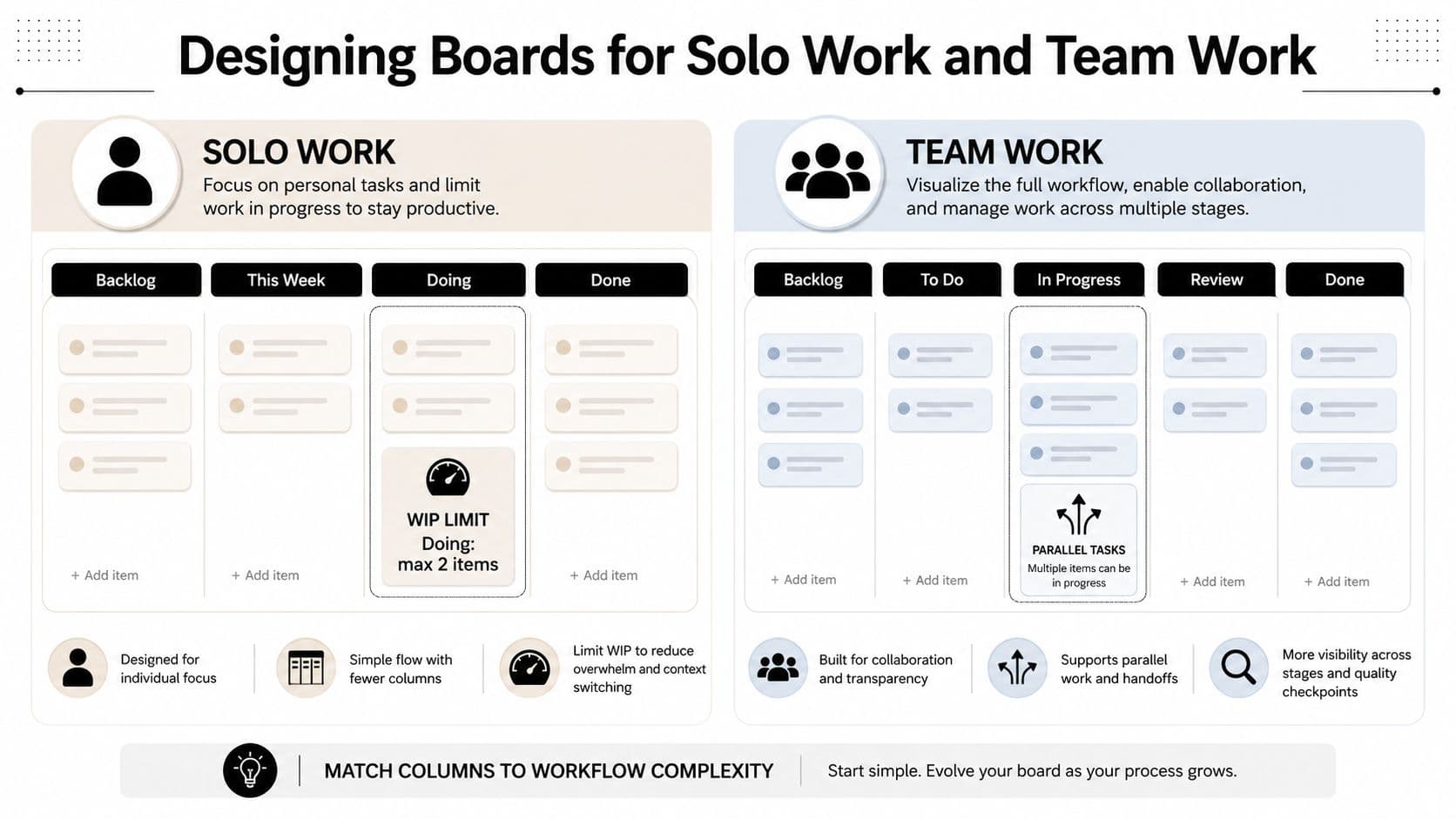
Team boards usually need more explicit stages:
Requested → Ready → In Progress → Review → Done
A six-person team might begin with an In Progress limit of six, then inspect whether work accumulates in Review. The limit applies to the stage, not automatically to each individual. That distinction encourages people to help finish or review existing work instead of opening more cards.
Use class-of-service labels when different requests need different handling. A bug fix, a feature, and an operational request can share a board while retaining distinct priority rules. The label should change the decision, not merely add decoration.
Write trigger rules beside the board:
- Starting work: Pull from Ready only when In Progress has capacity and the card has an owner.
- Review escalation: Flag a card that remains in Review for more than two days.
- Blocked work: Move a dependency into Waiting and record the next follow-up.
- Board maintenance: Revisit columns and limits every two weeks based on where cards stall.
For independent professionals, task management for freelancers offers a useful context for adapting the board around changing client commitments. Keep the design lightweight enough to review, but specific enough that another person could understand the current state without asking for a separate explanation.
Personal, Team, and Delegated Kanban Compared
The same board pattern behaves differently depending on who owns the next action. A freelancer mainly needs protection from overcommitment. A product team needs visibility at the boundaries between design, build, testing, and approval. A founder delegating work needs a reliable contract for context, ownership, and review.
| Use Case | Primary Benefit | Biggest Risk | Recommended Columns |
|---|---|---|---|
| Personal or freelance work | Limits active commitments before capacity is exhausted | Ambiguous cards and self-imposed exceptions | Backlog, This Week, Doing, Waiting, Done |
| Product or project team | Exposes handoff bottlenecks between specialists | Cards pile up in Review when ownership is unclear | Requested, Ready, In Progress, Review, Done |
| Delegated work | Makes assignment, progress, and feedback visible | Delays caused by missing context or unclear acceptance criteria | Assigned, In Progress by Assistant, Needs Review, Done |
For personal work, a low WIP limit creates a useful moment of resistance. You can't keep accepting client requests as if each one were independent when your active capacity is already full. The board forces a choice between finishing, scheduling, or declining.
Team Kanban earns its keep where work changes hands. A growing Review queue tells you that the problem may not be production capacity at all. Reviewers may be overloaded, the acceptance criteria may be vague, or the team may be sending incomplete work downstream.
Delegated Kanban has a different center of gravity. The board becomes a transparency layer and a delegation agreement. A card assigned to a virtual assistant should contain the desired outcome, source material, deadline, decision authority, and what “ready for review” means. Without that information, the assistant can move the card while still creating more questions.
Solo boards can tolerate shorthand because one person holds the context. Team boards need explicit policies. Delegated boards need service expectations written into the cards, because trust depends on predictable turnaround and visible progress rather than physical proximity.
Setting Up Kanban Views and Automation in Fluidwave
Start with one project space for every commitment in a workflow. That space is the source of truth. Views then act like different windows onto the same work, so a solo operator, team lead, and virtual assistant can each see the information needed without creating duplicate cards.
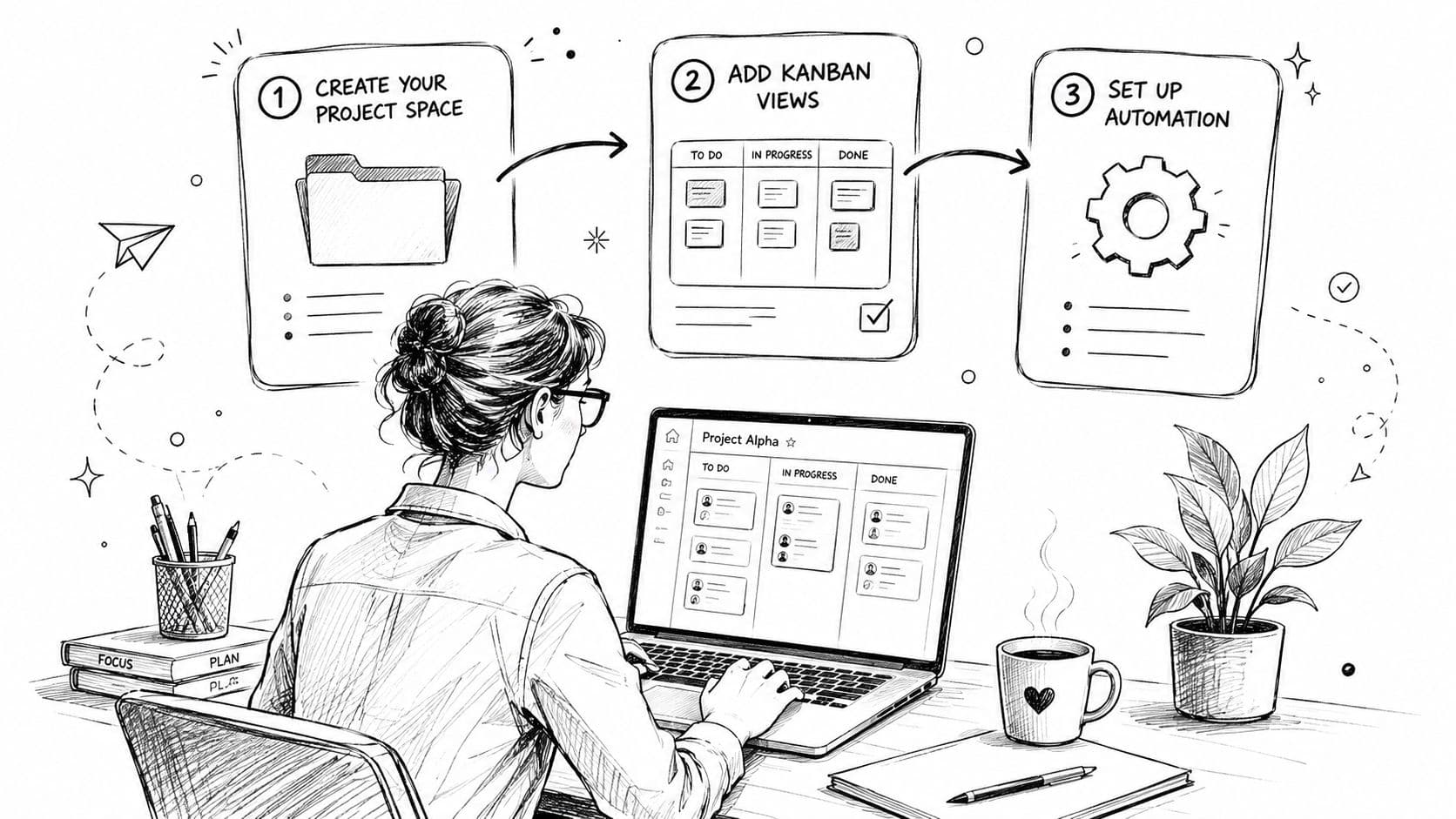
Fluidwave provides Kanban, list, calendar, table, and card views. Filter a personal view by assignee, group a team view by status, or show a delegation view containing cards assigned to a virtual assistant. Each view should answer one practical question, such as “What needs my attention?” or “What is waiting for review?” The records remain shared.
Set auto-prioritization according to the signals that shape decisions. A client deadline may outrank other factors, while an internal task may depend more on a blocked dependency or custom score. Automation should remove repeated reshuffling while leaving the priority logic visible. If you want a broader process for automating tasks, start by naming the decision the rule should support.
Delegated work needs a clear boundary between planning and doing. Route assistant-owned cards to an Assigned or In Progress column, require context fields before assignment, and add a due date. Include the desired outcome, source material, decision authority, and definition of ready for review. An idle-card check can flag work that has not moved for more than 24 hours. That prompt gives you time to clarify instructions before the deadline.
Automation rule: Write each trigger as if you were explaining it to a new hire. “Flag cards that are idle for more than 24 hours” is actionable. “Keep the board updated” is not.
A daily digest can report what entered the system, what moved, and what remains stuck. The board then serves as both a workspace and a lightweight operating report. Resources on AI-native automation platforms for founders can help compare approaches, but precise triggers still matter more than a long list of features.
Fluidwave supports this arrangement with Kanban views, auto-prioritization, and delegation to virtual assistants. Treat it as an operating layer, not as a replacement for defining what each stage means.
A visual walkthrough shows how these pieces fit together.
Common Mistakes That Turn Kanban Into a Sticky Note Wall
A board becomes a passive tracker when it records movement without changing decisions. Moving cards from left to right can create the appearance of control while the same bottleneck, unclear ownership, or overloaded reviewer continues to delay delivery.
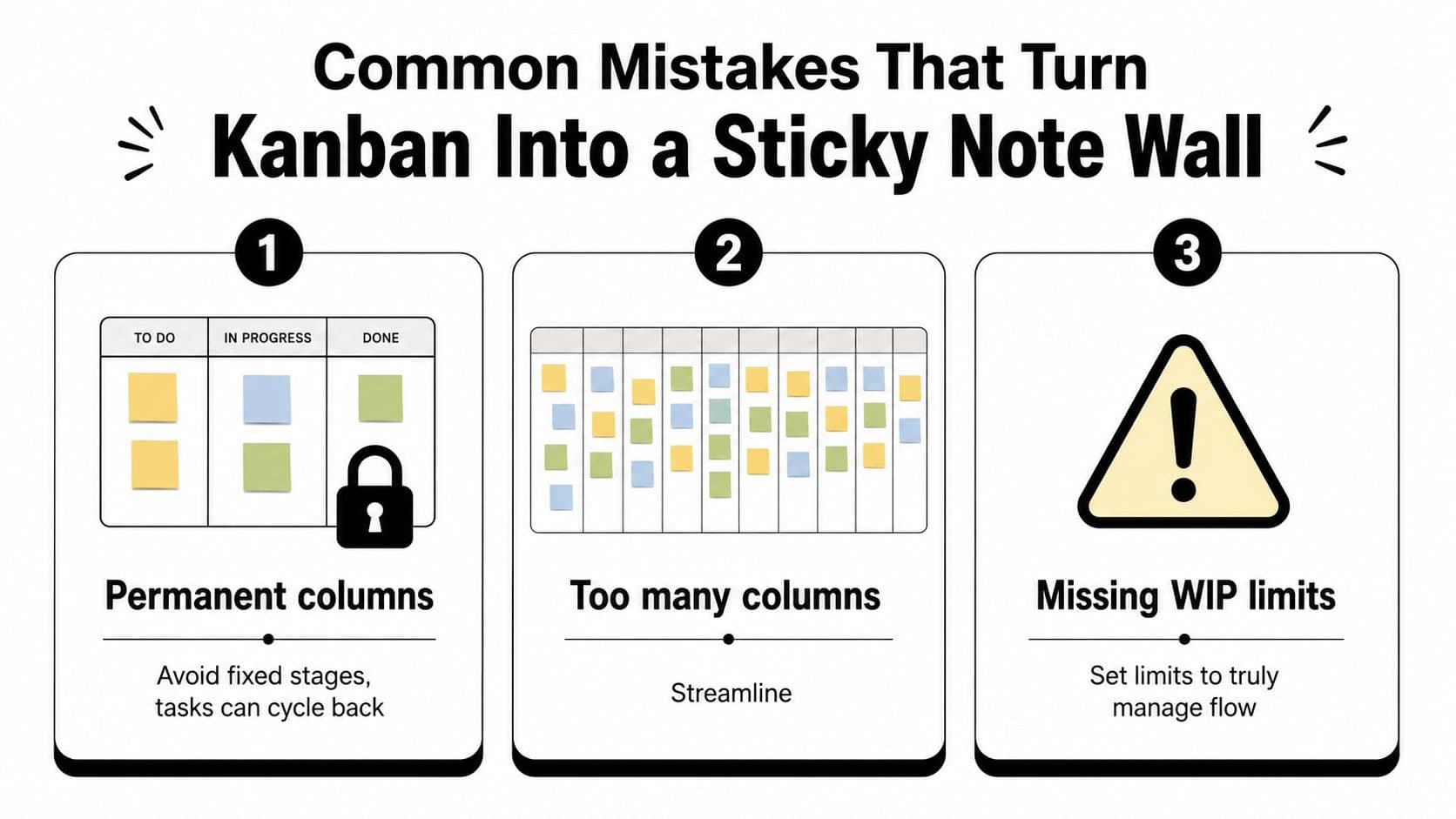
Three problems appear repeatedly:
- Permanent columns: Work doesn't always move in one direction. Cards can return from Review to Doing, or move into Waiting when an external dependency appears. Define the exit condition for each stage and create a separate blocked state when waiting is meaningful.
- Too many columns: A column should represent a real decision or handoff. If people can't tell the difference between “Almost Ready,” “Nearly Started,” and “In Progress,” streamline the board.
- Missing WIP limits: A limit that nobody enforces isn't a control. When the stage is full, stop starting, help finish an existing item, or negotiate capacity.
Measure outcomes rather than board activity. Completed work, cycle time, waiting time, work-item age, throughput, and rework reveal whether the system is improving. The number of cards created, comments posted, or columns filled says little about customer value.
Stale tasks need active treatment. Review the board daily, archive abandoned requests, clarify unclear ownership, and split oversized cards when they can't reach a meaningful completion point. A weekly review should focus on blocked items, aging work, and delivery trends.
The useful question isn't “How busy does the board look?” It's “How reliably does work move from request to finished result?”
A team that exceeds a WIP limit should treat the breach as information. Perhaps the limit is unrealistic, a specialist is unavailable, or the work item is too large. Record the reason, make a deliberate adjustment, and avoid adding another lane.
Putting Kanban to Work This Week
Don't begin with an organization-wide transformation. Choose one recurring workflow, such as content requests, bug fixes, customer follow-ups, or executive approvals. A narrow starting point gives you enough repetition to see where work waits without turning the first setup into a major project.
Build only the stages that reflect reality. Put every open item on the board, including tasks that currently live in email or Slack. Then set a modest WIP limit for the stage where work most often waits. If Review is the constraint, limiting In Progress may prevent more unfinished work from arriving there.
Each card should carry the minimum information needed to move:
- Owner: One person responsible for the next action.
- Outcome: The result the requester needs.
- Due date: A real commitment or a clearly marked target.
- Priority: The reason this item should move before another.
- Definition of done: The evidence that allows the card to leave the workflow.
Hold a short daily or twice-weekly review. Pull only when capacity exists, identify the oldest blocked card, and decide whether to finish it, delegate it, split it, or remove it. Don't use the meeting to read every card aloud. Use it to resolve decisions that keep work from moving.
At the end of the week, record completed items, average cycle time, blocked time, and rework. Use those observations to adjust one column or one limit, not to redesign the entire system. A personal board should remain lightweight and reviewable. A team board needs shared handoff rules. A delegated board needs enough context that another person can act without repeated clarification.
Within a month, compare whether work finishes sooner with fewer simultaneous priorities. The target isn't a perfect board. It's a repeatable rhythm with a clear starting queue, visible work states, an active WIP limit, and one agreed rule for what happens when capacity runs out.
Fluidwave brings Kanban, list, calendar, table, and card views into one task-management workspace, with auto-prioritization and delegation workflows for virtual assistants. Visit Fluidwave to create a focused board, define your handoffs, and test whether clearer boundaries help your work move this week.
Focus on What Matters.
Experience lightning-fast task management with AI-powered workflows. Our automation helps busy professionals save 4+ hours weekly.