Kanban Board for Personal Use. Learn how to design and run a personal kanban board that actually works, from columns to WIP limits, with tips
September 23, 2026 (1d ago)
Kanban Board for Personal Use: A Practical Setup Guide
Kanban Board for Personal Use. Learn how to design and run a personal kanban board that actually works, from columns to WIP limits, with tips
← Back to blog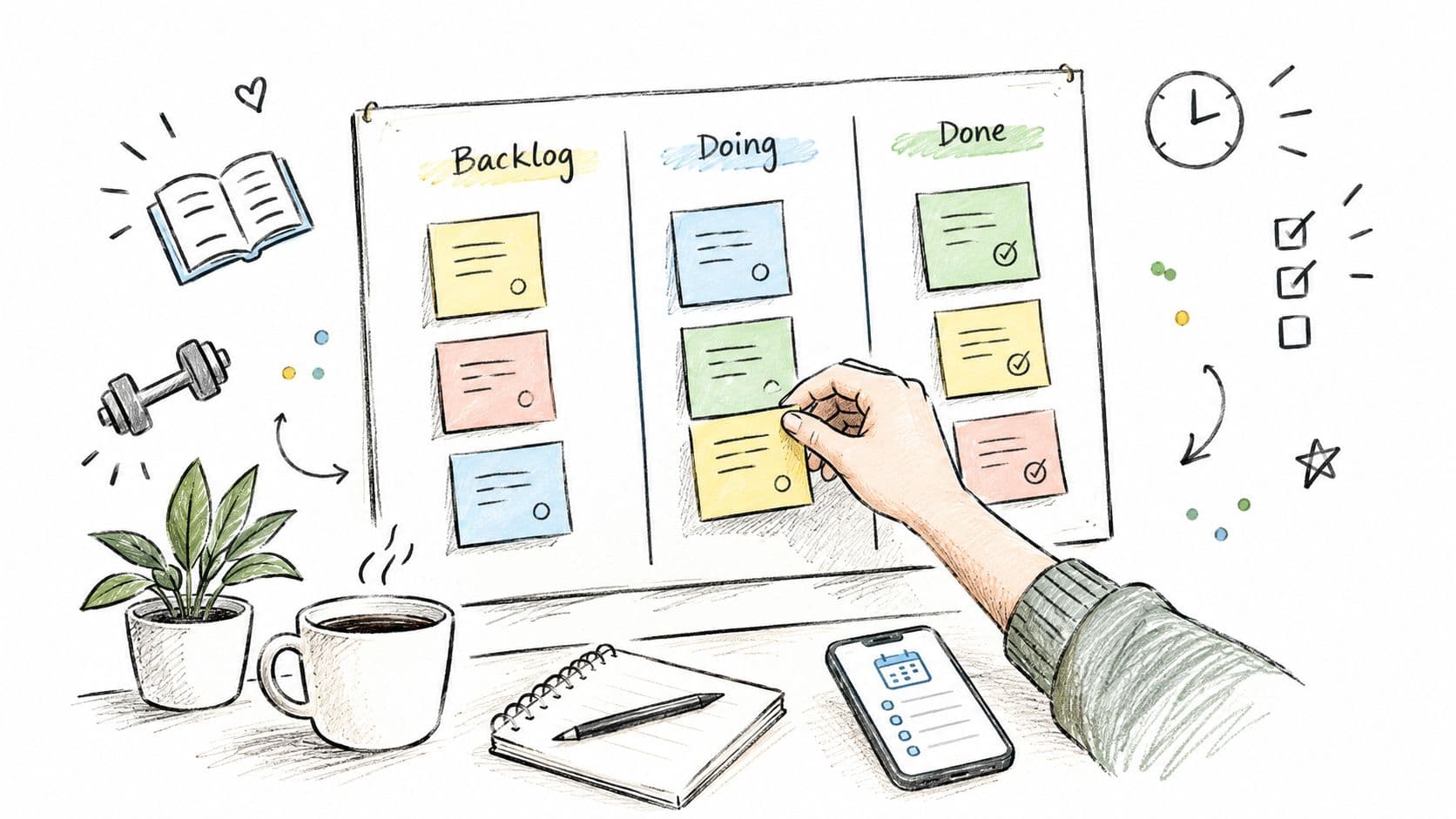
You open your task app and find the same unfinished items staring back at you. A message to answer, a proposal to draft, groceries to buy, a report to review, and several ideas you added because you didn't want to forget them. The list keeps growing, but it doesn't tell you what deserves attention now.
A kanban board for personal use turns that static list into a visible flow. Instead of seeing every commitment as equally urgent, you place each task in a stage such as To Do, Doing, or Done, then control how much work you allow yourself to start. The result isn't a promise of perfect productivity. It's a simpler way to see your current load and make more honest choices.
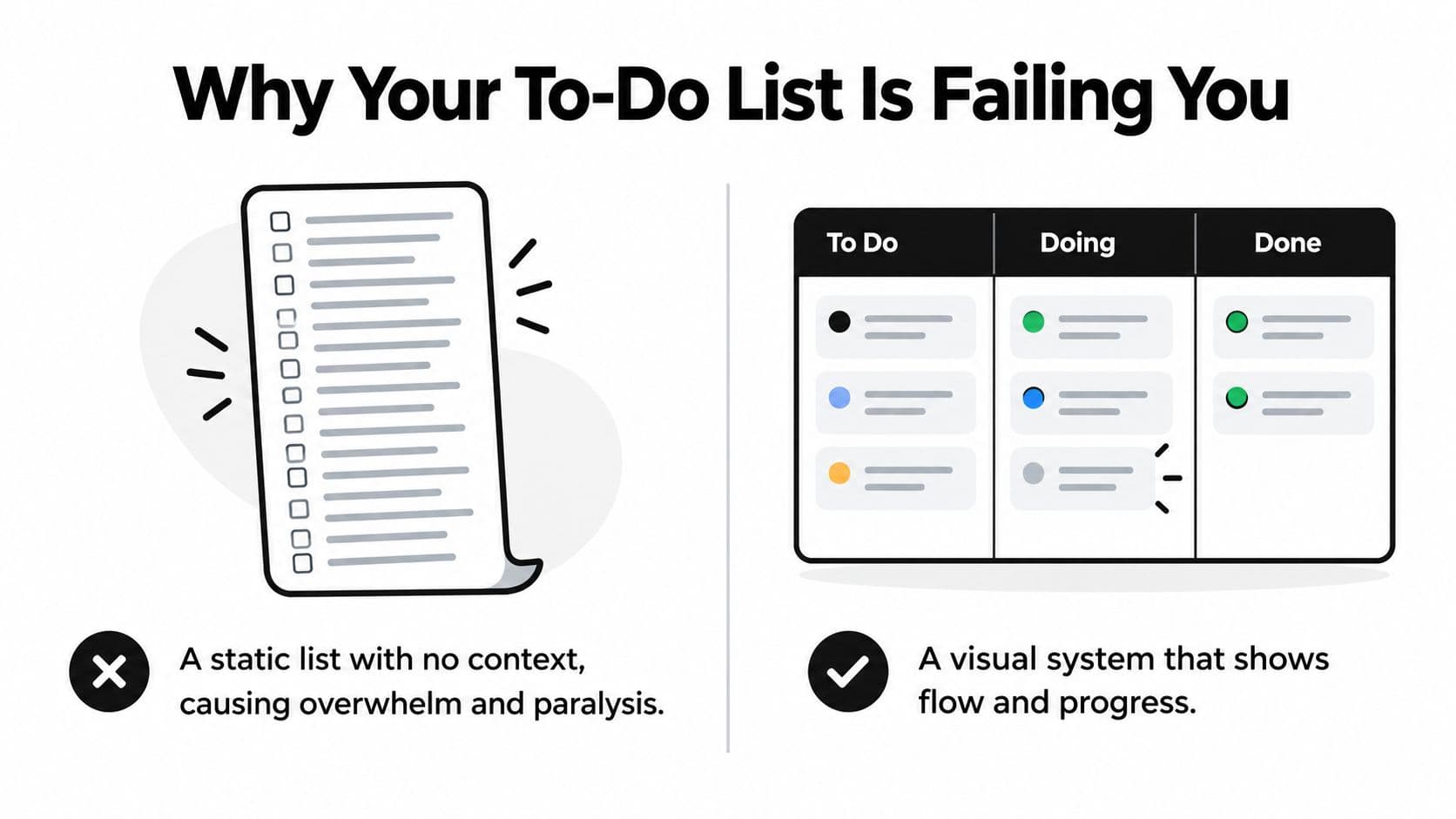
Why Your To-Do List Is Failing You
A traditional list answers one question, what exists. It often fails to answer three more useful questions, what are you working on, what is blocked, and what has moved forward.
The first problem is hidden current work. You might have fifteen items on a list, but the list doesn't distinguish between the proposal you're drafting, the invoice you're waiting to approve, and the book you may read someday. Everything sits in one stream. Your brain has to reconstruct the workflow each time you open the app.
The second problem is weak progress information. A checkmark tells you that something ended, but it doesn't show how many tasks are stalled, how much work is competing for your attention, or whether you've started more than you can finish. A kanban board makes those conditions visible because each card has a position.
See the bottleneck, not just the backlog
The third problem is that lists conceal bottlenecks. If “finish presentation” remains untouched for days, you may not know whether the problem is unclear research, missing feedback, or a task that is too large. On a board, a card that remains in Doing or Waiting becomes a prompt to investigate.
Kanban's modern roots trace back to Toyota's Kanban history, where Taiichi Ohno developed a card-based signaling system in the 1940s and 1950s to control inventory and synchronize work. Jim Benson began writing about Personal Kanban in 2009, then popularized it in his 2011 book. The personal board is therefore an adaptation of an established visual workflow idea, not a passing app trend.
Core principle: Make the work visible, then limit the work you allow yourself to do at once.
That distinction matters. A board with fifty cards can still overwhelm you if every card appears active. Personal kanban works through work-in-progress limits, which force a decision before you pull another task forward. It also isn't universal. People who need a fast capture list, a calendar for fixed appointments, or a very low-maintenance system may find a board unnecessary.
Building Your First Personal Kanban Board
Start with the surface you'll check. A sheet of paper works if your work happens in one place. A whiteboard suits visible household planning. A digital board makes more sense if you move between devices, need reminders, or regularly attach documents.
Create three columns:
- To Do: Work you could reasonably choose next.
- Doing: Work you've actively started.
- Done: Finished work, kept visible long enough to show movement.
This minimal structure follows the practical guidance in Personal Kanban's setup guide, which recommends separate cards, pulling new work only when you're below the WIP cap, and moving completed work immediately. You can call the columns To-Do, In Progress, and Complete if those labels feel more natural.
A fourth column can help when you need a boundary between everything you might do and what deserves attention soon. Use Backlog, This Week, Doing, Done when weekly planning is a genuine part of your routine. Don't add columns merely to make the board look elaborate. If “Waiting” is a recurring state, add it because a blocked card needs different attention from an available task.
Give every card a next action
A useful card is specific enough to start without another planning session. “Website” is vague. “Draft the services page introduction” is actionable.
Add a short title, a time hint or rough estimate, and any useful label. Since you're the owner of a personal board, the owner field can be implicit. Tags such as client, home, waiting, or someday can help, but they shouldn't replace clear wording.
Write a WIP limit directly above Doing. Start with two or three active tasks, a range recommended by Wrike's personal Kanban guide. If Doing is full, finish, pause, or deliberately remove a card before starting another. The limit isn't a performance score. It's a guardrail against turning the board into another overloaded list.
For a quick first setup, recall the tasks you touched during the last seven days. Write each commitment on a separate card and place it where it really belongs. You may discover that some “projects” are only ideas, some tasks are blocked by other people, and some items no longer deserve space.
Digital, AI, or Offline, Which Board Fits You
The best board is the one that reduces friction at the point where your work tends to break down. Digital, AI-assisted, and offline boards can all show flow, but they solve different problems.
Digital tools such as Trello, Notion, and Todoist make cards portable. They can support recurring tasks, calendar connections, attachments, reminders, and search. Their weakness is abundance. Templates, notifications, automations, and multiple views can create a new maintenance job. A board that takes longer to manage than the work it represents has lost its purpose.
AI-assisted boards add another layer. AI can turn meeting notes into draft cards, suggest next actions, and cluster rough ideas into themes. It can help when your bottleneck is translating unstructured input into a usable workflow. It still needs supervision, because a generated task may be inaccurate, unnecessary, or based on a detail that was never agreed.
Recent coverage of 2026 trends describes interest in quieter single-user boards, optional AI sorting, and physical whiteboards or sticky notes for people seeking screenless focus and less feature overload. That direction reflects a practical tradeoff, automation can reduce clerical effort, but additional tooling can also increase attention switching.
| Criteria | Digital | AI-Assisted | Offline |
|---|---|---|---|
| Access | Cross-device and portable | Cross-device with automated support | Usually tied to one physical location |
| Best at | Reminders, recurring tasks, integrations | Turning notes into structured cards | Focus, tactile memory, low-friction capture |
| Main risk | Setup sprawl and notification fatigue | Incorrect suggestions and over-automation | Lost cards, no search, weak recurring-task support |
| Choose it when | You need reminders and access anywhere | Rough notes are your main bottleneck | Focus matters more than automation |
If you want to compare features in more detail, this kanban board app overview offers another perspective on digital options. For a distraction-sensitive workflow, test the simplest version first. Use AI only where it removes a specific burden, not because every part of planning needs automation.
Real Setups for Daily Life, Projects, and Habits
A board becomes easier to design when you begin with a real person rather than an abstract productivity system.
A freelance designer may need to protect attention across several clients. Their board uses Backlog, This Week, In Progress, Waiting, and Done, with a client label on every card. “Send homepage concept to Northstar” is different from “Prepare logo variations for Elm Studio,” even if both are design tasks. A card sitting in Waiting might say “Get copy approval from Northstar,” revealing a portfolio deadline that can't move until someone responds.
A parent with school runs and side work may not need project stages. Their board can use Today, Tomorrow, and Waiting on Someone Else, while a separate habits lane holds small repeatable actions. “Confirm Thursday pickup with Sam” belongs in the coordination workflow. “Pack sports bag” might move into Today, while “Order replacement trainers” waits for a decision or purchase window.
Someone building a reading habit benefits from seeing consistency without turning the board into a wall of checkboxes. Beside a project lane, they might keep Daily Habits with cards such as “Read for 20 minutes after lunch” or “Choose the next chapter before stopping.” The visual movement matters because the person can see whether the habit is active, paused, or complete for the current cycle.
A person with ADHD or executive-function challenges may keep the board especially small. One card should describe one visible action, such as “Open article and highlight three useful passages,” rather than “Research topic.” A short time hint can make the starting point less intimidating.
| User Type | Columns | Card Example | Habit Hook |
|---|---|---|---|
| Freelance designer | Backlog, This Week, In Progress, Waiting, Done | “Send homepage concept to Northstar” | Review client labels before choosing work |
| Busy parent | Today, Tomorrow, Waiting on Someone Else | “Confirm Thursday pickup with Sam” | Move one household card at the start of the day |
| Knowledge worker | Project lane plus Daily Habits | “Read for 20 minutes after lunch” | Use visible movement instead of a hidden checkbox |
You don't need separate systems for every responsibility. One person can run a project board beside a small habits lane, provided each has a clear purpose and the same WIP discipline. A simple day-to-day planner can also help structure routines, and boost productivity with Zemith is a relevant resource if you prefer combining planning with daily habit prompts.
What Kanban Does and Does Not Do for ADHD
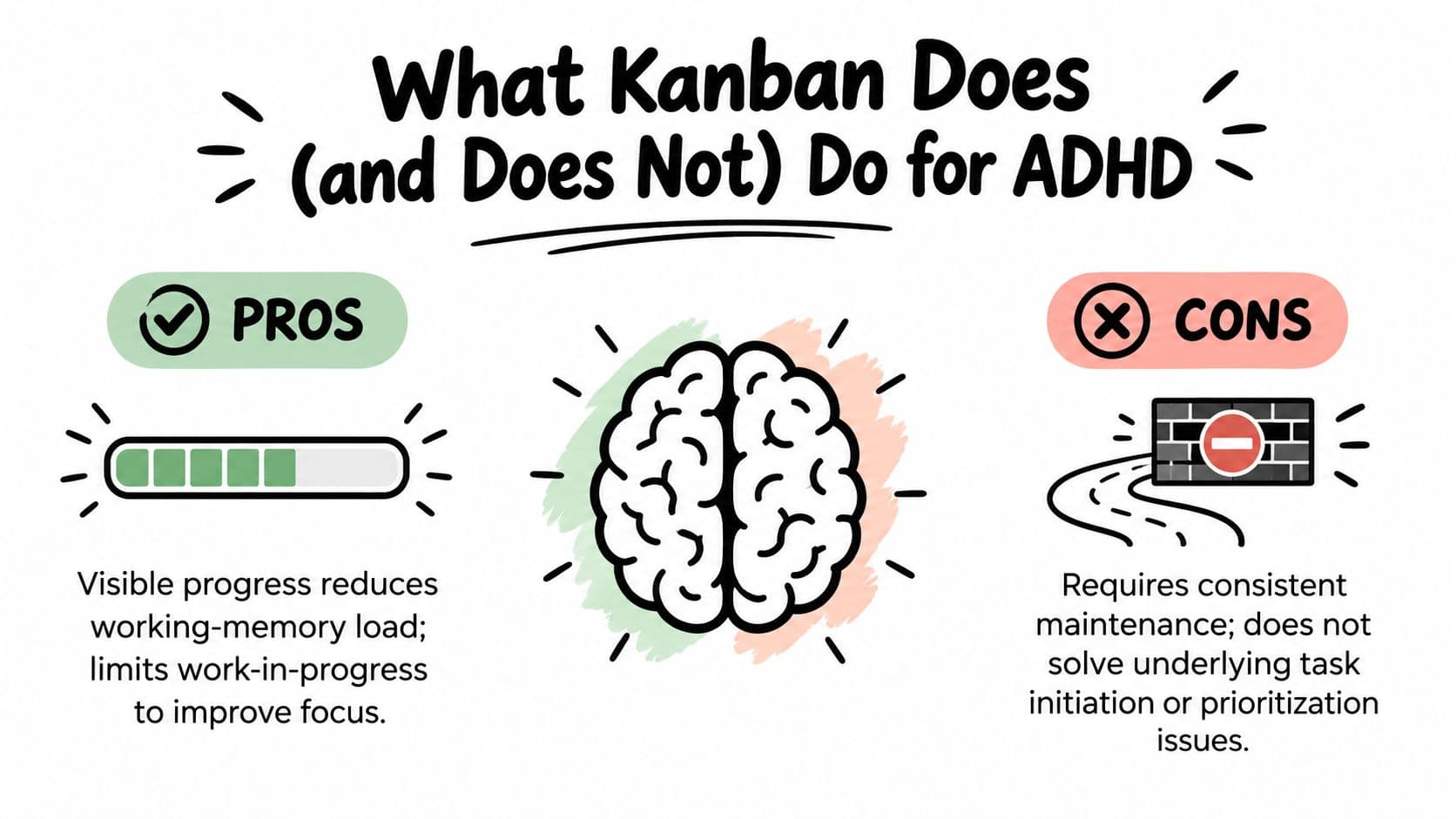
A kanban board can support some executive-function needs because it moves information out of your head and onto a visible surface. Seeing a small set of cards can reduce the amount of work your working memory must hold. A strict WIP limit can also reduce repeated decisions about what to start next.
That support has boundaries. A neutral explanation from ManageTime's Personal Kanban method notes that externalizing tasks may help people with executive-function deficits by keeping information visible, while also emphasizing that the benefit can be partial and temporary. It also states that no study has tested kanban as an ADHD intervention.
Use the board as an action surface
Kanban doesn't fix time blindness, task initiation, or prioritization by itself. It doesn't replace medication, therapy, coaching, or clinical assessment. Moving cards can feel rewarding, but the board can also become a productivity hobby, where you redesign labels instead of making the difficult call or starting the uncomfortable task.
Keep the system concrete:
- Timebox cards: Add a short work window or a clear stopping point.
- Park ideas safely: Use a Someday area so new ideas don't compete with active commitments.
- Reduce visual noise: Use only the colours and tags that help you act.
- Invite support: A shared board can provide body-doubling or visible accountability.
Don't put every life goal on the same board. “Learn Spanish,” “improve fitness,” and “organize finances” are intentions, not immediate next actions. Convert only the next physical step into a card, or keep the larger intention elsewhere.
A kanban board is worth trying when you repeatedly lose track of active work, start too many tasks, or need a visible prompt to resume something. Choose a single list when your workload is short and straightforward. Choose calendar blocking when the main challenge is fitting fixed appointments or focused sessions into time.
If overwhelm is persistent or affecting daily functioning, information about when to seek telepsychiatry for ADHD can help you think about professional support. You can also compare task-management approaches in this guide to ADHD task management.
A short visual explanation can reinforce the distinction between support and treatment:
Keeping the Board Alive With WIP Limits and Reviews
A board stays useful when it reflects current work. The first maintenance rule is to keep Doing deliberately small. Personal Kanban guidance recommends two to three tasks for an individual, while stronger coaching guidance says not to exceed that limit and to finish something before pulling another card. Personal Kanban's learning guide describes the same principle.
Write the limit where you can see it. For example, “Max two projects in progress” works for a freelancer, while “One habit at a time” may work better for someone trying to establish a routine. If the limit makes you uncomfortable, that discomfort is useful information. It shows how much unfinished work you normally carry at once.
Practical rule: Pull the next card only when the current card moves, finishes, or is consciously returned to a waiting state.
Prioritize by consequence and readiness. A task with a real deadline may move ahead of a pleasant but optional task. An urgent item that doesn't matter much should be captured, then assessed rather than allowed to interrupt everything. If a card says “prepare report,” rewrite it as the next action, such as “Open last month's report and list missing figures.”
Give the board a short weekly reset
Set aside a brief review on Sunday evening or Monday morning. Clear or archive Done cards, inspect Waiting cards for follow-up, delete stale items, and move only realistic work into This Week. Then check whether the WIP limit still matches your actual capacity.
A useful troubleshooting checklist:
- Too many cards: Move ideas to Someday or delete commitments you no longer support.
- Unclear next actions: Rewrite broad cards as visible physical or digital actions.
- Stale Waiting cards: Add a follow-up date or contact the person who can unblock them.
- Abandoned board: Rebuild from current reality instead of trying to repair two months of history.
- Overloaded Doing column: Finish one small card, pause another, and restore the limit.
More columns rarely solve confusion. Guidance on work-in-progress limits is useful when you need to distinguish a genuine workflow stage from a place where unfinished tasks accumulate. Keep the board small enough that you can understand it at a glance.
Fluidwave gives you Kanban, list, calendar, table, and card views for organizing tasks, with options to define workflows and collaborate with others. Visit Fluidwave to create a focused personal board, test a small WIP limit, and decide whether delegation or automation belongs in your workflow.
Focus on What Matters.
Experience lightning-fast task management with AI-powered workflows. Our automation helps busy professionals save 4+ hours weekly.