Learn how to reduce friction across workflows, teams, and personal tasks with actionable strategies, real examples, and smart tools that save hours every week.
August 26, 2026 (1mo ago)
How to Reduce Friction in Workflows and Daily Tasks
Learn how to reduce friction across workflows, teams, and personal tasks with actionable strategies, real examples, and smart tools that save hours every week.
← Back to blog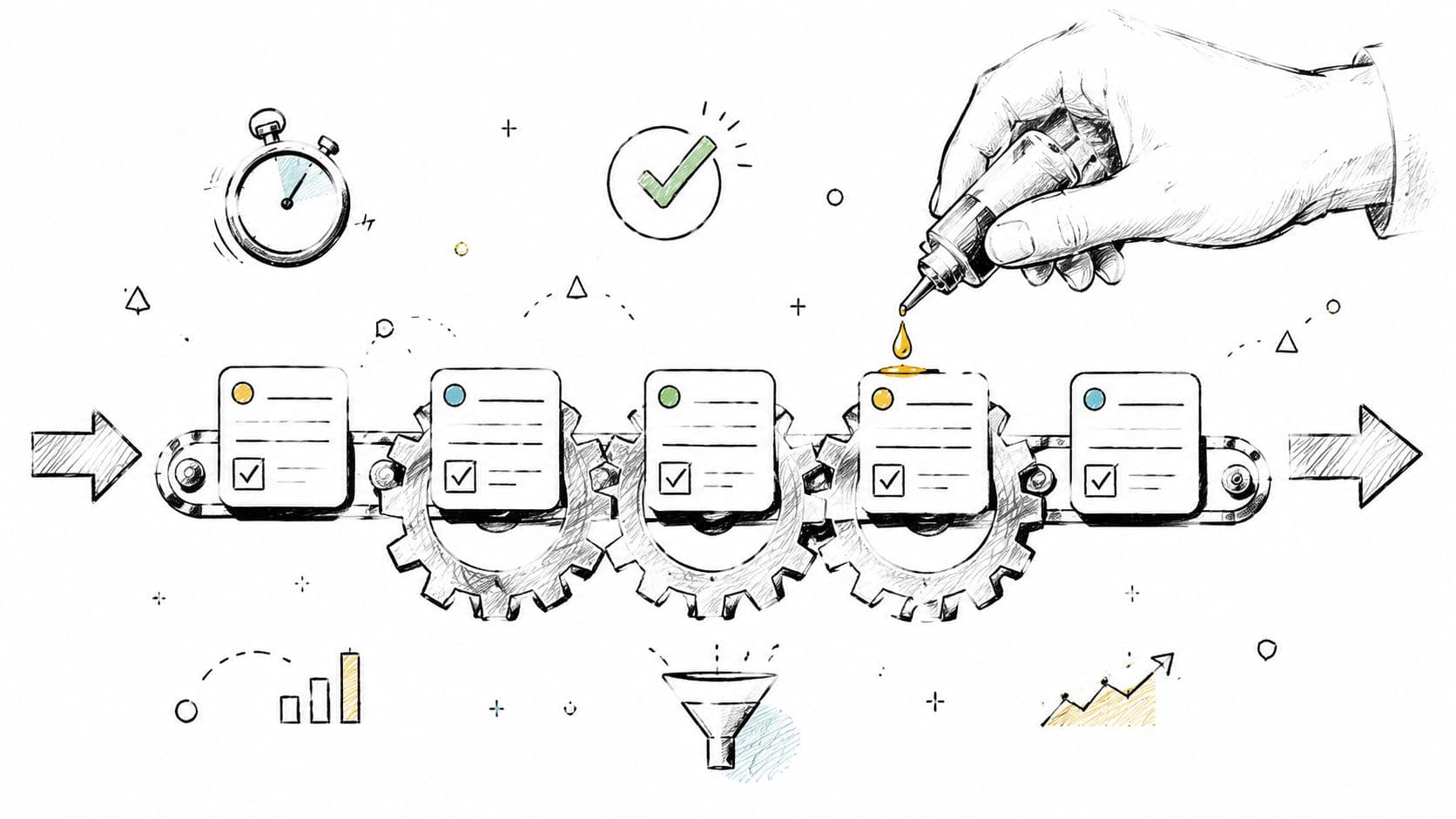
Workplace friction is costing far more than a few annoying clicks. A 2026 survey of more than 6,000 workers, managers, and executives across six countries found that 88% experienced at least one form of workplace friction, while 78% said processes were too complicated. Employees in high-friction organizations were 34% more likely to feel unmotivated and 19% less likely to have enough time for their most important work. (Dayforce workplace friction research)
That makes friction an operations problem, not a personal-discipline problem. People lose momentum while switching tools, waiting for approvals, reconstructing context, searching for files, and deciding where to begin. The most expensive friction often stays invisible because no single delay looks serious enough to fix.
The Real Cost of Friction at Work
A separate estimate put the annual cost of workplace friction at $9 million for the average mid-sized company, with employees losing up to 10.5% of their workweek to scheduling conflicts, meeting-space searches, and coordination of in-person time. The figures come from the Dayforce research cited earlier, so the source does not need to be repeated here. The operational pattern matters regardless of the exact workflow: small delays spread across people, projects, and handoffs.
Task switching adds a cognitive cost beyond waiting. The American Psychological Association's research summary on multitasking reports that brief mental blocks caused by shifting between tasks can consume as much as 40% of productive time. A peer-reviewed review of multitasking similarly finds that switching generally makes work slower and less accurate. The practical trade-off is clear: batching related work may reduce immediate responsiveness, but constant interruption makes recovery and error correction more expensive.
Surface friction and structural friction
Surface friction is visible. An application loads slowly, a form requires duplicate entry, or a team searches several tabs for one document. These problems deserve attention, especially when they recur, but they may not be the largest constraint.
Structural friction is embedded in the workflow. Ownership is unclear, approval rights are ambiguous, requirements change midstream, or work enters queues that nobody designed deliberately. A faster tool cannot fix a process that repeatedly routes work to the wrong person.
Initiation cost creates another hidden drain. It is the cognitive effort required to begin after someone has decided what matters. If the worker must locate the latest brief, open several tools, scan old messages, and determine the first action, productive work has not started yet. A task can therefore have little hands-on effort and still resist completion because its starting conditions are unclear.
Avoid presenting unsupported time-loss estimates by friction category. Use qualitative impact descriptions until workflow records provide measured values:
| Friction Source | Typical Operational Effect | Cognitive Impact |
|---|---|---|
| Context switching | Work pauses while attention moves between tasks | Slower work, errors, and mental reorientation |
| Tool hopping | Information is reconstructed across systems | Fragmented attention and repeated context rebuilding |
| Approval waiting | Items remain idle and priorities become uncertain | Momentum loss and decision fatigue |
| Unclear handoffs | Work returns for missing context or ownership | Rework, ambiguity, and reluctance to restart |
Practical rule: Treat every repeated wait, handoff, and context rebuild as a measurable operating cost.
Ask where work stops moving and what makes restarting expensive. That question points to task-design fixes, clearer ownership, and better delegation instead of blaming the person inside the workflow.
How to Find Your Biggest Friction Points
Start with one value stream, not the entire business. Choose a recurring workflow such as campaign launch, customer onboarding, expense approval, or weekly reporting. Map it from the moment someone decides to begin until the final output is accepted.
For each step, record who owns it, which tool they use, how long active work takes, how long the item waits, and what information the next person needs. The difference between total cycle time and active work time is a practical way to expose friction. A useful friction score is:
(Total Cycle Time - Active Work Time) / Active Work Time
The operational friction workflow benchmark recommends instrumenting five metrics for two weeks, lead time, cycle time, queue length, approval turnaround, and re-entry count. You don't need a complex analytics stack to begin. A shared sheet, timestamped task records, and a short team review are enough for an initial baseline.
Build a short friction audit
Use a table with four essential fields:
- Step name: Describe the action in plain language, such as “request legal review.”
- Time spent: Separate active work from waiting.
- Cognitive load: Rate the step from 1 to 5 based on ambiguity, effort, and context reconstruction.
- Value test: Mark whether the step protects an outcome or exists mainly because the process evolved that way.
Don't catalog every irritation. Rank each friction point by frequency multiplied by time cost, then investigate the top three. Local optimization is a common failure mode. Making one team faster can push waiting into another queue, while measuring too many metrics can hide the bottleneck under administrative noise.
A marketing team might discover that a launch feels slow because the copywriting itself takes little time, while asset approvals keep the campaign idle. A software team might find that interruptions, not coding difficulty, account for much of the day. Those examples are useful only as diagnostic patterns. Your own timestamps should determine what deserves attention.
For a fuller approach to mapping owners, inputs, decisions, and handoffs, use this business process analysis guide. The point isn't to create a perfect process map. It's to make the hidden queue visible enough that someone can change it.
When Friction Is Actually Good for Your Workflow
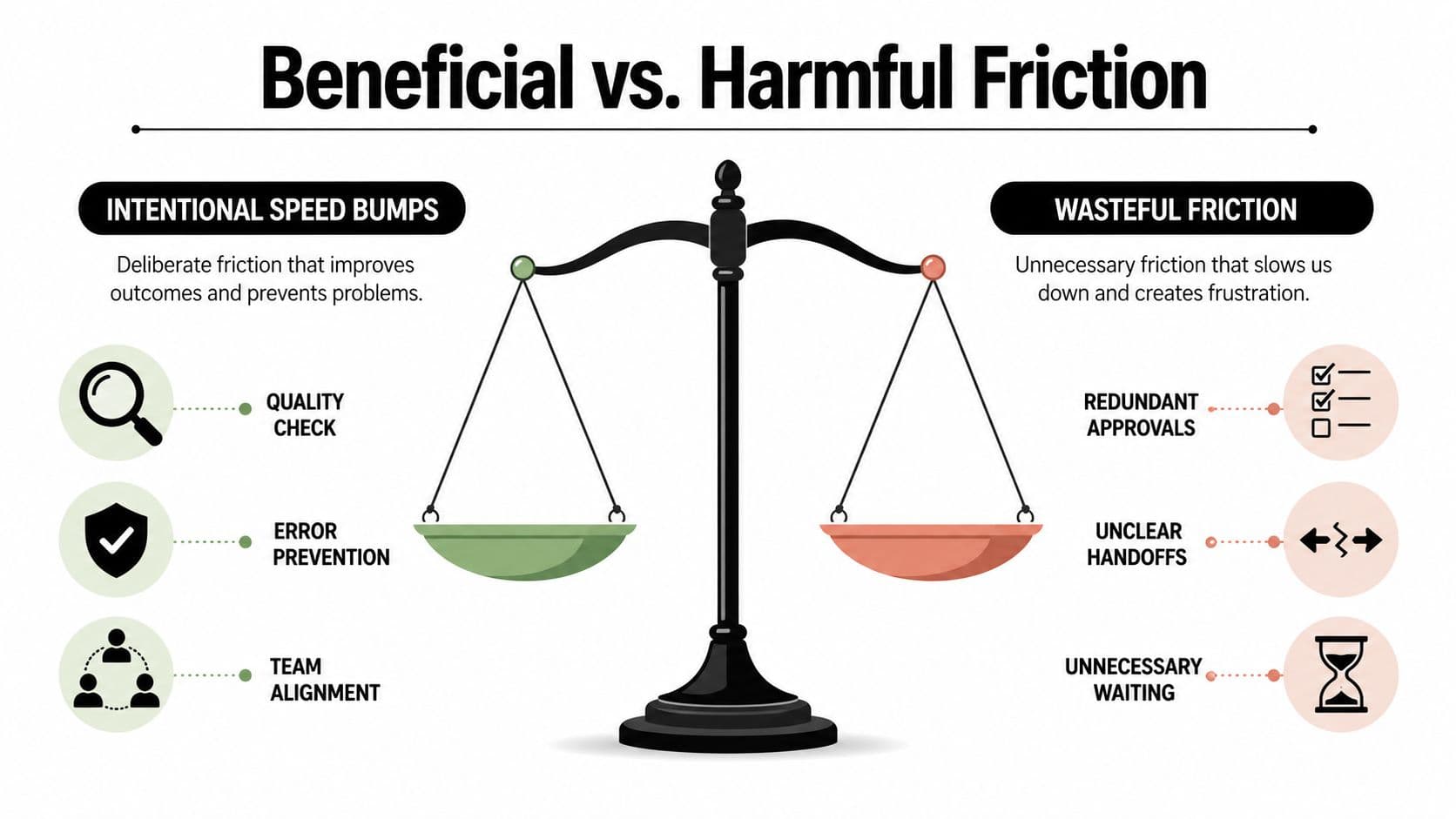
Removing every step is a poor definition of efficiency. Some steps slow work down because they protect something valuable, such as accuracy, trust, safety, or compliance.
A mandatory peer review before code deployment is protective friction. It creates a deliberate pause before a change reaches users. A cooling-off period before sending a high-stakes client communication can prevent an emotional or incomplete response. A required sign-off on a significant budget change can protect financial control even when the approval feels inconvenient.
The distinction is between protective friction and accidental friction. Protective friction has a clear owner, a defined trigger, and a specific outcome it protects. Accidental friction survives because nobody has challenged it. It often appears as duplicate approvals, unclear forms, or a review step that once made sense but no longer matches the risk.
Test the purpose before changing the step
Before removing a control, ask three questions:
- Would downstream rework increase? If the step catches errors early, removing it may move a larger correction into a more expensive stage.
- Would trust decline? Stakeholders may accept slower decisions when they can see how quality and accountability are protected.
- Would risk or compliance exposure increase? Some controls exist because the organization needs evidence, separation of duties, or documented review.
The guidance on useful and harmful user friction makes the important distinction clear: simplifying an experience isn't the same as eliminating every source of resistance. A smoother workflow can still include intentional checks.
The practical test is whether a speed improvement survives contact with the rest of the system. If one team skips a review and another team inherits defects, the organization hasn't reduced friction. It has relocated it.
Fast is useful only when the work remains accurate, trusted, and safe to act on.
Good process design preserves the pause that protects the outcome while removing the confusion around it. State who reviews, what they check, what “approved” means, and what happens when they don't respond. Clarity reduces accidental waiting without weakening the control itself.
Reducing Task Initiation Friction for Deeper Focus
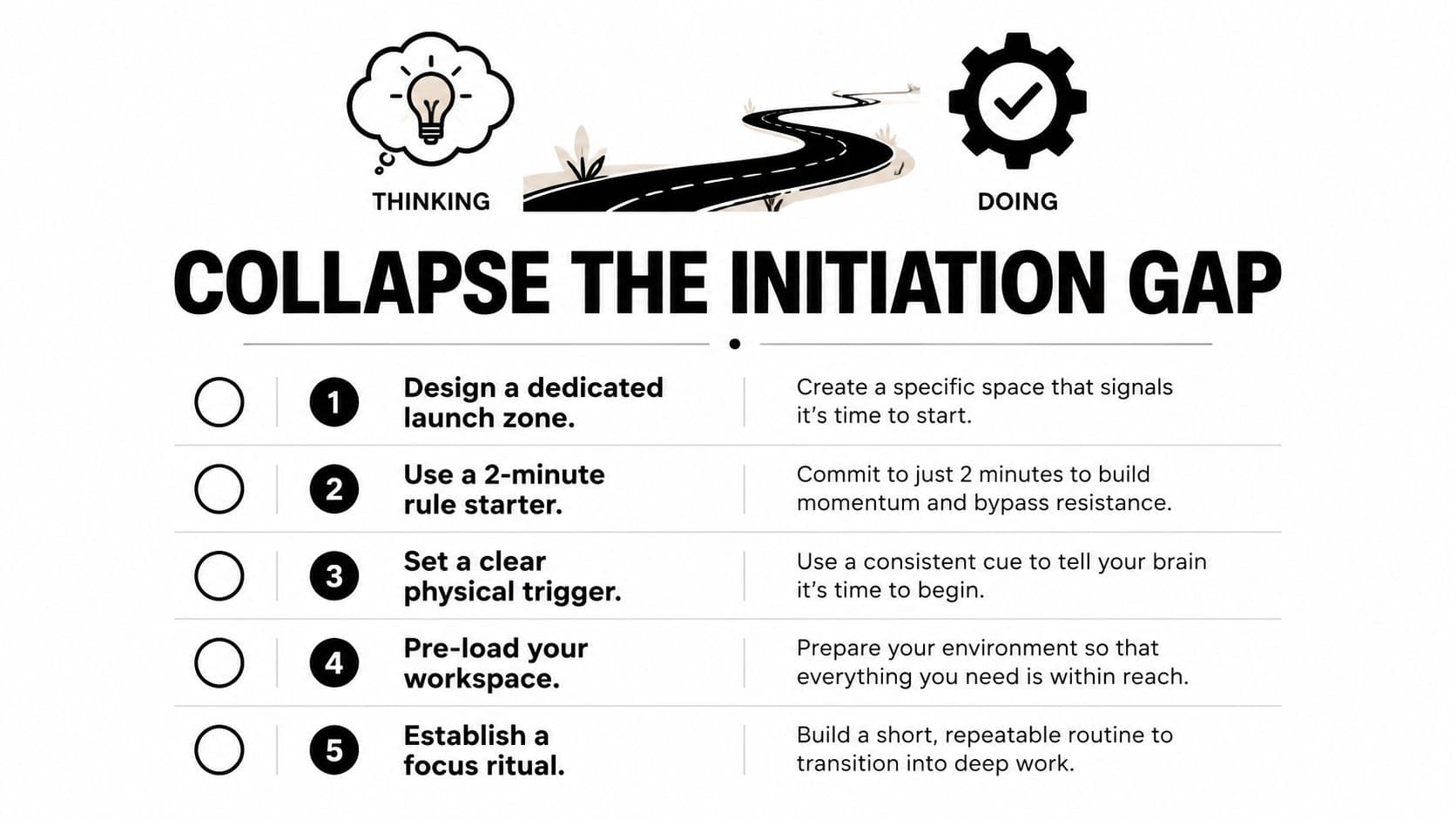
Task initiation friction is the gap between knowing what must happen and taking the first action. It matters especially for people with ADHD or executive-function challenges, because planning and prioritization do not automatically make starting easier. Research on adults with ADHD reports that nearly all participants described profound difficulty beginning tasks, even when they understood the task and its importance.
Start with the environment. Remove the work that appears before the work: opening applications, locating the correct file, reconstructing the last decision, and sorting through too many visible tasks. Treat setup as an initiation tax. Redesign the workspace so the first useful action is clear.
Make the first action smaller
Keep the visible task list narrow. Three defined next actions are easier to enter than a dashboard filled with competing priorities. Write tasks as physical or digital actions, such as “open the client brief and draft the first paragraph,” instead of broad outcomes such as “work on proposal.”
Use an implementation intention:
When [specific trigger] happens, I will [specific first action].
For example, when the morning meeting ends, open the prepared proposal and write the client problem statement. The trigger removes one decision. The first action removes ambiguity.
Prepare the environment before ending the previous work session. Leave the relevant document open, place supporting files together, close unrelated tabs, and write a short note describing the next move. Starting with one click into the exact draft is easier than searching through a project system.
Design for attention, not surveillance
Notifications and broad dashboards force repeated decisions about what to ignore. A focused view should show the current work, its deadline or priority, the context required, and the next action. It should not require someone to review every project before beginning one.
Fluidwave provides focused views that narrow attention to relevant work, and its AI auto-prioritization surfaces tasks based on impact. Its distraction-free interface can sit alongside other task systems as an execution layer when the main obstacle is entering work rather than recording it.
For complex or unfamiliar work, protect uninterrupted blocks. The APA explanation of task switching notes that reorientation takes longer as task complexity increases. A focus system works when the intended action is easier to begin than avoidance, not when it produces more reminders.
Using Automation and Delegation to Remove Bottlenecks
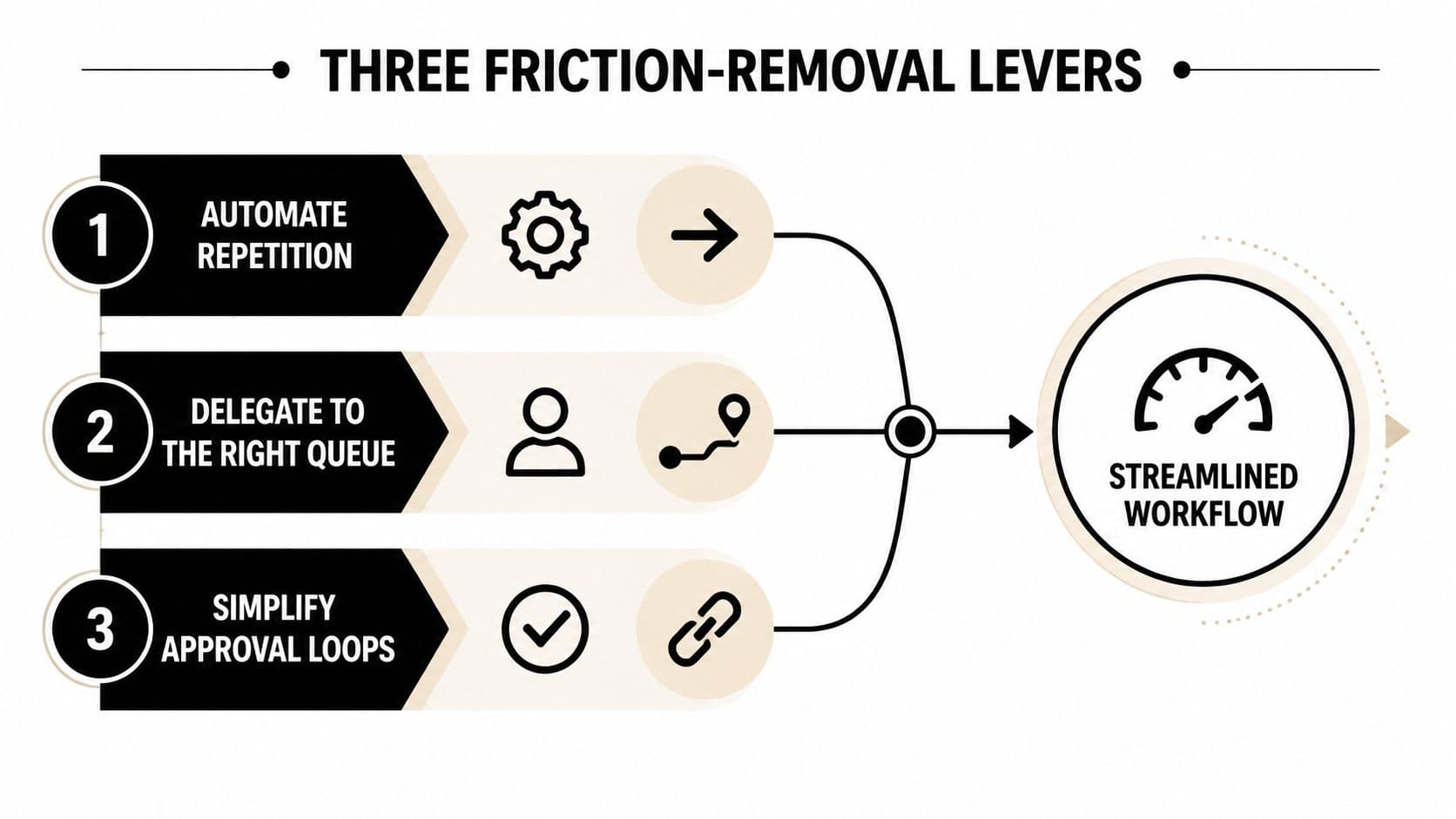
Most recurring bottlenecks come from three sources: deterministic work that should run automatically, decisions sitting with someone who doesn't need to make them, and requests routed into a queue no one owns. Automation, delegation, and focused routing address different causes, so combining them works better than applying any one lever everywhere.
Use this decision test:
- Automate repetition: If a task follows the same pattern repeatedly, document the trigger, inputs, exception conditions, and output. Automate only the predictable portion, then route exceptions to a person.
- Delegate transferable judgment: If another person has most of the required context and the decision boundary is clear, hand it off. Delegation fails when the recipient receives an assignment without the constraints needed to act.
- Protect unique expertise: If the work depends on your judgment, keep it in a focused view and remove surrounding administrative noise. Your expertise shouldn't be spent on copying fields or chasing routine status updates.
A weekly reporting process illustrates the difference. One person might spend hours copying figures between tools, formatting a document, checking missing inputs, and asking contributors for updates. A better design automates the collection and formatting, routes missing inputs to the responsible owner, and leaves the expert with a short review for anomalies and decisions.
For leaders who want a more detailed treatment of automated reporting workflows, AI reporting for founders is a useful adjacent resource. The principle is straightforward: automate data movement, not accountability.
Delegate with boundaries
A reliable delegation brief includes four parts:
- Context handoff: Explain why the task matters, what has already happened, and where the source material lives.
- Decision boundaries: State what the delegate can decide independently and what requires escalation.
- Definition of done: Describe the accepted output, format, and deadline.
- Feedback loop: Set the point at which questions, progress, or exceptions should return to the owner.
This structure addresses the trust barrier that causes leaders to hoard work. Leaders often retain tasks because re-explaining them feels slower than doing them, but a clear first handoff creates reusable operating context.
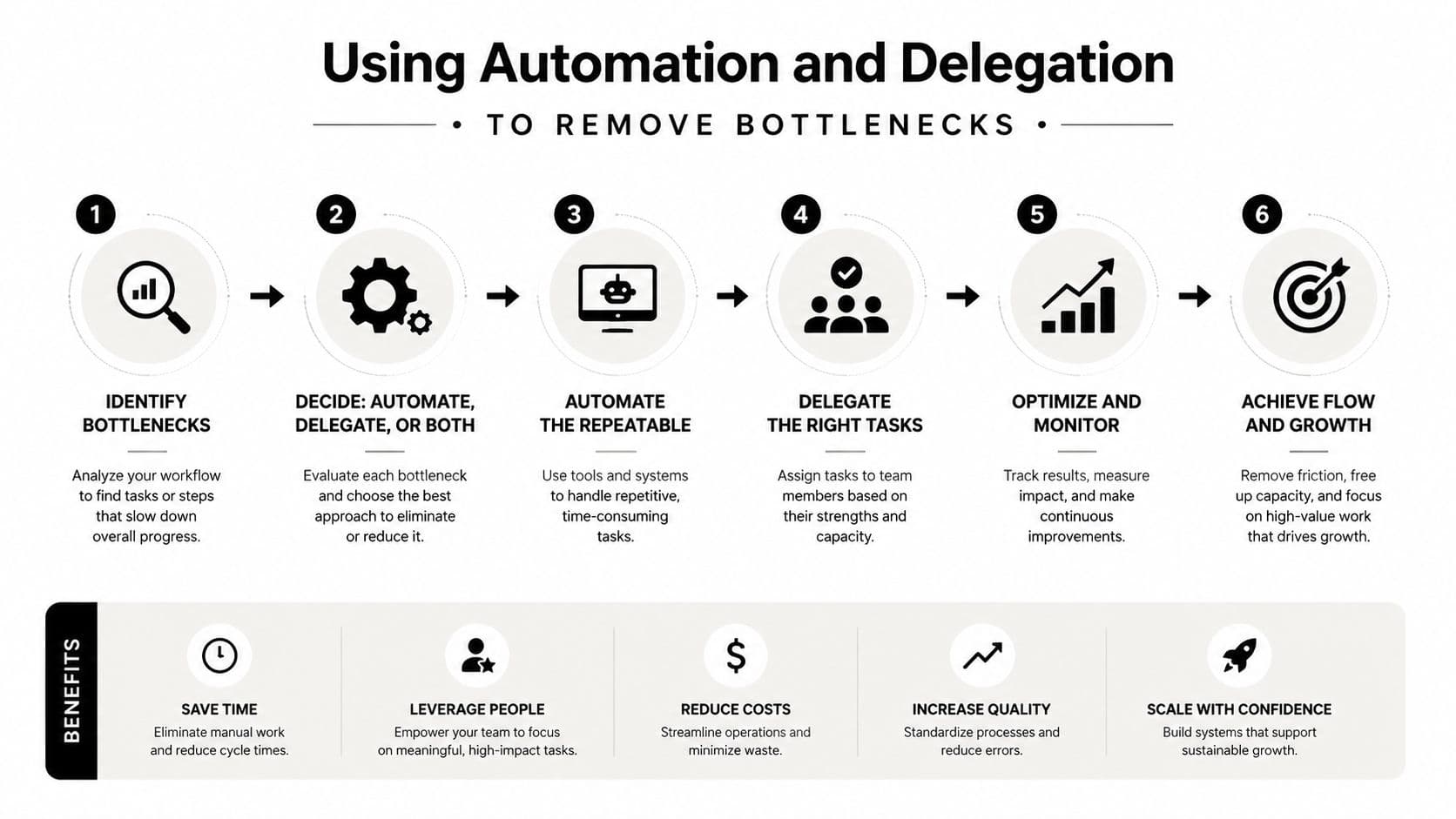
Fluidwave combines automated task handling with delegation to human virtual assistants, including pay-per-task work. That model can separate high-judgment decisions from repetitive execution, provided the owner supplies clear instructions and reviews exceptions. Additional workflow patterns are available in these workflow automation examples.
Measuring Friction Reduction Over Time
A completed-task count can rise while the workflow becomes harder to use. Measure the time and effort required to move a defined task from intention to accepted output.
Track three core metrics. Cycle time runs from task start to completion. Context-switch count records the tools, tabs, or workspaces a task touches. Initiation delay measures the time between deciding to work and performing the first productive action.
Use a small baseline
Choose one task type and collect observations for a week. Use timestamps, a lightweight time tracker, or activity logs if your task platform provides them. Don't change the workflow during the baseline period, because you need to see the existing pattern before judging an intervention.
| Metric | How to Measure | Baseline Target | 30-Day Goal |
|---|---|---|---|
| Cycle time | Start timestamp to accepted completion | Record the current average | Reduce avoidable waiting |
| Context-switch count | Count tools, tabs, and workspace changes | Record the current typical count | Remove unnecessary transitions |
| Initiation delay | Decision to first productive action | Record the current typical delay | Make the first action easier to reach |
Set qualitative or internally defined goals rather than borrowing targets from another company. For example, a content approval workflow may improve after its owner discovers that duplicate reviews add waiting without improving the final decision. The evidence should come from your timestamps, rework records, and stakeholder feedback.
A monthly friction audit can stay short. Ask the team which step caused the most waiting, which handoff required the most re-explanation, and which control protected quality. Choose one bottleneck to investigate, assign an owner, and review the result at the next meeting.
The OKR Hub productivity 2026 playbook can help connect workflow improvements to operating goals rather than treating them as isolated productivity experiments. For broader measurement principles, use this guide on how to measure anything.
Fluidwave helps you reduce friction by surfacing priority work, creating focused task views, automating repeatable workflows, and routing suitable tasks to human assistants. Visit Fluidwave to turn your highest-cost bottleneck into a measurable workflow you can improve.
Focus on What Matters.
Experience lightning-fast task management with AI-powered workflows. Our automation helps busy professionals save 4+ hours weekly.