Discover 10 practical workflow automation examples across sales, marketing, and HR. Learn how to save hours, reduce errors, and boost productivity in 2026.
May 23, 2026 (4mo ago)
10 Practical Workflow Automation Examples for 2026
Discover 10 practical workflow automation examples across sales, marketing, and HR. Learn how to save hours, reduce errors, and boost productivity in 2026.
← Back to blog
Workflow automation can improve efficiency by 40% to 60%, reduce manual errors by up to 90%, and deliver ROI in under 12 months, according to Feathery's workflow automation statistics. That matters because organizations aren't short on effort. They're short on operating bandwidth.
Busywork eats that bandwidth first. Inbox triage, follow-ups, approvals, invoice nudges, status updates, document handoffs. None of it is hard in isolation. All of it becomes expensive when smart people repeat the same actions every day.
The useful way to think about workflow automation isn't "replace people with software." It's "separate the predictable from the judgment-heavy." Software should handle routing, reminders, record updates, and basic decision rules. Humans should step in when context matters, when a customer is upset, when a document is messy, or when the next move affects revenue or trust.
That's where most generic workflow automation examples fall short. They show the happy path only. Real operations don't run on the happy path. They run on exception handling.
The strongest setup is hybrid. Use automation for the repeatable 80 percent. Then send the remaining edge cases to a person who can resolve them without blowing up the workflow. Platforms like Fluidwave fit this model well because they combine task automation with human delegation, which is often the missing layer after the first round of automation goes live.
Here are 10 practical workflow automation examples that work in real businesses, plus the trade-offs that matter when you implement them.
1. Email Management and Auto-Responders
Email is usually the first automation win because the pattern is obvious. A message comes in, someone sorts it, someone replies, someone forwards it, someone forgets it. That's a workflow whether you've documented it or not.
Sales teams can route demo requests by territory. Support teams can turn inbound emails into tickets. Founders can label partnership requests, invoices, and calendar emails differently so the inbox stops acting like one giant queue.
What works
Start with categories, not AI. Build rules for messages that are easy to identify by sender, keywords, form source, or mailbox alias. Then add templates for acknowledgments, scheduling links, or intake requests.
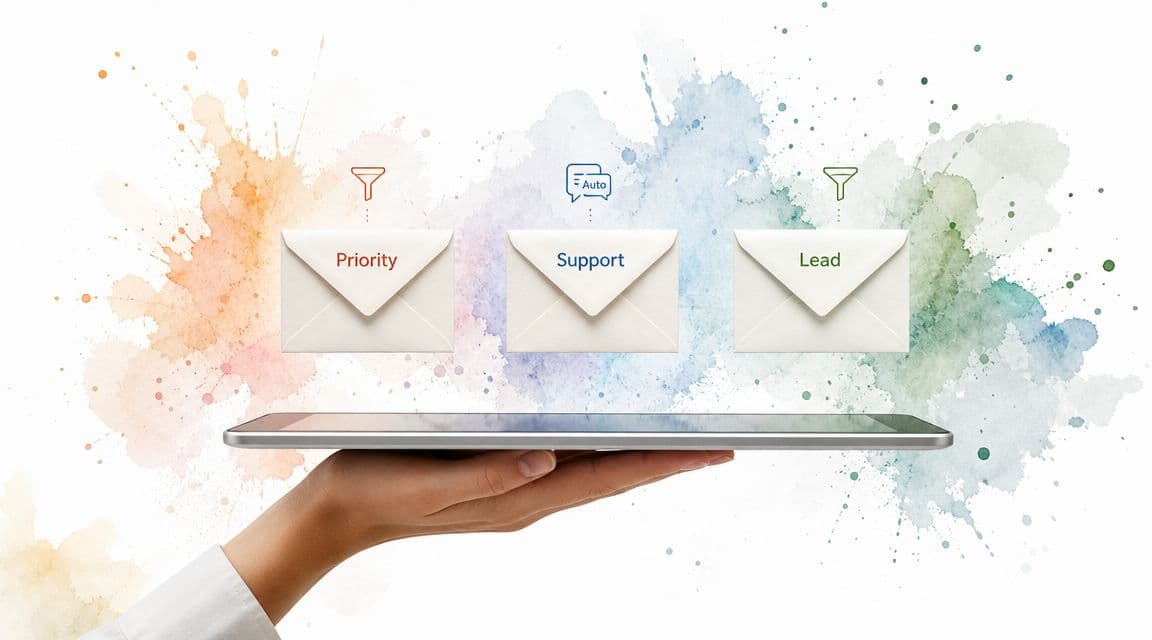
A clean example looks like this: website lead form sends to Gmail, automation applies a "Lead" label, creates a CRM record, sends a confirmation reply, and creates a follow-up task. If the message includes custom requirements or unclear scope, route it to a human assistant instead of forcing an awkward canned reply.
Practical rule: Never fully automate a reply if the sender is emotional, confused, or high value.
What fails fast
Over-automation makes inboxes feel hostile. If every message gets a robotic response, people reply with more context, not less. Now you've created extra loops.
A better split is:
- Automate acknowledgment: Confirm receipt and expected next step.
- Automate routing: Send billing, support, and lead inquiries to the right queue.
- Delegate exceptions: Hand unusual, sensitive, or urgent replies to a person in Fluidwave or your shared task system.
- Review deliverability: If replies vanish, use a tool like MailGenius to check if emails are going to spam.
Monthly review matters here. Email patterns drift. New senders appear, spam changes, and old rules start misfiring.
2. Lead Scoring and Sales Pipeline Automation
Lead scoring is one of the most common workflow automation examples because sales teams feel the pain immediately. Reps don't want more leads. They want better sequencing and better prioritization.
A straightforward setup starts when someone submits a form, books a call, downloads a resource, or replies to outreach. The workflow enriches the record, applies scoring rules, updates the CRM stage, and assigns the lead to the right rep or queue.
A practical model
A B2B SaaS company might score based on company fit, urgency, and action taken. A real estate firm might score by timeline, financing readiness, and location. An agency might route enterprise leads to senior account executives and smaller opportunities to a nurture flow.
The trick is keeping the score operational. If a score doesn't trigger a concrete next step, it's just decorative data.
Keep humans where judgment matters
Qualified doesn't always mean ready. Some leads look great on paper and still need manual review because the budget is vague, the request is complex, or the buyer is asking for something outside your standard offer.
Use software to:
- Capture and enrich: Move form data into HubSpot, Salesforce, or another CRM.
- Assign stages: Mark inquiry, marketing qualified, sales qualified, or nurture.
- Trigger actions: Send follow-up emails, notify Slack, or create tasks.
- Escalate edge cases: Push strategic accounts or custom requests to a human assistant for research and outreach prep.
I usually advise teams to test lead rules on past opportunities before making them live. If your best past customers would have been scored poorly by the new logic, the model isn't ready.
3. Invoice Generation and Payment Collection Automation
Companies that automate accounts receivable often see faster collections and lower processing effort, according to PwC's finance effectiveness research. The reason is simple. Billing follows rules until it doesn't, and good workflows handle both the rule-based work and the exceptions.
This use case earns its place early because it affects cash flow directly. If invoices go out late, reminders depend on memory, or payment status lives in someone's inbox, revenue slows down even when demand is strong.
A billing workflow that holds up in practice
A freelancer can trigger an invoice on a recurring date. An agency can issue billing when a project milestone is marked approved in its delivery system. A consulting firm can send monthly retainers automatically, then post payment confirmations back into QuickBooks, Xero, or another accounting platform.
The useful version is not just invoice generation. It includes invoice creation, delivery, due-date reminders, payment confirmation, and a reconciliation step that checks whether the accounting record and the payment processor agree.
Late payment follow-up works better as a trigger-based process than a memory-based one.
Build for exceptions from the start
Payment collection breaks down around edge cases. Clients dispute hours. Procurement asks for a revised purchase order. A finance contact changes. Someone wants to split the bill across departments or pay on a nonstandard schedule.
Pure automation handles the standard path well. A human should handle the exceptions. I usually recommend a handoff queue for anything disputed, high-value, or older than your normal payment window. A virtual assistant, including one managed through a service like Fluidwave, can review the account, follow up with the client, log the reason for delay, and pass the case to finance only when an actual decision is needed.
Useful guardrails:
- Automate standard reminders: Send them on a fixed cadence with consistent language.
- Make payment easy: Include the invoice, due date, amount, and payment link in every reminder.
- Route exceptions fast: Disputes, partial-payment requests, and missing PO issues should create a human task.
- Reconcile on a schedule: Automation cuts manual work, but someone still needs to verify that records match at month-end.
That hybrid model is what keeps finance automation from becoming a brittle reminder machine. Software handles the predictable throughput. People handle the judgment calls that protect the client relationship and get the invoice paid.
4. Social Media Posting and Engagement Scheduling
Social scheduling is often oversimplified. Publishing content automatically is easy. Managing the response layer is where teams either build momentum or damage the brand voice.
This workflow works best when you treat posting and engagement as separate lanes. Schedule the predictable pieces. Route the live interactions.
The right split
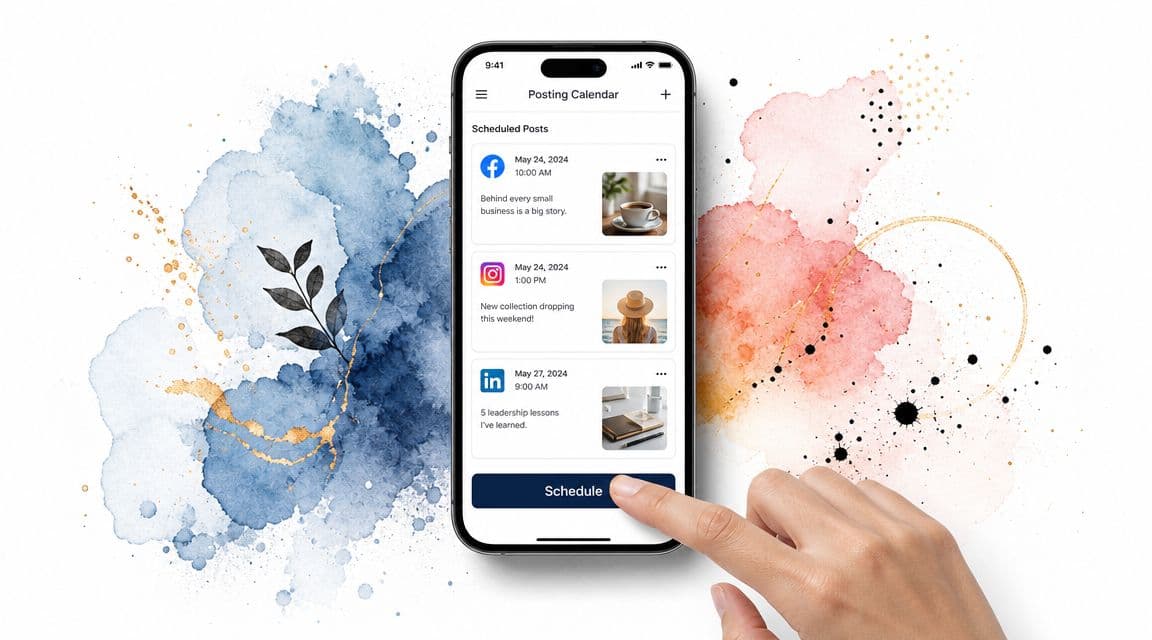
A marketing team can batch a week's worth of LinkedIn posts in Buffer, Hootsuite, or Sprout Social. An ecommerce brand can schedule product drops, educational clips, and reminders. A solo operator can queue posts while traveling.
Then the workflow watches for replies, mentions, or DMs and routes them by type. Customer support questions go to service. Partnership inquiries go to marketing. High-signal comments go to a human who can answer in the brand's actual voice.
Where teams overdo it
The mistake is trying to automate audience interaction the same way you automate publishing. That usually produces generic replies and missed context.
A better operating pattern:
- Batch publishing: Prepare approved content in advance.
- Route comments intelligently: Tag complaints, product questions, and media requests differently.
- Assign live engagement: Use Fluidwave or a shared ops queue for responses that need nuance.
- Review monthly: Platform behavior changes, and so does audience response.
Cambridge Clothing reported delivering customer orders 57% faster through integrated workflow automation in a case study highlighted by Blue Prism. Different use case, same lesson. When you remove handoff delays across systems, the compounding effect is real.
5. Meeting Scheduling and Calendar Synchronization
A scheduling workflow can erase one of the most common forms of operational waste: the back-and-forth that turns a 30-minute meeting into a 12-message email thread. The value is not just speed. It is fewer missed handoffs, fewer timezone errors, and fewer meetings booked without the right prep.
The strong setup starts with calendar data. Availability has to stay current across every calendar people use, with booking rules for buffers, working hours, meeting types, and round-robin assignment where needed. Sales teams use this to book demos without rep intervention. Executive teams use it to protect focus blocks while still giving assistants room to manage priorities. If your team is dealing with multiple calendars, Fluidwave's guide to syncing with Google Calendar is a practical reference for keeping availability accurate.
That software layer handles the predictable work well. The weak point is exception handling.
I usually recommend a split model. Let the booking tool manage open slots, confirmations, reminders, and calendar updates. Send edge cases to a human queue, often a virtual assistant through Fluidwave or an internal coordinator, so someone can step in when context matters more than speed.
Use that handoff for cases like these:
- Executive or VIP requests: Someone should weigh relationship value before rearranging the calendar.
- Multi-attendee meetings: A human can confirm the right participants, timezone logic, and sequencing.
- Prep-dependent calls: The workflow should create briefing tasks, but a person should verify agenda materials are ready.
- Repeat reschedules: After the second move, manual ownership usually prevents more churn.
This hybrid model also helps with linked admin work that pure scheduling apps do poorly. A booked meeting can trigger CRM updates, note templates, pre-read requests, and travel checks. A reschedule can alert the account owner or assistant. Teams that already run operational trackers in spreadsheets will recognize the same pattern from Google Sheets inventory automation. Software handles the repeated logic. A person handles the exceptions that would otherwise create expensive mistakes.
The practical rule is simple: automate the slot selection, reminders, and sync. Delegate the judgment calls. That is how scheduling stays fast without becoming careless.
6. Document Processing and Data Entry Automation
Manual document entry fails in predictable ways. Fields get skipped, values get keyed into the wrong system, and routing stalls while someone figures out who owns the next step.
That is why document processing is usually one of the first workflows I automate in operations work. The volume is steady, the rules are repeatable, and the cost of small errors adds up fast across invoices, intake packets, contracts, receipts, and internal forms.
Start where the format is predictable
Standardized documents give you the fastest return. Supplier invoices, employee forms, insurance claims, purchase orders, and templated contracts usually have enough structure for OCR and extraction tools to perform well. Handwritten notes, scanned faxes, and heavily edited PDFs usually do not.
That trade-off matters. Teams often try to automate the messiest documents first because they feel the most painful. In practice, it is smarter to automate the cleaner 60 to 80 percent, then route the messy remainder to a human review queue.
Build the workflow around confidence, not hope
Good document automation is not just extraction. It is extraction plus validation plus escalation.
Use a workflow like this:
- Capture the document: Email attachment, form upload, scanner, shared drive, or vendor portal.
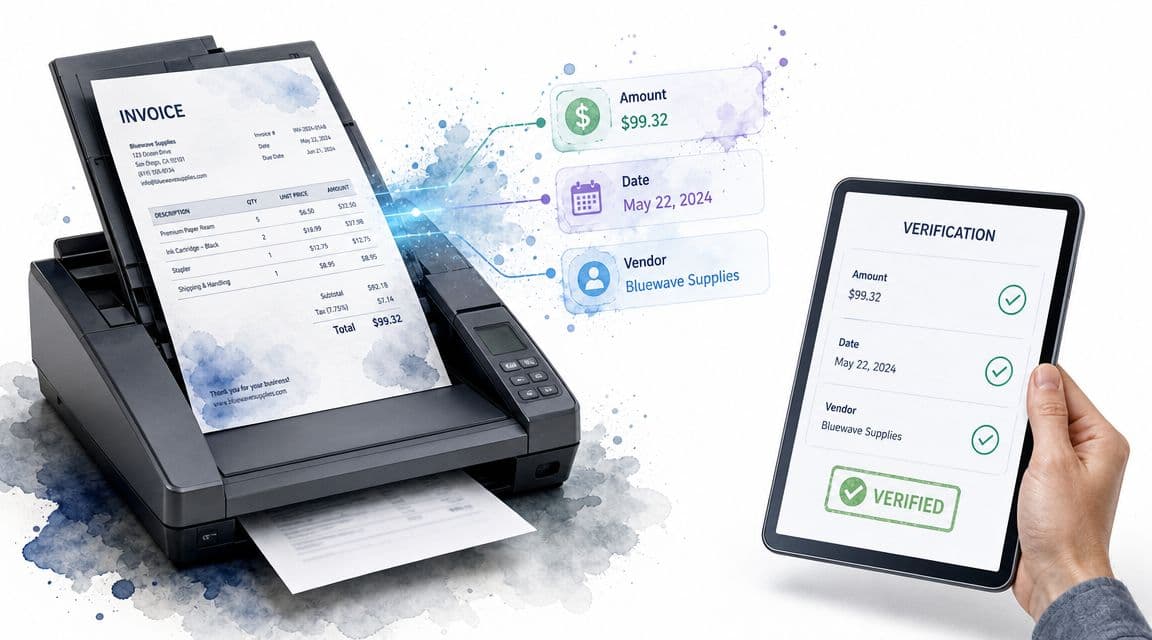
- Extract key fields: Vendor name, amount, invoice date, customer ID, policy number, renewal date, or contract term.
- Validate against system rules: Check required fields, flag duplicates, compare totals, and match names to records in your ERP, CRM, or HRIS.
- Send exceptions to a person: Low-confidence reads, missing pages, unusual line items, and conflicting records should go to a trained assistant or ops coordinator.
- Write back the final result: Push approved data into the source system and log both the original extraction and any manual corrections.
The hybrid model is particularly effective. Software handles the repetitive read, classify, and route steps. A virtual assistant through Fluidwave, or an internal admin, handles documents that need judgment, follow-up, or cleanup across systems.
That human layer is not a fallback. It is part of the design.
A practical companion to this is Google Sheets inventory automation when extracted data eventually needs to update an operational tracker. The same pattern also supports reporting workflows. Structured document data can feed weekly summaries, and a human can still review the narrative before distribution, much like this project status reporting workflow.
For a walkthrough mindset, this video shows the type of processing flow many teams aim for before they add custom business rules:
The practical rule is simple. Automate capture, extraction, validation, and system updates for standard documents. Delegate exceptions, ambiguous records, and cross-checks to a person. That setup cuts manual entry time without letting bad data spread unnoticed through the rest of the operation.
7. Project Status Reporting and Stakeholder Updates
Status reporting is repetitive enough to automate and political enough to get wrong. That combination makes it worth fixing carefully.
Teams usually gather updates from Asana, Jira, ClickUp, spreadsheets, and Slack, then someone rewrites the same narrative every week for leadership or clients. The problem isn't only time. It's inconsistency.
Pull data automatically, write context intentionally
A better setup collects objective data on schedule. Pull task completion, blockers, overdue items, milestone changes, and owner updates into a draft report. Then let a project lead or assistant tighten the narrative before it goes out.
That hybrid model works because metrics alone don't answer the question stakeholders are asking, which is "Are we on track, and what needs my attention?"
If you're designing that process, Fluidwave's take on project status reporting is a useful operational reference.
A status report should reduce stakeholder questions, not generate new ones.
How to keep reports useful
Different audiences need different versions. Executives want risks and decisions. Clients want progress and timeline confidence. Team leads want blockers and ownership clarity.
Make the workflow do the gathering and formatting, then use a person to:
- Add narrative context: Explain why a number moved.
- Highlight decisions needed: Surface approvals or trade-offs.
- Track follow-ups: Convert stakeholder comments into tasks.
- Catch tone issues: A client update shouldn't read like an internal sprint review.
Scheduled reports are especially strong when paired with task creation. If a stakeholder replies with a request, that response should become a trackable item, not another loose thread in email.
8. Customer Onboarding Sequences and Welcome Automation
Poor onboarding shows up fast. New customers miss setup steps, delay activation, and open support tickets for questions the process should have answered on day one.
That is why onboarding is one of the highest-value workflow automation examples. The first week after purchase usually follows a predictable path. Access needs to be granted. Forms need to be completed. Training needs to be delivered. Internal owners need to know when to step in.
Design the onboarding flow around milestones
A useful onboarding system is more than a welcome email. It maps the customer from purchase to first success, with triggers tied to clear milestones.
For a SaaS company, that might mean creating the account, sending login instructions, assigning an owner, prompting key setup actions, and flagging inactivity after a few days. For an agency, it might start with a signed proposal and continue through intake forms, kickoff scheduling, asset collection, and a briefing document. Membership businesses usually need a different sequence, including community access, starter resources, orientation content, and an early engagement check.
The goal is simple. Remove uncertainty and shorten time to value.
If you are building that process from scratch, this guide to automating workflows across teams is a useful operational reference for mapping triggers, handoffs, and exception points.
Use software for consistency and people for exceptions
Fully automated onboarding breaks down when the customer does something unexpected. They skip a form. They ask a technical question. They invite the wrong users. They go silent after the contract is signed.
That is where the hybrid model works better than software alone. Automation handles the repeatable steps, and a human handles the moments that need judgment.
Use automation to:
- Send immediate next steps: Welcome emails, login details, and setup instructions
- Trigger task creation: Internal follow-ups for implementation, support, or customer success
- Deliver resources on schedule: Tutorials, checklists, templates, and FAQs
- Monitor engagement: Detect stalled progress, incomplete setup, or missed milestones
Use a person, often a customer success lead or virtual assistant through a service like Fluidwave, to:
- Review exceptions: Spot accounts that are stuck or behaving differently from the standard path
- Chase missing information: Follow up on unsigned forms, unclear requirements, or absent assets
- Answer nuanced questions: Handle requests that do not fit a canned response
- Protect the relationship: Adjust tone, timing, and escalation for high-value or high-risk accounts
I have seen this split work well because it keeps the process fast without making it rigid. The customer gets immediate movement. The team still has a way to catch edge cases before they turn into churn.
A practical onboarding workflow should also be tested in stages. Start with one customer segment, confirm that triggers fire correctly, check where people stall, and tighten the handoffs before expanding the sequence. Broken onboarding rarely fails loudly. It usually fails, evidenced by delayed activation, low product use, and preventable support volume.
9. Repetitive Task Batching and Scheduling
Not every automation needs an API call. Some of the best workflow improvements come from formalizing when repetitive work gets done and how it gets grouped.
Batching is operational automation with lighter tooling. You define triggers, group similar tasks, assign a processing window, and remove constant context switching.
Turn scattered tasks into queues
Managers can batch approvals. Founders can answer non-urgent email at set times. Support leads can review escalations twice a day instead of reacting every few minutes. Freelancers can process revision requests in one block instead of fragmenting the whole day.
The workflow is simple. Tasks enter a queue. Rules classify them. A scheduled block tells you when they get handled.
For a broader operating model, Fluidwave's guide on how to automate workflows connects well to this approach because batching only works when capture and prioritization are reliable.
Why this works better than ad hoc responsiveness
People often try to automate individual tasks while leaving the work pattern chaotic. That misses half the benefit. If approvals, replies, and reviews hit you randomly all day, software may reduce clicks but not cognitive load.
A workable batching setup usually includes:
- Defined categories: Reviews, approvals, communication, admin.
- Fixed windows: Put recurring blocks on the calendar.
- Visible queues: Use Kanban, list, or calendar views.
- Exception routing: Urgent items bypass the batch and go to a person immediately.
This is also where human delegation shines. A virtual assistant can prepare the batch, remove duplicates, chase missing context, and leave only decision-ready work for the owner.
10. Contract and Compliance Monitoring Automation
Contracts and compliance workflows don't feel urgent until they fail. A missed renewal, an unreviewed obligation, or a stale policy can create problems that are expensive to unwind later.
This category works well because the trigger points are predictable. Signature date, renewal window, review cycle, insurance expiration, regulatory filing deadline. Those are machine-friendly signals.
Set the system around dates and obligations
Legal, procurement, finance, and operations teams all need some version of this. Track contracts in a central repository. Extract key dates and clauses. Trigger alerts ahead of action windows. Create review tasks for the right owner.
In practice, this can cover vendor renewals, software contracts, insurance certificates, policy attestations, and regulated approval processes.
Don't automate away judgment
Many teams, however, take automation too far. A reminder is easy to automate. A renewal decision isn't. Same for compliance review. Software should surface the item and gather the record. A person should decide what happens next.
Healthcare research on automation points out that the right level ranges from low to full automation depending on how well-defined and repetitive the task is, how much human decision-making is required, and the sophistication of the technology, in this study on healthcare workflow automation. Contract and compliance work sits squarely in that judgment-heavy zone.
Use a practical split:
- Automate monitoring: Dates, reminders, required documents, ownership.
- Automate routing: Send reviews to legal, finance, or department leads.
- Delegate preparation: Have an assistant summarize terms and gather prior history.
- Require sign-off: Final approval stays with a human owner.
Toyota Motor Corporation's AI-powered predictive maintenance system reduced downtime by 25%, increased overall equipment effectiveness by 15%, and delivered about $10 million in annual savings by flagging likely equipment failures before outages, according to a case study summarized by SuperAGI. Different domain, same operating principle. Monitoring is powerful when the system catches a risk early and routes action before the failure becomes visible.
10 Workflow Automation Use Cases Compared
| Automation Type | Implementation Complexity 🔄 | Resource Requirements ⚡ | Expected Outcomes 📊 | Ideal Use Cases 💡 | Key Advantages ⭐ |
|---|---|---|---|---|---|
| Email Management and Auto-Responders | Medium, rule setup + ongoing tuning | Low–Medium, templates, CRM/VA integration | Faster processing (≈60–70%); fewer missed messages | Sales leads, support routing, executive inboxes | Scales volume handling; ensures prioritization |
| Lead Scoring and Sales Pipeline Automation | Medium–High, scoring model & rules | Medium–High, CRM, tracking, integrations | Higher conversion (+40–50%); faster qualification | B2B SaaS, real estate, agencies, e‑commerce high‑value leads | Directs sales to high‑probability opportunities |
| Invoice Generation and Payment Collection Automation | Medium, billing rules & reconciliation | Medium, accounting integration, payment gateway | Improved cash flow (25–40%); fewer billing errors | Freelancers, agencies, consultancies, subscriptions | Faster collections; consistent professional billing |
| Social Media Posting and Engagement Scheduling | Medium, content calendar & scheduling | Low–Medium, scheduling tools, content assets | Increased engagement; saves 5+ hrs/week | Entrepreneurs, marketing teams, influencers, brands | Consistent presence; optimized posting times |
| Meeting Scheduling and Calendar Synchronization | Low–Medium, calendar integrations & TZ logic | Low, scheduling tool, calendar access | Saves 3–4 hrs/week; reduces no‑shows (≈70%+) | Executives, sales, consulting, global teams | Eliminates back‑and‑forth; improves punctuality |
| Document Processing and Data Entry Automation | High, OCR training & validation flows | High, OCR/AI tools, integrations, human review | Reduces data entry 80–90%; 5–10× processing speed | Accounting, healthcare, legal, HR operations | High accuracy, audit trails, scalable volume handling |
| Project Status Reporting and Stakeholder Updates | Medium, data mapping & templates | Medium, PM integrations, reporting tools | Saves 4–6 hrs/week; consistent stakeholder communication | Engineering, marketing, consulting, product teams | Improves transparency and data‑driven decisions |
| Customer Onboarding Sequences and Welcome Automation | Medium, sequencing & segmentation | Medium, email platform, content, CS touchpoints | Better activation (+30–40%); lower early churn (20–30%) | SaaS, membership sites, e‑commerce, platforms | Scales onboarding; creates consistent first impressions |
| Repetitive Task Batching and Scheduling | Low–Medium, scheduling rules & coordination | Low, task manager, timers, focus tools | Higher completion (≈40–50%); less context switching | Executives, support teams, freelancers, managers | Boosts focus and predictable work rhythms |
| Contract and Compliance Monitoring Automation | Medium–High, contract cataloging & alerting | Medium, contract DB, legal input, alerts | Prevents missed renewals; reduces compliance risk | Enterprises, healthcare, finance, startups | Centralizes contract knowledge; avoids legal/financial exposure |
Beyond the Bot and Building Your Automation Strategy
The best workflow automation examples all share one trait. They remove repetitive effort without pretending that every process is fully predictable.
That's the part many teams learn the hard way. They automate the obvious steps, launch fast, and then discover that the actual workload lives in the exceptions. The angry customer. The lead with unusual buying criteria. The invoice with missing fields. The contract that shouldn't auto-renew. The onboarding account that stalls after day three.
Software is excellent at routing, reminding, syncing, extracting, and updating. It isn't automatically good at judgment. That's why the strongest operating model is hybrid from the start.
Use software for the repeatable path. Build clear trigger-action logic. Decide where records should live, which system owns each field, who gets notified, and what should happen when the normal flow breaks. Then define the human layer just as clearly. Who reviews flagged documents. Who handles sensitive replies. Who follows up when a payment reminder doesn't work. Who decides whether a renewal should proceed.
This matters even more after go-live. Automation isn't a one-time install. It needs testing, audit trails, and iteration. In regulated or high-stakes environments, best-practice guidance stresses careful task selection, gradual rollout, rigorous testing, and ongoing monitoring because hidden errors are often worse than visible manual work, as noted earlier in healthcare implementation guidance. That's good advice in any industry.
If you're building your first workflow, don't start with the flashiest use case. Start with the one you already hate doing. Pick a process that happens often, follows a recognizable pattern, and creates friction when it breaks. Email triage is a common first move. Invoicing is another. Status reporting, onboarding, and scheduling are also strong candidates because the handoffs are easy to spot.
Then map the process in plain language:
- Trigger: What starts the workflow?
- Standard path: What happens every time?
- Exception path: What should stop automation and trigger human review?
- Owner: Who is responsible when the workflow fails?
- Feedback loop: How will you refine rules after real usage?
That last point is the difference between a demo and a working system. Good automation gets better because someone owns the refinement.
If you want a practical hybrid model, Fluidwave is one relevant option because it combines workflow automation with task delegation to human assistants. That combination fits the reality many organizations face. You can automate the predictable work, then hand off the exceptions instead of forcing brittle rules to do a human job.
The payoff isn't just speed. It's control. And once you have control, you can build systems instead of chasing tasks. That's the more durable win, which is why the distinction in systems vs. goals is useful when you think about operations.
If you want to turn these ideas into a working system, Fluidwave gives you a way to automate recurring tasks, organize work across multiple views, and delegate edge cases to human assistants when software alone isn't enough.
Focus on What Matters.
Experience lightning-fast task management with AI-powered workflows. Our automation helps busy professionals save 4+ hours weekly.