Discover 8 good workplace habits for prioritizing work, protecting focus, communicating clearly, and building a sustainable workflow.
September 16, 2026 (Today)
8 Good Workplace Habits for Better Workdays
Discover 8 good workplace habits for prioritizing work, protecting focus, communicating clearly, and building a sustainable workflow.
← Back to blog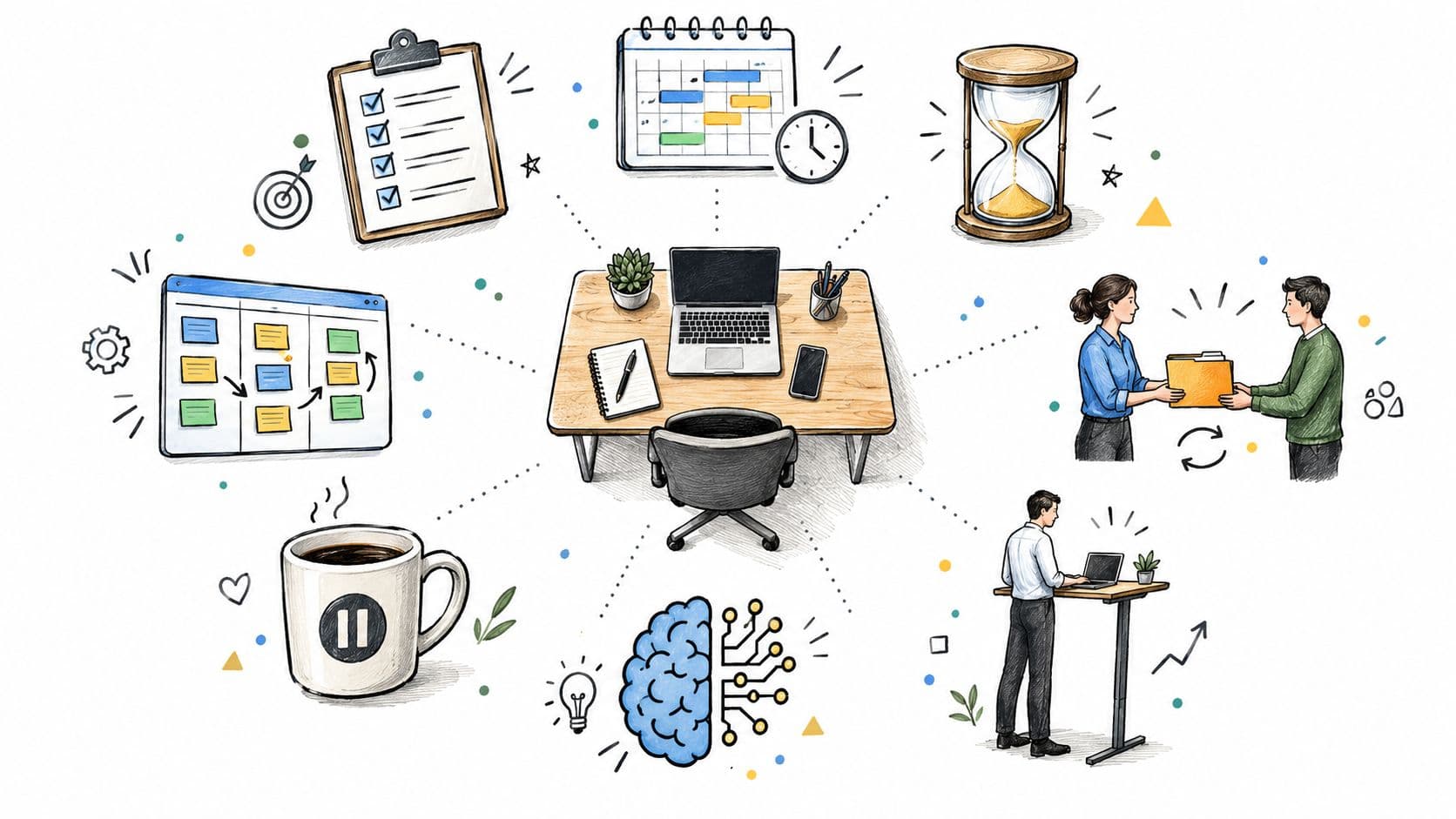
Good workplace habits aren't about working harder, replying fastest, or squeezing more tasks into every hour. Those approaches often reward reactivity, not useful work. A stronger system reduces repeated decisions, makes expectations visible, protects attention, and creates regular feedback before small problems become expensive ones.
The need is larger than personal preference. Global workplace engagement reached 20% in 2025, its lowest level since 2020, with the shortfall estimated to cost the global economy about $10 trillion in lost productivity according to this workplace productivity analysis. Better habits won't solve every organizational problem, but they can help people decide what matters, focus with fewer interruptions, communicate deliberately, delegate intelligently, and review the system before it breaks.
The eight habits below form one workable operating system for executives, founders, project teams, freelancers, and neurodivergent professionals. Fluidwave is an optional support layer. It can turn intentions into visible tasks, priorities, focus periods, delegated work, and progress checks. You can also measure and monitor your process so your routines evolve from evidence rather than guesswork.
1. Task Prioritization and Time Blocking
A full task list can hide the work that matters. Prioritization identifies the outcomes worth protecting, while time blocking assigns them a realistic place in the week instead of leaving them at the mercy of incoming requests.
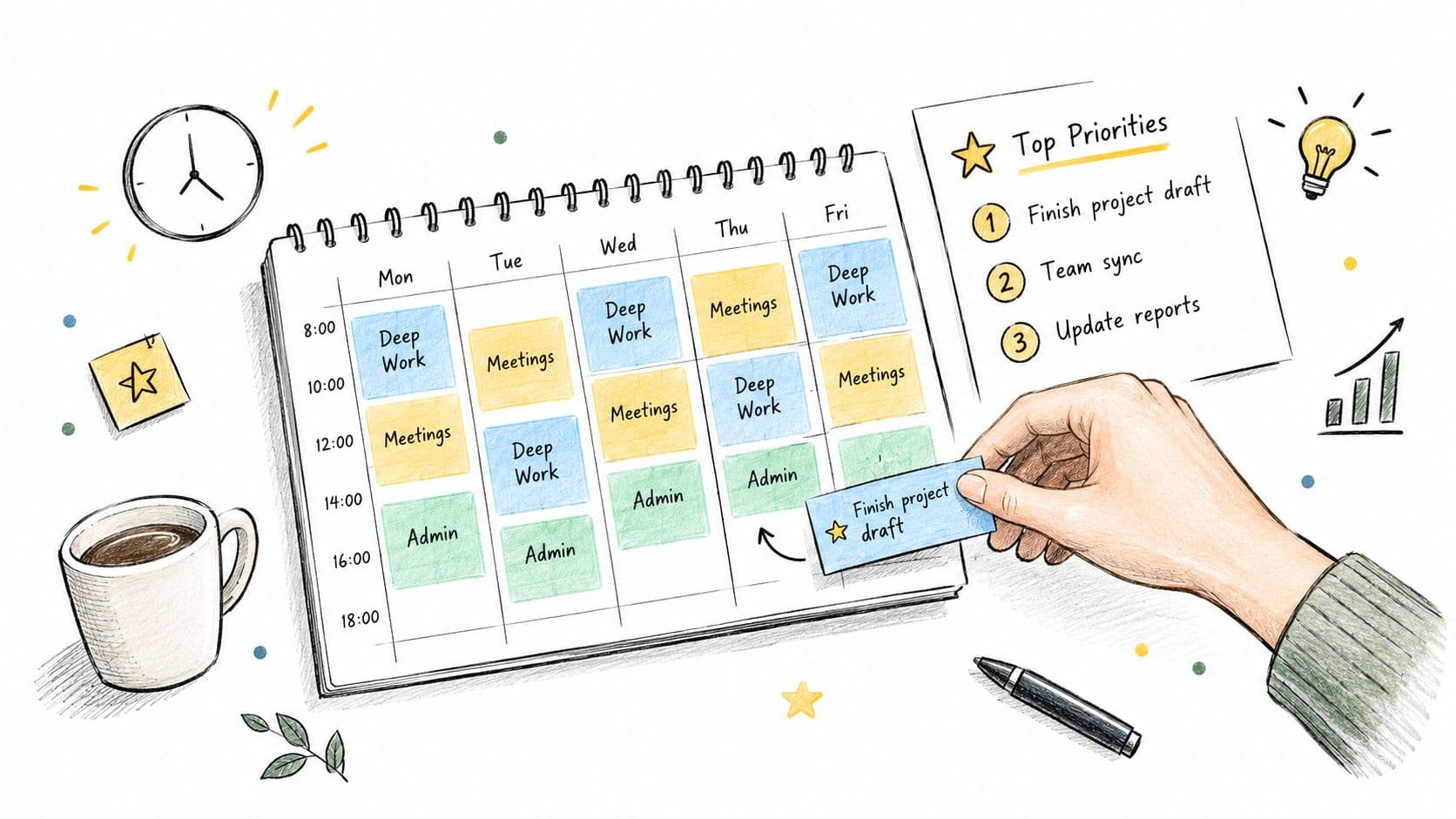
Set the week's intended results before filling the calendar. An executive may need time to prepare one strategic decision rather than attend every meeting about it. A software engineering manager could reserve mornings for code review and mentoring, then group team meetings later, when collaboration is already the dominant mode. Freelancers may need to protect business development alongside client delivery, while ADHD or neurodivergent professionals may benefit from visible next actions, shorter blocks, and transition time between different types of work.
Use a schedule that reflects actual constraints. A founder might protect Monday morning for strategy and leave Friday afternoon for administration. A consultant could separate urgent client delivery, important business development, delegated work, and low-value requests using an Eisenhower-style distinction. The trade-off is straightforward: a tightly planned calendar can protect attention, but excessive rigidity makes small delays harder to absorb.
Make priorities visible
Each block needs a defined outcome, a start and finish point, and enough buffer for interruptions or overruns. If every minute is booked, one delayed meeting can destabilize the day. Color-coding deep work, meetings, and administration makes the balance visible before the calendar becomes unmanageable.
Fluidwave can turn broad intentions into tasks, rank work by importance and deadlines, and display it through list, calendar, Kanban, table, or card views. Auto-prioritization helps when the queue changes, but judgment remains necessary. The system can surface a next action. You still decide whether it deserves this block, whether it should be delegated, or whether it can wait.
Practical rule: Protect time for work that advances the goal, not only work that announces itself most loudly.
Deliberate blocks matter because productive work still needs uninterrupted periods, even when the total workday changes. The workplace productivity data reports that productive sessions lengthened from 20 to 24 minutes, supporting the case for planned focus periods and fewer interruptions. Review the calendar weekly. Priorities shift, and a schedule that never changes eventually stops matching the work.
2. Delegation and Outsourcing Non-Core Work
Delegation isn't abandonment. It's a decision about where your attention creates the most value and where another person can complete the work with clear authority and context.
A startup founder who keeps bookkeeping, scheduling, and routine research may have less capacity for product decisions or fundraising. An agency principal can hand calendar administration and inbox sorting to a virtual assistant, while a project manager can ask workstream owners to compile their own status updates. The trade-off is real: delegation takes explanation, review, and trust before it saves time. Vague instructions move the work into a rework queue.
Begin with work that has a defined outcome and limited downside. State what needs to be delivered, when it's due, what quality looks like, and which decisions the person can make independently. Match complexity to capability. A stretch assignment can build capacity, but an unclear or oversized assignment creates anxiety for both sides.
Delegate outcomes, not fragments
Agree on checkpoints before work begins. A founder might ask for a draft budget by a specific date, with one review point before finalization. Constant status requests create the same interruption problem delegation was meant to solve. A checkpoint should answer whether the work is on track, not invite minute-by-minute supervision.
Fluidwave's delegation model can reduce friction by making assigned tasks, budgets, timelines, and progress visible. Its platform also connects task management with human virtual assistants, which can help with suitable non-core work. The guide to delegation in management offers a useful framework for separating ownership from oversight. For specialized support, compare providers carefully, including the best medical virtual assistant companies when healthcare administration is involved.
- Define the finish line: Describe the completed result rather than listing every action.
- Name the decision rights: Clarify what the person can approve, change, or escalate.
- Schedule review points: Check progress at agreed moments instead of monitoring constantly.
- Close the loop: Give specific feedback and recognize reliable execution.
Executives should delegate recurring operational work. Freelancers should delegate tasks that consume attention without improving their distinctive service. ADHD professionals may benefit from delegating setup, follow-up, or administrative transitions that repeatedly drain executive function. The right question isn't “Can I do this?” It's “Should I be the person doing this?”
3. Batch Processing Similar Tasks
Email, chat, calls, approvals, and creative work each demand a different mental posture. Handling them as they arrive forces you to reload context repeatedly, even when every individual interruption looks small.
Batching creates a boundary around similar work. A copywriter might handle client email and Slack messages in a morning communication window, then return to writing. An HR manager could group approvals and paperwork into an afternoon session. A consultant might schedule client calls on selected days and protect the remaining time for project delivery.
This approach needs communication, or colleagues may interpret delayed replies as neglect. Use a status message, calendar indicator, or auto-response to explain when you review messages and what qualifies as urgent. A batch window should be predictable enough that people know when they'll receive an answer.
Use work-in-progress limits
Batching works best when the batch has a clear capacity. If you collect every possible administrative task into one enormous session, you've only postponed the overload. A work-in-progress limits framework can help you cap how many active items you allow in a category before starting something else.
A freelancer may keep only a small number of client revisions active at once. A manager might limit open approvals and reserve a separate queue for decisions that need deeper thought. Fluidwave's multiple task views can make these queues easier to inspect, while automation can surface work that has reached its next action.
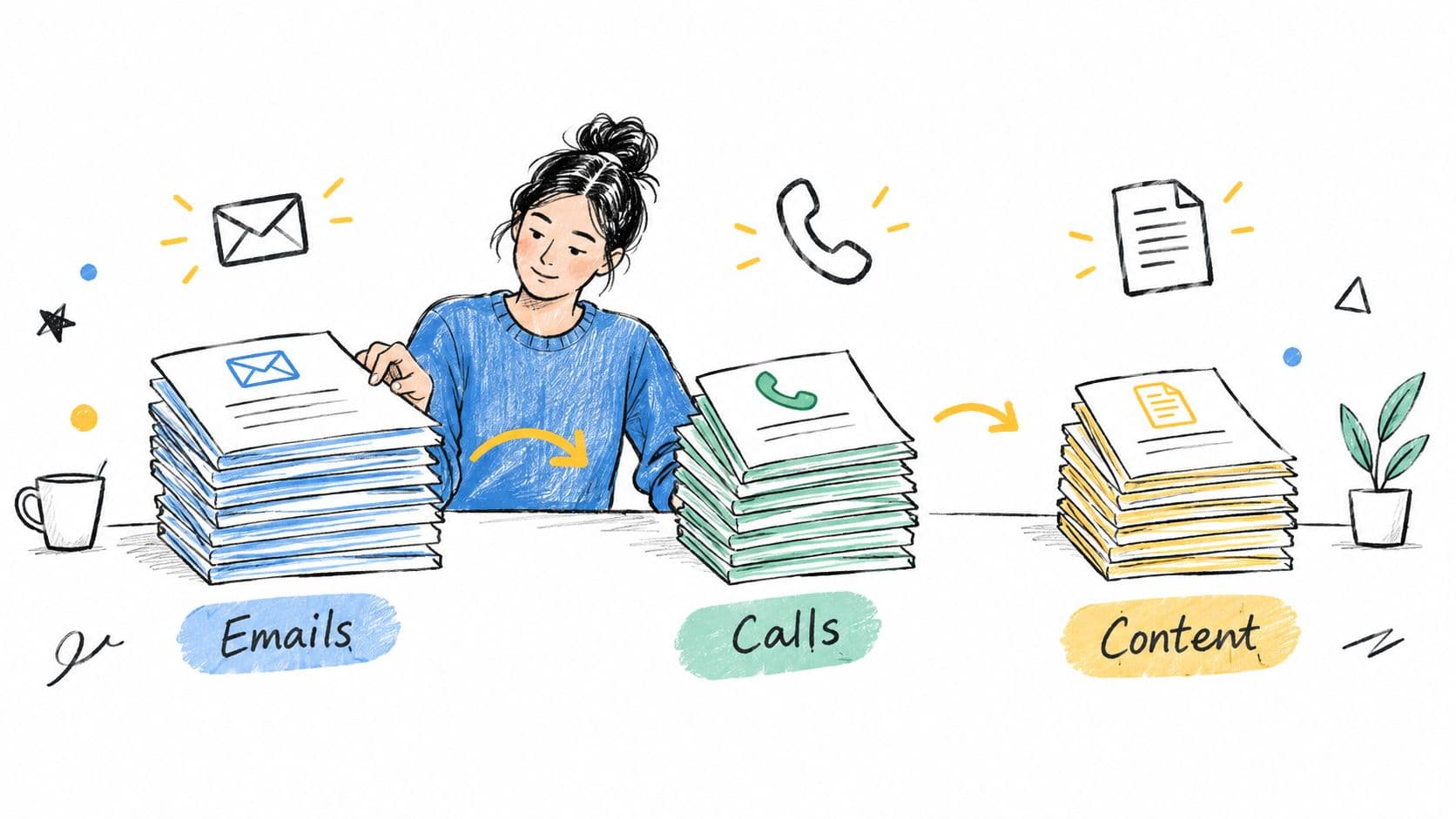
The evidence for batching is especially strong in knowledge work. One benchmark found that workers spend 60% of their time on “work about work,” including coordination, communication, and status updates. It also reported an average of 117 emails and 153 Teams messages per employee per day, with interruptions occurring every 2 minutes during core work hours. The same research found that meetings can consume 20% to 40% of the workweek, as described in this workplace productivity research summary. Don't batch everything automatically. Batch high-volume, repeatable work first, then protect the cognitive space left behind.
4. Regular Review and Reflection Cycles
A work system only improves when someone checks its results. Without a review, outdated priorities stay active, recurring interruptions go unaddressed, and a crowded calendar can look productive despite weak outcomes.
Use different review depths for different decisions. A daily close should capture unfinished commitments and define the next action. A weekly review can compare results with priorities, inspect blockers, and select the work that deserves attention next. A freelancer's monthly review may cover client satisfaction, income, project margins, and skill development. A founder may need a broader strategic review when business direction or workload changes.
Turn reflection into a decision
“ How did the week go?” rarely produces a useful change. Ask which work moved forward, what stalled, which interruption pattern repeated, and what single adjustment would make the next week easier.
A project manager can use a recurring team review to separate genuine capacity problems from unclear ownership. An executive may find that important decisions slip because meetings occupy the only available focus periods. An ADHD professional may identify an undefined first step or an expensive transition as the barrier, rather than assuming avoidance reflects laziness.
- Review the commitments: Which promises remain open, and who owns the next action?
- Review the friction: Where did searching, switching, waiting, or clarification consume attention?
- Review the design: Did the calendar, task system, and communication norms support the intended work?
- Choose one adjustment: Change one structural condition before adding another productivity technique.
The review should be brief enough to repeat and specific enough to guide action. Store its decisions where the relevant work already lives, then assign owners and dates when follow-through matters. Fluidwave can show progress across tasks and views, while auto-prioritization can help surface items that need review. Multiple task views also let an executive inspect strategic work, a freelancer separate client commitments, or an ADHD professional create a smaller view for the next few actions.
No platform fixes a process that people refuse to change. Schedule the review as a real commitment, and protect it from being displaced by the work it exists to improve. Revisit the format when the review becomes a ritual that produces no decisions.
5. Creating and Maintaining Focus Systems
Focus isn't a personality trait that some people possess and others lack. Work environments repeatedly invite interruption, so concentration needs a designed boundary.
Start with the notification that breaks your attention most often. Turn it off during a defined focus period, mark the calendar busy, and tell collaborators how to reach you for a genuine emergency. A software engineer may use a website blocker and a distraction-free workspace for difficult implementation work. A designer may close the office door and set a clear Slack status. A content strategist might reserve Friday morning for writing with notifications disabled and meetings excluded.
The boundary should be specific. “Don't disturb me” leaves people guessing. “I'm unavailable for routine questions until the focus block ends. Please call if the production system is affected” gives colleagues a usable rule.
Design for recovery after interruption
Interruptions have a long tail. UC Berkeley's summary of interruption research reports that workers spend an average of 12 minutes 40 seconds on a task before interruption, need 25 minutes 26 seconds on average to return to the same task, and then require about 15 additional minutes to regain deep concentration on a difficult task. Those figures appear in UC Berkeley's overview of interruption impacts. The practical lesson is straightforward: preventing one interruption can protect more than the moment in which it occurs.
Fluidwave's Focus Mode can provide a distraction-reduced task interface while you work through a selected task. It won't resolve a noisy team culture by itself, but it can remove some digital decisions once the focus block starts.
A 2024 diary study of 492 office workers in Germany found that interruption frequency predicted perceived interruption overload, which then predicted subjective workload. The study reports β=0.397, p<0.001 for the first relationship and β=0.424, p<0.001 for the second in its analysis of interruption overload. Focus systems should therefore be treated as workload design, not a test of individual willpower.
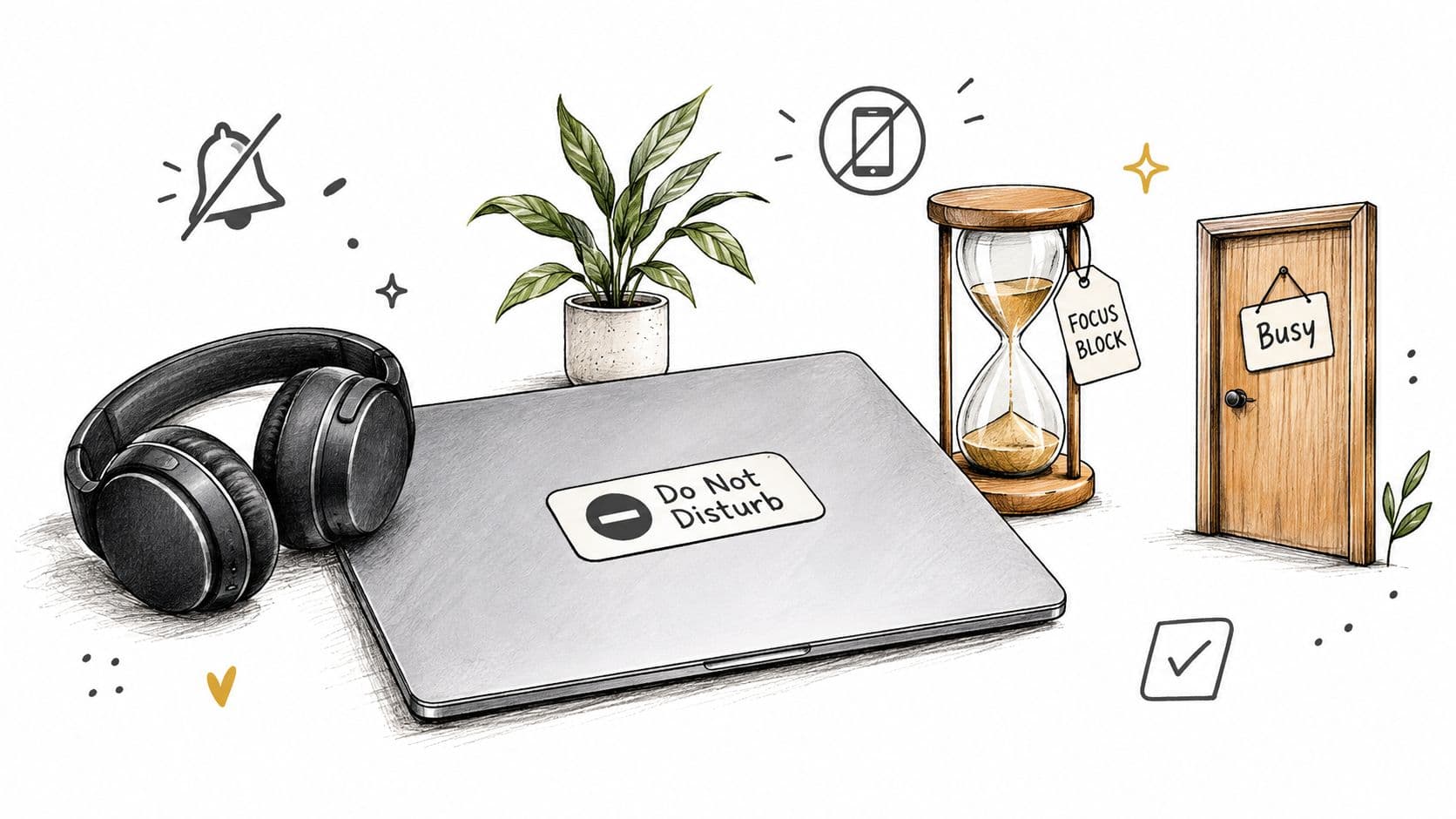
A short visual guide can help teams think about what belongs inside a protected focus period.
6. Clear Communication and Documentation Standards
Clear documentation reduces repeated questions, protects context, and makes ownership visible. Record the decision, the responsible person, the relevant definitions, and the information someone else would need to continue the work.
Start with recurring friction. A startup may need a lightweight wiki for onboarding and process notes. A design team may need consistent names for brand assets. A project manager may keep client decisions and change requests in one shared record instead of leaving them across private messages.
Documentation has a maintenance cost. Untrusted pages create another place to search and second-guess. Begin with explanations people repeat most often, assign an owner, and set a review point. Fluidwave can reduce the setup friction by auto-prioritizing follow-ups, assigning delegated actions, and displaying work through task views that fit the team's workflow.
Make the next action obvious
Write for the person who will use the record under pressure. A project brief can state the objective, owner, deadline, status, relevant links, and known risks. A decision log should explain what the team chose, why it chose it, and what evidence would justify revisiting the decision. Templates help people start quickly, provided they remain short enough to complete.
- Choose one home: Keep the authoritative version in a known repository.
- Name consistently: Use terms collaborators can search and recognize.
- Record rationale: Explain why the decision made sense at the time.
- Remove stale material: Outdated instructions can cause more errors than missing ones.
Executives need records that support delegation and succession. Freelancers can reuse client briefs and decision logs to reduce scope confusion. Neurodivergent professionals may work more reliably with written expectations than with meaning inferred from tone, informal conversation, or rapidly changing chat threads.
Documentation also changes the quality of meetings. People who receive context beforehand can use synchronous time for decisions, disagreement, and collaboration rather than basic information transfer. Keep the record durable and accessible, but do not document every thought. A concise source of truth is easier to maintain, search, and trust.
7. Energy Management and Strategic Rest
Time management asks when work can happen. Energy management asks what kind of work your attention can support at that time. Treating every hour as interchangeable creates poor decisions, especially during long periods of intense cognitive or social demand.
Track your own patterns rather than copying someone else's routine. A freelancer may place demanding client work during their strongest concentration period and group administration when energy is lower. An executive can protect evenings for rest and movement during a difficult launch. A founder may need planned offline time to regain perspective instead of extending a depleted workday.
Rest isn't the reward for finishing everything. Everything rarely gets finished. Real breaks create distance from the task, while switching from email to chat only changes the screen. Sleep, movement, food, quiet, social connection, and time outdoors can all play different roles, depending on the person.
Adapt the system to neurodivergent energy
Standard advice to “be consistent” can fail when it treats consistency as identical output at identical times. A 2026 UK study of 605 participants found that neurodivergent workers continued to report poorer wellbeing, psychological safety, and work-life balance than the wider workforce, as reported by Birkbeck's workplace study summary. A practical system may need flexible scheduling, sensory control, recovery time, and self-directed task sequencing.
That can mean choosing a quieter workspace, leaving space between meetings, using written instructions, or scheduling demanding work around actual focus rather than a fixed cultural norm. For someone with ADHD, reducing the number of transition decisions may matter more than adding another timer. For an autistic professional, predictable agendas and lower sensory load may support performance more effectively than pressure to appear constantly available.
Rest is part of capacity planning, not evidence that you lack commitment.
Fluidwave can help make workload visible across personal and delegated tasks, but it can't determine what restores you. Use the system to prevent overcommitment, then treat recovery as a condition for reliable work rather than an optional extra.
8. Asynchronous Communication and Written-First Culture
Fast replies can look productive while turning every question into an interruption. They also leave teams searching for decisions that were made verbally but never recorded. A written-first culture changes the default: people receive context, consider the issue, and respond in a form others can revisit.
Use the format that fits the work. A distributed software team might request written comments before discussing a technical decision. A marketing team can circulate a campaign brief before scheduling time together. A consulting firm can share its recommendation and reserve the call for questions, trade-offs, and decisions.
Meetings still serve work that needs shared attention, emotional nuance, rapid negotiation, or creative exchange. The practical rule is to give routine updates and clear decisions a durable written home, then reserve live time for interaction that benefits from being together.
Make the written record do useful work
A strong request identifies the decision, relevant background, owner, deadline, and preferred response format. Replace “Thoughts?” with a question someone can answer. State urgency directly, including which channel handles emergencies and which handles routine work.
- Write briefs before meetings: Let participants review context before live discussion.
- Keep decisions findable: Record follow-up questions, owners, and outcomes in the relevant thread or task.
- Set response expectations: Specify when a reply is needed and what form it should take.
- Protect meeting time: Use live sessions for decisions, collaboration, and sensitive conversations that benefit from immediate exchange.
Freelancers can use written updates to reduce scope disputes and limit unnecessary calls. Executives can improve decision quality by allowing considered responses instead of rewarding whoever replies first. ADHD and neurodivergent professionals may work better with agendas, transcripts, and multiple ways to contribute when rapid verbal participation creates extra cognitive or social strain.
Fluidwave's asynchronous collaboration tools can keep task context, ownership, and progress visible. Pair written communication with auto-prioritization, delegation, deep-focus modes, and task views that match the work. The goal is not fewer conversations at any cost. It is fewer conversations caused by missing context, unclear ownership, or undocumented decisions.
8-Point Comparison: Good Workplace Habits
| Item | Implementation complexity 🔄 | Resource requirements ⚡ | Expected outcomes 📊 | Ideal use cases ⭐ | Key advantages 💡 |
|---|---|---|---|---|---|
| Task Prioritization and Time Blocking | Moderate, initial setup and weekly tuning | Low, calendar tools and discipline | High ⭐, more high-impact work completed, less context-switching | Busy executives, knowledge workers, managers with competing demands | Clear daily focus, reduced decision fatigue, better timeline estimates |
| Delegation and Outsourcing Non-Core Work | Moderate–High, systems, trust and onboarding needed | Medium, people, training, contractor/VA budget | Very High ⭐, scales leader output, builds team capability | Founders, leaders overloaded with routine tasks, scaling teams | Increases leverage, reduces bottlenecks, enables succession planning |
| Batch Processing Similar Tasks | Low–Moderate, habit formation and scheduling | Low, calendar and status signals | Moderate–High ⭐, faster throughput, fewer errors | Roles with high-volume communications or admin work (email, approvals) | Reduces switching costs, predictable workflow, higher quality bursts |
| Regular Review and Reflection Cycles | Moderate, templates and consistent discipline | Low, time and simple tracking tools | High ⭐, earlier course correction, clearer priorities | Project managers, founders, teams needing strategic alignment | Surfaces patterns, prevents issue accumulation, improves planning |
| Creating and Maintaining Focus Systems | Moderate, tech setup and cultural alignment | Low–Medium, blockers, environment tweaks, tools | Very High ⭐, higher-quality deep work, sustained focus | Programmers, designers, writers, other deep-work roles | Protects cognitive resources, reduces interruptions, improves output |
| Clear Communication and Documentation Standards | Moderate–High, governance and ongoing maintenance | Medium, knowledge-base tooling and documentation time | High ⭐, faster onboarding, less repeated clarification | Distributed teams, cross-functional projects, scaling orgs | Preserves institutional knowledge, reduces friction, speeds onboarding |
| Energy Management and Strategic Rest | Low–Moderate, self-tracking and boundary setting | Low, time for rest, simple tracking tools | High ⭐, sustainable productivity, better decisions | High-stress roles, leaders, neurodivergent professionals | Prevents burnout, enhances clarity and creativity, sustains performance |
| Asynchronous Communication and Written-First Culture | Moderate, new norms, templates, and habit change | Low–Medium, docs, collaboration tools, time to write | High ⭐, protected focus, searchable decision records | Distributed teams, cross-time-zone work, deep-thinking roles | Reduces meetings, improves inclusivity, yields better-considered outputs |
Turn Good Intentions Into a Workable Rhythm
Eight habits are enough to describe a strong operating system, but too many to install at once. Start with the friction that costs you the most. If your day disappears into messages, begin with batching or asynchronous communication. If important work keeps slipping, begin with prioritization and time blocking. If every task still depends on you, begin with delegation. If the same problems return each week, begin with a review cycle.
Choose one visible behavior and run it for a week. “Improve focus” isn't observable. “Mark one protected focus period on the calendar and silence routine notifications during it” is. “Delegate more” is vague. “Assign one recurring administrative task with an owner, outcome, deadline, and checkpoint” gives you something to test.
Measure the result without turning your workday into a laboratory. Did the focus period survive? Did the delegated task return with less rework? Did batching reduce the number of times you reopened communication tools? Did the weekly review change what you scheduled? The answers will tell you whether the habit needs more time, a better boundary, or a different design.
Workplace habits also need role-specific adaptation. Executives may protect decision time and delegate operational follow-up. Founders may alternate strategic work with periods of customer and team availability. Project managers need visible ownership, documentation, and review points. Freelancers need boundaries that protect delivery while keeping clients informed. Neurodivergent and ADHD professionals may need flexible schedules, written expectations, sensory accommodations, recovery periods, and systems that reduce transition costs rather than demanding constant consistency.
The environment matters as much as individual behavior. Research on large-scale work interruptions found that pauses can improve productivity in some settings, while physical-resource-draining interruptions, including breakdowns and travel across fields, harmed productivity in both the short and long term. The study examined 211 harvesters, 117,581 truckloads, and 9,819 worker shifts in a Manufacturing & Service Operations Management analysis. That distinction is useful beyond agriculture. A deliberate recovery pause isn't the same as an unexpected interruption that forces someone to abandon the work and rebuild context.
Fluidwave can serve as an optional support layer for this rhythm. You can create tasks, auto-prioritize the next action, delegate suitable work, enter a distraction-reduced focus mode, and review progress through list, calendar, Kanban, table, or card views. It won't decide your values or repair unclear leadership, but it can make the operating system visible enough to inspect.
Pick one habit today, define the behavior, and schedule its review before the week begins. Add another only after the first has shown you where the next source of friction lives.
Fluidwave combines task creation, auto-prioritization, delegation to virtual assistants, focus tools, collaboration, and progress views for personal and team workflows. Visit Fluidwave to build a visible work system that supports better workplace habits without requiring you to manage every detail alone.
Focus on What Matters.
Experience lightning-fast task management with AI-powered workflows. Our automation helps busy professionals save 4+ hours weekly.