Master Discord group chat for seamless team collaboration. Learn to create, manage, and optimize for productivity, understanding key differences from servers.
June 19, 2026 (1mo ago)
Discord Group Chat: Boost Team Collaboration
Master Discord group chat for seamless team collaboration. Learn to create, manage, and optimize for productivity, understanding key differences from servers.
← Back to blog
Your team probably isn't short on communication tools. It's short on one place where fast decisions happen cleanly.
A client sends feedback by email. Someone drops a revision note in Slack. A contractor replies by text. Your cofounder follows up in a calendar invite because “we should probably talk.” By the time you need the answer, the answer exists in four places and no one is fully sure which version is final.
That mess is why more professionals are taking a second look at Discord. Yes, people still associate it with gaming. But that shorthand is outdated.
Is Your Team Communication a Mess?
A small team can look organized from the outside and still lose hours every week to scattered messages.
You see it in ordinary moments. A designer asks for approval on a draft, but the decision sits in an email thread no one wants to reopen. A project manager needs one quick answer, but the only “official” place to ask is a meeting that happens tomorrow. A founder wants a lightweight space for fast back-and-forth, but the company chat tool feels too noisy and text messages feel too informal.
That gap matters. Teams don't just need communication. They need fast, low-friction coordination.
Discord fits that need better than many people expect. It launched in 2015 and grew well beyond its original gaming audience. By 2023, it had reached 200 million monthly active users and $575 million in revenue, primarily through Nitro subscriptions, according to Business of Apps' Discord statistics. That scale matters because it signals something simple. Discord isn't a niche side app anymore. It's mainstream infrastructure for real-time conversation.
Why professionals end up trying Discord anyway
Teams often don't adopt Discord because they want something trendy. They adopt it because they want something lighter than email and less bloated than a full workplace suite.
A Discord group chat can work well when your team needs to:
- Resolve questions quickly without scheduling another call
- Keep project chatter separate from personal texts
- Jump into voice or video instantly when typing gets inefficient
- Create a private space for a specific initiative, launch, or client
Practical rule: If a conversation needs speed, context, and a clear participant list, a Discord group chat is often a better fit than email.
There's also a workflow advantage. Discord feels conversational, but it still gives teams enough structure to keep momentum. That balance is useful for startup operators, consultants, agencies, and cross-functional project groups that don't want every exchange to become formal process.
If your current setup feels fragmented, it's worth reviewing broader communication and teamwork habits before you pick another tool. Discord works best when it solves a real coordination problem, not when it becomes one more app in the pile.
Group Chat vs Server Choosing Your Collaboration Space
The first place people get confused is the fork in the road between a Group DM and a server.
Discord's own help materials make the distinction clear. Group DMs are built for small-group chat and calls among friends, while servers are built to organize larger conversations across topic-based channels, as explained in Discord's guide to Group Chat and Calls.
For professional use, the easiest analogy is this:
- A Group DM is a private meeting room.
- A server is an office building with separate rooms, rules, and departments.
When a Group DM makes more sense
A Group DM is the cleaner choice when the team is small, the purpose is narrow, and everyone already knows each other.
Good examples:
- a founder, operator, and designer handling a product launch
- a consultant and client-side decision-makers reviewing deliverables
- a hiring panel coordinating around one active role
- a project lead and a few contributors handling a short sprint
The appeal is speed. You create it quickly, name it clearly, add people, and start working. No channel architecture. No permissions maze. No temptation to overbuild.
When a server is the smarter move
A server starts making sense when one conversation becomes many.
That usually happens when you need separate spaces for:
- ongoing announcements
- project updates
- support questions
- files and references
- social chat
- role-based access
A server also helps when people need to find information later without scrolling through one long stream of messages.
Discord Group Chat vs. Server at a Glance
| Feature | Discord Group Chat (Group DM) | Discord Server |
|---|---|---|
| Best for | Small, focused teams | Larger groups or ongoing organizations |
| Setup speed | Fast | Slower, because structure matters |
| Privacy feel | Intimate and direct | More structured and semi-public within the invited group |
| Organization | One shared conversation | Multiple channels by topic |
| Discoverability | Low. People find things by scrolling or search | Higher. Channels make topics easier to locate |
| Calls | Built in and easy to start | Built in, often better for recurring spaces |
| Governance | Light-touch | Stronger permissions and moderation options |
| Risk | Conversation can get cluttered | Teams can overcomplicate it too early |
A practical decision filter
If you're unsure, use these questions.
-
How many active topics do we have? If the answer is one or two, use a Group DM. If the answer is six, a server will age better.
-
Does everyone need access to everything?
If yes, a Group DM stays simple. If no, a server's roles and channels help. -
Will this workspace live for weeks or for the long term?
Short-lived work often belongs in a Group DM. Durable operations usually need a server. -
Do we need a knowledge base effect?
If the chat itself needs to become a browsable home for updates and documentation, choose a server.
Start with the smallest space that can hold the work. Most teams don't need an office building when a meeting room will do.
A lot of professionals make the same mistake. They build a server because it looks more serious. Then no one maintains the channels, the structure gets messy, and people drift back to texts or email. For a small agile team, a Discord group chat is often the better starting point.
If you're comparing lightweight options more broadly, this roundup of free team collaboration tools is useful because it frames Discord as one option in a wider toolkit, not a universal answer.
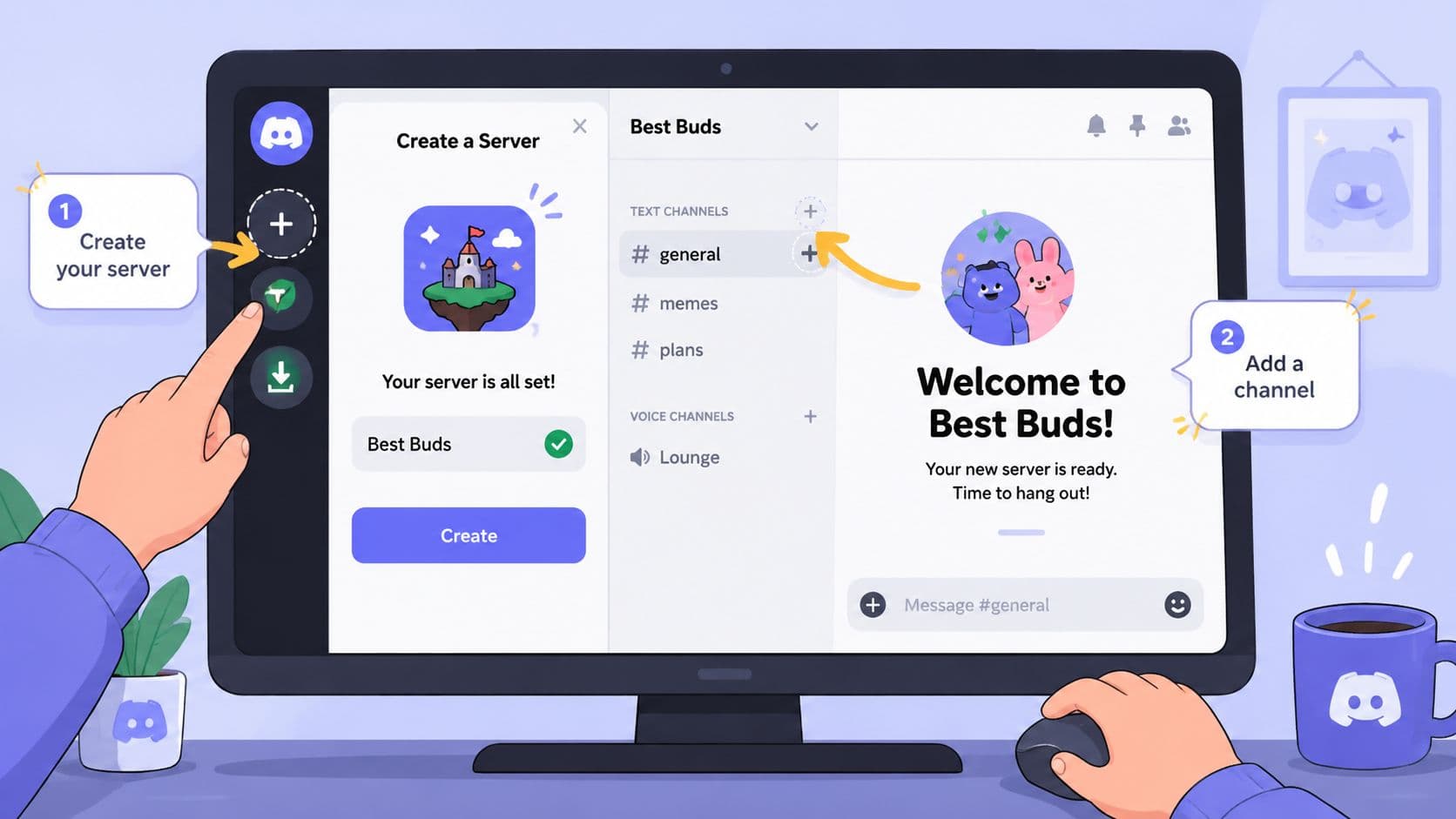
Creating and Managing Your First Group Chat
The fastest way to learn Discord is to set up a real workspace for a real project.
Call it something specific. Not “Team Chat.” Not “Ideas.” Use a name your team can recognize instantly, like Website Refresh Approvals, Phoenix Launch Core Team, or Client X Revision Room.
A visual reference helps if you're new to the interface.
Set it up like a team lead, not a casual chat
Discord's Group DM flow is simple, but the value comes from how you frame it.
-
Pick the participants carefully Invite the people who make or unblock decisions. If someone only needs occasional visibility, they probably don't belong in the core chat.
-
Name the chat for the work
A clear name reduces context switching. Team members should know what belongs there before they even open it. -
State the purpose in the first message
Write a short kickoff note. Mention what the chat is for, what kinds of questions belong there, and what should stay elsewhere. -
Use the built-in call feature on purpose
If a thread turns into confusion, jump to voice or video instead of adding twenty more messages.
A clean operating routine
Once the chat exists, management matters more than setup.
Use a few habits from day one:
- Pin critical messages so nobody has to ask for the brief, deadline, or final file link twice.
- Search before asking when you need an old decision or shared asset.
- Reply in context instead of dropping disconnected follow-ups into the main stream.
- Rename or retire chats when a project ends, so old work doesn't mix with current work.
A good Discord group chat feels less like social media and more like a fast project room.
What this looks like in practice
A marketing lead posts three ad variants and asks for a same-day decision. The copywriter comments in-line. The founder reacts to the strongest option. The designer asks one clarifying question, then starts a short call to settle the last disagreement. Final direction gets pinned. Everyone moves on.
That's the core strength here. Discord reduces the lag between question, clarification, and action.
It also rewards restraint. If your team starts treating one Group DM as the home for every client, every brainstorm, and every side conversation, you'll recreate the same clutter you were trying to escape. Keep each group tied to a clear working purpose.
Professional Etiquette and Guardrails
A Discord group chat can boost team speed. It can also wreck focus if nobody sets boundaries.
The platform itself isn't the problem. Discord operates at huge scale and has even been described as supporting channels with up to 1 million members, but the main bottleneck for teams is usually moderation, notification noise, and attention management, as noted in this discussion of Discord's scale and limits. For small professional groups, the challenge isn't whether Discord can handle the messages. It's whether your team can handle the interruptions.
The human rules matter more than the app
A small chat feels efficient because it removes friction. That same ease can create a subtle expectation that everyone should always be available.
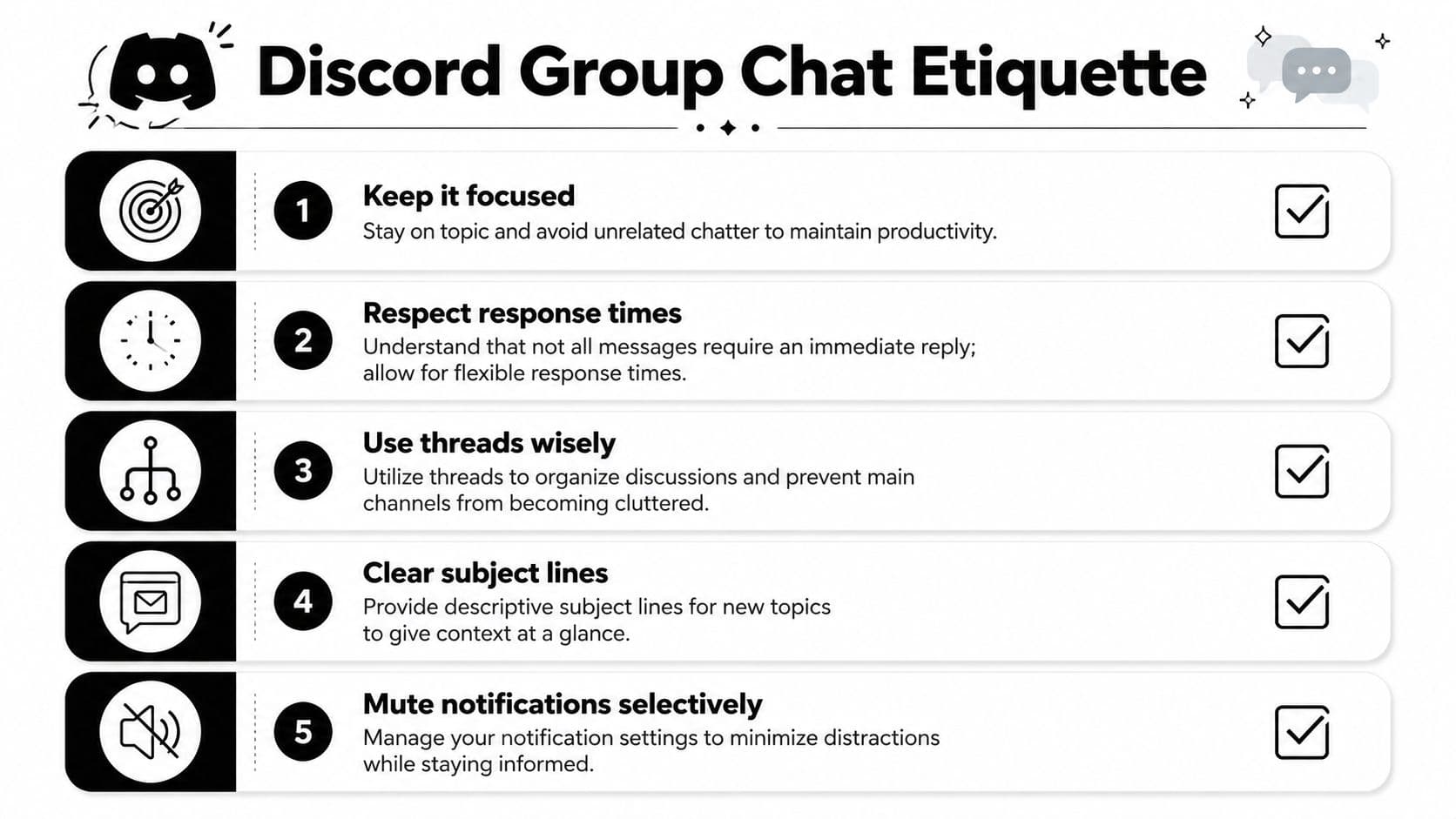
Set norms early:
-
Response windows
Decide what's urgent and what's not. A same-hour reply expectation changes behavior. A “reply by end of day unless marked urgent” norm protects deep work. -
Topic discipline
Keep one Group DM tied to one mission. If the chat starts drifting into unrelated requests, spin up a separate space or move the work elsewhere. -
Thread awareness
When a subtopic starts branching, contain it. A messy chat isn't caused by message volume alone. It's caused by too many parallel conversations with no boundaries. -
Notification hygiene
Team members should tune alerts intentionally. Nobody does their best work when every ping feels like a fire alarm.
A few rules worth writing down
Some teams keep this as a pinned note.
-
Use concise asks
“Can you approve headline B by 3 PM?” beats “Thoughts?” -
Mark decisions clearly
If something is final, say so. Don't make people infer it from emoji reactions. -
Move complex debate to voice
If tone is getting fuzzy or the chat is circling, call. -
Protect off-hours
If your team spans time zones, asynchronous courtesy isn't optional.
Teams don't lose focus because the tool is too powerful. They lose focus because nobody decided how to use it.
Why Group DMs stay useful for professional work
The smaller format forces some discipline. It naturally suits a tight participant list and a narrow purpose. That's good. Professional coordination usually breaks when too many people enter too many conversations with too little context.
If your team needs more governance than etiquette can provide, that's the signal to graduate to a server or another structured tool. A Discord group chat works best when the team is small enough to rely on trust, shared judgment, and a short list of active priorities.
Productivity Workflows for Small Teams
Most productivity systems fail at the handoff between structured work and live clarification.
Task managers are good at ownership, due dates, and visibility. Chat tools are good at fast context. Teams get stuck when they expect one tool to do both jobs equally well.
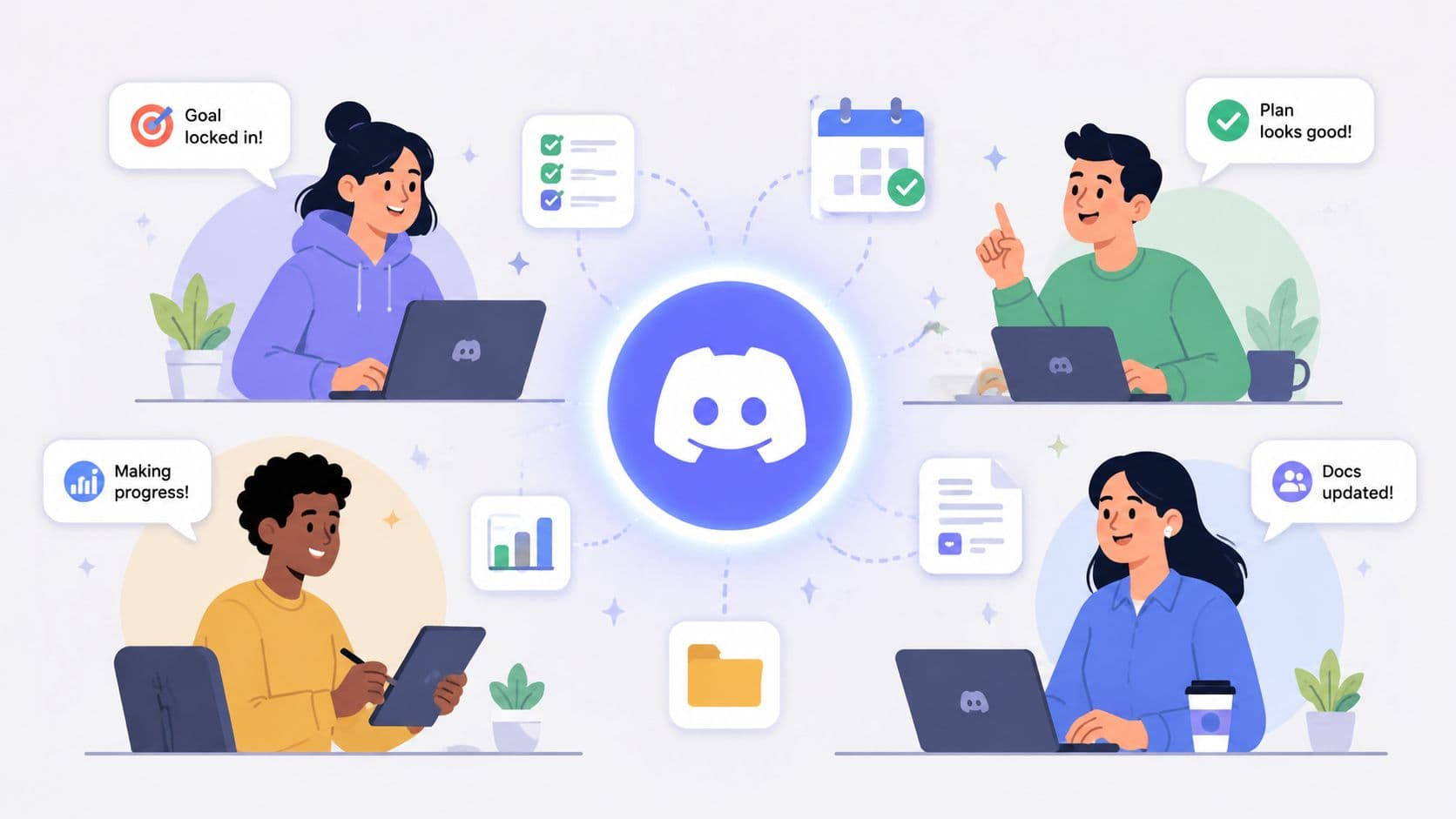
A Discord group chat is useful because it covers the second half. It gives a small team a place to resolve ambiguity before ambiguity turns into delay.
Three workflows that work well
Marketing review loop
A campaign manager posts a creative draft in the group chat. The brand lead reacts with directional feedback. The copywriter asks one follow-up. The team reaches a decision in minutes, then updates the formal task record in the project system.
Leadership stand-up room
A small leadership team uses one Discord group chat for short daily check-ins. Not for every operational detail. Just blockers, decisions, and priority shifts. That keeps the signal high.
Client delivery backchannel
An agency lead, account manager, and specialist use a private Group DM while preparing client work. The client doesn't need to see every draft-stage question. The team does need a fast place to align before anything goes out.
Where Discord fits with task management
Discord shouldn't become your only system of record.
Use it for:
- Clarifying assignments
- Approving direction
- Resolving blockers quickly
- Starting ad hoc voice conversations
Keep the durable items elsewhere:
- deadlines
- owners
- task status
- attachments that need long-term reference
- recurring process steps
That split is healthier than forcing chat to behave like a database.
The best workflow is often a hybrid. One tool stores the work. Another helps people move the work forward.
Quality beats activity
This matters more than people think. Effective group chats, whether for homework or professional projects, depend more on shared purpose and trust than on raw activity or automation, as discussed in this video on healthy Discord engagement. For a small team, that means a quiet chat can be more productive than a busy one.
A useful Discord group chat isn't the one with constant chatter. It's the one where people ask precise questions, get fast answers, and leave with less uncertainty.
Keep improving the operating model
If your team wants to refine how it works, don't just study Discord-specific advice. Read broadly about decision-making, async communication, and AI-assisted workflows. Good examples often come from adjacent domains. That's why curated resources like AI insights and articles can be helpful. They expose patterns in automation and team communication that transfer well to a Discord-based workflow.
For day-to-day execution, the strongest setup is usually simple. Track commitments in a task system. Use Discord group chat for fast coordination. Review what caused delays. Then tighten the rules.
If you need the task side of that equation, a good primer on choosing a shared to-do list app helps frame where chat ends and structured work should begin.
Beyond Gaming Toward Focused Work
Discord still carries an old label in a lot of professional circles. People hear the name and think hobby chat, not serious coordination.
That misses the point. A Discord group chat gives a small team something many tools overcomplicate. A private, fast, low-friction space where the right people can talk, decide, and move. Used well, it's not a replacement for every communication system. It's the layer that keeps work from stalling between meetings and formal updates.
Value isn't novelty. It's fit.
A Group DM works when the team is small, trust is high, and the work needs quick clarification more than heavy process. A server works when conversations multiply and structure starts to matter. In both cases, the lesson is the same. Better collaboration comes from choosing the smallest tool that can hold the job, then using it with discipline.
Discord isn't just for gaming communities anymore. For lean teams, it can be one of the cleanest ways to stay aligned without drowning in communication overhead.
If your team wants the speed of real-time chat without losing track of actual work, Fluidwave is worth a look. It helps you organize tasks, delegate work, and keep priorities visible, so fast conversations in tools like Discord don't disappear into the scroll.
Focus on What Matters.
Experience lightning-fast task management with AI-powered workflows. Our automation helps busy professionals save 4+ hours weekly.