Fix broken communication and teamwork with our step-by-step guide. Learn to set norms, streamline workflows, and reduce overload with actionable examples.
May 7, 2026 (4mo ago)
Fix Communication and Teamwork: A Practical Guide
Fix broken communication and teamwork with our step-by-step guide. Learn to set norms, streamline workflows, and reduce overload with actionable examples.
← Back to blog
A lot of teams don’t have a people problem. They have a communication design problem.
You can see it in the usual places. A deadline slips because two people thought the other owned the next step. A meeting ends with nods, then three different interpretations show up the next morning. Someone asks for a status update in chat, then again in email, then again in a meeting that shouldn’t have existed in the first place. By Friday, everyone’s busy, nobody feels clear, and stress is climbing.
That kind of chaos feels personal when you’re inside it. It usually isn’t. It’s what happens when communication and teamwork rely on memory, personality, and good intentions instead of a working system.
Why Most Team Communication Is Broken
The pattern is familiar. A project starts with energy. People are aligned enough to move. Then small gaps open up.
One person shares updates in chat. Another uses email. A third keeps notes in a doc nobody else can find. Ownership gets fuzzy. Questions sit too long because nobody knows whether they’re urgent or just noisy. The team keeps talking, but the work gets less clear.
That’s why I don’t treat communication as a soft skill issue anymore. I treat it as an operating system issue.
Poor communication and lack of effective collaboration are cited as the primary causes of workplace failures, with 86% of respondents attributing leadership and project shortcomings to those problems, according to workplace collaboration research summarized by HireBorderless. That number rings true because the damage rarely shows up as one dramatic blowup. It shows up as drift, rework, duplicate effort, and a team that slowly stops trusting its own process.
The real failure point
Teams often think they need better communicators. Usually, they need fewer hidden assumptions.
When nobody has defined where decisions live, where action items go, how handoffs work, or when to switch from async to live discussion, people start filling the gaps with personal habits. The most assertive voice wins. The most available person becomes the bottleneck. The most anxious person becomes the unofficial reminder system.
Practical rule: If your team has to keep asking “Where should this go?” or “Who owns this?” the system is underdesigned.
Good communication and teamwork come from a simpler setup. Shared norms. Visible ownership. Predictable handoffs. Fewer meetings. Better focus. That’s what fixes the daily mess.
Establish Clear Norms and Roles
Most team friction starts before the work starts. It begins with unstated expectations.
Teams assume everyone shares the same idea of “urgent,” “done,” “reply soon,” or “keep me posted.” They don’t. If you want less confusion, write down the rules people are currently guessing.

Build a simple team charter
A Team Communication Charter doesn’t need to be impressive. It needs to be usable. One shared page is enough if it answers the questions that create the most waste.
Include these basics:
- Primary owner for each project: Name the DRI. One person is responsible for moving the work, even when several people contribute.
- Channel rules: Decide what belongs in chat, what belongs in comments on a task, and what deserves a meeting.
- Response expectations: Define what needs a same-day reply, what can wait, and what counts as an escalation.
- Decision visibility: Note where final decisions are recorded so nobody has to reconstruct them from scattered messages.
- Handoff standard: Require every delegated task to include context, deadline, and definition of done.
A lot of teams document goals and skip norms. That’s backwards. Goals don’t help much when people are working from different invisible rulebooks.
Why hierarchy makes this worse
Hierarchy adds another layer of distortion. Research from clinical settings found that vertical hierarchical differences create communication distortions, with information more likely to be withheld or altered when power imbalances shape the exchange, as described in the NCBI review on communication and hierarchy. You don’t need to work in a hospital to recognize the pattern. People soften bad news, delay escalation, or stay quiet when they think speaking up will make them look careless or difficult.
That’s why roles need to be clear, but voice also needs to be safe.
A useful charter should make room for both authority and challenge. The DRI owns progress. Anyone can flag risk. Anyone can ask for clarification. Anyone can say, “This brief is incomplete.”
Clear ownership prevents drift. Clear permission prevents silence.
If your team needs help defining accountability before building the charter, this guide to team roles and responsibilities is a practical place to start.
A charter template that teams actually use
Keep it short enough that people will read it.
| Area | Rule to define |
|---|---|
| Ownership | Who is the DRI for this project or workflow? |
| Urgent issues | Which channel is used for blockers that need fast attention? |
| Task work | Where do action items, files, and comments live? |
| Meetings | What qualifies for a live discussion? |
| Decisions | Where is the final decision recorded? |
| Handoffs | What must be included before work changes hands? |
Pin this in the shared workspace and review it when work gets messy. If people only see the rules during onboarding, the rules won’t survive real pressure.
Design Predictable Workflows and Handoffs
A team can have good intentions and still create daily confusion if work moves in a vague way.
Predictable workflows solve a boring but expensive problem. They answer three questions before anyone asks them. What stage is this in. Who owns it right now. What has to happen next.
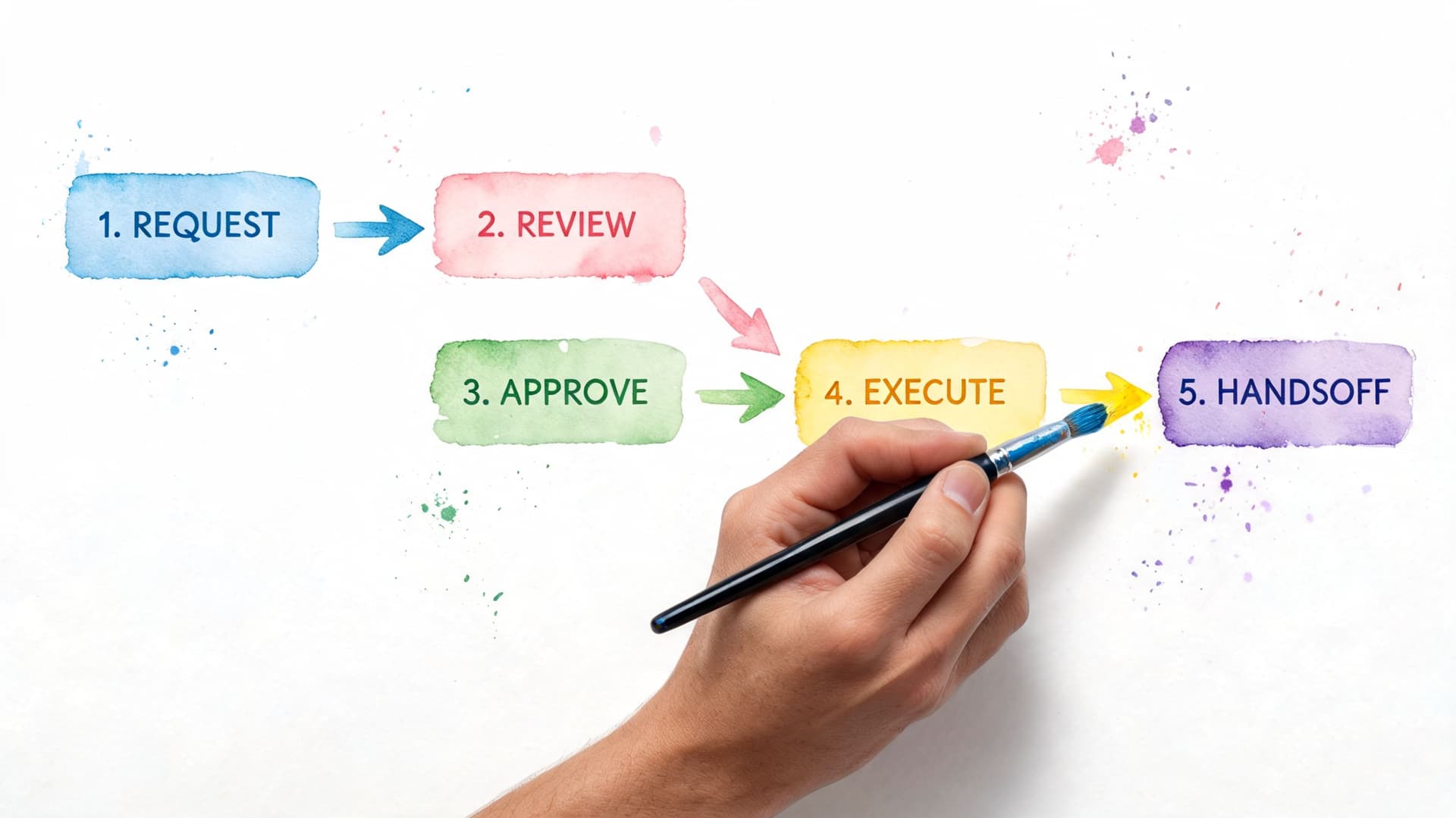
Use stages that reflect real work
Most broken workflows fail because the columns are too vague. “In progress” tells you almost nothing. A useful board reflects actual transitions.
For a content workflow, I’d rather see this:
- Brief ready
- Drafting
- Review
- Revisions
- Approved
- Scheduled
For bug handling, the stages might be intake, triage, fix in progress, QA, and closed. The point is to mirror the actual path of the work, not create a generic board that looks tidy but hides uncertainty.
The same rule applies to handoffs. A task shouldn’t move unless the next person has what they need.
Write better delegation briefs
Weak delegation creates most of the follow-up messages teams hate.
If you’re handing work to a teammate, contractor, or assistant, include these fields every time:
- Objective: What outcome is needed.
- Context: Why this task matters and what it connects to.
- Inputs: Links, files, examples, or previous decisions.
- Constraints: Brand rules, budget limits, approval boundaries, or tools to use.
- Definition of done: What finished work looks like.
- Deadline: When it’s needed and whether the date is hard or flexible.
That’s enough to reduce back-and-forth without turning every task into a novel.
One useful setup is to manage this in a tool that keeps task comments, files, status changes, and ownership in one place. Fluidwave fits well here because it combines task views like Kanban and list with AI prioritization, delegation to human assistants, and task-level collaboration, so handoffs don’t get split across chat, email, and separate trackers.
Here’s a quick walkthrough that shows the general workflow thinking in action.
Where AI helps and where it doesn’t
AI is useful when it reduces sorting, prioritizing, and status-chasing. It’s less useful when teams expect it to replace judgment.
Emerging data on AI task platforms indicates they can save teams over 4 hours per week via auto-prioritization, and that AI-driven real-time sync with human oversight cut miscommunication by 35% in hybrid teams, according to research referenced in this PMC source. That trade-off matters. Let software handle the repetitive coordination. Keep humans responsible for exceptions, nuance, and final decisions.
A clean workflow doesn’t make people robotic. It removes the repetitive ambiguity that burns energy.
When teams adopt predictable stages and a real handoff standard, the need for “just checking in” messages drops fast. Not because people stopped caring. Because the system started carrying more of the load.
Run Effective Meetings and Sync Sessions
Many teams don’t need better meetings. They need fewer meetings with a harder entry requirement.
A meeting should exist for one of two reasons. The group needs live debate, or the group needs a final decision that benefits from real-time discussion. Status updates usually fail that test. So do routine check-ins that could have been a comment on a task.
Use a meeting filter before you schedule
Ask these questions first:
- Is there disagreement to resolve: If yes, a live conversation may help.
- Is a decision blocked by missing discussion: Schedule the smallest useful group.
- Is this only a status request: Keep it async.
- Can people prepare in advance: If not, the meeting will become live thinking with an audience.
That filter alone cuts a lot of calendar noise.
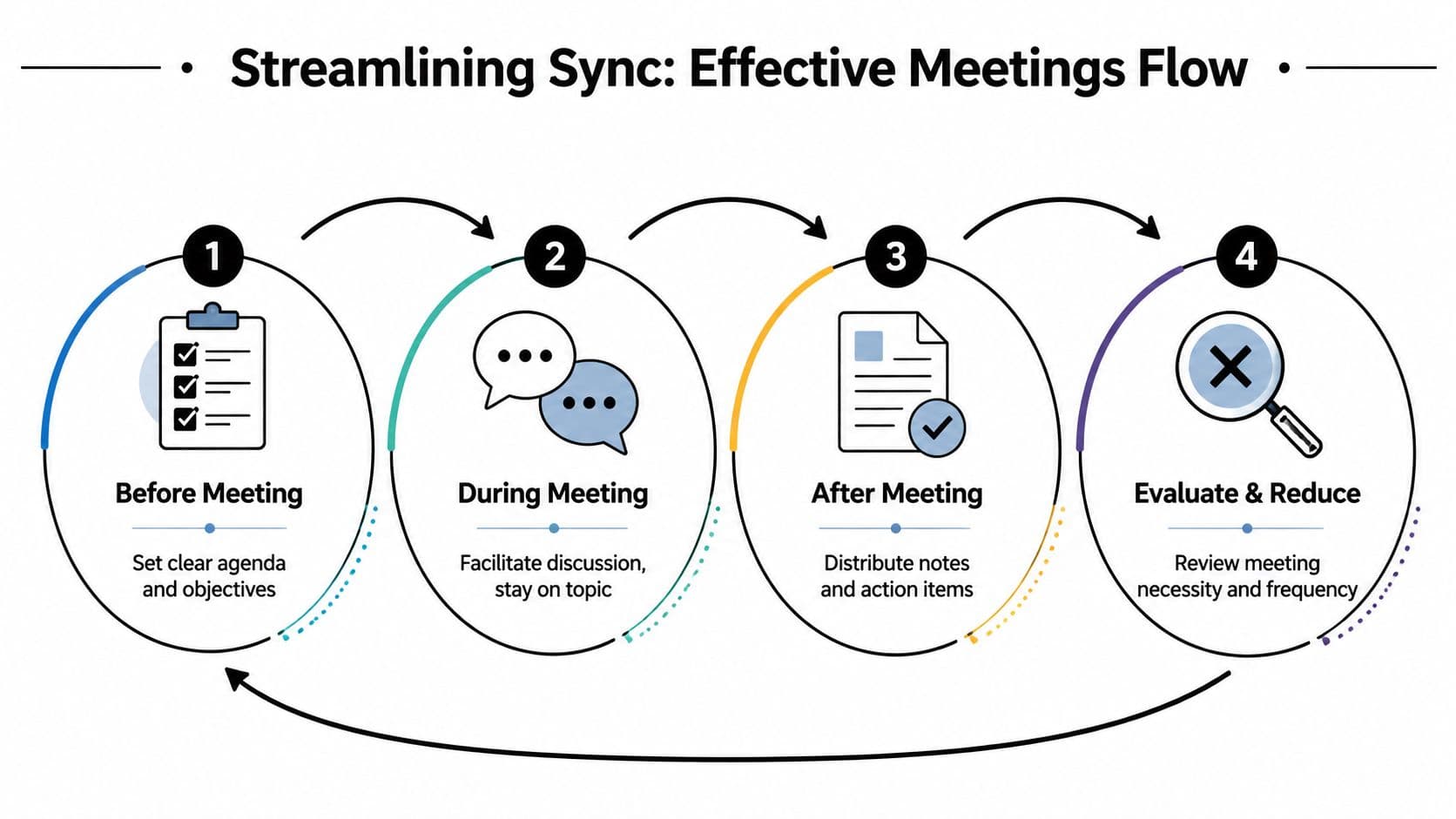
A working agenda beats a polite one
Bad agendas are decorative. They say “project update” or “discuss roadmap” and leave everyone to guess what matters.
A useful agenda inside a task should include:
| Agenda field | What to write |
|---|---|
| Decision needed | The exact call that must be made |
| Context | The short background people need before joining |
| Pre-read | Links or docs to review beforehand |
| Open questions | The specific points that need discussion |
| Owner | Who is facilitating and who records actions |
If there’s no decision needed and no meaningful question to resolve, cancel it.
You can also reduce meeting sprawl by standardizing review habits. Teams that struggle here usually benefit from a tighter process for agendas, notes, and follow-through. This article on effective meeting management is useful if you’re trying to make sync time more disciplined.
Turn talk into work before the call ends
The biggest meeting mistake isn’t rambling. It’s leaving without converting discussion into visible action.
Before anyone drops, capture:
- Owner: One person per action item
- Deliverable: The actual next step
- Due point: A date or a clear trigger
- Dependency: Anything that could block progress
- Decision record: What the group agreed to
Don’t end a meeting with “We’ll follow up.” End it with assigned work and a written decision.
That one habit changes the tone of communication and teamwork more than any facilitation trick I’ve seen. People stop attending meetings to stay informed and start using meetings only when live conversation is worth the interruption.
Reduce Overload and Support Deep Focus
Communication breaks down when volume replaces clarity.
A lot of smart teams accidentally train people to work in fragments. Constant pings. Half-read updates. Interruptions disguised as collaboration. By the end of the day, people have been active for hours and still haven’t done their most important work.
That’s not just inefficient. It also excludes people who need more structure to process information well.

Design for lower noise
Start with a simple rule. Not every message deserves immediate attention.
Teams work better when they separate signals from chatter. That usually means fewer direct messages, fewer “quick” interruptions, and more updates attached to the work itself. It also means people need permission to protect time for focus without looking unresponsive.
Practical habits that help:
- Batch non-urgent communication: Answer at set times instead of reacting all day.
- Use written updates with structure: Short headings, bullets, clear asks.
- Protect focus blocks: Keep calendar space where meetings and chat don’t intrude.
- Prefer visible task comments over private messages: Context stays with the work.
If your team underestimates the cost of mental switching, this explanation of what context switching does to productivity makes the issue concrete.
Neuro-inclusion improves the whole system
This matters even more for neurodivergent team members, especially people with ADHD, who often absorb the cost of disorganized communication first.
A 2023 SHRM survey found that 78% of neurodivergent employees report poor team communication because needs such as visual aids or async updates aren’t being met, while only 12% of teams offer training on how to support them, according to HR.com’s coverage of neurodivergent communication needs. That gap shows up in everyday ways. Fast verbal meetings with no written recap. Priorities that change without being documented. Feedback delivered vaguely or too late to be useful.
Async updates, visual structure, and explicit priorities aren’t special treatment. They’re better operating conditions for knowledge work.
A calmer communication system helps everyone. It helps the person who needs fewer interruptions to write. It helps the manager who wants fewer repeated questions. It helps the teammate who misses verbal details but acts quickly when the task is clear. Better focus and better inclusion are part of the same design choice.
Building Your System for Better Teamwork
Communication and teamwork improve when teams stop relying on individual heroics.
The strongest setups usually share four traits. They define norms so people aren’t guessing. They use visible workflows so work doesn’t disappear between handoffs. They treat meetings as a tool for decisions, not as a default habitat. They protect focus so communication supports work instead of constantly interrupting it.
You don’t need a full reset to get results. Pick one workflow that creates the most stress right now. Write the norms down. Clarify ownership. Tighten the handoff. Cancel one meeting that exists only to ask for updates. Small changes stick better than grand reforms nobody maintains.
If your team also needs support beyond task systems, a good coaching platform can help managers build the communication habits that process alone won’t fix.
Start where the friction is loudest. Then make the next step visible.
If you want a practical place to build that system, try Fluidwave for task tracking, delegation, and clearer async collaboration. Start small with one team, one workflow, and one set of rules people can follow.
Focus on What Matters.
Experience lightning-fast task management with AI-powered workflows. Our automation helps busy professionals save 4+ hours weekly.