Master projects with critical path software. Learn CPM, float & dependencies to finish on time, every time. Essential for busy professionals.
April 15, 2026 (5mo ago)
Critical Path Software: Project Mastery
Master projects with critical path software. Learn CPM, float & dependencies to finish on time, every time. Essential for busy professionals.
← Back to blog
A project can look fine on Monday and feel unmanageable by Thursday. The tasks are all written down. People are busy. Progress is happening. But the deadline keeps slipping anyway.
That usually means the problem isn't effort. It's sequence. One delayed approval blocks design. Design blocks implementation. Implementation blocks testing. Meanwhile, everyone is working hard on tasks that don't move the finish date.
That's where critical path software becomes useful. Not as enterprise jargon. Not as something only construction firms need. As a practical way to see which tasks determine when your work can be finished, and which tasks have room to move.
Why Your Project Is Spiraling and How to Fix It
Most messy projects don't fail because people forgot to make a to-do list. They fail because the list hides the relationships between tasks.
A founder might think the launch is delayed because "marketing is behind." A team lead might think the bottleneck is "too many meetings." A freelancer might feel stuck because everything seems urgent. Often, the deeper issue is simpler. Nobody can clearly see which tasks are blocking everything else.
Your task list isn't showing the real problem
A flat list treats every task like it matters equally. Real work doesn't behave that way.
Some tasks are gates. If they move, the whole project moves. Others are helpful but flexible. If you don't separate those two categories, you end up spending prime attention on the wrong work.
Practical rule: If a task slips and nothing else changes, ask whether the project deadline also slips. If the answer is yes, that task is probably on or near your critical path.
This is one reason so many people bounce between apps, spreadsheets, Slack messages, and sticky notes without feeling more in control. They have visibility into tasks, but not into dependencies.
Why most advice on critical path software misses small teams
A lot of writing on critical path software still assumes a traditional environment. Big construction schedules. Formal project offices. Long, linear timelines.
That leaves a real gap. Existing content on critical path software overwhelmingly focuses on traditional construction, engineering, and large-scale projects, while doing far less for busy professionals, entrepreneurs, and neurodivergent people managing dynamic knowledge work, as noted in the Harvard Business Review discussion of the critical path method.
If you work in operations, content, product, consulting, or client delivery, that gap matters. Your dependencies still exist. They're just less visible.
A useful example from another planning-heavy field is Exayard construction estimating software. Even though estimating and scheduling are different jobs, both depend on turning a messy chain of work into something you can reason about. That's the mindset critical path software brings into everyday project decisions.
The fix is clarity, not more hustle
You don't need more reminders. You need a map.
Critical path thinking gives you one. It answers three questions fast:
- What must happen first
- What can't be late
- What can wait without causing damage
Once you can see those three things, the project stops feeling like a swarm of obligations. It starts looking like a schedule you can manage.
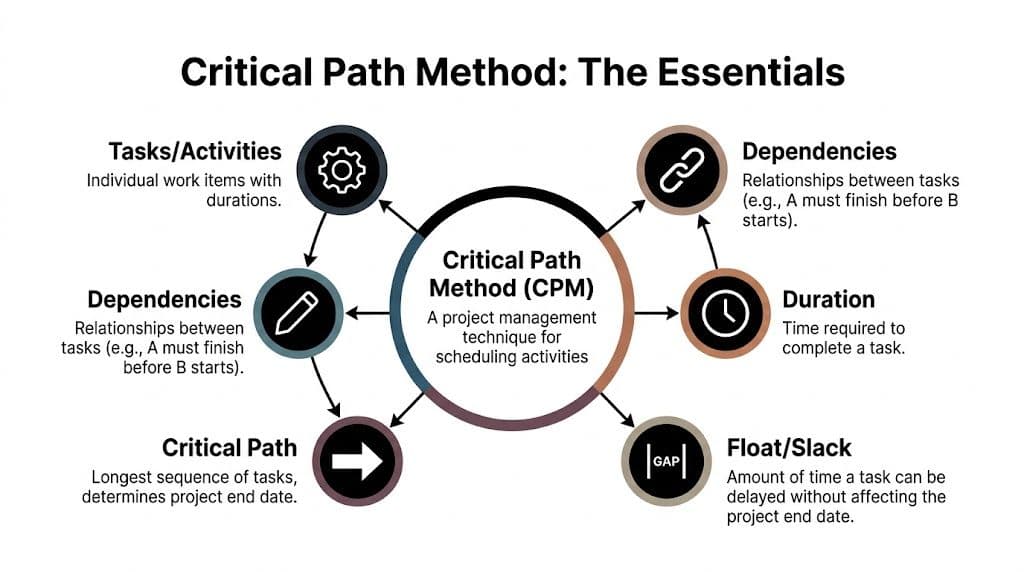
Understanding the Core Concepts of Critical Path
The easiest way to understand the Critical Path Method, or CPM, is to stop thinking about software for a minute and think about baking.
If you're making a cake, you can't frost it before it's baked. You can't bake it before the batter is mixed. Those are dependencies. One task depends on another.
Critical path software maps those relationships, adds time estimates, and shows which chain of tasks controls the finish date.
Dependencies are the order of reality
Some work can happen anytime. Some work has to wait.
In a small team, that might look like this:
- Draft landing page copy before final design
- Approve pricing before checkout updates
- Finish API work before integration testing
- Get legal review before campaign launch
That order is what the software needs first. Without it, you just have a pile of tasks with dates attached.
If you want a visual cousin to CPM, a PERT chart overview is useful because it helps people see how tasks connect before they worry about timeline precision.
The critical path is the longest chain that determines the finish date
This part confuses people because "critical" sounds like "important." In CPM, it means something more specific.
A task is critical when delaying it delays the whole project. The critical path is the longest sequence of dependent tasks that sets the earliest possible completion date.
Historically, CPM has deep roots. It was developed over 27 months from December 1956 to February 1959 by James E. Kelley Jr. and Morgan R. Walker, according to the critical path method history summary. That work gave project managers a structured way to identify the longest chain of dependent activities and the minimum project duration.
Float is your breathing room
Float, sometimes called slack, is the extra time a task can absorb without delaying the project finish.
Back to the cake example. If the decorations can be prepared anytime before the cake cools, that decorating prep has some float. If baking starts late, though, the whole birthday party is in trouble. Baking has little or no float.
That difference matters a lot for busy professionals. It tells you where to focus your limited attention.
A clear schedule doesn't mean every task is urgent. It means you know which tasks aren't.
What the software is doing behind the scenes
Good critical path software automates the math that should never be done by hand.
In CPM software, automatic calculation uses forward and backward pass logic to determine float. Critical tasks have zero float. One example path totals 45 days: Requirements (5 days) → Design (7 days) → Backend (10 days) → API Integration (8 days) → Testing (10 days) → Deployment (3 days) → Launch (2 days), while a parallel UX Design path can have 5 days of float, as described in Adobe's explanation of critical path calculation in software.
You don't need to memorize formulas like earliest start or latest finish. The practical takeaway is this:
- If a task has zero float, protect it.
- If a task has some float, use that flexibility wisely.
- If dependencies change, the path can change too.
For neurodivergent professionals, this can be especially helpful. Instead of asking, "What should I do next?" in a vague way, the software narrows the question to, "What task is controlling the outcome?"
Must-Have Features in Modern Critical Path Software
Not all critical path software is equally useful in real work. Some tools can calculate a path but still make day-to-day management awkward. Others help you act on the schedule, not just admire it.
Start with visibility you can scan quickly
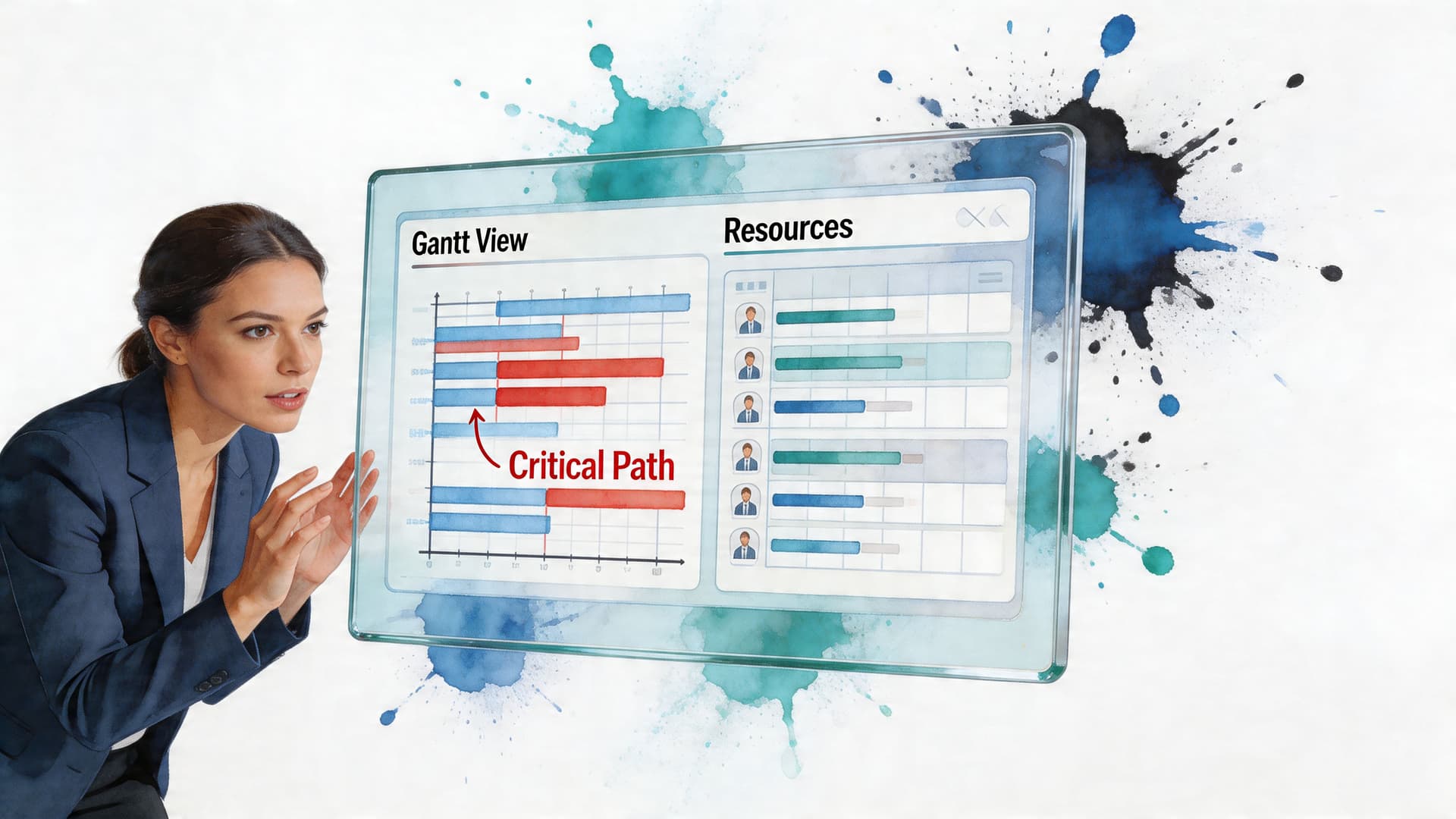
The first feature to look for is a dynamic Gantt chart. If the timeline doesn't update when dates or dependencies change, you'll stop trusting it.
A good Gantt view should make three things obvious at a glance:
- Which tasks are linked
- Which tasks are on the critical path
- Where delays are starting to ripple
For teams that haven't built timelines before, a guide on how to create a Gantt chart can help translate abstract planning into something visible and editable.
Dependency handling should feel easy, not brittle
Many tools break down under these conditions.
If setting a predecessor relationship feels tedious, people won't keep the schedule current. Then the software becomes decorative. You want drag-and-drop dependency mapping, simple editing, and a clear way to spot broken logic.
The useful test is practical: can a non-specialist update the plan after a reschedule, or does the whole system depend on one project manager guarding the file?
Resource balancing matters more than most teams expect
Schedules don't fail only because the order is wrong. They also fail because too much work lands on one person at once.
Look for resource leveling or workload flags. These features help you see when the same person is booked across multiple tasks that overlap in unrealistic ways.
That matters for small teams because the bottleneck is often one person with unique knowledge. Founder approval. Senior developer review. Client sign-off. Critical path software should surface those overloads before they become deadline problems.
A short demo helps make that concrete:
What-if planning is where software becomes strategic
Strong tools let you test scenarios without rebuilding the whole plan.
Ask questions like:
- What happens if testing starts later than expected
- What if legal review takes longer
- What if one assignee becomes unavailable
- Can we move a non-critical task without harming launch
That kind of modeling is especially valuable for entrepreneurs and agency teams, because work rarely unfolds in a perfectly linear way.
Decision shortcut: If a tool only shows today's schedule but can't help you test tomorrow's changes, it's a tracker, not real critical path software.
Other useful capabilities include baseline comparisons, planned-versus-actual tracking, and simple alerts when a task moves from flexible to urgent. Those features don't just organize projects. They support better judgment under pressure.
How to Evaluate and Choose Your Software
The wrong tool creates a new problem. Instead of helping you manage dependencies, it gives you another system to maintain.
The best choice usually isn't the platform with the most features. It's the one your team will keep updated.
Match the tool to the kind of work you do
A solo consultant doesn't need the same setup as a large engineering office. A startup team running campaigns, product updates, and client onboarding needs something else again.
Use these questions to narrow the field:
- How complex are your dependencies
- Who will maintain the schedule
- Do people prefer list, calendar, Kanban, or Gantt views
- Do you need delegation or just tracking
- Will the tool fit your current workflow without heavy training
If your projects involve shared workloads, approvals, or shifting ownership, it also helps to understand the basics of resource allocation in project management, because poor allocation can make any schedule look broken.
Use a simple scoring table
Here is a practical evaluation sheet you can copy into a document or spreadsheet.
| Evaluation Criteria | Why It Matters | Score (1-5) |
|---|---|---|
| Ease of use | If the interface feels heavy, people won't maintain dependencies or dates. | |
| Critical path visibility | You need to see which tasks control the finish date without digging. | |
| Dependency management | Fast editing keeps the schedule realistic as work changes. | |
| Multiple views | Different people think better in Gantt, Kanban, list, or calendar formats. | |
| Resource management | Helps prevent overloads that quietly create bottlenecks. | |
| Scenario planning | Lets you test delays and resequencing before problems hit. | |
| Collaboration | Teams need comments, ownership, and updates in one place. | |
| Integration fit | The tool should work with your current calendar, communication, and document habits. | |
| Scalability | It should still work if your team or workload grows. | |
| Pricing model | The cost structure should match your real usage, not punish small teams. |
Watch for overbuying
A common mistake is buying software designed for huge, formal programs when you're really running a lean team.
That usually creates friction in three ways:
- Too many fields that no one wants to fill out
- Too much ceremony around simple updates
- Too little flexibility for fast-moving work
Pick the lightest tool that still handles dependencies, visibility, and schedule changes well. If it can do those three jobs reliably, you're already ahead of many others.
Common Pitfalls When Using Critical Path Analysis
Critical path software can make a messy project clearer. It can also create false confidence if you use it lazily.
The schedule isn't truth. It's a model. If the model is stale or shallow, the output will look precise and still mislead you.
Set it and forget it doesn't work
The critical path can change during the life of the project.
A delayed review, a changed dependency, or a reassigned task can create a new bottleneck. If no one updates the schedule, the tool keeps showing yesterday's logic.
That creates a dangerous kind of comfort. Teams think they're managing risk because the chart exists.
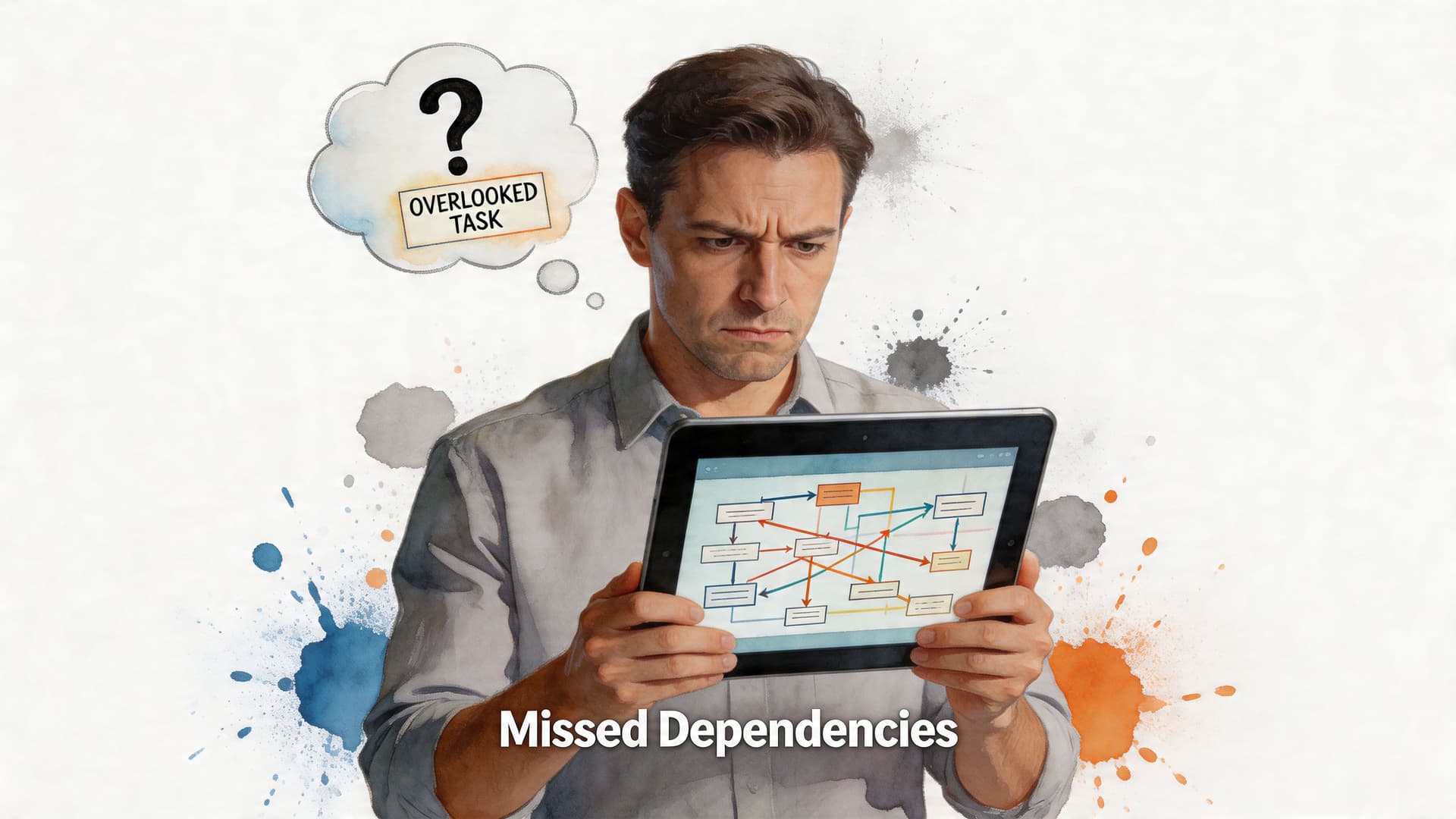
Bad estimates poison good software
If task durations are unrealistic, the path may be mathematically correct and practically useless.
This happens a lot in knowledge work. People estimate the time to do the work, but not the time to switch into it, wait for feedback, recover from interruptions, or handle revision loops.
For ADHD-affected or interruption-heavy environments, that's a big deal. The cleaner your task breakdown, the easier it is to estimate with honesty.
A few habits help:
- Use short review cycles instead of trusting one early estimate forever
- Separate creation from approval because they often have different timing risks
- Track actual duration so future planning gets sharper
- Name waiting states such as "client review" or "needs sign-off"
Near-critical tasks deserve more attention
Many teams focus only on the officially critical path and miss the tasks sitting just behind it.
A frequently overlooked issue is the handling of near-critical paths, where tasks with low float can quickly become critical. For freelancers or teams using pay-per-task delegation, delays in handing off those tasks can create bottlenecks, a challenge discussed in Mosaic Projects' notes on near-critical paths and low float.
Watch the tasks with a little breathing room, not just the tasks with none. Those are often tomorrow's fire.
Classic CPM can feel rigid in agile teams
This is a real criticism.
If your work changes every few days, a fully locked sequence can become annoying fast. But that doesn't mean CPM is useless. It means you should use it selectively.
For hybrid work, keep the structure around milestones, approvals, releases, and cross-team handoffs. Leave room for flexible execution inside those boundaries. That gives you enough discipline to spot bottlenecks without forcing every task into a false certainty.
Putting It All Together with Fluidwave
For many busy professionals, the hard part isn't understanding critical path logic. It's applying it without turning work into a project management hobby.
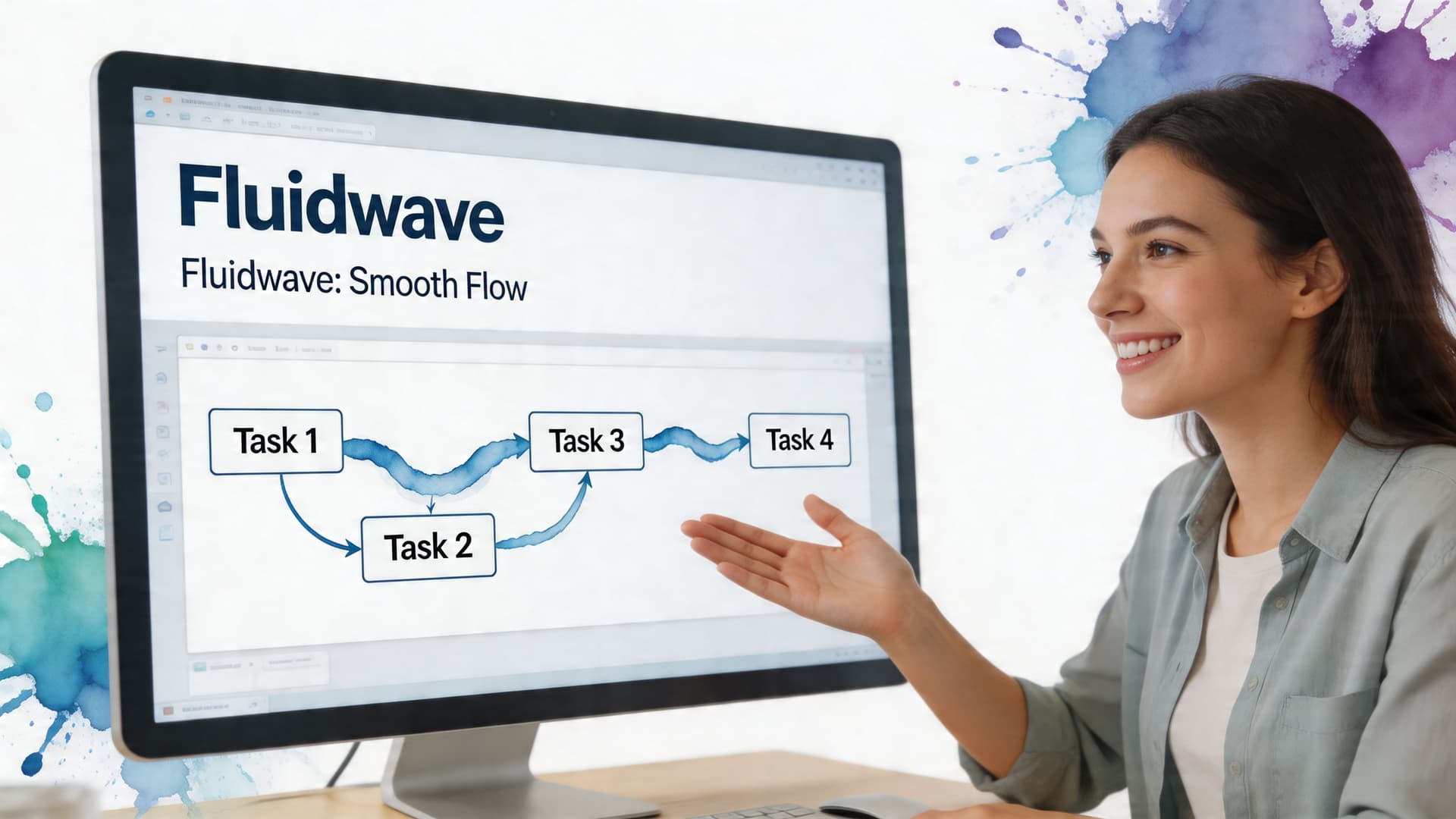
That's where a more flexible setup helps. Instead of forcing everyone into one rigid view, some tools let you move between formats while preserving the structure underneath.
A practical example with a marketing launch
Say you're launching a small campaign.
You have these moving parts:
- Offer finalized
- Landing page written
- Design approved
- Email sequence built
- Tracking installed
- QA completed
- Launch scheduled
Some of those can overlap. Others can't.
If design approval blocks the page build, and the page build blocks QA, those tasks become part of the path that controls launch timing. Meanwhile, something like preparing a secondary social asset might have float. Useful work, yes. Deadline-defining work, no.
In a modern workspace, that should show up clearly whether you prefer a list, a board, or a timeline.
Why this matters for small teams and neurodivergent professionals
Traditional CPM tools often assume someone has time to maintain a formal schedule. Many founders, freelancers, and operators don't.
They need the software to do more of the sorting work. They also need the system to support different cognitive styles. Some people think in timelines. Others need a Kanban board. Others need a short prioritized list they can act on without mental overhead.
Early CPM adoption at DuPont in 1958 reduced plant maintenance durations by 25%, cutting typical shutdowns from 120 hours to 90 hours by identifying zero-float tasks, according to PMI's account of the origins of CPM software. The same core idea shows up in modern tools that automatically visualize and prioritize critical tasks, and the verified product brief for this article notes that this kind of automation can save users over four hours per week.
Delegation works better when float is visible
Here, everyday workflow management gets interesting.
If a task has float, it may be a strong candidate for delegation. If a task sits on the critical path, you may want tighter control, faster review, or a more experienced owner.
That logic is especially useful in pay-per-task environments. Instead of delegating randomly, you can delegate around the schedule:
- Keep zero-float decisions close
- Hand off flexible support tasks sooner
- Review near-critical work before it turns urgent
- Use visual cues to reduce context switching
For busy professionals, that's the central promise of critical path software. Not just better charts. Better attention.
Frequently Asked Questions About Critical Path Software
Can I use critical path software for personal projects
Yes. It works well for personal projects if the work has dependencies.
A move, a course launch, a hiring process, or a home renovation all involve tasks that must happen in a certain order. The method becomes especially helpful when your brain treats everything as equally urgent.
Does critical path software fit agile work
It can, if you use it for the parts of agile work that are sequential.
Sprint tasks may stay flexible, but releases, approvals, cross-team dependencies, and external deadlines often benefit from critical path visibility. Think of it as structure around the edges, not a cage around every task.
What's the difference between CPM and PERT
CPM focuses on task order, duration, and the longest dependency chain that determines the finish date. PERT is often used when task durations are more uncertain and you want to model that uncertainty more explicitly.
In plain language, CPM is usually the more practical day-to-day tool for schedule control.
Do I need a Gantt chart to use critical path software
Not always, but it helps.
A Gantt view makes dependencies and timing easier to understand quickly. Some people still prefer list or Kanban views for execution, but the Gantt often gives the clearest picture of what is driving the deadline.
Is critical path software too rigid for ADHD or interruption-heavy work
It doesn't have to be.
The trick is to use it as a decision aid, not as a punishment system. Keep tasks realistic, review the path often, and use visual prioritization to reduce the need to constantly re-decide what matters most.
If your work has lots of moving parts, shifting priorities, and tasks that depend on other tasks, Fluidwave is worth a look. It combines multiple work views with AI-driven prioritization and delegation options, which can make critical path thinking more usable for everyday professional workflows.
Focus on What Matters.
Experience lightning-fast task management with AI-powered workflows. Our automation helps busy professionals save 4+ hours weekly.