Learn crashing in project management to save time & costs. Our guide covers methods, tradeoffs, pitfalls, and execution with modern tools.
April 24, 2026 (4mo ago)
Master Crashing In Project Management
Learn crashing in project management to save time & costs. Our guide covers methods, tradeoffs, pitfalls, and execution with modern tools.
← Back to blog
A project begins to fall behind schedule at first. One vendor misses a handoff. A review cycle takes longer than planned. A key contributor gets pulled into another priority. Then the deadline that once felt tight but manageable turns into a daily problem.
That’s the moment many teams make their worst schedule decisions. They push everyone harder, spread attention across too many tasks, and burn money on work that doesn’t move the delivery date. The pressure is real, but panic is expensive.
Crashing in project management is the disciplined alternative. It means shortening the schedule by adding resources to the work that controls the finish date. That can mean overtime, temporary specialists, outside help, or targeted outsourcing. Used well, it protects a milestone. Used badly, it turns a late project into a late, over-budget, exhausted project.
The stakes aren’t theoretical. According to the Standish Group CHAOS 2020 figures summarized here, 66% of technology projects end in partial or total failure, large projects succeed less than 10% of the time, 31% of US IT projects are canceled outright, and 53% are challenged due to poor performance. If you manage projects long enough, you don’t just admire schedule recovery techniques. You need them.
Your Project Is Late What Now
When a project goes late, teams often ask the wrong first question. They ask, “Who can work faster?” The better question is, “What work is driving the end date?”
That difference matters because crashing isn’t a general effort increase. It’s a selective move. You add resources only where extra capacity can shorten the overall timeline. If the task isn’t controlling delivery, speeding it up may feel productive while changing nothing important.
What crashing actually means
In practical terms, crashing means assigning more help to schedule-critical work. Sometimes that’s extra engineering capacity on a blocked build. Sometimes it’s a contract designer who clears a production bottleneck. Sometimes it’s paying for faster vendor turnaround, or having a specialist take over a task that the core team can’t finish quickly enough.
It is not a rescue plan for every kind of delay.
If requirements are still changing, if approvals are frozen, or if leadership hasn’t decided what “done” means, adding people usually creates more coordination and more rework. Crashing works best when the work is understood, the path is clear, and time is the thing you need to buy back.
Practical rule: Crash clarity, not chaos. If the task definition is fuzzy, tighten the task before you add resources.
Why leaders keep reaching for the crash lever
The reason is simple. Deadlines often don’t move, even when reality does. Product launch windows stay fixed. Client commitments stay on the calendar. Internal dependencies keep stacking behind one delayed milestone.
In those moments, crashing gives a project director one of the few legitimate levers left. You’re not pretending the plan is fine. You’re making a conscious cost-for-time trade.
That trade has to be earned. The teams that do this well stay brutally focused on the finish line, not on visible busyness. They know the point isn’t to make the project feel urgent. It already does. The point is to remove time from the parts of the plan that matter most.
What experienced teams understand
Strong operators don’t treat crashing as failure. They treat it as a controlled intervention.
That mindset matters because late projects trigger emotion. Sponsors want confidence. Team leads want relief. Contributors want clear priorities. A good crash plan provides all three. It says: here is the critical work, here is the cost of compressing it, here is who owns each move, and here is what we will not accelerate because it won’t help.
That’s the difference between schedule recovery and schedule theater.
Deciding When to Crash Your Project Timeline
A crash decision should feel deliberate, not desperate. If you can’t explain why this project deserves extra cost and extra coordination, don’t crash it.
Global project management statistics summarized by NoraTemplate’s overview of project crashing report that 70% of projects fail worldwide, and 50% overrun budgets by an average 27%. Delay is expensive on its own. The question isn’t whether lateness hurts. It’s whether crashing will recover enough time to justify the new cost and risk.

Situations where crashing makes sense
Some triggers are legitimate. Some aren’t.
A project is usually a serious crash candidate when one of these conditions is true:
- The deadline is fixed: A launch date, contractual handoff, board commitment, or compliance milestone won’t move.
- The delay is localized: A small number of tasks are driving most of the schedule risk.
- The work is well defined: You know what done looks like, so extra hands can contribute without constant reinterpretation.
- The economics support it: Finishing on time matters more than the added labor or outsourcing cost.
- Resources can be added quickly: You have people, partners, or specialists who can join without a long ramp-up.
This is where experienced judgment matters. A one-week recovery on a noncritical internal initiative may not warrant a crash. The same one-week recovery on a revenue-tied launch probably does.
Situations where crashing is the wrong move
Plenty of teams crash for the wrong reasons. They’re trying to cover for weak planning, unstable scope, or indecisive governance.
Don’t crash when:
| Condition | Why it fails |
|---|---|
| Scope is still moving | Added resources amplify rework |
| Budget is rigid | The project can’t absorb the cost tradeoff |
| Quality or safety is non-negotiable in execution | Compression raises the risk of mistakes |
| The team is already depleted | Extra pressure creates burnout faster than progress |
| The blocked work isn’t on the critical path | Spend goes up, finish date doesn’t change |
A lot of failed crash efforts start with a reasonable instinct. “Let’s just throw more help at it.” That instinct breaks down if the work is bottlenecked by decision-making, not labor.
A crash plan should target a schedule constraint, not an organizational frustration.
The time cost curve is real
The hard part about crashing is that time doesn’t get cheaper as you get more desperate. It gets more expensive.
Early reductions in duration may be affordable. After that, each additional day saved tends to cost more because you’re pulling in scarcer talent, adding overtime, increasing management overhead, or forcing handoffs that need tighter supervision. Eventually you hit the practical crash limit. Past that point, more spend doesn’t create more speed.
That’s why mature teams don’t ask, “How fast can we finish?” They ask, “What is the least expensive way to recover the specific time we need?”
Why earlier is better
Crashing gets weaker as the project gets older. Early in the lifecycle, you still have room to reassign work, add specialists, and absorb onboarding. Later on, every change is squeezed by dependencies, coordination friction, and fatigue.
A good rule is simple. If the project is trending late, evaluate crash options as soon as the delay affects a critical milestone. Don’t wait for the plan to become visibly unrecoverable. By then, most of the cheap options are gone.
A quick decision test
Before approving a crash, ask five questions:
- What exact date are we protecting
- Which tasks are controlling that date
- Can those tasks be shortened with more resources
- What will it cost to buy back that time
- What new risks are we accepting in return
If your team can’t answer those cleanly, you’re not ready to crash. You’re just under pressure.
The Method to a Successful Project Crash
A crash succeeds when it starts with analysis, not optimism. The mechanics aren’t glamorous, but they’re reliable. Find the path that controls delivery. Evaluate which tasks on that path can be shortened. Then compare the cost of each option before changing the plan.
The technical backbone is critical path method, followed by a cost-time tradeoff calculation. Hive’s guide to crashing summarizes the core formula as (crash cost - normal cost) / (normal time - crash time) in its discussion of critical path analysis and crash cost per unit time.
Start with the path that matters
Every crash plan begins with one discipline: identify the tasks that determine the finish date.
If your schedule logic is weak, fix that first. A dependency map, network diagram, or PERT view will usually expose whether the project is late or whether one noisy workstream is just attracting too much attention. If you need a refresher on mapping uncertainty and dependencies, a good primer on PERT chart basics helps sharpen that view.
A simple working approach looks like this:
- List dependencies clearly: Not “design supports development,” but “API schema approval must finish before integration starts.”
- Mark the longest dependent chain: That’s the candidate critical path.
- Check for near-critical paths: Crashing one path can cause another to become critical.
- Ignore vanity acceleration: Shortening a task with float may look good in status updates and do nothing for delivery.
Calculate the cheapest time to buy
Once you know the critical path, compare the crash options task by task. The crash cost slope tells you how much extra cost you incur for each unit of time saved.
Use the formula exactly as stated above. You don’t need elaborate software to understand the logic.
Here’s a simple example with no numbers attached. Suppose one critical task can be shortened through contractor support, while another can only be shortened through overtime from your existing team. If contractor support produces a lower cost per day saved, that task is the better first target. If overtime is more expensive and also risks fatigue, it should move down the list unless it provides a bigger scheduling gain.
The formula doesn’t make the decision for you. It prevents bad instincts from making it for you.
Operator’s view: The cheapest task to crash isn’t always the first one to crash. The right first move is the one that reduces the total project duration with the least painful side effects.
Build the crash package, not just the math
A spreadsheet can identify an efficient target. It can’t tell you whether the team can absorb the change.
That’s why a workable crash plan needs four elements together:
| Element | What to define |
|---|---|
| Task target | Which critical path activity will be shortened |
| Resource source | Overtime, internal reassignment, contractor, vendor, specialist |
| Approval path | Who authorizes cost, scope protection, and operational changes |
| Monitoring rule | How you will track progress, cost, and quality during the crash |
Too many project managers stop at “add another person.” That’s not a plan. It’s a staffing idea. A real crash package spells out who joins, when they start, what they own, who they report to, and what work stays with the original owner.
Secure stakeholder buy-in before acceleration starts
Crashing changes the project contract, even if the formal scope stays the same. Cost goes up. Workload changes. Risk moves around.
So get explicit agreement on three things:
- What date you’re protecting
- What additional spend or tradeoff is being approved
- What quality controls are essential
Without that alignment, the team gets trapped between contradictory expectations. Leadership wants the date. Finance wants the old budget. Delivery leads want quality preserved. The result is hidden compromise.
A good crash conversation sounds plain. “We can recover time on these tasks. It will require additional cost and tighter oversight. Here are the risks. Here is the stop point if benefits flatten.”
Recalculate after every move
Crashing isn’t a one-time act. Every time you shorten part of the critical path, the schedule shifts.
That means you should recalculate dependencies and identify the new controlling path after each meaningful adjustment. Sometimes the original bottleneck disappears and another one takes its place. If you keep crashing the old area out of habit, you’ll spend money with no timeline gain.
At this point, many rescue efforts drift off course. The team launches a crash, sees activity increase, and assumes progress is happening. A disciplined project director keeps checking one thing: did the finish date move?
Use selective delegation to reduce friction
Traditional crash guidance usually talks about overtime, hiring, and generic “additional resources.” In practice, selective delegation often works better than blunt expansion.
If a lead engineer is stuck doing documentation cleanup, status prep, vendor follow-up, or administrative coordination while also owning a critical delivery task, the crash move may be to offload the surrounding work rather than crowd more people onto the technical task itself. The same applies in marketing, operations, design, and client delivery.
That kind of delegation preserves expert focus. It often shortens the schedule more cleanly than adding another generalist to the core task.
Crashing vs Fast Tracking Which Is Right for You
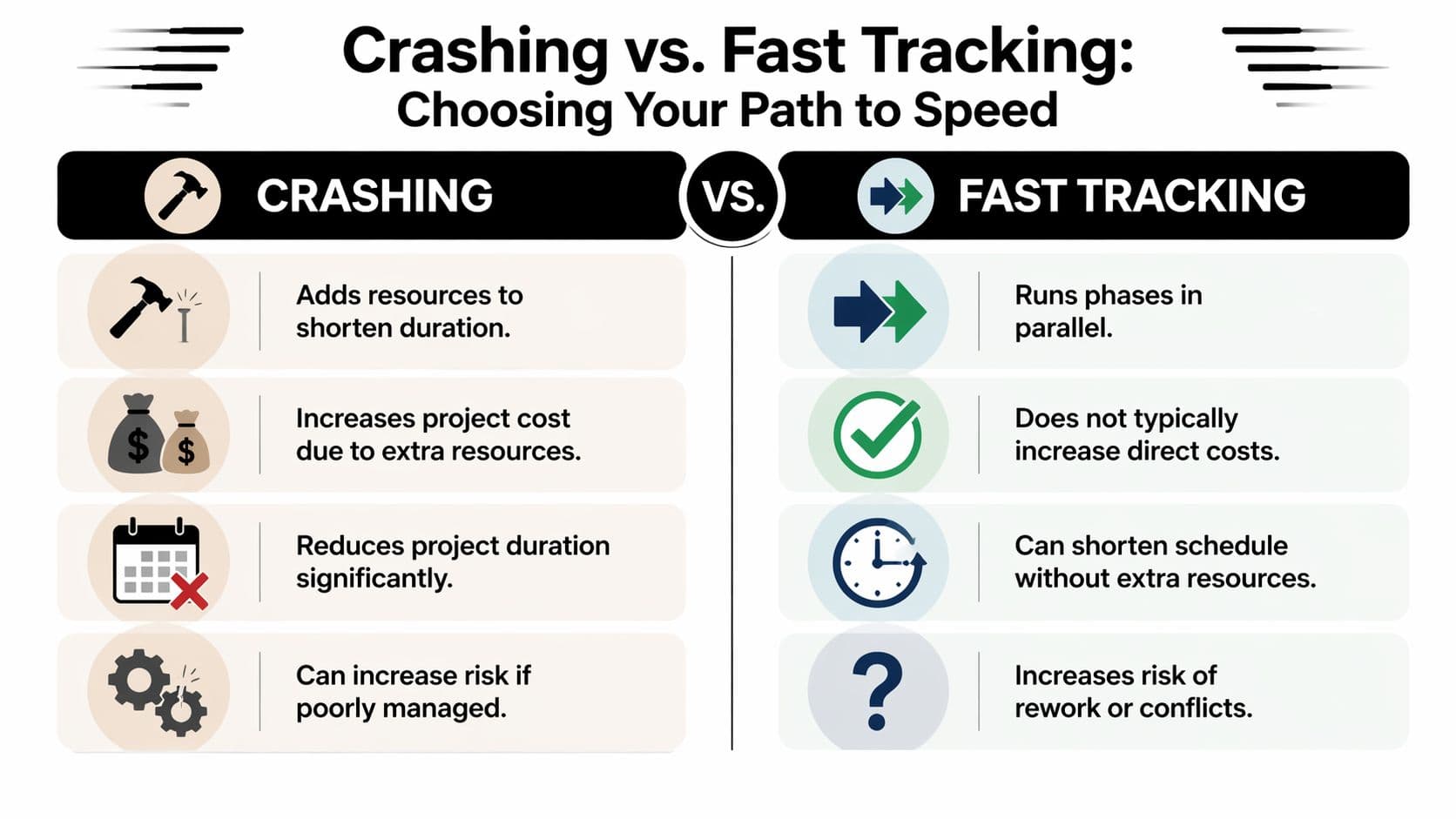
Crashing and fast tracking both shorten schedules, but they solve different problems. If you confuse them, you’ll choose the wrong pain.
Crashing in project management adds resources to shorten duration. Fast tracking changes sequence so work that was planned one after another happens in parallel instead. One buys speed with cost. The other buys speed with overlap risk.
The simplest way to choose
Use crashing when the sequence is sound but capacity is too thin.
Use fast tracking when the work can safely overlap but adding people won’t help much.
That distinction gets sharper when you lay the options side by side.
| Decision factor | Crashing | Fast tracking |
|---|---|---|
| Core move | Add resources to critical work | Overlap originally sequential tasks |
| Budget effect | Higher direct cost | Lower direct cost, but possible rework cost |
| Main risk | Coordination strain, fatigue, uneven quality | Rework, dependency conflicts, approval churn |
| Best fit | Fixed deadline with available budget or external help | Flexible task dependencies and strong cross-team coordination |
| Worst fit | Unclear work or exhausted team | Complex tasks that depend on finalized upstream output |
What this looks like in practice
Consider a software release. If testing is late because the team lacks hands, crashing might mean adding temporary QA support or offloading adjacent noncritical work from the lead tester. If testing is late because development and test planning were sequenced too conservatively, fast tracking might mean writing test cases before all build work is complete.
Or take a brand launch. If creative production is behind because one designer owns too many deliverables, crashing could mean bringing in freelance production support. If legal review and channel prep can happen while final visual tweaks are still underway, that’s fast tracking.
The methods can coexist, but they shouldn’t be blended casually. Once you overlap tasks, the chance of rework rises. Once you add resources, the management load rises.
The decision usually turns on one constraint
Ask what you have more of: money or certainty.
If you have budget and a stable work definition, crashing is usually cleaner. If budget is tight but the dependencies have some flexibility, fast tracking may be the better bet.
If both budget and certainty are weak, neither technique will save you. You likely need to re-scope, re-plan, or reset the deadline.
For teams managing dependency-heavy schedules, software that surfaces the critical chain clearly can make the choice easier. A practical overview of critical path software is useful when you need to see whether your problem is sequence, capacity, or both.
Fast tracking is a sequencing gamble. Crashing is a spending decision. Choose the kind of pain your project can actually survive.
How to Execute a Crash with Fluidwave
Most project crashing advice stops at “add resources.” That sounds sensible until you try to do it midstream. Then the true problems show up. Who takes which task. What can be delegated safely. How you monitor added spend. How you keep communication from turning into the new bottleneck.
That gap is real. A Scribd summary on the topic notes that existing literature often misses the mechanics of rapid team scaling through strategic delegation to external resources like virtual assistants. For small teams, founders, and lean operators, that omission matters because they usually can’t solve schedule pressure with traditional hiring.
Use the board to expose overload, not just status
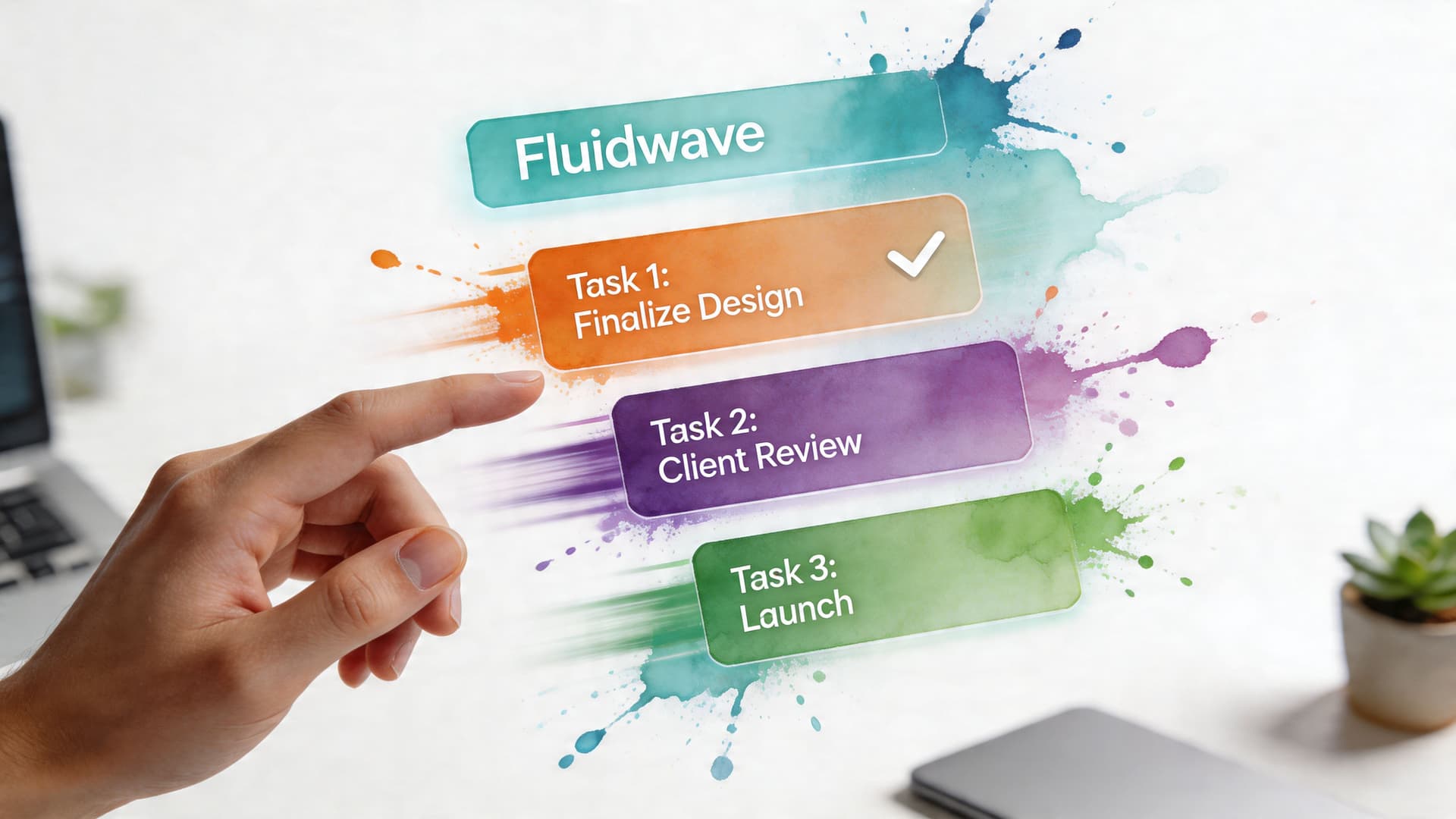
A Kanban or card-based workspace is valuable during a crash because it shows concentration of work fast. You can usually spot where one person owns too many blocked handoffs, approvals, or follow-up items that are starving a critical deliverable.
The key is to separate tasks into three categories:
- True critical-path work: Tasks that directly affect the finish date
- Support work around critical tasks: Documentation, coordination, status reporting, scheduling, asset prep
- Noise: Work that feels urgent but has little effect on the milestone
That middle category is where modern crash execution gets smarter. Instead of piling more specialists onto the core task, you strip away the surrounding work so experts can stay on the hard part.
Delegate the edges before you crowd the center
Flexible task management and pay-per-task delegation become useful. In a tool that combines task visibility with access to external assistants, a project lead can move peripheral workload out of the way without committing to full-time hires.
Examples include:
| Overloaded owner | Delegate these first | Keep these in-house |
|---|---|---|
| Product lead | Meeting prep, status consolidation, follow-up tracking | Priority calls, tradeoff decisions |
| Designer | Asset resizing, file organization, upload workflows | Core concept and final quality review |
| Operations manager | Vendor chasing, schedule coordination, documentation cleanup | Escalations and final approvals |
| Founder | Inbox triage, research packaging, calendar coordination | Strategic decisions and stakeholder management |
That’s often a better crash move than adding another high-cost specialist who needs ramp-up time and still can’t make the final calls.
Track cost and capacity in the same place
A crash gets messy when the project schedule lives in one tool, delegation requests live in another, and spend is tracked after the fact in a spreadsheet. By then, the team is working from memory and instinct.
A modern task platform helps if it allows you to assign work, monitor status in real time, and tie delegated tasks to budgets and due dates. That’s especially useful for teams running lean, because the risk in a crash isn’t just overspending. It’s overspending invisibly.
If you’re managing a compressed timeline, capacity planning matters as much as task planning. A practical guide to resource allocation in project management is worth reviewing before you start moving work around aggressively.
Reduce burnout by protecting focus
The old crash model is blunt. Ask the team to work longer, then hope quality holds.
A better model protects deep work and delegates friction. Busy professionals, neurodivergent users, and people who lose momentum through constant context switching often perform better when the system removes low-value interruption instead of increasing pressure.
That means a sensible crash environment should do a few things well:
- Surface the next priority clearly
- Keep delegated work visible
- Minimize notification chaos
- Make handoffs explicit
- Show overdue items before they become emergencies
Those aren’t nice-to-haves during a crash. They determine whether the team spends its energy shipping the milestone or managing the rescue effort.
The best crash execution doesn’t feel louder. It feels narrower. Fewer people touch the most critical work, and more of the surrounding burden gets peeled away.
Keep ownership crisp
One mistake I see often is pseudo-delegation. A leader assigns supporting work out, but the original owner still has to chase it, explain it repeatedly, and clean it up afterward. That’s not delegation. It’s extra coordination disguised as help.
For delegated crash work to pay off, each task needs:
- a clear output
- a clear due date
- a clear reviewer
- a clear budget or effort limit
When those are explicit, outside support can reduce schedule pressure without creating a second management problem.
Common Crashing Pitfalls and How to Avoid Them
Late projects tempt teams into expensive shortcuts. Crashing helps only when it stays narrow, measured, and honest about tradeoffs.
One of the clearest warnings is timing. ProjectManager’s discussion of crashing notes that late-stage deployment loses effectiveness after 50% project completion, while early intervention correlates with 8% faster execution in best-performing projects. That lines up with what seasoned delivery leads already know. The later you wait, the fewer useful moves remain.

Crashing noncritical work
This is the classic mistake. A team sees visible delay in a workstream and adds effort there without proving that the task controls the finish date.
Avoid it by forcing one discipline before any spend is approved: show the dependency chain and show the expected impact on the milestone. If that link is weak, don’t crash the task.
Waiting too long to intervene
A lot of teams hold out hope that momentum will somehow recover on its own. Then they attempt a crash when the project is already deep into execution and the remaining tasks are tightly coupled.
By that stage, extra help often arrives too late to contribute cleanly. Ramp-up time, review burden, and coordination drag eat the theoretical gain. If a key milestone starts slipping, evaluate crash options then, not after the schedule has already hardened around the delay.
Using crashing to mask scope creep
Crashing is not a cure for expanding requirements. If the team keeps accepting new asks while trying to compress the timeline, every added resource gets absorbed by churn.
That’s why schedule recovery and scope control have to travel together. If your project is slipping because the work keeps growing, tighten change control first. A useful practical resource on this is Aakash Gupta’s guide on how to handle scope creep. It pairs well with crash planning because it addresses the problem that often makes crashing fail before it starts.
Burning out the people you can least afford to lose
When leaders say “we need everyone to push,” they usually mean the top performers will absorb the hit. That works briefly. Then quality drops, tempers shorten, and review cycles slow down because the people making the hardest decisions are cooked.
Use simple safeguards:
- Cap work in progress: Don’t let every urgent task start at once.
- Protect specialist time: Remove admin and coordination work before adding overtime.
- Add review checkpoints: Compressed work needs tighter quality gates, not fewer.
- Define a stop rule: If the crash no longer moves the finish date, stop spending.
Forgetting to close the loop
A crash plan should end formally. Once the milestone is protected or the cost stops making sense, reset roles, workloads, and expectations.
Without that reset, teams stay in emergency mode long after the emergency passes. That’s how a short-term schedule intervention turns into a culture of permanent urgency.
A strong project manager doesn’t prove toughness by keeping the team in crash mode. They prove judgment by knowing exactly when to enter it and exactly when to stop.
Crashing has a bad reputation because many teams use it sloppily. Used with discipline, it’s one of the few honest ways to recover time when the deadline won’t move. Focus on the critical path. Buy only the time that matters. Delegate the edges. Protect quality. Recalculate often.
If you need a cleaner way to manage a project crash, Fluidwave gives you one place to organize critical tasks, delegate supporting work, track progress in real time, and use flexible virtual assistant support without committing to full-time headcount. It’s a practical option for teams that need schedule recovery without turning the project into chaos.
Focus on What Matters.
Experience lightning-fast task management with AI-powered workflows. Our automation helps busy professionals save 4+ hours weekly.