Unlock real automation savings in time & money. Calculate ROI with simple formulas, see examples, & avoid pitfalls with our 2026 guide.
July 13, 2026 (3mo ago)
Maximize Automation Savings: Your 2026 Guide
Unlock real automation savings in time & money. Calculate ROI with simple formulas, see examples, & avoid pitfalls with our 2026 guide.
← Back to blog
Your workday probably doesn't feel expensive. It feels fragmented.
You clear email, reschedule a meeting, update a CRM field, rename a file, chase an approval, send the same status note again, then spend twenty minutes figuring out what to do next. None of that looks dramatic on a calendar. Put together, it drains hours, attention, and momentum.
That's where automation savings becomes useful. It turns daily friction into something you can measure. Not just in dollars, but in reclaimed focus, fewer context switches, and more time for work that moves a project forward. For operators, founders, team leads, and independent professionals, that shift matters more than most software demos admit.
The point isn't to automate everything. The point is to stop paying for the same mental and administrative effort over and over.
The Hidden Cost of Your Daily Grind
A lot of professionals aren't buried under one giant problem. They're buried under fifty tiny ones.
A founder spends the first hour of the day answering repeat questions from the team, forwarding customer notes, and checking whether an investor update went out. A consultant loses momentum every time a client asks for the same onboarding steps again. An operations manager spends more time moving information between tools than making decisions inside them.
That work looks harmless because each task is short. Its cost accumulates. Repetition creates drag. Switching between inboxes, calendars, spreadsheets, Slack, and task boards leaves people mentally scattered before they've touched their highest-value work.
You don't feel the cost of repetitive admin as one big bill. You feel it as constant interruption.
This is why automation savings is more than a software metric. It's a practical way to look at your to-do list as a ledger. Every recurring task carries a time cost, a focus cost, and an opportunity cost. If a process happens often enough, even a small reduction matters.
That's true in niche service businesses too. If you run logistics-heavy operations, tools built to automate your moving business show the same pattern. The administrative layer often grows faster than the company does, and automation works best when it removes the repeatable coordination around estimates, scheduling, and follow-up.
There's also a business case behind the day-to-day frustration. Organizations that have advanced beyond the initial testing phase of intelligent automation report an average cost savings of 32%, according to Integranxt's summary of the latest Deloitte automation survey. That number matters because it confirms what many teams already feel operationally. Small repeated tasks are not small when they're multiplied across a week, a quarter, or a team.
Where the hidden cost shows up
- Inbox labor: Triaging, forwarding, and rewriting the same messages.
- Coordination tax: Scheduling, reminders, handoffs, and approval chasing.
- Data duplication: Entering the same information in multiple systems.
- Decision fatigue: Sorting priorities manually instead of acting on them.
When people talk about productivity, they often focus on effort. In practice, savings usually starts with reducing unnecessary effort.
The True Meaning of Automation Savings
The definition of automation savings is often too narrow. It's frequently seen as meaning one thing: Labor cost reduction.
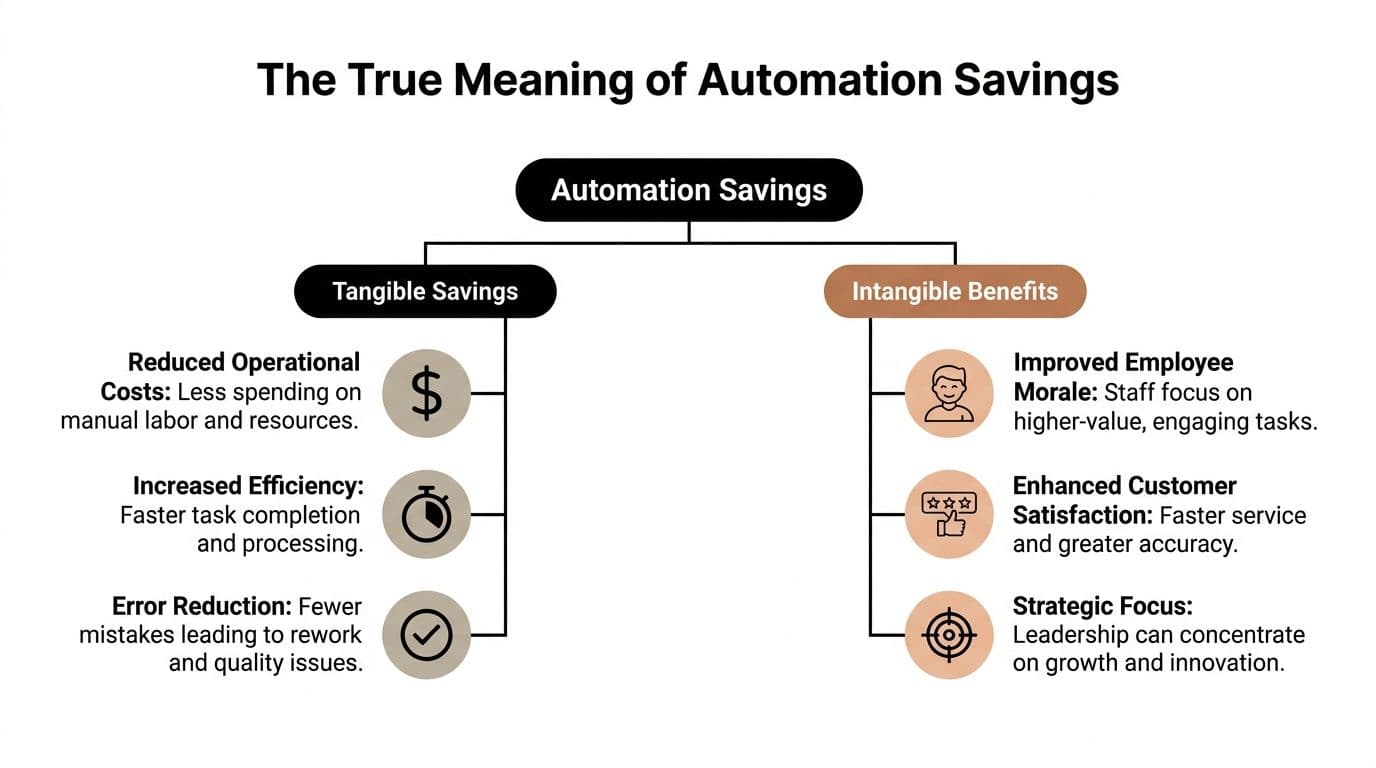
That's part of it, but it's not the whole picture. A better definition includes two categories: tangible savings and intangible benefits. If you ignore the second group, you'll understate the value of automation and choose the wrong projects.
Tangible savings
These are the straightforward gains you can count.
Think in terms of minutes saved, hours removed from a workflow, fewer mistakes, less manual follow-up, and lower operating expense. If a recurring task takes fifteen minutes and happens several times a week, you can calculate the reduction. If a process creates frequent rework, you can measure that too.
At the organizational level, intelligent automation reduces business process costs by 25% to 40% on average across major markets, according to SSONetwork. That's the hard side of automation savings. Less time and fewer resources spent on repeatable process work.
Intangible benefits
These are softer, but they're not vague.
When a team stops babysitting routine work, people think more clearly. They write better. They respond faster. They make fewer avoidable mistakes. They're less likely to lose half an hour reorienting after every interruption. Leaders also get a cleaner view of what needs judgment versus what was waiting in a queue.
A kitchen is a useful analogy. A well-organized kitchen saves time because ingredients and tools are where they should be. That's the tangible gain. But it also lowers stress, reduces hesitation, and makes cooking feel easier. That's the intangible side. Business automation works the same way.
A more complete lens
Use this checklist when judging an automation opportunity:
- Time: Does it remove recurring manual steps?
- Money: Does it reduce labor-heavy process work or error-related rework?
- Attention: Does it cut context switching and mental clutter?
- Quality: Does it make output more consistent?
- Momentum: Does it help people stay focused on work that needs judgment?
Practical rule: If a workflow saves time but creates confusion, it isn't producing full automation savings.
That last point matters. Good automation doesn't just make work faster. It makes work calmer. The best implementations create operational efficiency and cognitive relief at the same time.
How to Calculate Your Automation Savings
It is common to skip this step and go straight to tooling. That's backwards.
If you can't calculate the current cost of a task, you can't judge whether automation is worth building, buying, or delegating. Start simple. Measure the task before you try to optimize it.
Start with time
Use the most basic formula first:
Time per task × Frequency = Time spent
If you spend ten minutes compiling a weekly status note and do it five times a week, that's fifty minutes weekly. If client onboarding setup takes twenty minutes and happens repeatedly, multiply accordingly. The point isn't perfect accounting. The point is getting honest visibility into repeated effort.
For salaried professionals, estimate your effective hourly rate using your compensation divided by your working hours. You don't need precision down to the penny. A reasonable internal rate is enough to compare tasks.
Convert time into money
Once you know the hours saved, use:
Time saved × Hourly rate = Monetary savings
That gives you a practical business case. If you reclaim several hours a month from admin work, that time can go back into sales calls, campaign work, client delivery, recruiting, or reducing backlog. For a consultant or founder, the value is often less about payroll reduction and more about reallocation toward higher-value work.
Here's a simple worksheet you can copy into a spreadsheet.
| Repetitive Task | Time Per Task (Mins) | Weekly Frequency | Weekly Time Saved (Mins) | Monthly Monetary Savings ($) |
|---|---|---|---|---|
| Inbox triage | ||||
| Meeting scheduling | ||||
| Report formatting | ||||
| CRM updates | ||||
| Client onboarding emails |
Build a fuller ROI model
Basic savings math is useful, but it misses the costs that usually ruin rosy projections. Maintenance is the big one.
In well-architected automation suites, maintenance overhead consumes 10% to 25% of total automation effort, according to Ranorex. That matters because the automation that looks cheap to launch can become expensive to maintain if the workflow is brittle or constantly changing.
A realistic ROI formula is:
ROI (%) = ((Time Savings - Implementation + Maintenance Costs) / Total Costs) × 100
Use it carefully. In plain language, count the value of time saved, then subtract what it takes to implement and maintain the automation. If the workflow needs regular fixes, monitoring, retraining, or exception handling, that cost belongs in the model.
For a deeper breakdown of trade-offs between investment and payoff, this guide on costs vs benefits of automation is a useful companion.
A practical way to score candidates
Before automating anything, ask:
- Is the task repetitive enough? One-off work usually doesn't justify setup.
- Is the process stable? Constantly changing workflows are expensive to automate.
- Can the result be standardized? The more predictable the output, the easier the savings.
- What human review is still needed? Approval, editing, and exceptions all affect net savings.
The strongest candidates for automation are frequent, boring, rule-based, and annoying to revisit.
That's where automation savings becomes visible fast.
Automation Savings in the Real World
Formulas make sense on paper. They become convincing when you attach them to actual work.
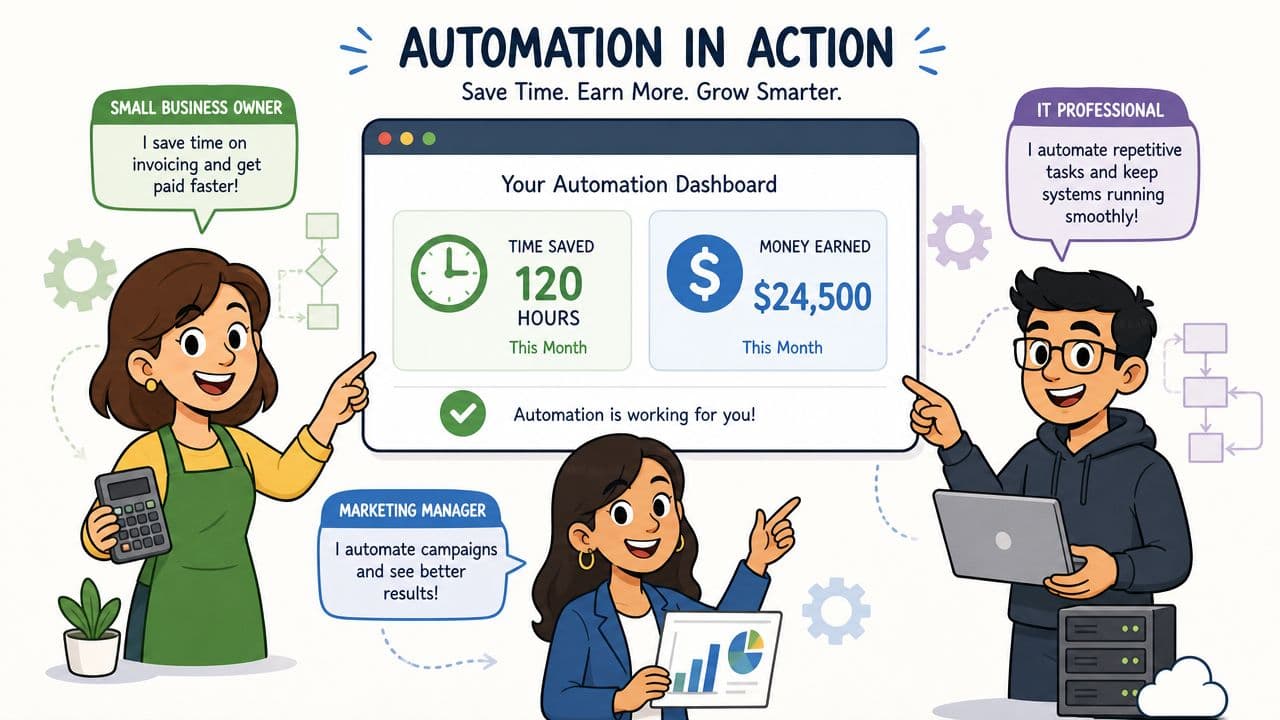
The founder who stopped rebuilding the same update
A startup founder often rewrites the same investor update from scratch. Metrics have to be pulled, commentary has to be framed, and the email has to go out on time. The manual version usually involves collecting notes from different tools, cleaning them up, and formatting the message.
After automation, the process can trigger from a recurring schedule, pull inputs from a shared workspace, and generate a draft structure automatically. The founder still reviews the message, but the repetitive assembly work disappears. Using the calculator from the previous section, the savings comes from reducing the repeatable build steps, not from removing judgment.
That distinction matters. The final tone still needs a human. The routine prep work doesn't.
The marketing manager who stopped chasing campaign reports
Marketing is one of the clearest examples because the work is repetitive and time-bound. Pulling campaign data, formatting performance summaries, and distributing them to stakeholders often follows the same pattern each cycle.
There's real evidence behind that use case. In marketing operations, automation saves an average of 2.3 hours per campaign, according to Emarsys. If a manager handles multiple campaigns, that saving stacks quickly.
A practical setup might connect reporting inputs, trigger a draft summary, route it for review, then post the approved version to a shared channel or dashboard. If you want more concrete patterns, these workflow automation examples show how teams structure recurring business processes without overengineering them.
Here's a visual walkthrough of what that kind of operational shift looks like in practice.
The consultant who cleaned up client onboarding
Freelance consultants often lose time on the same early-stage tasks. Sending welcome materials, gathering intake details, confirming next steps, and organizing project folders. None of it is difficult. All of it interrupts billable work.
The automated version usually combines a trigger, a standard intake sequence, a task checklist, and a review step for anything custom. The savings isn't just administrative. The consultant also avoids the friction of remembering what to send, when to send it, and whether the client already replied.
What these examples have in common
- The task repeats often
- The manual steps are predictable
- A human still owns the judgment-heavy part
- The savings comes from removing setup, formatting, routing, and follow-up
That last point is where many teams miss value. They try to automate the whole workflow and get stuck. The better move is usually to automate the repeatable spine of the process first.
Maximizing Savings with Hybrid Automation
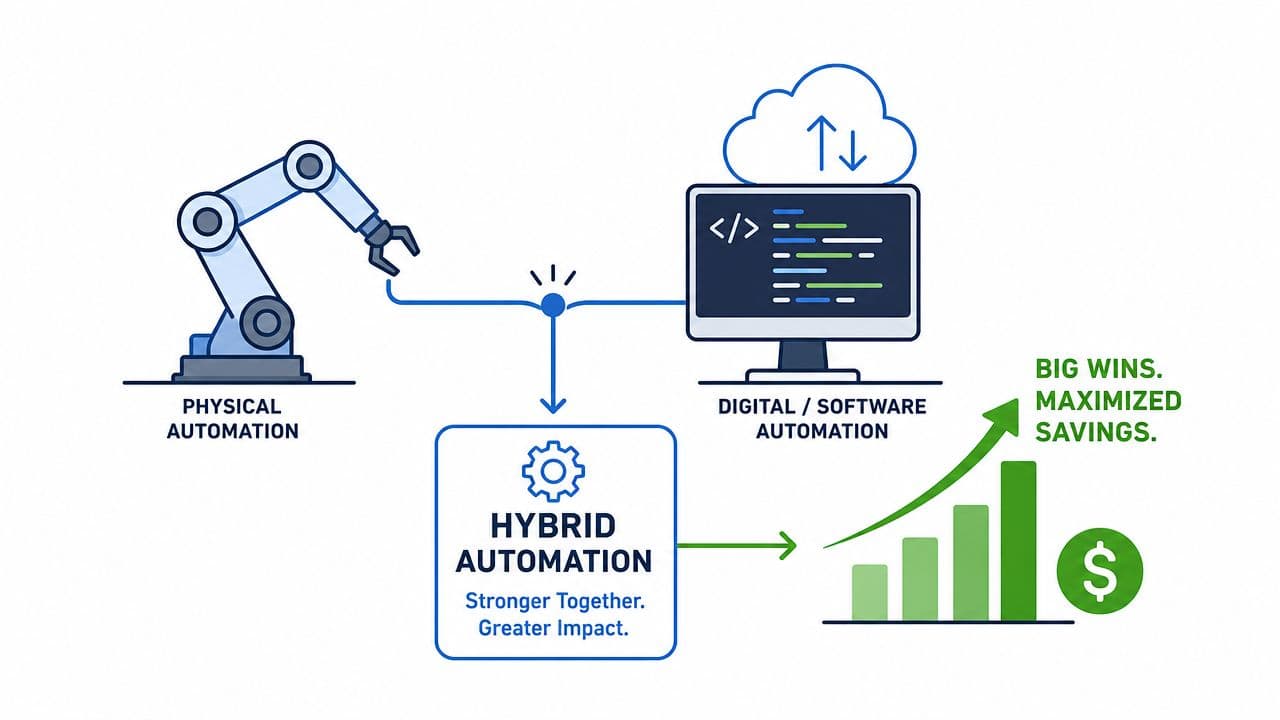
Pure software automation works well when rules are stable and outputs are predictable. Real work is messier than that.
An assistant needs to notice that a client's tone changed in an email. A founder needs someone to clean up a rough draft before it goes out. A team lead needs a workflow that can route standard tasks automatically but still hand off unusual requests to a person who can interpret context. That's where hybrid automation earns its keep.
Where software stops helping
Rules-based tools are good at triggers, routing, data movement, reminders, and status changes. They struggle when work requires taste, nuance, judgment, prioritization under ambiguity, or exception handling that doesn't fit a template.
That doesn't mean the workflow should stay manual. It means the workflow needs a human in the loop.
One practical model is to automate the intake, sorting, and handoff, then let a person handle the part that needs interpretation. That could mean a virtual assistant reviewing a calendar conflict, cleaning up a CRM entry, preparing a client-ready document, or following up on missing information.
Why the hybrid model saves more
A hybrid model captures two kinds of value at once:
- Machine speed: repetitive actions happen automatically
- Human judgment: edge cases don't break the workflow
- Lower friction: work moves forward without the user micromanaging each step
- Better fit for reality: not every task should be forced into rigid automation logic
That's especially true in finance and operations. If you're evaluating processes that need both structured automation and oversight, material on tools like Alignmint AI accounting software is useful because it highlights where automation helps and where review still matters.
A grounded example
A platform such as Fluidwave fits this model by combining task automation with human delegation. A user can set up recurring workflows, auto-prioritize tasks, and route work to virtual assistants on a pay-per-task basis when the task needs discretion rather than a fixed rule set. That makes it possible to automate not only actions inside software, but also the delegation layer around more nuanced work.
Hybrid automation usually outperforms all-software setups when the process includes recurring structure and irregular judgment.
That's the practical middle ground many organizations require. Not full autonomy. Not full manual effort. A system where software handles the repeatable parts and people resolve the parts that still require a brain.
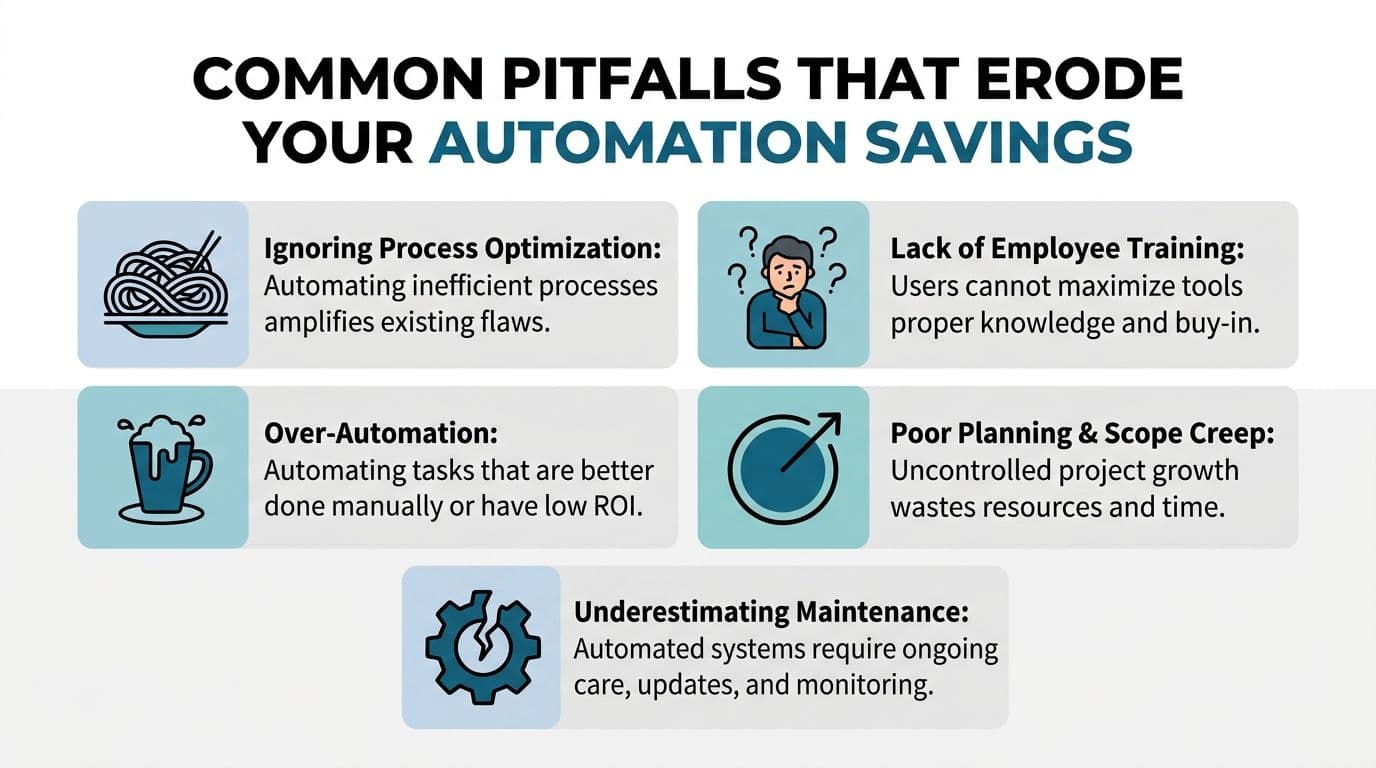
Common Pitfalls That Erode Your Savings
A lot of automation projects don't fail because automation is overrated. They fail because the math was sloppy and the process design was worse.
The automation tax is real
The biggest mistake is assuming every saved minute turns into net value. It doesn't.
A critical but underserved angle is the hidden automation tax. Between 40% and 75% of savings from intelligent automation are often offset by the first three years of payback periods and ongoing maintenance costs, according to Bain. If setup is complex, ownership is unclear, or the workflow breaks whenever an upstream process changes, projected savings erodes fast.
Four mistakes that show up repeatedly
- Automating a broken process: If approvals are already confusing, automation only moves the confusion faster.
- Using the wrong tool: A simple checklist problem doesn't need enterprise workflow machinery.
- Ignoring training: People bypass systems they don't trust or understand.
- Over-automating low-value work: Not every repeated action deserves a build.
Bad automation scales friction. Good automation removes it.
What better decisions look like
A stronger approach starts with process cleanup. Remove duplicate steps, clarify ownership, and decide where human review belongs before you build anything. Then automate the stable part of the workflow.
It also helps to classify work before you choose the method:
| Type of work | Better fit |
|---|---|
| Predictable, repetitive, rules-based | Software automation |
| Variable, context-heavy, judgment-based | Human handling or hybrid workflow |
| Low-frequency, low-impact | Keep manual for now |
The warning sign to watch
If your automation needs constant babysitting, the savings probably isn't real.
That usually means one of two things. Either the process changes too often, or the implementation tried to force ambiguous work into rigid logic. In both cases, the cure isn't more automation. It's better scoping.
Put Your Savings on Autopilot with Fluidwave
The strongest automation savings usually comes from a simple discipline. Measure the repetitive work, automate the stable parts, and keep humans involved where judgment still matters.
That approach protects both sides of the ROI equation. You reduce obvious waste like admin repetition, status chasing, and manual coordination. You also avoid the common trap of building fragile systems that look efficient during setup and become expensive to maintain later.
For busy professionals, the practical challenge isn't understanding the concept. It's applying it without turning workflow improvement into a second job. That's where lighter-weight systems tend to be more useful than giant implementation projects. No-code builders, recurring task logic, structured delegation, and clear ownership usually produce better operational results than chasing full autonomy.
If you're comparing practical options, this overview of no-code workflow automation software is a good place to evaluate where templates, logic, and delegation can fit into your current stack.
The important part is to stop treating your time loss as invisible. If a task repeats, it can be measured. If it can be measured, it can be improved. And if it still needs human judgment, that doesn't disqualify it from automation. It just means the right system is a hybrid one.
If you want a cleaner way to turn repetitive work into measurable automation savings, Fluidwave offers a practical starting point. You can organize tasks, automate recurring workflows, and delegate judgment-heavy work through a human-plus-AI model without committing to a heavy implementation cycle. Start with one recurring process, calculate the time it currently consumes, and build from there.
Focus on What Matters.
Experience lightning-fast task management with AI-powered workflows. Our automation helps busy professionals save 4+ hours weekly.