Discover how no code workflow automation software can save you 4+ hours a week. This guide covers benefits, a buyer's checklist, and real-world examples.
July 11, 2026 (3mo ago)
No Code Workflow Automation Software: Reclaim Your Workday
Discover how no code workflow automation software can save you 4+ hours a week. This guide covers benefits, a buyer's checklist, and real-world examples.
← Back to blog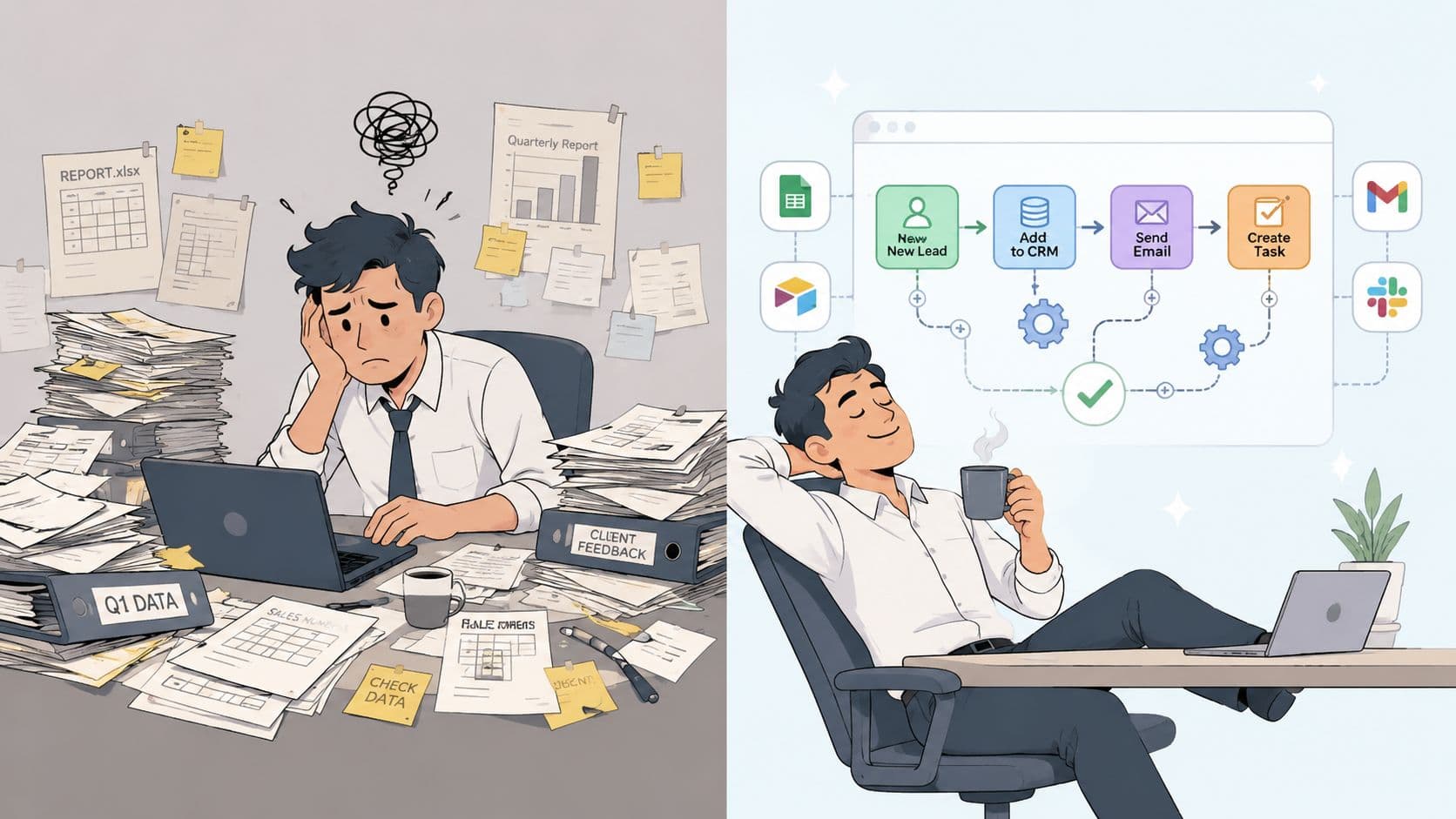
You probably felt it this morning.
An invoice needed approval. A customer record had to be updated in two systems. Someone on your team asked which version of the spreadsheet was current. You forwarded an email, copied a number from one tab to another, sent a reminder in Slack, then went back to the work you were hired to do. Ten minutes later, another small admin chore arrived.
Most busywork doesn't look dramatic. That's why it spreads. A few clicks here, a status update there, a follow-up email after lunch. By the end of the week, smart people have spent hours acting like human glue between apps.
That is the problem no-code workflow automation software is built to solve. Not as a gimmick. Not as a toy for operations teams. As a practical way to hand repetitive coordination work to systems, while people focus on decisions, relationships, and judgment.
The End of Endless Busywork
A sales leader closes a deal, then manually alerts finance. Finance creates an invoice, then emails the account team for confirmation. Customer success waits for a handoff note that lives in someone else's inbox. Nobody designed this mess on purpose. It just accumulated.
That accumulation is expensive in a way most companies miss. It slows response times, creates avoidable mistakes, and turns capable employees into part-time data entry clerks. The frustrating part is that each step feels too small to justify a custom software project, so the manual work survives.
Why this shift matters now
No-code workflow automation software changes that equation. Instead of asking engineering to build every internal process from scratch, teams can use visual tools to connect apps, set rules, and move work automatically.
This isn't a niche trend. The projected growth of the no-code AI platform market is striking: $4.28 billion in 2024 to $44.15 billion by 2033, with a projected CAGR of 30.2%. That growth is tied to one simple reality. Businesses want faster process automation without waiting on long development cycles.
What it feels like in practice
Think about a common Monday workflow:
- Before automation: A manager receives a request, forwards it to operations, updates a tracker, pings legal, and checks back two days later.
- After automation: The request enters a form, routes to the right owner, logs itself, notifies the right people, and escalates if it stalls.
- What the manager does instead: Reviews exceptions, makes decisions, and helps the customer.
The best automation doesn't replace thoughtful work. It removes the coordination tax wrapped around it.
That distinction matters. Good no-code systems don't make work disappear. They remove the repetitive handling around work.
The strategic upside
Executives often treat automation as a back-office efficiency project. That's too narrow. When teams reduce manual handoffs, they also reduce friction between departments. Processes become easier to measure, easier to improve, and less dependent on who happens to remember the next step.
That is why no-code workflow automation software has become a strategic lever. It gives non-technical teams a way to improve execution without waiting in line behind product roadmaps, IT backlogs, or custom development requests.
What Is No-Code Workflow Automation Really
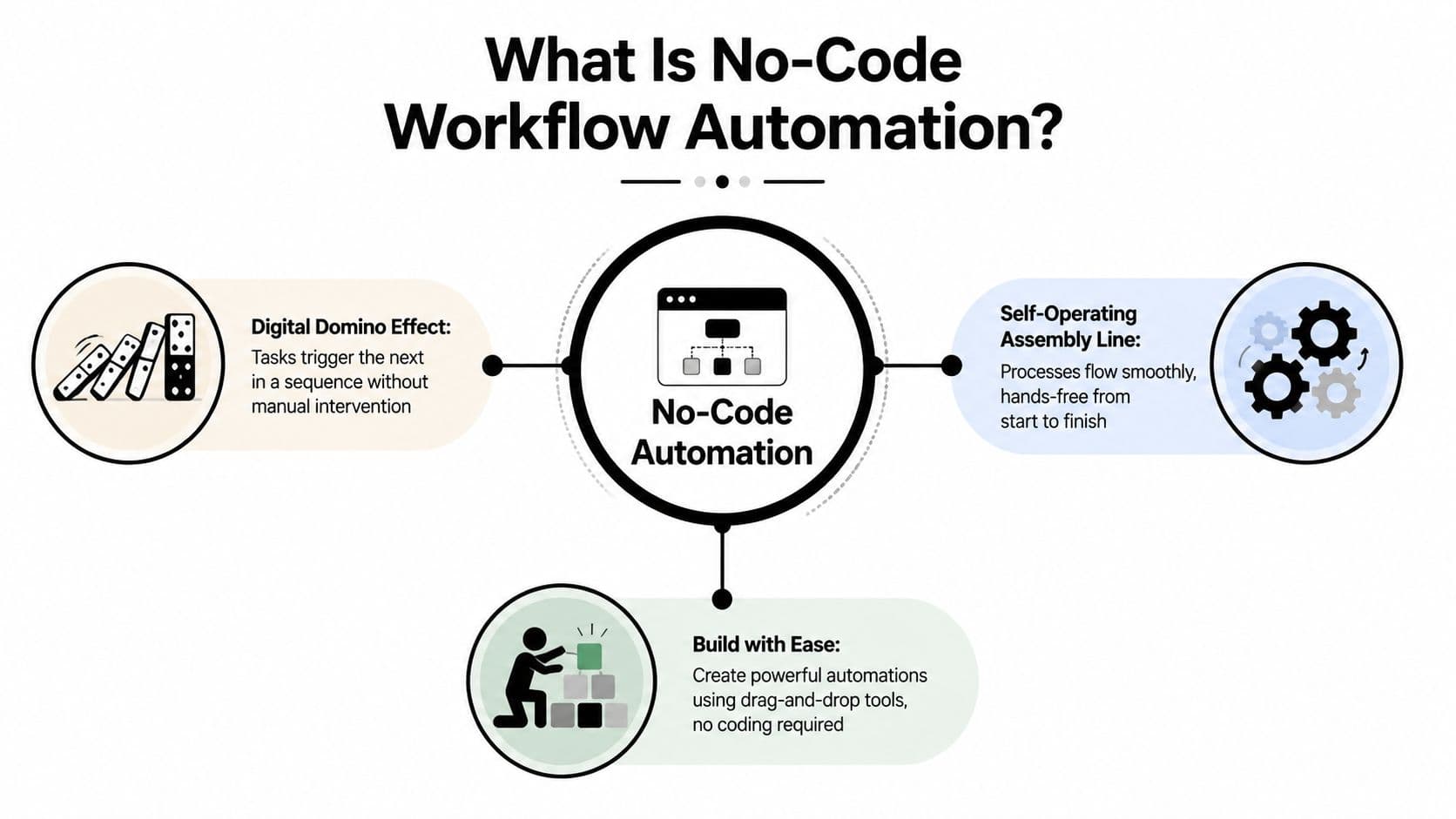
If the phrase sounds technical, the idea is simple. No-code workflow automation software is a way to tell your systems, "When this happens, do these next steps automatically."
A useful analogy is a line of digital dominoes. One event tips the first domino, and the next steps fall in order. Another way to think about it is a self-operating assembly line. Work enters at one end, moves through defined stages, and exits without someone manually pushing it along.
The three moving parts
Most workflows are built from the same basic ingredients.
| Component | What it means | Simple example |
|---|---|---|
| Trigger | The event that starts the workflow | A form is submitted |
| Action | The task the system performs | Create a task and send a notification |
| Integration | The connection between tools | Pass data from your form tool into Slack or your CRM |
A trigger starts the chain. An action is what follows. Integrations let the workflow move across your software stack instead of staying trapped in one app.
A plain-English example
Suppose a candidate fills out a hiring form.
- Trigger: The application arrives.
- Action: The platform creates a record, sends a confirmation email, and alerts the recruiter.
- Integration: The data moves between the form builder, email platform, and applicant tracking system.
Nobody had to copy and paste anything. The system did the repetitive part.
No-code versus low-code
This often confuses people.
No-code means the workflow is built visually. You drag steps onto a canvas, choose conditions from menus, and map fields without writing scripts. Business users can usually build useful automations themselves.
Low-code starts with a visual interface but often asks for technical help when you need custom logic, scripts, or deeper integrations. That's a fine model for some companies, but it isn't the same thing.
Practical rule: If your operations manager can build and update the workflow without calling a developer, you're probably looking at true no-code.
Why accessibility matters
Accessibility isn't just a convenience feature. It's what changes the economics of process improvement. When the people closest to the work can adjust the workflow, small operational fixes stop becoming software projects.
That's why no-code workflow automation software has spread so quickly inside finance, HR, sales ops, marketing, and support teams. The people who know where the friction is can finally do something about it.
Beyond Time Savings The True Business Impact
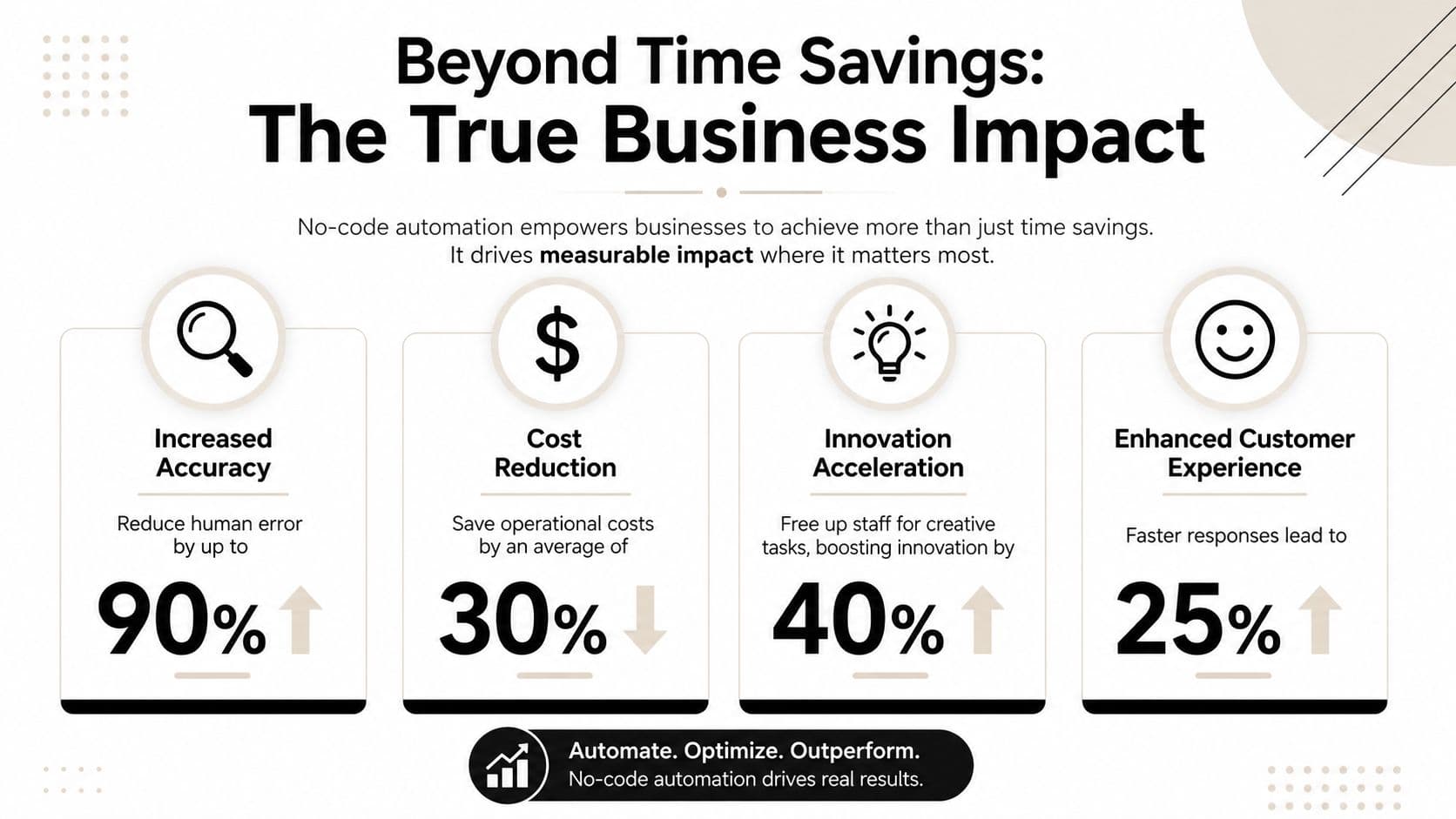
Time savings get the headline. The deeper value is operational efficiency.
When business teams can build and adjust workflows themselves, work moves faster and with less dependency on engineering. According to this guide to no-code workflow automation, platforms in this category can reduce development time by up to 90% compared with custom-coded solutions and can cut total cost of ownership by approximately 37%.
What that changes inside a company
Those gains matter because they change who can move a project forward. A team that once waited weeks for a simple internal workflow can now launch and refine it themselves.
That creates benefits beyond speed:
- Fewer handoff errors: Data moves according to rules instead of memory.
- More consistent execution: Every request follows the same path.
- Less operational drag: Teams stop rebuilding the same process manually each week.
- Better use of talent: Skilled employees spend more time on judgment and less on administrative repetition.
For leaders making the business case, it helps to frame automation as a capacity multiplier. You're not only reducing manual effort. You're freeing your technical staff from small internal requests so they can focus on systems requiring engineering depth.
The hidden morale benefit
There's also a people issue here that often gets overlooked. Repetitive process work drains attention. It fragments the day and makes progress feel invisible.
When you automate status chasing, approvals routing, or repetitive record updates, the team's work becomes more meaningful. The best employees aren't stuck acting as connectors between tools. They can solve problems.
A practical way to think about this is to ask one question: what work in your company requires a person, and what work merely requires a sequence?
If the answer is "sequence," no-code automation is often the better operator.
Why executives should care
Manual workflows don't just waste labor. They slow revenue operations, customer response, onboarding, purchasing, and compliance follow-through. Each one introduces delay.
If you want a quick way to spot the opportunity, review the business benefits of automated workflow systems through that lens. The strongest use cases usually aren't flashy. They are the repeatable processes that touch multiple teams and create friction every single day.
A workflow becomes strategic the moment its delays affect customers, cash flow, or leadership visibility.
Your Checklist for Choosing the Right Automation Software
Once you start evaluating tools, the market gets crowded fast. Some platforms are ideal for quick app-to-app automations. Others are better for governed enterprise workflows. A few are strong choices for technical teams that want control over hosting and logic.
The wrong buying approach is to ask, "Which tool is best?" The better question is, "Which tool fits our processes, risk tolerance, and operating style?"
Start with fit, not features
A platform can have hundreds of features and still be a bad choice for your team. You want software that matches the complexity of your workflows and the skill level of the people who will maintain them.
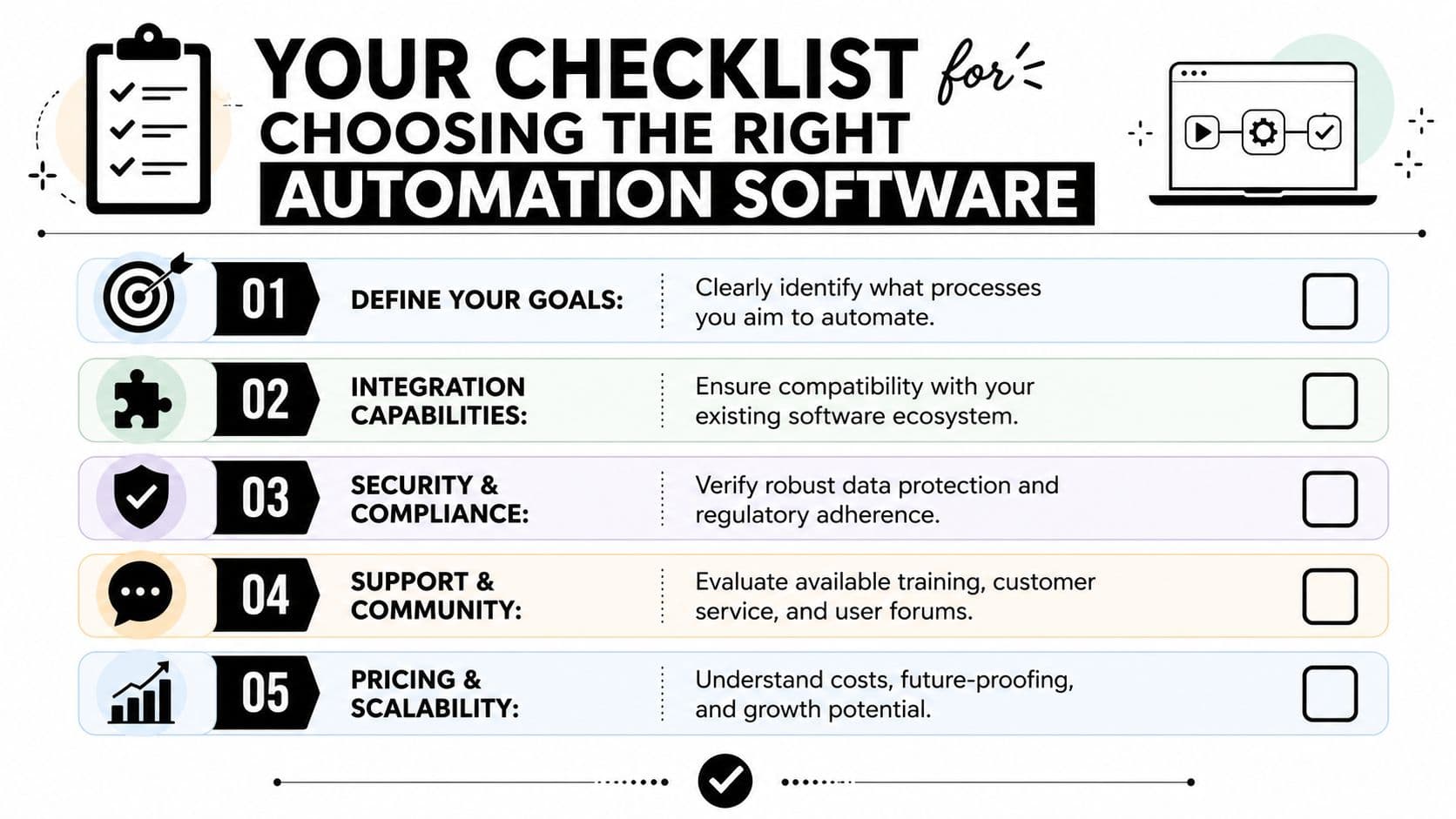
Use this shortlist when evaluating no-code workflow automation software:
- User experience matters first: If non-technical teams can't understand the workflow builder, adoption stalls. Ask who will build, test, and edit flows six months from now.
- Integration depth matters next: It's not enough for a tool to connect to your apps in theory. It needs the right triggers and actions for the processes you run.
- Security needs to be concrete: Look for access controls, audit visibility, and clear ownership of workflow logic.
- Pricing must match usage: Some tools charge by execution, task, or action. That can be efficient, or it can become surprisingly hard to predict.
- Scalability is operational, not just technical: Can the platform handle more departments, more exceptions, and more oversight as adoption spreads?
Here's a practical overview to ground the conversation.
| Platform type | Best fit | What to watch |
|---|---|---|
| Open-source tools | Technical teams that want control | More setup and maintenance responsibility |
| General no-code platforms | Business teams automating common workflows | Pricing and governance can become issues at scale |
| Enterprise suites | Larger organizations with compliance needs | Higher complexity and heavier implementation |
A few examples worth understanding
According to this roundup of workflow automation tools, open-source tools like n8n offer over 400 integrations and self-hosting for data control, while some enterprise platforms use patented rules engines to achieve 70% faster implementation for complex approval chains.
That contrast is useful.
If your IT team maintains a strong focus on hosting control and flexibility, a tool like n8n may appeal. If your organization needs centralized rules, approvals governance, and a structure built for broad rollout, enterprise-oriented platforms may be the better fit.
This buyer mindset also helps you evaluate newer pricing models. Some platforms charge by workflow runs. Others by actions. Some newer systems, including models built around task delegation, use a pay-per-task structure that can make sense when a workflow includes both automated and human-completed work.
A short product demo can clarify the category differences better than a feature page can:
Questions to ask before you commit
Ask vendors and internal stakeholders the same set of questions:
- What process are we automating first? If nobody agrees, the tool won't rescue the project.
- Who owns the workflow after launch? Shared ownership often means no ownership.
- What happens when an exception appears? Every practical workflow has them.
- Can we audit changes and failures easily? If not, troubleshooting will get messy.
- Will this still fit when three more teams want in? That's the ultimate scale test.
Buying well is less about picking the most powerful platform and more about picking the one your organization will use correctly.
Implementation and Real World Use Cases
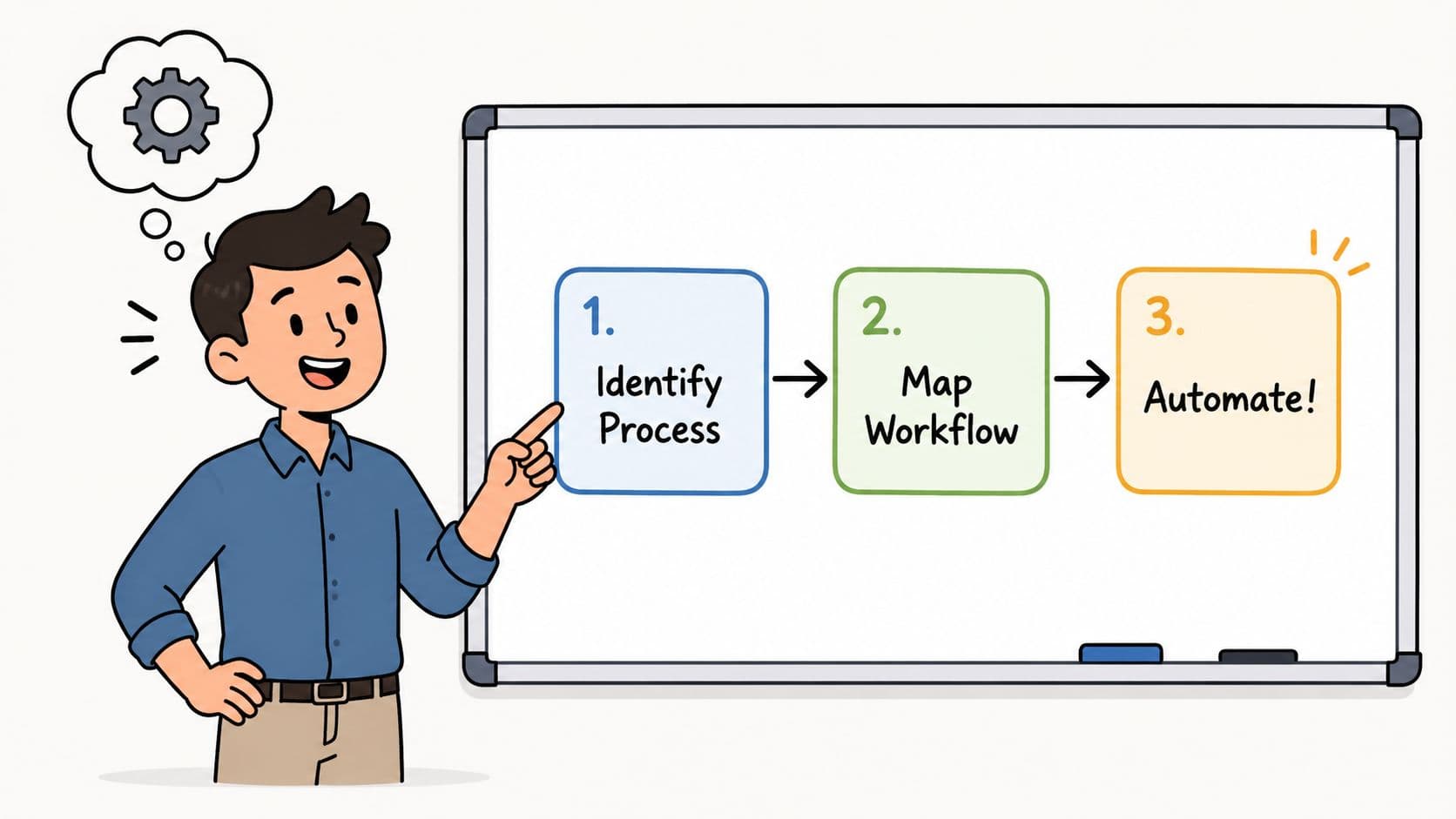
The smartest way to start is small. Don't begin with the most politically sensitive process in the company. Pick one workflow that is repetitive, visible, and mildly annoying. If people already complain about it, that's usually a good sign.
A new employee onboarding checklist is a classic example. So is invoice routing, lead qualification, or content approvals. These workflows cross tools, involve multiple people, and break down when someone forgets a step.
A simple way to launch your first workflow
Most first implementations follow the same rhythm.
- Map the current process on paper. List what starts it, who touches it, what tools are involved, and where delays happen.
- Remove unnecessary steps before you automate. Automation will only make a bad process run faster.
- Build the core path first. Handle the normal case before chasing every edge case.
- Test with real users. People will reveal practical exceptions faster than diagrams do.
- Track the handoff points. These are usually where value appears first.
Start with the process people repeat every week, not the process they only discuss in strategy meetings.
Real use cases that work well
Different functions get value from no-code automation in different ways.
- HR onboarding: A signed offer can trigger account setup tasks, welcome emails, equipment requests, and manager reminders.
- Finance approvals: An invoice submission can route to the right approver based on amount, department, or vendor type.
- Marketing operations: A published blog post can kick off social promotion, internal notifications, and asset requests.
- Customer support: A form intake can categorize requests and assign them to the correct queue.
If you're reviewing finance workflows, a practical comparison like best invoicing software for contractors can help teams think through the downstream systems an approval flow may need to connect with.
Where pure automation breaks down
This is the part most articles skip. Not every workflow should run from start to finish without a person stepping in.
According to this analysis of no-code automation tools and hybrid workflows, 60% of complex business processes fail when fully automated without human oversight. That's a strong reminder that "fully automated" isn't always the goal.
A contract approval is a good example. The system can collect documents, route the request, and notify stakeholders. But a person may still need to review unusual clauses. An expense workflow can validate fields automatically, yet still pause for approval when a charge looks unusual.
That model is often called human-in-the-loop automation. The workflow knows when to move, and when to wait.
Why hybrid workflows are the real breakthrough
Hybrid automation is more practical than the all-or-nothing version many teams imagine. It lets software handle routing, reminders, form validation, and record updates, while people handle ambiguity.
That matters for executives, but it also matters for the actual users doing the work. Busy professionals, neurodivergent users, and teams juggling exceptions often need systems that pause for clarification instead of pushing forward blindly.
If you want examples of what that looks like across teams, this collection of workflow automation examples in everyday operations is a useful mental model. The best implementations don't remove people from the process. They reserve people for the parts where judgment matters.
Navigating Security Integration and Common Pitfalls
Automation discussions often get sloppy at the exact moment they should become specific. A vendor says "enterprise security," and everyone nods. That isn't enough.
When you're evaluating no-code workflow automation software, ask practical questions. Where are credentials stored? Who can edit live workflows? Can you see who changed a rule, when it changed, and what broke afterward? If a workflow moves customer data, can you limit access to the people who need it?
What security looks like in practice
A secure setup usually depends on disciplined operations more than glossy product claims.
- Access control: Limit who can create, edit, and publish workflows.
- Credential hygiene: Treat API keys and connected accounts as sensitive assets.
- Auditability: Make sure changes and failures leave a visible trail.
- Compliance fit: Check whether the platform supports your regulatory environment and internal review process.
A second issue is integration quality. A weak connection between tools doesn't only create inconvenience. It creates silent failures. A field stops syncing. A task doesn't generate. A manager assumes the process happened when it didn't.
The overlooked risk of no-code sprawl
One of the most important risks is simple proliferation. Teams discover an easy tool, then create workflows everywhere. Soon nobody has a complete inventory of what exists.
According to this overview of governance risks in no-code platforms, no-code sprawl has grown 45% in the last 12 months, creating unmonitored workflows that can introduce compliance problems, security risks, and data pipeline errors.
Governance should start before scale. Cleanup after scale is slower, more political, and more expensive.
This is where centralized oversight matters. Teams need naming conventions, approval rules for production workflows, clear owners, and a process for retiring old automations.
Human oversight still matters here too
The same logic that applies to business workflows applies to AI-assisted ones. Systems that act without checkpoints can create hidden risk. That is why thoughtful teams build review points into sensitive automation, especially when content, compliance, or customer-facing decisions are involved.
For a useful parallel, see Cortexa's approach to AI-driven SEO, which makes the case for human review in AI-heavy processes. The principle carries over cleanly to operational automation. Automation should increase control, not blur it.
If you're comparing platforms, a good next filter is their integration capabilities across connected business systems. The stronger the integration governance, the safer your automation program becomes over time.
Measuring Your Return and Starting Your Journey
You don't need a complicated ROI model to justify a first automation project. Start with a simple before-and-after comparison.
Measure how long the process takes today, how many people touch it, where errors happen, and how often work stalls waiting for a handoff. After automation, look at time saved, fewer manual corrections, and faster completion. If the workflow reaches customers, also look at response speed and consistency.
A practical formula is straightforward:
- Time returned to the team: Hours saved per cycle multiplied by the number of cycles.
- Errors avoided: The cost of rework, delays, or missed follow-up steps that no longer occur.
- Faster execution: The value of getting approvals, onboarding, billing, or service delivery moving sooner.
Keep the first project narrow. Pick one frustrating process. Map it clearly. Build the workflow. Watch what happens. Teams usually learn more from one live automation than from weeks of internal debate.
The point of no-code workflow automation software isn't to remove humans from work. It's to remove humans from the parts of work that don't deserve their attention.
Fluidwave brings together AI-driven workflow automation and human virtual assistants, which makes it a strong fit for teams that need both speed and judgment. If your processes include repetitive steps, shifting priorities, and moments where a real person should step in, Fluidwave is worth a close look.
Focus on What Matters.
Experience lightning-fast task management with AI-powered workflows. Our automation helps busy professionals save 4+ hours weekly.