Learn what an AI-powered task management app does, its core features, real use cases, and how to choose one that fits your workflow in 2026.
August 20, 2026 (2mo ago)
AI-Powered Task Management App Guide for Smarter Work
Learn what an AI-powered task management app does, its core features, real use cases, and how to choose one that fits your workflow in 2026.
← Back to blog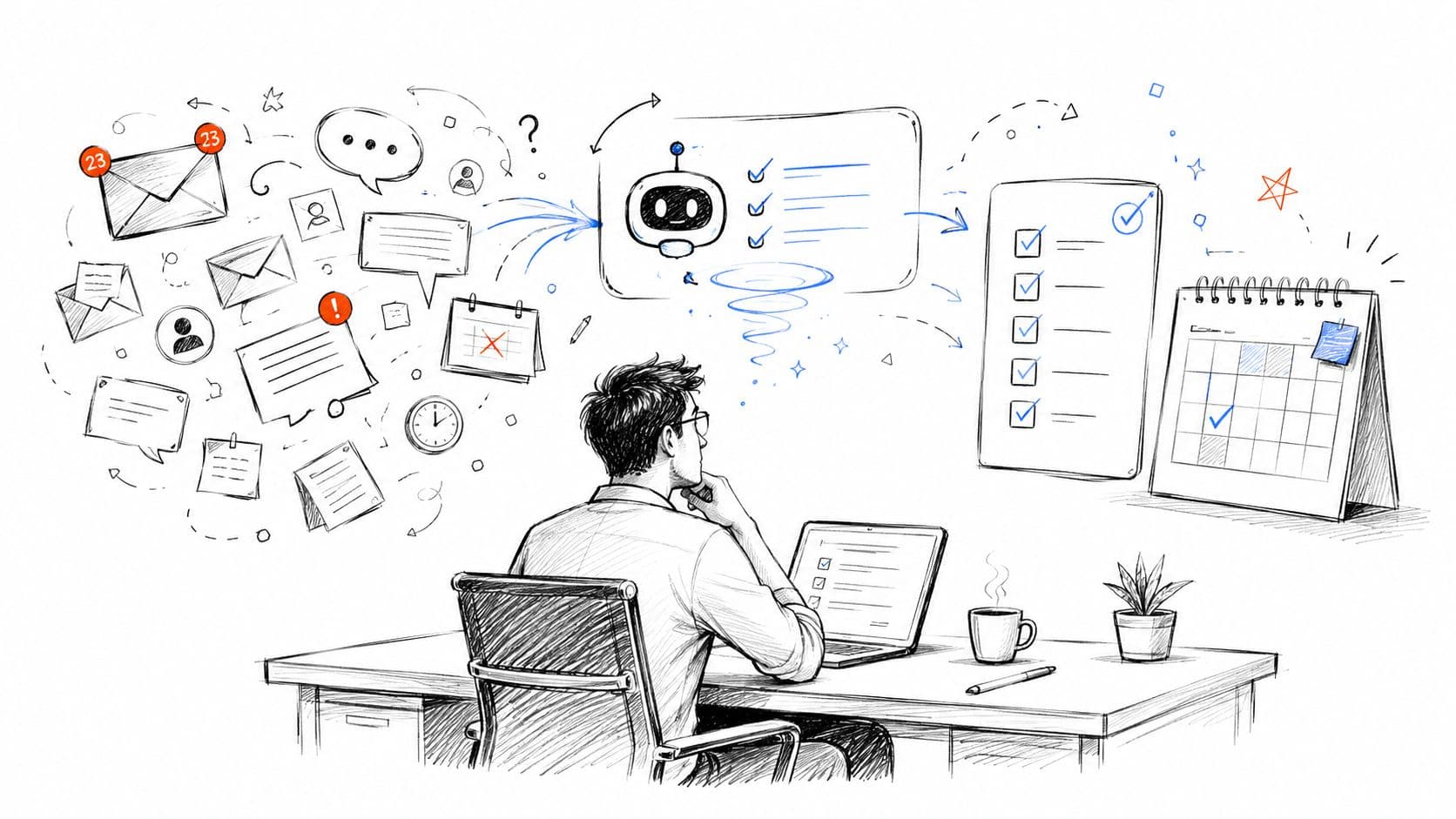
You've got a task list, but it isn't giving you clarity. Your inbox contains requests, your calendar is crowded with meetings, and your notes are scattered across chat, documents, and browser tabs. By the time you've collected everything, the hardest question remains: what deserves your attention next?
An AI-powered task management app is designed to address that decision, not provide another place to store to-dos. The category combines task capture, prioritization, scheduling, workflow automation, and, in some cases, human delegation. Used carefully, it can reduce administrative effort while keeping important judgment in human hands.
Why Task Management Needed an AI Upgrade
A busy professional can spend the first part of the morning switching between email, Slack, a calendar, project documents, and a task list. One message creates a follow-up, a meeting introduces several action items, and an apparently urgent request interrupts work that was already tied to a deadline. The list grows, but the person still has to reconstruct the context behind every item.
Traditional task managers generally behave like digital filing cabinets. They store tasks, deadlines, labels, and notes, but they often assume the user already knows which item matters most. That assumption worked better when work entered through a small number of channels. It becomes fragile when decisions arrive continuously and each task depends on information held somewhere else.
This isn't a willpower problem. A person can be organized, conscientious, and highly motivated while still losing time to manual triage. The system asks the user to remember the deadline, judge the urgency, identify dependencies, estimate the effort, and decide when to act. Those small decisions accumulate into cognitive load.
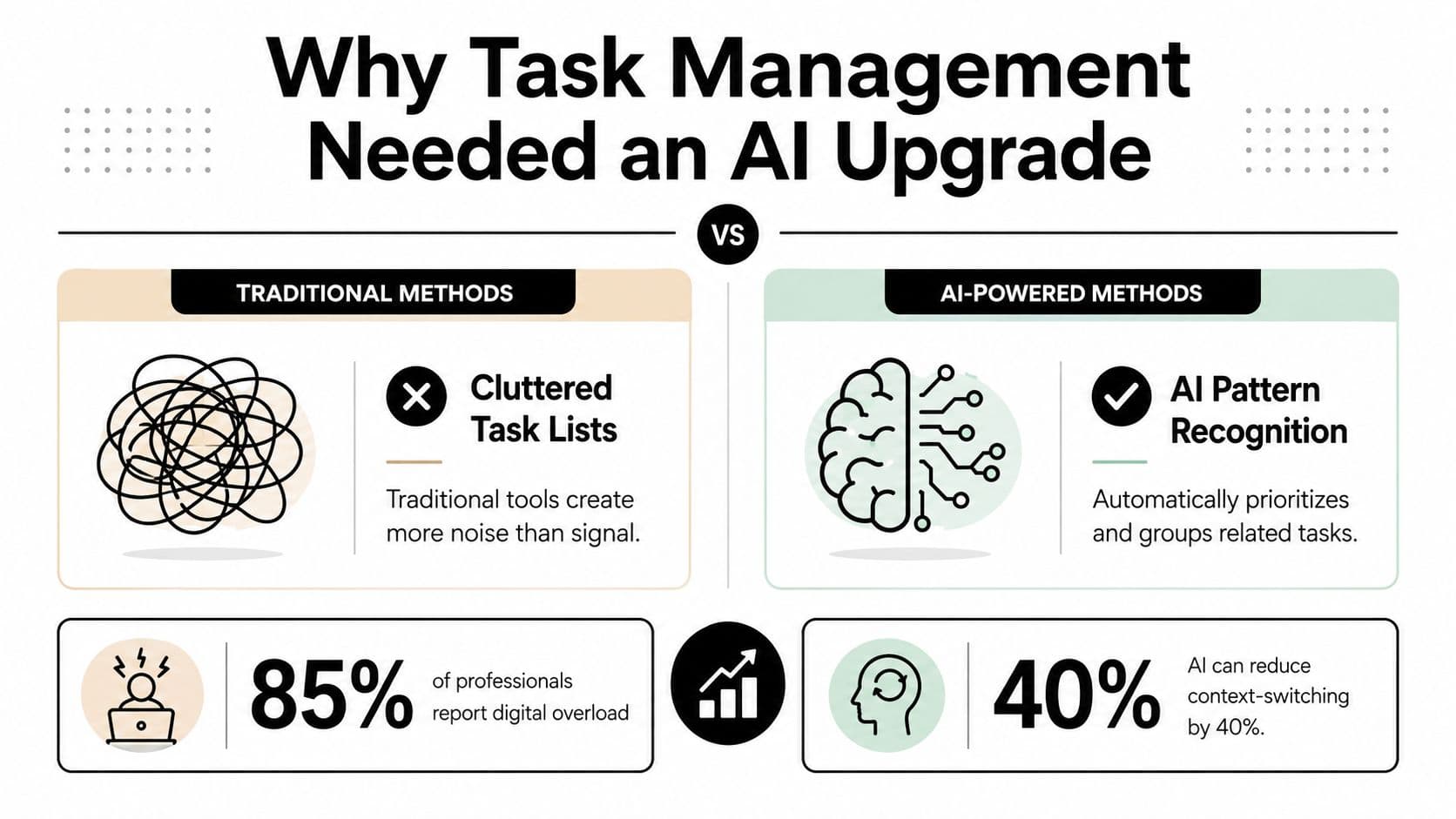
The bottleneck is prioritization
Capturing an item is only the beginning. A useful system must help answer questions such as:
- What has a real deadline?
- Which task is blocking someone else?
- Which message requires a response rather than simple acknowledgement?
- What can be grouped into one focused work session?
- Which task should go to another person?
Research on realistic professional work provides a reason to take this category seriously. In a controlled experiment involving consultants, participants using AI completed 12.2% more tasks, finished each task 25.1% faster, and produced work assessed as more than 40% higher in quality than the control group, according to the SSRN study on generative AI and professional tasks. Those results don't prove that every task app will produce the same outcome, but they support the underlying idea: AI can help with execution, triage, and decision-making, not just storage.
The AI upgrade exists because modern work creates more inputs than people can reliably evaluate by hand. A good app reduces the number of low-value decisions between receiving information and taking the right next action.
What AI-Powered Task Management Actually Means
Think of a traditional task app as a notebook. You write down “prepare client proposal,” then decide for yourself what that means, when to do it, and whether it should come before the other items on your list.
An AI-powered task app behaves more like a chief of staff. It can interpret an instruction, connect it with related information, suggest a time, break a broad assignment into steps, and flag a conflict. It doesn't magically understand your business, and it shouldn't make consequential decisions without review. Its value comes from applying reasoning to the information you already provide.
Start with interpretation
The simplest layer is natural-language processing. You might type, “Remind me to follow up with the vendor Thursday,” and the system can identify the action, the person or organization involved, and the intended date. A stronger implementation preserves the surrounding context, such as the original message, project, or reason for the follow-up.
The next layer is automated scheduling. The app may compare a deadline with your calendar, estimate the work involved, and recommend a practical time to begin. It can also recognize that a task depends on another item, so a deadline isn't treated as an isolated date.
Intelligent prioritization goes further. The system can rank tasks using signals such as urgency, sender importance, meeting context, project status, and dependency chains. That doesn't mean the ranking is always right. It means the app gives you a reasoned starting point instead of an empty list that you must manually sort.
Know which type of AI is involved
These terms describe different behaviors:
- Predictive AI forecasts likely effort, timing, deadlines, or bottlenecks.
- Generative AI drafts task descriptions, summaries, messages, and subtasks.
- Agentic AI takes approved actions across connected tools, such as creating tasks or sending a prepared update.
The phrase “AI-powered” shouldn't mean the app invents your entire workday. It should mean the app actively interprets, organizes, and assists with your existing workflow. The best systems keep the user in control while removing repetitive sorting and preparation.
Core Features That Define the Category
A checklist tool can add an AI writing field and still leave the core task-management problem untouched. A genuine AI task app changes how work enters the system, how priorities are determined, and how unfinished work moves toward completion.
Intelligent capture
The first pillar is low-friction capture. Instead of opening several fields, you can write or speak a sentence such as, “Ask the vendor whether the revised contract includes the support clause.” The app should turn that sentence into an actionable task, retain the relevant context, and prompt you for missing information only when it matters.
This is different from storing “vendor” or “contract” as a vague reminder. A useful task tells you what action to take. Templates can help standardize recurring work, especially when teams use repeatable processes, and task management templates can provide a practical starting point.
Automatic prioritization
Manual ordering treats every task as if its importance were obvious. AI can rank items using deadline proximity, the weight of the sender, project state, and dependencies. For example, a short approval that unblocks a colleague may deserve attention before a longer task with a later deadline.
The app should show why it promoted an item. Explainability matters because users need to correct bad assumptions rather than blindly accept a ranking.
Context-aware suggestions
After you finish drafting a proposal, the next action might be internal review, attaching supporting material, or scheduling a client discussion. Context-aware software can suggest those steps based on the project, recent communication, and task history.
The suggestion should remain easy to reject. A stream of unsolicited recommendations can become another source of noise.
Delegation and handoff
Some work can be automated. Other work needs a person with judgment, access, persistence, or external accountability. A task app should distinguish between “summarize this thread” and “call the supplier, negotiate a delivery change, and confirm the result.”
| Feature Pillar | What It Does | Example in Practice |
|---|---|---|
| Intelligent capture | Converts informal input into structured work | “Follow up with the vendor Thursday” becomes a dated task |
| Automatic prioritization | Ranks work using urgency and relationship signals | A blocking approval rises above a noncritical research item |
| Context-aware suggestions | Recommends plausible next actions | After a draft, it suggests review and approval steps |
| Delegation and handoff | Routes work to software, assistants, or colleagues | A human handles a negotiation that requires external action |
How Different Users Put AI Task Apps to Work
The same interface can produce very different results depending on the person using it. A founder, a small team, and an adult with ADHD may all need task capture, but they don't need the same level of automation or the same feedback style.
Solo professionals
A consultant or freelancer often needs protection from reactive work. The app can collect requests from email, surface tasks tied to actual deadlines, and place focused work around existing calendar commitments. The goal isn't to automate every decision. It's to stop the professional from repeatedly rebuilding the day from scattered inputs.
Time estimates can also expose capacity problems. If the system keeps moving important work because the calendar is full, the answer may be renegotiating scope rather than adding another productivity technique.
Small teams
Teams need shared context more than personal organization. An AI system can extract action items from meeting notes, suggest owners, identify dependencies, and flag work that risks slipping. A project manager still needs to confirm ownership and resolve disagreements, but the team doesn't have to rely on one person's memory of the meeting.
Delegation works best when the task includes a clear outcome, deadline, budget or permission boundary, and acceptance standard. Without those details, automation can move ambiguity from one person to another.
ADHD and neurodivergent users
Mainstream productivity design often assumes that more reminders create better follow-through. For many people with ADHD, that can create notification fatigue instead. Research on ADHD and knowledge work identifies persistent challenges with prioritization, time estimation, and task switching, while a separate study reported that participants viewed AI-powered tools as helpful for progressing with tasks even though awareness and use remained limited, as described in this research on ADHD productivity tools.
| Feature Area | Solo Professional | Small Team | ADHD / Neurodivergent |
|---|---|---|---|
| Capture | Quick text or email intake | Meeting and shared-channel intake | Voice, photo, or low-stakes quick entry |
| Prioritization | Protects high-value work | Considers ownership and dependencies | Limits choices and makes the next step visible |
| Scheduling | Time-blocks around commitments | Coordinates shared capacity | Uses flexible prompts rather than shame-based alerts |
| Progress | Tracks deliverables | Shows status and blockers | Uses visual momentum cues and small steps |
| Delegation | Sends administrative work outward | Routes work to the right owner | Provides human backup when initiation stalls |
Personalization matters more than the number of features. A system that creates less friction for the user may outperform a more powerful system that demands constant maintenance.
The Human-AI Delegation Model Explained
AI and human assistants are good at different parts of the same workflow. Software can process large volumes of information, recognize patterns, group similar items, and perform repetitive routing. People remain better suited to ambiguous judgment, sensitive communication, negotiation, and situations where someone must take responsibility in the world.
Research supports the importance of this distinction. In an experiment involving 196 participants, human-AI delegation improved task performance and task satisfaction, with the effect operating through higher self-efficacy, according to the study on human-AI delegation. The practical lesson is that delegation isn't only about sending work away. A well-scoped task can make the remaining work feel achievable.
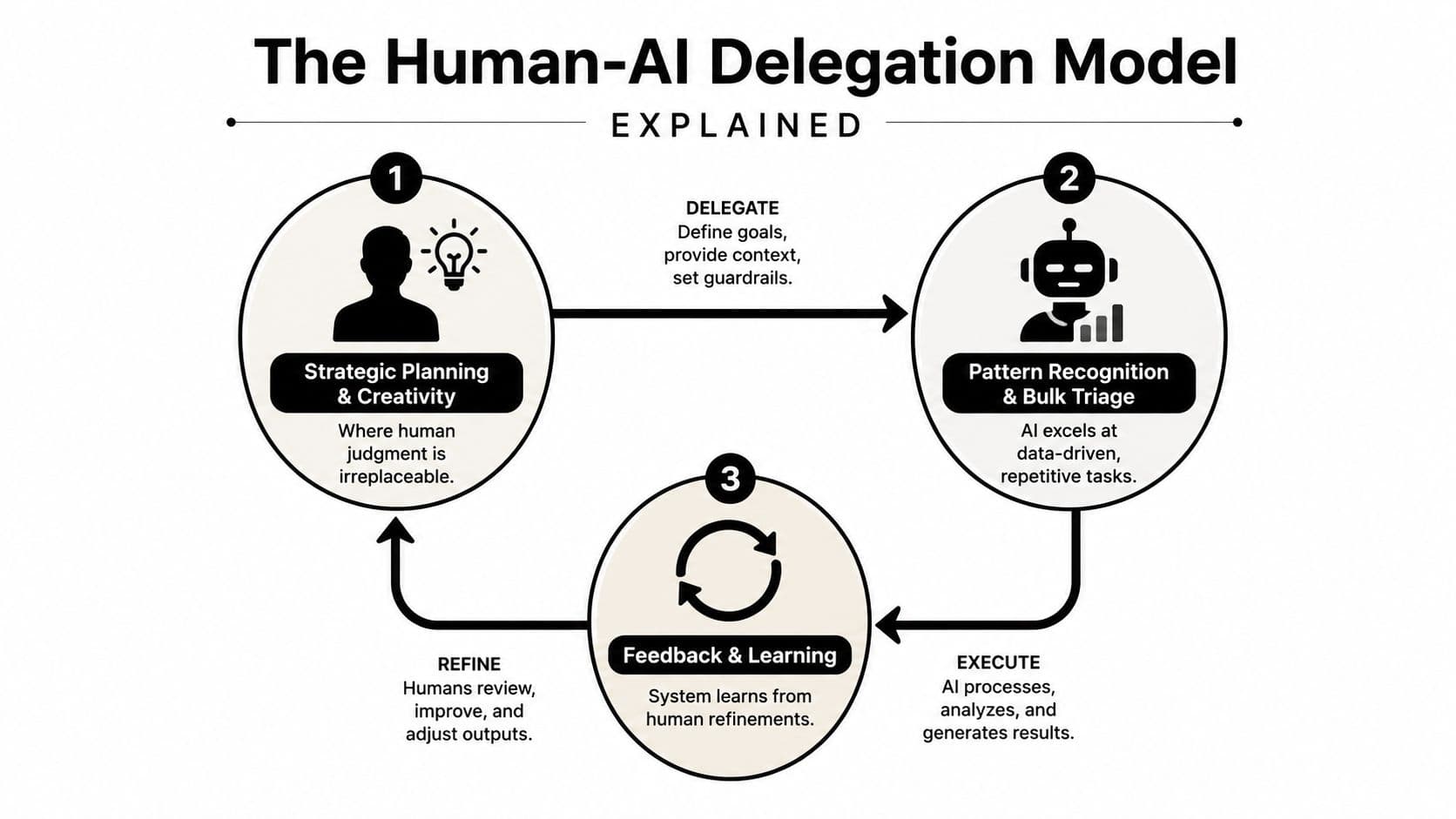
Route work by ambiguity
A useful model has three layers:
- AI first pass: Ingest requests, categorize them, identify deadlines, draft responses, and propose subtasks.
- Human judgment: Confirm priorities, handle exceptions, and decide what must happen.
- Delegated execution: Send well-defined work to an assistant or colleague who can complete it and report back.
Fluidwave illustrates this layered approach by combining AI task organization with access to human virtual assistants. AI can prepare and structure a request, while a human assistant can handle work such as a vendor follow-up, a complex scheduling negotiation, or another task requiring external accountability.
The person delegating still needs to define the outcome. “Handle the supplier issue” is too vague. “Contact the supplier, confirm the revised delivery date, and record the answer in the project task” gives the executor a usable brief.
Feedback closes the loop. If you consistently move a certain task type to a human, the system can treat that as a routing preference. If you repeatedly correct urgency labels, those corrections reveal a rule the workflow should accommodate. More practical guidance on this interaction appears in human-AI interaction in task workflows.
A short visual explanation can help teams distinguish these roles:
The objective isn't replacing the user. It's reserving human attention for the decisions and relationships that software can't responsibly manage alone.
How to Evaluate an AI Task Management App Before You Commit
The best evaluation starts with adoption friction, not a feature comparison page. A tool that looks impressive but requires constant correction will become another abandoned workspace.
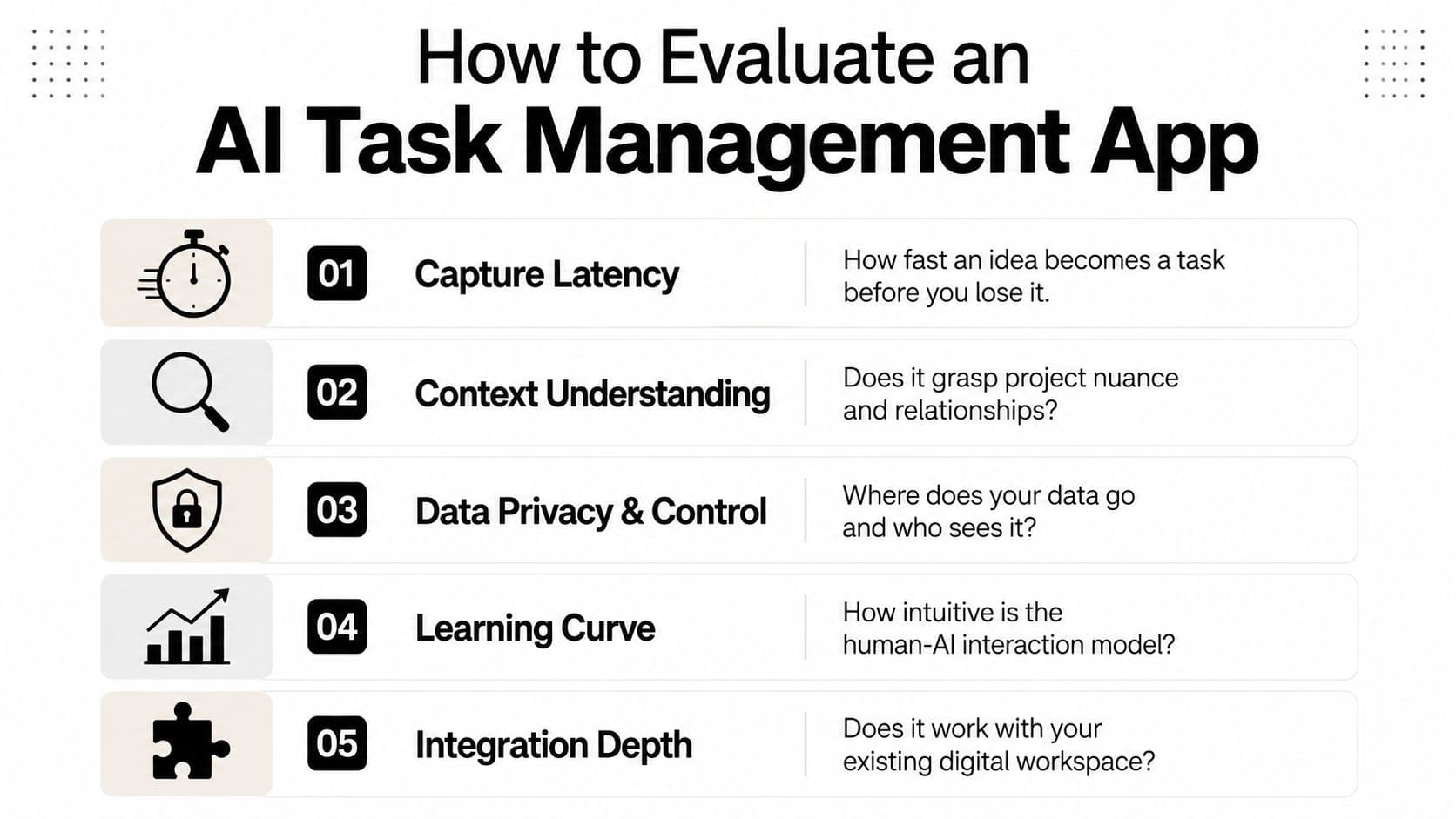
Test the first five minutes
Use one real workflow rather than a fictional example. Capture an incoming request, add its context, accept or correct the suggested priority, and see what happens when the AI gets something wrong.
- Capture latency: A red flag is a long form that interrupts the thought you're trying to save. A green flag is a quick sentence, voice note, or shortcut that produces an editable task.
- Context preservation: A red flag is a title with no source or rationale. A green flag keeps the relevant message, project, decision, and intended outcome attached.
- Graceful degradation: A red flag is an opaque recommendation you can't repair. A green flag lets you edit the fields manually and continue using the core task system.
- Escape hatches: A red flag makes export, deletion, or downgrading difficult. A green flag gives you control over your data and a clear non-AI path.
- Workflow fit: A red flag forces every task into a new ritual. A green flag adapts to the way you already capture and review work.
Privacy deserves its own check. Ask what information the app receives, which integrations are optional, how access is revoked, and whether sensitive work can stay outside the AI layer. Integration depth also matters, since a tool that can't connect to the places where work arrives may increase duplication rather than reduce it. A practical overview of integration capabilities for task workflows can help frame those questions.
Treat onboarding as evidence
If a tool demands extensive configuration before producing a useful result, that setup cost may predict future abandonment. Start with one painful workflow, not your entire professional life.
People managing attention challenges should also compare tools through an ADHD-specific lens. This guide to the best ADHD-friendly task manager is useful because it keeps task decomposition, reminders, and cognitive friction in view rather than treating them as secondary features.
Choosing Tools That Match How You Actually Work
Tool selection is a workflow design decision. The right question isn't “Which app has the longest feature list?” It's “Where does work currently disappear, and which kind of assistance would prevent that?”
A high-context knowledge worker may need an app that can connect emails, meetings, documents, and dependencies. For that person, priority surfacing matters more than decorative dashboards. The test is whether the system can explain why a task belongs near the top of the list and preserve the information needed to act on it.
A collaborative team has a different problem. Members need shared visibility, dependable ownership, and clear handoffs. The app should turn meeting outcomes into accountable work without creating a second administrative job for the project manager. Teams working across regions can also use this overview of team collaboration tools for LATAM to compare broader coordination needs, such as communication habits and distributed execution.
Match the tool to the failure point
Use this diagnostic:
- Tasks die during capture: Choose fast input, natural-language parsing, and reliable inbox or calendar connections.
- Tasks die during prioritization: Choose transparent ranking, dependency awareness, and editable rules.
- Tasks die during initiation: Choose decomposition, small next actions, visual progress, and flexible reminders.
- Tasks die during execution: Choose delegation, handoff controls, status tracking, and clear acceptance criteria.
- Tasks die during adoption: Choose a tool that delivers value before extensive configuration.
People with ADHD or other attention challenges may benefit from gentle structure and human backup, but the interface must reduce cognitive load rather than multiply alerts. A busy executive may prefer stronger automation, while another professional may want approval before the system changes a calendar or contacts someone externally.
Start with one recurring, painful workflow. Run it through the app long enough to observe where the system helps, where it misfires, and what manual work remains. Expand only after the tool fits your behavior. That approach produces a durable operating system for work, not another abandoned productivity experiment.
Fluidwave combines AI-assisted task creation, organization, prioritization, and workflow support with access to human virtual assistants for work that needs real-world execution. Create one task, define the outcome and boundaries, then visit Fluidwave to test whether this human-AI delegation model fits the workflow that currently consumes your attention.
Focus on What Matters.
Experience lightning-fast task management with AI-powered workflows. Our automation helps busy professionals save 4+ hours weekly.