Master human AI interaction: Explore core models, ethical design, practical principles, and real-world examples for effective, human-centered AI systems.
July 2, 2026 (3mo ago)
Human AI Interaction: Master Effective AI Design
Master human AI interaction: Explore core models, ethical design, practical principles, and real-world examples for effective, human-centered AI systems.
← Back to blog
Your Monday probably starts the same way a lot of modern work starts now. You open Slack, scan your calendar, ask ChatGPT for a first draft of a client note, use Grammarly to clean it up, and let a scheduling tool shuffle meetings around. By 9:15, you've already interacted with several AI systems, even if you didn't think of it that way.
That everyday mix of prompts, approvals, corrections, and delegation is where human AI interaction becomes real. It isn't just a research term. It's the practical design problem behind whether AI feels helpful, annoying, trustworthy, or risky in the middle of actual work.
For product teams, that difference matters. A capable model can still fail if the interaction model is clumsy. A less powerful model can still win if people understand what it's doing, when to trust it, and how to steer it without friction.
What Is Human AI Interaction Really
A project manager asks an AI assistant to summarize a messy meeting transcript, pull out action items, and draft follow-up messages. The AI does a decent first pass. It misses one political nuance, overstates another point, and assigns a task to the wrong person. The manager fixes those mistakes in two minutes and sends the update.
That's human AI interaction in plain terms. A person and an AI system are working together to complete a task, each doing the part they're better at. The AI handles speed, recall, and pattern-matching. The human brings judgment, context, and accountability.
It's a partnership, not a feature
A lot of teams still talk about AI as if it were just another feature layer. Add a chatbot. Add suggestions. Add automation. But the core product question is different: how will the person and the system cooperate over time?
That cooperation can be tiny and fast, like accepting an autocomplete suggestion in Gmail. It can also be emotionally charged, like talking with an AI companion. The cultural shift is already visible. The global market for AI companion services reached $6.93 billion in 2024 and is projected to reach $31.1 billion by 2030, according to Wikipedia's overview of human-AI interaction. That growth reflects a broader change in how people relate to AI for work, support, and daily decision-making.
Millions of people now use AI not only for productivity, but also for conversation and companionship. That matters because expectations formed in one context spill into another. If people get used to talking with AI naturally in consumer apps, they'll expect workplace tools to feel less mechanical too.
Human AI interaction is the difference between “the model can do this” and “people can actually use this well.”
Where teams usually get confused
Most confusion comes from treating AI output as the product. It isn't. The output is only one moment in a workflow.
What matters more is the loop around it:
- How people start the task: Do they need to write a perfect prompt, or can they begin with rough intent?
- How the AI responds: Does it show confidence, uncertainty, and next steps clearly?
- How correction works: Can people edit, reject, or redirect without starting over?
- How control is preserved: Does the human stay responsible for the outcome?
If you're designing workflow software, this is why human-in-the-loop automation keeps coming up. It reflects a simple truth. Most useful AI systems don't replace the human. They reduce the repetitive work around human judgment.
The Journey from Tool to Teammate
Computers started as rigid tools. You gave instructions in exactly the right format, and they executed exactly what you asked. If the result was wrong, the machine wasn't “confused.” You were.
That old pattern shaped decades of interface design. Early software forced people to adapt to system logic. Menus, commands, file structures, and workflows all reflected what the computer needed, not what the human found natural.
The big shift in design philosophy
The move from command lines to graphical interfaces was more than a visual upgrade. Designers started translating machine logic into human-friendly actions. Click instead of type. Drag instead of script. Browse instead of memorize.
AI pushes that shift much further. Now the system can often interpret intent, generate options, and adapt its behavior during the interaction. That changes the role of the interface. It no longer just exposes functions. It mediates collaboration.
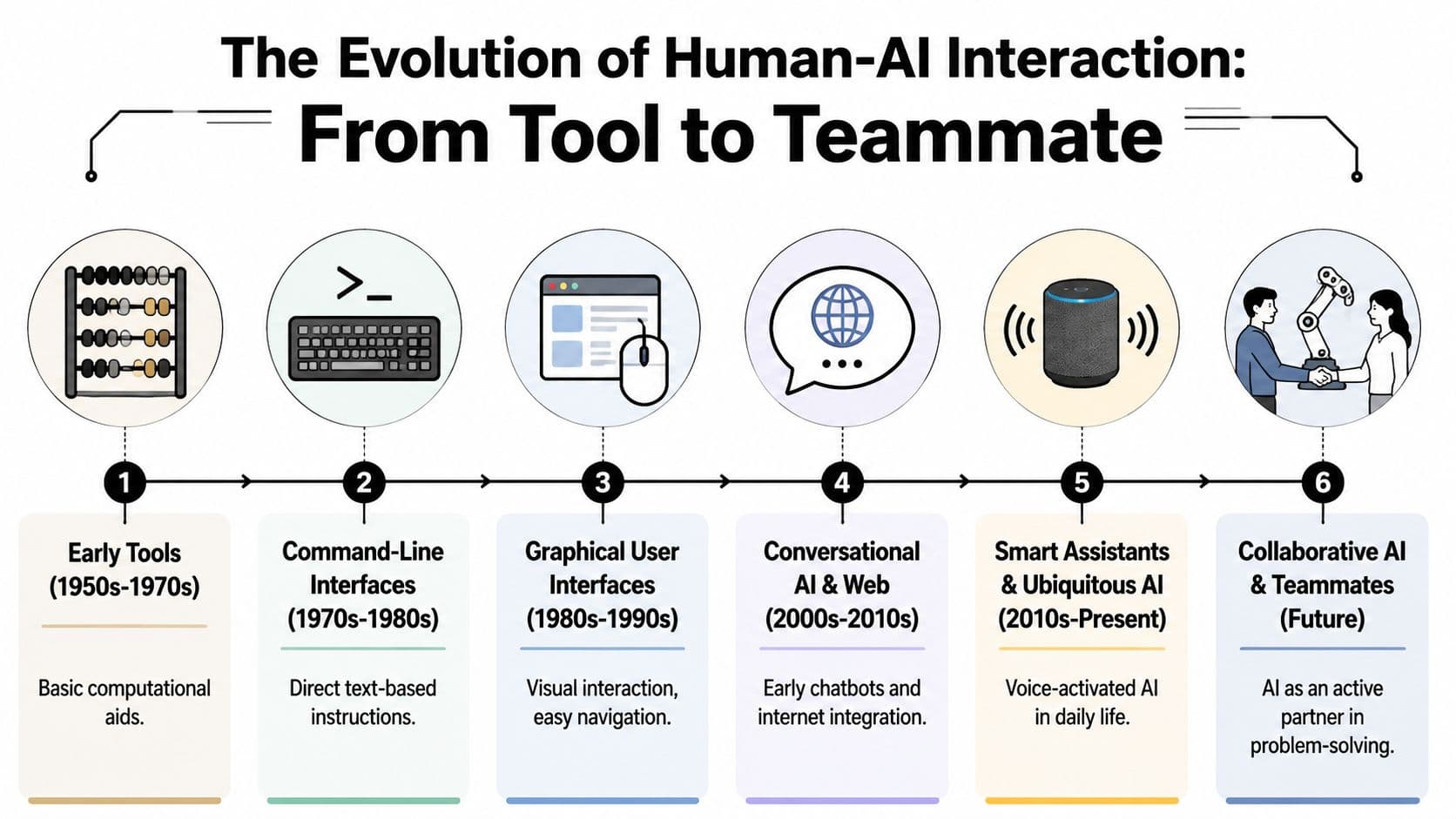
You can see the progression clearly:
- Early tools: calculators and rule-based systems helped with narrow tasks.
- Command interfaces: people learned the computer's language.
- Graphical interfaces: computers learned better visual metaphors for human use.
- Conversational systems: users began expressing intent in natural language.
- Collaborative AI: systems started participating in multi-step work instead of waiting for isolated commands.
Why “teammate” is useful, but dangerous
Calling AI a teammate is helpful because it reminds teams to design for back-and-forth work, not one-shot output. But the metaphor can also mislead people.
A teammate has agency, shared responsibility, and social understanding. Most AI systems don't. They simulate parts of those behaviors, often convincingly, but they still need boundaries, oversight, and clear roles.
The best AI products don't pretend the system is human. They make collaboration feel natural while keeping responsibility legible.
That's why modern product strategy is drifting toward systems that are more proactive but still governable. Tools that summarize meetings, draft plans, route tasks, and surface next actions are all inching toward teammate-like behavior. The strongest designs let people delegate effort without surrendering judgment.
If you're watching that shift in workplace software, AI personal assistant design patterns offer a useful lens. The important change isn't that software talks back. It's that software is starting to participate.
Core Models of AI Interaction
Most workplace AI falls into three practical models. You don't need a textbook taxonomy to use them. You just need a way to recognize who is driving, who is advising, and who is acting.
Supervisory model
In a supervisory model, the AI acts with some autonomy and the human oversees it. Think of a smart thermostat. It adjusts temperature on its own, but you set preferences, review behavior, and step in when it gets something wrong.
In software, this can look like an AI system that routes support tickets automatically while a manager monitors exceptions. The human isn't handling every micro-step. They're supervising outcomes and intervening when needed.
Assistive model
In an assistive model, the AI supports the user directly but doesn't take over the task. Grammarly is a simple example. It suggests edits, but you decide what to accept. The AI sits beside you, like a sharp intern marking up a document.
This model is common because it's easy to trust. The system helps without crossing into action on your behalf.
A strong version of this pattern appears in human-in-the-loop workflows. Systems using that model, where AI generates drafts and humans review them, show a 34% increase in decision accuracy and reduce user cognitive load by 28%, according to research on human-centered AI collaboration.
Collaborative model
In a collaborative model, the person and the AI shape the task together. The system may generate options, ask follow-up questions, take action across steps, and wait for human approval at key moments.
This is the model behind many modern productivity tools. You state an outcome. The AI translates that into steps, drafts, dependencies, or workflows. You refine it as the work unfolds.
That same dynamic is also showing up in products built through AI-driven app creation, where the human sets goals and constraints while the system helps assemble flows, interfaces, and implementation logic.
Comparing Human-AI Interaction Models
| Model | Human's Role | AI's Role | Analogy | Example |
|---|---|---|---|---|
| Supervisory | Sets goals, monitors outcomes, intervenes on exceptions | Acts semi-autonomously within constraints | Air traffic controller overseeing flights | Smart thermostat or automated ticket routing |
| Assistive | Performs the main task and accepts or rejects suggestions | Offers recommendations, drafts, or corrections | Skilled editor sitting beside you | Grammarly or email draft suggestions |
| Collaborative | Co-creates the task, steers priorities, approves key decisions | Participates across multiple steps and adapts to feedback | Project partner working in the same room | AI meeting summarizer that drafts actions and revises them with you |
A fast way to identify the right model
When teams get stuck, I ask three questions:
- Who owns the final decision?
- Can the AI act before approval?
- How expensive is a mistake?
High-risk tasks usually need assistive or tightly supervised patterns. Lower-risk, repetitive, multi-step work can move toward collaborative behavior. If your product automates knowledge work across systems, AI-powered workflow automation becomes less about raw automation and more about choosing the right interaction model for each step.
Principles for Designing Effective AI Experiences
Most AI UX problems aren't model problems. They're interaction problems. People don't abandon AI because it made one mistake. They abandon it because they can't tell when it will be right, how to correct it, or whether they're still in charge.
Design for legibility
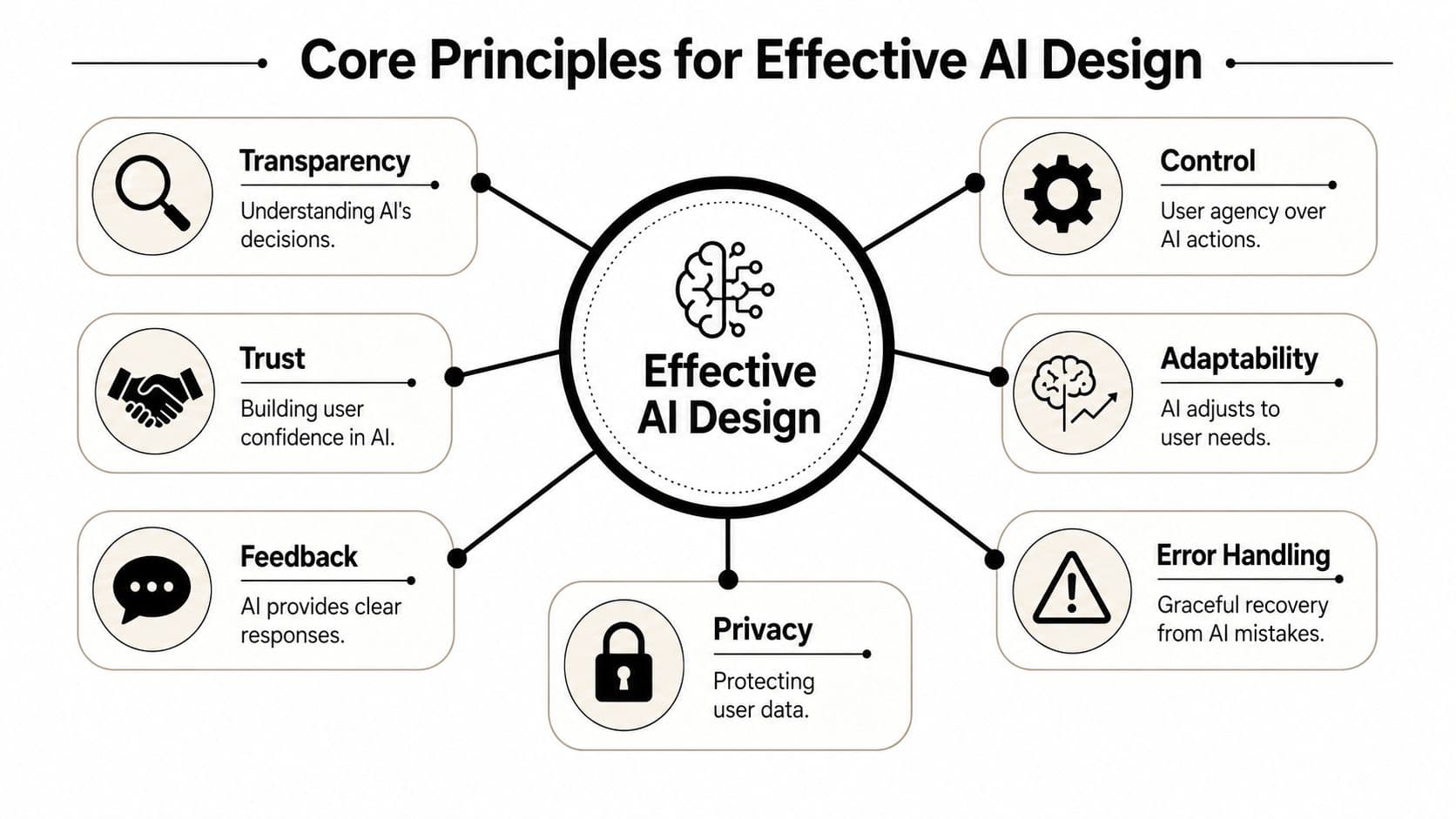
People need to form a workable mental model of the system. Not a technical explanation. A practical one.
If an AI tool drafts a report, users should know what inputs it considered, what assumptions it made, and where they should review carefully. “Here's a draft” isn't enough. Good design makes the system's behavior inspectable.
That doesn't mean dumping internal logic on screen. It means showing useful clues:
- Input visibility: what data the system used
- Action visibility: what the system changed, suggested, or skipped
- Confidence cues: where the answer may need review
- Editable structure: fast ways to revise rather than regenerate everything
Preserve user agency
Control is not a nice-to-have in AI products. It's the mechanism that turns assistance into trust.
Users need ways to pause, undo, refine, and redirect the system. If the AI acts too early or too opaquely, people feel trapped. They either stop using it or overcheck every output, which kills the productivity gain.
A simple rule helps here:
Practical rule: Let the AI be fast, but never make the user fight to regain control.
That rule applies across contexts. A writing assistant should let people reject a rewrite with one click. A task automation tool should show what will happen before it runs. A recommendation system should let users tune preferences rather than drift.
Build feedback loops, not one-shot magic
Many AI interfaces still behave like vending machines. Insert prompt, receive answer, start over. That's a weak model for real work.
Most useful tasks need iteration. The AI should improve through back-and-forth, not force the user into prompt gymnastics. Strong products support lightweight correction. “Shorter.” “Use a friendlier tone.” “Don't email yet.” “Prioritize tasks due this week.” These are natural feedback loops.
Handle mistakes gracefully
AI will make errors. The design question is whether the error becomes recoverable or expensive.
Good error handling looks different in AI systems than in traditional software. Sometimes the problem isn't a failure to execute. It's a plausible but wrong answer. So the interface needs recovery tools that fit that reality:
- Show alternatives instead of a single brittle answer.
- Keep edit history so users can compare outputs.
- Allow scoped correction so one mistake doesn't force a full restart.
- Flag uncertainty when the system is likely to drift.
Respect privacy as part of experience design
Privacy isn't just policy copy in the footer. It shapes willingness to engage. If users don't know what the AI sees, stores, or reuses, they'll hold back the context that makes the system useful.
That's why the best AI experiences make data boundaries understandable at the moment of action, not buried in documentation.
Human AI Interaction in the Wild
A lot of discussion about human AI interaction stays abstract. In practice, you can see it everywhere once you start looking.
Small examples that reveal big design choices
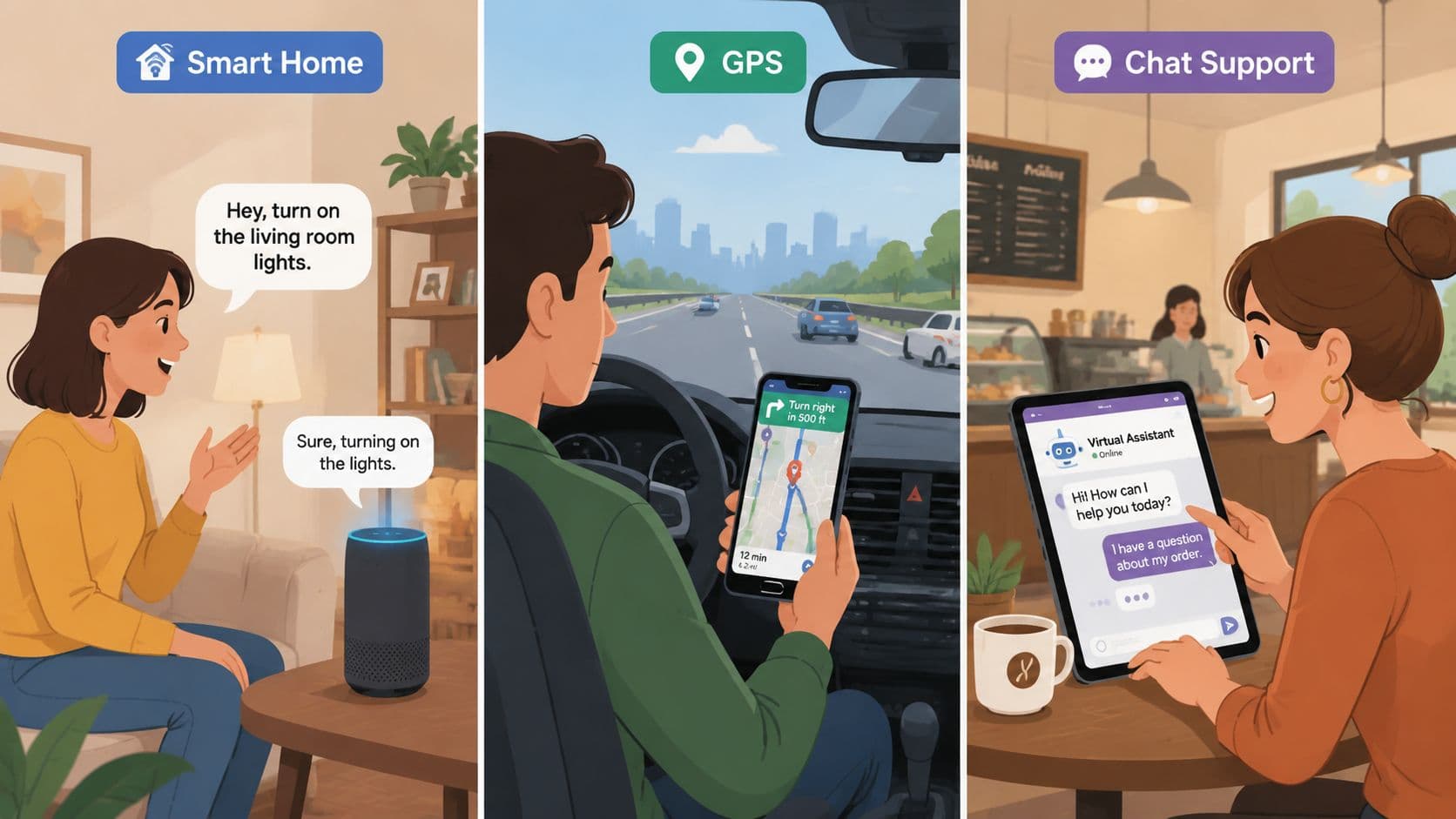
A grammar checker is an assistive system. It watches your draft, highlights likely issues, and waits for your decision. It works because the cost of suggestion is low and the correction loop is fast.
A GPS app is more supervisory. It calculates routes, adapts to traffic, and proposes alternatives, but the driver still judges whether a sudden detour makes sense. If the app sends you through a closed road, trust drops fast because the system acted with confidence in a physical context.
Customer support chat is where things get more interesting. Basic bots are still tool-like. They classify your issue, offer canned help, and hand off when they fail. Better systems behave more collaboratively. They collect context, summarize the issue for the agent, and preserve continuity so the customer doesn't repeat everything.
That continuity matters in interface design too. If you want a concrete example of how conversational systems can either reduce or increase friction, this valuable UI design breakdown for startups is useful because it focuses on how interface choices shape trust and clarity, not just aesthetics.
Agentic systems change the workload shape
The next step is agentic AI, where the system doesn't just answer. It pursues a goal across several steps under human oversight.
According to IBM's overview of human-AI collaboration, agentic AI systems can reduce the time needed for multi-step workflows by 41%. In professional settings, combining that with automated workflows leads to a measurable time saving of over four hours per week per user.
Those numbers are compelling, but the more important product insight is this: agentic systems change the shape of work. People spend less time on coordination, handoff, and repetitive follow-up. They spend more time on approval, prioritization, exception handling, and nuanced decisions.
What this looks like in product workflows
Think about a team lead preparing for a product launch. A conventional chatbot might answer isolated questions:
- Draft a release note
- Summarize bug reports
- List launch risks
An agentic workflow system handles the objective more holistically. It can organize the work into steps, prepare drafts, route tasks, surface blockers, and keep collaborators aligned while still leaving the human in control of the final calls.
That's closer to how real teams operate. Work doesn't happen as disconnected prompts. It unfolds through dependencies, changing constraints, and partial information.
A short demo helps if you want to see the broader pattern in action:
When AI enters a workflow, the key question isn't “Can it do the task?” It's “Can the team still coordinate around the task?”
That's the practical lens I'd use for evaluating AI in the wild. Don't just inspect output quality. Watch what happens to handoffs, attention, ownership, and error recovery once the system becomes part of everyday work.
How to Measure What Matters
A lot of teams evaluate AI like they're testing a calculator. Did the task complete? How fast was the response? Did the user click the button?
Those signals matter, but they're incomplete. Human AI interaction lives inside context. A system can look strong in a lab and still fail in daily use because people don't trust it, don't understand when to intervene, or get mentally overloaded trying to supervise it.
Why lab metrics miss the real problem
Research on real-world AI evaluation points to a major gap: the lack of frameworks that capture human cognitive limits and environmental complexity in realistic settings. That absence is described as a “significant hurdle” in this review of human-centered AI evaluation.
That phrase matters because it names a problem many product teams already feel. Internal demos often go well. Controlled user tests can look promising. Then the system reaches a busy team, a noisy workflow, or a high-stakes environment, and the interaction breaks down.
Better questions to ask
Instead of only measuring whether the AI completed a task, measure whether the person stayed effective while using it.
A more useful evaluation set includes:
- Trust calibration: Do users trust the system appropriately, or do they overtrust and undercheck?
- Cognitive relief: Does the tool reduce mental overhead, or does it create more review work than it saves?
- Recovery quality: How easily can users detect and correct mistakes?
- Contextual fit: Does the AI help under real deadlines, interruptions, and messy inputs?
- Oversight readiness: Are users clear on when they need to step in?
A practical measurement stack
You don't need a giant research program to start measuring better. You need layered evidence.
Use a mix of methods:
| What to examine | Useful approach | What you learn |
|---|---|---|
| Task flow | Observe real sessions | Where people hesitate, override, or abandon |
| Perceived trust | Short post-task questions | Whether confidence matches system performance |
| Cognitive burden | Diary notes or check-ins | Whether users feel relief or extra supervision load |
| Failure handling | Scenario testing | How resilient the workflow is when the AI is wrong |
A successful AI interaction leaves the user feeling more capable, not more responsible for cleaning up hidden messes.
That last point is easy to miss. Some AI products appear efficient because they shift hidden labor onto the user. The system drafts quickly, but the person now has to verify every detail. That isn't a design win. It's a workload transfer.
Building Ethical and Inclusive AI Interactions
A lot of teams still treat ethics as a final review step. Build the model, polish the interface, then check for risks. That sequence doesn't work well for AI.
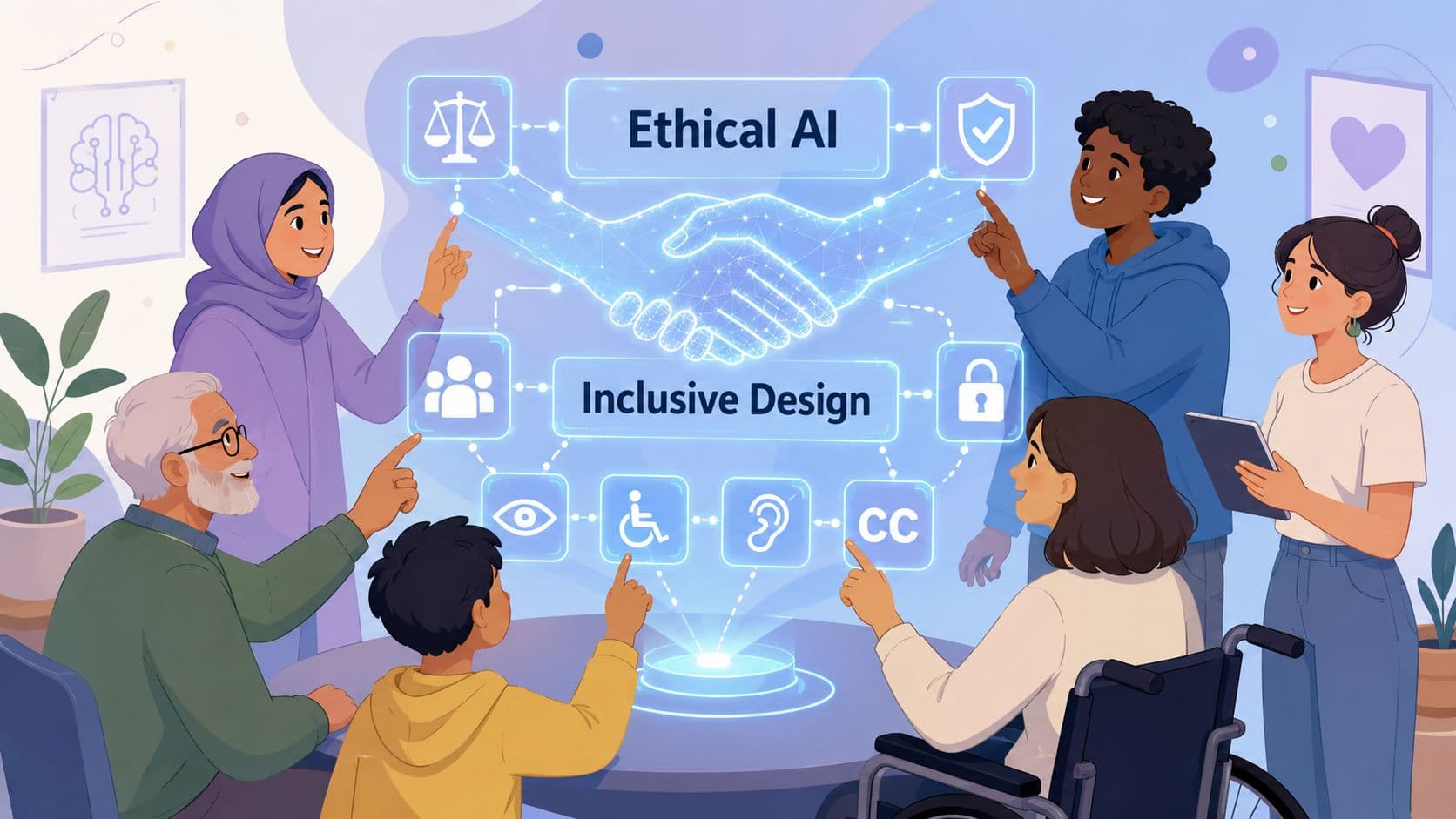
Ethical quality shows up in the interaction itself. Who feels safe using the system. Who understands its language. Whose context it recognizes. Who gets misread, excluded, or asked to trust a tool that wasn't built with them in mind.
The failure of one-size-fits-all AI
Mistrust is a major barrier to adoption, especially in communities with historic inequities. Research published in the Journal of Medical Internet Research argues that “AI solutions must be co-designed with local communities to be culturally and contextually relevant” in order to support meaningful adoption and governance, as discussed in this article on inclusive AI implementation.
That idea should change how teams scope AI products. The question isn't only whether the system works. It's whether it works for the people who are expected to rely on it.
What responsible teams do differently
They don't assume usability equals inclusion. They test with people from different backgrounds, abilities, levels of technical confidence, and working conditions.
They also design for friction where friction is healthy. Consent prompts. review steps. clear escalation paths. plain-language explanations. These aren't obstacles to a smooth experience. In many cases, they are the experience of respect.
A better standard for human AI interaction is simple: build systems that are not only smart enough to assist, but careful enough to deserve trust.
If your team is trying to turn AI from a novelty into a dependable part of daily work, Fluidwave is worth a look. It combines AI-driven task management, automation, and human assistance in one workflow, which makes it a practical environment for applying the human-AI interaction principles that hold up under real deadlines.
Focus on What Matters.
Experience lightning-fast task management with AI-powered workflows. Our automation helps busy professionals save 4+ hours weekly.