Learn what human in the loop automation is, how it boosts efficiency, and how to implement it. A practical guide with real examples and best practices.
June 16, 2026 (3mo ago)
Human in the Loop Automation: A Practical Guide for 2026
Learn what human in the loop automation is, how it boosts efficiency, and how to implement it. A practical guide with real examples and best practices.
← Back to blog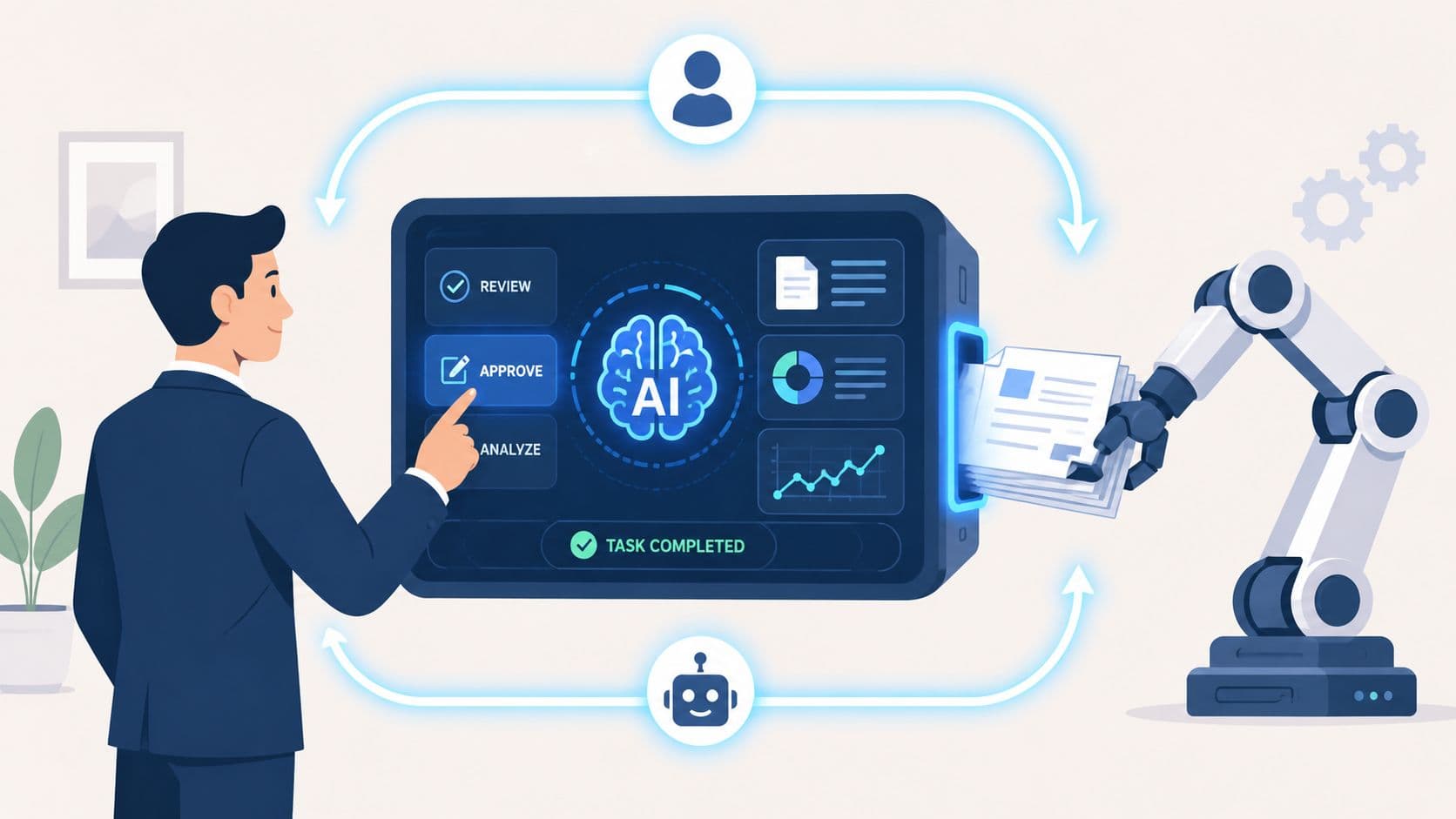
Automation usually fails in the least convenient way. Not during a demo. Not on the simple cases. It fails on the odd invoice with the wrong purchase order, the customer request that almost matches policy but not quite, or the research brief that needs judgment instead of pattern matching.
That's why so many teams end up disappointed after a promising rollout. The workflow looks efficient on paper, but once it meets ambiguity, the system either guesses or stalls. Neither is acceptable when money, compliance, or customer trust is on the line.
Human in the loop automation solves that problem by designing the handoff on purpose. The machine handles the routine work. A person steps in where context, accountability, or correction matters. Done well, that isn't a compromise. It's the operating model that lets automation scale without becoming brittle.
When Good Automation Goes Bad
A finance team automates invoice processing. For weeks, it works cleanly. Supplier names match. totals line up. approvals move faster than before. Then one vendor changes its invoice format, another submits a duplicate with a slight variation, and a third includes a charge that belongs to a different cost center.
A fully manual process would catch those issues, but at the cost of speed and a lot of repetitive work. A fully automated process might pass two of them through and reject the wrong one. That's where significant damage starts. The problem isn't that automation made a mistake. The problem is that it made the mistake with confidence and at scale.
That pattern shows up everywhere. Customer support bots miss nuance. Content filters over-block or under-block. AI research assistants pull in plausible but weak source material. Most business workflows are not clean conveyor belts. They're full of edge cases, exceptions, and judgment calls.
Fully automated systems don't break because the core process is bad. They break because real operations always contain messy cases no one modeled well enough in advance.
This matters more now because automation isn't staying on the sidelines. The World Economic Forum projected that 42% of business tasks would be automated by 2027, a shift that makes structured handoffs between systems and people much more important for reliable operations at scale, as summarized by CTWO's discussion of the forecast.
The hidden risk in the last mile
Trust in automation is not lost because of initial successful runs. It is lost when nobody knows who owns the exceptions.
A brittle setup usually has three symptoms:
- No clear pause point when the system becomes uncertain or encounters something unusual
- No defined reviewer with authority to correct or approve
- No feedback loop so the same exception keeps coming back
Human in the loop automation is what gives that last mile structure. It turns “someone should probably check this” into an explicit operating rule.
What Is Human in the Loop Automation Really
Human in the loop automation is a workflow where software does the first pass and a person intervenes only when the task needs judgment, correction, or approval. The important part is not the human review by itself. It's the decision logic that determines when that review should happen.
The easiest analogy is the relationship between a pilot and autopilot. Autopilot handles long stretches of routine execution very well. The pilot doesn't flap the wings manually just to stay involved. The pilot monitors conditions, takes over when something unusual happens, and remains responsible for the outcome.
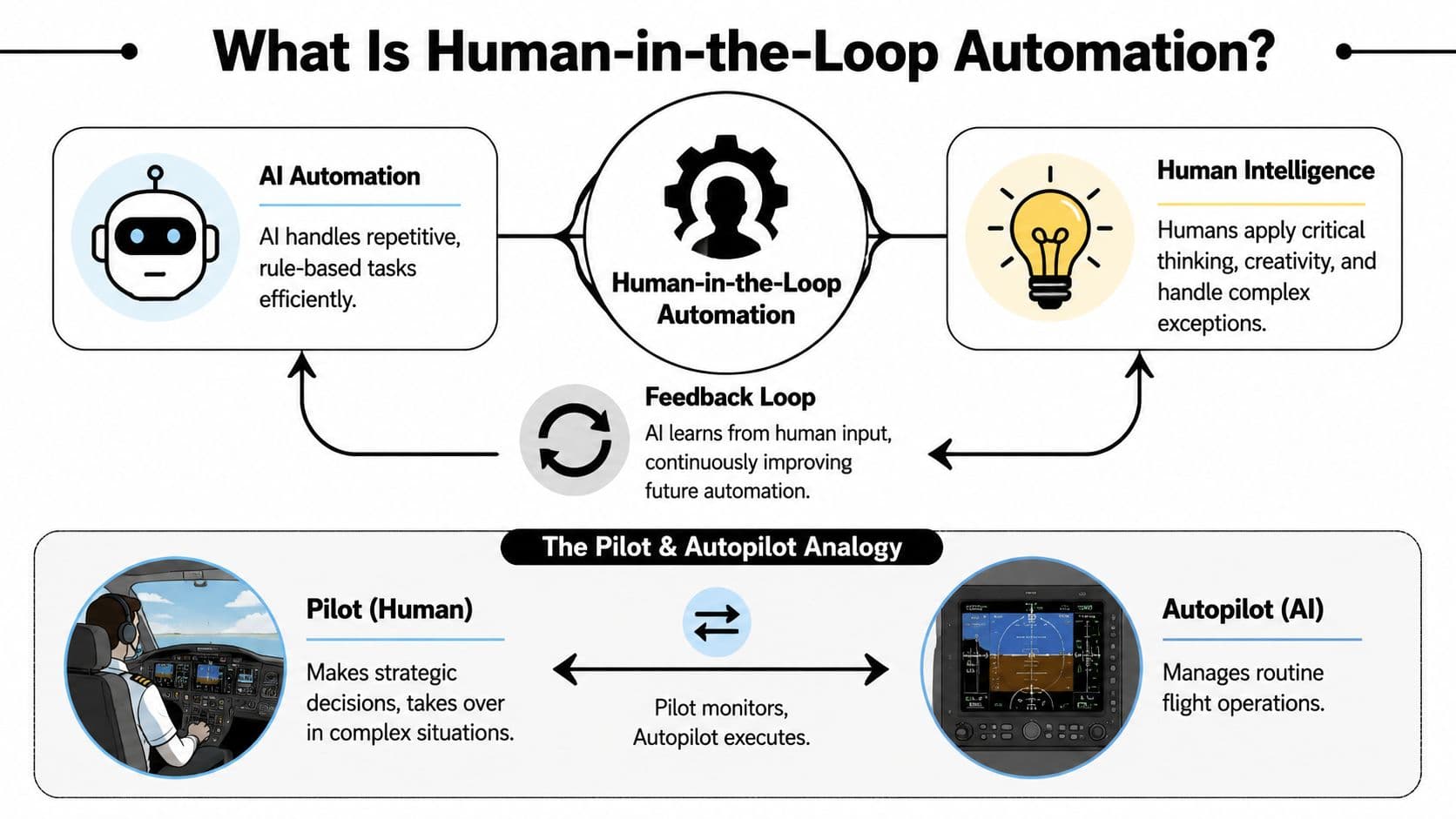
That's the model. Human in the loop automation is not “AI plus random approvals.” It's a deliberate division of labor.
Manual, automated, and blended workflows
A simple comparison makes the difference clearer.
| Workflow type | What happens | Main weakness |
|---|---|---|
| Manual | People do every step | Slow, inconsistent, expensive to scale |
| Fully automated | System handles everything | Brittle when ambiguity appears |
| Human in the loop | System handles routine work, humans handle exceptions | Requires thoughtful design and governance |
The quality of the system depends on where you place the intervention point. If humans review everything, you've recreated manual work with extra software. If they review almost nothing, you've created a fragile black box.
The trigger matters more than the definition
The strongest setups use dynamic confidence thresholds or explicit exception rules. In plain terms, the system should know when not to pretend certainty.
That can look like:
- Low-confidence predictions in classification or extraction tasks
- Policy-sensitive outputs such as legal, financial, or healthcare content
- Conflicting signals between systems, fields, or source documents
- High-impact actions like approvals, payments, or external customer replies
This active learning pattern matters because it focuses expert attention where it adds the most value. Systems using active learning, where AI asks for help only on uncertain predictions, have been reported to achieve 40% faster convergence and require 50% fewer labeled samples, according to Appen's guidance on human-in-the-loop systems.
For teams building conversational or community workflows, a useful adjacent example is how support organizations deploy an AI Discord bot with clear escalation paths instead of expecting the bot to resolve every case alone.
A good walkthrough of this broader design pattern appears in Fluidwave's article on AI-powered workflow automation.
Later in the process, it helps to see the interaction in motion.
Practical rule: If you can't explain exactly why a case gets escalated, you haven't built human in the loop automation. You've built uncertainty with extra steps.
The Business Case for Blending Humans and AI
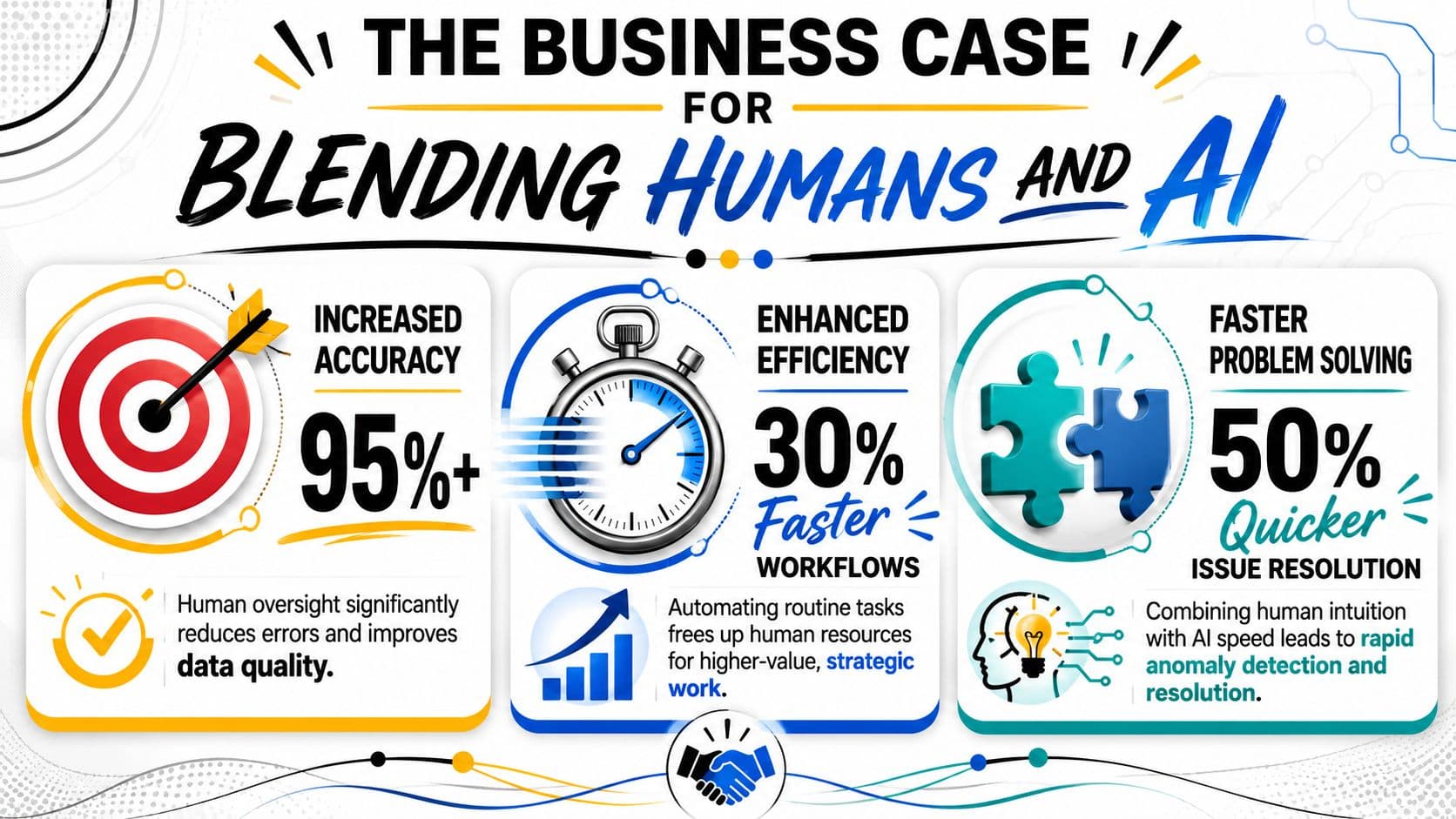
The business case isn't “humans make AI safer,” although that's true. The case is that blended workflows outperform both extremes in the places executives care about. Quality. speed. accountability. resilience.
The strongest benefit shows up where work contains a lot of routine handling and a smaller set of costly exceptions. In that environment, automation clears the volume and people protect the outcome. That's a much better use of talent than asking experienced staff to spend their day copying data, checking obvious matches, or triaging basic requests.
In one cited example, 40% of employees said AI gave them more time to focus on creative or strategic work, a useful signal that well-designed automation can shift human effort toward higher-value tasks rather than just removing activity, as noted by Klippa's overview of human-in-the-loop work.
What executives actually gain
The upside is easier to see when framed as solved problems rather than abstract benefits.
- Fewer expensive misses because someone reviews edge cases before they become customer-facing or financial errors
- Better staff utilization because experienced people spend less time on repetitive handling
- More operational trust because teams know there is a review path when the system gets uncertain
- A learning mechanism because corrections can improve future routing, prompts, and instructions
That final point matters. A manual process repeats labor. A good blended process compounds learning.
Where the ROI usually comes from
In practice, ROI rarely comes from replacing people outright. It comes from narrowing where human effort is required.
Consider the contrast:
| Model | What people spend time on | Likely result |
|---|---|---|
| Manual | Everything | High control, poor scale |
| Full automation | Almost nothing | High scale, higher exposure when wrong |
| Human in the loop | Exceptions and judgment calls | Better balance of speed and control |
That's why regulated and customer-facing teams often adopt this model first. They can't afford blind automation, but they also can't scale by reviewing every item manually.
Good automation removes drudgery. Good human in the loop design protects decisions that still need judgment.
The cost of ignoring this model is straightforward. If a system handles all decisions alone, it can produce fast, repeatable mistakes. If people insist on reviewing everything, the automation layer becomes an expensive front end for old habits.
Human in the Loop Automation in the Wild
The easiest way to judge whether this model is useful is to stop talking about it as a concept and look at where it already fits naturally.
Finance and document-heavy operations
Invoice processing is a classic example. The automation extracts fields, matches vendors, checks totals, and routes straightforward submissions. Humans don't spend time on the easy cases. They review exceptions like missing fields, unusual line items, duplicate-looking submissions, or cost allocations that need departmental context.
That setup works because accounting teams usually know where the risk sits. The issue is not reading every invoice. It's catching the few that don't conform cleanly.
A broader set of examples appears in Fluidwave's article on workflow automation examples, especially for back-office and task-routing scenarios where exceptions matter more than raw volume.
Customer-facing moderation and support
Content moderation works the same way. A model can filter obvious spam, obvious abuse, or clear policy violations. Borderline cases then move to a reviewer who can interpret intent, cultural nuance, and context.
The same pattern shows up in customer support. Bots can answer routine questions and gather context, but a human agent should step in when sentiment drops, the request becomes ambiguous, or the consequence of a bad answer is too high.
Healthcare and expert review
Healthcare may be the clearest case for why full automation is the wrong goal. A model can highlight anomalies in scans, summarize intake information, or organize records for review. A clinician still makes the diagnosis, evaluates edge cases, and carries responsibility for the final judgment.
That is what practical human in the loop automation looks like in the wild. The machine narrows the field. The expert handles the consequential part.
In strong operating models, people don't compete with automation. They review what automation cannot safely own.
A Practical Roadmap for Implementing HITL
Most failures happen because teams treat human review as a vague safety blanket. They add an approval step, call it governance, and then wonder why the workflow gets slower without getting smarter.
A workable setup needs structure from day one.
Start with the failure points
Don't begin by asking where a human could be added. Ask where a machine is likely to fail in a way that matters.
A useful starting screen looks like this:
- High-volume and low-risk tasks should stay automated unless something unusual appears
- High-volume and medium-risk tasks need clear escalation triggers
- Low-volume and high-judgment tasks may be poor candidates for automation in the first place
- High-impact actions need named ownership, even if most of the work is automated beforehand
Many teams get too ambitious. They automate the most politically visible workflow instead of the one with the cleanest boundaries.
Define roles like operators, not spectators
The people in the loop should not be treated as backup clerks. They need authority, context, and rules.
Three role types show up repeatedly:
| Role | What they do | What goes wrong if missing |
|---|---|---|
| Reviewer | Confirms, corrects, or rejects flagged cases | Exceptions pile up or get rubber-stamped |
| Workflow owner | Sets thresholds, rules, and escalation logic | Nobody tunes the system |
| Subject expert | Handles nuanced or regulated decisions | Review quality drops on complex cases |
A reviewer should know what they can approve, what they must escalate, and what evidence they need. If they are guessing, the workflow is under-designed.
Set escalation triggers you can measure
This is the operational detail most guides skip. “Escalate when necessary” is not a rule. It's a hope.
Use measurable triggers such as:
- Confidence-based triggers when the system scores uncertainty below an internal threshold
- Policy triggers when specific language, categories, or actions require review
- Data-quality triggers when inputs are incomplete, conflicting, or malformed
- Impact triggers when the action affects money, legal exposure, or external communication
Once the workflow is live, governance matters more than theory. Teams should track escalation rates, override frequency, resolution time, and customer impact metrics, because those signals show whether the controls are calibrated or whether the system has become a slow approval layer, as emphasized in Balto's practical guide to human-in-the-loop automation.
A change rollout also needs process discipline. If you're formalizing handoffs, review rights, and new operating rules, a structured planning resource like this change management plan template helps keep adoption from becoming ad hoc.
Move human input upstream
One of the most useful shifts is to stop placing humans only at the end of the workflow.
Instead of asking people to approve outputs after the fact, involve them earlier to define:
- Rules and permissions for what the system may do on its own
- Task-routing constraints so work reaches the right queue before errors spread
- Acceptance criteria so reviewers are not inventing standards case by case
- Edge-case categories that deserve automatic pause or specialist handling
This “move left” approach usually reduces unnecessary approvals because the system starts with better boundaries.
The strongest human in the loop workflows don't rely on heroics at the end. They embed judgment into the design before automation starts running.
Pilot narrowly and tune hard
Start with one workflow where the exception types are visible and the handoff can be monitored closely. Then tune the thresholds, reviewer instructions, and routing rules based on what actually happens.
What doesn't work is launching broad and hoping people adapt.
Example Workflow How Fluidwave Enables HITL
A common knowledge-work task shows how this model works in practice. A manager needs a fast research brief for a new market, competitor, or vendor category. The first pass is perfect for automation. Gather public sources, cluster themes, draft summaries, and organize the work into a task flow.
The trouble starts when the task gets nuanced. One source is paywalled. Another contains conflicting information. A third is current enough to matter but needs interpretation rather than extraction. That's the point where a machine can still assist, but shouldn't operate alone.
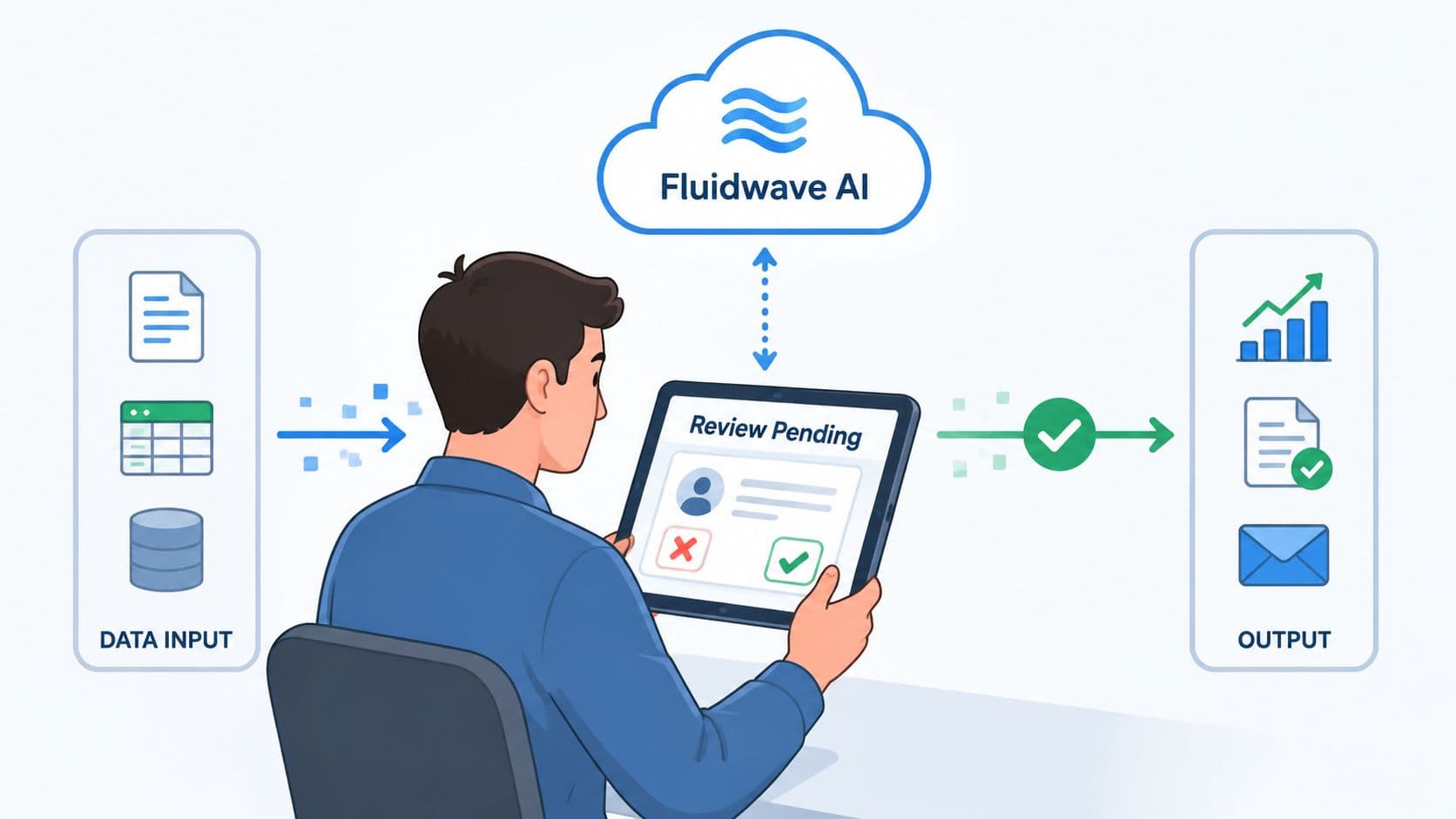
In a platform that combines automation with delegated human support, the handoff can happen inside the same workflow instead of through messy side channels. The system gathers and structures the initial material. A human assistant then checks edge cases, verifies sources, resolves ambiguity, and returns a cleaner synthesis with context.
Why this pattern works
The value is not that a person replaces the machine. The value is that each side handles the part it is suited for.
- Automation handles collection and organization so the task starts with speed
- Human review handles ambiguity when sources conflict or context matters
- The shared workflow preserves continuity so the person doesn't have to reconstruct what the system already did
That's a practical expression of human in the loop automation. The loop exists at the moment where confidence drops and judgment becomes necessary.
Used this way, the workflow feels less like “AI plus labor” and more like a well-run operations desk. Routine work moves quickly. Exceptions are visible. The handoff is intentional.
The Future Is a Partnership Not a Replacement
The biggest mistake in this space is still the same one. Teams frame the choice as humans versus automation, then design around the wrong goal.
For most real operations, full autonomy is not the finish line. The better target is a system that automates what is predictable, escalates what is uncertain, and keeps accountability visible. That is a more durable model because it reflects how businesses work.
There's also a useful contrarian view here. Traditional human in the loop automation can become a bottleneck when humans are positioned only as final approvers. A stronger design often moves people earlier in the process so they define rules, permissions, and constraints before execution begins, an approach discussed in SiliconANGLE's analysis of moving humans “to the left”.
The mindset shift that matters
The question isn't whether automation will take on more work. It will.
The better question is who should own the exceptions, the standards, and the decisions that still need judgment. Organizations that answer that clearly will build faster and safer workflows. Organizations that don't will keep swinging between over-automation and manual cleanup.
Human in the loop automation is not a temporary patch on the road to replacing people. It's a practical operating model for blending machine speed with human judgment.
If you're rethinking how tasks move between AI and people, Fluidwave is worth a look. It combines AI-driven task management with human delegation, which makes it a practical fit for teams that want automation to handle the routine work while people step in on the parts that need judgment, verification, or follow-through.
Focus on What Matters.
Experience lightning-fast task management with AI-powered workflows. Our automation helps busy professionals save 4+ hours weekly.