Discover how AI agents for productivity boost efficiency, automate workflows, and save hours weekly. Learn implementation patterns, real-world results
August 23, 2026 (1mo ago)
AI Agents for Productivity: How They Transform Work in 2026
Discover how AI agents for productivity boost efficiency, automate workflows, and save hours weekly. Learn implementation patterns, real-world results
← Back to blog
The clearest real-world evidence for AI agents for productivity comes from a field study of 5,179 customer support agents, not a polished product demo. Published in the Quarterly Journal of Economics, the study found that generative AI assistance increased productivity by 15% on average, measured by issues resolved per hour. Less experienced agents improved by 34%, suggesting that an agent can act as both a speed tool and a performance equalizer. (Quarterly Journal of Economics)
That result is encouraging, but it isn't a license to automate every knowledge-work task. The practical question isn't whether agents can generate text or operate software. It's whether they can complete a defined piece of work more accurately and efficiently than the existing process, including the time required for review, correction, and oversight.
Measuring the Real Productivity Impact of AI Agents
AI agents produce their clearest gains inside defined workflows, not as general-purpose chat windows. The customer-support study measured assistance during ordinary work, where employees resolved real issues with recognizable inputs and operational outcomes. That context matters because the strongest results usually come from helping people move work through an existing process, with clear boundaries and review points.
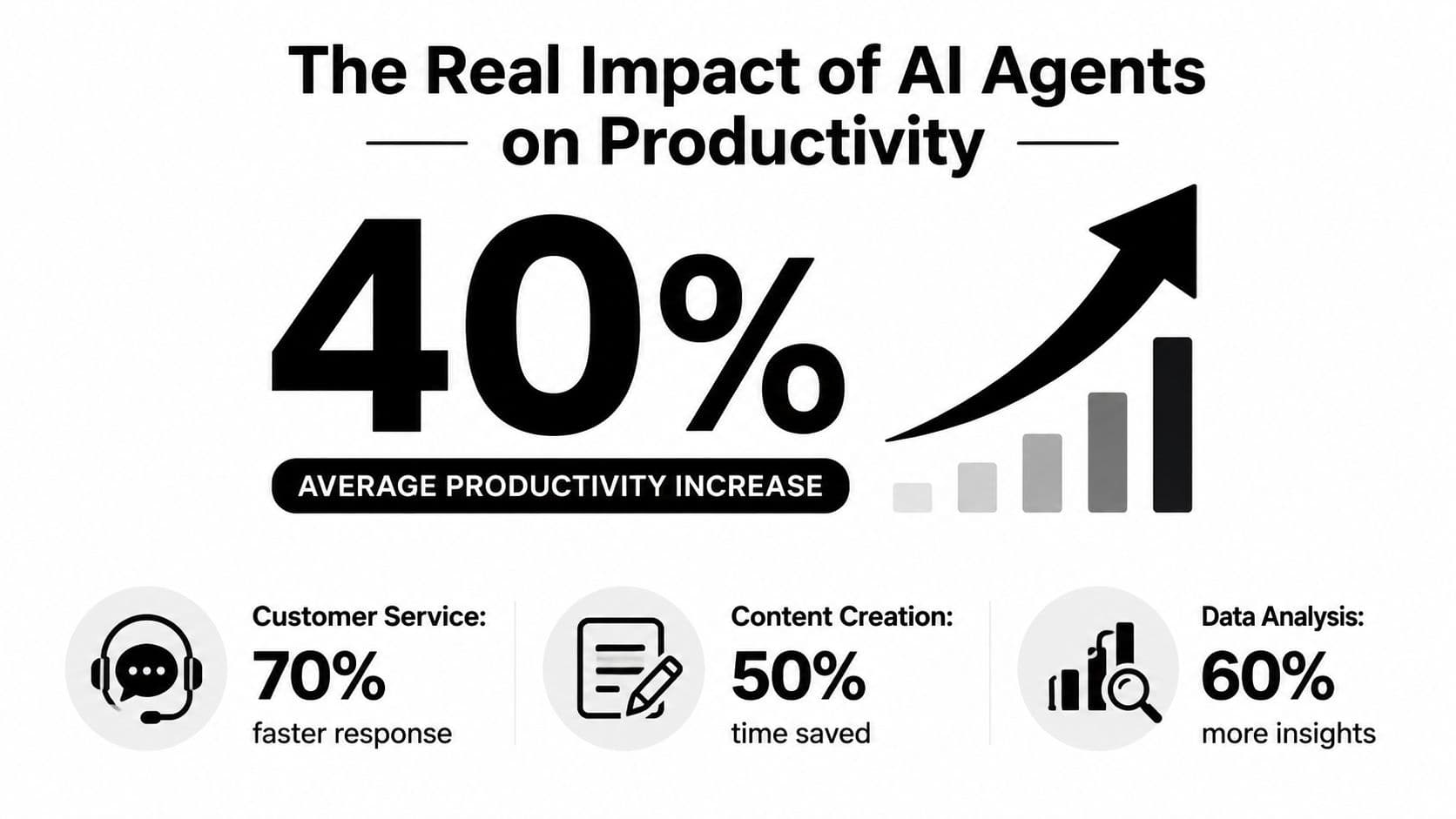
The study's 15% average improvement is not a universal benchmark. A customer-support queue has discrete work units, reference material, and a visible definition of completion. A senior executive making a sensitive decision, a designer developing a new concept, or a lawyer interpreting an unusual situation works with greater ambiguity and higher review requirements.
A separate PwC enterprise survey found that 66% of organizations adopting AI agents reported increased productivity. (PwC's enterprise AI agent survey) The finding indicates that positive results are appearing across business deployments, while leaving the size and durability of those gains open. Workflow design, data quality, governance, and changes to team processes determine the return.
What time savings really mean
Teams often experience AI value as reduced friction rather than an empty calendar. An agent can prepare a first draft, organize research, classify incoming requests, or identify the next action. An employee still reviews the output, but starts with a more useful working version.
The St. Louis Fed's November 2024 survey estimated average generative AI time savings at 5.4% of work hours, about 2.2 hours per week for a 40-hour worker. (Digital Applied's summary of the St. Louis Fed data) Among U.S. workers who had used generative AI in the previous week, 20.5% reported saving four hours or more, while 33.0% reported saving one hour or less. The spread shows why deployment results vary sharply by workflow. The same technology can feel dramatic in one process and barely noticeable in another.
Practical rule: Measure completed work and quality, not just minutes saved. A faster draft that creates downstream editing can reduce team productivity rather than improve it.
The St. Louis Fed's broader 2025 analysis estimated that generative AI time savings represented only 1.6% of all work hours and that labor productivity had risen by up to 1.3% since ChatGPT's introduction. (St. Louis Fed analysis) Those figures sit below the boldest marketing claims. They do not erase strong task-level results. They show why leaders must separate a local workflow gain from economy-wide productivity, and keep human oversight where errors carry material cost.
What AI Agents Do in Modern Workflows
An ordinary chatbot waits for a prompt and returns an answer. An AI agent runs a broader operating loop: it receives a goal, gathers information, chooses an action, uses connected tools, checks the result, and continues or asks a person for direction.
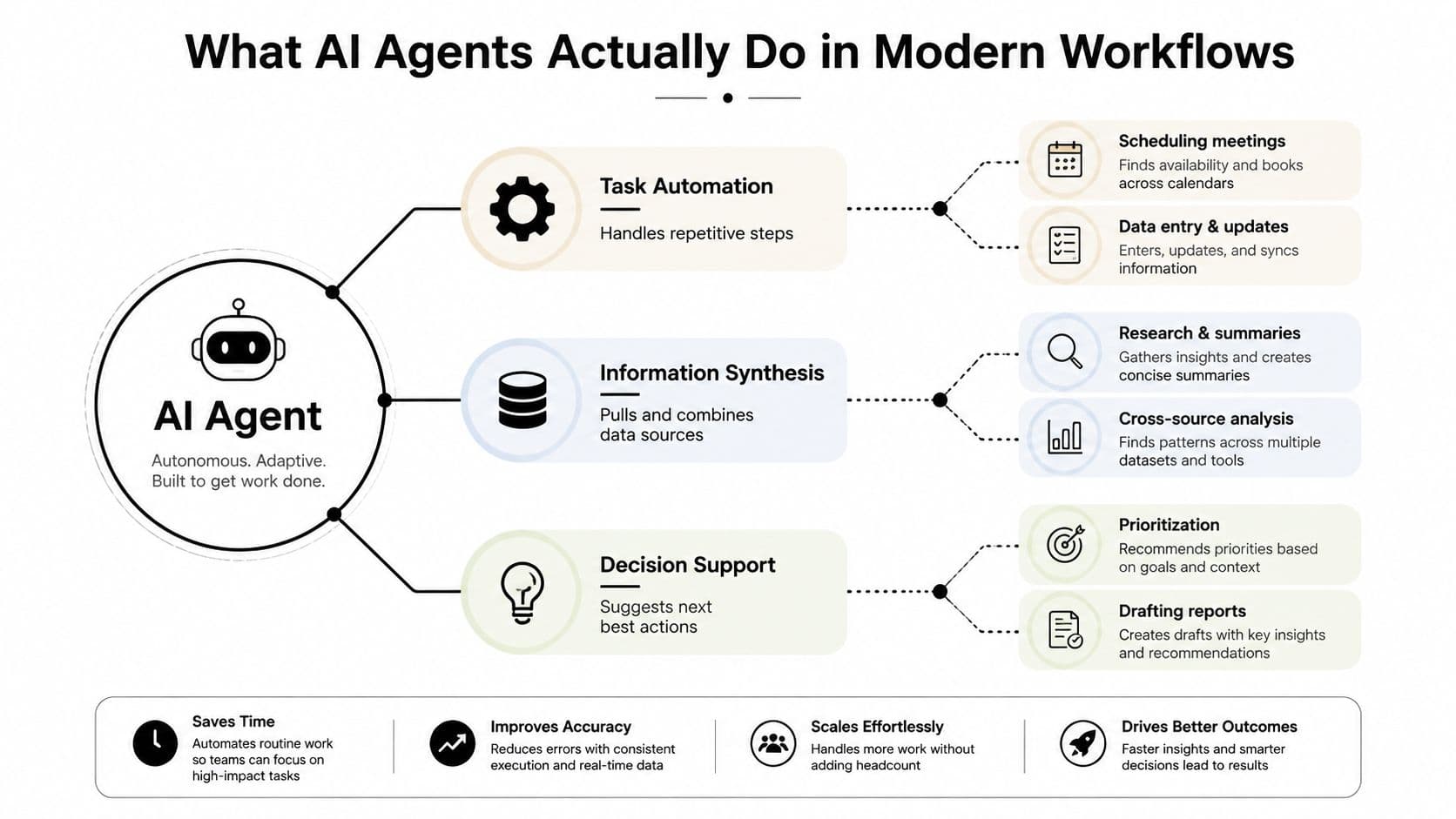
Take a support request. A chatbot might draft a reply after reading the customer's message. An agent can classify the request, retrieve account details, search internal documentation, apply a routing rule, draft a response, and send the case to a human when confidence or authority is insufficient. The distinguishing factor is orchestration. The agent coordinates tools and data across a workflow, whereas a chatbot primarily generates text.
The operating loop
A practical evaluation examines each stage of the agent's loop:
- Understand the request. The system identifies the goal, constraints, and relevant context.
- Collect information. It searches approved documents, databases, inboxes, calendars, or project systems.
- Select tools. It decides whether to create a task, update a record, draft a message, or request clarification.
- Execute bounded actions. It performs permitted steps within its scope.
- Validate the result. It checks required fields, source material, formatting, or business rules.
- Escalate uncertainty. It sends ambiguous, sensitive, or high-impact work to a human.
This loop explains why productivity gains depend on workflow design as much as model fluency. An agent may write an excellent paragraph and still fail because it cannot find the right file, loses state between applications, misunderstands permissions, or acts without enough context. Teams also need clear logs and approval points, so a reviewer can see what the agent used and changed.
The Microsoft 365 Copilot analysis reviewed more than 100,000 Copilot chats in a privacy-preserving study. 49% of conversations supported cognitive work, including analyzing information, solving problems, evaluating options, and creative thinking. (Microsoft Work Trend Index analysis) Agents therefore participate in reasoning and preparation, while people retain responsibility for judgment, priorities, and consequences.
Where the capability is strongest
Enterprise deployments commonly use agents for documentation, code review and testing, and planning, according to Anthropic's 2026 State of AI Agents report. (Anthropic's 2026 State of AI Agents report) These tasks combine structured inputs, accessible context, and outputs that a person can review. They still require controls around permissions, source quality, and exceptions.
Treat an agent as a fast operations coordinator with tightly defined permissions. It can gather, classify, draft, compare, and route work. A person should decide what the organization will risk, promise, publish, or approve. That division keeps automation useful without granting the system authority it cannot reliably exercise.
The following video provides a visual introduction to how agentic workflows connect tasks, tools, and decisions.
Teams building a practical operating system can also review this guide to AI-powered task management, particularly when the bottleneck is prioritization and coordination rather than content generation.
Which Tasks Benefit Most from AI Agents
The best candidate for an agent usually has four traits: repetition, clear inputs, observable completion, and bounded consequences. If a task follows recognizable patterns and a reviewer can quickly verify the result, automation has a reasonable chance of paying off.
The worst candidate is often the opposite. It depends on tacit knowledge, shifting goals, personal relationships, ambiguous evidence, or consequences that are difficult to reverse. An agent may still assist with preparation, but it shouldn't own the decision.
AI Agent Task Suitability Matrix
| Task Type | AI Agent Suitability | Human Oversight Needed | Example Tasks |
|---|---|---|---|
| Repetitive classification | High | Spot checks and exception handling | Triage support tickets, label invoices, sort requests |
| Structured drafting | High | Review facts, tone, and policy compliance | Meeting summaries, routine replies, status updates |
| Information gathering | High to medium | Verify sources and resolve conflicts | Research briefs, account summaries, document comparison |
| Workflow coordination | Medium to high | Approve permissions, deadlines, and external commitments | Create tasks, schedule meetings, route work |
| Code review and testing | Medium to high | Inspect edge cases and security implications | Run tests, identify defects, suggest changes |
| Planning | Medium | Set priorities, constraints, and trade-offs | Project plans, launch checklists, resource sequencing |
| Sensitive communication | Medium to low | Human approval before sending | Performance feedback, negotiation drafts, crisis messages |
| Novel strategic judgment | Low | Human ownership throughout | Major investments, restructuring, ethical decisions |
A support triage agent can classify a request and suggest a response because the team can define categories and escalation rules. A relationship manager shouldn't let an agent independently decide how to handle a frustrated enterprise customer when the history is incomplete or the commercial stakes are high.
Use a simple screening test
Before building anything, ask:
- Can the team describe a successful output without relying on taste alone?
- Does the task recur often enough to justify setup and maintenance?
- Are the required systems accessible through stable tools or integrations?
- Can a person review the result without repeating the entire task?
- Is an incorrect action reversible?
If the answer to most of these questions is yes, start with assistance or recommendation mode, not autonomous execution. Let the agent prepare the work, expose its sources, and request approval before it changes records, contacts customers, spends money, or commits the organization.
Don't automate a task merely because it feels annoying. Email triage, for example, may look ideal, but if a person can scan and categorize messages faster than the agent can generate, explain, and present its recommendations, the automation adds a new interface without removing the old cognitive load. The right comparison is the complete process, including supervision.
Real-World Implementation Patterns That Work
Successful deployments usually begin with a narrow queue rather than a broad promise. A customer-service team might start with incoming-ticket classification. A marketing team might use an agent to turn approved source material into a briefing draft. A project team might ask an agent to detect missing owners or overdue dependencies before a weekly review.
A support-triage pattern
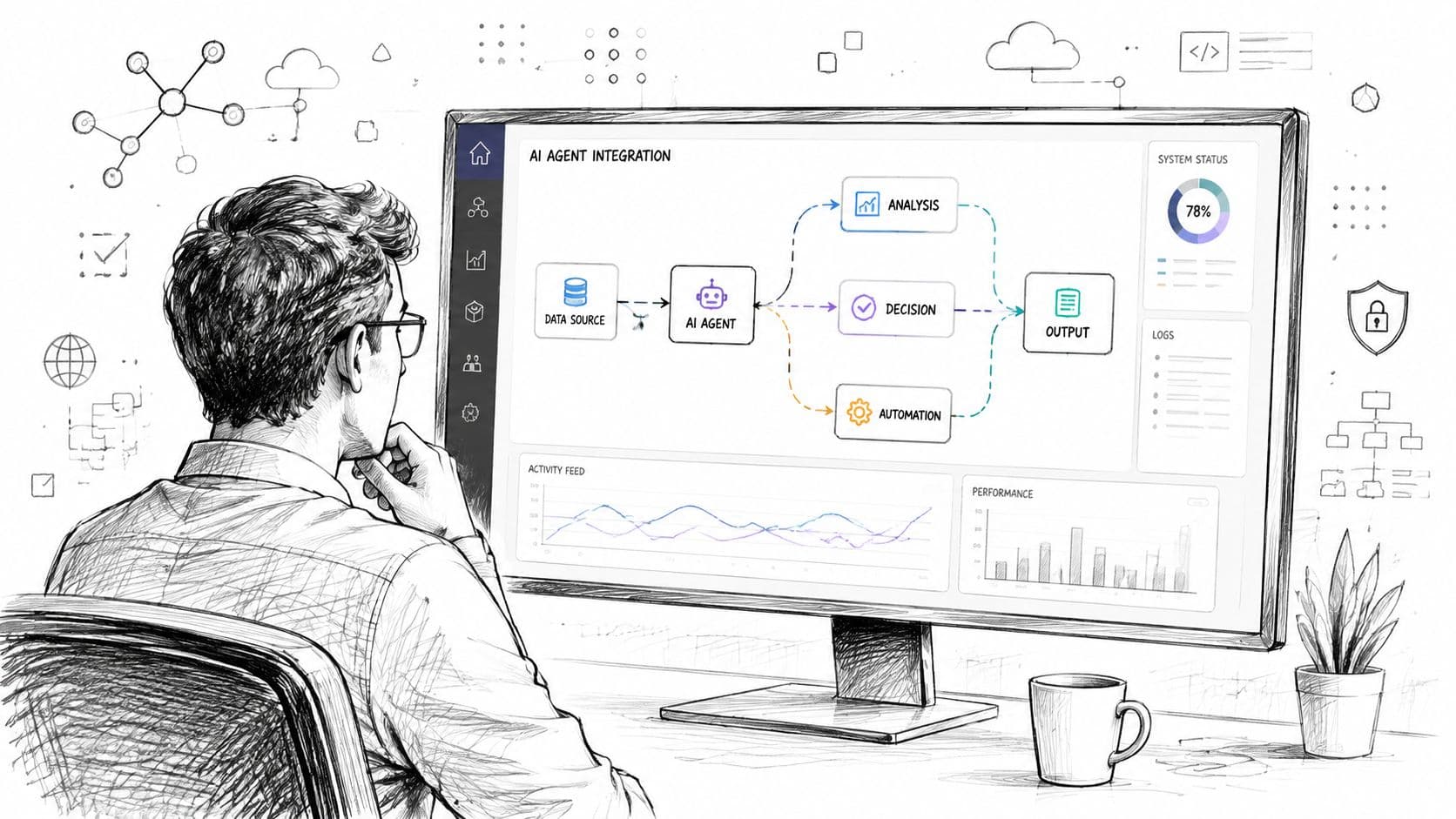
The workflow starts with classification, not automatic replies. The agent reads the request, identifies the category, retrieves approved guidance, and proposes a priority and response. A support lead reviews samples, corrects recurring errors, and expands the agent's scope only after the team understands where it misclassifies.
That design creates a clean escalation path. Billing disputes, security concerns, unusual contract terms, and emotionally charged complaints go to a person. Routine requests can move through a faster lane because the agent's responsibilities remain narrow.
The field study of customer-support agents supports this pattern because it measured gains in a process where resolution work could be observed directly. (Quarterly Journal of Economics field study) The lesson isn't to hand over customer service wholesale. It is to place assistance at the points where employees repeatedly search, summarize, and draft.
A content and research pattern
Content teams get better results when the agent works from an evidence pack. Give it approved source documents, audience information, a defined structure, and an explicit review checklist. Ask for a draft, supporting references, open questions, and claims that require human verification.
The editor remains accountable for accuracy, positioning, and voice. The agent handles extraction, organization, alternative outlines, and first-pass language. This division is more reliable than asking a system to invent a complete article from a vague instruction.
A project-operations pattern
Project managers can use agents to convert meeting notes into proposed tasks, identify dependencies, summarize changes, and flag work without owners. The manager still resolves conflicts and negotiates priorities. The agent reduces administrative drag while leaving authority with the person who understands the project context.
Across all three patterns, adoption improves when teams see exactly what the agent did. Show inputs, proposed actions, confidence signals, and escalation reasons. Protect sensitive data through approved access controls, and keep a human approval step wherever an error could create legal, financial, reputational, or relationship damage.
Deployment principle: Start with a workflow that has a queue, an owner, a definition of done, and an exception path. If those elements aren't clear, an agent won't create operational clarity.
Where AI Agents Fall Short and Why It Matters
The gap between agent demonstrations and dependable workplace autonomy remains substantial. A benchmark built around investment banking, management consulting, and corporate legal workflows found that frontier systems still struggle with long-horizon work across files and applications. (APEX-Agents benchmark) The difficulty extends beyond language generation. Agents must plan, retain context, use tools correctly, move through unfamiliar environments, and recover when a process changes.
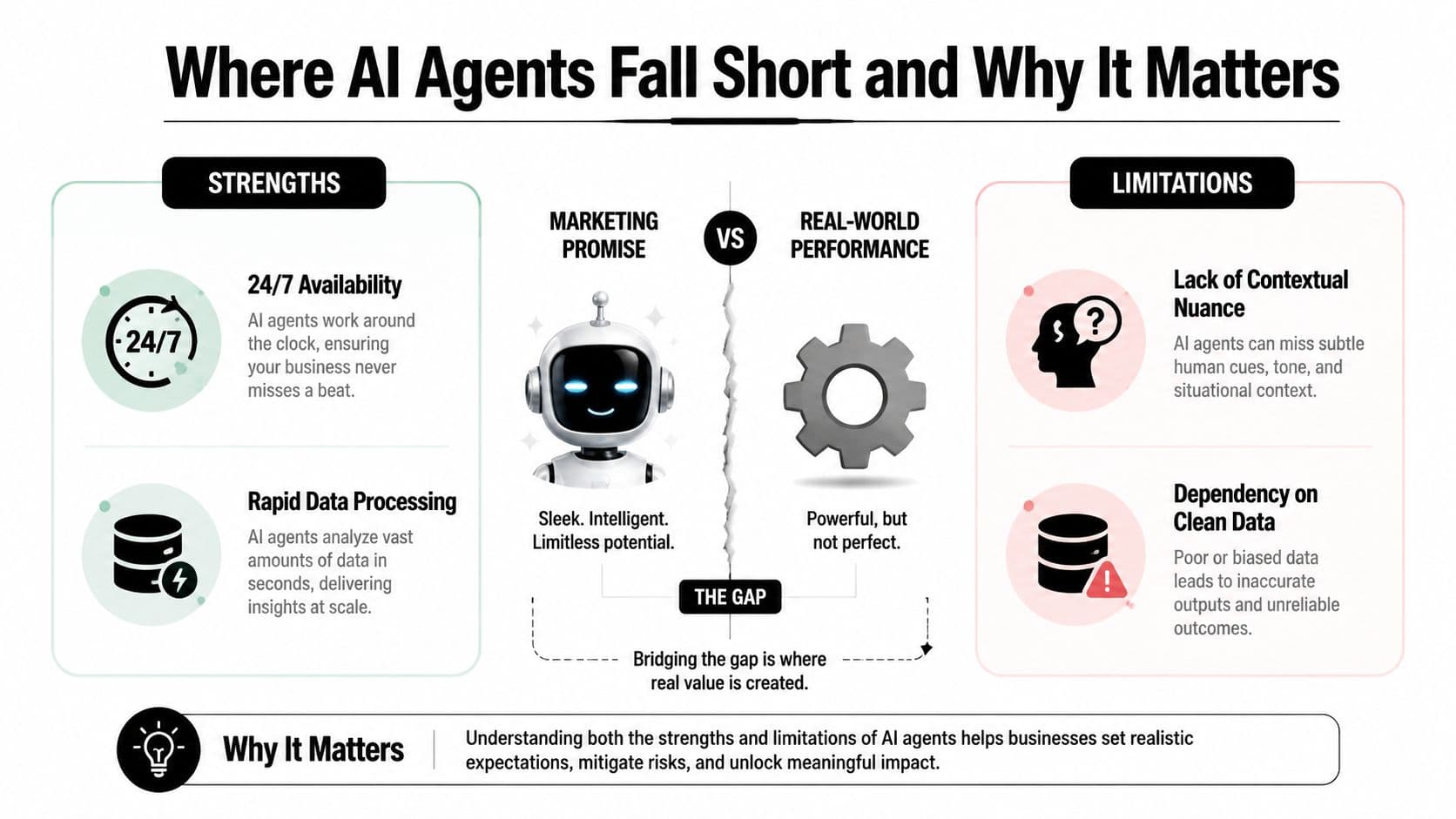
TheAgentCompany benchmark found that the best-performing agent completed only 30.3% of tasks end-to-end and reached 39.3% with partial-credit scoring. An enterprise-focused sandbox evaluation reported approximately 41.8% task completion. (TheAgentCompany benchmark) These results show partial autonomy. No current system manages a department independently with the reliability a digital employee would require.
Failure creates hidden work
An agent may save one worker from typing a draft while creating work for another person who must verify unsupported claims, repair formatting, reconstruct missing context, or explain an incorrect decision to a customer. Measuring only the initial action overstates the productivity gain.
Quality assurance also changes shape. Teams need sampling, exception monitoring, audit trails, and clear escalation rules instead of manually checking every action. Those controls are required in regulated or high-stakes environments, and their time belongs in the productivity calculation.
Data quality imposes another limit. If source systems contain stale records, conflicting policies, or unclear ownership, an agent can process the inconsistency faster without resolving it. Better models cannot supply missing operating rules.
The human-AI interaction guide explains why the interface matters. People must be able to understand the system's assumptions, correct its output, and redirect it at the right moment. A technically capable agent can still fail in production when users cannot see its reasoning or intervene before an action creates consequences.
The uncomfortable truth: An agent is not autonomous merely because it can take action. Reliable autonomy requires consistent completion, sound judgment, and safe recovery when conditions change.
Use agents as supervised assistants for bounded, repetitive, tool-rich work. Keep people responsible for ambiguous decisions, irreversible actions, and situations where important context lives in relationships rather than documents.
Combining AI Agents with Human Delegation
Automation and human delegation solve different parts of the productivity problem. An agent is good at scanning, classifying, summarizing, drafting, and moving structured information between systems. A skilled assistant is better at interpreting an unclear request, contacting a person, resolving a practical obstacle, and noticing that the stated task isn't the need.
The strongest operating model assigns work according to judgment density. Low-judgment coordination can move to an agent. Medium-judgment tasks can begin with an agent and finish with an assistant. High-judgment work stays with the professional who owns the outcome.
A three-layer delegation model
Layer one, machine preparation. The agent gathers information, identifies deadlines, proposes priorities, and creates a draft task list. It should make its assumptions visible rather than turning uncertain interpretations into commitments.
Layer two, human execution. A virtual assistant handles actions that require persistence, context, or interaction with people. That can include scheduling, research follow-up, inbox sorting, form completion, or checking details across systems.
Layer three, owner approval. The executive, manager, or specialist makes the decision that carries strategic or reputational weight. The system should return a concise brief, unresolved questions, and the proposed next action.
This arrangement avoids a common mistake: asking an agent to perform every step because it can perform some steps. An automated scheduling system may identify an available time, while a human assistant recognizes that a particular participant needs a different format or that the meeting should not happen yet. The agent accelerates coordination. The person protects context.
Human-in-the-loop automation captures this design principle directly. Human review isn't merely a safety brake. It can be a productivity feature when the reviewer receives a well-prepared package instead of starting from a blank screen.
Fluidwave is one example of a task-management platform that combines AI-driven task organization and prioritization with access to human virtual assistants for work such as scheduling, research, inbox sorting, and form filling. The relevant product choice isn't “AI or people.” It's whether the workflow makes handoffs explicit, keeps ownership visible, and lets each contributor work at the level where they add the most value.
What this looks like in practice
A founder might let an agent turn an inbox into proposed tasks, ask an assistant to verify information and coordinate appointments, and reserve personal attention for hiring, customers, and product decisions. A project manager might use an agent to surface blocked work, assign routine follow-up to an assistant, and handle trade-offs with stakeholders.
The result is a layered system. Machines reduce repetition, people resolve ambiguity, and accountable owners make decisions.
Getting Started with AI Agents in Your Workflow
Start with one workflow, not an abstract goal such as “automate operations.” Record how the task works today, including handoffs, review time, exceptions, and the systems people open along the way. Choose a process with clear completion criteria and reversible actions.
Then run a supervised pilot:
- Select a narrow task. Use triage, meeting-note conversion, document comparison, or routine status preparation.
- Define success. Track completed work, correction effort, quality, and escalation frequency.
- Limit permissions. Begin in draft or recommendation mode, with approved data sources and human approval.
- Review failures weekly. Separate model errors from broken process rules, missing data, and unclear ownership.
- Expand carefully. Add adjacent actions only when the team can explain why the current workflow is reliable.
Security and training belong in the pilot from the start. People need to know what data the agent can access, what it can change, when they must intervene, and how to report a bad result. If your team needs a structured route to launch production-ready agents, evaluate the implementation against these same requirements rather than treating deployment as a model-selection exercise.
The best first agent won't replace a whole role. It will remove a specific bottleneck, make the next action clearer, and produce evidence that the redesigned process works.
Fluidwave combines AI-assisted task management, smart prioritization, workflow coordination, and human virtual-assistant delegation in one workspace. Visit Fluidwave to organize your next pilot, route routine work to the right helper, and keep human judgment where it matters most.
Focus on What Matters.
Experience lightning-fast task management with AI-powered workflows. Our automation helps busy professionals save 4+ hours weekly.