Learn the essentials of writing a procedure that gets results. Our guide covers scope, clarity, testing, and automation to improve operational efficiency.
November 27, 2025 (11mo ago)
A Guide to Writing a Procedure That Actually Works
Learn the essentials of writing a procedure that gets results. Our guide covers scope, clarity, testing, and automation to improve operational efficiency.
← Back to blog
Before you even think about writing "Step 1," you've got to do the real work. The success of any procedure doesn't come down to the final polish, but on the careful planning you do right at the start. This is what separates a guide that people actually use from one that just collects dust on a shared drive.
Laying the Groundwork for a Flawless Procedure
Think of this part as building the foundation for a house. If you get it wrong here, everything that comes after will be shaky.
First things first: pin down the procedure's purpose and scope. What, exactly, is this document supposed to accomplish? Is it for setting up a new marketing campaign? Or maybe for handling a customer complaint? Be laser-focused.
Just as important is defining what the procedure doesn't cover. This isn't about being restrictive; it's about making things clear. It stops people from going down the wrong path and keeps your document from becoming a tangled mess.
Know Your Audience and Their Needs
Once you know the what, you absolutely have to figure out the who. The person on the other end of the screen dictates everything—the tone, the level of detail, the language you use. A guide written for a senior developer is going to look completely different from one meant for a brand-new hire on the support team.
Ask yourself a few simple questions about the people who will be using this:
- How much do they already know?** Are they experts who just need a quick memory jog, or total beginners who need every single click explained?
- Where will they be reading this? On a small phone screen in a loud factory, or at a desk with two large monitors? The context changes everything.
- What terminology are they familiar with? Ditch the jargon unless you're 100% certain everyone will get it without a second thought.
Getting this right is non-negotiable. It's especially critical in highly regulated fields. For instance, the medical writing market is booming for a reason: the documentation for clinicians and regulators has to be flawless. In fact, clinical writing is expected to grab a 35.6% market share in 2025, a growth driven entirely by the demand for crystal-clear procedures.
Structure and Accessibility from the Start
Finally, think about the skeleton of your document before you start adding the meat. A disorganized procedure is a useless one. Before you get into the weeds of the steps, you need a solid structure. For some excellent guidance on this, check out this piece on crafting a powerful outline. A good outline is your roadmap, making sure the entire process flows logically from beginning to end.
Don't forget accessibility, either. This means using clear headings, easy-to-read fonts, and adding descriptive alt text for any images. The goal is simple: create a document that anyone on your team can use effectively. This upfront prep work might feel like it's slowing you down, but I promise it will save you an incredible amount of time and headaches later.
Crafting Clear and Actionable Steps
With the groundwork laid, it's time to get into the heart of the matter: writing the steps themselves. This is where you transform a complex workflow into a simple, logical sequence that anyone can pick up and run with. The real goal here isn't just to list tasks, but to build a pathway that guides the user from A to B without any guesswork.
One of the most common mistakes I see is cramming too much into a single step. Think of it this way: one step, one action. Instead of writing, "Configure the user's account and send the welcome email," you need to break that apart. Make them two distinct, clear instructions. This level of detail is what separates a procedure that works from one that just causes confusion and errors.
Use Action-Oriented Language
Every single step should kick off with a strong, active verb. You're telling the user exactly what to do. Use words like Click, Enter, Attach, or Verify. Vague, passive language is the enemy of a clear procedure.
Just look at the difference:
- Vague: The client’s details should be checked for accuracy.
- Actionable: Verify the client's street address in the CRM against the submitted form.
The second example is foolproof. It tells you what to check, where to find it, and what to compare it against. There’s zero room for misinterpretation, which is exactly what you need for consistent results. This kind of precision is crucial, especially when creating effective work instructions for manufacturing where quality control is paramount.
Format for Easy Scanning
Let’s be honest, nobody wants to read a dense wall of text when they’re trying to get a job done. The way you format your procedure is just as critical as the words you choose. You have to use visual cues to guide the reader and make the information digestible at a glance.
A well-formatted procedure makes information pop. Here are a few elements I always rely on to break up the text and guide the user's eye.
| Procedure Formatting Elements for Maximum Clarity | ||
|---|---|---|
| Formatting Element | Best Use Case | Example |
| Headings & Subheadings | Breaking down a long procedure into logical phases or distinct parts. | Phase 1: Initial Client Onboarding, Phase 2: Project Setup |
| Numbered Lists | For sequential steps that must be performed in a specific order. | 1. Open the project file. 2. Save a new version with today's date. 3. Update the client contact field. |
| Bullet Points | Listing non-sequential information like required tools, tips, or options. | - Project Brief - Client Style Guide - Login credentials |
| Bold Text | Highlighting the single most important piece of information in a step. | Warning: Do not proceed without manager approval. |
Using these tools thoughtfully turns a daunting document into a user-friendly guide.
The diagram below shows how the initial planning—defining the purpose, knowing your audience, and ensuring accessibility—directly feeds into how you should write and format these steps.
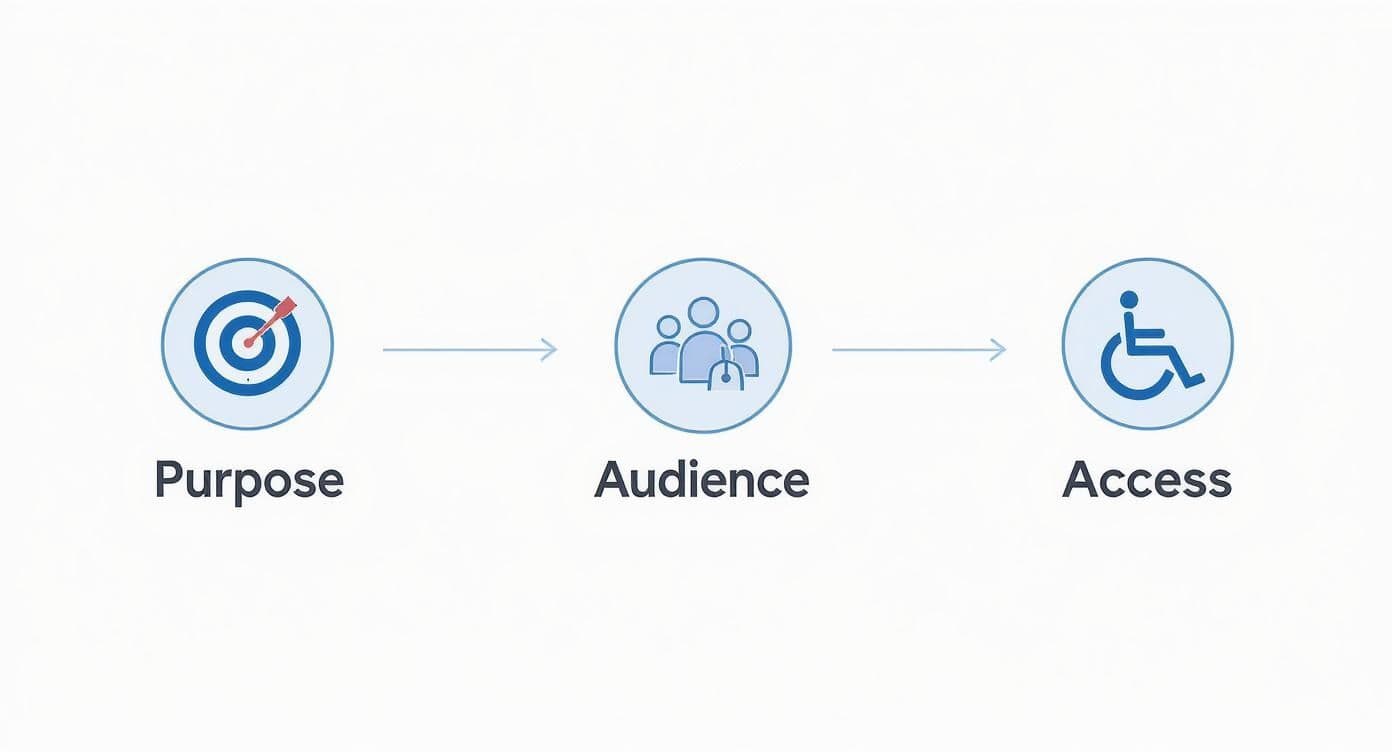
This visual is a great reminder that understanding who will use the procedure is the key to making it genuinely clear and easy to follow.
Bring Your Steps to Life with Visuals
Sometimes, words just don’t cut it. A well-placed screenshot showing exactly which button to click can save someone minutes of searching and prevent costly mistakes. It can replace an entire paragraph of description.
For more hands-on tasks, a short video clip or even a simple diagram can offer a level of clarity that text can never match. If your procedure outlines a larger workflow with multiple stages, giving your team a visual overview can be a game-changer. For a deeper dive into this, check out our guide on how to create a process map; it's the perfect companion for visualizing the bigger picture behind your detailed steps.
How to Refine and Validate Your Procedure
You've just finished the first draft of your procedure. It's tempting to hit "save" and call it a day, but the most important work is just getting started. This next phase—testing and revision—is what turns a theoretical document into a practical, trustworthy tool your team can actually use without a second thought.

The best way to see if your instructions hold up in the real world is to put them to the test. Grab someone who will actually be using the procedure and ask them to perform the task from start to finish, relying only on your document.
Don't just hand it to them for a quick read-through. Watch them.
Key Takeaway: Pay close attention to where they pause, get confused, or ask a question. These moments aren't failures; they're gold. This direct feedback shows you exactly where your instructions are unclear or where you accidentally skipped a critical step.
Get a Fresh Set of Eyes with Peer Reviews
Once you’ve polished the procedure based on that initial test run, it’s time to bring in a colleague for a peer review. After staring at the same document for hours, it’s easy to become blind to your own typos, awkward sentences, or assumptions. A fresh pair of eyes can often spot these issues in minutes.
A solid peer review should act as a quality check for a few key things:
- Clarity and Simplicity: Is the language straightforward? Is it easy to follow?
- Accuracy: Are all the technical details, software names, and links correct?
- Completeness: Did you cover every necessary action? What about potential roadblocks or exceptions?
- Consistency: Does the tone, formatting, and terminology line up with other company documents?
This step is absolutely vital for creating high-quality documentation. For a deeper dive into structuring these documents effectively, check out our guide on how to create standard operating procedures, which walks you through the entire process.
Implement Clear Version Control
Processes change. Your procedures need to change with them. Without a system to track updates, you'll end up with multiple outdated versions floating around, which is a recipe for confusion and costly mistakes.
Luckily, version control doesn't need to be some complex, over-engineered system. Simple is usually better.
- Start with a Simple Naming Convention: Something like "V1.0," "V1.1," etc., works perfectly. A major overhaul gets a whole number bump (V2.0), while a minor fix is just a point update (V2.1).
- Keep a Change Log: Add a small table at the top or bottom of the document. Track the version number, the date, who made the change, and a quick note about what was updated.
- Create a Single Source of Truth: Make sure everyone knows exactly where to find the one official, up-to-date version, whether that’s a specific folder in a shared drive or a page in your knowledge base.
This disciplined approach to writing a procedure ensures all your hard work stays relevant and useful for the long haul. The need for this kind of clarity is exploding. Take the global medical writing market—it was valued at roughly USD 6.87 billion in 2024 and is expected to climb to USD 7.72 billion by 2025. As you can see from trends reported on GlobeNewswire, the value placed on precise, reliable documentation is only growing.
Turning Procedures into Automated Workflows
A well-written procedure is so much more than a document that sits in a folder. It’s your blueprint for getting things done right, every single time. Once you’ve nailed down and tested your process, you can confidently hand off the work to a team member or a virtual assistant.
This is where you start to really get your time back. Instead of re-explaining a task over and over, you just point to the procedure. It’s their guide, their training manual, and your quality control all in one, ensuring consistent results without you needing to look over their shoulder.
From Delegation to Automation
Delegation is a huge step, but automation is where the real magic happens. This is the point where you take that carefully crafted procedure and turn it into a living, breathing workflow that runs on its own. It's a fundamental shift from just documenting work to actually making the work happen automatically.
Think about your process for bringing on a new client. Instead of a manual checklist you tick off, an automated workflow can orchestrate the whole thing.
- When a client signs the contract, the system can automatically send a welcome email and create their project folder.
- Once you assign a project manager, it can generate a pre-populated task list in your project management tool.
This is the power of workflow automation. If that's a new idea for you, our guide on what is workflow automation is the perfect primer. It breaks down how you can link your different apps together to take care of repetitive work for you.
A documented procedure gives you the logic required for automation. Without clear steps, you can't build a reliable automated workflow; with them, you can eliminate entire categories of manual effort and human error.
This isn't just a niche idea; it’s a massive trend, especially with the rise of AI. For example, the global AI in medical writing market was valued at USD 868.99 million in 2024 and is projected to hit USD 975.65 million in 2025. Why the growth? Because AI tools are automating the grunt work involved in creating complex documents. You can see more on how AI is changing technical writing on Grand View Research.
Making It Happen with the Right Tools
This is exactly where platforms like Fluidwave come into play—they’re built to close the gap between documentation and execution. They let you transform a simple list of steps into a trackable, interactive process that your team can follow.
This is what it looks like in practice. You can see exactly how tasks are organized, who they’re assigned to, and what their status is. This kind of visibility turns your procedure from a static guide into a dynamic operational tool, making the initial effort of writing a procedure the foundation for a much smarter, more automated business.
Your Final Checklist Before Publishing
You're almost at the finish line. Before you hit "publish" and send your new procedure out into the world, it's time for one last, crucial quality check. This isn't just about dotting i's and crossing t's; it's the final inspection that ensures your document is professional, trustworthy, and actually usable.
Think of it like a pre-flight check. Skipping this step can lead to confusion and undermine all the hard work you've put in.

This final pass is your chance to catch the small mistakes that can have a big impact. It’s about making sure your procedure is ready to perform in the real world, from the first step to the last.
Content and Clarity Review
First things first, put yourself in the shoes of a brand-new user and read the entire document from start to finish. Does the title accurately reflect what's inside? If your title is "How to Process a Client Refund," the content better not be a guide to onboarding new hires.
Once you’ve confirmed the big picture, zoom in on the language and flow.
- Proofread like a pro: Fire up your grammar checker, but don't stop there. Reading the text aloud is one of the best ways to catch awkward phrasing and sentences that just don’t land right.
- Keep it consistent: Terminology matters. If you refer to your "CRM" in one section, don't suddenly call it the "customer relationship manager" later. Pick a term and stick with it.
- Revisit the 'why': Take another look at your purpose statement. Does it clearly explain the end goal? Someone who understands why they're doing a task is far more likely to do it right.
This focused review is all about making sure your core message is crystal clear and ready for your audience.
Technical and Formatting Verification
With the content squared away, it’s time to shift focus to the technical details. Nothing tanks a document's credibility faster than a broken link or a blurry, unreadable screenshot. It makes people question everything else.
Your final check needs to confirm that every single element of the document works as intended. This includes links, images, version numbers, and where it’s stored. A broken piece of the puzzle can stop a user dead in their tracks.
Here's what to hunt for:
- Test every single link. Click them all. Make sure they go to the right place and that the pages aren't dead. A broken link is a dead end for your user.
- Inspect all visuals. Are your images and screenshots crisp and high-resolution? Do they load correctly? Double-check that every visual has descriptive alt text for accessibility.
- Confirm the version control. Is the version number current and prominently displayed? Is the change log accurate? This tiny detail is your best friend when it comes to tracking revisions.
- Check its home and who has the keys. Finally, is the document saved in the correct central location? And, critically, does the intended audience have the right permissions to actually see it?
Once you’ve gone through this checklist and ticked every box, you can publish with total confidence. Your procedure is now officially ready to help your team get things done.
Frequently Asked Questions About Writing Procedures
Even with a solid plan, questions always pop up when you're deep in the weeds of writing a procedure. It’s completely normal to hit a few snags along the way. Here are some quick answers to the most common questions we hear from teams trying to improve their documentation.
What Is the Difference Between a Procedure and a Process?
It's easy to get these two mixed up, but the distinction is pretty simple. Think of a process as the high-level roadmap and a procedure as the turn-by-turn directions.
A process outlines the entire journey from start to finish to hit a major goal, like "Onboard a New Client." It covers the major stages, but it intentionally leaves out the nitty-gritty details.
A procedure, on the other hand, is the granular, step-by-step guide for a single task within that larger process. So, a procedure like "How to Create a New Client Account in the CRM" would be just one small, but critical, part of the overall client onboarding process.
How Often Should I Review and Update Procedures?
This is a great question, and the honest answer is: it depends.
A good rule of thumb is to schedule an annual review for all your critical procedures. However, for any task that involves fast-changing software, shifting client policies, or new regulations, you'll probably want to check in quarterly or even more frequently.
The most important rule? Update a procedure immediately after a significant change in the workflow. An outdated document is often more dangerous than no document at all, as it can lead people to make mistakes with confidence.
What Is the Best Way to Get Team Buy In for New Procedures?
This is the key to making sure your hard work actually gets used. The single best way to get buy-in is to involve the team in the creation process from the very beginning.
Here’s how to do it:
- Ask the experts: Go talk to the people who perform the task every single day. They know all the shortcuts, the common pitfalls, and what actually works in the real world.
- Test it together: Have them run through your draft and give you direct, unfiltered feedback. When people feel a sense of ownership, they are far more likely to adopt and champion the procedure.
- Explain the 'why': Don't just hand them a document. Clearly communicate how this new procedure helps them, reduces errors, or makes a frustrating part of their job easier.
Ready to turn your well-written procedures into powerful, automated workflows? Fluidwave combines task management with intelligent automation and a network of virtual assistants, transforming your static documents into dynamic, trackable processes. Get started with Fluidwave today and see how much time you can save.
Focus on What Matters.
Experience lightning-fast task management with AI-powered workflows. Our automation helps busy professionals save 4+ hours weekly.