Eight workflow automation best practices for building reliable AI and virtual-assistant workflows with clear governance, controls, and monitoring.
October 18, 2026 (1d ago)
8 Workflow Automation Best Practices That Scale
Eight workflow automation best practices for building reliable AI and virtual-assistant workflows with clear governance, controls, and monitoring.
← Back to blog
Only 6% of surveyed business and technology leaders fully trust AI agents to run core business processes, and just 12% consider their risk and governance controls fully ready, according to the survey reported by Fortune. That's a useful counterweight to the assumption that successful automation means removing people from every step. Automating a poorly defined process doesn't resolve its weaknesses. It lets those weaknesses affect more work.
Automation is only as good as the system around it. The strongest programs make work easier to govern, delegate, review, recover, and improve. Teams need an operating system for human and AI contributors, not a growing collection of shortcuts that nobody fully understands.
Practical rule: Automate the movement of work without losing accountability for its outcome.
That means thinking beyond triggers and integrations. A workflow needs a clear task brief, an accountable owner, sensible review checkpoints, and a way to recover when software or people get something wrong.
These workflow automation best practices apply whether you're coordinating client onboarding, managing internal requests, or delegating research. If you're evaluating sales tools, use a B2B sales CRM comparison alongside your process requirements, rather than choosing software first and reshaping work around its features.
1. Map and Streamline a Process Before You Automate It
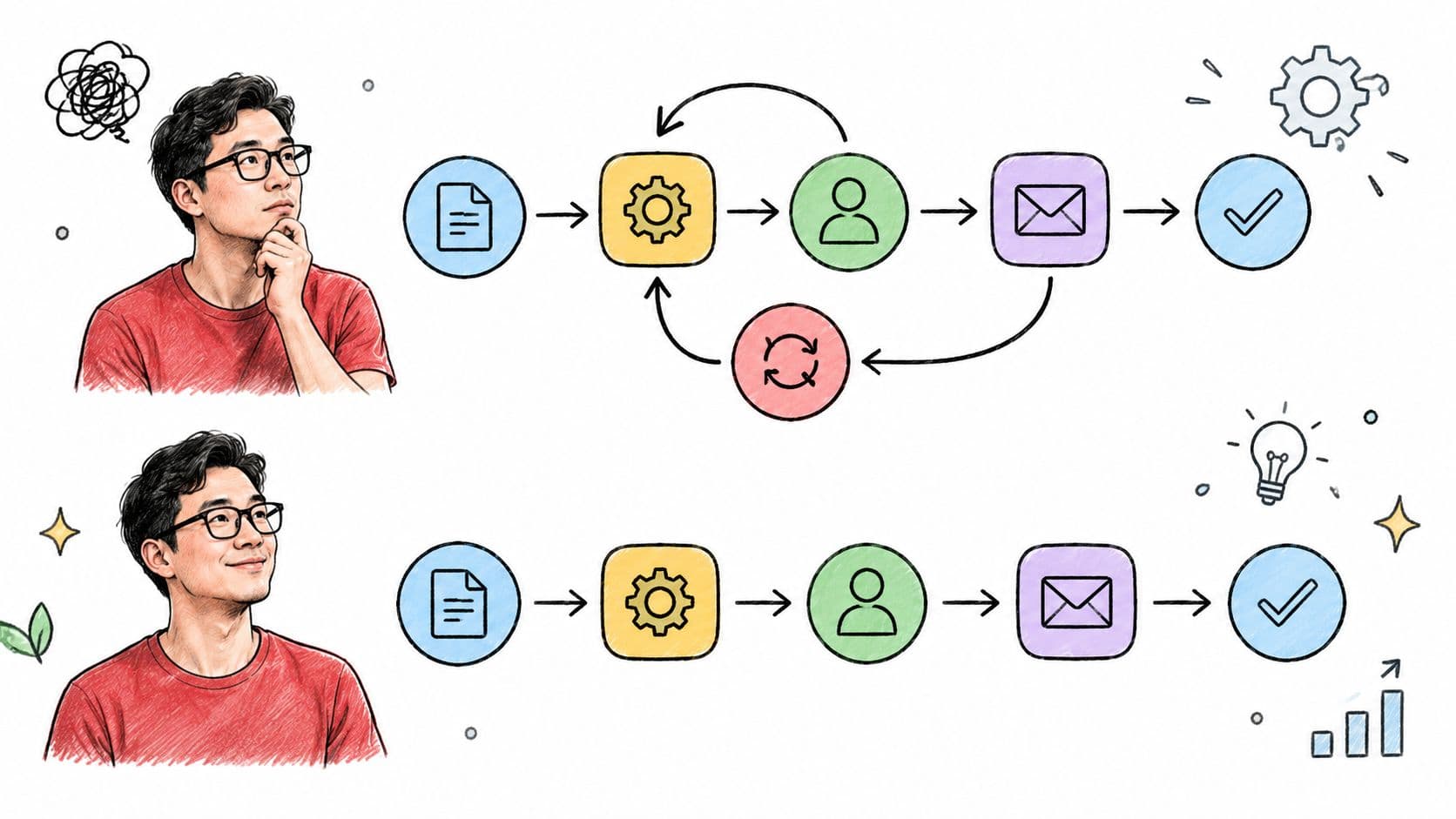
Start with an actual task, not the process diagram someone prepared for management. Ask the person doing the work to walk through the request, the missing information, the follow-up messages, and the point where they decide it's finished. Record both the official steps and the workarounds.
For a client onboarding workflow, that might mean tracing a signed agreement through account setup, document collection, scheduling, and internal assignment. If staff repeatedly copy the same information into different places, question the duplication before building an integration. If an approval exists only because nobody knows who owns the decision, clarify authority before automating the routing.
Separate Necessary Work From Habit
Mark each step according to its purpose:
- Value-adding work: Produces something the customer or next contributor needs.
- Necessary control: Protects quality, security, contractual obligations, or accountable decision-making.
- Avoidable work: Duplicates information, adds an unexplained handoff, or compensates for unclear inputs.
Remove avoidable work first, but don't confuse a control with waste just because it takes time. A payment review may be necessary even when a redundant status update isn't.
Write the simplified process in a short, readable document. Include inputs, outputs, dependencies, handling time, and common exceptions. The ISO process-approach guidance supports deciding where monitoring and measurement are needed for process control and improvement.
For sales workflows, consult the 2026 sales process automation operator guide with that simplified map beside you. Evaluate whether each proposed automation supports the process you actually want to operate.
2. Start With Repetitive, Rule-Based, High-Volume Tasks
A recurring reminder is usually a better starting point than an AI agent negotiating a client exception. The reminder has a clear condition, predictable output, and an easy recovery path. The negotiation requires context, judgment, and authority.
The adoption gap reinforces the distinction between installing tools and changing operations: 89% of organizations have adopted or are preparing to adopt workflow automation, while 68% automate more than half of their repetitive workflows, according to the workflow automation adoption data. Measure how much suitable work you've covered, not how many automations you've created.
Choose Work You Can Explain Precisely
Good initial candidates include request intake, recurring check-in tasks, scheduling reminders, status transitions, and internal escalation. Before building anything, record how frequently the task occurs, how long someone handles it, and how often an exception needs judgment.
A freelancer could automate invoice reminders when an invoice remains unpaid and no dispute is recorded. A project manager could create onboarding check-in tasks whenever a client project enters its active stage. These are implementation scenarios, not promises of a particular time saving.
- Predictability: Can you describe the decision without relying on intuition?
- Frequency: Does the task recur enough to justify maintenance?
- Recoverability: Can someone correct the action without a costly consequence?
- Input quality: Are the required fields available and trustworthy?
Pilot a narrow workflow before extending it. Test missing information, changed dates, cancelled requests, and duplicate events, not just the happy path. Keep a register of each automation's purpose and owner so an early convenience doesn't become an undocumented dependency.

3. Define Clear Triggers, Priorities, and Ownership
Consider a client deadline that changes after a reminder has already been scheduled. Should the old reminder disappear, should priority change, and who checks that the update reached the assigned assistant? If your rule doesn't answer those questions, it isn't ready for unattended execution.
Write the core rule plainly: When the qualifying event occurs, perform the defined action, with a named owner responsible for exceptions. Then document eligibility conditions, exclusions, and the expected result. Distinguish a task being created from a task being completed successfully.
Priority rules also need boundaries. Deadline proximity, dependencies, and assigned importance can help rank work, but conflicting signals need a predictable resolution. Don't let every stakeholder mark everything urgent without explaining the consequence.
An automated task without an accountable owner is an unresolved responsibility with a faster delivery mechanism.
Specify What Happens When Execution Fails
For an internal escalation workflow, identify the maintainer in the project description and name a backup. Define when the maintainer must respond, what information they'll receive, and how they can pause the rule.
- Duplicate protection: Use an idempotency key, a unique identifier that prevents the same event from creating repeated actions.
- Bounded retries: Specify retry limits and timeout behavior instead of retrying indefinitely.
- Failure destination: Send unresolved executions to a visible exception queue with their context.
- Change history: Version rules and preserve execution evidence so someone can explain what happened.
These are substantive governance controls, not optional housekeeping. Security, compliance, and auditability were cited as scaling barriers by 55% of organizations in a 2024 hyperautomation survey, as summarized in the hyperautomation governance data.
Review ownership whenever roles or processes change. A rule shouldn't keep assigning work to someone who no longer has the responsibility or access to resolve it.
4. Keep Humans in the Loop at Key Checkpoints
A marketing workflow can prepare a social post, attach supporting material, and route it for review without publishing automatically. An executive can delegate research while retaining approval of the final recommendation. In both cases, automation coordinates the work while a person remains accountable for the consequential outcome.
Set autonomy according to consequence and reversibility. Low-risk internal actions can often run unattended. Financial, legal, sensitive customer-facing, or irreversible actions need deliberate approval boundaries.
Make Review a Decision, Not a Status Change
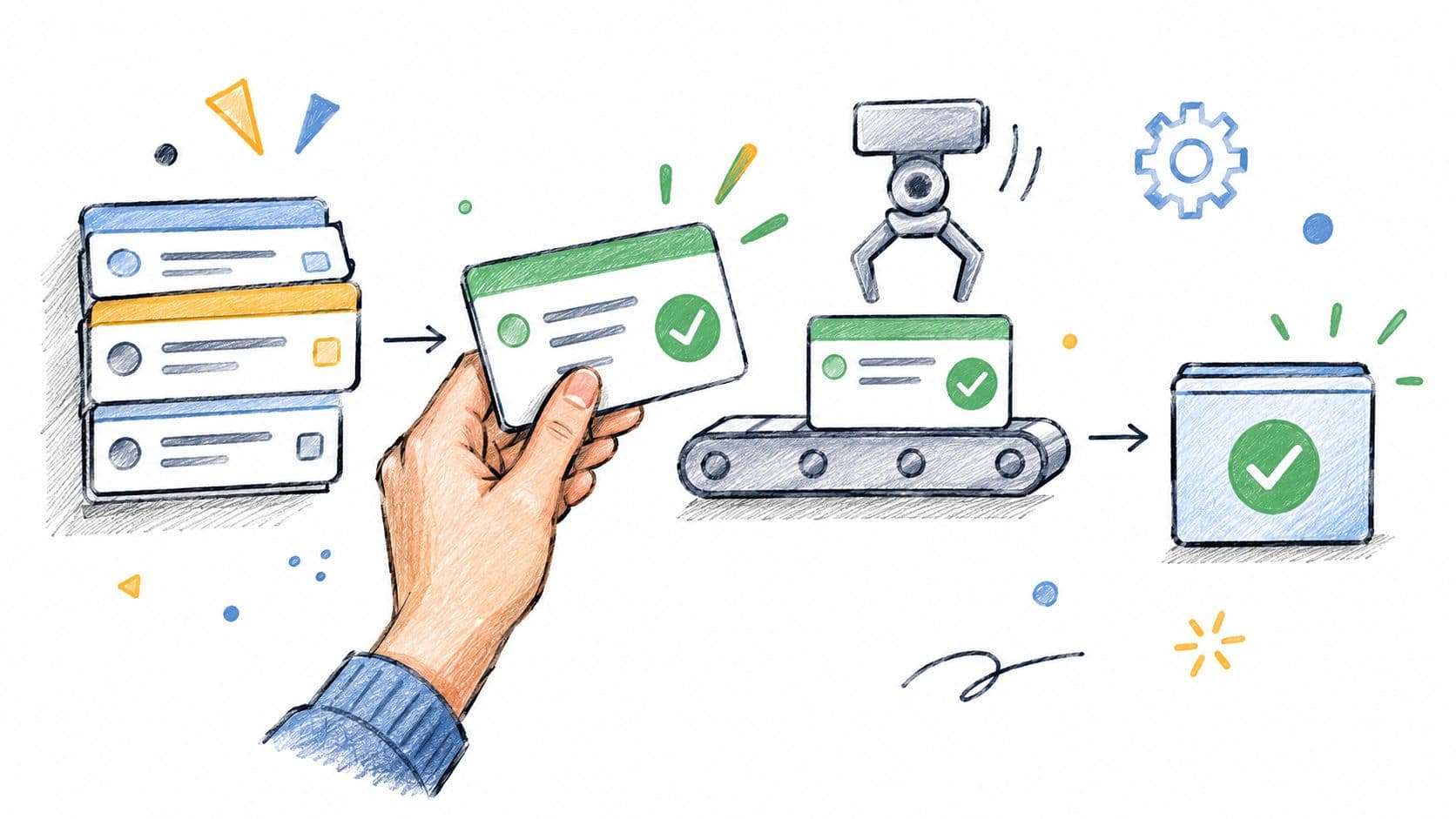
A review gate should tell the reviewer what to verify. For a client deliverable, that could include factual support, completeness, tone, confidentiality, and conformity with the task brief. Give the reviewer the original request and relevant evidence, not just the generated output.
The Deloitte guidance on scaling intelligent automation identifies accountable owners, risk classification, systematic testing, access controls, and human-in-the-loop checkpoints for consequential decisions. Those mechanics help turn review from an informal favor into a dependable operating practice.
Define explicit escalation triggers for missing data, contradictory instructions, policy conflicts, and unusual outputs. Specify who decides, how quickly they must respond, and what happens while the workflow waits. Never interpret silence as approval unless that behavior is deliberate and appropriate to the risk.
Use human-in-the-loop automation where oversight changes the quality or safety of the outcome, not at every transition. Excessive approvals can create queues and encourage superficial sign-offs. Fewer, well-designed checkpoints are preferable to review steps that nobody understands.
Give assistants and reviewers only the information they need. Access should follow the assignment's scope, not expand automatically because someone participates in the workflow.
5. Write Standardized Task Briefs With Budgets and Deadlines
A vague request doesn't become clear because software assigns it instantly. Asking an assistant to research competitors leaves open the market, intended audience, source requirements, deliverable format, and stopping point. Automation can move that request efficiently while everyone still disagrees about what finished means.
Standardized task briefs are the interface between contributors. They tell a human assistant or AI system what to produce and give the reviewer a basis for accepting or rejecting the result. Use consistent fields, but keep the template short enough that people will complete it.
Include the Information That Changes Execution
- Goal: Explain the decision or outcome the work supports.
- Inputs: Attach relevant documents, approved references, and necessary access.
- Deliverable: Specify the format, scope, and intended audience.
- Acceptance criteria: Describe what a complete, usable result must contain.
- Budget: State the agreed spending boundary and what requires authorization.
- Deadline: Include delivery timing and room for review.
- Escalation: Explain what to do when information is missing or scope changes.
For a contractor research assignment, attach an example of an acceptable summary and distinguish verified findings from interpretation. For a writing task, supply the style guide, target length, audience, and source restrictions. Treat these as requirements in the brief rather than assumptions the contributor must discover.
Delegation boundary: If the assignment changes materially, pause and agree on the revised scope before continuing.
Pay-per-task work particularly benefits from explicit boundaries because completion and payment need a shared definition. Don't leave a contributor guessing whether an additional request belongs to the original assignment.
Validate the brief before routing it. Missing acceptance criteria should create a clarification task, not trigger production and leave the reviewer to reconstruct the requester's intent afterward.
6. Match the Task View to the Stage of the Work
The same onboarding task can appear on a board during execution, a calendar during scheduling, and a table during an audit. Those views answer different questions. You don't need separate copies of the task to support each perspective.
A Kanban board makes stage transitions and waiting work visible. A calendar exposes timing conflicts and scheduled commitments. A table helps someone inspect fields consistently, while a list can keep daily execution focused on the next actions.
Keep the Record Consistent Across Views
For a product team, use a board to track development and review, then use the calendar to protect planned work and coordinate delivery dates. For an operations manager, use a table to inspect expense categories, approval status, and missing supporting documents. These are different working perspectives on the same underlying records.
Choose a primary view for ordinary execution and explain when another view is useful. Too many equally prominent views can leave people unsure where to look.
- Board controls: Define entry and exit criteria for each column and limit work in progress.
- Calendar discipline: Distinguish a due date from reserved time to do the work.
- Table consistency: Standardize fields so filters and audits don't depend on free-form wording.
- List clarity: Display the next action, owner, and blocker without requiring someone to open every task.
A card moving into review shouldn't imply that review has happened. A scheduled task shouldn't imply that someone has accepted the assignment. Keep status meanings explicit across all views.
Test visibility with the people doing the work. If an assistant can't identify the next action or a reviewer can't find the evidence, changing the layout may be more useful than adding another automation.
7. Measure Results and Iterate on Your Automations
A workflow can execute without errors and still create unnecessary work. It might send reminders after someone has replied, route requests to the wrong reviewer, or mark tasks complete before the deliverable is usable. Execution success and business success aren't the same metric.
Record a baseline before changing the process. Capture start and finish times, manual handling, exceptions, rework, and the effort required to recover from failure. Compare equivalent work rather than a simple request before launch with a complex request afterward.
Measure Outcomes and the Cost of Coordination
For a proposal workflow, track turnaround time alongside revision effort and approval quality. For recurring client check-ins, examine whether people complete the intended follow-up, not merely whether software creates the task.
- Flow: Measure cycle time, completion volume, and waiting time.
- Quality: Track rework, incorrect routing, and false completion.
- Operating cost: Include maintenance, review, exception handling, and successful-outcome cost.
- Human experience: Ask whether users understand priorities and feel able to correct mistakes.
The NIST AI Risk Management Framework recommends selecting metrics around significant risks, documenting performance measurements, and testing under conditions similar to intended deployment. For AI-assisted workflows, that means testing ambiguous instructions and unusual inputs rather than relying on a polished demonstration.
Use feedback loops to turn findings into changes. If users dismiss notifications without acting, investigate relevance before sending more alerts. If reviewers repeatedly reject outputs for the same reason, improve the task brief or validation rule.
When considering how to automate enterprise workflows, budget for ongoing ownership as well as setup. A practical review should end with a decision to keep, modify, pause, or retire the workflow, with the reason recorded.
8. Design Workflows That Protect Focus and Reduce Interruptions
A notification should help someone decide what to do, not merely announce that something changed. If every status update demands attention, people have to keep sorting relevant work from background activity. That defeats the purpose of using automation to reduce coordination effort.
Design for different attention, communication, and processing needs, including those of people with ADHD and other neurodivergent profiles. Don't assume that the same notification pattern or task layout works for everyone. Let users adjust interruption levels without losing access to important information.

Make Attention Support an Acceptance Criterion
A team could reserve immediate alerts for client escalations requiring action and batch routine updates into a digest. A knowledge worker could keep the full backlog available while using a focused list for current work. Neither approach requires hiding ownership, deadlines, or blockers.
- Actionable prompts: State what needs doing and why it matters.
- Predictable notifications: Batch nonurgent updates and let users control delivery.
- Visible status: Show waiting, blocked, and review states clearly.
- Recovery controls: Make pausing, undoing, and human escalation easy to find.
The BCG workplace AI research reports greater job-security concerns among employees in organizations undergoing broad AI redesign, 46% versus 34% in less-advanced organizations. Treat adoption as a human operating change, not just a technical rollout.
Explain which work is automated, which decisions remain with people, and how someone can challenge an outcome. Pair deep-focus practices with concise next-action prompts and protected calendar time.
Measure interruption frequency, recovery effort, perceived control, and completion across different users. Minutes saved matter, but a workflow that people can understand and confidently recover is a better operating foundation than one they avoid.
8-Point Workflow Automation Best Practices Comparison
| Practice | 🔄 Implementation Complexity | Resource Requirements | 📊 Expected Outcomes | Ideal Use Cases | ⭐ Key Advantage |
|---|---|---|---|---|---|
| Map and streamline the process before automating | Medium; requires process mapping and team input | Staff time, process data, and baseline metrics | Fewer steps, handoffs, and errors | Workflows with delays, redundant approvals, or unclear ownership | 💡 Prevents automating inefficiencies |
| Start with repetitive, rule-based, high-volume tasks | Low; begin with a small pilot | Task-frequency data and basic automation tools | ⚡ Quick, measurable time savings | Recurring reminders, status updates, and task creation | Frees attention for work requiring judgment |
| Define clear triggers, priorities, and ownership | Medium; rules must be documented and maintained | Workflow owner and clear priority criteria | More predictable task routing and faster troubleshooting | Teams managing deadline-driven or multi-step workflows | Reduces ambiguity and orphaned automations |
| Keep humans in the loop at key checkpoints | Low to medium; depends on review-gate design | Reviewer time, handoff notes, and escalation rules | 📊 Fewer high-impact errors and stronger accountability | Client-facing, sensitive, or judgment-dependent work | Preserves human oversight without reviewing every step |
| Write standardized task briefs with budgets and deadlines | Low; create and adopt a reusable template | Upfront effort to define scope and acceptance criteria | Less clarification and rework; more consistent delivery | Delegated work, recurring requests, and contractor tasks | Makes expectations and costs clear |
| Match the task view to the stage of the work | Low; select views and usage conventions | Task-management software and team alignment | Better visibility into progress, deadlines, and bottlenecks | Teams balancing workflow stages, scheduling, and detailed data | Shows relevant information in a suitable format |
| Measure results and iterate on automations | Medium; requires baseline and regular reviews | A few selected metrics, reports, and user feedback | 📊 Verified savings and earlier detection of outdated rules | Established automations needing ongoing improvement | Keeps workflows effective as needs change |
| Design workflows that protect focus and reduce interruptions | Low to medium; requires notification and task-setting changes | Notification controls and agreed focus practices | ⚡ Fewer interruptions and clearer next actions | Focus-intensive work and teams prone to alert overload | Reduces mental load while keeping priorities visible |
Build a Workflow That Can Keep Improving
Start with a measurable workflow that people already understand well enough to describe. Map the actual process, remove unnecessary handoffs, and establish a baseline before making changes. Choose a low-risk, rule-based task with a clear result and a manageable exception path.
Then document the trigger, conditions, action, and accountable owner. Decide what happens when input is missing, execution fails, or the result looks wrong. Give the owner a way to pause the workflow and restore the previous process without improvising during an incident.
Roll Out in a Deliberate Sequence
- Simplify first: Remove avoidable steps while preserving necessary controls.
- Automate narrowly: Pilot predictable work before extending across teams.
- Define accountability: Assign maintenance, exception response, and final decision authority.
- Prepare contributors: Standardize task briefs, budgets, deadlines, and acceptance criteria.
- Support execution: Select useful views and reduce unnecessary interruptions.
- Verify outcomes: Compare results with the baseline and investigate unwanted effects.
Add approval gates only where they protect a consequential outcome. A reviewer should know what a passing result looks like and have the evidence needed to decide. Routine internal coordination can move quickly while sensitive decisions remain reviewable by the right person.
Keep the operating documentation close to the work. A process map, task template, rule register, and exception history are useful only if contributors can find and understand them. When someone changes a rule, record the reason and check whether the change affects permissions, deadlines, notifications, or downstream assignments.
Make Improvement Part of Ownership
The ISO guidance on auditing processes treats automation within continual improvement and calls for indicators that are balanced, realistic, understandable, and useful. Schedule reviews according to the workflow's context and risk, then revisit controls when the work changes.
Ask the people using the process where they still compensate for unclear instructions or unreliable outputs. Expand automation when evidence supports doing so, not merely because another feature is available. Sometimes the right improvement is a better brief, a quieter notification policy, or less autonomy.
Workflow automation is an operating practice, not a one-time software setup. Its value comes from coordinating people and AI systems with clear boundaries, useful information, and measurable outcomes. Start small enough to recover confidently, then build coverage without surrendering accountability.
Fluidwave combines AI-driven task management with human virtual assistants, helping you organize, auto-prioritize, and delegate work across multiple task views. Visit Fluidwave to start with a repeatable workflow, define its budget and timeline, and track progress while keeping review and ownership clear.
Focus on What Matters.
Experience lightning-fast task management with AI-powered workflows. Our automation helps busy professionals save 4+ hours weekly.