What Is Task Management. Discover what task management is, how it works, and why it matters. Learn core components, real benefits, common challenges, and smart
October 14, 2026 (5d ago)
What Is Task Management: A Practical Guide for 2026
What Is Task Management. Discover what task management is, how it works, and why it matters. Learn core components, real benefits, common challenges, and smart
← Back to blog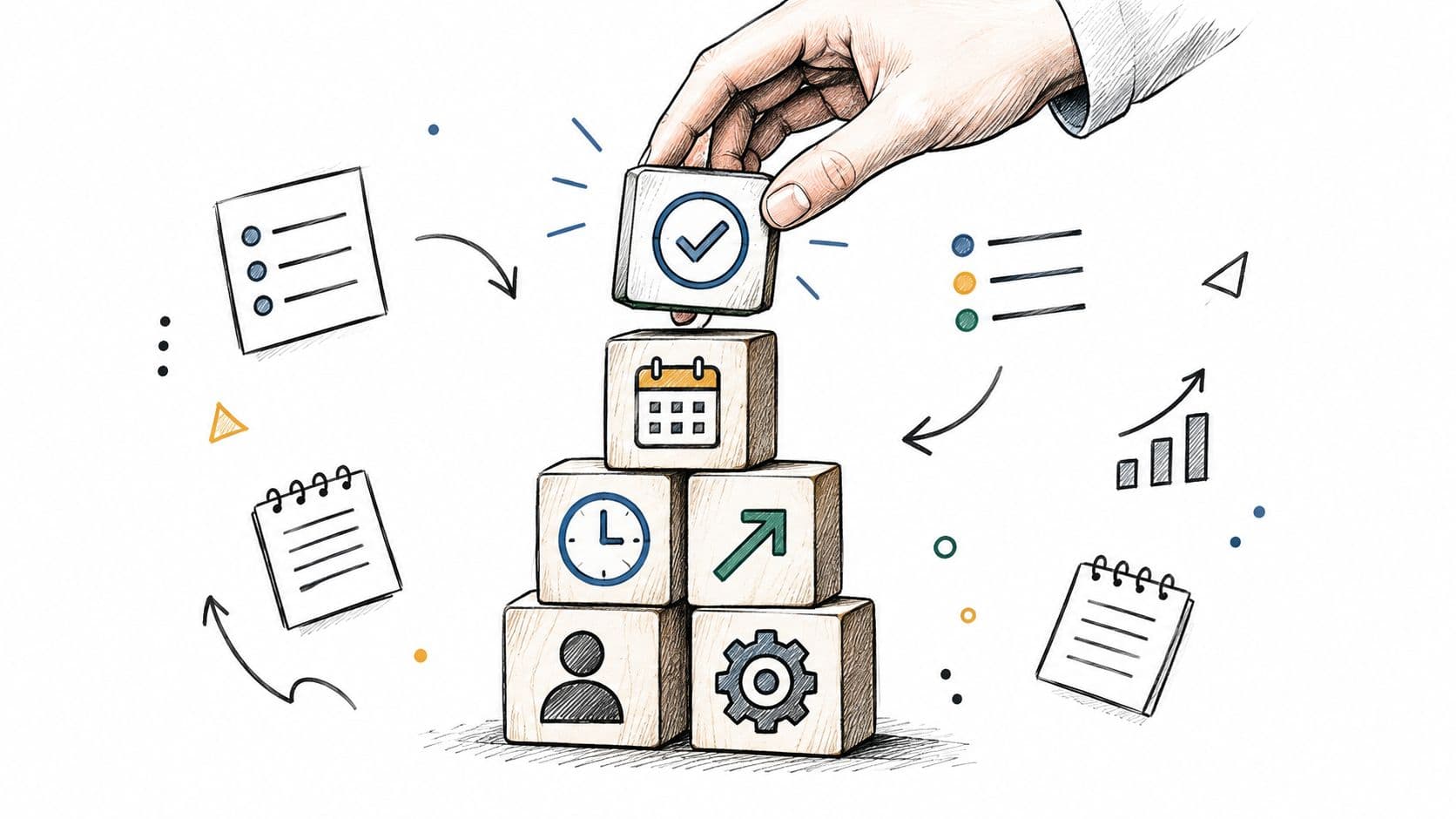
Task management is the systematic process of capturing work, prioritizing it, and tracking execution so individuals and teams can focus on what matters without losing track of commitments. Research summarized by Microsoft found that switching attention among tasks made completion take 50% longer than focusing on one task at a time.
You open your inbox, scan a project board, and find thirty requests competing for attention. One deadline is close, another task is blocking a colleague, and a third looks urgent only because someone marked it with three exclamation points. The problem usually isn't a lack of effort. It's that the work has no trusted structure.
Task management turns broad objectives into visible, actionable work. It gives every task a next step, an owner, a priority, and a place in the execution cycle. Done well, it reduces the mental work of remembering and deciding, so your attention can go toward completing the right thing.
Why Your Never-Ending To-Do List Fails
You finish one message, open a project board, and find another request waiting. A deadline is approaching, a colleague needs an answer, and several documents contain partial instructions. The resulting paralysis rarely comes from unwillingness to work. It comes from a task system that records activity without helping you control attention.
What is task management? It is the systematic process of capturing, defining, prioritizing, scheduling, executing, and monitoring individual pieces of work. That scope makes it more than a digital checklist. Effective time-management behavior combines goal setting, planning, and monitoring activities, according to research on time-management behavior. Together, these practices reduce mental load by moving decisions out of working memory and into a structure you can inspect.

“Prepare launch” is still a project label, not an executable task. It leaves open which launch, what deliverable is required, who approves it, what comes first, and how completion will be judged. “Draft the product announcement for review” gives the work a usable shape. Add an owner, due date, supporting material, and handoff, and another person can act without reconstructing the context.
Why lists fail without operating rules
A list fails when it stores commitments but leaves every decision unresolved. Equal priority hides trade-offs. Missing owners create silent delays. Vague next actions force you to reopen email, chat, and documents before work can resume.
A working system answers five questions quickly:
- What needs attention: Which task is active now?
- Why it matters: Which objective or outcome does it support?
- Who owns it: Who must move it forward?
- What is blocking it: Is it waiting for information, approval, or another activity?
- What happens next: What concrete action resumes the work?
These answers also show where delegation or automation is sensible. Recurring administration, research, scheduling, and inbox triage can consume attention without requiring your judgment. When a task has a clear outcome and handoff, learning how to hire a virtual assistant can extend the system, not signal that you cannot cope.
The practical advantage is visibility. You can spot unmanaged work, overdue commitments, dependencies, and decisions requiring escalation before they become emergencies. The software matters less than whether its structure makes those conditions visible and keeps fragmented work from competing for attention.
Core Components That Make Task Management Work
A reliable task system has five connected mechanisms: intention, prioritization, scheduling, execution, and review. They aren't separate productivity tricks. Each one corrects a different failure in the path from deciding to do something to finishing it.
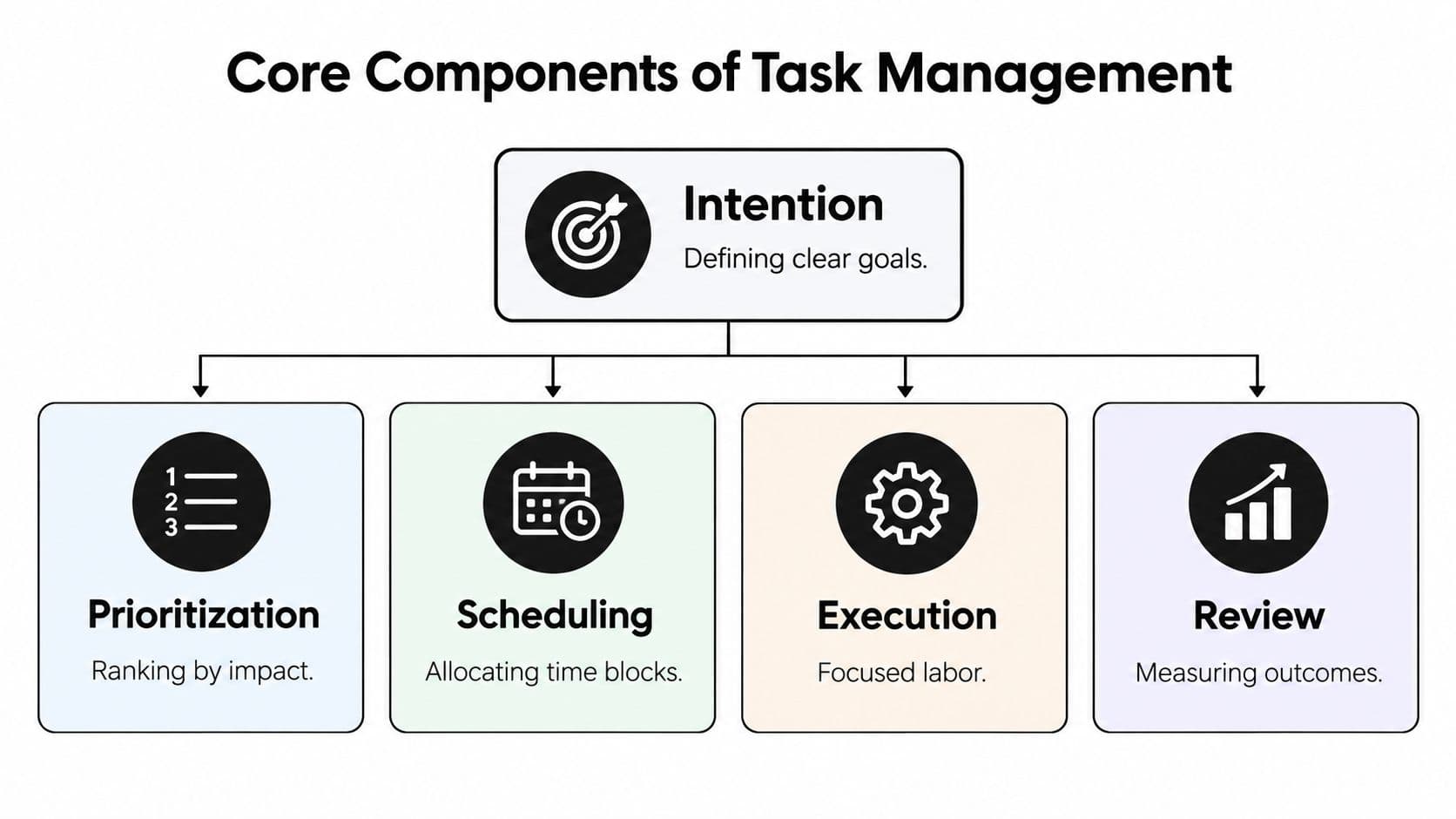
Intention gives work a useful shape
Start by defining the outcome. “Improve onboarding” is an objective. “Rewrite the welcome email and send it to the product lead for review” is a task that can enter a workflow.
Capture tasks in one trusted inventory, whether that's a list, a board, a table, or a calendar. Scattered notes create competing versions of reality. A task should hold enough context that you can act without reopening every email and chat thread connected to it.
Prioritization protects scarce attention
Priority isn't a decoration or a color label. It determines which work receives limited focus first. Rank tasks by consequence, value, deadline, and dependency, then keep the active list small enough to use.
If everything is urgent, nothing has been prioritized. A useful system distinguishes a task that must happen now from work that supports an important longer-term outcome.
Scheduling turns preference into capacity
A due date says when work should be finished. Scheduling asks when the work will happen. Place demanding tasks into realistic focus periods, group similar administrative work, and leave room for review, interruptions, and handoffs.
Scheduling also exposes impossible plans. If the calendar is full, adding another high-priority task isn't planning. It's a decision to delay something else, whether you acknowledge that decision or not.
Execution needs visible state
During execution, status should tell the truth. “Queued,” “active,” “blocked,” and “complete” are more useful than vague labels such as “in progress” when a team needs to coordinate.
A task marked blocked should show what it is waiting for and who can unblock it. A completed task should meet a defined outcome, not just have a checkbox selected because the person stopped working on it.
Review keeps the system trustworthy
Review the inventory often enough to remove stale work, adjust priorities, close completed items, and identify recurring bottlenecks. The purpose isn't to admire a clean dashboard. It's to compare planned work with actual progress and make the next set of decisions easier.
Practical rule: Measure the system by how much unmanaged work, blocked time, avoidable switching, and overdue work it removes. The number of completed checkboxes is only a partial signal.
These mechanisms reinforce one another. Clear intention makes prioritization possible. Prioritization makes scheduling credible. Scheduling creates a condition for focused execution. Review reveals where the workflow needs to change.
Why Task Fragmentation Costs You Productivity and Focus
A workday can look full without producing much progress. A diary study of organizational employees found that days fragmented across many tasks were associated with lower work-related flow and lower same-day job performance (study of fragmented workdays). The problem is cognitive control, not a shortage of checkboxes. Each new task asks you to rebuild context, remember the next decision, and hold unfinished work in the background.
Context switching starts with external interruptions, such as an incoming request, and internal choices, such as leaving a difficult task for an easier one. Repeated switching makes the task system carry too much hidden state. Work may remain visible on a board while the reasoning required to resume it disappears from view.
Design for resumption, not perfect concentration
No workflow can prevent every interruption. A usable system reduces the cost of returning. Before leaving a task, record the last completed step, the current decision, relevant files, and the next action.
Experimental research found that cues identifying the next action improved performance after interruption, particularly when participants were fatigued. Cues identifying the last action reduced workload and improved alertness, which supports concise resumption notes (research on interruption and cognitive performance).
Use the evidence in the workflow itself:
- Limit work in progress: Keep only a manageable number of tasks active.
- Protect focus blocks: Reserve uninterrupted periods for complex work.
- Group related tasks: Batch similar decisions so context does not have to be rebuilt repeatedly.
- Expose waiting states: Mark tasks that depend on another person or event.
- Write the next action: Make the restart obvious without reconstructing the whole problem.
A survey of 59 knowledge workers found that proactive task-load management, along with organized and planned execution, was associated with fewer negative effects from fragmented work, lower loss of control, and less lost productivity (study of task-load management). Task management therefore works as a cognitive-control system. It limits competing decisions, preserves context, and shows where delegation or automation may reduce unnecessary handling. The aim is not to fit more items into a day. It is to keep attention available for work that requires judgment.
The Missing Layer, Deciding What Not To Do
Most task systems answer “what should happen?” They don't answer the harder question: should this work happen at all, and who should do it?
That decision belongs inside task management because every task consumes attention, capacity, review time, or coordination effort. The available choices are broader than “do it now” or “do it later.” You can complete the task personally, schedule it, delegate it, automate predictable steps, or reject it.
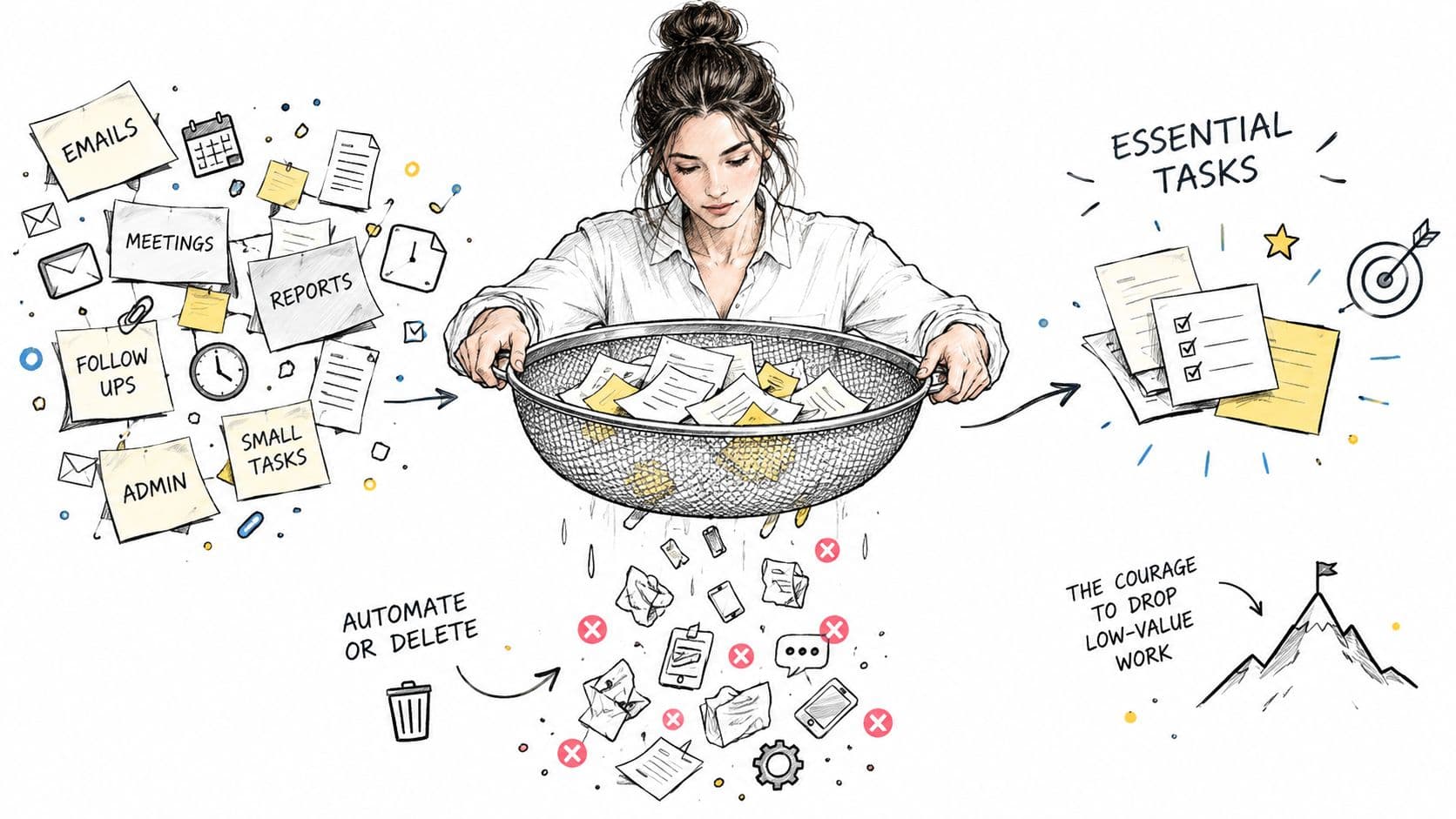
Stanford research involving 1,500 workers across 104 occupations found that 69.4% favored automation that frees time for higher-value work, while 41% of analyzed tasks fell into zones where AI use was either unwanted or technically unsuitable (Stanford research on worker preferences and AI). The figures support a balanced position: people want relief from repetitive work, but automation needs boundaries.
A practical disposition test
Before automating or delegating a task, inspect its characteristics:
- Predictability: Can someone follow clear rules and produce a consistent result?
- Ambiguity: Does the work require interpretation that hasn't been written down?
- Privacy: Would handing over the information create confidentiality or security concerns?
- Judgment: Does the task involve strategy, empathy, or a consequential decision?
- Review cost: Will checking the output take longer than doing the work?
- Accountability: Who remains responsible if the result is wrong?
Automate predictable transformations, reminders, routing, and repeatable preparation. Delegate bounded outcomes with clear inputs and acceptance criteria. Keep decisions that depend on context, trust, or high consequences with the accountable person.
More automation doesn't automatically create more capacity. Poorly chosen automation can add review work, hide uncertainty, and make errors harder to notice.
The same logic applies to deletion. If a task has no meaningful outcome, no owner, and no consequence for delay, it may be an old commitment that survived because nobody made an explicit decision. Removing it is a legitimate management action.
Real Workflows for Different Roles and Challenges
A solo founder, a launch team, and a knowledge worker may use the same task principles, but they shouldn't use identical workflows. The right design depends on how many people share work, how often priorities change, and how costly interruption is.
The solo founder
A founder handling product work, fundraising, and operations needs one inventory with separate views rather than several disconnected lists. Keep strategic work visible, turn each objective into a next action, and reserve specific periods for investor communication so it doesn't interrupt product decisions throughout the day.
Delegation should focus on preparation and repeatable administration. The founder retains positioning, financial judgment, and relationship decisions, while another person can organize research, prepare meeting materials, or maintain a pipeline.
The small launch team
A launch team benefits from a shared board with explicit stages such as queued, active, review, blocked, and complete. Every deliverable needs one owner, even when several people contribute. Dependencies should be visible because a late approval or missing asset can stop several downstream tasks.
The team should review the board together, but the board shouldn't become a second inbox. Use comments for decisions, attach the relevant files, and move routine status updates into the workflow so meetings focus on exceptions.
The knowledge worker
For recurring reports and ad hoc requests, separate repeatable templates from entirely new work. A recurring report can have predefined steps, while an unexpected request enters a triage queue until its urgency, value, and deadline are clear.
People who coordinate projects professionally may also benefit from exploring a career platform for project managers, particularly when they want to compare roles that demand different approaches to planning, ownership, and stakeholder communication.
Accessibility changes the design
A technically organized system can still overwhelm someone if it presents too many choices, rigid estimates, or constant notifications. For people with ADHD, useful adjustments can include smaller task units, visible checklists, flexible sequencing, noise control, and protected focus periods.
A 2025 study of 106 employed adults with ADHD found that 87.1% of those using workplace adjustments reported reduced stress and anxiety, while 80.6% reported improved productivity (study of workplace adjustments for adults with ADHD). Federal workplace guidance also recommends breaking large assignments into smaller tasks, using timers, maintaining checklists, marking due dates, and applying color coding (federal guidance on workplace support for ADHD).
Flexibility doesn't mean abandoning accountability. It means designing the path to completion so the next action remains visible and achievable.
Fluidwave and the Future of AI-Assisted Task Management
Modern task systems are starting to combine structured workflows with assistance that reduces manual administration. Fluidwave is one example. It combines AI-driven task organization with a network of human virtual assistants, allowing users to create tasks in plain language, organize work across multiple views, and delegate defined tasks on a pay-per-task basis.

The practical value depends on the bottleneck. A table can help when you need to inspect fields and ownership. A list suits straightforward personal execution. A calendar connects deadlines to available time. Kanban and card views show workflow state. Switching views shouldn't change the underlying task, only the way you inspect it.
Fluidwave also supports automatic prioritization, task breakdown, shared assignments, comments, mentions, status tracking, and waiting states. Its focus-oriented interface is intended to keep the active decision in front of the user rather than surround it with unnecessary dashboard noise. Human delegation is useful where the work is clear but doesn't require the executive's judgment.
For a deeper look at how AI can support capture, prioritization, and delegation without replacing accountability, see this guide to AI task management.
The trade-off is familiar. More automation can reduce repetitive administration, but it can also create false confidence if nobody checks task quality, ownership, or sensitive information. Use AI to classify, summarize, route, and suggest. Keep consequential decisions reviewable by a person who understands the context.
Building a Task Management System You Will Actually Use
Start with one trusted inventory. Give each task a clear outcome, one owner, a meaningful priority, a due date when one exists, and a visible next action. Add protected focus time, blocked states, and a review habit before adding more features.
Templates can help with repeatable work, but only if they reflect the way your team operates. A collection of elaborate templates won't fix unclear ownership or priorities. Use task management templates as starting points, then remove fields nobody maintains.
Task management is an ongoing control loop: capture, clarify, prioritize, execute, and review. Choose the simplest structure that exposes dependencies, reduces switching, and helps people decide what to do next. Measure whether unmanaged work and blocked time are falling, then adjust the workflow instead of endlessly rebuilding the tool.
Fluidwave combines AI-assisted task capture and prioritization with multiple views, shared collaboration, and human delegation on a pay-per-task basis. Create a focused workflow for your own work or team, then visit Fluidwave to see whether its automation and assistant network fit the tasks you don't need to handle personally.
Focus on What Matters.
Experience lightning-fast task management with AI-powered workflows. Our automation helps busy professionals save 4+ hours weekly.