Discover what AI task management is, how it works, and how to choose the right tools to automate your workflow and reclaim your time. Get started today.
May 17, 2026 (5mo ago)
AI Task Management: Your Guide to Smarter Workflows
Discover what AI task management is, how it works, and how to choose the right tools to automate your workflow and reclaim your time. Get started today.
← Back to blog
Your day probably doesn't fail because you forgot to write things down. It fails because the list keeps changing while you're trying to work.
A client emails a “quick” request. Slack lights up with a blocker. A meeting ends with three action items that nobody captured clearly. You open your task manager, reorganize everything, then spend half the morning deciding what matters instead of moving anything forward. By lunch, the list is longer than it was at 9 a.m.
That's the core benefit of ai task management. It isn't about making a prettier to-do list. It's about reducing the constant manual work of sorting, prioritizing, scheduling, and reassigning tasks in an environment that changes by the hour.
The Myth of the Perfect To-Do List
Most professionals are trying to solve the wrong problem. They think they need a better list format, a cleaner board, or a more disciplined planning ritual. In practice, the issue is usually execution friction.
A typical workday looks orderly on the surface. Calendar blocked. Inbox triaged. Project board updated. Then reality arrives. A teammate needs input. A sales call runs long. A task that looked simple turns into a dependency mess. The list doesn't break because you're disorganized. It breaks because static systems can't keep up with moving work.
That gap is larger than many people realize. In Reclaim.ai's 2022 report, individual contributors completed only 53.5% of their planned tasks each week, and the average worker managed just 2.24 hours of productive, focused work per day according to Reclaim.ai's task management trends report. That's not a personal productivity failure. It's a signal that most planning systems ask people to do too much manual coordination.
Where traditional lists start to fail
A simple list works well when work is stable and mostly individual. It starts to crack when your day includes:
- Constant intake from multiple channels. Tasks arrive through email, chat, meetings, docs, and hallway conversations.
- Shifting urgency. What was important this morning may be irrelevant by 3 p.m.
- Hidden dependencies. One delayed approval can stall five downstream tasks.
- Decision fatigue. Choosing what to do next becomes its own form of work.
That's why people jump from one productivity method to another. They try time blocking, Kanban, priority matrices, and templates. Those tools can help, and practical to-do list examples for different work styles are useful starting points, but none of them solves the core issue on their own. They still depend on a human constantly maintaining the system.
Practical rule: If your task system needs daily rescuing, the system is doing too little of the work.
The myth of the perfect to-do list is that enough discipline can make a static tool behave like a dynamic one. It can't. Modern work needs a system that can absorb new inputs, rank them sensibly, and help route them forward without asking you to reorganize your entire day every time something changes.
What AI Task Management Actually Means
The easiest way to understand ai task management is to compare it to navigation.
A traditional task list is a paper map. It shows the route you planned in advance. An AI-driven system is closer to GPS. It watches conditions in real time, notices what changed, and reroutes before you waste time going the wrong way.
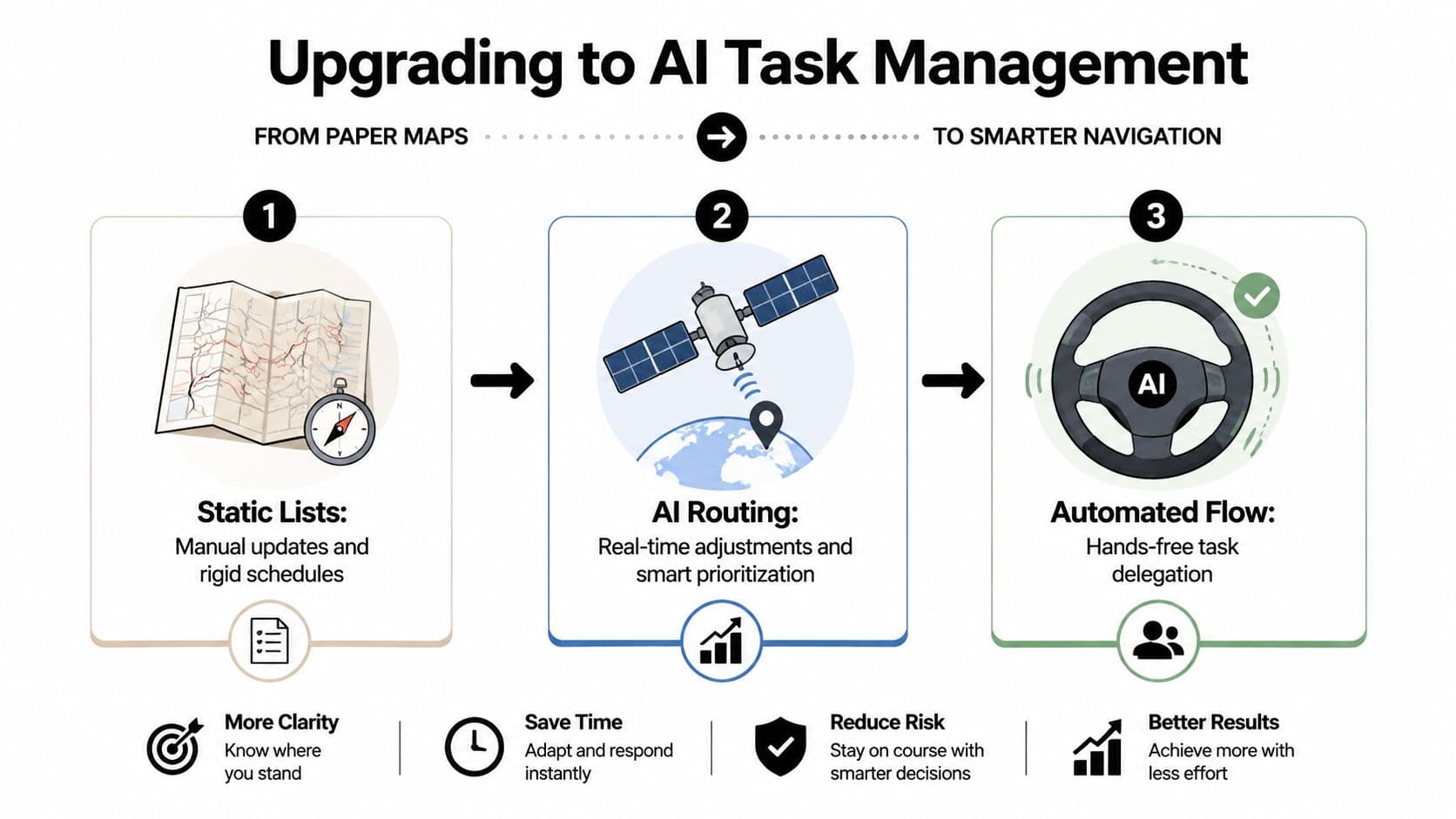
That difference matters. A normal task app stores tasks. An AI system interprets incoming work, updates priorities as new information arrives, and helps decide what should happen next.
From storage to decision support
Most digital task managers still behave like filing cabinets. They're better than sticky notes, but they rely on manual upkeep. You capture a task, assign a due date, drag it into a view, and hope the setup reflects reality tomorrow.
AI task management shifts the burden. Instead of asking you to constantly reorder work, it can:
- Pull tasks from unstructured inputs such as emails, chats, and documents
- Re-rank priorities based on deadlines, dependencies, workload, and timing
- Suggest routing so work lands with the right person, not just in the right column
- Reduce planning overhead by surfacing the next sensible action
That's why these tools feel different when they're implemented well. The value isn't the label “AI.” The value is that the system takes on more of the coordination burden that usually sits in someone's head.
A good primer on AI-powered workflow automation in practice helps frame this shift. The same pattern shows up across operations, project work, and admin-heavy teams. If you want a broader business example, F1Group's piece on how workflow automation transforms UK businesses is a useful reference for how automation changes day-to-day execution.
What it is not
It's not magic, and it's not a substitute for judgment.
AI task management won't rescue a team with unclear ownership, conflicting goals, or messy processes nobody has agreed on. It also won't make every task fully automatable. Some work still requires context, review, and human accountability.
The strongest systems don't try to replace decision-making everywhere. They remove low-value coordination so people can apply judgment where it matters.
That's the practical definition. AI task management is a workflow layer that turns a static list into an active operating system for work. It doesn't just remember tasks. It helps move them.
Core Features That Power Your Productivity
The useful part of AI task management isn't the interface. It's the engine underneath. When teams get real value, it usually comes from a handful of capabilities working together rather than one flashy feature.
Natural language capture
This is the feature people underestimate until they use it.
Instead of manually turning every message into a task, the system can read an email, chat thread, or meeting note and identify the work hiding inside it. That usually includes the action, owner, due date, and surrounding context. In practice, it means fewer tasks get lost between communication and execution.
The reason this matters is simple. Manual capture sounds minor, but repeated dozens of times a day, it becomes a drag on attention. Sana Labs notes that generative AI users save 5.4% of work hours, or about 2.2 hours per week, and describes how these systems use NLP to extract tasks from unstructured text and apply prioritization logic in this overview of AI task managers.
Intelligent prioritization
Most teams don't struggle to list work. They struggle to rank it honestly.
AI prioritization looks at more than a due date. It can weigh dependencies, estimated effort, meeting load, prior completion patterns, and current workload. That produces a more realistic order of operations than “urgent” labels sprayed across everything.
What works well here is specificity. A system should show why a task rose in priority. If it can't explain the ranking in plain language, people stop trusting it.
For teams comparing feature depth across AI tools, it's worth taking a quick look at products that explore core features clearly. Not because every feature belongs in a task manager, but because good product documentation usually reveals whether a tool was built for real workflows or for demos.
Automation and scheduling
Productivity gains become visible at this stage. Once tasks are captured and ranked, the system can trigger follow-ups, update statuses, notify collaborators, and place work into available time without requiring constant human input.
Used well, this removes the repetitive admin loop that slows teams down:
- Status chasing becomes automatic reminders and progress updates
- Routine routing turns into rules-based assignment
- Simple follow-ups no longer depend on memory
- Calendar fitting gets handled around real availability
A quick walkthrough helps make that tangible:
Where tools often disappoint
Not every feature marketed as AI is useful. Three weak patterns show up often:
| Weak pattern | Why it fails | Better alternative |
|---|---|---|
| Generic suggestions | They ignore team context | Recommendations tied to workload and deadlines |
| Over-automation | It creates noise and unwanted updates | Automation scoped to repetitive admin |
| Opaque scoring | People don't know why tasks moved | Clear priority reasoning and editable rules |
Field note: The best AI systems don't create more activity. They remove invisible maintenance work.
When these core features work together, people stop babysitting the task manager. The software starts carrying some of the operational load.
Practical AI Workflows for Professionals and Teams
Features matter less than the workflow they create. The easiest way to evaluate ai task management is to ask what changes in a real day.
A project manager with a moving target
A project manager usually doesn't suffer from lack of visibility. The actual issue is fragmented visibility. Tasks live in the project board, blockers live in Slack, feedback lives in email, and resourcing lives in someone's head.
Before AI support, that manager spends a chunk of each day doing coordination work. Reassigning tasks when someone is overloaded. Updating dates after a delay. Chasing owners for status. Rebuilding the weekly plan after one missed dependency.
With an adaptive system, the workflow changes. Incoming requests get converted into tasks. Existing priorities get reshuffled when a deadline slips. Assignment suggestions reflect who has capacity, not who happens to be online. The manager spends less time acting as a human router.
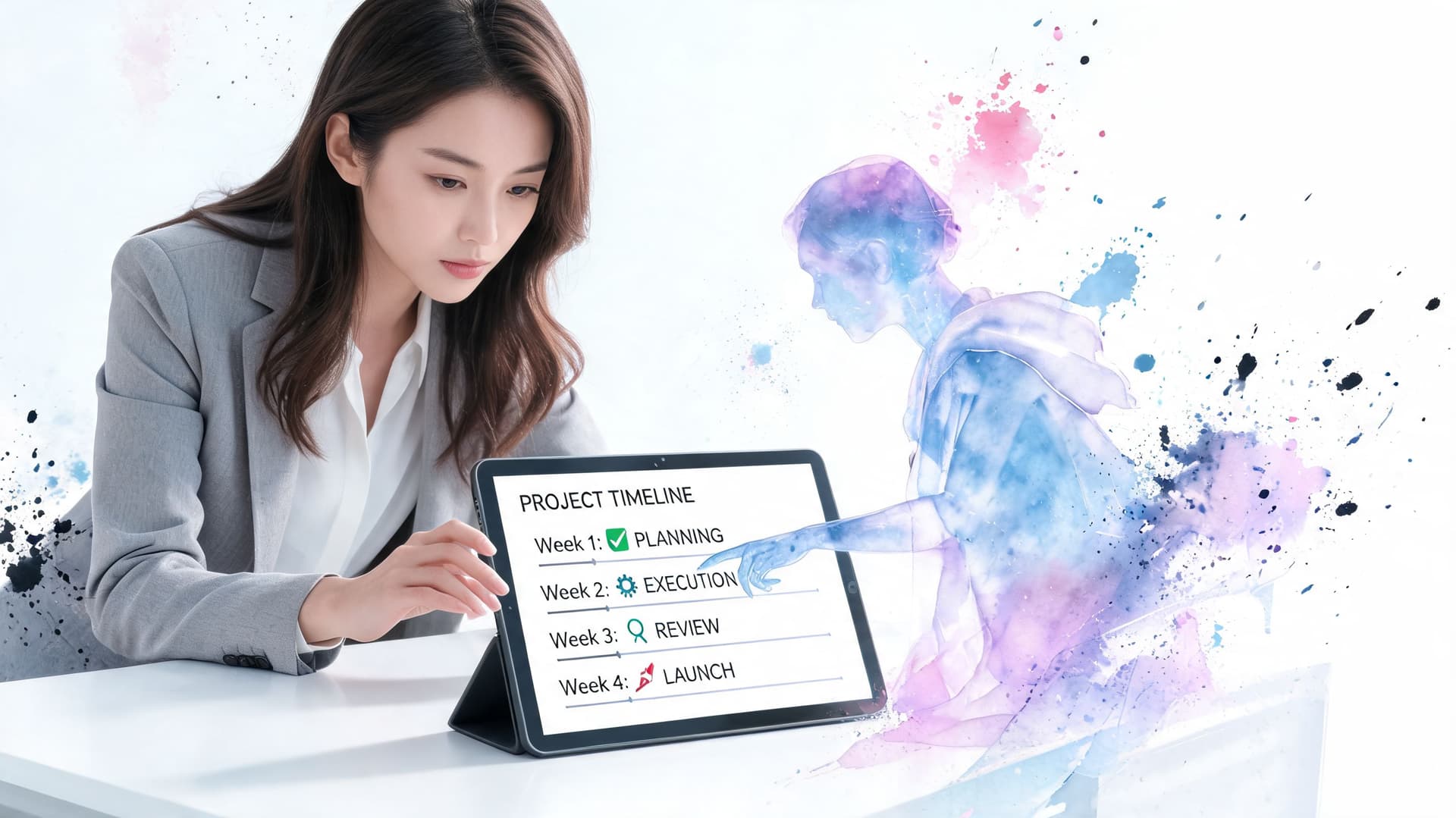
Teamhood's overview of AI task managers describes this more advanced pattern well. It notes that advanced systems use predictive analytics and workload-aware assignment, learning from historical performance data to forecast delays and optimize task routing, which helps reduce burnout and improve delivery predictability in its discussion of AI task routing.
A founder doing three jobs at once
Now take a startup founder. Monday starts with investor follow-up, product review, recruiting, and customer support all competing for attention.
Without AI support, the founder becomes the bottleneck. Everything requires a decision. Everything feels urgent. Admin tasks pile up because they're small enough to ignore and large enough to accumulate.
With a stronger workflow, incoming work gets triaged first. Low-complexity tasks can be prepared automatically. Items that need a response can be grouped by context. Tasks that should be delegated are surfaced early instead of lingering in a personal backlog.
That doesn't mean the founder stops making decisions. It means the system separates three kinds of work:
- Do now because it's strategic or time-sensitive
- Automate because it follows repeatable rules
- Delegate because it needs human effort, but not necessarily the founder's effort
The missed layer is delegation
Many tools stop too early. They help plan the work, but they don't help finish it.
A smart workflow should route exceptions and judgment-based tasks to the right person. That might be a coordinator, an executive assistant, a specialist on the team, or an external assistant handling bounded work. The system's role is to prepare the handoff properly so the human can execute without extra back-and-forth.
A useful task manager doesn't just tell you what matters. It helps answer who should do it next.
That shift matters most in busy teams. The operational win often comes less from better lists and more from faster routing, cleaner handoffs, and fewer stalled tasks sitting in personal queues.
Real-World Benefits of Adopting AI Tools
The benefits of AI task management show up first in the places people rarely measure well. Less mental clutter. Fewer dropped handoffs. Less time spent deciding what to do next. More confidence that the right work is moving even when priorities shift.
Those gains matter because administrative friction compounds. Every manual reassignment, follow-up reminder, and status check steals attention from actual execution. When the system handles more of that coordination, people get time back and teams become easier to run.
What improves in practice
The business case is stronger than “save a little time.” Teams usually see improvement across several layers at once:
- Execution quality improves because work is less likely to sit idle between people.
- Manager capacity improves because fewer hours go into schedule maintenance and status chasing.
- Focus improves because individuals spend less energy scanning long lists and guessing what's next.
- Fairness improves when assignments reflect real workload instead of whoever speaks up first.
A 2024 survey cited by IIL found that 41% of experts reported significant improvements in project delivery after adopting AI tools, and that these tools help workers reclaim an average of four hours per week, according to IIL's 2024 AI in project management statistics PDF.
Why the gains are durable
Short-term productivity tricks often fail because they depend on extra discipline. AI task management tends to stick when it removes friction structurally.
If a system captures tasks from meetings, prioritizes based on real conditions, and routes work intelligently, the benefit doesn't rely on everyone becoming more organized overnight. It relies on the workflow being easier to maintain than the old one.
That's also why adoption often succeeds in operationally messy environments. People don't need perfection. They need fewer manual steps.
Bottom line: The return comes from reducing coordination overhead, not from making people work faster every minute of the day.
For leaders, that means fewer invisible delays. For individual contributors, it means a clearer path into focused work. For both, it means less of the workday gets spent managing work instead of doing it.
How to Choose the Right AI Task Management Platform
Monday morning usually exposes the gap between a polished demo and real work. New tasks arrive from email, Slack, meeting notes, and customer requests. Priorities shift by noon. Someone is waiting on an approval, someone else is overloaded, and the task board still looks tidy because it has not absorbed any of that complexity yet.
That is the standard to use when evaluating AI task management software. Choose the platform that handles intake, reprioritization, and delegation under ordinary pressure, not the one with the longest feature list.
Start with your operating reality
Map your task flow before you book demos. Where does work start, who touches it, where does it slow down, and which tasks should stay with the original owner versus move to another person or assistant?
Those answers shape the shortlist fast.
A solo consultant may care most about turning scattered inputs into one queue with sensible priorities. A client services team may care more about routing rules, approval handoffs, and capacity-aware assignment. An operations lead may need both. AI planning alone will not solve a delegation problem, and strong automation will not help much if the system cannot pass work to the right human with context intact.
It also helps to look at adjacent workflows, not just classic project tools. Teams dealing with support or community operations can learn from how request-routing systems work. Mava's article on handling high-volume community queries with Mava shows the same principle: good systems do not just log work. They send it to the right place quickly.
AI Task Management Evaluation Checklist
| Feature / Aspect | What to Look For | My Priority (High/Med/Low) |
|---|---|---|
| Task capture | Can it pull tasks from email, chat, docs, or meeting notes with usable context? | |
| Priority logic | Does it explain why something is ranked higher, and can you adjust the rules? | |
| Delegation workflow | Can tasks be handed off cleanly to another person with instructions, files, and deadlines attached? | |
| Workload awareness | Does assignment reflect actual capacity, not just default ownership? | |
| Views and usability | Are list, calendar, Kanban, or table views available without making the interface noisy? | |
| Automation controls | Can you automate repetitive admin without flooding people with alerts? | |
| Integrations | Does it connect to the tools where work already starts? | |
| Collaboration | Can teams comment, update status, and track progress without switching tools constantly? | |
| Security and permissions | Can you control who sees, edits, or delegates sensitive work? | |
| Pricing model | Does the cost structure match your usage pattern, especially if delegation is occasional? |
What to test before committing
Use a live trial with messy work from an actual week.
Feed in emails, chat messages, meeting notes, and a few half-written requests. Then change deadlines, reassign ownership, and add one urgent item that should push lower-value work down the queue. The question is simple: does the system stay useful after reality hits?
I recommend testing four points closely:
- Intake quality: Does the platform capture enough context to create an actionable task, or do users still need to rewrite everything by hand?
- Priority changes: Does the ranking update in a way your team can understand and trust?
- Delegation quality: Can a task move to another teammate or assistant with the brief, files, deadline, and next step preserved?
- Noise level: After a busy day, does the interface clarify work or add another layer of admin?
Delegation is where many platforms break down. They can summarize, suggest, and sort, but the handoff itself is weak. In practice, that means managers still become human routers, copying context between tools and chasing status updates manually. If your team regularly passes work across roles, test that workflow harder than any dashboard.
If you are reviewing several tools at once, this task management software comparison guide is a practical way to structure the evaluation and keep the decision tied to real use cases.
The Fluidwave Approach to Intelligent Delegation
Most AI tools are good at helping you decide. Fewer are good at helping you hand work off cleanly when a human still needs to finish it.
That gap matters because a large share of real work sits in the middle. It isn't repetitive enough for full automation, but it also doesn't need to remain on the desk of the busiest person in the business. Think inbox cleanup, research prep, follow-up drafting, scheduling coordination, data gathering, or first-pass review tasks that still need judgment and accountability.
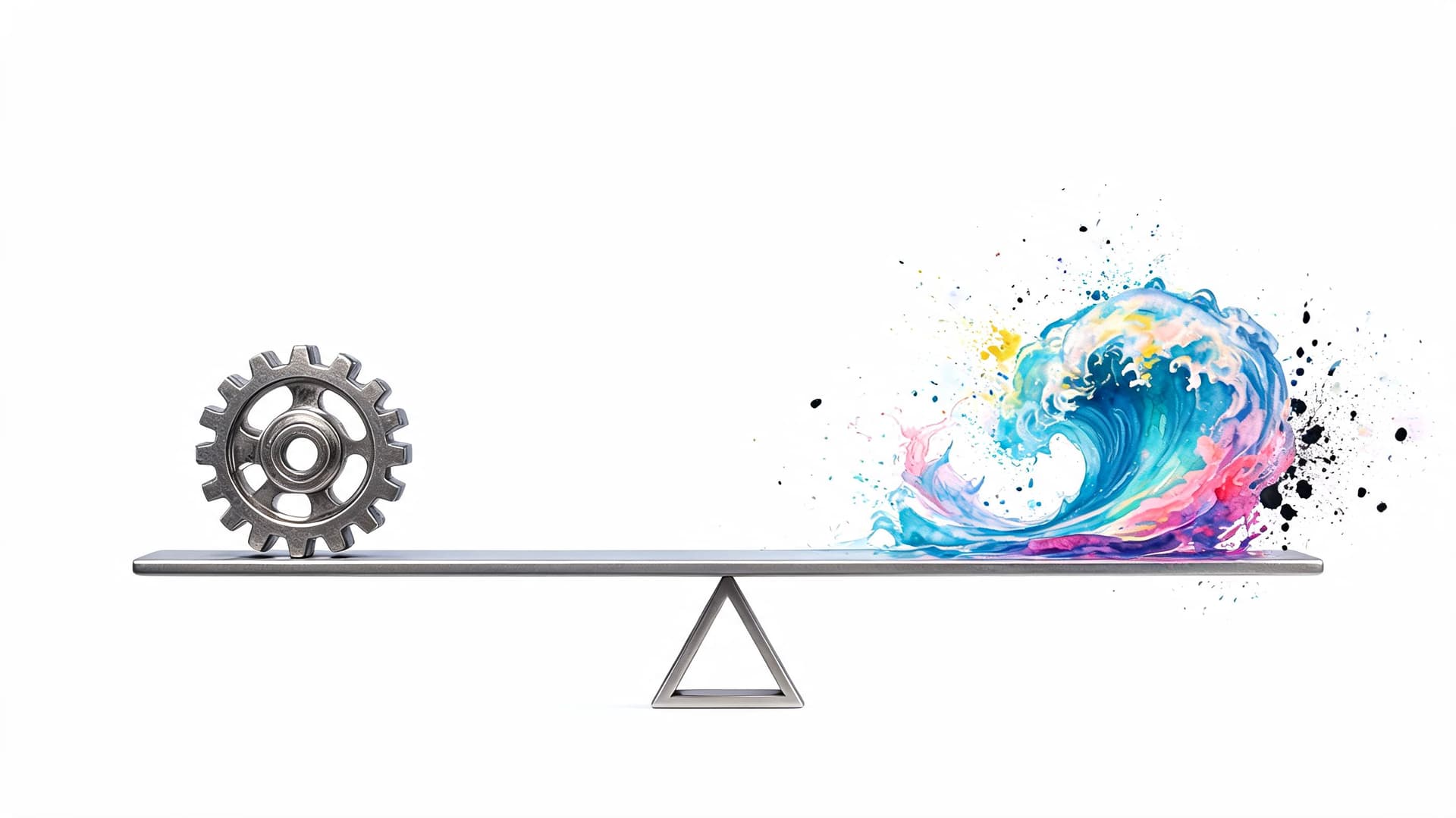
Google's overview of AI notes a broader direction for the market: most AI content focuses on planning, but a critical gap exists for work requiring human judgment, and the next evolution involves AI systems that can triage work and route it to the right tools or people for completion, which is essential for quality and accountability in Google Cloud's explanation of artificial intelligence.
What intelligent delegation looks like
In practice, the model is simple:
- Create the task with enough context to make action possible.
- Let the system prioritize based on urgency, dependencies, and workload.
- Route the task either to automation, to yourself, or to a human assistant when judgment is required.
- Track completion in the same workflow instead of managing the handoff in separate tools.
That combination is where AI task management gets more useful. Not just because the system helps sort work, but because it helps the work leave your queue and reach someone who can complete it properly.
If your current task manager helps you organize work but not move it, Fluidwave is worth a look. It brings together AI prioritization, multiple task views, and on-demand human delegation in one workflow, which is a practical fit for professionals who need both smarter planning and reliable execution.
Focus on What Matters.
Experience lightning-fast task management with AI-powered workflows. Our automation helps busy professionals save 4+ hours weekly.