Create a team task list that keeps everyone focused and aligned. Learn the proven methods for organizing, prioritizing, and collaborating in real time.
October 10, 2026 (10d ago)
Team Task List: Build One That Actually Works
Create a team task list that keeps everyone focused and aligned. Learn the proven methods for organizing, prioritizing, and collaborating in real time.
← Back to blog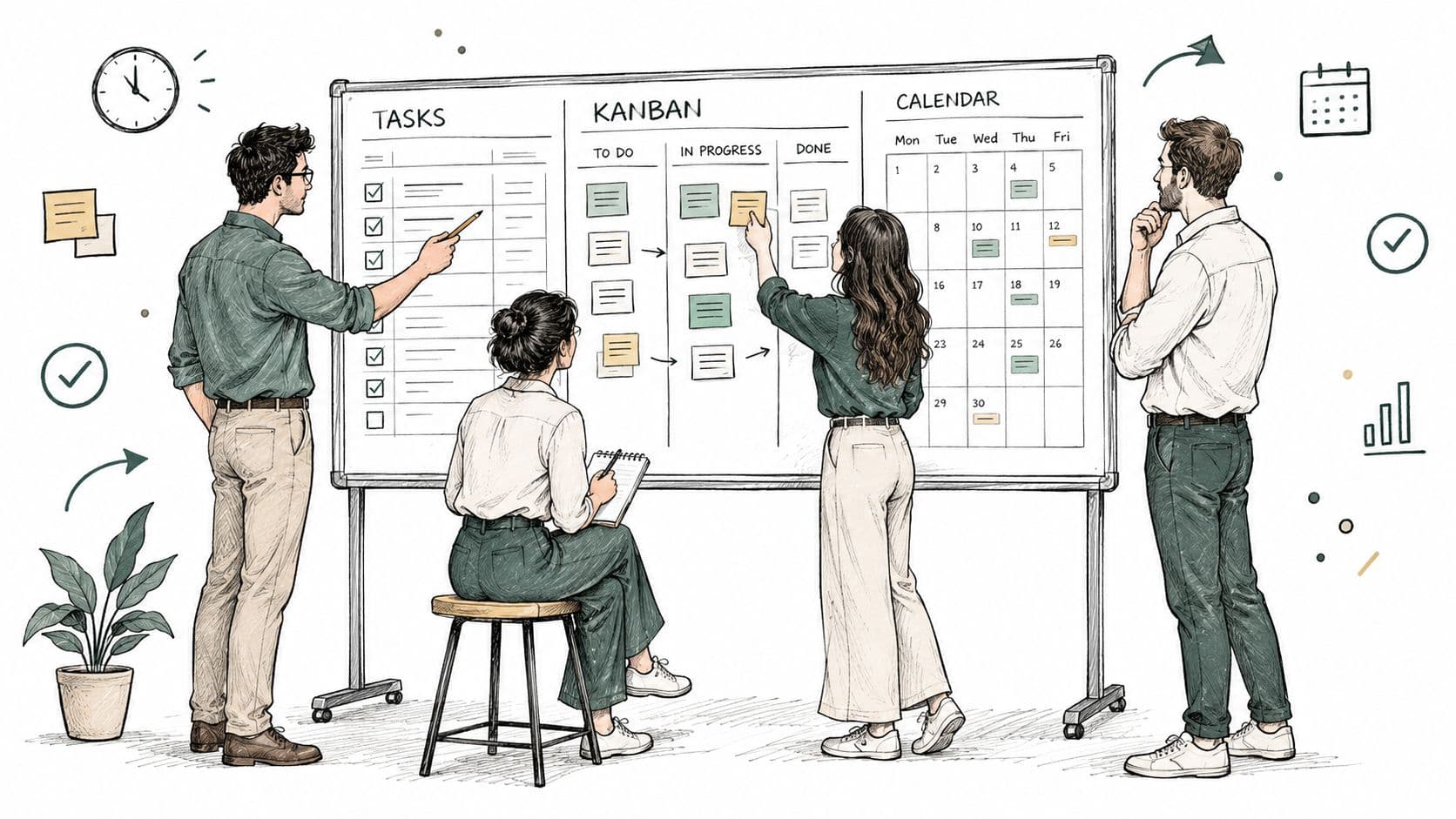
Monday morning starts with good intentions. Then a client request lands in Slack, a meeting ends with three vague action items, and an executive asks whether the launch deliverable is finished. Someone searches an inbox, someone else checks a spreadsheet, and the team spends more time reconstructing the work than moving it forward.
A useful team task list fixes the coordination gap by giving every meaningful piece of work a clear owner, deadline, status, and next step. It also needs a less obvious feature: restraint. If every update creates another notification, the list becomes one more source of interruption instead of a shared memory that protects attention.
Why Your Team Keeps Losing Track of What Matters
The problem usually isn't motivation. Your team members are working, but the work is scattered across conversations, meeting notes, personal reminders, email threads, and documents nobody opens after the meeting ends.
A project manager posts a request in chat. A designer acknowledges it with a thumbs-up. A developer remembers part of the discussion and starts a related task. Two days later, the client asks for an update, and nobody can agree on whether the deliverable is ready, waiting for approval, or stalled.

This confusion has a direct cost in attention. A University of California, Irvine study found office workers spent an average of only 12 minutes and 40 seconds on a task before being interrupted, then took about 25 minutes before returning to that task followed by roughly 15 additional minutes to regain the same level of concentration (University of California, Irvine interruption research).
That pattern matters for teams because coordination requests create the same kind of switching pressure. A question about ownership, a request for status, or a missing handoff can pull someone out of focused work even when the underlying project is perfectly manageable.
Practical rule: If a teammate has to ask where work stands, the system is making the person carry information that the team should be able to see.
Communication isn't the same as progress
Microsoft's 2023 Work Trend Index found that employees spent 57 percent of their time communicating through meetings, email, and chat, compared with 43 percent creating documents, spreadsheets, and presentations (Microsoft Work Trend Index). Communication matters, but communication without a durable action record leaves teams with activity instead of accountability.
A shared list turns “we should send the revised proposal” into a task with one owner, a due date, a linked source document, and an acceptance condition. The conversation can still happen in Slack or a meeting. The decision and follow-up work shouldn't disappear there.
The list also makes team visibility practical rather than performative. A manager can see blocked work without interrupting the person doing it, while contributors can check priorities without waiting for another status meeting. Fluidwave's guidance on team visibility follows this principle, making ownership and progress easier to inspect without turning every question into a live conversation.
Building a Team Task List People Will Actually Use
Start with the outcome, then break it into actions. “Website launch” isn't a task. “Draft homepage copy,” “review copy with product,” and “approve final homepage” are actions that people can own and verify.
A reliable list begins with a work breakdown structure and a review by the people who'll perform the work. Project Management Institute guidance recommends keeping most tasks within roughly 20 to 80 hours of effort and ensuring each non-milestone task has at least one predecessor and one successor (PMI scheduling guidance). The point isn't to create artificial precision. It's to avoid mixing a vague, month-long assignment with a tiny administrative step and then pretending their progress is comparable.
Start with five fields
Every meaningful task should answer five questions:
- What counts as complete? “Write user-manual draft” is clearer when completion means the draft is uploaded and ready for product review.
- Who is accountable? Assign one owner, even when several people contribute. Supporting collaborators can be listed separately.
- When does it need attention? Use a due date or a timebox that reflects the actual work window.
- What must happen first? Link prerequisite tasks so a blocked item doesn't look late when it isn't ready.
- Who accepts the result? Add a reviewer, approval step, test, or other acceptance check.
This structure prevents a common failure: a task marked done because someone completed their part, while the deliverable still needs review, formatting, compliance checks, or handoff.
Validate the list before work starts
Ask the people doing the work to walk through the sequence. They'll often identify setup time, hidden approval loops, resource conflicts, and handoffs that a planning meeting misses. Add those activities when they affect delivery, rather than hiding them inside an oversized task.
A list should feel slightly more detailed than the project summary, but not like a timesheet. Teams looking to sharpen this habit can also review practical guidance on productivity through better lists, especially the distinction between recording work and designing a usable system.
Finally, test ownership with a simple question: “If this task is still open on Friday, who can explain why?” If the answer is “the team,” the task isn't assigned clearly enough.
Seeing the Same Work Through Table, Kanban, and Calendar Views
A team opens the task list before the weekly check-in. One person wants to sort by owner, another needs to see what is stuck in review, and a third is trying to spot deadline collisions before they turn into late work. If the list only works in one format, people stop trusting it and go back to side chats, personal notes, and spreadsheet patches.
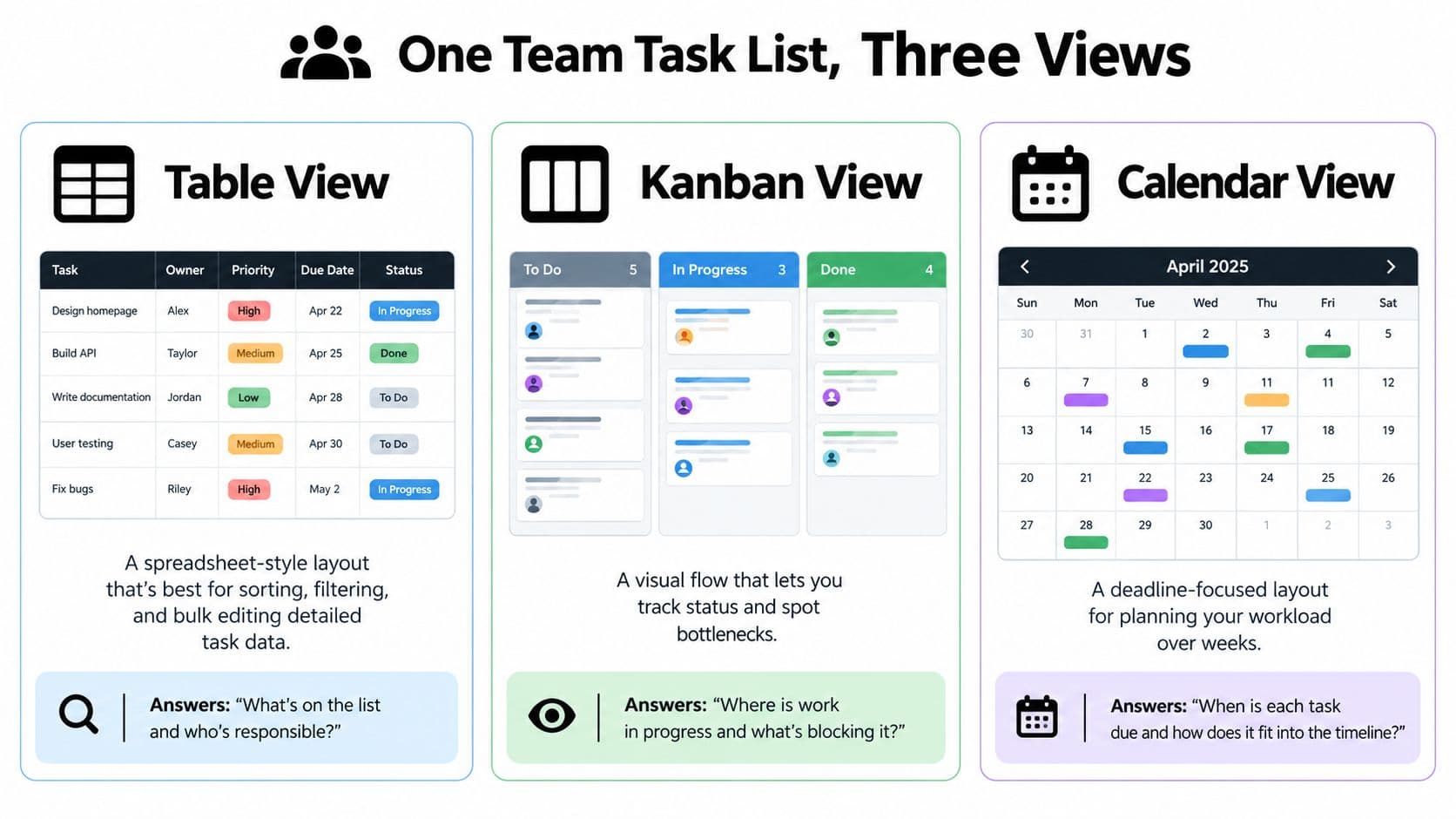
The fix is not more fields. It is choosing the right view for the question in front of the team. Good systems let the same task stay intact while the lens changes, which matters because the list should support coordination without turning into another source of interruption.
The table view is where teams clean up the record. Use it to sort by owner, filter blocked work, catch missing due dates, update several tasks at once, or compare priority across projects. It is the best format for checking whether the system is complete. It is also the easiest place to drown people in detail, so it works better for planning, triage, and audits than for day-to-day focus.
The Kanban view shows flow. Columns like To Do, In Progress, Waiting for Review, and Done make queues visible fast. When cards pile up in review, the issue is often not effort. The approval step is overloaded, unclear, or both. That is why teams using visual task management often get more value from tightening workflow stages than from adding another status label.
The calendar view answers a scheduling question the other views hide. It shows what overlaps, what clusters into the same week, and where delivery dates compete for the same people. This is the view that protects focus early, before every commitment becomes urgent at once.
Match the view to the ritual
| Team question | Useful view | What to inspect |
|---|---|---|
| Which work lacks an owner or deadline? | Table | Assignees, dates, status, and filters |
| Where is work accumulating? | Kanban | Column limits, blocked cards, and review queues |
| What deadlines compete for attention? | Calendar | Milestones, due dates, and workload clusters |
Fluidwave supports table, list, Kanban, calendar, and card views, so teams can keep one underlying record while changing how they inspect it. If you are comparing platforms and trying to find affordable collaboration software, test whether each view helps people make different decisions or just shows the same information in a new skin.
Use the view that fits the rhythm. The table answers what is missing, the Kanban answers where flow stalls, and the calendar answers when commitments collide.
Protecting Focus While Staying Connected
At 10:17 a.m., a designer is halfway through a difficult task, Slack pings, the task list lights up, and a manager asks for a quick update that was already visible in the system. The work does not fail because the team lacks information. It fails because the list keeps interrupting the people doing it.
Microsoft found that knowledge workers were interrupted every two minutes during core work hours, about 275 times per day, by meetings, emails, or chats across 31 markets (Microsoft 2025 Work Trend Index). If your team task list pushes every edit, comment, and status change into that stream, the list stops being a coordination tool and becomes one more source of noise.
A useful system separates three different conditions:
- Visible: The task exists, and anyone who needs context can check the latest status.
- Actionable now: The task is ready for the assigned person to handle during the current planning window.
- Notification-worthy: The change justifies an interruption because a deadline, dependency, incident, or decision is at risk.
That distinction matters. A task moving from “drafting” to “in review” rarely needs to interrupt six people. The owner and reviewer need to know. Everyone else needs a reliable record they can check without being pulled out of focused work.
Create an interruption policy
Protected focus does not happen by accident. Teams need explicit rules for when the list stays quiet and when it is allowed to break through.
Set focus periods where routine updates stay silent. Define who can mark work as urgent, what qualifies as urgent, and where the reason gets recorded. If a manager changes priority, the task should show what moved, why it moved, and which existing commitment is now affected. Otherwise, “urgent” becomes a label people use to win attention.
This protects more than individual concentration. Leaders avoid becoming the default escalation path. Distributed teams keep work moving across time zones. Contributors who are more sensitive to competing inputs can stay connected to shared context without absorbing constant chatter.
A practical escalation path looks like this:
- Add the request to the queue with an owner and deadline.
- Mark the dependency or risk that makes it time-sensitive.
- Notify only the people who must act or decide.
- Record which current work is delayed if this request moves first.
The list should support quiet execution. Fluidwave's guidance on asynchronous collaboration fits here because teammates can update tasks and preserve context without requiring everyone to be present at the same moment. The goal is deliberate communication, enough connection to coordinate, not so much that the system fragments attention all day.
Keeping the List Honest Without Turning It Into Homework
A list becomes misleading when it grows faster than the team can deliver. It may look organized, but overdue tasks, vague objectives, and silent scope additions turn it into a second version of the chaos it was meant to replace.
PMI research reports that 37 percent of projects fail because objectives and milestones are unclear, only 33 percent of employees know what is expected of them at work, and nearly 50 percent of business projects have experienced scope creep (project failure and scope analysis). Those figures point to a governance problem, not a missing color label.
Keep governance lightweight. For each important task, require a measurable completion condition, one accountable owner, a due date or timebox, prerequisite links, and an acceptance check. Then review the list at a predictable planning rhythm by comparing committed work, completed work, and blocked work.
Make new work pay for itself
Every new request should identify:
- An owner who accepts responsibility.
- An estimate that makes its effort visible.
- Dependency impact that shows what it may delay.
- Deferred work that leaves the queue when the new request enters.
That last item is where many teams fail. They add “urgent” work without removing anything, then blame execution when the plan becomes impossible.
A useful review doesn't require every task to be perfect. It asks whether the list still describes reality. If a task has changed shape, split it. If ownership has moved, update it. If an item no longer matters, close or remove it rather than preserving a false commitment.
Fluidwave combines shared task records, delegation features, progress tracking, and multiple views for teams that want this kind of working control without burying execution under administration. Used properly, the system remains a record of decisions and commitments, not a performance of organization.
Fluidwave gives teams a shared workspace for assigning tasks, adding due dates and comments, tracking completion, and viewing work in table, Kanban, calendar, list, or card formats. Visit Fluidwave to turn scattered requests into owned work while keeping notifications and coordination under control.
Focus on What Matters.
Experience lightning-fast task management with AI-powered workflows. Our automation helps busy professionals save 4+ hours weekly.