Compare 8 task priority list methods, from Eisenhower to Eat the Frog, with criteria, real examples, and tips to decide what to tackle first.
November 22, 2026 (Today)
8 Task Priority List Methods for Busy People in 2026
Compare 8 task priority list methods, from Eisenhower to Eat the Frog, with criteria, real examples, and tips to decide what to tackle first.
← Back to blog
It's Monday morning. You've got forty open tasks, three marked urgent for reasons nobody recorded, and a message asking whether you can handle something quickly. Before you've started the work you planned, you're already negotiating what should come first.
The problem usually isn't a shortage of effort or a missing productivity app. It's the absence of a repeatable rule for choosing the next task. When every item competes on the same undifferentiated list, you end up comparing deadline pressure, business value, personal discomfort, and someone else's persistence as though they're interchangeable.
A useful task priority list separates those decisions. Deciding what to delegate isn't the same as choosing between large projects. Protecting a launch deadline calls for a different approach from getting started on a proposal you've avoided.
Writing things down helps, but recording obligations isn't enough. The American Academy of Family Physicians' guide to taming the to-do list explains how capturing tasks can reduce the mental burden of remembering them, while concrete plans help address the distraction associated with unfinished goals.
Your list needs to tell you what to do next, not merely remind you how much remains.
The methods below address different decision problems: urgency, consequences, daily sequencing, business value, project scope, competing investments, effort, and avoidance. Pick the one that matches the decision you're struggling to make, rather than adopting a complicated system you'll have to maintain.
1. Eisenhower Matrix
Best for deciding what to do yourself, schedule, delegate, or drop.
A founder has hiring decisions, product strategy, invoice follow-ups, and a customer escalation on the same list. They're all legitimate work. They don't all deserve the founder's immediate attention.
The Eisenhower Matrix separates urgency from importance. The familiar framework grew from an urgent-important distinction associated with Dwight D. Eisenhower and was later popularized by Stephen Covey in The 7 Habits of Highly Effective People, according to this history of the Eisenhower Matrix.
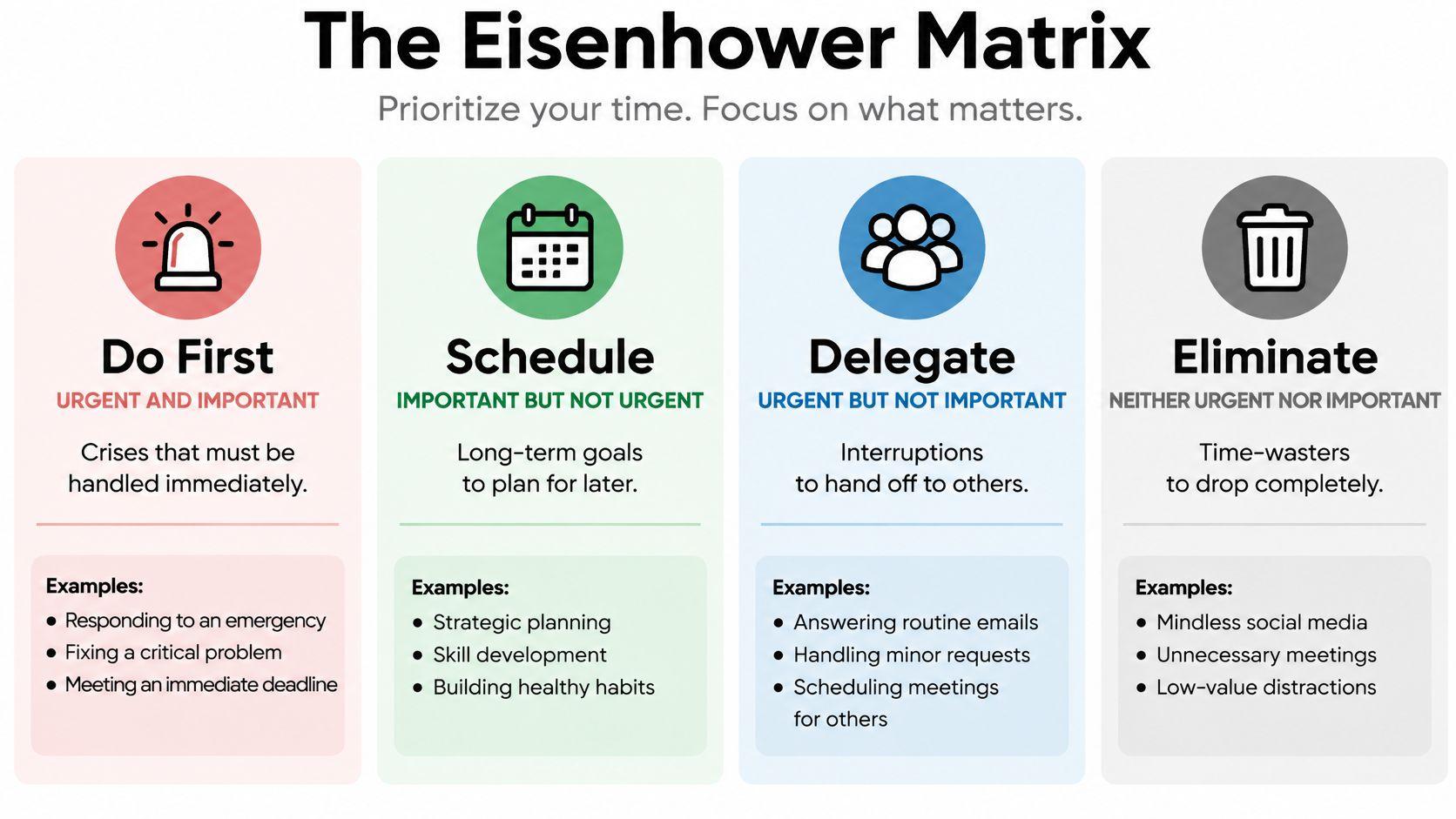
Sort your work by the action it needs:
- Do first: Urgent, important work with a meaningful consequence if you delay.
- Schedule: Important work that needs protected time, even without immediate pressure.
- Delegate: Time-sensitive work that doesn't require your particular judgment or authority.
- Drop: Work that no longer serves a useful purpose.
Test urgency before accepting it
Ask what happens if the task waits. A customer outage has a consequence; an unexplained urgent label doesn't establish one.
The founder might handle the escalation, schedule hiring interviews, and hand invoice follow-ups to an assistant. Delegation still requires context, access, and an acceptance standard. Calling something less important doesn't make it unimportant to the person responsible for completing it.
Keep the Do First group small enough to reflect real capacity. Write the quadrant on each task card, then review Schedule regularly so strategic work doesn't remain permanently postponed.
Handoff step: Reclassify your current urgent tasks. Send a delegated task to a named owner with the required output, deadline, and escalation conditions, then reserve calendar space for an important task you've been delaying.
2. ABCDE Method
When everything feels important, ask a harder question: What happens if this doesn't get done?
The ABCDE Method ranks tasks by consequences, then explicitly separates work you should delegate or eliminate. It's particularly useful for freelancers and managers whose lists mix client commitments with attractive but optional improvements.
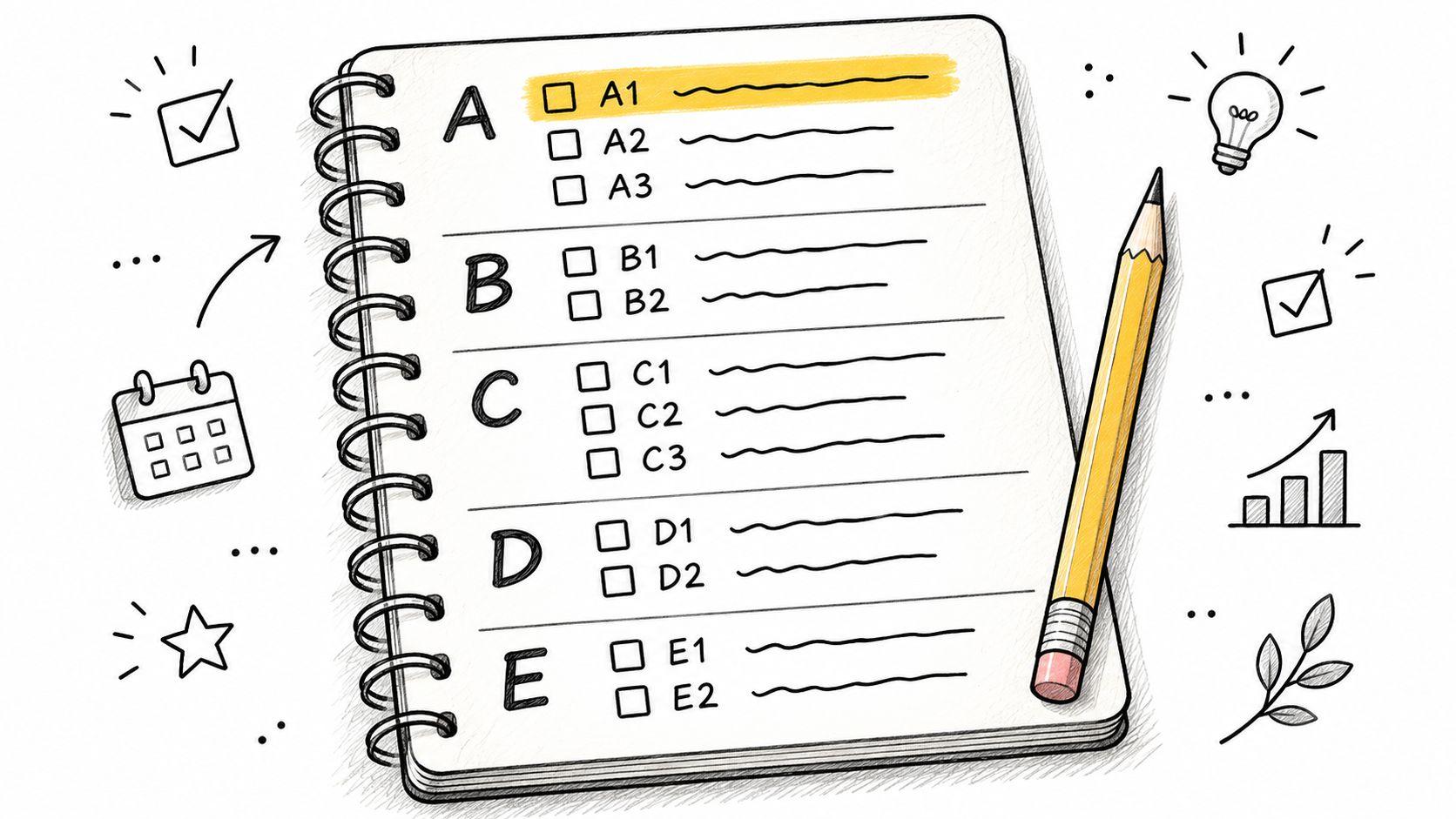
Apply these labels before you start:
- A means must do: Missing it has serious consequences.
- B means should do: Delay has consequences, but they're less severe.
- C means nice to do: Useful or enjoyable work without a meaningful immediate consequence.
- D means delegate: Someone else can own the outcome.
- E means eliminate: The task doesn't justify further attention.
A freelance designer might mark a contracted client deliverable as A and a portfolio refresh as C. A sales manager might retain a sensitive negotiation while delegating routine reporting. These are decisions about consequences and ownership, not which activity feels most satisfying.
Make the top rank earn its place
Rank the A tasks internally so there's a clear starting point. Don't make every client message an A just because it came from a client.
Consistent task priority levels help teams distinguish a genuine commitment from a preference. Record a short reason alongside the label, such as a delivery dependency or contractual deadline.
The trade-off is bluntness. A valuable long-term improvement can look optional when judged only by immediate consequences, so schedule it deliberately rather than leaving it behind client work forever.
Handoff step: Label today's list, identify the highest-ranked A task, and start it. Delegate the D work with clear instructions and delete the E work instead of carrying it into tomorrow.
3. Ivy Lee Method
Best for stopping repeated decisions about what to work on next.
The Ivy Lee Method uses a deliberately short daily list. At the end of your workday, select the six most important tasks for tomorrow, rank them, and work through them in order. Unfinished work returns for review when you prepare the next list.
The value is the separation between planning and execution. You decide the order while you can consider the whole workload, rather than repeatedly reconsidering it whenever an email arrives.
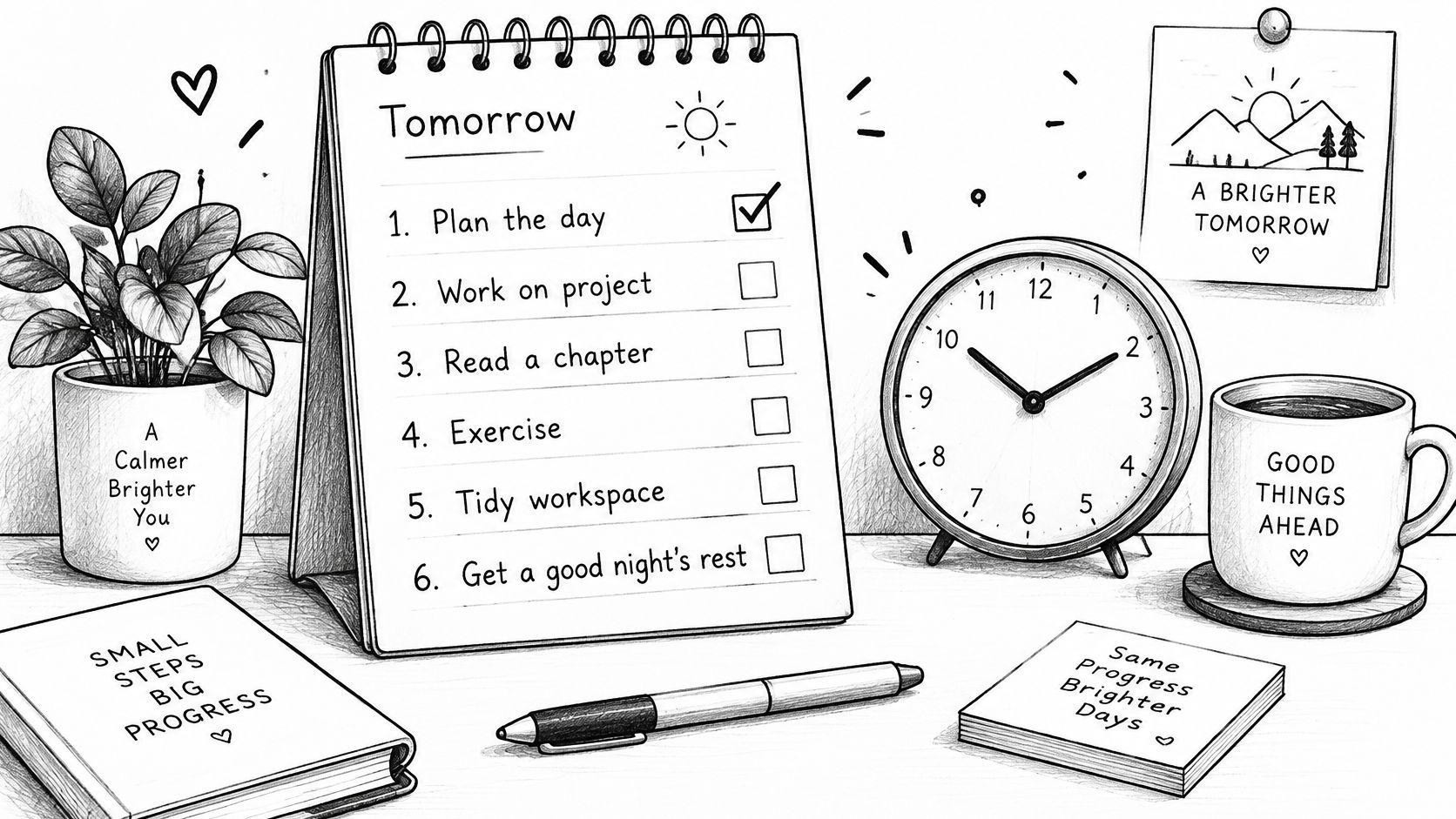
A marketing lead preparing a campaign launch might put finalizing the landing-page copy ahead of routine approvals. But campaign launch is too broad to be an executable task. Replace it with a visible deliverable, such as approve the final landing-page headline and pricing copy.
Research on implementation intentions supports making that transition explicit. A workplace study in the Journal of Occupational and Organizational Psychology links specifying when, where, and how work will happen with automaticity, engagement, and daily goal progress.
Give interruptions an admission rule
Sequential work doesn't mean ignoring an actual emergency. It means a new request must justify displacing the current priority.
Before switching, record where you stopped and the exact action needed to resume.
If your first task becomes blocked, record the dependency and move to the next executable item. Don't spend the day staring at work you can't advance.
Handoff step: Before signing off, write tomorrow's ranked list and prepare the files needed for its first task. Put that task into an available calendar window so you can begin without another planning session.
4. Pareto Principle (80/20 Rule)
Best for deciding which activities deserve less of your time.
The Pareto Principle, commonly called the 80/20 Rule, is a filter for finding the comparatively small share of activities that produces the greatest value. Treat the ratio as a prompt to investigate uneven returns, not a promise that your workload will divide neatly.
Start with the outcome you want. Revenue, customer retention, delivery reliability, and personal satisfaction lead to different priority decisions. If you don't name the outcome, you'll probably label familiar work high impact.
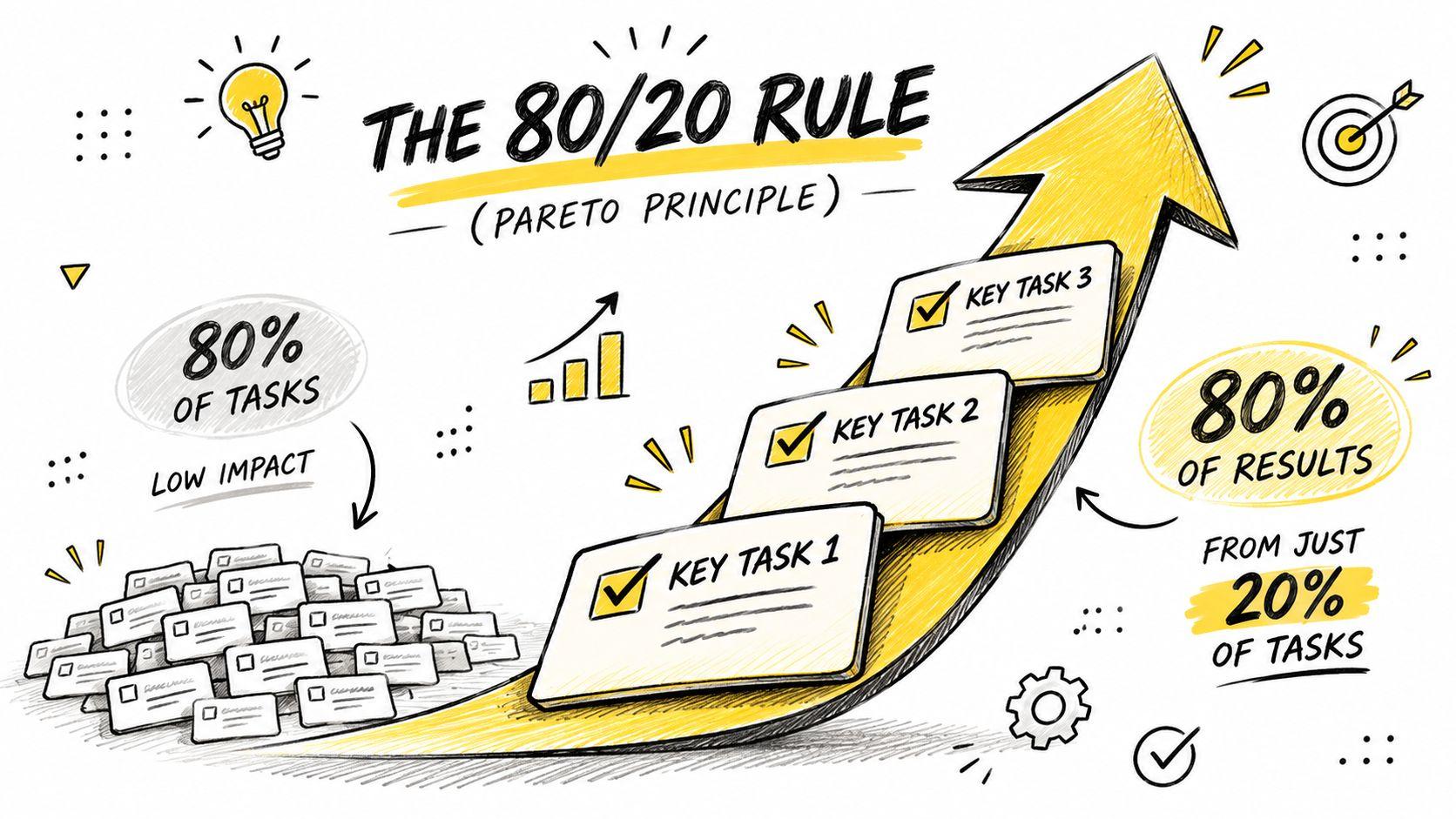
Look at outcomes, not activity
Say an e-commerce owner spends time adjusting promotional graphics, negotiating supplier terms, and fixing checkout problems. Reviewing profit and customer issues may reveal that supplier costs and checkout failures deserve attention before another visual refresh.
A software team can make a similar comparison using feature usage, support requests, and customer interviews. Don't assume the most visible feature is the most valuable.
Use a short review:
- Name the outcome: Define what a successful week or project would change.
- Find the contributors: Identify completed activities that plausibly helped produce that result.
- Challenge recurring work: Ask who uses each report, meeting, or update.
- Protect necessary maintenance: Keep security, compliance, and essential operations even when their value is preventive.
The trade-off is attribution. An activity can appear low yield because its benefit arrives later or because you haven't measured it properly. Investigate before cutting.
Handoff step: Choose a recurring activity to pause or reduce, tell its stakeholders what will change, and give the recovered time to a clearly defined high-value deliverable.
5. MoSCoW Method
A launch meeting becomes unproductive when every stakeholder calls their request essential. MoSCoW helps teams agree on what the deadline includes.
Sort the scope into Must have, Should have, Could have, and Won't have this time. Unlike a daily task ranking, this method establishes delivery boundaries. It tells the team what to protect and what to remove when capacity tightens.
For a mobile app, account access and payment processing might be Must haves if customers can't use the paid service without them. Push notifications might be Could haves. A marketing team could place a proposed podcast series in Won't this time while protecting the core campaign launch.
Make Must mean delivery would fail without it
Ask each stakeholder to complete a sentence explaining why the release cannot succeed without their proposed Must. A preference isn't enough; name the operational, customer, or contractual consequence.
- Must have: The agreed delivery isn't acceptable without it.
- Should have: Important, but a tolerable workaround exists.
- Could have: Include it only if capacity remains.
- Won't have this time: Explicitly excluded from the current delivery window.
Scope rule: If adding a Must doesn't require a conversation about capacity, the categories aren't controlling scope.
Don't fill the whole schedule with mandatory work. Leave room for uncertainty, testing, corrections, and dependencies that take longer than expected.
The hardest category is often Won't. Record why an item was deferred and when the team will reconsider it, so stakeholders don't keep bringing it back through informal requests.
Handoff step: Publish the agreed categories with an owner for each Must. Ask the delivery sponsor to confirm both the included scope and the explicit exclusions before work continues.
6. RICE Scoring
Best for choosing between substantial projects that look valuable for different reasons.
An onboarding improvement may help many existing users, while a new integration could appeal to an attractive customer segment. Urgency labels won't resolve that comparison. RICE makes the assumptions visible through Reach, Impact, Confidence, and Effort.
Calculate the score as:
RICE score = Reach × Impact × Confidence ÷ Effort
Reach estimates how many people the work affects within an agreed period. Impact estimates the benefit per person, confidence reflects the strength of your evidence, and effort captures the total work required.
Compare assumptions before comparing scores
Use the same reach window and effort units across projects. A quarterly estimate for one proposal and an annual estimate for another produces a misleading ranking.
Suppose a SaaS team compares a confusing onboarding step with a new integration. The onboarding fix may have broad reach, direct evidence from support conversations, and limited implementation effort. The integration may look commercially appealing but depend on uncertain demand and substantial maintenance.
For a useful discussion, document:
- Reach evidence: Identify the customer group and the observation behind the estimate.
- Impact reasoning: Explain the behavior or outcome you expect to change.
- Confidence gaps: Name what you don't know and what would reduce that uncertainty.
- Full effort: Include design, testing, rollout, documentation, and ongoing ownership.
The difficult part of how to prioritise projects is often agreeing on assumptions rather than calculating a score. Don't treat a precise-looking result as proof that uncertain inputs are correct.
Handoff step: Ask project owners to score competing proposals independently, reconcile the largest disagreements, and assign an evidence-gathering task where uncertainty could change the decision.
7. Impact-Effort Matrix
Sometimes you need a rough decision before you can justify detailed scoring. The Impact-Effort Matrix works well for sorting a mixed improvement backlog in a working session.
Plot tasks against expected impact and required effort. High-impact, low-effort tasks are quick wins; high-impact, high-effort work belongs among major projects. Low-impact, low-effort activities are fill-ins, while low-impact, high-effort work needs a strong reason to proceed.
This walkthrough offers a visual explanation of the approach.
Agree on the axes before placing tasks
Define impact against a shared outcome, such as reducing repeated support requests. Include coordination and review in effort, not just the time spent creating the deliverable.
A customer success team might classify a self-service help article as a quick win when it answers a frequent, well-understood question. A full help-center rebuild could be a major project. A work prioritization matrix is useful only when the team agrees on those definitions.
Quick wins are a good starting point, but they can become an excuse to avoid necessary larger work. Schedule the major projects that matter instead of repeatedly choosing easy completions.
For unavoidable low-impact work, define a clear finish line and limit the time you'll spend. Asana's explanation of Parkinson's Law describes the tendency for work to expand into the time available, a planning observation rather than a precise productivity forecast.
Handoff step: Assign an owner to a genuine quick win and break a major project into an executable milestone. Remove or time-box the low-impact work instead of leaving it vaguely pending.
8. Eat the Frog
You already know which task matters. You've moved it between lists, opened the document, and found something easier to do.
Eat the Frog addresses avoidance, not task selection. Choose the important task you're resisting, prepare it in advance, and give it your first protected work session before routine messages and administrative work.
A founder might reserve an uninterrupted session for the fundraising deck. A freelancer could draft the difficult section of a client proposal before checking email. The useful unit isn't necessarily the whole project; it's a meaningful next step with a clear stopping point.
Make the first action executable
Prepare the source material, define the output, and remove unnecessary setup. Draft the recommendation section gives you a better start than work on proposal.
If your schedule spans work and personal accounts, plan focus blocks across multiple calendars so the session doesn't conflict with an existing commitment. Turn off routine notifications and agree on how someone should reach you for a genuine emergency.
This approach needs flexibility when attention or energy fluctuates. The National Institute of Mental Health's ADHD guidance recognizes difficulties with organization, planning, and time management; a prioritization routine is an organizational support, not a substitute for assessment or treatment.
- Importance first: Choose the work that matters most.
- Capacity aware: Reduce the starting step when initiation is difficult.
- Ownership checked: Delegate difficult work that doesn't require you.
- Recovery allowed: Reschedule deliberately when you can't work effectively, rather than replacing the priority with busywork.
Handoff step: Choose tomorrow's frog, write its smallest meaningful starting action, and prepare the workspace. If you're not the right owner, send a complete delegation brief instead.
How the eight task priority list methods compare
| Item | Best For | Scale | Ranks Within a Category | Built-in Delegation |
|---|---|---|---|---|
| Eisenhower Matrix | Executives, founders, knowledge workers | Four urgency-and-importance quadrants | No | Yes, urgent but unimportant tasks |
| ABCDE Method | Freelancers, individual contributors, people with ADHD | Daily or weekly task list | Yes, with numbered ranks such as A1 and A2 | Yes, D category |
| Ivy Lee Method | Busy professionals, entrepreneurs, people with too many open tasks | Six tasks per day | No, ranks all six tasks in sequence | No explicit delegation step |
| Pareto Principle (80/20 Rule) | Teams, founders, sales and operations leads | Task-list filter focused on high-impact work | No, identifies the vital few | No explicit delegation step |
| MoSCoW Method | Project managers, product teams, cross-functional teams | Project or product scope | No | No explicit delegation step |
| RICE Scoring | Product managers, startup teams, teams comparing diverse projects | Project or task backlog | No, ranks items by score | No explicit delegation step |
| Impact-Effort Matrix | Teams, product and design teams, visual planners | Four-zone task grid | No | No explicit delegation step |
| Eat the Frog | People with ADHD, freelancers, knowledge workers with large projects | One challenging task to start the day | No, focuses on one task | No explicit delegation step |
Pick One Method Today and Test It for a Week
No single method answers every prioritization question. The Eisenhower Matrix helps separate importance from urgency, while a Pareto filter challenges whether the work deserves attention at all. Ivy Lee and Eat the Frog help you sequence work after you've decided what matters.
MoSCoW is better suited to scope negotiations. RICE helps compare investments with different benefits and costs. ABCDE makes consequences explicit, while the Impact-Effort Matrix gives a team a practical starting point without demanding detailed estimates for every idea.
Run a small test, not a system overhaul
Choose a method and use it for five working days. Keep your existing task capture process so you're testing the decision rule, not changing every part of your workflow at once.
At the end of each day, note where the first task slipped:
- Unclear next action: Rewrite the task as a deliverable you can start.
- Missing dependency: Move it out of the executable queue and name who owes the next action.
- Unexpected request: Record why it displaced the planned work.
- Unrealistic capacity: Reduce commitments rather than squeezing everything into a smaller window.
- Poor energy match: Change the session or starting step without pretending the task became less important.
Judge the method by whether it helped you make defensible decisions and complete meaningful work. A shorter list isn't automatically better, and a fully checked list can still represent a day spent avoiding your real priorities.
The benefits of planning also extend beyond output. A meta-analysis published in PLOS ONE found moderate positive relationships between time management and performance and well-being, alongside a negative relationship with distress. That supports treating a task priority list as a way to improve control over your workload, not merely to fit more obligations into it.
Automate the repeatable parts
For teams that want help maintaining the order, Fluidwave's auto-prioritization uses tunable criteria such as due dates, quick wins, importance, and dependencies. Our Waiting status keeps tasks awaiting a message, email, or call off the assignee's Active list until a reply arrives.
Automation still needs clear inputs. Record the actual deadline, identify dependencies, and distinguish work you can start from work someone else must unblock.
At the end of the test, keep the rule that helped and adjust the part that failed. Your aim is a reliable answer to what you should do next, including when the right answer is to delegate, defer, or stop.
Fluidwave combines auto-prioritized task lists with delegation to human virtual assistants, helping you separate work you should own from work you can hand off. Visit Fluidwave to organize your current backlog, make the next actionable task clear, and put your chosen prioritization method into practice.
Focus on What Matters.
Experience lightning-fast task management with AI-powered workflows. Our automation helps busy professionals save 4+ hours weekly.