Learn what task management online really means, the features that matter, and how to choose a system that fits how you actually work.
September 24, 2026 (Today)
Task Management Online: How to Pick the Right System
Learn what task management online really means, the features that matter, and how to choose a system that fits how you actually work.
← Back to blog
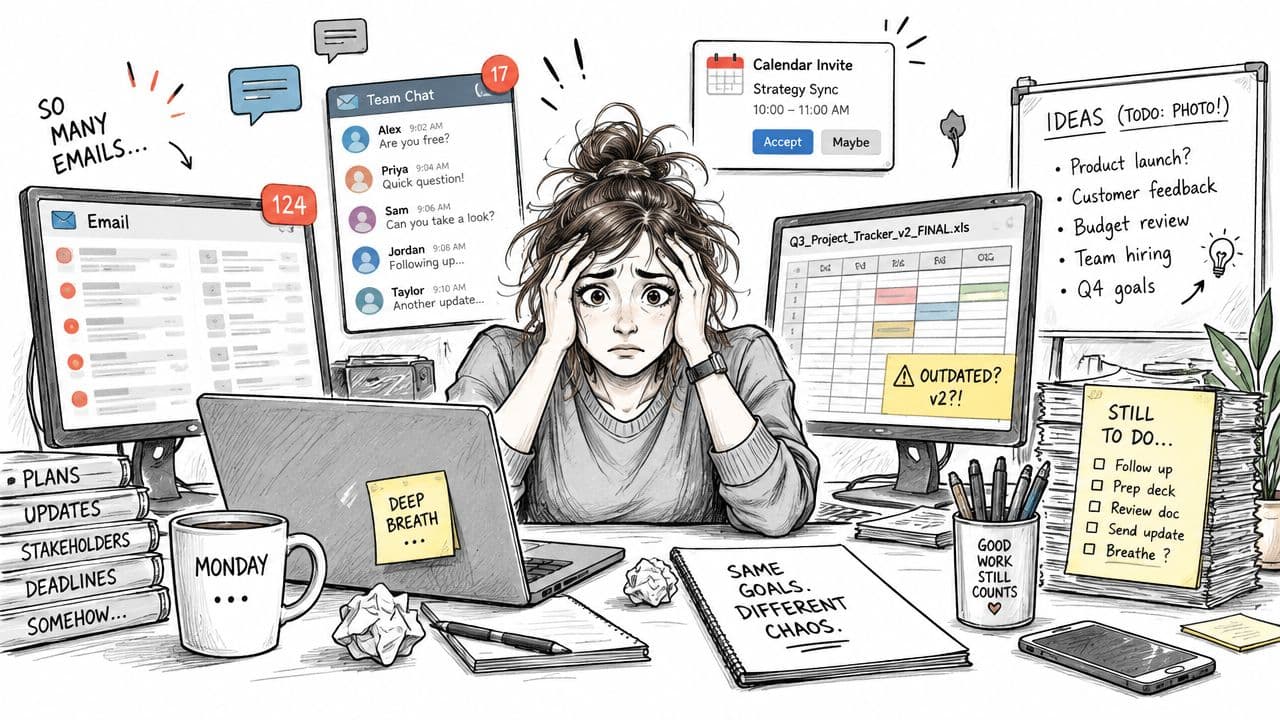
Monday morning starts with a project manager opening email, chat, a shared spreadsheet, and a calendar that all describe slightly different priorities. A whiteboard still contains last week's plan, nobody photographed it, and the client's Friday request is buried in a thread that only one person can find. By midmorning, the manager isn't managing work anymore. They're reconstructing it.
That pattern explains why task management online has become operational infrastructure rather than a personal productivity preference. The market is expanding, adoption is mainstream, and teams still lose substantial time to coordination, searching, switching, and reprioritization. The right system will not just give you another place to store tasks. It will reduce the number of decisions and handoffs your people have to manage manually.
The Moment Every Task List Breaks
The first failure usually looks harmless. Someone adds a task to a spreadsheet, another person replies “I'll handle it” in chat, and a third updates the project document without changing the original row. The task exists in three places, but none of those places carries the complete truth.
By Tuesday, the project manager has become the unofficial routing desk. Colleagues ask for status because the board is incomplete, clients receive updates based on memory, and overdue work gets discussed only after someone notices it. The team doesn't lack effort. It lacks a shared operating record.
Practical rule: If a task can be assigned, delayed, completed, or blocked, it needs a visible owner and a durable home.
That breaking point is universal because every team eventually outgrows informal coordination. Distributed work makes the weakness more obvious. Asynchronous handoffs leave longer gaps between decisions, tool sprawl scatters context, and AI assistants can generate tasks faster than people can judge whether those tasks matter.
The scale of the problem is measurable. Knowledge workers spend 58% of their time on “work about work”, including coordination, status updates, information searching, and switching between applications, leaving 42% for skilled, task-focused work. Agiled's task management statistics links those figures directly to the administrative burden task systems are expected to reduce.
The answer isn't to digitize every note. It's to establish one dependable path from request to responsibility to completion. That means deciding who owns the outcome, not merely who was present when the request appeared. Synopsix's guide to task ownership is useful for teams that keep confusing participation with accountability.
What Online Task Management Actually Means
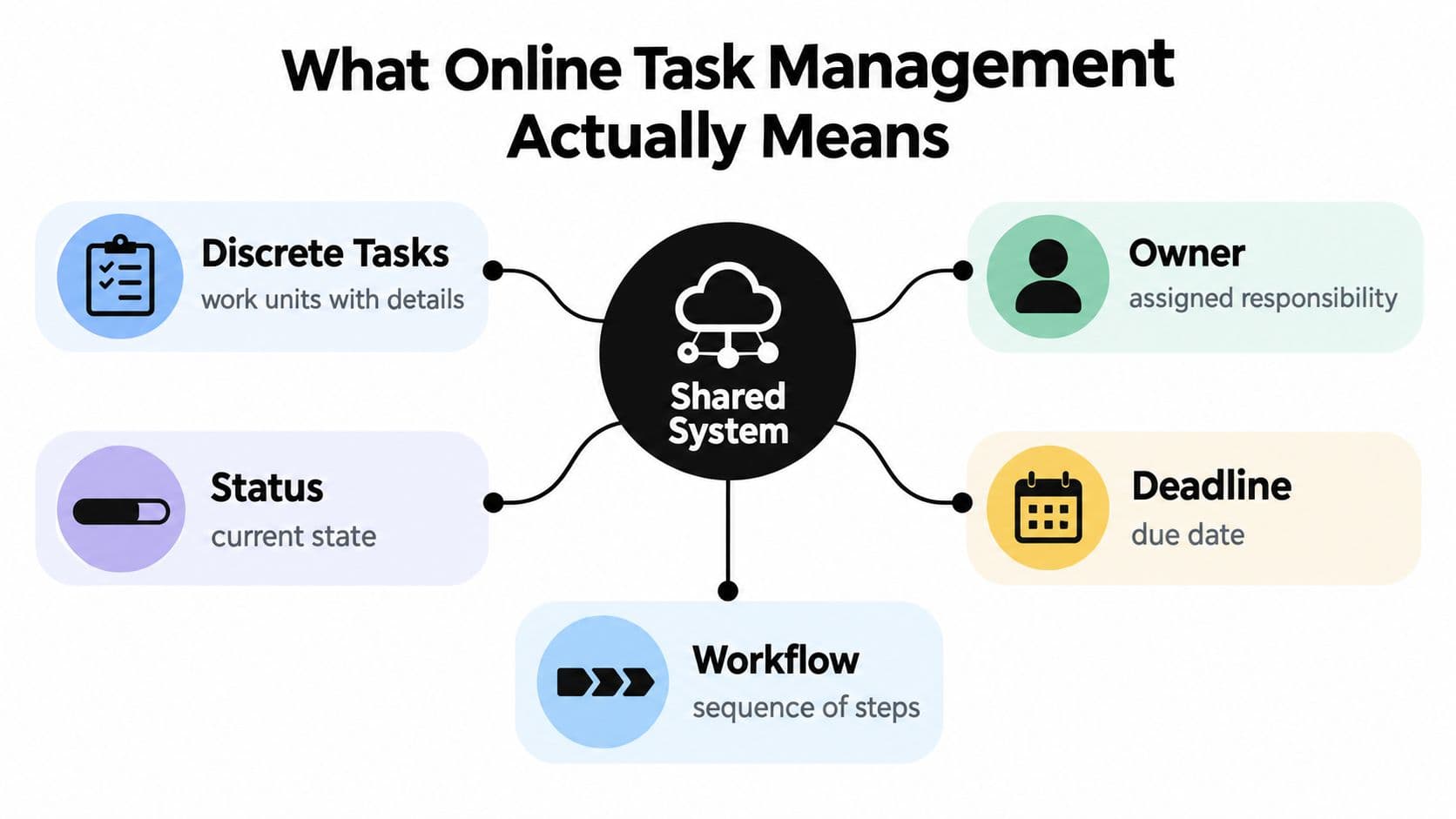
Task management online is a shared, persistent system for turning work into discrete units. Each unit has an owner, a status, a deadline, relevant context, and a place in a workflow. Authorized people can access that information from their devices without relying on one colleague's inbox, notebook, or memory.
A personal to-do list answers, “What do I need to remember?” An online task system answers, “What work exists, who owns it, what happens next, and what is preventing completion?” That distinction matters. A private list can be disposable. A shared task record needs to survive absence, reassignment, and review.
Think of a personal list as a pilot's kneeboard. It helps one person fly. A team task list is closer to an air-traffic-control strip, where multiple movements need visible sequencing, ownership, and timing. A Kanban board resembles a workshop floor: every work order has a location, and the supervisor can see where jobs are accumulating.
Where it sits in the work-management landscape
The boundaries are practical rather than technical:
- To-do list: Personal reminders, errands, and short-lived commitments.
- Online task manager: Shared execution records with owners, states, dates, and workflow rules.
- Project plan: A time-bounded model of planned work, milestones, dependencies, and expected sequence.
- Work-management platform: A broader operating environment that may include goals, documentation, resource planning, reporting, and governance.
Many teams do not need the broadest platform first. They need a reliable execution layer. Start with tasks that regularly get lost, delayed, or reassigned. Add planning and governance only when the workflow proves it needs them.
The Features That Move the Needle
Feature lists are designed to impress buyers. Operations teams should rank capabilities by the coordination problem they remove.
Views come first. List views suit focused execution, boards expose flow, calendars reveal deadline collisions, and timelines clarify sequencing. Multiple views aren't valuable just because they look refined. They're valuable because a designer, manager, and executive need different ways to read the same work.
Automation is next. A rule that assigns an intake request, applies a due-date policy, moves a completed item, or notifies a reviewer eliminates repetitive administration. Auto-prioritization can help, but only when the team can inspect and override the logic. If the system produces more alerts than decisions, it has created noise.
Ownership mechanics are essential. Assignees, watchers, due dates, and escalation rules prevent orphaned work. Dependencies matter when one team can't start until another finishes. Without dependency visibility, a “late” task may be waiting on an unrecorded decision.
Collaboration features should keep context attached to execution. Threaded comments, mentions, and shared attachments beat status conversations scattered across chat. Integrations with email, calendars, messaging, and file storage matter when they reduce copying. Reporting should surface bottlenecks, aging work, and blocked items, not reward teams for creating more tasks. Permission controls become essential when clients, contractors, or other departments need access without seeing everything.
For a practical example of how dashboards can consolidate work signals, review this task management dashboard guide. If your content team also creates visual assets, a separate workflow may involve tools that help you create videos with AI, but that capability belongs in the production process, not in the core definition of task control.
| Feature | Impact Level | What It Replaces |
|---|---|---|
| Ownership, due dates, and dependencies | Essential | Verbal promises and manual chasing |
| List, board, calendar, and timeline views | High | Separate spreadsheets and personal interpretations |
| Rules, templates, and status automation | High | Repetitive updates and routing |
| Comments, mentions, and attachments | High | Scattered chat threads and email context |
| Integrations | Medium to high | Copying work between applications |
| Dashboards and reports | Medium | Manual status summaries |
| Granular permissions | Essential for external work | Risky all-or-nothing access |
Score vendors in that order. A beautiful interface with weak ownership is decoration. A plain interface that reliably routes work, exposes blockers, and keeps context attached is operationally useful.
Workflows Real Teams Run Every Week
A useful system earns its place through repeated routines, not occasional planning sessions.
On Monday morning, a project manager opens an inbox view and clears incoming requests. The trigger is an email, form submission, or message that contains an actionable commitment. They convert it into a task, attach the source context, set a deadline, and rank it against existing work. The assignment rule is simple: every converted task receives one accountable owner before it leaves the inbox.
The team lead's weekly planning meeting uses a shared board or list view. Each direct report brings forward current work, expected outcomes, and blockers. The trigger is the recurring planning appointment. The assignment rule is that no task remains active without a named owner and a next action. A manager shouldn't need to ask, “Who has this?” while reviewing the board.
The handoff that usually fails
Marketing submits a campaign request through an intake form. The task moves to a brief stage, then to production, review, and delivery. Product can see the request without searching chat, while marketing can see whether the work is waiting for requirements, an approver, or an asset.
The trigger is the completed intake form. The assignment rule changes by workflow stage: the request owner remains accountable for the outcome, while each stage has a responsible contributor. Status comments record decisions where the work lives, rather than forcing the next person to reconstruct the history.
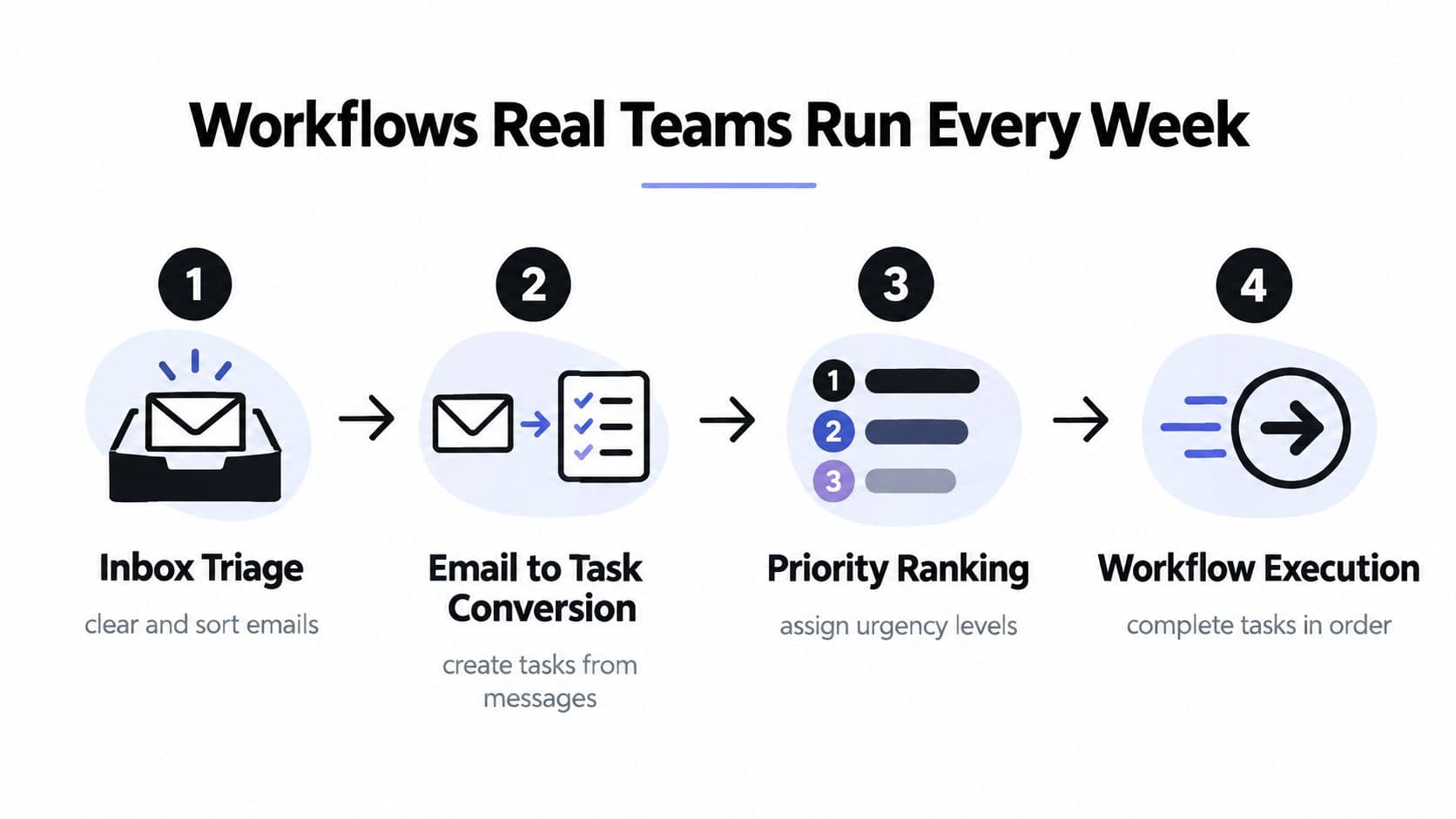
The Friday review uses a filtered dashboard showing completed, stalled, overdue, and unassigned work. It starts with a recurring review event and ends with three decisions: close what is done, archive what no longer matters, and seed next week's priorities. The assignment rule is that stalled work must receive either a new owner, a documented blocker, or a deliberate cancellation.
Watch the workflow in action here:
The system doesn't replace judgment. It makes judgment visible at the points where work otherwise disappears.
Does Going Digital Really Help
Digitization alone isn't a productivity strategy. A controlled study of remote workers found no significant perceived-productivity advantage for a digital task-management application over pen and paper. The study reported mean Productivity Scores of 18.36 for digital use and 17.88 for traditional methods, with the digital group showing a standard deviation of 2.57 and the traditional group 4.07. The study's HTML publication makes the comparison available for inspection.
That finding doesn't prove online task management is useless. It shows that a digital interface doesn't automatically improve how a person remembers or completes work. A tool can reproduce the weaknesses of paper while adding notifications, fields, and administrative steps.
The buyer's question is therefore narrower and more useful: what job will the digital workflow perform better? The study measured perceived productivity in a controlled setting, not whether a cross-functional team can see dependencies, transfer ownership, preserve context, or report status without a meeting.
The replacement test
Digital tools win when they replace a bad coordination habit:
- Email chains become tasks with owners and deadlines.
- Chat requests become intake records with a review path.
- Whiteboards become persistent boards accessible to the people doing the work.
- Manual status reports become filtered dashboards.
- Repeated routing decisions become automation rules.
They lose when teams treat them as glorified personal lists. If every task still requires a separate chat message, nobody trusts the dates, and managers maintain a parallel spreadsheet, the platform hasn't changed the workflow. It has added another surface to maintain.
Work fragmentation is associated with lower productivity in knowledge work. A study of Finnish state-government employees found a statistically significant negative correlation between fragmentation and productivity, approximately r = -0.430 with p = 0.001, and found that stronger task-management maturity correlated positively with task-management effectiveness. The Springer research chapter supports the operational conclusion: reduce fragmented work before adding more features.
How to Choose the Right Platform
Put three candidates through the same test. Don't choose the tool with the slickest demo. Choose the one that makes your real workflow easier to run.
| Criterion | Sample Question | Red Flag |
|---|---|---|
| View clarity | Can a new user find the next action in list, board, calendar, and timeline views without training? | The same work looks inconsistent across views |
| Automation depth | Can a rule assign, tag, prioritize, move, or notify a task from a clear trigger? | Automation requires manual upkeep or hidden configuration |
| Ownership | Can every task have one accountable owner, watchers, dates, and escalation? | Tasks can remain active without responsibility |
| Collaboration | Are comments, mentions, decisions, and attachments attached to the task? | The team still needs chat to understand the task |
| Integrations | Does it connect cleanly with calendar, email, chat, documents, and SSO? | Users must copy information between systems |
| Adoption friction | Can your team learn it quickly, use it on mobile, and administer permissions easily? | Setup requires extensive customization before useful work begins |
Give each criterion a score using the same simple scale, then test one live workflow rather than browsing sample data. Ask each vendor to demonstrate intake, assignment, a blocked dependency, a handoff, and a Friday review. For a broader comparison process, use this task management software comparison as a reference point.
A platform that fails the ownership or adoption test shouldn't survive because it has more integrations. Clarity and reliable routing come before advanced reporting. If your team can't trust the task record, no dashboard will rescue the rollout.
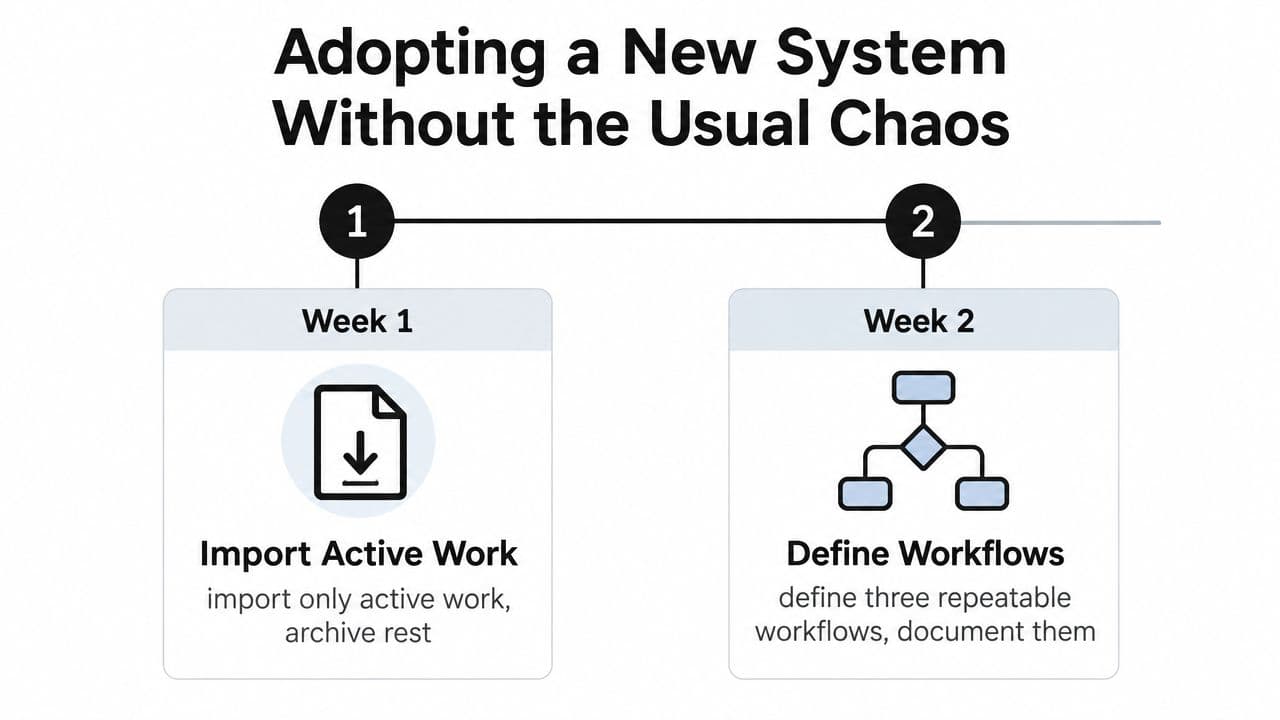
Adopting a New System Without the Usual Chaos
Use a 30-day rollout, not a big-bang migration. In the first week, import active work only and archive everything else. In the second, define three repeatable workflows and capture them in a one-page playbook.
In the third week, train two workflow owners per team instead of trying to get every employee into the same session. In the fourth, audit usage, remove duplicates, and retire the old tool that still attracts attention.
Don't customize every field, tag, and status during launch. Each added variable increases the learning burden and gives people another reason to postpone adoption. Keep dashboards simple, schedule a 15-minute weekly review to clear stale work, and write down the one rule the team won't break, such as “every active task has one owner.”
The same discipline applies to operational software outside task tracking. Teams introducing leave processes can benefit from a practical guide to implementing leave software, especially when they need clear ownership and staged adoption. For the change itself, use a change management plan template to assign rollout responsibilities and review points.
Fluidwave combines online task creation, multiple work views, auto-prioritization, workflow rules, shared collaboration, and delegation to human virtual assistants, so you can test a coordination-first operating model rather than another static list. Visit Fluidwave and run one real weekly workflow through it, starting with active work, clear owners, and a review cadence.
Focus on What Matters.
Experience lightning-fast task management with AI-powered workflows. Our automation helps busy professionals save 4+ hours weekly.