Tired of endless to-do lists? Learn the Rapid Planning Method (RPM) to focus on outcomes, not tasks. Implement RPM for massive productivity gains.
May 2, 2026 (5mo ago)
Master the Rapid Planning Method for Peak Productivity
Tired of endless to-do lists? Learn the Rapid Planning Method (RPM) to focus on outcomes, not tasks. Implement RPM for massive productivity gains.
← Back to blog
Most productivity advice is built on a weak assumption. If you just capture everything and keep a better list, you'll get control of your work.
That sounds reasonable. It also fails a lot of capable people.
I've seen busy professionals keep meticulous task lists, color-code them, sort them, reschedule them, and still end the week with the same frustrating feeling: they worked hard, but the work that mattered most barely moved. The problem usually isn't effort. It's that a to-do list treats a strategic objective and a trivial errand like they belong in the same system.
The rapid planning method fixes that by changing the unit of planning. You stop organizing your life around tasks and start organizing it around outcomes, purpose, and the few actions that create movement.
That shift matters even more now. Modern work is noisy, digital, and interruption-heavy. If you also have ADHD or another neurodivergent working style, traditional planning can become a guilt machine. You keep seeing unfinished tasks, but the list never tells you what deserves your best attention or why it matters enough to begin.
Why Your To-Do List Is Holding You Back
A to-do list is useful for capture. It's weak as a decision system.
When people tell me they're "organized," they often mean they have a long inventory of obligations. That's not the same as knowing what deserves focus today. A list can hold everything, but it can't think for you. It won't tell you which item changes the trajectory of a project, protects your energy, or solves a problem.
Busy isn't the same as effective
Traditional lists create a subtle trap. The easiest tasks rise to the top because they're fast, concrete, and satisfying to check off. That gives you motion, but not always progress.
A day filled with email replies, meeting notes, and admin cleanup can look productive on paper. Meanwhile, the proposal, hiring decision, strategic brief, or difficult conversation keeps sliding. That's how smart people get trapped in maintenance mode.
If you want a clear example of how task lists can sprawl without producing clarity, these to-do list examples show exactly how quickly a simple list can become cluttered and reactive.
A long list reduces guilt for a moment. Then it creates more of it.
Lists rarely answer the only question that matters
A strong planning system should answer this: what result am I trying to produce?
Most to-do lists never get there. They contain verbs like call, send, review, update, prepare. What they usually don't contain is the intended outcome behind those actions. Without that outcome, people do a lot of work that feels responsible but isn't especially consequential.
That gap hits neurodivergent professionals hard. If your brain struggles with prioritization, transition costs, or task initiation, a flat list gives you no hierarchy and no emotional traction. Every item competes at the same volume.
Here’s what doesn’t work:
- Listing everything together. Strategy, chores, follow-ups, and deep work all blur into one stream.
- Planning by urgency alone. You stay responsive, but not necessarily important.
- Treating completion as success. Finishing a small task can feel productive while meaningful work stalls.
- Ignoring emotional buy-in. If a task has no visible reason behind it, starting gets harder.
The deeper issue is simple. A to-do list records activity. It doesn't force intent.
What Is the Rapid Planning Method
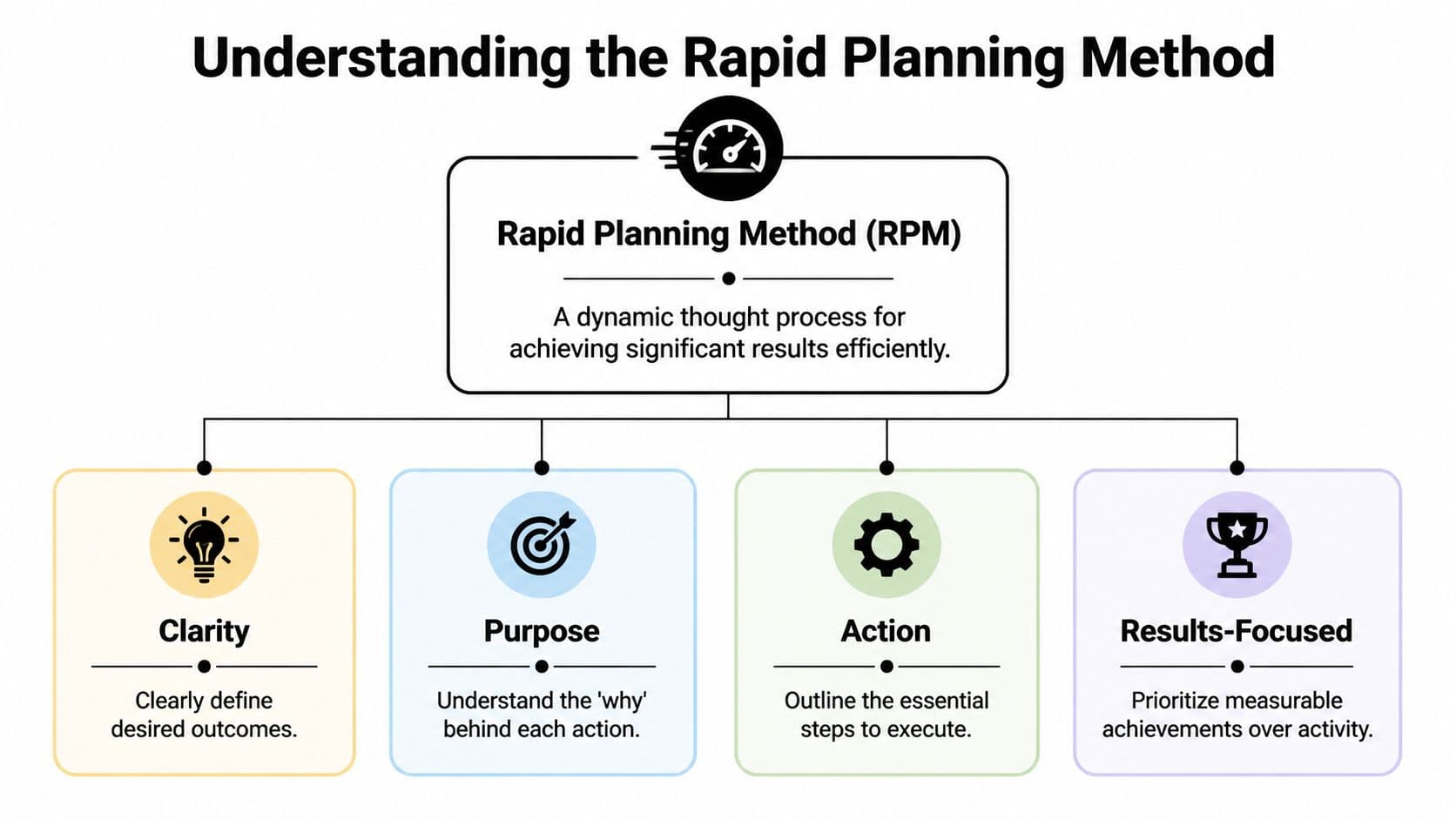
The rapid planning method is a results-first way to plan work and life. Tony Robbins created it in the late 1990s, and its core structure is simple: Result, Purpose, and Massive Action Plan. Robbins claims the method can reduce planning time by up to 80%, while applying the Pareto principle that 20% of actions yield 80% of results, as described in Hubstaff's overview of RPM.
Think like an architect, not a task collector
Individuals often plan like they're buying bricks. They gather tasks, tools, notes, and reminders. Then they hope a meaningful structure appears.
RPM starts with the blueprint.
If you're building a house, you don't begin by asking, "What should I do first today?" You begin with the finished structure. What are we building? Why does it need to exist? What sequence of actions creates it with the least waste?
That's RPM.
- Result asks what specific outcome you want.
- Purpose asks why that result matters enough to sustain effort.
- Massive Action Plan translates the outcome into prioritized action.
The method is practical because it forces precision. "Improve marketing" isn't a useful result. "Ship the campaign brief and approve the launch assets" is. The first sounds ambitious. The second gives your brain something it can execute.
The three parts that make RPM work
Result is the target. It should be concrete enough that you can tell whether you achieved it.
Purpose is the emotional driver. Many people rush this part of the process. They think purpose is soft or optional. It isn't. When the work gets tedious or ambiguous, purpose is what keeps the plan alive.
Massive Action Plan is not a giant checklist. It's a prioritized route. You identify the few actions that produce momentum and sequence them sensibly.
Practical rule: If your plan has many actions but no clearly stated result, you don't have an RPM plan. You have organized busyness.
What I like about RPM is that it isn't rigid. It works for an executive planning a quarter, a founder trying to reduce operational chaos, or an ADHD professional who needs more than "just be disciplined." It gives structure without forcing you into a lifeless system.
What RPM sounds like in practice
Instead of this:
- finish deck
- call designer
- review numbers
- send notes
You'd think in RPM terms:
- Result: Finalize investor update for Friday review
- Purpose: Keep stakeholders aligned and reduce last-minute scrambling
- Massive Action Plan: confirm metrics, tighten storyline, get design revisions, review final version on calendar
That one shift changes how you choose, sequence, and protect your time.
The Benefits of an Outcome-Focused System
The strongest argument for RPM is that it changes what your planning system optimizes for. A standard list optimizes for remembering and completing tasks. RPM optimizes for producing meaningful results.
According to a clinical trial and industry assessments, RPM delivers 6X more results than traditional to-do lists, with participants achieving 6-7X greater productivity and 5X better time management, based on Tony Robbins' RPM overview. Those numbers are striking, but the practical reason matters more: RPM directs attention toward outcomes instead of checkboxes.

It reduces friction at the moment of choice
Most professionals don't struggle because they never make plans. They struggle because the day presents too many possible next actions.
An outcome-focused system narrows that field. When you know the result you're trying to create, it's easier to reject low-value work. You stop asking, "What can I get done?" and start asking, "What drives this forward?"
That sounds small. It isn't. It's the difference between reacting all day and directing your effort.
Purpose gives the plan staying power
A good plan should survive fatigue, interruptions, and imperfect days. That's where purpose matters.
When someone knows why a result matters, they tend to recover faster from distraction and resistance. They can reconnect to the work instead of negotiating with themselves every hour. This is one reason RPM often lands well with ADHD clients. It gives the brain a stronger hook than obligation alone.
Here’s where people usually notice the payoff:
- Clearer prioritization. Important work stops competing equally with shallow work.
- Lower overwhelm. The plan becomes a short list of meaningful moves, not an endless scroll.
- Better follow-through. A compelling reason makes action easier to restart after disruption.
- Healthier boundaries. You're less likely to fill every open space with low-impact tasks.
If your planning system helps you work harder but not calmer, it's incomplete. Resources like Recurrr's guide to avoiding burnout are useful because they reinforce the same idea: sustainable productivity depends on how you allocate attention and energy, not just how much you cram into a day.
The best planning systems don't ask for constant willpower. They reduce the number of decisions that drain it.
How to Implement the Rapid Planning Method
A lot of people overcomplicate RPM on day one. Don't. The method works best when you keep it lean and concrete.
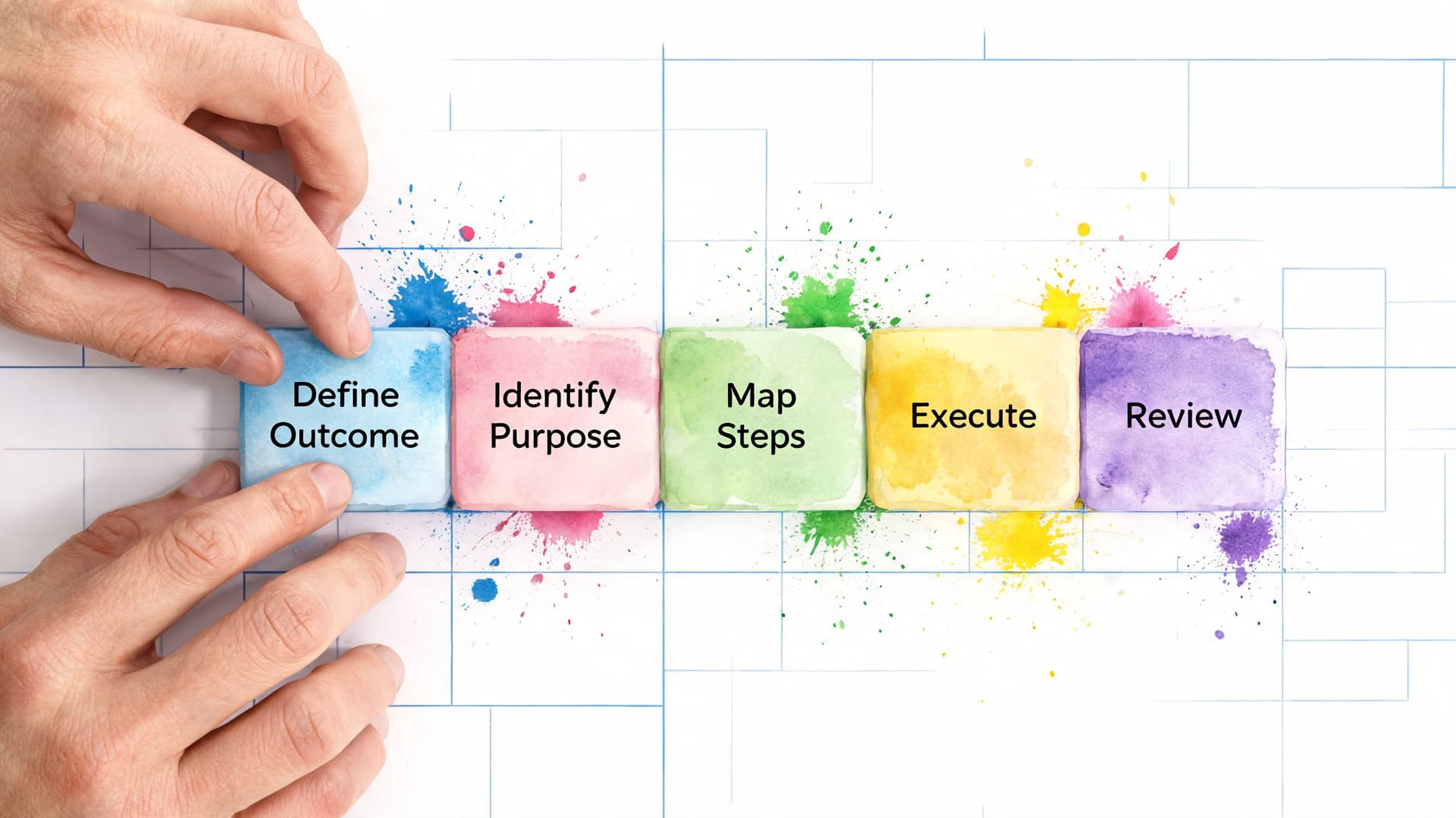
The core MAP framework asks three questions: What do I really want? Why do I want it? What must I do? Clinical data cited in Affine's RPM guide says this purpose-driven structure led to the complete elimination of high perceived stress and freedom from severe anxiety by week 4. The practical takeaway is simpler: when the plan has meaning, execution gets easier.
Start with a full brain dump
Get everything out of your head first. Open a note, paper document, or planning app and empty the mental tabs.
Don't organize yet. Capture projects, loose tasks, obligations, follow-ups, ideas, and worries. This step matters because a crowded brain is bad at prioritization. It keeps switching contexts and inflating minor tasks.
Choose one real outcome
Now take one active area of work and define an actual result.
Let's use a simple professional example: launching a new marketing campaign. The result is not "work on campaign." That's vague and hard to act on. A better result is: finalize campaign brief, approve core assets, and schedule launch.
A good result has edges. You can see it. You can tell when it's done.
Write the reason in plain language
This step needs honesty, not corporate language.
Why does this matter? Maybe the campaign supports a product launch. Maybe it reduces confusion across the team. Maybe it protects revenue. Maybe it matters because you've been avoiding it and it's blocking several other decisions.
If you work with ADHD, keep the purpose visible. Pin it at the top of the plan. Many people can start hard work more easily when the reason is emotionally legible. If you need more support tools around attention and initiation, this round-up of apps to help manage ADHD tasks is a useful complement to RPM.
Build the Massive Action Plan
At this stage, individuals either achieve effectiveness or revert to list-making.
Your Massive Action Plan should include the actions that matter most, in the order that makes execution easier.
For the campaign example:
- Clarify dependencies. Confirm message, audience, and owner approvals.
- Break work into chunks. Draft brief, collect assets, review copy, schedule distribution.
- Prioritize enabling tasks. Begin with the work that allows other activities to commence.
- Schedule the work. Put meaningful blocks on the calendar, not just due dates.
- Review and adjust. Daily or weekly, update the plan based on reality.
If an action isn't scheduled or attached to a clear trigger, people tend to call it a priority without actually doing it.
Keep the plan usable
Beginners often ruin RPM by writing a beautiful plan that's too large to live with.
Use short action phrases. Keep the number of active outcomes limited. Make the next move obvious. When your plan gets fuzzy, go back to the three questions and rewrite until it becomes clear again.
RPM Compared to Other Productivity Methods
RPM isn't the right answer for every personality or every kind of work. Some people need a pure capture system. Others need a lightweight list and nothing more. The actual value comes from choosing a method that matches your planning problem.
If you've used GTD before, you've probably noticed the difference in feel. GTD helps people capture, clarify, and organize commitments. RPM is more outcome-centered and asks for emotional alignment, not just operational control. If you want a refresher on the mechanics of GTD, this breakdown of the Getting Things Done methodology gives helpful context.
RPM vs. GTD vs. to-do lists
| Method | Core Focus | Best For | Potential Downside |
|---|---|---|---|
| RPM | Outcomes, purpose, and prioritized action | Professionals who feel busy but misaligned, including many ADHD users | Can become too abstract if the result isn't specific |
| GTD | Capture, clarify, and trusted organization | People managing many commitments and inputs | Can turn into maintenance if it isn't tied back to meaningful goals |
| To-do lists | Task tracking and quick memory support | Simple days, errands, short-term admin | Encourages flat prioritization and checkbox thinking |
Where RPM stands out
RPM is strongest when the issue isn't remembering tasks. It's deciding what matters.
That makes it especially useful for executives, founders, project leads, and neurodivergent professionals who can generate many ideas but need a system that converts intention into focused movement. It also works well when your schedule changes often, because the plan is anchored to a result, not a rigid series of disconnected tasks.
Where RPM can fall short
RPM is not magic. If someone refuses to define a specific outcome, the method gets mushy fast.
It also requires more reflection than a quick list. On a low-stakes day, that's unnecessary. If all you need is a grocery list or a few reminders, RPM is overkill. The method earns its keep when the work has ambiguity, emotional resistance, or strategic weight.
Applying RPM in Fluidwave for Peak Productivity
The most useful way to bring RPM into a digital workflow is to map each outcome to a visible structure. That's where many people either gain traction or lose it. If the system displays only isolated tasks, RPM collapses back into ordinary task management.
Fluidwave is well suited to this because it supports multiple views, AI-assisted prioritization, automation, calendar planning, and delegation to virtual assistants. Used well, those features reinforce RPM instead of competing with it.

Build one outcome as the parent task
Create the desired result as the main item. Don't title it with a vague verb like "marketing" or "operations." Name the outcome you want completed.
Under that parent item, add the MAP steps as child tasks. This keeps the entire plan connected. You can see the result, the supporting actions, and the status in one place rather than scattering work across unrelated lists.
A practical setup looks like this:
- Parent task. "Finalize Q3 hiring plan"
- Child task one. confirm headcount priorities
- Child task two. draft role scorecards
- Child task three. align budget with finance
- Child task four. schedule hiring manager review
For repeatable planning, it helps to start from a saved structure. This guide on how to make a template is useful if you want an RPM workspace that you can reuse each week.
Use the right view for the type of brain you have
This part matters more than is widely realized.
Some users think best in a Kanban flow. They want to drag MAP steps from "To Do" to "In Progress" to "Done." Others need a calendar view because if a task isn't placed in time, it remains theoretical. Some prefer a table for sorting by priority, owner, or context. Card and list views can work well when you need visual simplicity.
For neurodivergent professionals, visual load is often the deciding factor. A crowded interface creates friction. A clean board with a few active cards can make initiation much easier.
Useful adjustment: If you have ADHD, keep only the current outcome visible during deep work. Hide everything else that isn't relevant to the next block.
Let automation handle the weak points
RPM works best when you protect attention for high-value decisions. Let the tool handle the routine parts.
Use automation for reminders, follow-ups, recurring reviews, and status nudges. Use AI-assisted prioritization to reduce decision drag when several tasks look equally urgent. Use due dates sparingly and time blocks deliberately. A calendar full of overdue tasks doesn't create urgency. It creates avoidance.
Delegation is where the method gets especially practical. If a MAP contains low-impact steps, offload them. Research gathering, formatting, transcription, cleanup, and coordination are common examples. The point of RPM isn't to do everything yourself. It's to keep your focus on the actions that produce the outcome.
A simple ADHD-friendly RPM workflow
- Choose one outcome for the day
- Write the purpose in one sentence
- Limit the visible MAP to the next few actions
- Time-block one work session
- Delegate anything mechanical or repeatable
- Review before ending the day
That workflow is simple on purpose. Most productivity systems fail neurodivergent users when they ask for too much setup before any work begins.
Common Pitfalls and How to Succeed with RPM
RPM is simple, but people still misuse it in predictable ways. Usually the problem isn't the framework. It's how much unnecessary complexity they pile on top of it.
Pitfall one: too many outcomes
The fastest way to dilute RPM is to run too many major outcomes at once. Every outcome creates cognitive overhead. When everything is important, nothing gets protected.
A better move is to choose a very small set of active outcomes and let the rest sit in a parking lot. Fewer live priorities create better follow-through.
Pitfall two: weak purpose
People often write a polite, generic reason and call it purpose. That won't carry the plan when work gets annoying.
Write the core reason. Make it personal, useful, and specific enough that it creates energy. If your purpose sounds like corporate wallpaper, rewrite it.
Pitfall three: MAPs that are really just task piles
A Massive Action Plan should be prioritized. Many people write ten to twenty possible actions and feel productive because the list is long.
What works is smaller and sharper:
- Lead with the foundational move. Do the action that makes other actions easier.
- Remove low-value clutter. If a step doesn't contribute meaningfully, cut or delegate it.
- Make the next action obvious. Ambiguity kills momentum.
Pitfall four: no review rhythm
RPM isn't set-and-forget. Plans drift because reality changes.
A short weekly review keeps the method alive. Check the result, reconnect to purpose, and update the MAP based on what transpired. If an outcome still matters, simplify the next steps. If it doesn't, close it cleanly and move on.
The weekly review isn't admin. It's where you stop carrying stale priorities into another week.
The people who succeed with RPM aren't the ones with the prettiest plans. They're the ones who keep asking the right questions, stay honest about what matters, and revise fast when life gets messy.
If you want a cleaner way to turn RPM into daily execution, Fluidwave gives you the structure to do it without drowning in task clutter. You can organize outcomes, break them into action plans, auto-prioritize the next move, and delegate lower-value work when it shouldn't stay on your plate. For busy professionals, teams, and neurodivergent users who need a system that supports focus instead of fighting it, it's a practical place to put the rapid planning method to work.
Focus on What Matters.
Experience lightning-fast task management with AI-powered workflows. Our automation helps busy professionals save 4+ hours weekly.