Learn the core principles of organizing to transform chaotic workflows into clear, actionable systems. Boost productivity for yourself and your team.
March 17, 2026 (7mo ago)
Mastering the Principles of Organizing for Peak Productivity
Learn the core principles of organizing to transform chaotic workflows into clear, actionable systems. Boost productivity for yourself and your team.
← Back to blog
Does your workday feel more like a frantic scramble to put out fires than a focused effort? If you're constantly battling missed deadlines, endless notifications, and that low-grade hum of stress, you're definitely not alone. So many of us get caught in a cycle where the to-do list just seems to grow, no matter how hard we work.
This constant feeling of being overwhelmed isn't a personal failing or a lack of effort. It’s a classic symptom of a missing system. Trying to just "work harder" or power through with sheer willpower is a direct path to burnout. The real answer is to work smarter by adopting a solid structure—a set of core principles of organizing that bring order to the chaos.
From Overwhelmed to Organized: A New Approach
Most productivity hacks you read about are just temporary fixes. That shiny new app or a meticulously color-coded spreadsheet might give you a burst of motivation for a week, but the relief rarely lasts. They fail because they don't fix the root cause of the disorganization.
Why Your Current Method Is Failing
The problem is the absence of a coherent framework. Without one, you’re left with a system that creates more problems than it solves.
You might notice things like:
- Reactive Work: Your day is spent reacting to urgent, low-impact demands instead of driving your most important projects forward.
- Lost Information: You waste precious time digging through different apps, email threads, and messages just to find a single file or decision.
- Decision Fatigue: You burn more mental energy figuring out what to do next than you spend actually doing the work.
- Project Stagnation: Major goals stall out because the next steps are buried under a mountain of tiny, undefined tasks.
This guide is about a different way of thinking. It’s not about finding one "perfect" tool, but about mastering the timeless principles that make any tool effective. By learning and applying these concepts, you can build a resilient personal organization system that truly works for you.
At its core, disorganization is a clarity problem. When every single task carries the same visual and mental weight, your brain simply gets overwhelmed. The principles of organizing act as a filter, helping you see your work with genuine focus and purpose.
This is a fundamental shift from being a passenger in your own workflow to becoming its architect. Instead of letting your inbox dictate your priorities, you'll learn to build a system that protects your focus, aligns with your goals, and finally gives you back control over your day.
1. Building Your Foundation with Hierarchy and Structure
Ever wonder what a well-run library, a successful company, and even your computer’s file system have in common? They all rely on hierarchy. This is one of the most powerful organizing principles out there, acting as the blueprint that turns massive, overwhelming projects into a clear sequence of manageable pieces.
Without a solid structure, your goals are like a house built without a plan—a jumble of materials at constant risk of collapsing. You wouldn't just start throwing bricks and wood together and hope for the best, right? Of course not. A builder follows a precise blueprint that lays out the foundation, the frame, the rooms, and every last detail. This is what hierarchy does for your work: it gives every task a specific place and a clear purpose.
This is the real magic of building a system—it brings order to chaos.
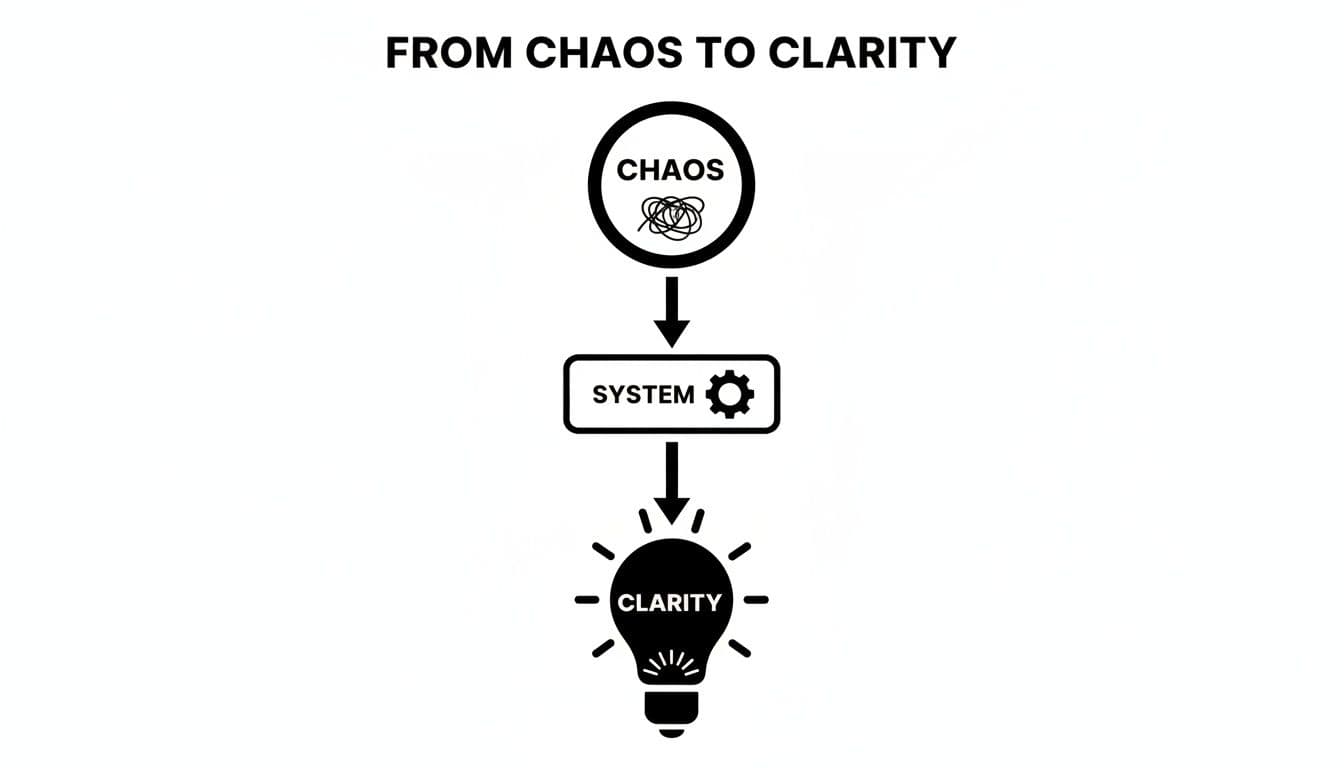
By moving from a tangled mess of to-dos to a structured plan, you create a visual map where every task has a home and a clear connection to the bigger picture.
Deconstructing Your Goals
The first practical step is to break down your big, often vague, goals into a nested structure of tasks and sub-tasks. Think of it as creating a family tree for your project. This simple act alone can transform paralysis into momentum. You’re no longer staring at a monster task like "Launch New Website" and wondering where to even begin.
This isn't about oversimplifying things. In fact, studies of high-reliability organizations, like air traffic control systems, show they succeed by embracing complexity. They don't ignore the details; they break problems down into smaller and smaller parts until every component is understood. That's exactly what we're doing here.
Here’s a simple way to start deconstructing a goal:
- Top-Level Goal: This is your main objective (e.g., "Launch Q3 Marketing Campaign").
- Major Phases (Parent Tasks): Think of these as the big project milestones (e.g., "Develop Creative Assets," "Configure Ad Campaigns," "Execute Email Launch").
- Specific Actions (Sub-Tasks): These are the individual, concrete steps you need to take (e.g., "Write ad copy," "Design banner ads," "Build audience segments").
By creating this parent-child relationship between tasks, you immediately add context. You know that "Design banner ads" is a part of the "Develop Creative Assets" phase, which in turn serves the ultimate goal of launching the campaign.
The following table shows how this breakdown works for a few common business projects. Notice how a huge goal becomes a series of clear, actionable steps.
Applying Hierarchy to Common Business Projects
| Project Goal | Level 1 (Main Task) | Level 2 (Sub-Task) | Level 3 (Actionable Step) |
|---|---|---|---|
| Develop a New Mobile App | Design UI/UX | Create Wireframes | Draft Home Screen Layout |
| Host Annual Company Conference | Secure Venue & Vendors | Research Potential Venues | Call Venue A for Quote |
| Create Q4 Content Calendar | Brainstorm Blog Topics | Hold Team Brainstorm Session | Send Calendar Invite for Session |
| Onboard a New Employee | Set Up Hardware & Software | Order New Laptop | Submit Laptop Request to IT |
As you can see, what starts as an intimidating project quickly becomes a checklist of things anyone can start working on today. That's the power of structure.
Putting Hierarchy into Practice with Fluidwave
This isn't just theory; it's something you can build directly in a tool like Fluidwave. Using List and Table views, you can create a main task for your project and then visually nest sub-tasks right underneath it with a simple drag-and-drop. It's an intuitive way to give your team a shared, living blueprint of the entire project.
Getting this structure right is also the first step toward building repeatable processes. Once you’ve defined these hierarchies, you’ve laid the foundation for powerful standard operating procedures. If you want to go deeper, check out our guide on how to create Standard Operating Procedures for your team.
2. Shift from Being Busy to Making an Impact with Prioritization
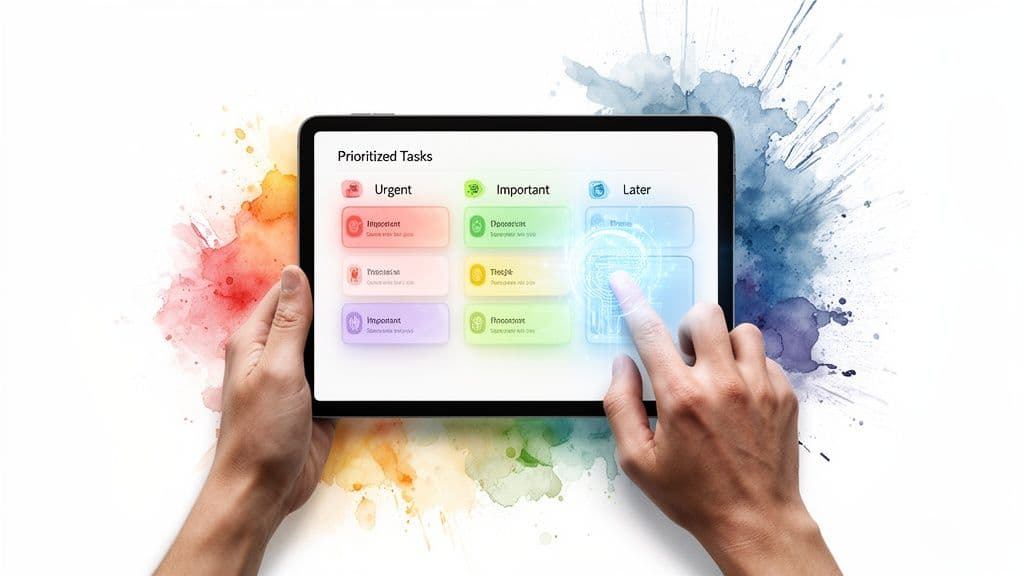
With a solid structure in place, the next step is mastering prioritization. This is where so many of us go wrong. We stare at a flat to-do list where every single item seems to be screaming for our attention, and it’s easy to just pick one and start.
But that’s a trap. It leads straight to the "busywork" vortex—you spend the whole day crossing off tasks, feel completely drained, but can't point to a single meaningful accomplishment. The issue isn't a lack of effort. It's a lack of focus on what really moves the needle.
Going Beyond Basic Priority Flags
Classic frameworks like the Eisenhower Matrix (sorting by urgent vs. important) are a great starting point. Honestly, understanding foundational prioritization techniques is essential; they build the mental muscle you need to instinctively gauge a task's real value.
But let's be realistic. When you're juggling complex projects with moving deadlines and a web of dependencies, manually re-sorting your list every morning becomes a chore in itself. That’s where technology can give you a serious edge, turning a static list into a dynamic, intelligent guide.
Instead of you spending 30 minutes trying to figure out where to start, an AI-powered system does the heavy lifting, giving you back time and mental energy.
How Fluidwave Acts as Your Strategic Partner
Think of Fluidwave’s AI as a dedicated project strategist who knows all your deadlines, understands which tasks are blocking others, and never loses sight of the main goal. It's not just about slapping a "high priority" flag on something.
The AI looks at the whole picture, weighing multiple factors to suggest the most impactful thing you can do right now.
- Deadlines: It naturally pushes tasks with looming due dates to the top of your list.
- Dependencies: If Task B can’t start until Task A is done, the AI knows to get Task A in front of you first.
- Project Goals: Any task directly tied to a major milestone gets a bump in importance.
By constantly analyzing these moving parts, the system builds a dynamic, self-sorting list that keeps you focused on what truly matters. For anyone managing a complex workflow, this kind of automated focus is a complete game-changer.
The Real-World Impact of Smarter Prioritization
Adopting a robust system for prioritization isn't just a nice-to-have; it's a core driver of success. When Fluidwave’s AI auto-prioritizes tasks, our users get back an average of over four hours weekly. That efficiency adds up. The global market for task management software is set to more than double, growing to USD 9.97 billion by 2032 on the back of a 13.27% compound annual growth rate.
This isn't surprising when you consider that 91% of managers report facing major challenges with their tasks, and a staggering 70% of projects fail to hit their targets. Proper prioritization is the antidote to that kind of failure.
Prioritization isn't about finding more hours in the day. It's about making your existing hours count for more. AI helps you do that by taking the guesswork out of your workflow.
Setting this up in Fluidwave is refreshingly simple. Once your tasks are in the system with their due dates and relationships defined, the AI just works. It lifts the constant mental load of "what's next?" off your shoulders, freeing you up to dive into deep, meaningful work. To get even more out of the platform, check out our complete guide on how to use AI for productivity.
3. Why the Way You See Your Work Changes Everything
How you look at your work fundamentally changes how you do it. Once you’ve built a solid structure and figured out your priorities, the next step is visualization. A simple, flat to-do list is just one way to see your tasks, and frankly, it’s often the least insightful.
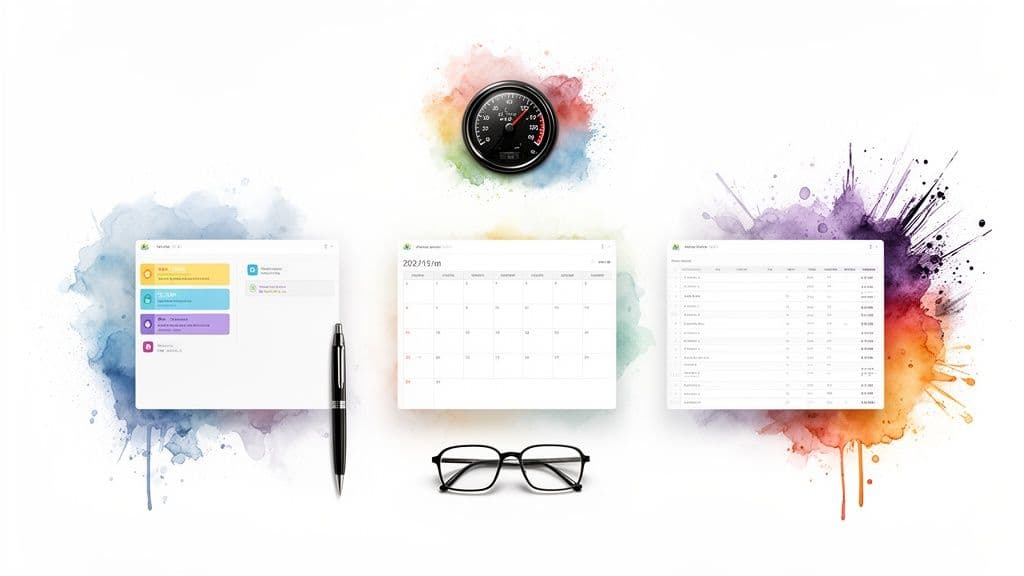
Think about it like a pilot’s cockpit. A pilot doesn't just get a single dial for "speed." They have a whole dashboard of instruments for altitude, direction, fuel, and engine health. Each one tells a critical part of the story. To really get a handle on your own workflow, you need a similar set of views.
Different Views for Different Problems
This is where toggling between different layouts becomes a game-changer. Each view acts like a unique lens, bringing different aspects of your work into sharp focus. A problem that’s completely invisible in one layout can become painfully obvious in another.
Fluidwave gives you several of these lenses, each designed to solve a specific challenge:
- Kanban Boards: These are perfect for tracking a task's journey through different stages (like "To Do," "In Progress," and "Done"). It's the absolute best way to spot bottlenecks before they derail your project.
- Calendars: This view is your best friend for anything with a deadline. It gives you an immediate, visual grasp of your commitments across days, weeks, or months.
- Tables: When you're dealing with data-heavy projects, tables are indispensable. They let you see and sort by budgets, assignees, or other custom fields all in one place.
Jumping between these views helps you quickly diagnose the health of your projects. You can check your week's schedule on the calendar, then flip to your Kanban board to see if that critical task is still stuck in the "To Do" column.
Finding Your Personal Flow
Beyond managing big projects, the right visualization can be a huge boost for your personal productivity. Many of us are visual thinkers, and the right layout can mean the difference between feeling completely overwhelmed and dropping into a state of deep focus, or "flow state."
There’s something incredibly motivating about a Kanban board that you just don't get from a static checklist. Physically dragging a task card from "In Progress" to "Done" gives you a tangible hit of accomplishment that fuels your momentum.
The goal is to find the layout that makes your brain light up. The right visual representation of your work reduces cognitive friction, making it easier to start and maintain focus on what matters.
This isn't just a modern productivity hack; it has deep roots in highly effective systems. The whole idea of workflow visualization goes back to Toyota's groundbreaking Kanban system in the 1940s, which used visual cards to signal inventory needs and famously slashed waste by 50-75%.
Today, the market for digital tools that enable this is valued at USD 4.92 billion and is projected to hit USD 15.74 billion by 2033. This explosive growth is backed by clear results—studies show that visual organizing can boost team productivity by 25-40%, giving leaders a clear line of sight into progress. You can dive deeper into the market research report to understand the growing demand for these tools.
Don't just settle for the default view. Take the time to experiment with different layouts. Finding the one that clicks with how you think is a crucial part of making these organizing principles work for you.
Applying Strategic Delegation to Scale Your Impact
Great leaders don’t try to do everything themselves. They know their real job is to orchestrate the work, not execute every single piece of it. This mindset changes delegation from a simple act of offloading tasks into a fundamental principle of organizing your entire world for greater impact.
It’s a powerful shift, but let’s be honest—it’s often blocked by some very real fears. We worry about losing control, about the quality of the work dropping, or that it’s just faster to do it ourselves. But clinging to every task is a surefire way to cap your own potential. The real goal is to get yourself out of the operational weeds so you can focus on the big-picture work that truly moves the needle—the strategy, innovation, and relationship-building that only you can do.
Overcoming the Fear of Letting Go
The biggest hurdle most of us face with delegation is trust. You’ve poured your energy into building something, and the thought of handing a piece of it to someone else feels like a massive risk. What if they mess it up?
That "do it myself" mindset turns you into the bottleneck, the single point of failure for your own success. A much healthier way to think about it is to see delegation as building a system—one founded on clear instructions, well-defined outcomes, and mutual trust. When you get this right, you don't just lighten your own load; you empower others and build a far more resilient team or process.
To make the handoff a success, you need to provide a few key things:
- A Crystal-Clear Definition of "Done": What does a successful outcome look like, in detail?
- Defined Boundaries and Authority: What decisions can the person make on their own without checking in?
- Open Lines of Communication: How will you check on progress without resorting to micromanagement?
Delegation is a skill, not just an action. It requires a shift from being the "doer" to being the "director," and it's essential for anyone who wants to achieve more than what their own two hands can produce.
A Modern Approach to Delegation
Delegation used to mean one thing: assigning work to a direct report. Today, that’s just one piece of the puzzle. Modern platforms have completely changed the game, offering far more agile and flexible ways to get work done. For instance, a service like Fluidwave’s pay-per-task model lets you tap into a network of vetted human virtual assistants without the massive overhead of hiring.
This is a game-changer, especially for entrepreneurs and busy professionals who need specialized skills on demand. Suddenly, you can get help with market research, content creation, or tedious admin work, turning delegation from a long-term staffing decision into a flexible, task-by-task strategy.
The market is already reflecting this shift. The demand for task management tools, which are the backbone of good delegation, is expected to jump from USD 3.25 billion in 2024 to USD 11.94 billion by 2033. This makes perfect sense when you learn that 91% of managers report struggling to execute tasks effectively without some kind of delegation aid. For entrepreneurs, sector analyses show that using platforms with clear pricing and real-time tracking can slash project overheads by up to 30%. You can dive deeper into the numbers in the full market report from Business Research Insights.
How to Delegate Your First Task in Fluidwave
Ready to get some time back in your day? Here’s a simple, four-step approach to delegating a task using a virtual assistant network like Fluidwave’s.
- Define the Task with Precision: Start by creating a new task, but be incredibly specific. Don't just write "Research competitors." Instead, create a detailed brief: "Compile a list of the top 5 competitors in the SaaS project management space. For each one, find their pricing model, key features, and primary marketing channels. Present the findings in a shared document by EOD Friday."
- Set a Clear Budget: With a pay-per-task model, you have complete financial control from the start. Decide what you’re willing to spend for the finished task. This transparency prevents any surprise costs and keeps your project on budget.
- Assign to a Vetted Expert: You can browse the network of available assistants, check out their specific skills and past ratings, and then assign the task. The platform handles all the logistics, so you can feel confident that you’re handing your work to a qualified professional.
- Monitor and Approve: Keep an eye on progress in real-time without having to constantly ask for updates. Once the work is completed to your standards, you simply approve it, and the assistant gets paid. It's a clean, efficient, and surprisingly powerful way to scale your output.
Your First 30 Days to an Organized System
We’ve covered the core principles of getting organized, but let's be honest—the gap between knowing and doing can feel like a chasm. It's easy to read about theory but much harder to apply it when you're staring down a chaotic to-do list and an overflowing inbox.
This is where the rubber meets the road. We're going to walk through a concrete, 30-day action plan. The goal isn't to flip a switch and magically fix everything overnight. That approach just leads to burnout. Instead, we’ll build a solid system week by week, focusing on small, consistent wins that create real momentum.
Week 1: Audit and Foundation
The first week is all about taking an honest look at where you are right now. You can't chart a course to a new destination without knowing your starting point. This is the groundwork for everything that follows.
- Find the Friction Points: For the next three days, keep a running list of what frustrates you. Every time you can't find a file, feel unsure what to tackle next, or get sidetracked by a messy inbox—write it down. This isn't about complaining; it's about creating a "hit list" of the biggest problems to solve.
- Pick a Pilot Project: Don't try to boil the ocean. Choose one single, nagging project that’s currently causing you stress. This will be your sandbox, a safe place to test these new habits without feeling overwhelmed.
- Build Your First Hierarchy: Head into Fluidwave and create a new project. Now, apply the principle of hierarchy. Break that project down into its major phases or milestones (Level 1), then break those down into small, concrete actions (Level 2). Just doing this often brings an immediate, powerful sense of clarity.
Week 2: Prioritization and Visualization
You’ve got a basic structure. Great. Now it’s time to make it smart. Week two is all about teaching your system to think for you, so you can stop spending mental energy on what to do and focus on actually doing it.
- Add Dates and Dependencies: Go through the project you just built in Fluidwave and give every task a deadline. If one task can't start until another is finished, connect them with a dependency. You're feeding the system crucial information.
- Let AI Take the Wheel: This is the fun part. Turn on Fluidwave’s AI features and let it organize your tasks based on the data you just provided. Your job is simple: trust the top suggestion and start working on that one task.
- Play with Perspectives: Spend a little time switching between the different project views. See how the Kanban board gives you a feel for flow, the Calendar view highlights deadlines, and the Table view lets you see all the details at once. Get the satisfaction of dragging a task from "To Do" to "In Progress" on the Kanban board.
At this stage, you're learning to trust the system. The goal is to offload the mental burden of "what's next?" and redirect that energy into execution.
Week 3: Delegation and Automation
By now, you should be feeling a growing sense of control. The chaos is starting to recede. Now, it's time to multiply your impact by getting comfortable with letting go. This week is all about mastering delegation—one of the most powerful organizing principles there is.
- Find a Task to Offload: Look at your list. Find one task that is repetitive, time-consuming, and doesn't absolutely require your personal touch. Think research, data entry, or scheduling appointments.
- Delegate Your First Task: Using Fluidwave’s pay-per-task network, write a crystal-clear description for that task. Be explicit about what a "finished" result looks like. Set a fair budget and assign it to a vetted expert.
- Monitor and Approve: Keep an eye on the task's progress right inside Fluidwave. When it's delivered to your satisfaction, approve the work. That first successful handoff is a huge psychological win; you've officially started buying back your time.
Week 4: Review and Refine
The final week is about making this whole thing last. A good system isn't a "set it and forget it" machine; it's a living process that needs a little bit of care and feeding. This is where you build the habit of a review cycle.
- Book a Weekly Check-in: Put 30 minutes on your calendar every Friday afternoon for a "Weekly Review." This is non-negotiable time with yourself to look at what worked and what didn't.
- Adjust and Adapt: Based on your review, make small tweaks. Does a project need to be broken down further? Are you holding onto tasks you should be delegating? Your system should evolve as your work does.
- Commit to the Habit: If you take one thing away from these 30 days, let it be this: make your system your single source of truth. If it's not in the system, it doesn't exist.
Follow this simple roadmap, and you won't just "get organized." You'll build a reliable workflow that actively defends your focus, clarifies your priorities, and gives you real control over your time and energy.
Frequently Asked Questions
Even with a solid roadmap, putting new organizing principles into practice can feel a little daunting. Let's tackle some of the most common questions that come up when you're ready to make a change.
How Do I Start If My Current System Is a Mess?
Take a deep breath and start small. The biggest mistake people make is trying to boil the ocean—attempting to reorganize their entire work life in one weekend. That’s a surefire recipe for burnout.
Instead, just pick one single project or area that’s a constant headache. Use the first principle we discussed, hierarchy, and simply break that one thing down into its core tasks and sub-tasks. You'll get an immediate win, feel a sense of clarity, and build the momentum you need to tackle the next area.
Is an AI Prioritizer Trustworthy?
It’s best to think of an AI prioritizer as a really smart assistant, not your boss. A good one, like the tool built into Fluidwave, doesn't make random guesses. It gives you intelligent recommendations based on the information you've already provided—things like due dates, dependencies, and which goals the tasks are tied to.
You are always in the driver's seat. The AI’s real job is to do the heavy mental lifting of sorting tasks each morning, so you can point your brainpower toward the actual work. If your gut tells you a different task is the real priority, you can always override the suggestion.
It gives you the best of both worlds: your expertise and intuition, supported by smart automation.
What Is the Most Important Principle of Organizing to Start With?
If you only focus on one thing to begin with, make it Hierarchy and Structure. It’s the bedrock for everything else.
- Without a clear structure, prioritization is just a guessing game because you can’t see how smaller tasks connect to the big picture.
- Without structure, visualization tools like boards and calendars become a chaotic jumble of unrelated items.
- Without structure, delegation feels risky because the person you’re assigning the work to lacks the full context.
Nailing this first step—creating a logical breakdown of your work—makes every other organizing effort so much simpler and more powerful. It’s the only way to truly get from chaos to control.
Ready to stop managing chaos and start building a system that actually works? Fluidwave brings all these principles together—from hierarchical views and AI-powered prioritization to seamless delegation—in one intuitive platform. Get started for free today and take back control of your workflow.
Focus on What Matters.
Experience lightning-fast task management with AI-powered workflows. Our automation helps busy professionals save 4+ hours weekly.