Learn a practical one on one meeting agenda to drive clarity, boost morale, and turn 1:1s into productive, actionable talks with tips and templates.
March 2, 2026 (6mo ago) — last updated March 9, 2026 (6mo ago)
One on One Meeting Agenda: Boost Clarity and Team Engagement
Learn a practical one on one meeting agenda to drive clarity, boost morale, and turn 1:1s into productive, actionable talks with tips and templates.
← Back to blog
A one on one meeting agenda is just a shared plan for what you and another person will talk about. It’s what turns a vague, "let's-just-catch-up" chat into a focused, productive conversation. This is especially true for managers and their direct reports, where the agenda makes sure you cover everything from project updates to long-term career goals.
Why Most One on One Meetings Are Failing Your Team
Let's be real for a second. How many one-on-one meetings have you walked away from thinking, "Well, that was a complete waste of time"? If you've felt that way, you're definitely not alone. For too many of us, these crucial check-ins have turned into just another box to tick on a never-ending to-do list. The conversation often ends up as a one-sided status report, totally missing the substance and connection that makes them so valuable.

This meeting fatigue is a real and growing problem. The number of meetings has exploded, but their quality has tanked. At the heart of the issue is one simple, missing piece: a collaborative one on one meeting agenda.
The Root of Meeting Ineffectiveness
Without a shared plan, meetings just drift. They become reactive instead of proactive. The loudest, most recent fire ends up hijacking the entire conversation, leaving no time for the important stuff—like long-term goals, tough challenges, or personal development.
The data backs this up. Professionals are practically drowning in these meetings. The average worker now has 5.6 one-on-one meetings every single week. That's nearly 280 meetings a year. With each one lasting over 42 minutes, it eats up almost 9% of the workweek—a staggering increase of over 500% since before the pandemic, according to a productivity report from Reclaim.ai.
The difference between an energizing one-on-one and a draining one is preparation. When both people show up knowing what matters, the conversation shifts from "What did you do?" to "How can we succeed together?"
This is exactly where a tool like Fluidwave changes the game. By building a structured agenda right inside the platform, teams can make sure every minute is spent on what actually counts: clearing roadblocks, aligning on priorities, and delegating clear action items.
This simple habit can radically improve team communication, turning burnout-inducing meetings into powerful moments of connection and progress. A great agenda is your first step toward getting your calendar back and making these conversations matter again.
The Blueprint for a High-Impact One on One Meeting Agenda
A great one-on-one meeting agenda isn't just a list of talking points; it’s a roadmap for a meaningful conversation. It gives you the structure you need to get past shallow status updates and dive into discussions that actually drive performance, engagement, and professional growth. Without that roadmap, it's no wonder so many of these critical meetings fall flat.
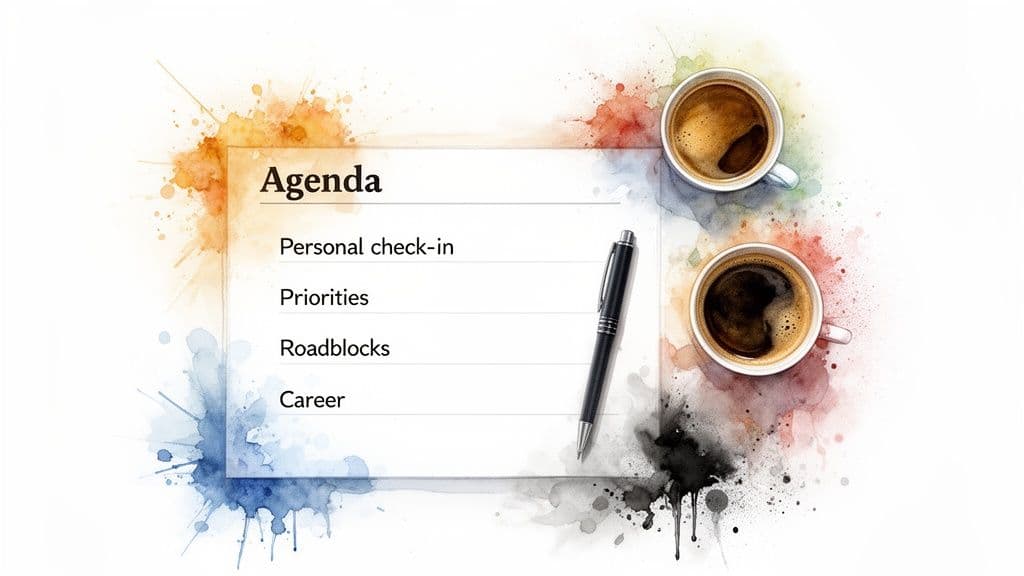
The numbers tell a story of missed opportunities. While a whopping 94% of managers hold regular one-on-ones, nearly half of their employees find them ineffective. A well-designed agenda can fix this by putting the employee in the driver's seat, aiming for them to do 50-90% of the talking. This shift is powerful. Microsoft’s own research found that when employees get clarity on their work in one-on-ones, they are 2.5 times more likely to strike a healthy balance between productivity and their personal life.
So, how do you build an agenda that gets these results? I’ve found that the best agendas follow a natural, three-part flow that builds connection before jumping into business.
To help you picture this, here’s a breakdown of the core components of a successful 45-minute one-on-one.
Core Components of an Effective 1:1 Agenda
| Agenda Section | Purpose & Focus | Example Questions | Suggested Time |
|---|---|---|---|
| Personal Check-In | Build rapport and psychological safety. Show you care about the individual, not just their work output. | "What was a highlight for you, work or non-work, since we last talked?" | 5-10 minutes |
| Priorities & Roadblocks | Review progress on key goals, celebrate wins, and collaboratively solve problems. This section is employee-led. | "What’s top of mind for you this week? Where are you feeling stuck?" | 20-25 minutes |
| Growth & Development | Look to the future. Discuss career goals, skill development, and new ideas. This is about long-term investment. | "What new skills are you interested in developing? What's next for you?" | 10-15 minutes |
This structure ensures you cover the past, present, and future, creating a complete and motivating experience for both of you. Let's dig into each of these sections.
Start with a Human Connection
Every great one-on-one I've been a part of starts with a genuine, human check-in, not an immediate jump into to-do lists. This isn't just about making small talk; it's about building trust and psychological safety. When you kick things off by showing you care about the person, you set a totally different tone for the rest of the meeting.
This part doesn’t have to take long—five or ten minutes is usually perfect. The key is asking open-ended questions that go beyond a simple "How are you?"
- "What was a highlight for you, work or non-work, since we last talked?"
- "How's your energy and workload feeling this week?"
- "Is there anything on your mind outside of work that's taking up your focus?"
This initial connection is the foundation. When an employee feels seen as a whole person, they are far more likely to be open and honest when discussing challenges and roadblocks later in the conversation.
Review Priorities and Roadblocks
Once you've connected, it's time to move into the core of the meeting. The next part of your one on one meeting agenda should focus on the here and now: reviewing key priorities, celebrating recent accomplishments, and, most importantly, identifying any obstacles getting in the way. The trick is to make this a collaborative problem-solving session, not an interrogation.
This is where the employee should take the lead. They should come prepared to talk about their progress and any hurdles they’re facing. As a manager, your job is to listen intently, ask clarifying questions, and be a resource. For a deeper dive into fostering these crucial conversations, this resource is excellent: The Ultimate Guide to One on One Meetings.
Look Ahead to Future Growth and Development
Finally, a truly high-impact agenda always carves out time to look beyond the current week's tasks. This is what elevates a one-on-one from a tactical check-in to a strategic partnership. This part of the conversation can touch on anything from long-term career goals and skill-building opportunities to brainstorming new ideas and giving constructive feedback.
This forward-looking perspective shows that the meeting is an investment in the employee's future with the company, not just an audit of their past performance. It’s a powerful way to show you’re committed to their journey. These elements create a natural flow that makes the whole process more valuable, a topic we explore further in our guide on how to run effective meetings.
Crafting the Agenda for Manager and Direct Report 1-on-1s
Of all the one-on-one formats, the classic manager-and-direct-report meeting is the most common. Its success, however, almost always comes down to the quality of the agenda. Getting this right is a bit of a balancing act. As a manager, you need crucial updates on progress and to sniff out any potential risks. At the same time, your direct report needs a dedicated space for support, guidance, and honest conversations about their career.
The best way I've found to manage this is to treat the one on one meeting agenda as a shared, living document. This isn't just a list of topics you, the manager, dictate from on high. It's a collaborative space where both of you can add thoughts and issues as they pop up during the week. When you do this, something powerful happens: you create a sense of joint ownership over the meeting's success.
By the time you actually sit down together, the most important topics are already teed up. This proactive approach means your conversation can jump straight into problem-solving and strategic alignment, not just trying to remember what happened last Tuesday.
Building Your Shared Agenda
Turning your agenda into a truly collaborative tool starts with a simple shift in mindset: the meeting belongs to the employee just as much as it does to the manager. One of the most practical ways to bring this to life is by using a shared document or a dedicated platform like Fluidwave.
This screenshot, for instance, shows a template in Fluidwave specifically designed for a one on one meeting agenda, structured to capture key discussion points from both sides.
The real insight here isn’t just about having a template, but about its structured flexibility. It allows both people to add items under specific categories like "Wins," "Roadblocks," and "Development," ensuring all the important bases are covered.
Key Questions for Each Agenda Section
To get this collaborative process humming, it helps to have some prompts to guide what gets added to the agenda. Here are some powerful questions I've seen work wonders, helping you structure the conversation to cover performance, well-being, and future growth.
For Performance and Workload
- What’s taking up most of your headspace this week?
- Where are you seeing the most progress? Let's talk about a recent win we should celebrate.
- Are there any roadblocks or dependencies that are slowing you down?
- How is your current workload feeling—too heavy, too light, or just right?
For Well-being and Engagement
- On a scale of 1-10, how’s your work-life balance right now?
- What part of your work is currently giving you the most energy?
- Is there anything about our team dynamics or processes you’d like to discuss?
A great one-on-one agenda creates psychological safety. When an employee feels comfortable adding a "well-being" topic without fear of judgment, you know you've built a real foundation of trust.
For Career Goals and Development
- What skills are you hoping to develop in the next quarter?
- Have you seen any projects or roles within the company that interest you?
- What kind of feedback or support would be most helpful for you right now?
- How can I better support your long-term career aspirations?
Using prompts like these helps both you and your direct report think more deeply about what to discuss. It turns the agenda from a dry to-do list into a catalyst for a genuinely productive conversation, making every one-on-one a worthwhile investment in your team's success.
Tailoring Your Agenda for Peer and Skip-Level One-on-Ones
Most advice on one-on-ones zeroes in on the classic manager-employee meeting. But that’s just one piece of the puzzle. The same one-on-one format can be a game-changer for other vital professional relationships, like those with your peers or your boss’s boss.
The key is realizing that not all check-ins are built the same. A conversation with a colleague from another department has a totally different purpose than a meeting with senior leadership. If you use the same agenda for both, you’ll miss the unique value each type of meeting offers. You have to adapt.
How to Structure a Peer One-on-One Agenda
Peer one-on-ones are your secret weapon for breaking down silos and forging strong cross-functional bonds. There’s no power dynamic here, which changes everything. The whole point is mutual support, sharing what you know, and tackling problems together. A great agenda for this kind of meeting has less to do with performance and everything to do with partnership.
Forget about individual task lists. Your shared agenda should be all about topics that help both of you, or your respective teams, move forward.
- Shared Challenges: This is the perfect place to talk about common roadblocks. You might find you're not alone in your struggles. For example, you could ask, "We're both wrestling with this new reporting software. Have you found any decent workarounds?"
- Knowledge Swaps: Make time to learn from each other. A great prompt could be, "Could you walk me through how your team handled the Q3 launch? I feel like we could really learn from your approach."
- Process Tune-ups: Look for ways to make collaboration and handoffs less painful. An agenda item might look like, "Let's brainstorm a better way to streamline the feedback loop between Marketing and Product."
The best peer one-on-ones feel like a strategic alliance. Your agenda should be a tool for building bridges, not just checking boxes. It’s your space to ask, “How can we help each other win?”
Navigating the Skip-Level Meeting Agenda
A skip-level one-on-one—that meeting with your manager's manager—demands a completely different mindset. This isn't the time to get bogged down in the minutiae of your daily to-do list. It’s a rare and valuable chance to gain visibility, understand the bigger picture, and talk about where your career is headed long-term.
Your agenda for this conversation needs to reflect that high-level focus. Show up ready to connect what you do every day to the organization's overarching goals.
- Strategic Alignment: Frame your questions around the company's direction. For instance, "I'd love to get your take on the company's biggest priorities for the next year and how you see my team's work contributing to that vision."
- Career Growth: This is a golden opportunity to get senior-level career advice. You could ask, "As I think about my long-term growth here, what skills or experiences do you believe are most valuable for someone in my role to develop?"
- Team Feedback: Get a bird's-eye view of your team's impact. A great question is, "From your vantage point, what do you see as our team's biggest strengths? Are there areas where we could make an even greater impact?"
Bringing a thoughtful agenda to a skip-level meeting does more than just guide the conversation. It proves you’re a strategic thinker who is invested not just in your own tasks, but in the company's broader success and your place within it.
How to Automate Your One-on-One Workflow in Fluidwave
A well-planned one-on-one meeting agenda is a great start, but let’s be honest—its real value comes from consistent follow-through. This is where moving from good intentions to automated actions changes the game entirely. Using a platform like Fluidwave helps you operationalize your one-on-ones, turning them from just another calendar invite into a living, breathing workflow that actually drives progress.
The whole point is to get rid of the administrative busywork that so often lets a great agenda fall flat. Think about it: how many brilliant ideas or crucial follow-ups from a meeting have just... disappeared a week later? Automating the process ensures nothing ever slips through the cracks.
Set Up Your Recurring One-on-One Task
First things first, you need a dedicated home for your one-on-ones. In Fluidwave, I always recommend setting up a single recurring task for each weekly or bi-weekly meeting you have, whether it’s with a direct report or a peer. This task becomes your command center—the single source of truth for your agenda, notes, and any follow-ups.
When you treat the meeting itself as a task, you start building a rich history of your conversations. This is so much more effective than having notes scattered across a dozen different Google Docs or notebooks. You can instantly scroll back through previous discussions to see how a long-term goal is progressing, which keeps everyone accountable.
From there, you can use sub-tasks to build out a shared agenda for each meeting. Both you and your colleague can add items throughout the week as they pop into your head. By the time you sit down to talk, the most important topics are already laid out and ready to go. You can even link tasks directly from other projects into the agenda, which gives you all the context you need without having to hunt for it.
This flowchart maps out the process for a couple of different, but equally critical, types of one-on-ones.

The key takeaway here is that while the goals might be different—peer meetings are often about collaboration, while skip-levels focus on strategic alignment—both types benefit massively from a structured, automated workflow.
Capture Decisions and Delegate Follow-Ups in Real Time
During the meeting, use your Fluidwave task as a live notepad. As you make decisions and identify next steps, create them as new sub-tasks right then and there. But this is where the real magic happens: immediate delegation.
Instead of ending the call with a vague, "Okay, I'll send out a recap," you leave the meeting with clear, assigned tasks that are already sitting in everyone’s to-do list. There's no ambiguity about who owns what.
This is where Fluidwave's AI-powered virtual assistants can be a huge help. For all those little administrative follow-ups—like scheduling the next meeting, cleaning up the notes, or creating a project brief—you can delegate them on a pay-per-task basis.
This approach closes the loop between discussion and execution. It ensures that the momentum generated during your one-on-one doesn't fizzle out the moment the call ends.
Beyond Fluidwave’s own features, you can add another layer of efficiency by using an AI writing assistant to help you draft agenda items or polish your meeting notes. By combining a solid agenda structure with smart automation and delegation, you build a system that not only saves hours of admin work but also ensures your one-on-one meetings consistently produce real, trackable results.
Answering Your Top Questions About One-on-One Agendas
Even with a perfect template in hand, putting a new one-on-one agenda into practice can bring up some awkward or tricky situations. It's one thing to have a great plan, but it's another thing entirely to manage the human side of things.
Let's walk through some of the most common questions I hear from managers trying to get this right.
What if My Direct Report Doesn’t Add Anything to the Agenda?
This is a classic problem. You create a shared space for collaboration, invite your direct report, and... crickets. They show up with nothing prepared. This kind of silence is almost always a sign of a deeper issue.
First, I'd double-check for clarity. Are you sure they know they're supposed to add items? It might seem obvious, but many employees still view one-on-ones as a meeting where the manager does all the talking. It often helps to be incredibly direct, saying something like, "This is your meeting time, not just mine. I really want to focus on what's most important to you, so please add anything you want to discuss."
If you’ve already done that, the root cause might be a lack of psychological safety. Your employee could be anxious about looking incompetent or raising the "wrong" kind of topic. A great way to lower the barrier is to add a low-stakes, collaborative item yourself. Something like "Brainstorm ideas for the team offsite" invites their input without any pressure and models the behavior you want to see.
How Do I Stop My One-on-Ones from Always Running Over?
If your meetings are constantly pushing past their scheduled end time, you're likely trying to cover too much ground. A powerful one-on-one is about the quality and depth of the conversation, not the quantity of topics you race through.
The simplest, most effective fix is to timebox your agenda items. Be realistic and assign a specific number of minutes to each topic directly on the agenda. It could look something like this:
- Review Project Phoenix Blockers: 15 minutes
- Discuss Q4 Career Goals: 10 minutes
- Brainstorm New Marketing Angles: 5 minutes
When you see the clock ticking on a specific topic, it gives you a natural, non-confrontational way to say, “This is a great discussion. Let's create a separate follow-up on this so we can give it the focus it deserves and still get to our other items.”
This small habit makes it much easier to steer the conversation and respectfully table discussions that deserve their own dedicated time.
Should We Meet Weekly or Bi-Weekly?
There isn't a single "right" cadence. The best frequency really depends on the individual and their current situation.
For new hires, anyone tackling a particularly tough project, or team members who simply need more hands-on support, weekly meetings are essential. Those frequent check-ins are crucial for building momentum and provide a safety net to catch issues before they escalate.
On the other hand, for your more senior or self-sufficient folks who are humming along just fine, a bi-weekly meeting can work perfectly. The trick is to stay flexible. I often recommend starting with a weekly cadence and then, after a few months, asking if it feels right. You can always mutually agree to shift to bi-weekly once you’ve established a solid rhythm. A simple, "Is this weekly check-in still feeling helpful, or would every other week be better for you now?" goes a long way.
Ready to stop your one-on-one meetings from falling flat? Fluidwave provides the tools you need to create collaborative agendas, track action items, and even delegate follow-ups to AI-powered assistants. Transform your conversations into catalysts for real progress. Get started with Fluidwave today.
Focus on What Matters.
Experience lightning-fast task management with AI-powered workflows. Our automation helps busy professionals save 4+ hours weekly.