Master objective and task budgeting to allocate time and funds effectively. Learn how to prioritize, delegate, and track budgets using Fluidwave workflows.
October 3, 2026 (Today)
Objective and Task Budgeting Workflows
Master objective and task budgeting to allocate time and funds effectively. Learn how to prioritize, delegate, and track budgets using Fluidwave workflows.
← Back to blog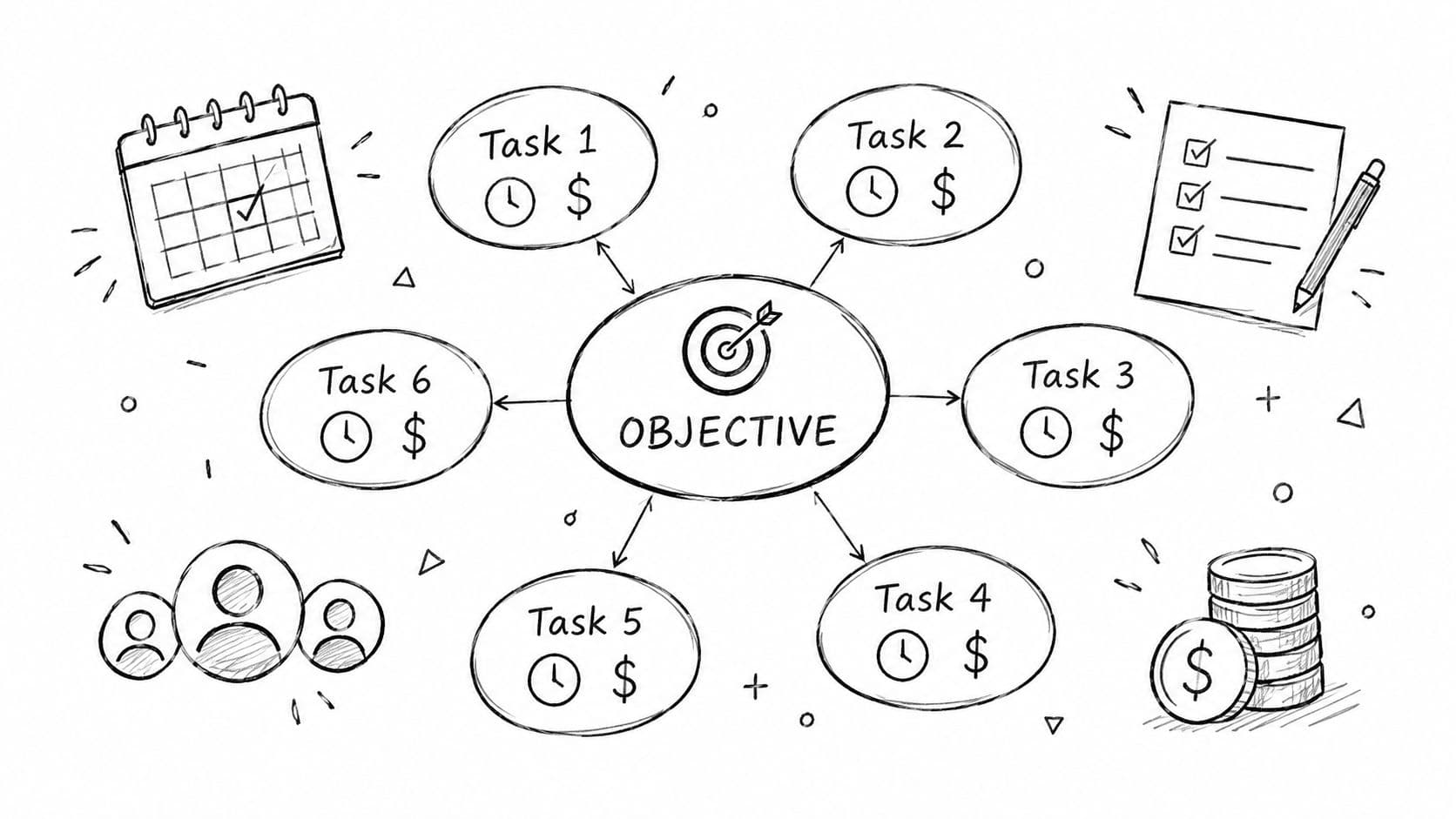
A quarterly review is approaching, but your team is still working from an annual budget approved months ago. The budget says how much each department can spend, yet it doesn't tell anyone which tasks deserve attention this week, who should complete them, or what happens when priorities change.
That gap is where objective and task budgeting becomes practical. Instead of treating the budget as a fixed ceiling, you connect each objective to its deliverables, time requirements, financial cost, and accountable owner. The result is a workflow that can respond to real operating conditions without losing financial discipline.
Moving Beyond Vague Spending Limits
A product launch can have an approved marketing budget and still miss its weekly targets. The team knows the total allowance, yet urgent research, creative work, distribution, and reporting compete for the same funds and staff hours. Unspent money does not show which task deserves attention, while existing activities continue because they were funded previously.
Objective-and-task budgeting ties spending to a defined result. Managers identify the outcome, specify the actions required, estimate the time and cost of those actions, and assign responsibility before approving the work. A foundational explanation describes budgets as the quantitative expression of plans, with objectives and required actions translated into financial or physical terms (Cost Management, Accounting and Control/9.%20Chapter%208%20-%20Budgeting%20for%20Planning%20and%20Control.pdf)).
The practical shift is from funding a category to funding a result. “Spend what we can afford” starts with a ceiling and works backward. Objective and task budgeting starts with the result, then prices the work needed to produce it. That creates a clearer decision record when a manager must defer one task, reassign hours, or approve outside help.
Practical rule: If you cannot explain which objective a task supports, do not fund it automatically.
The method's planning logic
Every meaningful cost should have a business reason. A campaign objective may include research, creative production, distribution, reporting, and follow-up. A customer-support objective may include documentation, process changes, training, and quality checks. Listing these activities separately makes the cost of each decision visible instead of hiding it inside marketing or administration.
The same logic works with time budgets. A manager can reserve specialist hours for high-impact work, send repeatable tasks to Fluidwave's pay-per-task virtual assistant network, and keep funding attached to the task rather than a permanent headcount assumption. Automation can route assignments, record completion, and expose unused capacity as priorities change.
Historical financial data remains useful. Prior-period results help managers test estimates, set realistic targets, and identify recurring costs. They provide a starting point, not a reason to copy the previous allocation unchanged.
The method is respected, yet many organizations avoid it because task-level estimates take more work than carrying forward last year's numbers. In the marketing-budget context described in a professional communications summary, fewer than 10 percent of companies use objective-and-task budgeting, even though the approach prices objectives separately and totals the resulting costs (Promotions Analysis III).
The payoff is not perfect forecasting. Estimates will change. The advantage is knowing which assumption changed, which task is affected, and whether to reduce scope, reassign time, or approve additional task funding.
Finance and operations leaders can establish the basics with a practical guide to create a budget with HireAccountants, then apply the same discipline to task ownership, time allocation, and automated execution.
Building a Work Breakdown Structure for Tasks
A budget becomes useful only after the work has been defined. “Improve onboarding” is an objective, not a budgetable task. It needs to become a set of deliverables, work packages, owners, deadlines, and acceptance criteria.
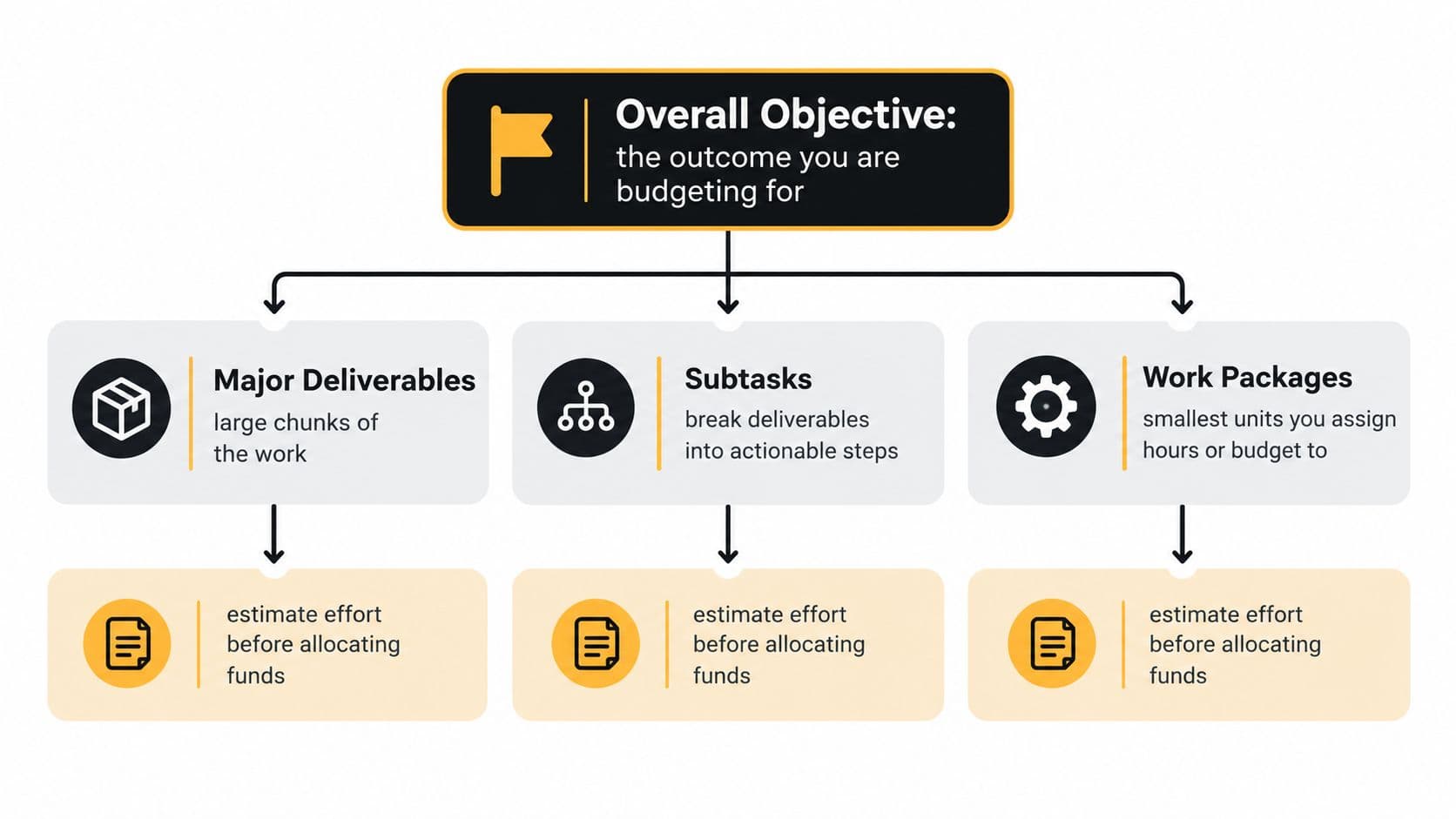
A work breakdown structure, or WBS, provides that hierarchy. It decomposes a project's total scope into smaller deliverables, while a task budget records the estimated cost for each task or work package, including what the team plans to spend and when (Asana's work breakdown structure guide).
Start with the outcome
Write the objective as an observable result. Avoid wording that describes activity without explaining its purpose. “Publish more content” is weaker than “create a reliable content refresh workflow for priority pages,” because the second statement gives the team a basis for deciding which work belongs in scope.
Then identify the major deliverables. These are the substantial outputs that must exist for the objective to succeed. Under each deliverable, list the subtasks and continue decomposing until a person can estimate the effort, assign responsibility, and verify completion without interpreting the entire project from scratch.
A practical sequence looks like this:
- Define the objective: State the outcome, decision, or operational change the budget supports.
- List major deliverables: Describe the tangible outputs required to reach that outcome.
- Create subtasks: Break each deliverable into actions with a clear start and finish.
- Set work packages: Stop decomposing when a package is small enough to assign, estimate, and review.
- Add constraints: Record dependencies, approval points, required inputs, and acceptance criteria.
- Estimate effort and cost: Assign expected hours, materials, external services, and timing to each package.
A WBS also supports schedule creation, work sequencing, cost estimation, and scope control. Project-management guidance describes it as a foundation for schedules and budgets, while noting that its components can help identify critical-path work and estimate time and cost for each sub-element (Coursera's WBS overview).
Make each package independently useful
Treat a work package as a small project. Give it a named owner, a due date, a budget, a definition of done, and a review point. A package such as “prepare customer interview brief” is more controllable than “support research,” because the former tells the assignee what to produce and the manager what to approve.
Microsoft's description of WBS planning separates work decomposition, scheduling, and cost estimation. That separation is valuable in practice. First decide what must be done, then decide when it should happen, and only then commit resources to it (Microsoft's WBS planning template).
Use historical information as a reference, not a promise. Prior-period data can reveal recurring effort, supplier costs, approval delays, and seasonal pressure. Budgeting literature commonly uses data from the previous three to five years as a baseline, but the correct comparison is always the most relevant work, not merely the most recent calendar period (Cost Management, Accounting and Control/9.%20Chapter%208%20-%20Budgeting%20for%20Planning%20and%20Control.pdf)). Record why an estimate differs from the baseline. That note will matter when the task is reviewed later.
Teams often turn a WBS into a usable operating document through a work plan, where each package can carry its schedule, owner, dependencies, and budget. The important point isn't the document format. It's that the person doing the work and the person approving the spend can see the same definition of success.
Automating Priorities and Delegating to Assistants
A priority queue can look healthy while the people at its center remain overloaded. An executive may have a ranked list, accurate estimates, and approved funding, yet still spend the day collecting research, cleaning spreadsheets, and arranging routine meetings. Objective and task budgeting becomes useful only when funded work reaches the person or system that can complete it.
The operating distinction is between decision work and repeatable execution. Leaders keep the objective, trade-offs, approvals, and sensitive judgment. Clearly bounded work, such as research collection, data cleanup, list preparation, scheduling, and formatting, can go to an assistant when its output is easy to inspect. That division protects management time without handing over decisions that require context.

Fluidwave supports this model by organizing work across table, list, calendar, Kanban, and card views, then helping users auto-prioritize tasks by urgency, importance, deadline, dependency, or capacity. Its task budgets and deadline-based delegation connect a defined work package with a human virtual assistant on a pay-per-task basis. The manager can decide what work deserves funding before assigning it, rather than approving vague additional help.
Each assignment should answer five practical questions in one place: what must be produced, by when, within what budget, using which files or instructions, and under what review rule. The objective should not have to be reconstructed from a long message thread.
A useful handoff follows a deliberate sequence. Capture the task as one actionable assignment. Set the boundary with the expected result, deadline, budget, and exclusions. Route the work to an internal owner or suitable virtual assistant. Verify the output against acceptance criteria. Then Update the estimate by recording whether the work required less, more, or different effort than expected.
Pay-per-task delegation fits work with a verifiable deliverable. “Compile the requested competitor URLs into the shared sheet and label each by topic” gives an assistant a finish line and gives the manager a review standard. “Help with competitor research” leaves both sides to interpret the objective, which makes the budget harder to control.
Managers comparing delegation models can consult this guide to virtual assistants for Airbnb hosts. Its practical relevance extends to any recurring operational work that depends on clear task definitions and handoff instructions.
Automation should reduce coordination, not create another administrative layer. A crowded system forces people to reconcile spreadsheets, email, and chat before they can identify the next action. AI agents can route work, send reminders, change statuses, and handle repeated coordination. Teams assessing those workflows can use this overview of AI agents for productivity to examine where automation reduces handling effort and where it introduces review risk.
Human judgment sets direction and checks important outputs. Automation keeps priorities current. Assistants complete bounded packages. Funding stays attached to a task with a defined result, rather than becoming a broad promise assigned to a department.
Adjusting Scope When Estimates Meet Reality
A task budget is an estimate, not a verdict. The first real review often shows that a deliverable needs more work than expected, depends on input that is not ready, or has lost value because the objective shifted.
Overrunning the budget to preserve the original scope hides the trade-off until there are fewer choices left. A better manager names the trade-off early, while the team can still choose a different route.
Objective and task budgeting works as a cycle, not a one-time approval. If the estimate is too high, the manager may need to narrow the objective or pick a different path. The core skill is less about getting the first number perfect and more about weighing scope, ambition, and constraint, as discussed in Budgeting Methods.
Use a structured re-budgeting conversation
A task that runs past its estimate should trigger a direct review. Ask four questions: What changed, what still matters, what can move, and what decision is needed?
Start with the change itself. The scope may have grown, an assumption may have failed, or the work may have exposed complexity that was not visible at the start. Then separate the output that supports the objective from the extras that can be cut without hurting the result.
The next step is practical. Can the deadline move, can the quality threshold shift, can the sequence change, or does the task need more resource? If none of those options works, the manager may need to approve more budget or stop the task before it consumes still more capacity.
That keeps the review focused on the work, not on blame. An overrun is not always a sign of poor execution. Sometimes the original objective was too loose, or the chosen approach no longer fits the need.
Plan for shorter decision cycles
Annual budgets move too slowly when priorities change often. A task-level model lets managers review active work more frequently without rebuilding the whole financial plan. The objective stays visible, but the supporting tasks can be paused, resequenced, delegated, or replaced as new evidence appears.
Keep a short decision record with each revised task. Note the original assumption, the result observed, the approved change, and the new estimate. That record makes later planning more grounded and stops the team from repeating the same optimistic assumption.
A flexible budget changes for a reason, and every change should be explainable.
Automation can help here, but only with clear rules. It can flag approaching limits, overdue work, or blocked dependencies. It cannot decide whether a lower-cost deliverable still meets the customer's need. That judgment belongs to the person accountable for the objective.
Tracking Budgets and Directing Scarce Resources
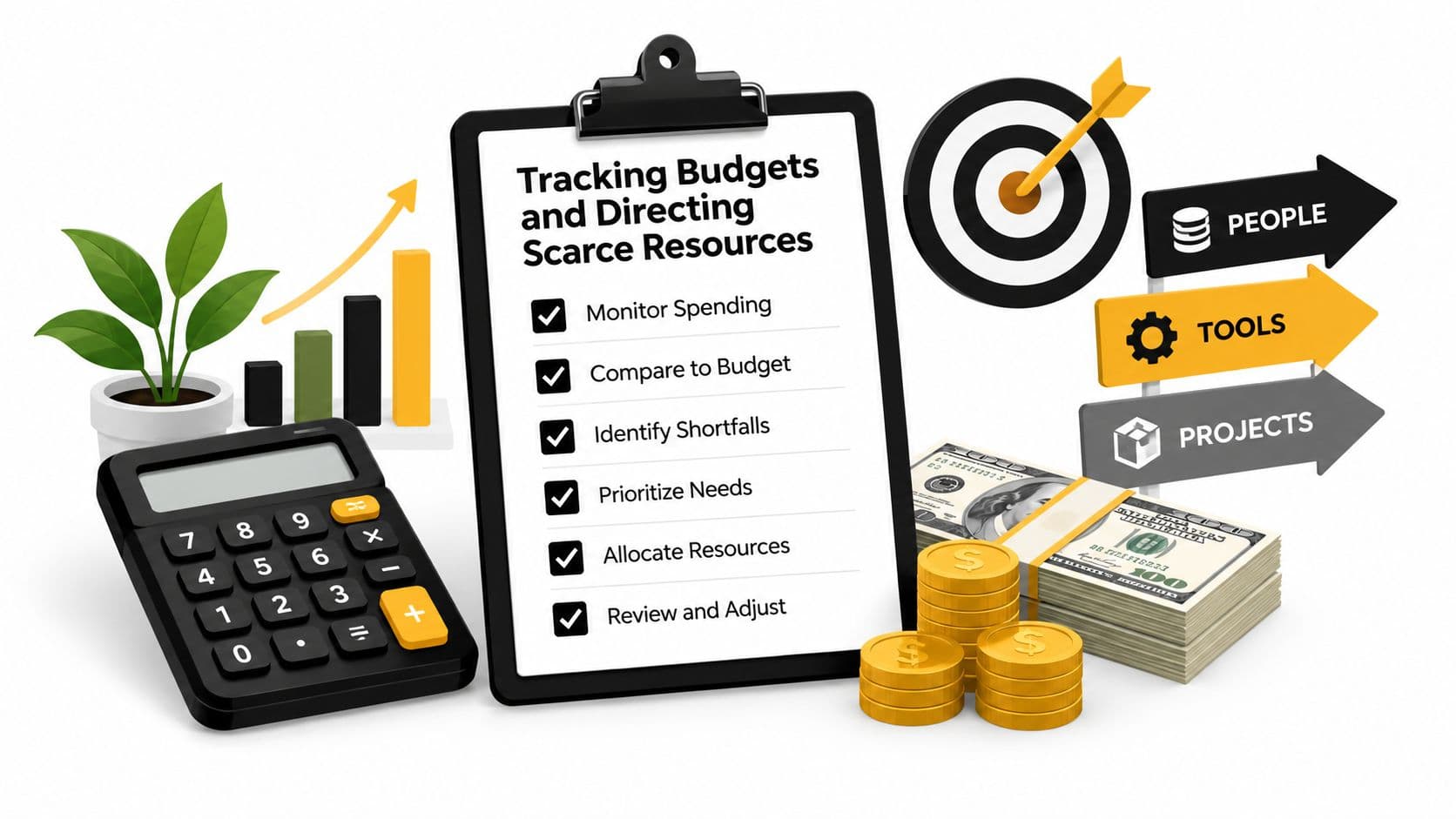
A funded task can still drift off course if no one checks progress against the objective. In practice, budget tracking has to answer three questions at once: What has been committed, what has been completed, and what deserves the next unit of capacity? That requires a shared view of work, ownership, status, and the constraints still in play.
The control point is simple. One person owns the task, even if several people contribute. That owner needs to know whether work is ready, blocked, complete, or waiting on a decision.
A practical review rhythm keeps the budget tied to execution:
- Before work starts, confirm the objective, output, budget, deadline, and dependencies.
- During execution, watch for blocked inputs, unclear instructions, and scope growth.
- At delivery, check the output against the acceptance criteria, not effort alone.
- After approval, close the task, record the actual result, and update related estimates.
- During review, move capacity from low-value or stalled work to the highest-priority open package.
Different views support different decisions. A Kanban board exposes bottlenecks and work in progress. A calendar shows deadline collisions. A table supports budget and ownership reviews. A list gives a focused queue for one contributor. The underlying data must stay consistent even when the view changes.
Budgeting does more than control income and expenditure. It also sets priorities, directs scarce resources, assigns responsibilities, and monitors performance, as described in guidance from the Food and Agriculture Organization. On that level, objective and task budgeting works like a management system, not a spreadsheet exercise.
What matters most is exception handling. Managers do not need to inspect every routine task at the same depth. They need attention on packages approaching their limit, overdue dependencies, rejected outputs, and tasks whose assumptions have changed.
That is where a shared resource view helps. Using resource allocation for project management makes it easier to connect available capacity with task priority and ownership, instead of assigning work to whoever responds first.
Automation can support the process, but it should stay inside clear rules. It can flag approaching limits, overdue work, or blocked dependencies. It cannot decide whether a lower-cost deliverable still meets the customer's need. That judgment stays with the person accountable for the objective.
Starting Your First Objective-Driven Workflow
Start with one objective that has real pressure behind it and a named owner. A first rollout should stay narrow. If you try to move every department, historical budget, and recurring task at once, the process gets harder to test and harder to trust.
State the outcome first, then break it into deliverables and work packages that one person can complete and another can verify. For each package, define expected effort, financial limit, deadline, dependencies, and what “done” means. If a package is too vague to estimate, it is still too large.
Separate judgment work from bounded execution. Internal leads should keep approval rights, while assistant work should stay within clear instructions, enough context, and a result that does not require repeated clarification. That is the practical advantage of a pay-per-task network such as Fluidwave, it lets you assign defined work without turning every task into a long staffing decision.
Track the workflow in a shared operating view and review exceptions as they appear. If an estimate breaks, surface the variance. Then choose the trade-off, reduce scope, change the route, move the deadline, or fund the extra work.
That approach gives better decisions, clearer accountability, and a tighter link between time, money, and outcomes. Executives get a better question than “Are we on budget?” They can ask which funded work is moving the objective forward, and what should change next.
Focus on What Matters.
Experience lightning-fast task management with AI-powered workflows. Our automation helps busy professionals save 4+ hours weekly.