Learn making to do lists that get finished: capture tasks, set priorities, and keep your list realistic for work and home, with steps and examples.
November 18, 2026 (Today)
Making to Do Lists That Get Done: A Practical Guide
Learn making to do lists that get finished: capture tasks, set priorities, and keep your list realistic for work and home, with steps and examples.
← Back to blog
40% of task switches were self-initiated among information workers in a Microsoft Research diary study. Interruptions don't always arrive as messages or meeting invitations. Sometimes you interrupt yourself by opening your list, spotting another obligation, and abandoning the work already underway.
That changes the purpose of making to do lists. You don't just need somewhere to store commitments. You need a reliable way to decide what deserves attention, recognize what you can't act on yet, and resume useful work after the day falls apart.
How to Make a To Do List in Six Steps
In 2025, 82% of 6,000 knowledge workers surveyed across the United States, United Kingdom, Australia, India, Germany and France said they had established a formal system for organizing their to-do items, according to Wakefield Research's survey commissioned by Atlassian. The practical question isn't whether to make a list. It's how to make one you can use.
Build entries you can act on
-
Capture every open loop in one sitting. Open a notebook or a single digital inbox and record unfinished work, small errands, appointments to arrange, and promises buried in email. This gives you somewhere dependable to put obligations when they surface during focused work. The common slip is sorting while capturing, which turns a straightforward collection exercise into a prolonged planning session.
-
Rewrite each item as one observable next action, beginning with a physical verb. Replace taxes with pull last year's return from the filing cabinet, or proposal with open the client brief and list the required deliverables. You're specifying a starting move, not describing a whole responsibility. Watch for handle, improve, and research: each can conceal a decision you haven't made.
-
Attach a trigger. Specify a time, place, or event, such as Tuesday at 9:15 a.m., at my desk, before email. A trigger tells you when to begin instead of leaving the decision open all day. Don't assign an idealized start time that conflicts with your commute, meetings, or the information you're waiting for.
-
Add a completion condition that you can check without debating it. For a draft, that might mean the executive-summary outline is saved to the shared folder, ready for review. This prevents a bounded task from expanding into endless polishing. The usual mistake is confusing finished for this stage with finished forever.
-
Group compatible actions by context. Keep calls together, errands together, and computer work together so you can choose work that fits your surroundings. Include anything necessary to act, such as a phone number or document location. Don't build such an elaborate tagging system that maintaining it becomes another obligation.
-
Choose three to five items for today. Treat this as a starting recommendation, not a completion quota, and leave the remainder accessible in your backlog without automatically scheduling it. Selecting a small commitment set makes trade-offs explicit. Don't fill every available gap, because incoming requests still need somewhere to go.
Check the whole workflow
Use this visual overview to check that capture leads to scheduling and review, rather than stopping at a longer inventory.
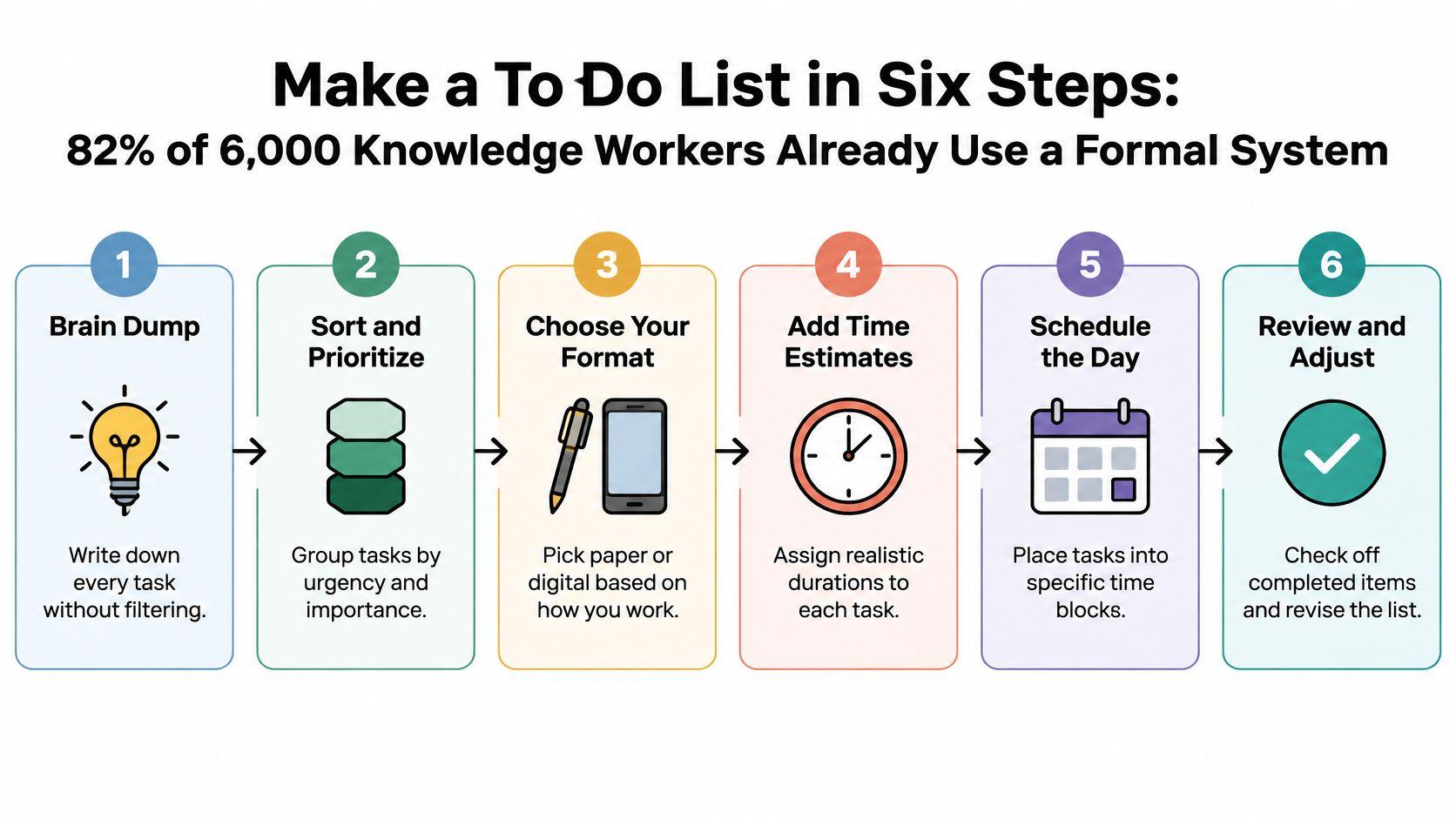
Startability test: Could you begin the top item without asking a question first?
If you still need to locate the file, decide what the task means, or ask who owns the decision, write that preparatory action instead. A useful entry removes uncertainty at the point where you're supposed to start.
Ranking Methods That Decide What Goes First
Choose from these five ranking methods, but use only one per list. Layering labels, scores, and competing sort orders makes every choice negotiable again.
Ranking methods and when each one fits
| Method | How it ranks tasks | Best for | Watch out for |
|---|---|---|---|
| Ivy Lee six tasks | Pick the six most important tasks for tomorrow and rank them | Executives and managers with long backlogs | Important tasks left out when the list is capped too early |
| Urgent and important grid | Sort into four groups: urgent and important, important only, urgent only, neither | Mixed roles with many interruptions | Everything drifts into urgent and important |
| Deadline sort | Order by due date, earliest first | Client work and project deliverables | Quick low-effort tasks get pushed back |
| Impact versus effort | Score each task for result and effort, do high-impact low-effort items first | Freelancers and small teams | Scores are guesses unless reviewed weekly |
| ABCD labels | Label each item A (must), B (should), C (could), D (delegate) | Solo workers with a single daily list | Too many A labels make the grouping meaningless |
The Rework history of the to-do list traces familiar planning practices through Benjamin Franklin's written routine and Ivy Lee's six-task method, although the celebrated Lee story is an anecdote rather than a controlled trial.
Choose by the decisions your job requires
For deadline-driven client work, sort by date. Contractual delivery dates matter more than a subjective importance score, but schedule preparation early enough that the due date doesn't become the start date.
For a mixed role with constant requests, use the urgent and important grid or impact versus effort. Both require you to distinguish genuine consequences from somebody else's preference for a quick response. A manager facing a sprawling backlog may prefer Ivy Lee's cap because selecting tomorrow's work forces uncomfortable but necessary exclusions.
ABCD labels suit a solo worker with a straightforward daily list, provided A remains exceptional. Establish what each label means before using it; this guide to task priority levels can help you define consistent distinctions.
A list ranked several different ways usually becomes a list you negotiate with instead of follow.
Give your chosen method a two-week trial. Record whether you finished its top items, not whether you enjoyed organizing them.
Ranking also needs calendar protection. Acheloa Wellness offers guidance on protecting focus blocks from meeting invites, a useful companion when your highest-ranked work keeps losing its scheduled space.
Choosing a Format That Matches How You Work
A mixed-methods study of remote workers found no statistically significant productivity advantage for digital task-management applications over pen-and-paper lists. Participants valued planning and scheduling, but the tools didn't substantially change productivity behaviors or habits. That isn't proof that formats are interchangeable. It's a reason to choose by need rather than feature count.
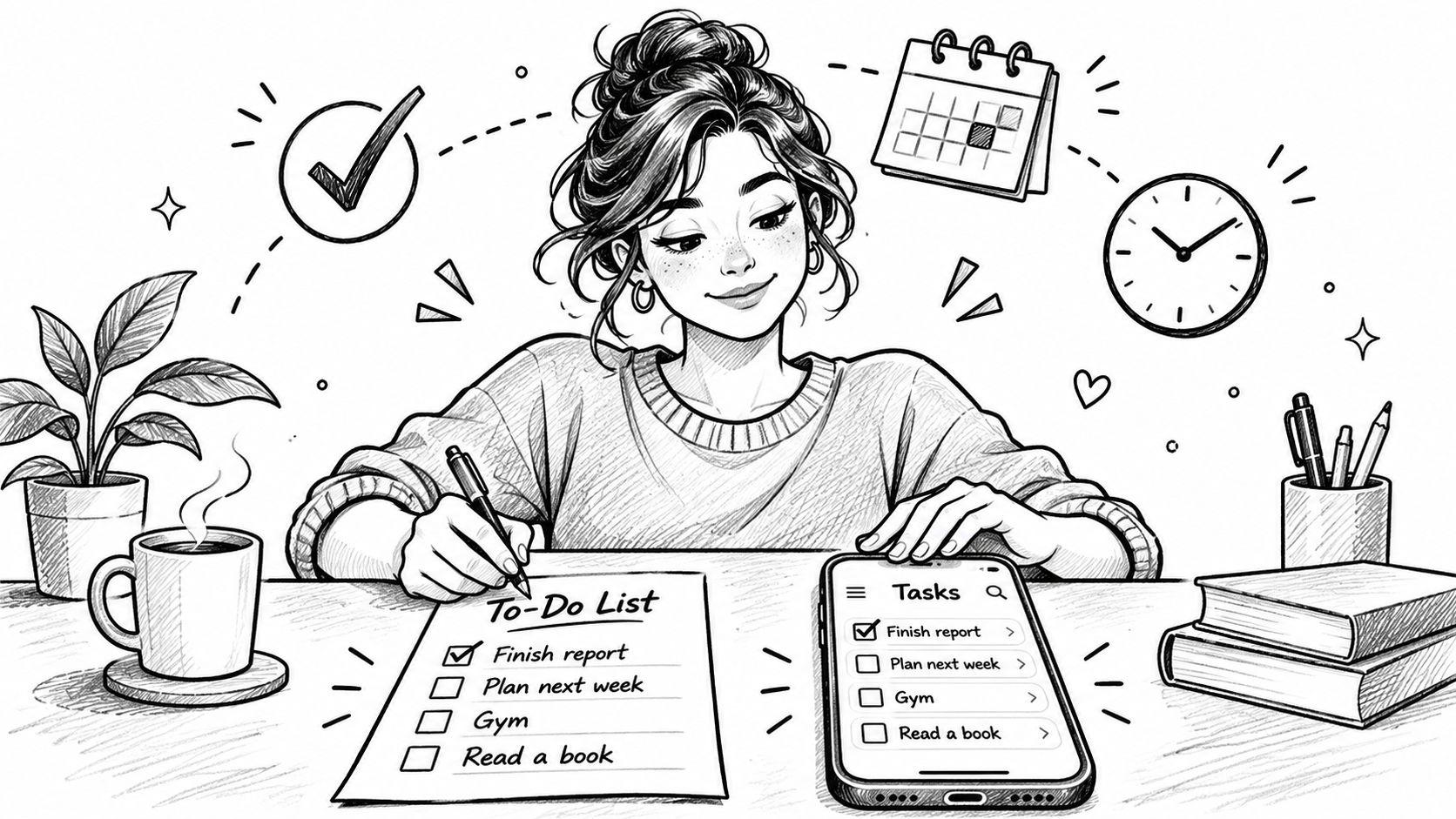
Paper and digital tools can serve different jobs within the same routine.
Formats matched to the type of work
| Format | Best for | How it helps |
|---|---|---|
| Short paper card | Working-memory support and daily focus | Keeps the day's three to five items in view |
| Calendar-linked list | Deadline-heavy work where each item needs a time slot | Turns due dates into scheduled work sessions |
| Context-based list | Mobile professionals who work between sites | Shows only the errands or calls that fit the current place |
| Delegated list | Tasks that don't need your effort | Keeps follow-ups visible without taking your focus |
A paper card suits a freelance designer who needs today's deliverables beside the keyboard. Its limitation is portability and updating, not a lack of advanced views.
A calendar-linked list suits a consultant balancing client deadlines with appointments. Reserve sessions for preparation as well as delivery; a due-date reminder alone doesn't allocate working time.
A context-based list suits a site manager moving between locations. Showing supplier calls while traveling between appointments is more useful than displaying office-only work that can't happen there.
A delegated list suits a founder coordinating support work. Record the owner, expected result, and follow-up trigger so checking progress doesn't require repeated messages.
Reduce friction before adding features
For people with ADHD or other executive-function differences, try capture within reach, fewer visible priorities, and a clearly displayed first physical action. Treat these as options to personalize, not a universal prescription. If moving work between visible stages helps, a personal Kanban board offers another way to distinguish active work from waiting work.
For an additional perspective on list-making, watch the video below.
Try a format for two weeks and track finished items. Don't confuse a neater list with a more useful one.
Why Your List Stops Working and How to Fix It
In a study of software developers' task interruptions, people working across two or more projects spent 17% of their development effort on cross-project interruptions; reported reasons for self-initiated switching included being blocked (30%), getting sidetracked or remembering another task (23%), planning issues and priority changes (19%), needing information or technical knowledge (16%), and boredom with a complex or lengthy task (12%).
Those reasons describe different problems. Someone waiting for access needs a dependency resolved, while someone avoiding a sprawling assignment needs a smaller, clearer piece of work. Moving both tasks higher on a list won't solve either problem.
Diagnose the entry, not your motivation
A bare title doesn't tell you whether work is ready to start. A useful entry can carry the blocker, required information, due-date reason, and smaller next step. Keep those details attached to the task rather than scattered across chat messages and memory.
For example, a website launch task might need approved pricing before the page can be published. Record who owes that approval and what can proceed without it, such as checking the existing links. Otherwise, you'll keep reopening the same task only to rediscover why you stopped.
List symptoms, likely causes and fixes
| Symptom | Likely cause | Fix |
|---|---|---|
| Items never get started | Vague verbs such as handle or research | Rewrite each item as a physical first action |
| The list grows every day | Items are captured but never reviewed | Run a weekly review and delete or defer anything untouched |
| Due dates keep slipping | No time slot assigned to the item | Assign a dated work session to each important item |
| Everything is marked urgent | No ranking method applied | Pick the top three by consequence and deadline |
| Tasks stall midway | A blocker or missing information isn't recorded | Write the blocker into the item and move it out of today's set |
Recovery rule: When work stops, leave enough information that you won't have to diagnose the same problem again.
Be careful with deadline fixes. Assigning a work session helps when the missing ingredient is time, but it won't repair an impossible commitment or an unresolved approval. If capacity is the problem, renegotiate the scope or delivery date instead of repeatedly moving the same reminder.
When a task is blocked, write the blocker into the item and move it out of today's set. Keep a dated follow-up or dependency attached so it remains accountable without competing with work you can do now.
Sizing the List and Setting Up Tomorrow
Information workers spent an average of 11 minutes and 4 seconds on a project or task before switching or being interrupted, and 57.1% of those work stretches were interrupted, according to a field-study summary published by Hugo. A longer list adds obligations, not working time. Size the visible list for the day you have.
Start with a short active set and park other possibilities in a someday section with a review date. Try a fifteen-minute morning review to move work in or out, checking the calendar before making commitments. Keep externally promised work in a dated backlog rather than treating it as someday material.
Leave a restart note
When you stop halfway, record where you left off and the next physical action. For example: budget workbook, supplier tab, flagged rows reviewed; next, compare the remaining invoices with the purchase orders. Include the file location so returning doesn't begin with a search.
Say a project manager has forty open items and cuts the visible list to four actionable commitments. The remaining work stays recorded, but it no longer reappears as an implied promise every morning. The improvement comes from separating responsibility for the backlog from commitment to today.
Useful maintenance habits include:
- Expire stale intentions. Consider deleting optional items untouched for thirty days, but check obligations before removing anything promised to someone else.
- Batch routine messages. Try two fixed communication windows if your role allows it, with a separate route for genuinely urgent requests.
- Keep one task open. Mark the current task clearly and capture unrelated thoughts without promoting them into active work.
If routine administration keeps displacing your main work, Truespeak on AI-supported assistants offers a useful starting point for considering what to hand off. Delegate a defined result, not an ambiguous responsibility.
Close the day with tomorrow ready
Before stopping, empty your capture inbox, clarify tomorrow's leading actions, select a manageable commitment set, and add restart notes to unfinished work. Use a weekly planning routine to check that these daily choices still serve larger deadlines.
In Fluidwave, our Active list shows each team member only tasks they can work on now, with tasks waiting on a teammate hidden. Auto-prioritization uses tunable criteria such as due dates, quick wins, importance, and dependencies; together with the Active filter, it hides work you can't act on and puts the most important task at the top.
Tomorrow's list should show a short visible set, each with an action and a time or place. The test isn't how many boxes you checked. Does the list protect uninterrupted time for the two or three outcomes that matter most?
Fluidwave offers task capture, auto-prioritization, and an Active list that separates actionable work from tasks still waiting on others. Visit Fluidwave to organize your next workday around what you can do now, and leave a clear starting point for when interruptions happen.
Focus on What Matters.
Experience lightning-fast task management with AI-powered workflows. Our automation helps busy professionals save 4+ hours weekly.