Ensure attendance & productivity! Learn to write an invitation to a meeting that gets results. Access 2026 templates & expert tips for clear communication.
June 11, 2026 (1mo ago)
Craft the Perfect Invitation to a Meeting: Templates & Tips
Ensure attendance & productivity! Learn to write an invitation to a meeting that gets results. Access 2026 templates & expert tips for clear communication.
← Back to blog
Your calendar already has one of these on it today. The subject line says “Quick Sync.” There's no agenda. Half the attendees are optional in practice but marked required. The meeting link is buried in the body. Nobody knows whether a decision is needed, whether prep is expected, or whether the meeting should exist at all.
That's not a minor admin issue. It's where productivity starts to leak.
A strong invitation to a meeting does three jobs at once. It decides whether the meeting deserves calendar space, tells the right people why they're there, and makes it easy for them to show up prepared. When those three things are missing, the meeting is usually lost before it begins.
Why Your Meeting Invitation Is More Than Just an Email
Most bad meetings don't fail in the room. They fail at the invite stage.
The pattern is familiar. A vague request lands in the calendar. People accept because declining feels awkward. A few join late. Someone asks, “What are we covering?” Ten minutes disappear while the group works out why they're there.
That cost is larger than often acknowledged. Research shows 51% of employees report being invited to meetings that are irrelevant to them, and 37% of professionals consider unnecessary meetings the biggest cost to their organization, according to virtual meeting statistics compiled here. If you schedule often, your invitation is the first control point for stopping that waste.
The invitation sets the standard
A calendar invite tells people what kind of meeting this will be.
If the subject line is muddy, the attendee list is bloated, and the agenda is missing, people assume one of two things. Either the organizer hasn't thought it through, or the meeting is low stakes. In both cases, preparation drops.
Practical rule: If the invite can't explain the purpose in one or two plain sentences, the meeting usually isn't ready to schedule.
Good invitations create discipline for the organizer too. They force clear thinking about outcome, decision rights, timing, and attendance. That's why a careful invitation to a meeting has a disproportionate return. It takes a minute or two longer to write, but it can save an hour of collective confusion.
Calendar control starts before RSVP
People often treat invitations as a courtesy note. That's too soft. In a busy operating environment, the invite is a screening tool.
Use it to answer five questions before anyone clicks Accept:
- Why now: What has to move forward in this meeting?
- Why these people: Who is needed to decide, approve, or inform?
- Why this format: Should this be live, async, or delegated?
- Why this duration: How much time is required?
- Why attend prepared: What must be reviewed in advance?
When those answers are visible in the invite, the calendar becomes easier to trust. When they aren't, your team starts showing up defensively instead of productively.
The Anatomy of an Effective Meeting Invitation
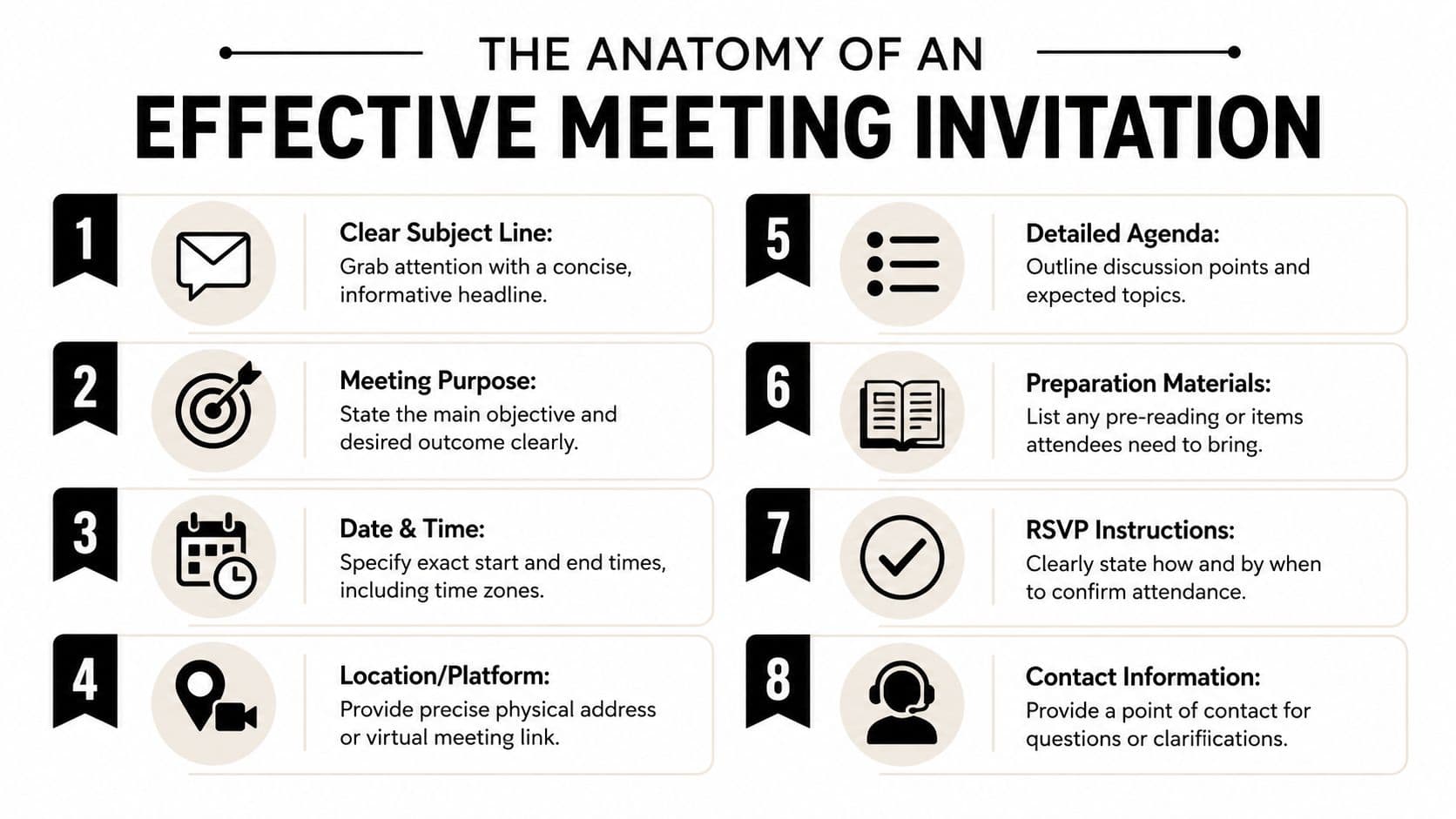
A professional invitation to a meeting should be easy to scan in under a minute. If people need to hunt for basics, the invite is doing too little work.
Start with the purpose
Don't open with “Let's discuss.” Open with the outcome.
Bad: “Team meeting to talk about launch”
Better: “Decision meeting on launch date, owner assignments, and final approval for customer email copy”
That wording changes behavior. People know whether they're there to brainstorm, review, approve, or unblock.
Add an agenda people can act on
An agenda doesn't need to be long. It needs to be useful.
A weak agenda lists topics. A strong one lists topics plus expected action.
| Weak agenda | Strong agenda |
|---|---|
| Budget | Review revised budget and approve final version |
| Timeline | Confirm milestone dates and flag conflicts |
| Risks | Decide top risks needing executive escalation |
Many internal invites break down because they are treated like a placeholder instead of a working brief.
A good agenda answers one quiet question in every attendee's mind: “What am I supposed to help accomplish here?”
Make logistics impossible to misunderstand
This sounds basic, but it's where avoidable errors pile up. Include the exact date, start time, end time, location or meeting link, and the time zone when attendees span regions. If your group works across North America, a quick reference like this CDT to EDT guide helps prevent the usual one-hour mistakes.
For recurring meetings, don't assume people remember the pattern. Write the specifics in the body anyway.
Use this checklist:
- Date and duration: State start and end time, not just the start.
- Location: Add the room name or the full virtual link.
- Time zone: Spell it out when attendees aren't local.
- Tech expectation: Note if cameras, screensharing, or a dial-in fallback matter.
Be deliberate about the attendee list
A meeting invite is not a distribution list.
Bad: Adding anyone who might possibly have context
Better: Inviting decision-makers, contributors, and a limited set of optional observers
If someone doesn't need to shape the outcome, don't default them into the room. That discipline is part of invitation quality, not a separate issue.
Reduce RSVP friction
Response friction is real. If you want clear attendance, make the next action obvious. Best practice recommends sending routine invites 1 to 2 weeks in advance and including a clear response deadline with a simple confirmation path, as explained in Cal.com's meeting invitation guidance.
A clean RSVP line looks like this:
“Please accept or decline by Wednesday at 3 p.m. If you can't attend, reply with a delegate.”
For external scheduling, this principle carries over from client communication. If you handle appointments as well as meetings, the examples in this guide to improving appointment confirmation for clients are useful because they show how small wording changes reduce confusion and back-and-forth.
A practical template that works
Use this structure when you need a reliable default:
- Subject: Project Atlas approval meeting | Thursday, May 16
- Purpose: Final approval on scope, budget assumptions, and delivery timeline
- Agenda: Review open issues, confirm owners, approve go-forward plan
- Prep: Read attached summary and comment on unresolved items
- Attendance: Required for approvers, optional for adjacent stakeholders
- RSVP: Accept or decline by Tuesday noon
That's enough. Clear beats long.
Writing Subject Lines That Cut Through the Noise
Most meeting subject lines fail because they sound interchangeable. “Check-in,” “Meeting,” and “Touch Base” tell the reader nothing about urgency, relevance, or expected preparation.
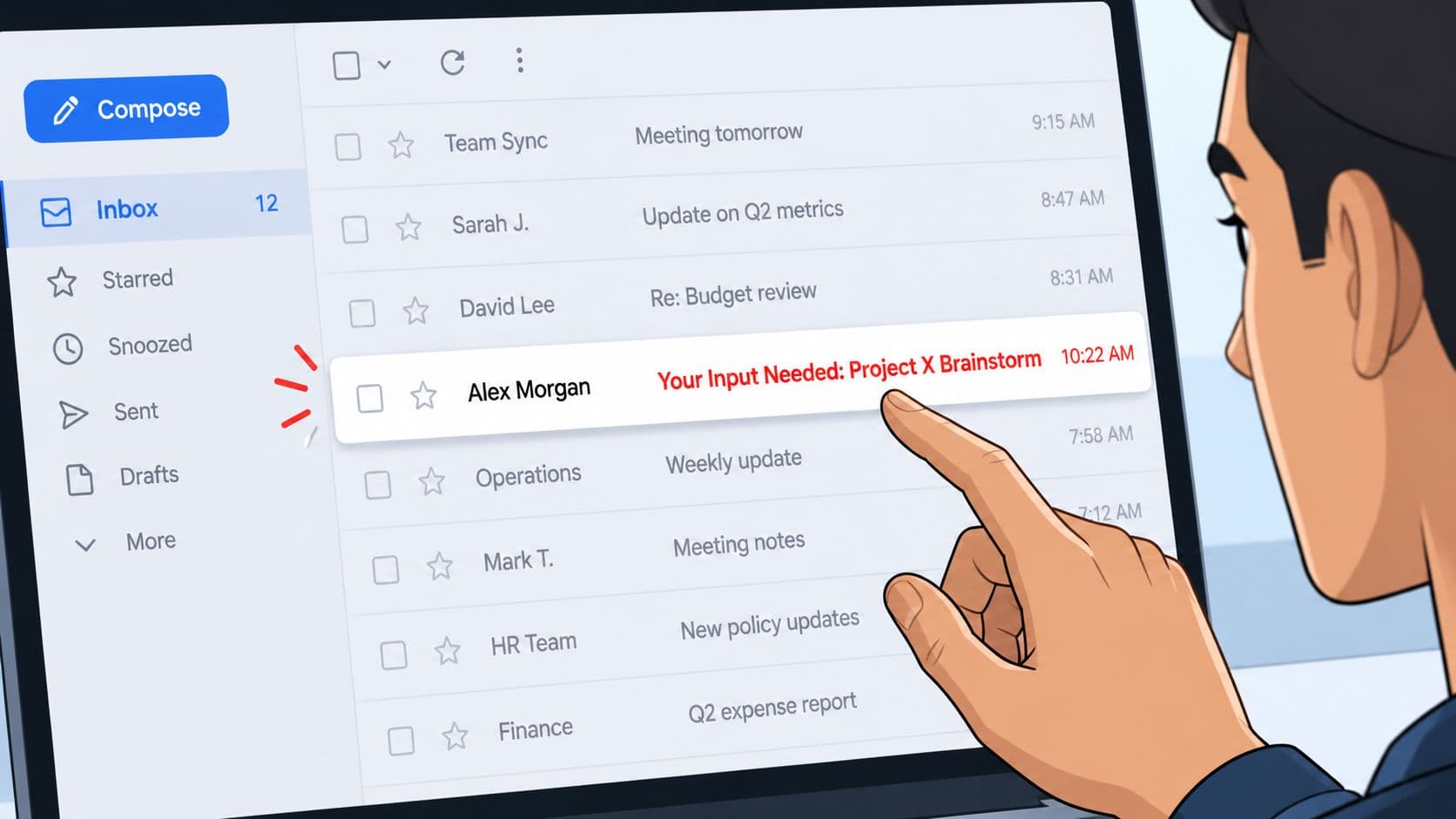
A strong subject line does three things fast. It identifies the topic, signals the meeting type, and anchors the timing. That lets attendees triage their calendar without opening the invite.
Use a simple formula
The cleanest pattern is:
[Topic] + [Meeting type] + [Date or timeframe]
Examples:
- Product roadmap review | Q4 planning | Friday
- Client onboarding handoff | Decision meeting | June 12
- Hiring panel debrief | Final candidate | 2 p.m.
- Ops incident review | Urgent resolution | Today
That structure works because it removes guesswork. Attendees can tell whether the meeting is strategic, operational, client-facing, or time-sensitive.
Match the line to the job
Different meetings need different subject logic.
- For internal brainstorms: Lead with the project or problem, then “workshop” or “brainstorm”
- For client reviews: Lead with the client name, then the deliverable or milestone
- For urgent issue handling: Lead with the issue, then the action required
- For recurring syncs: Lead with the team name and function, not “weekly meeting”
If you write a lot of external outreach, the same inbox principles apply. Some of the examples in this resource on how to improve your B2B sales emails are useful because they show how specificity outperforms generic phrasing.
Here's a quick comparison:
| Weak | Better |
|---|---|
| Meeting | Vendor contract review | redlines approval |
| Catch-up | Finance and Ops monthly forecast sync |
| Quick call | Security incident response | immediate decision needed |
| Team sync | Marketing standup | campaign blockers |
A short video breakdown can also help if you coach teams on email habits and meeting hygiene:
Write the subject line last. Once you know the purpose, attendee mix, and expected outcome, the right wording becomes obvious.
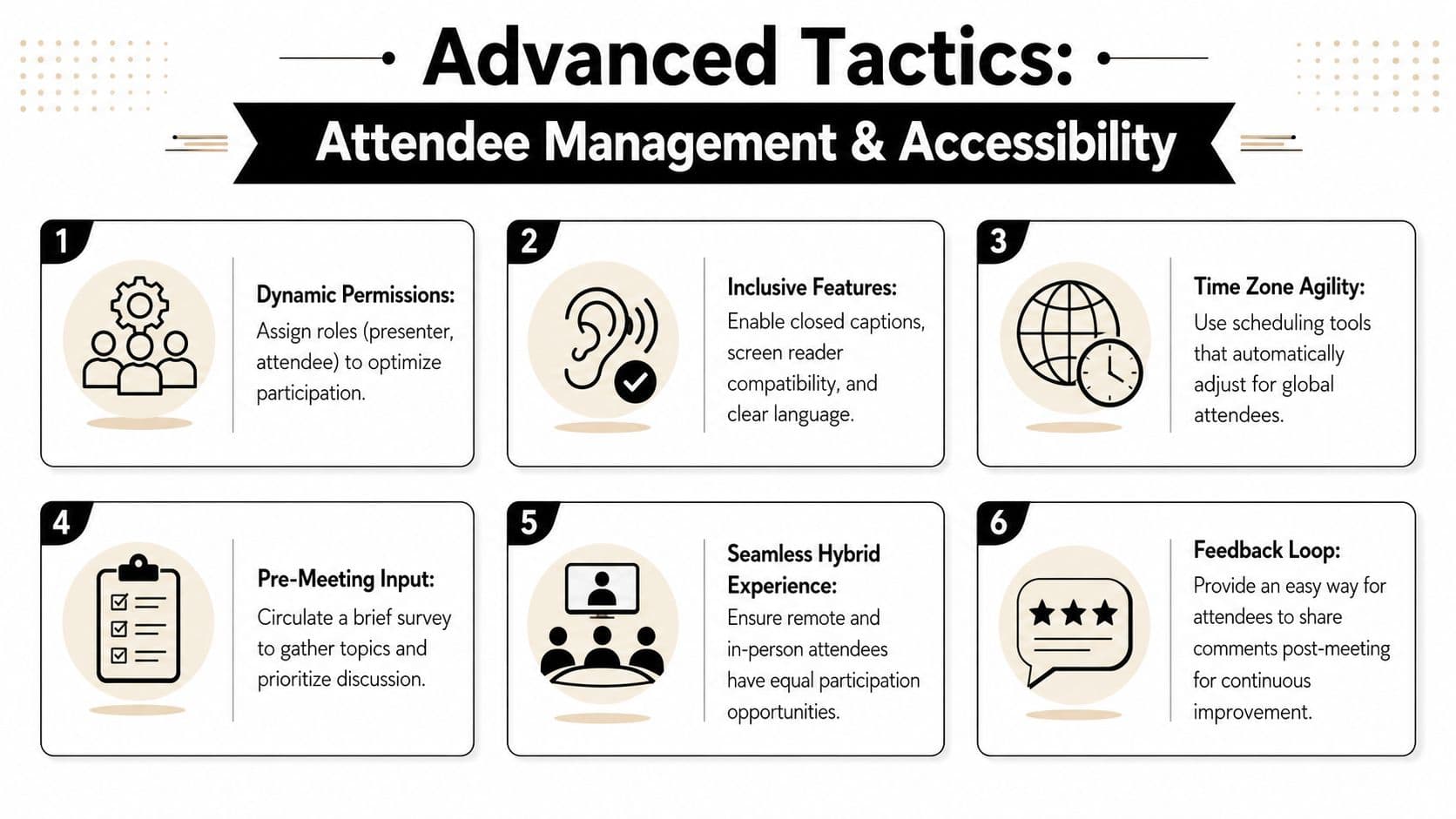
Advanced Tactics Attendee Management and Accessibility
The fastest way to weaken a meeting is to invite too many people and assume everyone can understand the invite the same way.
That's usually done in the name of inclusion. In practice, it creates noise for some attendees and barriers for others.
Required versus optional should mean something
Many organizers mark nearly everyone as required because they want coverage. That creates the opposite effect. People stop trusting the label.
Use these distinctions instead:
- Required attendees: People who must decide, present, or approve
- Optional attendees: People who benefit from context but aren't needed for the meeting to succeed
- Delegates: People attending on behalf of a leader or function
- Partial attendees: People needed for one agenda segment only
If someone only matters for ten minutes, say so in the invite. That's one of the simplest ways to reduce meeting bloat without excluding needed expertise.
Accessibility starts in the invitation
Accessible invitations are still overlooked in standard meeting practice. The basics matter. Invitations should include a way to request accommodations, use plain language, and provide contact information, as outlined in the American Alliance of Museums guidance on accessible invitations and outreach.
That affects how you write the invite, not just how you run the meeting.
A practical inclusion line looks like this:
If you need accommodations for this meeting, including captions, interpretation, CART, or language support, please contact [name] at [email].
What to change immediately
A few adjustments make invites easier for more people to use:
- Use plain language: Replace jargon and internal shorthand with direct wording.
- Keep formatting clean: Avoid dense blocks of text that are hard to scan on screen readers or mobile devices.
- Label links clearly: “Join Zoom meeting” is better than a pasted raw URL.
- State language options: If interpretation or translated materials are available, say so upfront.
- Name a contact person: People need a clear route for questions or accommodation requests.
Many teams think accessibility means a longer invitation. Usually it means a clearer one. The best invites reduce effort for everyone, especially the attendee who would otherwise have to ask for basic access details after the meeting is already booked.
Automating and Delegating Your Invitation Workflow
At a certain meeting volume, writing and managing every invitation manually stops being responsible. It becomes a bottleneck.
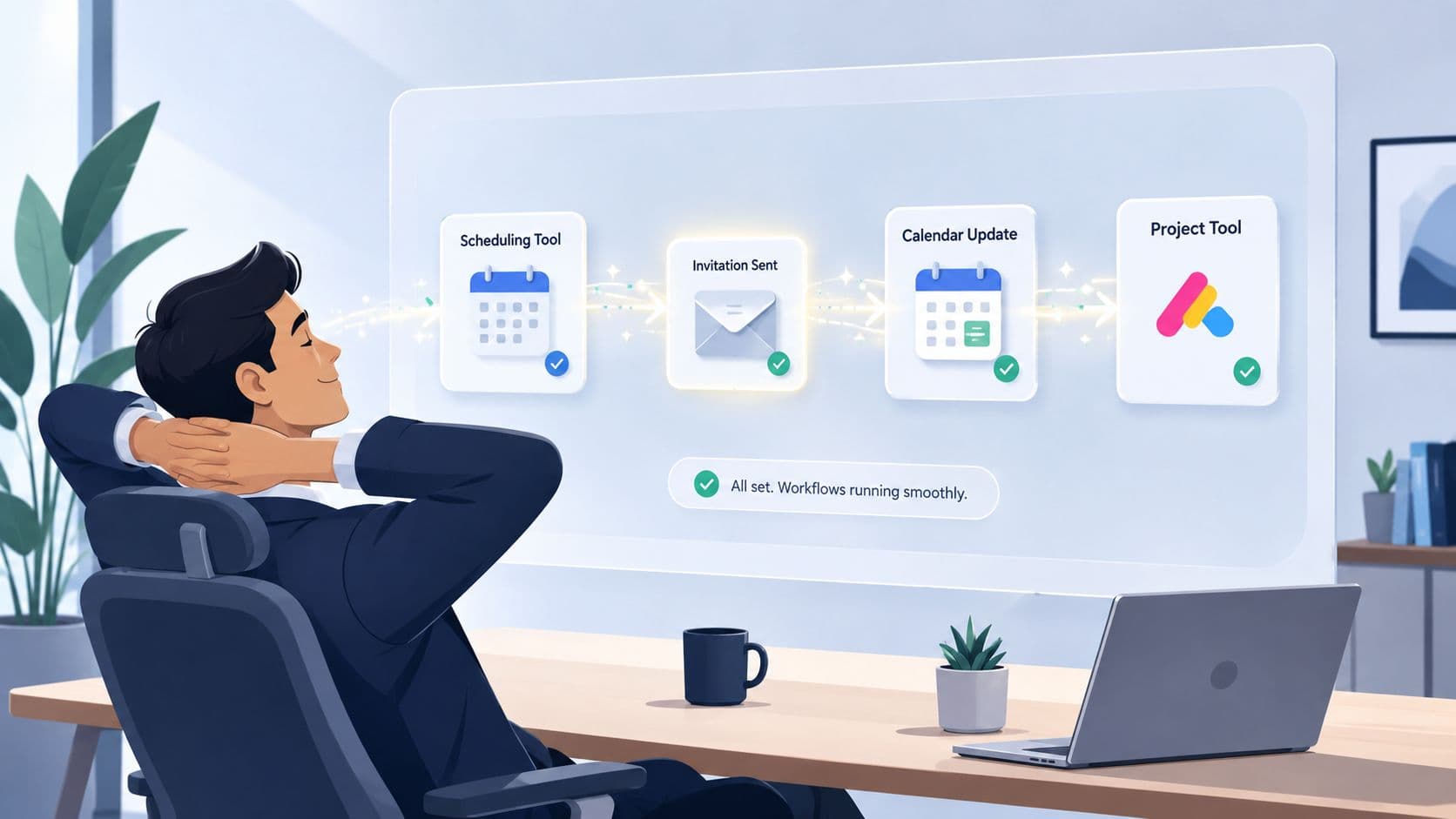
The scheduling load has changed structurally. With the number of remote meetings per employee having tripled since before the pandemic, manual invitation processes are no longer scalable for many professionals, based on meeting trend reporting summarized here.
Build a scheduling system, not a habit
If you still schedule one meeting at a time from scratch, fix that first.
A workable system usually includes:
- Scheduling links for external meetings: Tools such as Calendly or SavvyCal remove the back-and-forth over availability.
- Templates by meeting type: One template for client reviews, another for interviews, another for internal decisions.
- Default rules: Standard durations, buffers, prep expectations, and reminder timing.
- Delegation notes: Clear instructions on who can book what, with which attendees, and under which priority rules.
It is workflow design that matters more than individual effort. If your assistant, chief of staff, or operations lead has to guess each time, your process isn't mature enough.
Turn the process into an SOP
A scheduling SOP should answer operational questions in plain terms:
| Process area | What the SOP should specify |
|---|---|
| Meeting types | Which meetings need approval before booking |
| Lead time | How far ahead different stakeholder groups should be invited |
| Invite format | Required fields for subject, purpose, agenda, prep, and RSVP |
| Escalation | What to do when calendars conflict or decision-makers decline |
If you want to standardize that handoff, a workflow guide like this overview of how to automate workflows is a practical starting point.
One option in this category is Fluidwave, which combines task workflows with delegated execution. In scheduling terms, that means a user can set up meeting-related tasks, automate parts of the process, and hand off coordination to a virtual assistant when needed.
The goal isn't to automate thought. It's to automate repetition so people can spend their attention on timing, attendee fit, and meeting quality.
Beyond the Invite When to Decline or Send Reminders
A meeting invitation isn't finished when you hit Send. It still needs follow-through.
Send reminders when the meeting matters and preparation is required. A reminder should restate the purpose, link, time, and any pre-read in a compact format. If you need a cleaner system for that cadence, this guide on how to set reminders is a useful operational reference.
Just as important, not every invite should be accepted. Guidance from Liane Davey argues that people should assess the purpose, agenda quality, participant fit, and whether enough information was provided to prepare. If those basics are weak, your best move may be to ask for clarification, send a delegate, or suggest email instead, as discussed in her article on when not attending is the best contribution.
A few scripts work well:
- Ask for clarity: “Happy to join. Can you share the decision needed and any pre-read?”
- Delegate cleanly: “I'm sending Jordan, who owns this workstream and can respond directly.”
- Suggest an alternative: “This may be faster to resolve by email. If useful, I can send comments today.”
For executives, this discipline is part of calendar design, not etiquette. The practical examples in these Approved Lux insights on calendar management are helpful because they frame meeting acceptance as a resource decision.
If your calendar is crowded and your scheduling process still depends on manual follow-up, Fluidwave is worth a look. It lets you organize meeting-related tasks, automate repeatable steps, and delegate coordination to human assistants when the work shouldn't stay on your desk.
Focus on What Matters.
Experience lightning-fast task management with AI-powered workflows. Our automation helps busy professionals save 4+ hours weekly.