Learning how to avoid distractions at work is a skill you can develop. It’s not about forcing attention; it’s about designing your environment, tools, and habits so focus becomes the easiest choice. This article shows practical steps to reduce interruptions, protect deep-work time, and get more meaningful work done.
June 28, 2025 (1y ago) — last updated January 15, 2026 (8mo ago)
Avoid Distractions at Work: Stay Focused
Proven strategies to avoid distractions at work, boost productivity, and protect deep-focus time with practical tips for modern teams.
← Back to blog
Avoid Distractions at Work: Stay Focused
Summary: Proven strategies to avoid distractions at work, boost productivity, and protect deep-focus time with practical tips for modern teams.
Introduction
Learning how to avoid distractions at work is a skill you can develop. It’s not about gritting your teeth and forcing attention. It’s about designing your environment, tools, and habits so focus becomes the easiest choice. This article shows practical steps to reduce interruptions, protect deep-work time, and get more meaningful work done.
The true cost of workplace distractions
A random Slack message or a ‘‘quick question’’ might seem harmless, but small interruptions add up and drain creative energy and job satisfaction. When you zoom out, the scale is striking: employee disengagement and lost productivity carry real economic costs.1
The daily toll of interruptions
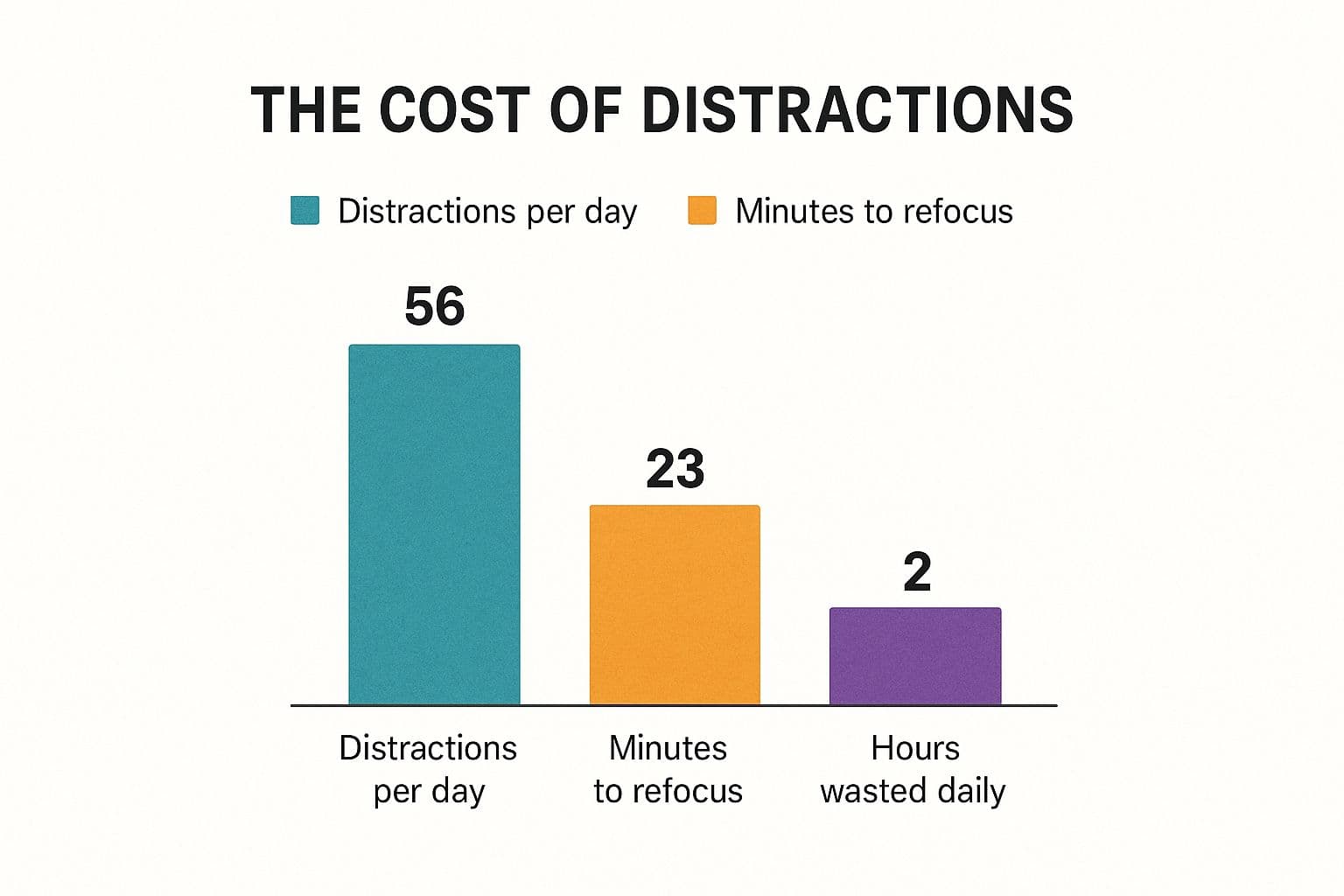
Think about a typical day. Each time you get pulled away, you lose not only the interruption itself but also the time it takes to refocus. That leftover mental load—attention residue—makes deep work much harder to reach and sustain.2
Common workplace distractions and their impact
| Distraction type | Typical frequency | Average refocus time |
|---|---|---|
| Email notifications | Frequent throughout day | ~64 seconds2 |
| Social media checks | Several times per day | ~15 minutes2 |
| “Quick questions” from colleagues | Multiple times per day | ~23 minutes2 |
| Smartphone alerts | Multiple times per day | ~20 minutes2 |
These interruptions fragment the day and leave you with less time for high-value work.
Move beyond personal willpower
Struggling to stay focused is rarely a sign of moral failing. More often it’s a reaction to work cultures that reward constant availability. The better path is to design a system that protects your attention so you can produce better work without burning out.
Taming your tech: build a digital fortress for deep work

Devices can be allies or enemies. The difference is whether you control the flow of information. Redesign your digital workspace so it serves your focus instead of fracturing it.
Start with the apps you use every day: Slack, Microsoft Teams, and your email client. The goal is not to disappear but to get surgical with notifications. Mute noisy channels but keep keyword alerts for your name, projects, or urgent terms so you only get the pings you truly need.
Use filters and folders in email to automatically sort newsletters, CCs, and automated reports so you can batch-process them on your schedule.
Configure focus modes for real protection
Most operating systems include Focus Mode or Do Not Disturb. Create custom profiles for different work types rather than using a generic setting.
Tips to configure a powerful focus mode:
- Block distracting websites like social media and news.
- Silence non-essential apps and allow notifications only from the tools you need right now.
- Limit contacts so only designated people can reach you in a genuine emergency.
Pair focus mode with time-blocking on your calendar. When focus blocks are scheduled and protected, it’s much easier to stop reacting and start producing. If you need help prioritizing what to work on during these blocks, try task-prioritization techniques to pick the most impactful work first.
Designing a workspace that reduces interruptions

Physical surroundings matter. Your desk, chair, and what’s in your line of sight can pull you toward distraction or help you sink into deep work. You don’t need a corner office—small, deliberate changes make a big difference.
Tame the open office
In an open office, simple tactics can create a pocket of focus. Position your desk so you face away from high-traffic areas or have your back to a wall. Use noise-canceling headphones as a clear ‘‘do not disturb’’ signal—both a sound buffer and a visual cue.
Create a dedicated home workspace
When you work from home, set a specific corner or desk that’s exclusively for work. Use a physical ‘‘do not disturb’’ sign if you share your space. End each day with a five-minute tidy to create a clean mental and physical starting point for tomorrow. Good ergonomics matter too; discomfort is a constant, low-level distraction.
Building habits for intentional work
Silencing notifications and tidying your desk helps, but internal distractions—stray thoughts and urges—are the hardest to control. The real solution is building mental scaffolding that supports deep, sustained focus.
Schedule focus with time blocking
Time blocking assigns specific work to every part of your day. Label blocks on your calendar like “Deep Work: Q3 Report” and treat them as unbreakable appointments. This removes decision fatigue about what to do next and preserves mental energy for executing the work.
Train attention with the Pomodoro Technique
If long focus sessions feel daunting, start with the Pomodoro Technique: pick a single task, work for 25 minutes, then take a 5-minute break. After four cycles, take a longer break. Short sprints build focus endurance and make sustained attention more attainable.3
Align tasks with your energy rhythms
Track your energy for a week to find when you’re most alert. Schedule demanding work during your peak hours and reserve low-energy times for administrative tasks like email or file organization. Working with your natural rhythms makes progress feel easier.
Get your team on board by communicating boundaries
You can’t protect focus alone. Your colleagues need to understand and respect your protected time. Communicate boundaries clearly and proactively so focused work becomes a shared value.
Make focus visible
Use collaboration tools to show when you’re concentrating. Set a clear status in Slack or Teams such as “Deep work until 2 PM” and block focus sessions on your shared calendar as ‘‘Busy.’’ These signals prevent unintentional interruptions and normalize focused time for the whole team.
Have a plan for interruptions
Interruptions will still happen. Use a brief, respectful script to defer requests without creating friction. For example: “I’m in the middle of something, but I can help—can I ping you in 45 minutes?” This validates the person’s need while protecting your focus.
Over time, this builds a culture of asynchronous communication where instant replies aren’t always expected.
Answering common concerns about workplace distractions
What if something truly urgent happens during a focus block?
Define ‘‘urgent’’ with your team and set a clear emergency channel—such as a direct phone call or a dedicated alert—for genuine crises. With those rules, you can focus knowing only real emergencies will break through.
My manager expects constant availability. What can I do?
Shift the conversation from availability to results. Propose a one- or two-week experiment where you protect focus blocks and measure output. Delivering higher-quality work during that trial builds a business case for protected time.
I’m my own worst distraction. How do I stop internal interruptions?
Use a distraction pad: keep a notepad or a simple text file handy and jot down stray thoughts as they appear. This reassures your brain the idea won’t be forgotten and lets you return to the task quickly.
Quick Q&A
How long should my focus blocks be?
Start with 90–120 minutes for deep work if you can. If that feels long, use Pomodoro sprints (25/5) to build endurance and then lengthen sessions over time.3
How do I handle teammates who keep interrupting?
Set visible status messages and block focus time on your shared calendar. When interrupted, use a polite deferral script and, if needed, discuss team norms around focused time.
Will blocking notifications make me miss important messages?
No, if you configure break-glass contacts for true emergencies and set keyword alerts for critical items. That way you get only what’s essential while protecting the rest of your time.
Ready to build a system that manages tasks and protects your focus? Fluidwave combines intelligent task prioritization with delegation to skilled virtual assistants, giving you the structure and support needed to defeat distractions for good. Discover how to reclaim your workday.
1.
Gallup, “State of the Global Workplace” (report), accessed via https://www.gallup.com/workplace/349484/state-of-the-global-workplace.aspx.
2.
Gloria Mark et al., “The cost of interrupted work: more speed and stress,” CHI 2008, accessed via https://www.ics.uci.edu/~gmark/chi08-mark.pdf.
3.
Francesco Cirillo, “The Pomodoro Technique,” origin and method overview, accessed via https://francescocirillo.com/pages/pomodoro-technique.
Focus on What Matters.
Experience lightning-fast task management with AI-powered workflows. Our automation helps busy professionals save 4+ hours weekly.