Plan your first day at work with 8 practical tips on arrival, priorities, questions, and quick wins, plus a checklist for settling in calmly and confidently.
October 11, 2026 (8d ago)
First Day at Work: 8 Ways to Make a Strong Start in 2026
Plan your first day at work with 8 practical tips on arrival, priorities, questions, and quick wins, plus a checklist for settling in calmly and confidently.
← Back to blog
The alarm goes off, and the first day at work starts with small problems. Your badge doesn't work yet. The office entrance is busier than expected. Your first meeting begins in twenty minutes, and you still don't know whether it's in person or on Microsoft Teams. You're trying to look composed while searching for a restroom, a charger, and the name of the person who's supposed to meet you.
A strong first day is rarely about brilliance. It's about reducing avoidable friction, knowing who to ask, and making a few deliberate choices early. Clothing can shape how others perceive you, but formal attire boosts perception is only one small part of the experience. Your preparation, listening, pacing, and follow-through will matter more once the introductions begin.
The eight steps below move in order, from preparing before arrival to finding your way around, asking useful questions, learning communication norms, pacing your first week, delivering a small result, meeting key people, and agreeing on what success means. The sequence works for office, hybrid, and remote roles. It also gives busy professionals and neurodivergent readers practical ways to manage sensory load, executive-function demands, and unclear expectations.
1. Arrive Early and Map Out Your Physical Space
Arriving 15 to 30 minutes before your start time gives you room to solve ordinary problems before they become public ones. You can find the entrance, check in with reception, locate your desk, and deal with an access issue without walking into your first meeting flustered. If you work remotely, use the same principle by joining early enough to test your camera, microphone, calendar links, and workspace.
Start with the practical map. Locate the restrooms, break room, emergency exits, meeting rooms, printer, charging points, and IT or facilities desk. During an office tour, ask where people go when they need quiet, a private call, or a short reset. In a hybrid role, map the digital equivalent too, including the support channel, shared drive, onboarding folder, and meeting links.
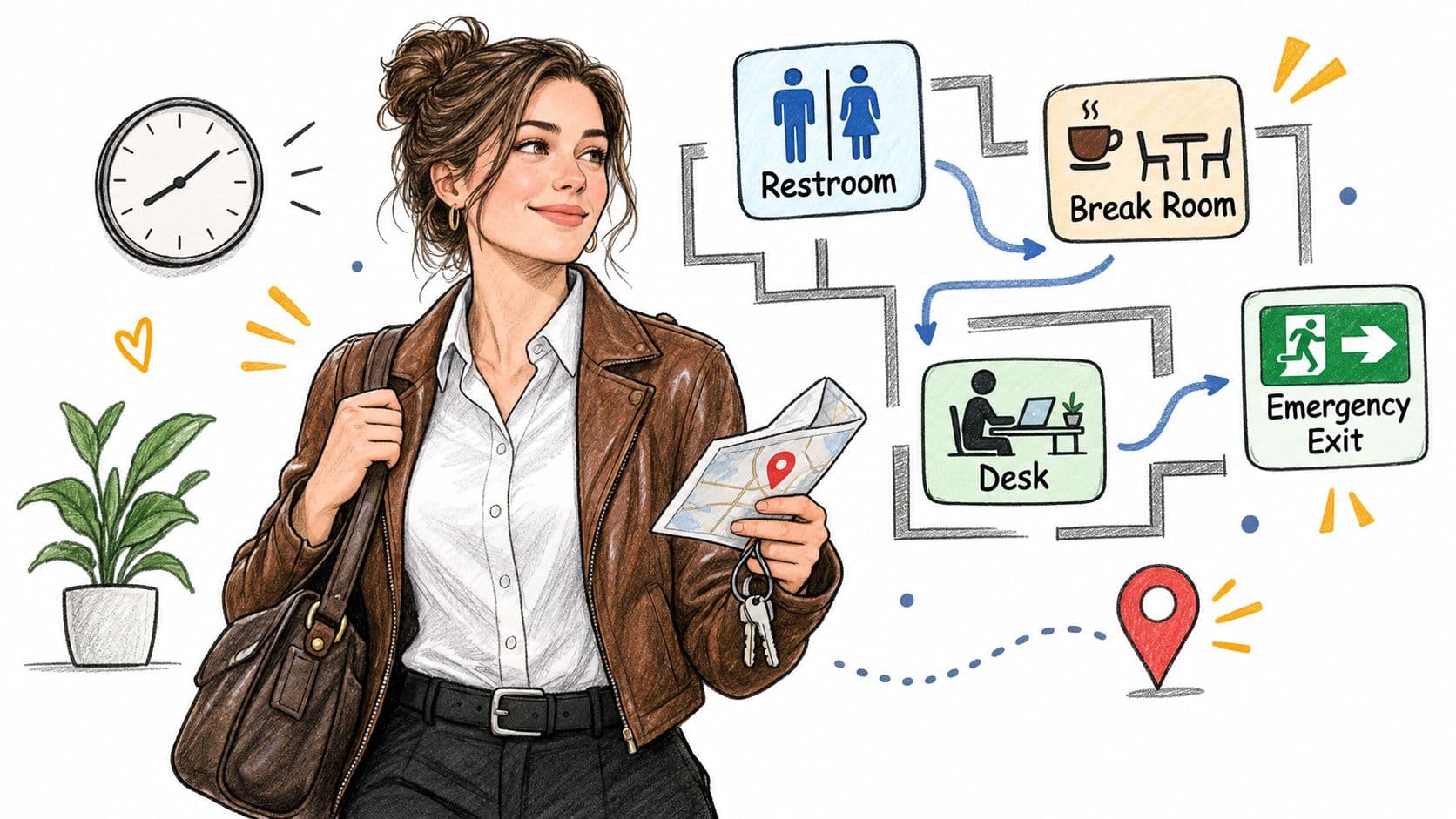
Build a low-friction arrival routine
Busy professionals often try to use every spare minute for preparation. That can backfire. A calmer routine leaves space for an unexpected security check, a colleague who wants to introduce themselves, or a login problem that needs support.
- Scout the route: Check the building layout, transport entrance, reception process, and your likely route between meetings.
- Find a quiet place: Identify a low-stimulation area where you can recharge between conversations.
- Set transition reminders: Use your calendar or phone to warn you before meetings and location changes.
- Record your setup: Take a quick photo of desk, monitor, lighting, or chair preferences so you can recreate a comfortable arrangement.
- Save support contacts: Keep IT, facilities, reception, and your manager's details somewhere accessible.
Practical rule: Your first useful win may be knowing where to go next without asking three people.
For neurodivergent employees and people with ADHD, predictability reduces the number of decisions competing for attention. You don't need to disclose a diagnosis to ask for a short orientation, a written room list, or a quieter place to work. A predictable physical map helps you reserve mental energy for introductions and learning.
2. Create a First-Day Priority List Before You Arrive
At 8:47, your laptop still needs setup, two meeting invites have changed, and three people want five minutes. That is not the time to decide what matters first. Make the list before day one, and keep it short enough to use when your attention narrows.
I usually keep it to four lines: get access, confirm today's priority, learn who owns what, finish one small task. This handles the first-day bottlenecks without pretending you can absorb everything at once. A long prep document often creates its own friction, especially for busy professionals who are already switching between jobs, commutes, and personal logistics.
Before you arrive, ask your manager what needs to happen on day one for the day to count as productive. The answer is often practical: email access, Slack or Microsoft Teams, the project system, a few key documents, a meeting with your manager, and clarity on the first assignment. Put those in order. Leave gaps between them. If every hour is booked, there is no time to recover from a login problem, process new information, or write down what you just heard.
Here is a useful filter.
First, list the items that block everything else. Email, passwords, software, shared folders, security tools, meeting links. If one of these fails, the rest of the day slows down.
Next, list the context you need to avoid careless mistakes: role objectives, current projects, team structure, key terms, and who makes decisions. New hires often get stuck here. They start doing visible work before they understand where work comes from or who can approve it.
Then add one human point of contact. A quick coffee, a short lunch, or ten minutes with a peer is enough. You do not need to meet everyone.
For neurodivergent employees, especially people with ADHD, convert vague goals into actions you can see and complete. “Learn the company” is too broad. “Open the project board, find the current sprint, note three unfamiliar terms, and ask who owns each one” gives you a clear next step. Checkboxes, calendar blocks, and a single-view task list reduce executive-function load and make pacing easier when the day gets noisy or unpredictable.
The same pattern shows up in onboarding research. In this onboarding software market overview, access to information was the most useful technology feature, cited by 45% of respondents, and colleague connections followed at 41%. The report also says 65% said onboarding began before day one. That matches what works in practice. Set up access early, define a realistic first-day sequence, and give yourself room to adjust.
3. Master the Art of Strategic Questions and Active Listening
At 10:15 on a first day, someone is halfway through a process explanation before you know what the acronyms mean, which project they are talking about, or whether you are expected to act on any of it. That moment matters. A quick clarifying question now saves an hour of cleanup later.
Good first-day questions get people to show you how work actually happens. Ask for sequence, ownership, and examples. “Can you walk me through the last time this came up?” works better than broad questions about culture or process because it gives you a real case, not a polished summary. If someone says the team is “fast-paced” or “collaborative,” ask what changes during a normal week, who gets pulled in, and what usually waits.
Then listen for specifics people often skip because they sound obvious to them. Which step starts the work. Who approves it. What gets documented. What is urgent enough to interrupt someone. New hires miss these operating details because everyone else treats them as background.
Catch the details that affect your day
Write things down in a format you will use later. That might be a notebook, a running document, or a short list in your task app. Capture names, responsibilities, unfamiliar terms, decisions, and anything that needs a follow-up. Notes help you keep pace when the day gets noisy, meetings stack up, or several people give input at once.
I also recommend summarizing back what you heard in one sentence. “So the request goes into the intake board, the project lead assigns it, and urgent issues go to the support channel. Is that right?” It is a simple check, but it catches misunderstandings early, especially in remote conversations where tone and facial cues do less work.
A few questions earn their place on day one:
- Role clarity: “What should I understand before I start changing anything?”
- Team context: “What is taking the most attention right now?”
- Communication: “Which channel should I use for questions that can wait?”
- Examples: “Can you show me a recent version of that deliverable?”
- Follow-up: “What should I read or review after this conversation?”
After each meeting, add one line about the person's main concern, priority, or pressure point. That gives you a usable record for follow-up and makes later conversations easier.
Here's a short visual prompt for preparing your questions and listening habits:
For neurodivergent readers, this part of the day can be harder than it looks. Fast explanations, new voices, unclear turn-taking, and background noise all raise cognitive load. Ask for written steps, permission to pause, or time to review notes before responding. If you are busy, pick one question before each meeting and one sentence to capture after it. That is enough to keep the day moving without losing the thread.
4. Understand the Communication Infrastructure and Workflows
At 10:15 on a first day, a new hire often hits the same problem. A question comes in, it looks urgent, and there are five places you could reply. Email, Slack, Teams, a ticket, or a quick message to the manager. Pick the wrong one and the work still gets done, but people miss context, approvals get lost, or the request keeps bouncing back to you.
That is why the first task is not “join every channel.” It is learning how work moves.
The formal map and the actual map are often different. A handbook may point to email, while decisions happen in Slack threads. A project board may track tasks, while last-minute changes show up in a private message from a senior colleague. Notice the gap early and treat it as operating reality, not a mistake you need to correct on day one.
A short walkthrough helps more than guessing. Ask someone to show you where current work lives, where old documents are stored, where templates sit, and where meeting notes or ownership details are recorded. If the team uses Notion, Jira, Asana, Linear, or SharePoint, pin down one thing fast. Which tool is for discussion, and which one holds the final record.
Then test your understanding with concrete questions in conversation, not a checklist recited at people. Ask where urgent issues go, who approves changes, what needs wider visibility, and how quickly replies are normally expected. Ask your manager how they want updates. Some want a brief daily note. Others want a weekly summary, a dashboard update, or only a message when something is blocked.
Meeting habits matter too. Watch before copying them. See whether agendas are standard, whether cameras are usually on, whether people use threads to close decisions, and whether declining irrelevant meetings is accepted. Those small rules shape your day more than the org chart does.
Documentation is part of this system, not a separate admin task. Good records let new employees answer their own questions and reduce repeated interruptions. AIDictation onboarding documentation insights are useful for deciding what should be written down, who maintains it, and how a new starter can find it without asking three people.
For busy professionals, keep this light. Learn the urgent channel, the approval path, and the place where final decisions are stored. That covers most first-day risk.
For neurodivergent readers, clear communication rules also reduce sensory and executive-function strain. Mute nonessential channels. Batch replies at set times if the role allows it. Ask for written agendas or follow-up notes. Separate live discussion from async work. Reliability comes from answering in the right place, at a workable pace, with enough detail for the next person to act.
5. Establish a Manageable First-Week Workload and Realistic Pace
At 4:30 p.m. on day one, the trouble usually shows up. You have three new requests, half-set-up tools, notes from fast introductions, and no clear sense of what matters this week. If you treat every request as equally urgent, your first week fills with motion instead of useful progress.
Set the pace early, and do it out loud. Ask your manager what needs to be finished in week one, what is only for context, and what can wait until you understand the workflow. Learning time counts as work. So do access setup, shadowing, reading the right documents, and meeting the people you will depend on. A realistic start includes one or two defined outputs, not instant fluency in every system.
I have found that new starters get into trouble when they agree too quickly. The cost is not laziness or lack of ambition. The cost is rework, missed details, and late clarification after other people have already planned around your yes.
Use direct scripts when work starts stacking up:
- To reorder work: “If this is now the priority, which task should move back?”
- To protect quality: “I can do this properly by week 3. Does that timing work?”
- To clarify sequence: “Should I finish access and context work before I start this?”
- To name limits: “I do not know that yet, but I can confirm the owner.”
A practical employee onboarding checklist helps separate required setup from useful but nonurgent learning. Use it with your manager as a shared list of decisions and timing, not as a race to tick every box.
For busy professionals, keep the system simple. Write down today's top priority, one secondary task, and anything blocked by access or approval. Put breaks on the calendar before meetings take over the day. At the end of the afternoon, note what moved forward. That stops your brain from judging the day only by what is still unfinished.
For neurodivergent readers, explicit pacing removes a lot of guesswork. Ask for written priorities, clear due dates, and gaps between high-interaction meetings when possible. Reduce sensory load where you can. Step out after dense conversations, mute nonurgent alerts, and batch admin work at set times. You can ask for slower pacing, clearer sequencing, and fewer context switches without disclosing medical information. The goal is a week you can repeat, not one impressive sprint followed by a crash.
6. Build Quick Wins Through Small Deliverables and Visibility
It is 3:30 p.m. on your first day, you have sat through intros, access setup, and a stream of new information, and you still want one thing you can point to by the end of the week. That is the right target. Pick a small piece of work that helps someone else and has a clear finish line.
Useful first wins are usually plain. Clean up a process note. Summarize a project thread. Fix a small bug. Tighten a template. Reply to an internal request that has been sitting unowned. The point is not to look impressive. The point is to complete something accurately, with enough context that other people can use it.
“Improve the reporting process” is still too broad on day one. A better version is specific: update the weekly report template, list the missing fields, and send the draft to the project lead for review. That gives you a finish line, a check point, and a safe way to show judgment before you make bigger changes.

Visibility matters, but it should be tied to the work itself. Ask your manager early for one contained task. If the task affects other people, send a short progress note before final delivery. Keep it practical: what you found, what you changed, what still needs review, and any dependency that could slow completion.
I have seen new starters lose time by choosing work that looks high value from the outside but depends on systems, approvals, or history nobody explained yet. A smaller fix that lands cleanly usually builds more trust. It removes friction without creating repair work.
A simple method works well here. Choose a task others can recognize as done. Note the source, decision, change, and next step as you go. Share the result in the channel where the affected people will see it. If the work touches client, financial, security, or operational risk, get review before changing anything.
For busy professionals, credibility often comes from reliable follow-through. Acknowledge the request, give a realistic response time, and flag risk early.
For neurodivergent readers, make visibility structured instead of social. Use a task board, a written daily update, or an agreed status marker. Reduce sensory load by batching status messages at set times rather than replying from noisy channels all day. If executive function is stretched, break the deliverable into “start, draft, review, send” and pause between steps. You do not need spontaneous self-promotion. You need work that is easy for other people to see and easy for you to repeat.
7. Schedule One-on-One Time with Key People and Document Introductions
At 4 p.m., after a day of names, tools, and acronyms, people start to blur together. That is exactly why one-on-one time matters. A short conversation with one person gives you enough room to understand what they own, where work gets stuck, and how they prefer to communicate.
Do not try to meet everyone on day one. Ask your manager which introductions matter first, then work in layers across the first week. Start with your manager and immediate peers. Add cross-functional partners, regular stakeholders, and direct reports if you have them. That sequence keeps the load manageable and helps you place each new person in context.
The useful part is not the meeting itself. It is what you can still recall three days later.
Keep a lightweight record after each introduction. Write down the person's name, role, current priority, preferred communication method, and one non-sensitive detail they volunteered. The point is practical memory support, not profiling. Good notes prevent the awkward second conversation where you ask the same question twice or forget which channel they check.
The conversation can stay simple. Ask what they are trying to move this month, where handoffs usually slow down, what they wish they had understood earlier, how they want questions brought to them, and what you should read or review to understand their area. If you want structure, use a short one-on-one meeting agenda and trim it to fit the person.
Share a little about yourself too. One honest detail about how you work, what you are learning, or why you took the role gives the other person something concrete to respond to. You do not need a polished personal story.
Format matters more than new starters often expect. Coffee, lunch, or a walk can feel easier than a formal meeting, but informal settings can also make it harder to focus, hear clearly, or know when the conversation is done. Offer options. A quiet room, a video call, or a clearly timed meeting often works better for busy professionals and for neurodivergent colleagues managing sensory load.
If you are the one who needs that structure, ask for it directly. Request an agenda in advance, cap the meeting length, and leave buffer time between introductions so you can reset and write notes while details are fresh. If executive function is stretched, use the same template each time.
Send a short follow-up within a day with one specific takeaway and any action you agreed to take.

8. Clarify Expectations, Success Metrics, and Role Boundaries on Day One
By mid-afternoon on day one, a lot of new hires hit the same problem. They know who they met and which tools they need, but they still do not know what they are expected to deliver first, how their manager will judge progress, or where their role stops.
Fix that before the day ends if you can. If schedules are packed, do it in the first week, but put it on the calendar early. The goal is a plain working agreement. What matters first, what good work looks like early on, which decisions you can make alone, and which work belongs to someone else.
This matters even more in jobs with messy edges. If your role touches several teams, client work, legal review, or senior leadership, unclear ownership creates avoidable friction fast. Senior hires often get more freedom, not less structure. They still need to know where approval sits and when to ask before acting.
A long checklist is rarely the best first conversation. Use a few sharp questions and listen for specifics:
“What should I make sure is true by the end of my first month?” “What work would make you say I am focusing on the right things?” “Which decisions are mine to make without checking first?” “If something crosses into another team's area, how do you want that handled?” “What should I learn now, and what can wait?” “How do you want updates?”
Write the answers down in the moment. Then send a short recap the same day or the next morning. That step catches misunderstandings while they are still small, and it helps if you process verbal information slowly, lose detail after back-to-back meetings, or need explicit next actions to get started.
If ownership is split across functions, map it. A simple RACI matrix template can make responsibility, approval, consultation, and visibility clear enough to work with.
Role boundaries are not only about protecting your time. They help you choose correctly under pressure. Without them, it is easy to spend energy polishing a visible task while a less obvious responsibility sits untouched. For busy professionals, that means less wasted motion. For neurodivergent readers, it reduces executive-function load and makes pacing more predictable.
Use stated values as a test, not decoration. If a company says it values candor, speed, or customer focus, you should see that in how people escalate issues, disagree, and set priorities. BAMF's values strategy is a useful reference for judging whether values shape daily decisions or stay at slogan level.
Set a follow-up for 30 days. Your first read of the role will be partial. Revisit it before assumptions harden.
First-Day at Work: 8-Point Comparison
| Strategy | 🔄 Implementation Complexity | ⚡ Resource & Time Efficiency | 📊 Expected Outcomes | 💡 Ideal Use Cases / Tips | ⭐ Key Advantages |
|---|---|---|---|---|---|
| Arrive Early and Map Out Your Physical Space | Low, simple habit to adopt | Low, 15–30 minutes before start | Reduced anxiety; smoother navigation | In-person roles; tip: arrive 15–30 min early and note quiet recharge spots | ⭐ Immediate orientation and control; signals reliability |
| Create a First-Day Priority List Before You Arrive | Low, upfront planning required | Low, ~30–60 min prep, then low maintenance | Focused work; fewer decision blocks | New hires, ADHD; tip: confirm top 3 items with manager pre-day | ⭐ Clarifies priorities and boosts early productivity |
| Master Strategic Questions and Active Listening | Medium, skillful restraint and practice | Low, requires a notebook and attention | Faster rapport; richer contextual knowledge | Remote teams, knowledge-heavy roles; tip: start with "I want to understand..." | ⭐ Builds trust and uncovers undocumented processes |
| Understand the Communication Infrastructure and Workflows | Medium, observe + inquire to map practices | Medium, several hours of observation and follow-up | Fewer missed messages; correct channel use | Remote/distributed teams; tip: ask "How do you handle urgent issues?" | ⭐ Prevents miscommunication and routing errors |
| Establish a Manageable First-Week Workload and Realistic Pace | Medium, negotiation and boundary-setting | Low–Medium, calendar changes, recurring reviews | Reduced burnout; sustainable ramp-up | High-pressure roles, neurodivergent professionals; tip: block learning time | ⭐ Protects wellbeing and models realistic expectations |
| Build Quick Wins Through Small Deliverables and Visibility | Low, select and complete small, measurable tasks | Low, short tasks with deliberate sharing | Early credibility; momentum and positive feedback | Fast-paced teams; tip: pick a visible task with clear success criteria | ⭐ Counters imposter syndrome and demonstrates impact |
| Schedule One-on-One Time with Key People and Document Introductions | Medium, coordination + concise note-taking | Medium, several 15–30m meetings across first week | Stronger relationships; targeted insights | Large orgs or cross-functional roles; tip: document one personal detail per person | ⭐ Personalizes relationships and improves follow-ups |
| Clarify Expectations, Success Metrics, and Role Boundaries on Day One | Medium, requires manager alignment and specificity | Low, one focused conversation, then track actions | Clear goals; reduced misalignment and anxiety | Managers, executives, goal-oriented roles; tip: ask for 30/60/90 outcomes | ⭐ Removes guesswork with measurable success criteria |
Your First Day Is a Starting Point, Not a Test
The first day at work is the opening of a working relationship, not a final performance review. You won't understand every system, remember every name, or make a perfect judgment about the culture before you leave. You can, however, make the next decision easier for yourself and for the people helping you settle in.
Start by arriving early enough to map the space and solve access problems without rushing. Set a short priority list before you arrive. Ask questions that reveal how work really moves, then listen closely enough to capture the answer. Learn where urgent messages belong, how decisions are documented, and when people expect replies.
Pace the first week instead of treating exhaustion as evidence of commitment. Choose one visible, low-risk deliverable that removes a small point of friction. Meet important colleagues one-to-one, especially if large social settings drain your attention. Finally, agree with your manager on priorities, decision rights, boundaries, and the signs that will show you're making progress.
The same approach supports neurodivergent professionals without requiring disclosure. Written instructions, advance agendas, explicit priority labels, quiet spaces, breaks between meetings, and predictable follow-ups help people work with less unnecessary cognitive and sensory load. These practices also help busy executives, remote workers, freelancers, and anyone starting a role where the rules are mostly unwritten.
Your next action can be simple. Before tomorrow morning, write down the three questions you want to ask your manager, save the names of your support contacts, and block your arrival or login time in your calendar. Then choose one place where you'll keep notes, priorities, and follow-ups. A reliable system will serve you longer than a confident first impression.
Fluidwave helps you turn a new role's scattered requests, meetings, follow-ups, and priorities into one manageable task system, with automation and human virtual assistants available for delegation. Visit Fluidwave to organize your first-week workload, keep commitments visible, and create more room for focused work.
Focus on What Matters.
Experience lightning-fast task management with AI-powered workflows. Our automation helps busy professionals save 4+ hours weekly.