Master the 10 executive assistant skills that define top-tier EAs. From strategic analysis to tech proficiency, here’s how to excel.
May 21, 2026 (5mo ago)
Top 10 Executive Assistant Skills for 2026
Master the 10 executive assistant skills that define top-tier EAs. From strategic analysis to tech proficiency, here’s how to excel.
← Back to blog
Monday starts fast. Three reschedule requests hit before 9:00, the board deck still needs cleanup, travel changes are coming in by text, a vendor invoice does not match the approval trail, and your executive wants a clean briefing in ten minutes. That is routine work for a modern EA. The role has grown because the volume, pace, and ambiguity around executives have grown too.
Strong executive assistant skills show up in how work gets filtered, sequenced, and finished. A capable EA protects executive attention, reduces preventable decisions, spots weak handoffs, and keeps priorities moving across people, tools, and deadlines. Calendar control is part of the job. Friction control is the bigger one.
Hiring patterns still reflect the operational core of the role. Jobscan's data on executive assistant skills highlights recurring demand for administrative support, travel arrangements, calendar management, correspondence, and Microsoft Office. That tracks with what shows up in real jobs. The basics still carry a lot of weight, especially when the executive runs at speed.
The difference is that employers now expect more than reliable execution. They want judgment. They want someone who can organize competing inputs, communicate clearly upward and outward, support projects without constant follow-up, and use digital systems well enough to keep work visible. In practice, that means an EA needs both operating discipline and business sense.
This guide focuses on the ten skills that change your value most in the seat.
For each one, the breakdown goes past a simple definition. You will see what proficiency looks like day to day, how to build the skill, how to describe it on a resume or in an interview, where expectations change by role or executive style, and how to apply it inside modern task systems such as Fluidwave. If you need a stronger method for sorting competing work before it reaches the calendar, start with this guide on how to prioritize tasks effectively.
1. Task Prioritization and Time Management
If you can't prioritize, everything feels urgent and your executive ends up reacting all day.
This is one of the core executive assistant skills because the role sits in the middle of competing requests. Sales wants a decision now. Finance wants the report today. A board member wants a scheduling change. Your executive wants uninterrupted time to think. Good prioritization means you don't sort work by who asked loudest. You sort it by business impact, timing, and consequence.
A simple sign of proficiency is this: you can explain why one task moved ahead of another without sounding defensive.
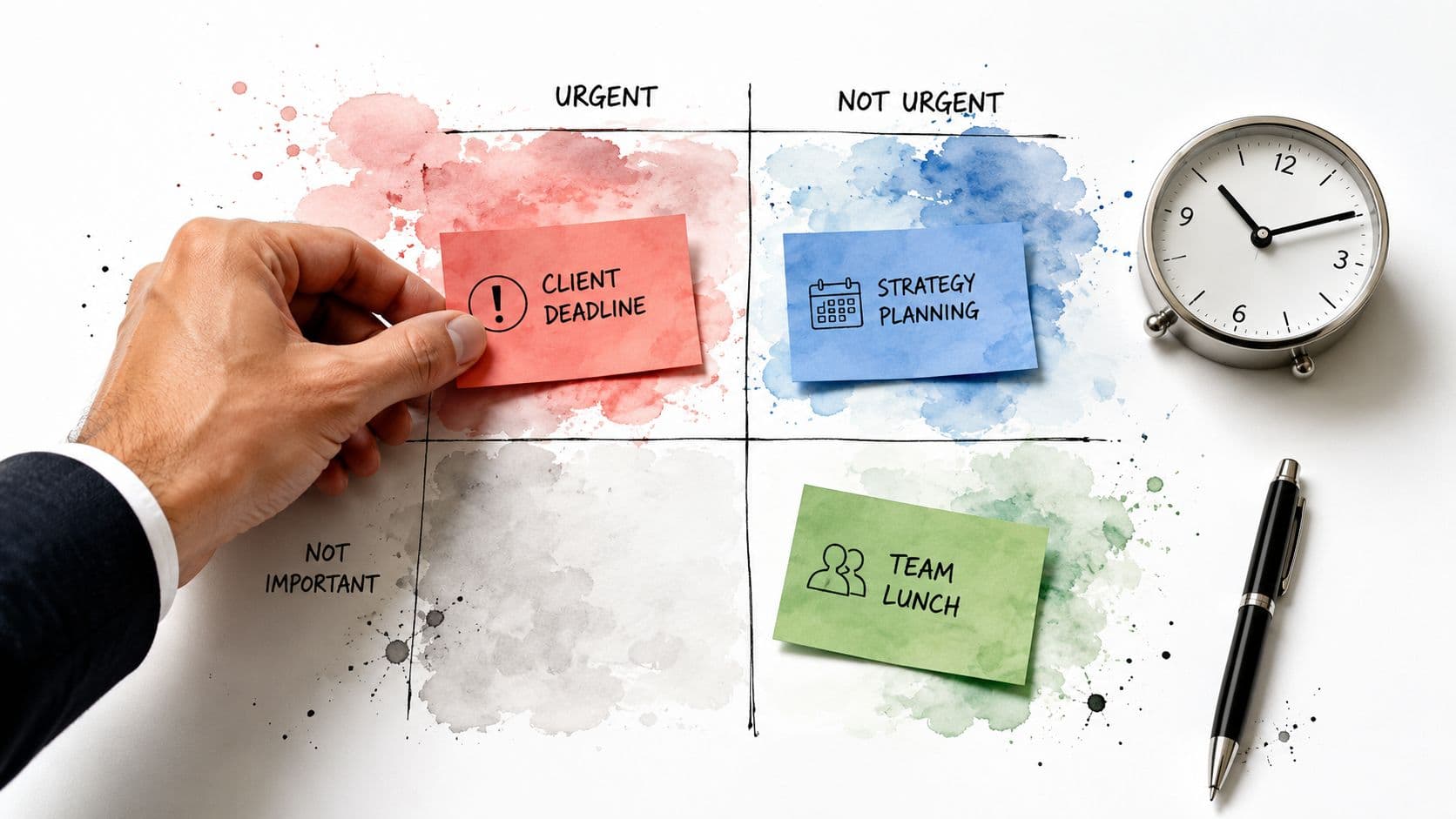
What strong prioritization looks like
A strong EA keeps a live view of work, not a static to-do list. Investor prep may outrank internal admin. A contract renewal may need attention before a routine status update because delay creates downstream risk. You're constantly asking: what protects time, reduces risk, or unblocks the widest group?
In practice, that often means building a rule set. Some teams use urgency versus importance. Others sort by executive goals, hard deadlines, and dependency chains. In tools like Fluidwave, that can mean using tags, due dates, and queue views to keep high-value work visible. If you want a practical framework, Fluidwave's guide to prioritizing tasks effectively is a useful starting point.
Practical rule: If a task has no owner, no deadline, and no business consequence, it probably doesn't belong at the top of your day.
How to build it and how to show it
Development gets easier when you run a weekly review. Look at what got escalated, what sat too long, and what stole time without moving anything forward. Patterns show up fast.
For resumes and interviews, weak language sounds like “managed multiple priorities.” Better language sounds like:
- Resume example: Prioritized executive workload across scheduling, communications, and meeting prep in a fast-changing environment.
- Interview example: I use a triage system based on deadline, decision impact, and who is blocked if something slips.
What doesn't work is treating every incoming request as equal. That usually creates a polished backlog and a frustrated executive.
2. Calendar and Schedule Management
At 8:12 a.m., the CEO asks for a customer call to be moved up, legal needs a contract review before noon, and a board prep session is still sitting on the afternoon calendar with no briefing block. That is calendar management in real life. The job is to shape time so the executive can make decisions, show up prepared, and keep commitments without running the day into the ground.
Calendar work stays near the center of the EA role because it affects everything else. Meetings, travel, prep time, follow-ups, and stakeholder expectations all collide here. As noted earlier, hiring markets consistently treat scheduling and logistics as core assistant work. The difference at a high level is judgment.
To ground this in the day-to-day, this visual captures the structure most EAs are trying to create.
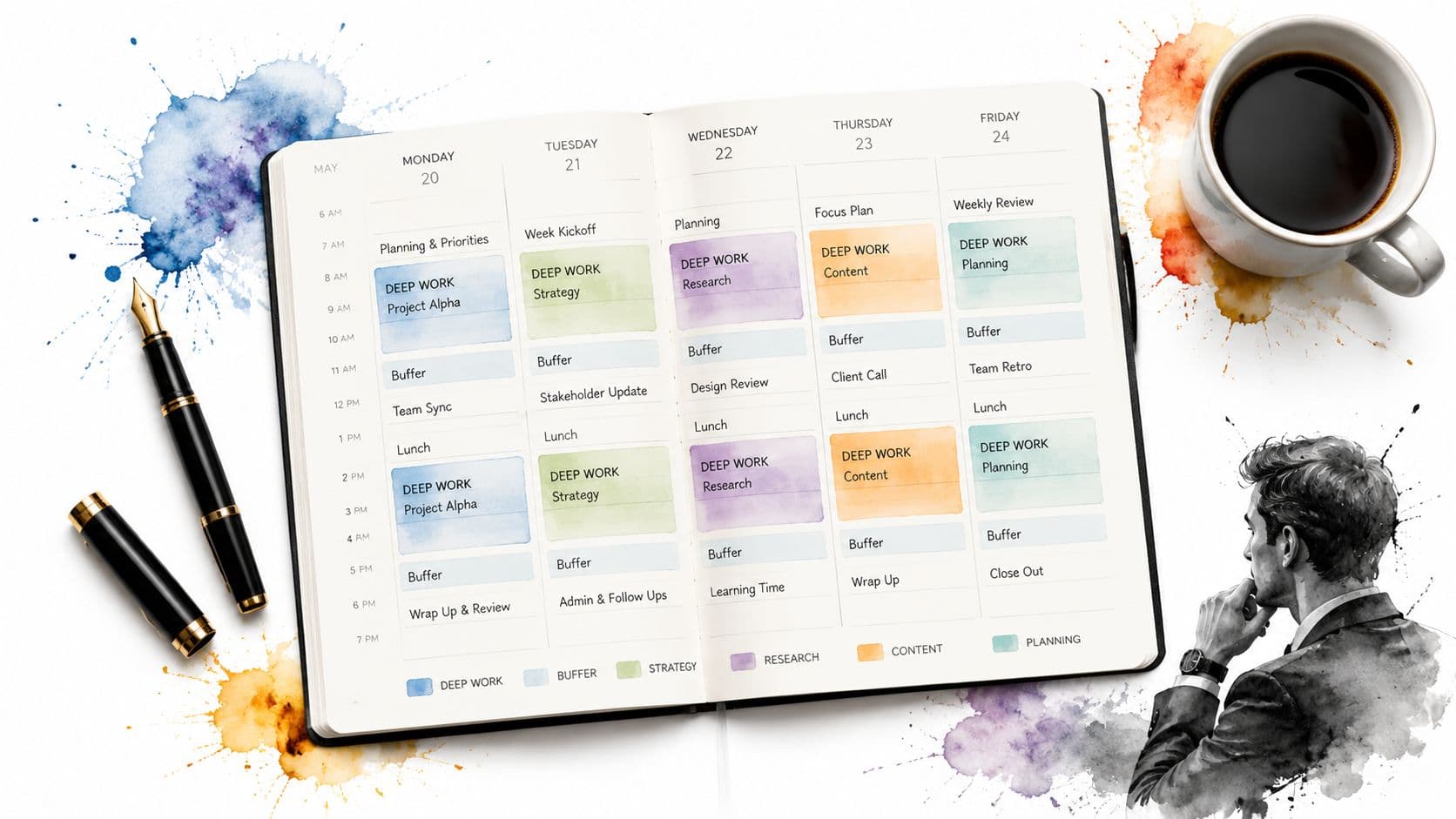
What separates scheduling from calendar strategy
Strong calendar management protects the executive's attention, energy, and decision quality. It means grouping similar meetings, preserving focus time, building transit and prep buffers, and spotting conflicts before someone senior notices them. It also means understanding the political side of scheduling. Moving a one-on-one with a direct report is different from moving a customer renewal call or a board committee meeting.
A useful proficiency test is simple. Look at the week and ask whether the calendar reflects priorities, not just requests. If it is packed with back-to-backs, no prep blocks, and no room for overruns, the calendar is being filled, not managed.
Here's what good looks like in practice:
- Proficiency indicator: The executive has protected blocks for deep work, prep time before high-stakes meetings, and realistic travel or transition time.
- Development step: Audit one month of calendar history. Flag recurring meetings with weak attendance, decisions that could have been made asynchronously, and time slots that are repeatedly overbooked.
- Role nuance: In startups, speed and constant reshuffling are normal, so fast rebooking matters. In larger companies, the harder skill is managing stakeholder expectations, approval layers, and recurring forums that no one wants to question.
- Tool application: Use shared views, meeting templates, and linked task follow-up so scheduling does not stop at the invite. If your team is standardizing access and visibility, this guide to creating a shared calendar is a practical reference. In Fluidwave, that often means pairing calendar events with prep tasks, owner tags, and post-meeting action items so the work around the meeting stays visible.
A well-run calendar reduces friction before the meeting even starts.
One trade-off matters here. Being responsive is useful. Being endlessly available is expensive. Every “sure, we can fit that in” decision has a cost in prep quality, travel risk, recovery time, or executive focus. Good EAs know when to offer an alternative, when to shorten a meeting, and when to say no.
If you want a quick walkthrough on structuring schedules more deliberately, this is worth a look.
Resume and interview language that sounds credible
“Maintained calendars” undersells the work because it describes motion, not judgment.
Use language that shows scope and decision-making:
- Resume example: Directed executive scheduling across leadership meetings, client calls, board preparation, and travel, while protecting focus time and reducing scheduling conflicts.
- Interview example: I treat the calendar as an operating plan. I look at who needs decisions, what requires preparation, and where a scheduling change creates risk somewhere else.
What weak candidates miss is the why behind the meeting. Strong candidates can explain how they decide what gets prime time, what can move, what needs a buffer, and what should never have been accepted in the first place.
3. Communication and Stakeholder Management
It is 8:12 a.m. Your executive has three unread texts from a board member, a department lead wants a decision before noon, and a vendor just sent a message that sounds routine but could turn into a contract problem. The assistant who adds real value does not just pass messages along. They sort signal from noise, choose the right channel, and make sure the right person gets the right level of detail at the right time.
That is why communication sits so close to the center of executive assistant skills. EAs work across leaders, teams, clients, vendors, and senior stakeholders with different priorities, different context, and different tolerance for ambiguity. A good assistant turns vague direction into a clear next step and turns scattered updates into something an executive can act on quickly.
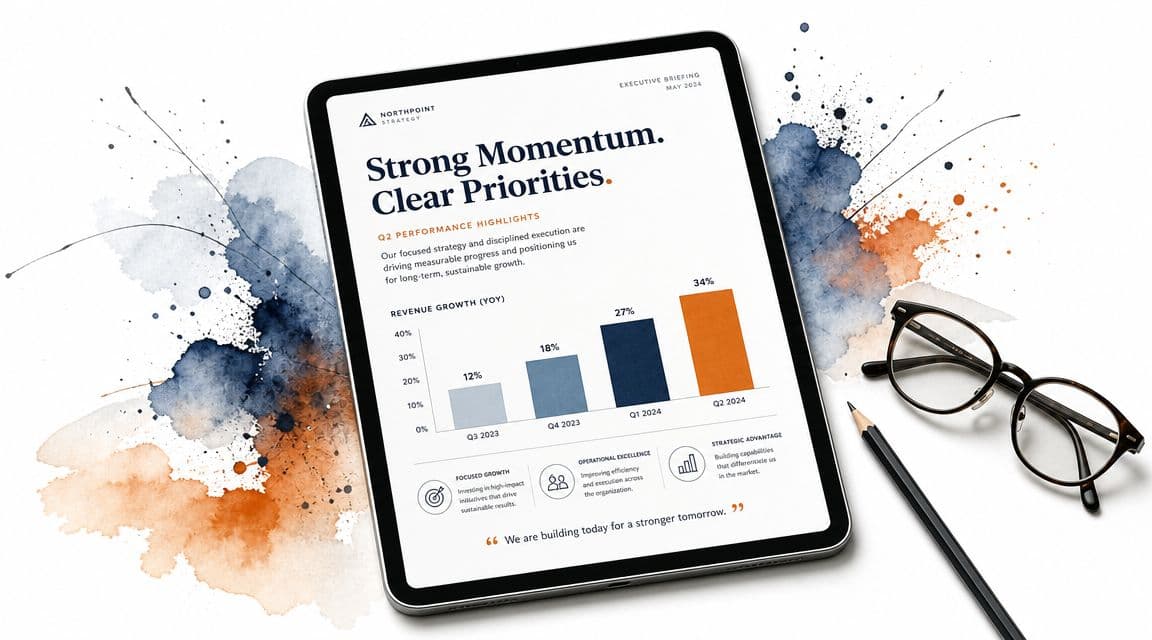
What proficiency looks like in real work
As noted earlier, Office Dynamics highlights communication skills as a core part of effective executive support. That tracks with what strong EAs do every day. They write clearly, confirm decisions in writing, and know when email is the wrong tool.
Proficiency shows up in small choices that prevent bigger problems:
- An inbox reply that answers the actual question, not just the most recent sentence
- A Slack message that gets a fast decision without dragging six people into a thread
- A meeting recap that separates decisions, open questions, and owners
- A stakeholder update that changes tone and level of detail based on audience
The trade-off is judgment. Over-escalate everything and the executive loses focus. Filter too aggressively and they get surprised by something they should have seen earlier. Good stakeholder management sits in the middle. The assistant protects attention without becoming a gate that slows the work down.
This skill also has a tool layer now. In Fluidwave, communication improves when follow-up is attached to tasks, owners, and due dates instead of living across inboxes and memory. If your support work overlaps with cross-functional execution, this guide to project management with virtual assistant support shows how clearer task ownership reduces missed handoffs.
How to improve it
Start by agreeing on communication rules with the executive. Do not leave this to instinct alone.
Useful rules usually include:
- Escalate now: Time-sensitive, legal, reputational, board-facing, or people-risk issues
- Bundle for review: Routine approvals, status updates, and low-risk requests
- Draft first: Sensitive responses, declines, corrections, and messages with political implications
- Move channels: If a thread is getting muddy, switch from email to a call, then document the decision
Then practice compression. Strong EAs can turn five paragraphs into five lines without stripping out the risk, the ask, or the deadline. They also know when not to compress. A board liaison, investor contact, or senior client may need more context than an internal teammate.
Role context matters here. Supporting a founder usually means faster, less polished communication and more real-time filtering. Supporting a public company executive usually requires tighter wording, cleaner documentation, and more care around who said what, when, and in which channel.
Resume and interview language that sounds credible
“Handled communications” is too thin. It says activity, not judgment.
Use language that shows audience awareness and decision support:
- Resume example: Managed executive communications across internal leaders, external partners, and senior stakeholders, routing issues by urgency, risk, and decision owner.
- Interview example: I first identify the audience, the decision required, and the consequence of delay. Then I choose the channel, draft the message, and document the outcome so nothing gets lost.
Weak candidates talk about being organized and personable. Strong candidates can explain how they prevent misalignment, reduce executive noise, and keep stakeholders informed without creating extra churn.
4. Project and Initiative Coordination
Some of the most valuable executive assistant skills don't look “administrative” at all. Project coordination is one of them.
A modern EA often becomes the connective tissue on initiatives that don't have a perfect owner. Office move. Leadership offsite. Product launch prep. Board cycle. Rebrand. Hiring surge. These projects usually need someone who can see deadlines, dependencies, and gaps across teams. That's often the assistant.
The mistake people make is thinking project coordination means chasing updates. It doesn't. It means building a structure people can execute inside.

The difference between tracking and coordinating
Tracking is passive. Coordinating is active.
A strong EA defines owners, maps dependencies, and knows which item can afford to slip versus which one will break the timeline. In tools like Fluidwave, multiple views prove useful. Kanban helps people see flow. Calendar helps surface timing risk. A table view helps with details and accountability. If you're managing distributed support, Fluidwave's post on project management with virtual assistant support shows how task delegation can fit that model.
Good project coordination usually looks boring from the outside. That's the point. Surprises were handled before they became visible.
Development and positioning
To build this skill, start writing lightweight project charters. Scope, owner, deadline, risks, and next milestone. Most messy projects become clearer once those five things exist.
For resumes and interviews:
- Resume example: Coordinated cross-functional initiatives, tracked milestones, and maintained accountability across internal and external stakeholders.
- Interview example: I break projects into visible next actions, then I review risk and dependencies before they create rework.
What doesn't work is overbuilding the system. If the team needs a two-minute status update and you give them a full project ritual, they'll ignore it.
5. Executive Briefing and Strategic Analysis
It's 7:12 a.m. Your executive is walking into a board prep meeting at 8:00. Slack is noisy, email threads conflict, and three stakeholders have sent different versions of the same update. The job is not to forward all of it. The job is to reduce it to the few points that affect a decision.
That is what separates briefing from note collection.
A useful executive briefing gives the executive context, judgment, and a clear next move. If they finish reading and still have to sort out what changed, what matters, and who needs to act, the briefing missed the mark. Good analysis saves time at the moment time matters most.
What strong briefing skill looks like
At a high level, a briefing should answer five questions:
- What happened
- Why it matters now
- What changed since the last update
- What decision, approval, or message is needed
- What risk or development to watch next
Strong EAs also know that format is part of the analysis. Some executives want a one-page memo. Some want three bullets at the top and backup detail below. Some want a verbal brief before a meeting, with documents ready only if questions come up. Matching the format to the executive is part of doing the job well.
The trade-off is speed versus depth. A daily briefing cannot read like a strategy deck. A board brief cannot read like a chat summary.
Proficiency indicators
An EA is getting strong in this area when they can:
- separate signal from noise without waiting for direction
- identify gaps, contradictions, and missing context before the executive sees them
- state a recommendation clearly, even when the information is incomplete
- adjust the level of detail based on audience, timing, and stakes
- keep source material organized so follow-up questions can be answered fast
In practice, this often shows up in small ways. The executive starts asking, “What's your read?” instead of “Can you collect the updates?” That shift matters.
How to build the skill
Start with a repeatable briefing structure. I usually recommend a simple sequence: headline, implication, decision needed, risk, next step. That forces analysis instead of summary.
Then review your own briefs after the meeting. Which points got used? Which details were ignored? Which question caught the executive off guard? That feedback loop sharpens judgment faster than writing longer documents.
It also helps to track recurring topics in a task system like Fluidwave. If stakeholder updates, pending decisions, and deadline shifts live in one place, it becomes easier to spot patterns and produce a tighter brief. The tool does not do the thinking for you. It does make the inputs easier to manage.
Resume and interview positioning
For resumes and interviews:
- Resume example: Prepared executive briefings that distilled cross-functional updates into key decisions, risks, and recommended actions.
- Interview example: I give the executive the conclusion first, then the supporting detail. If inputs conflict, I flag the gap, note what I verified, and suggest the cleanest next step.
Role nuance matters here too. In a startup, strategic analysis may mean turning fast-changing inputs into a same-day recommendation. In a larger enterprise, it may mean reconciling several stakeholder views, checking for political or operational risk, and framing issues for senior leadership consumption.
What does not work is copying source material into slides and calling it analysis. A briefing needs judgment. Without that, it is only a document transfer.
6. Relationship Building and Stakeholder Influence
At 4:45 p.m., the executive needs a decision memo cleared, legal has edits, finance is waiting on one number, and a department head has gone silent. In that moment, job title matters less than whether people trust you enough to respond quickly and give you an honest answer.
Relationship building in the EA role is operational. It affects response times, the quality of information you get, and how much resistance shows up around the executive. When those relationships are weak, simple requests drag. People hedge, protect their turf, or wait to be chased.
Influence usually comes from three things. Good judgment, steady follow-through, and discretion. Stakeholders learn whether you represent the executive accurately, whether you ask for what is needed, and whether you close the loop after the meeting instead of disappearing until the next fire drill.
This skill also has a real trade-off. Being well-liked is not the goal. Being trusted enough to move work forward is. Some EAs avoid friction so aggressively that they become easy to ignore. Strong EAs stay respectful and clear, even when they need to press for an answer or challenge a vague response.
What strong stakeholder influence looks like
You can usually spot this skill in daily behavior:
- Stakeholders reply because they know your requests are specific and necessary.
- Sensitive issues reach you early, before they become executive surprises.
- Cross-functional partners treat you as a reliable point of coordination, not just a calendar gatekeeper.
- You can push for deadlines, approvals, or corrections without creating unnecessary tension.
A weaker version looks different. Messages are too soft, context is missing, and every ask sounds urgent. That forces people to guess what matters, and trust drops fast.
How to build the skill
Start with mapping, not networking. Know who affects the executive's work. That usually includes finance, legal, HR, operations, chiefs of staff, direct reports, and the assistants who support adjacent leaders. Each group has different pressure points, and your approach should reflect that.
Then pay attention to working preferences. One stakeholder wants a short Teams message with a deadline. Another wants enough context to forward your note without rewriting it. A third will respond only after you connect the request to an executive decision. Good EAs keep track of that because it saves time later.
Use your systems to support the relationship, not replace it. In Fluidwave, for example, you can track stakeholder follow-ups, dependencies, and unresolved approvals in one place. That makes it easier to see who needs a nudge, where commitments are slipping, and which relationships need more active maintenance. The tool supports consistency. It does not create credibility for you.
One more point matters. Proximity to power is fragile influence. If people feel you are name-dropping the executive to force compliance, cooperation drops. Clear asks, fair deadlines, and accurate context hold up much better over time.
Proficiency indicators
A developing EA builds rapport and keeps communication polite. A stronger EA can get honest updates from reluctant stakeholders, surface conflict early, and move work across teams without constant executive intervention.
A high-performing EA does something more difficult. They know when to escalate, when to wait, and when to reframe the ask so another team can say yes. That judgment is what turns relationship-building from a social skill into a business skill.
Resume and interview positioning
For resumes and interviews, be specific about outcomes and scope.
- Resume example: Built cross-functional relationships with finance, legal, and department leads to speed approvals, improve response times, and reduce missed follow-ups for a senior executive.
- Interview example: I build trust by being accurate, discreet, and easy to work with. I tailor the ask to the stakeholder, document commitments, and follow up firmly when timing or quality starts to slip.
Role context matters here. In a startup, influence often means getting fast answers from overstretched people with loose process. In a larger company, it usually means working through hierarchy, competing priorities, and political sensitivity without losing momentum.
Your reputation often determines your speed.
7. Adaptability and Managing Ambiguity
If you need full clarity before you act, the executive assistant role will wear you down.
Ambiguity is built into executive support. Priorities shift. Meetings move. Decisions get reversed. Information arrives late. A crisis lands on top of planned work. The assistant who stays effective isn't the one with the neatest system. It's the one who can reorient quickly without losing judgment.
A practical test of adaptability
When plans change, do you freeze, thrash, or reorganize?
Strong EAs reorganize. They re-sequence work, update stakeholders, document what changed, and protect the executive from noise wherever possible. They don't pretend uncertainty doesn't exist. They create enough structure to move through it.
This matters even more as routine clerical work declines and technology-related skills rise. The World Economic Forum projects that by 2030, AI and big data, networks and cybersecurity, and technological literacy will be among the fastest-growing skills globally, while routine clerical and administrative tasks continue to decline, as discussed in The Nagler Group's analysis of changing executive assistant skills. For EAs, that means the job is moving toward managing systems and exceptions, not just repeating tasks manually.
How to strengthen the skill
A few habits help:
- Keep flexible frameworks: Use templates and checklists that can bend.
- Document decisions: When priorities change, leave a trail so the team can follow.
- Protect one stable layer: Even in chaos, keep your tracking system current.
For resumes and interviews:
- Resume example: Supported executive operations in a fast-changing environment with shifting priorities and tight turnaround times.
- Interview example: I don't wait for perfect clarity. I define the immediate next step, confirm assumptions, and keep moving.
What doesn't work is staying in permanent crisis mode. Adaptability should create responsiveness, not burnout.
8. Financial and Budget Management
Not every EA owns a budget, but many touch spending, approvals, expenses, vendors, reimbursements, event costs, or travel economics. That makes financial judgment one of the more underrated executive assistant skills.
You don't need to be a finance analyst. You do need to understand what has been approved, what needs documentation, and where spending decisions create downstream consequences.
What competence looks like here
A strong EA can read a budget sheet without panicking, reconcile expected versus actual spend, and spot mismatches early. They ask practical questions. Was this approved? Is this the correct cost center? Is there a renewal date coming up? Is this expense aligned with the plan?
They also know when “saving money” is the wrong goal. The cheapest option isn't always the best one if it creates risk, delay, or executive friction.
How to build and present it
If this skill is newer for you, start with the mechanics:
- Track commitments: Don't just record what was spent. Track what has been committed but not yet billed.
- Learn the approval chain: Many errors happen because assistants know the tool but not the policy.
- Partner with finance: The finance team can help you understand reporting rhythms, coding rules, and what gets flagged.
For resumes and interviews:
- Resume example: Managed expenses, vendor coordination, and approval workflows with close attention to budget alignment.
- Interview example: I treat budget work as both an accuracy task and a judgment task. The numbers matter, and so does context.
What doesn't work is managing costs in isolation. Budget decisions should support the executive's goals, not undermine them.
9. Technology Proficiency, Digital Tools Management, and Professional Development
Modern executive assistant skills now include tool fluency in a much more serious way than they used to.
A recent skills review noted that businesses increasingly expect executive assistants to work comfortably with AI tools, Microsoft 365, Google Workspace, planning tools such as Asana, Trello, and Monday.com, and systems like SAP, Oracle NetSuite, and Salesforce, according to EA Courses on executive assistant skills in the job market. That reflects what many teams already expect. The assistant role increasingly overlaps with operations, systems coordination, and workflow management.
Tool skill is not just tool usage
Knowing where to click isn't enough. Real proficiency means you can choose the right tool, set up a workable process, train others, and document the system so it survives handoffs.
That includes knowledge management. If only one person knows how board prep, travel approvals, or recurring reporting works, the workflow is fragile. Strong EAs leave a playbook behind them.
- Development step: Pick one workflow you run often and document it clearly enough that another competent person could execute it.
- Role nuance: In lean startups, breadth matters. In larger firms, tool depth and system compliance matter more.
- Tool application: Fluidwave fits well when you need task views, delegation, and one place to track work across recurring and ad hoc requests.
The best technology habit for an EA isn't trying every new app. It's learning a few tools deeply enough to remove friction for everyone else.
Why ongoing learning matters
AI is part of this now. A major EA industry report found common AI use cases among executive assistants include drafting and polishing emails, creating first drafts of reports and briefs, brainstorming agendas and project plans, organizing calendar options, researching travel, and light data analysis. The same report notes that 77% of companies are using or exploring AI, 83% say AI is a top business priority, and digital personal assistants are among the most common business AI applications at 47%, based on Boldly's roundup of executive assistant statistics.
For resumes and interviews:
- Resume example: Improved workflow efficiency through digital tools, automation, and process documentation.
- Interview example: I use technology for first-pass work and repeatable processes, but I keep judgment, accuracy, and discretion with the human operator.
What doesn't work is automating without review. In executive support, speed without judgment creates mess fast.
10. Problem-Solving and Initiative-Taking
This is the skill that often separates a solid EA from a strategic one.
Executives usually don't need more people who can wait for instructions. They need someone who sees a recurring problem, frames it clearly, and moves a solution forward with the right level of discretion.
What initiative actually looks like
Good initiative is not freelancing your way into someone else's workflow. It's noticing friction and proposing a better path.
That might mean redesigning the meeting-request process because the calendar is filling with low-value conversations. It might mean creating a better system for investor follow-up, travel prep, or briefing templates. The point is the same. You don't just absorb the problem. You reduce its recurrence.
A useful proficiency marker is whether your executive hears this from you regularly: “I noticed a pattern. Here are two workable options.”
How to develop judgment with initiative
Initiative gets stronger when it's grounded in business context. If you understand the executive's goals, pain points, and working style, your solutions are more likely to help instead of distract.
Try this structure:
- State the problem clearly: Keep it concrete and observable.
- Offer options: Give trade-offs, not just a preferred answer.
- Pilot before scaling: Test with one workflow or one stakeholder group first.
For resumes and interviews:
- Resume example: Identified workflow gaps and implemented process improvements to support executive efficiency and team coordination.
- Interview example: I try to bring solutions, not just issues. If I spot a pattern, I define the problem, assess impact, and propose a practical fix.
What doesn't work is solving the wrong problem. Initiative without alignment can create extra work, even when the idea is good.
10-Point Executive Assistant Skills Comparison
| Item | Implementation Complexity 🔄 | Resource Requirements ⚡ | Expected Outcomes ⭐📊 | Ideal Use Cases 💡 | Key Advantages ⭐ | Typical Challenges |
|---|---|---|---|---|---|---|
| Task Prioritization and Time Management | Moderate, needs frameworks and judgment | Fluidwave features, modest training/time | Better focus, fewer missed deadlines, productivity gains | Busy executives with competing priorities | Reduces decision fatigue; surfaces high-impact work | Subjective choices; frequent reprioritization |
| Calendar and Schedule Management | Moderate–High, time zones & integrations | Calendar integrations, coordination effort | Protected focus time; smoother transitions; fewer conflicts | C-suite scheduling, cross-time-zone coordination | Increases availability; reduces meeting friction | Stakeholder resistance; legacy integration issues |
| Communication and Stakeholder Management | Moderate, requires high EQ and protocols | Communication tools, templates, EA time | Clearer alignment; reduced executive communication load | High-volume stakeholder environments | Builds trust; prevents miscommunication | Dependency risk; potential information filtering bias |
| Project and Initiative Coordination | High, multi-stakeholder complexity | PM tools, cross-functional time, possible vendors | Projects stay on track; early risk detection | Cross-functional projects, launches, rebrands | Improves visibility; reduces silos | Scope creep; needs influence without direct authority |
| Executive Briefing and Strategic Analysis | High, research and analytical skillset | Data sources, analytics/visualization tools, time | Faster informed decisions; strategic clarity | Board prep, investor updates, strategic reviews | Condenses insight into decision-ready briefs | Time-consuming; risk of biased sourcing |
| Relationship Building and Stakeholder Influence | Moderate, continuous effort | Time for 1:1s, tracking tools, follow-ups | Faster collaboration; stronger advocacy networks | Change initiatives, resource coordination | Unlocks cooperation; builds advocates | Time-intensive; may be seen as favoritism |
| Adaptability and Managing Ambiguity | Moderate, requires resilience & frameworks | Flexible tools, rapid delegation channels, training | Rapid re-prioritization; calm crisis response | Startups, fast pivots, crisis management | Enables responsiveness; maintains executive steadiness | Burnout risk; inconsistency without documentation |
| Financial and Budget Management | Moderate–High, financial literacy needed | Financial systems, reporting tools, approvals | Better cost control; earlier budget risk detection | Department budgets, vendor negotiations, runway tracking | Improves financial discipline; cost savings | Contentious decisions; documentation burden |
| Technology Proficiency & Professional Development | Moderate, continuous learning curve | Tools, integrations, training time, documentation | Productivity gains via automation; knowledge retention | Tool consolidation, automation, onboarding | Saves time; scales processes; preserves institutional knowledge | Tool churn; time investment for learning/documentation |
| Problem-Solving and Initiative-Taking | Moderate–High, judgment + business acumen | Time for analysis, exec alignment, delegation support | Proactive issue resolution; faster execution | Process inefficiencies, operational blockers | Multiplies executive effectiveness; drives improvements | Risk of overstepping; requires executive buy-in; burnout risk |
From Assistant to Asset: Your Skill Development Path
It is 8:12 a.m. Your executive's day has already shifted twice. A board question came in overnight, a vendor issue just surfaced, and a meeting that looked routine now needs a decision brief before noon. In that moment, the difference between an assistant and an asset is easy to see. One reacts to the noise. The other sets order, protects attention, and keeps the day usable.
That shift happens through skill building with a clear method. Strong EAs do not try to improve everything at once. They choose one operational skill and one higher-judgment skill, then practice both in real work. Calendar management paired with briefing prep is a strong combination. Project coordination paired with stakeholder communication is another. One improves execution. The other improves decision support.
I usually tell EAs to judge their growth by proof, not intention. Can you spot priority conflicts before your executive does? Can you turn a vague request into a plan, owner list, and deadline? Can you explain on a resume or in an interview how your work reduced friction, sped up decisions, or prevented problems? If the answer is yes, the skill is becoming reliable.
A practical starting point is a short weekly review. Look for two things. Work that still lives in your head, and work that repeats without a documented process. Those are the best development targets because they show where your current approach will break under pressure. Once the repeatable parts are documented, your time opens up for the work that needs judgment.
That is also how tools become useful instead of distracting. Fluidwave can centralize tasks, show workload across views, and help assign work that does not need to stay with you. The value is not the dashboard itself. The value comes from using it to make priorities visible, track follow-through, and create a record that supports handoffs, interview examples, and performance reviews. Used carelessly, it becomes another list to maintain. Used well, it supports the exact skills this article covers.
The strongest assistants show the same patterns over time. They protect executive focus. They write decisions down. They clarify ambiguous requests early. They know what to escalate, what to resolve independently, and what to route elsewhere. They keep developing their technical range, because modern executive support now includes workflow tools, automation, AI-assisted drafting, and cleaner systems for recurring work.
That is the path from assistant to asset. You become the person who can show what good looks like, build a repeatable way to deliver it, and explain the result in terms that matter to executives, recruiters, and hiring managers.
If you want one place to organize tasks, support prioritization, and delegate defined work, Fluidwave is worth exploring as part of your executive support system.
Focus on What Matters.
Experience lightning-fast task management with AI-powered workflows. Our automation helps busy professionals save 4+ hours weekly.