Explore 10 crucial examples of milestones in project management, from kickoff to closure. Learn how to define, track, and achieve them for project success.
May 13, 2026 (5mo ago)
10 Examples of Milestones in Project Management
Explore 10 crucial examples of milestones in project management, from kickoff to closure. Learn how to define, track, and achieve them for project success.
← Back to blog
Ever been on a project that feels like a long tunnel with no clear marker for how far you've come? Tasks pile up, meetings multiply, and everyone says the project is "moving" even when nobody can point to what was finished. That's what project work looks like without milestones. You get motion, but not much clarity.
Milestones fix that. They give a project shape. Instead of treating progress like a vague feeling, you mark specific moments that prove a phase is complete, a decision has been made, or a deliverable is ready for the next handoff. In project management practice, milestones are commonly grouped across five categories: initiation, planning, execution, monitoring, and closure, which is a useful way to keep a complex project from turning into one giant blur of activity (milestones in project management overview).
The mistake I see most often is teams using milestones as oversized tasks. That's not how they work. A milestone isn't "write landing page copy" or "build login screen." It's the checkpoint that says those connected tasks are complete, reviewed, and ready to move forward. If your team works across product, marketing, operations, or delegated support, that distinction matters even more.
This matters just as much in software delivery as it does in any other kind of work. If you need a broader delivery context, this end-to-end software delivery model explained is a useful companion read.
Here are 10 practical examples of milestones in project management, with the trade-offs, warning signs, and tracking habits that are effective.
1. Project Kickoff & Scope Definition
Monday morning, the team leaves kickoff confident. By Wednesday, product is discussing one outcome, operations is planning for another, and the client thinks both are covered. That gap starts here.
This milestone is complete when the project charter, scope boundaries, delivery expectations, and ownership model are documented and approved in writing. Until that happens, teams are often working with assumptions instead of decisions. I treat kickoff and scope definition as the first control point in the project, because here avoidable confusion either gets contained or allowed to spread.
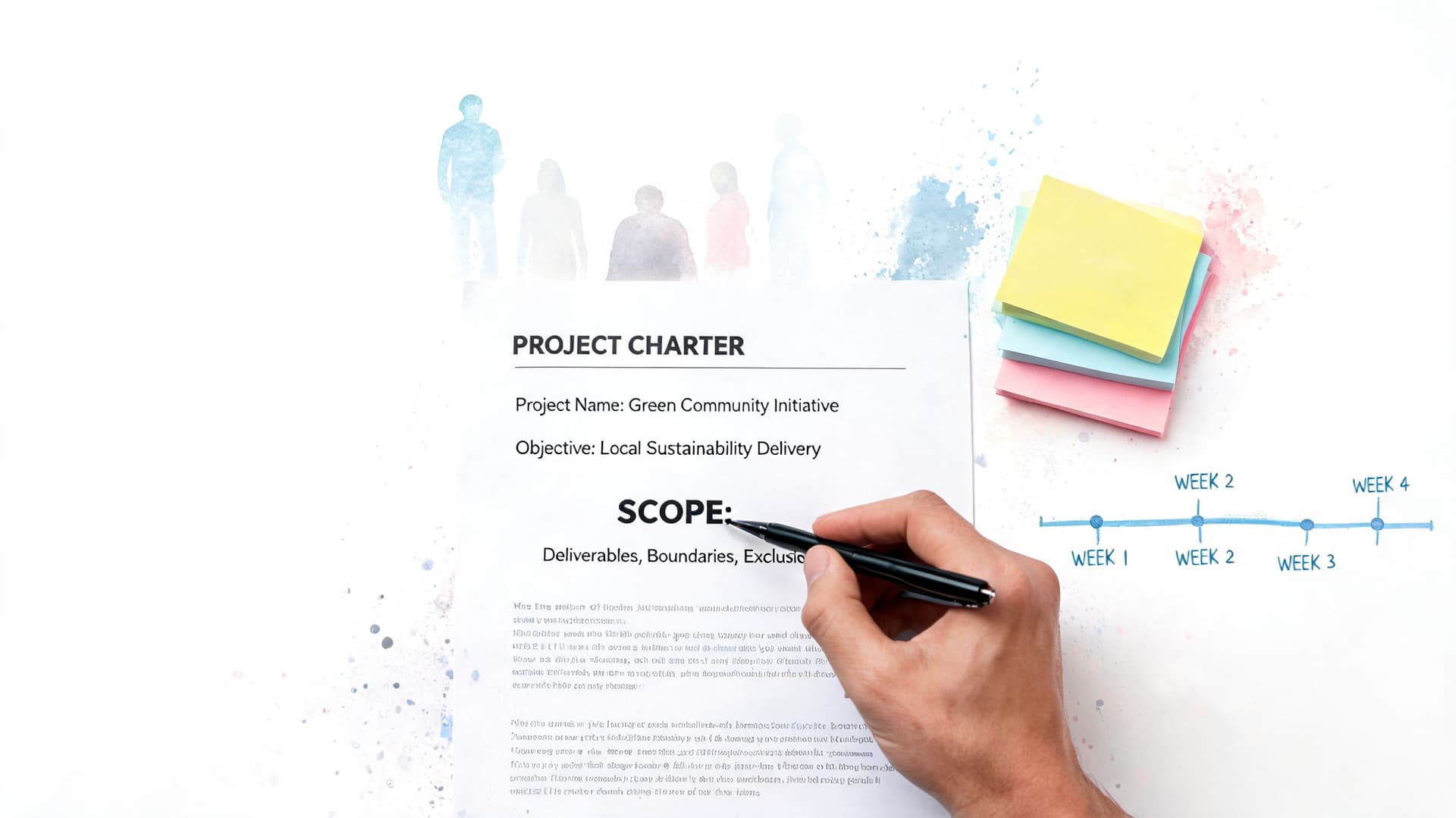
In Fluidwave, I set up the project shell before anyone starts real execution. That includes budget and timeline guardrails, an owner for each major decision, and the first delegation rules so work does not get handed off without context. A practical setup is to initiate a project in Fluidwave with a clear parent outcome and supporting scope decisions, then track approvals and setup dependencies underneath it.
What good kickoff milestones include
A usable kickoff milestone usually includes:
- Written scope boundaries: What is in scope, what is out of scope, and who has authority to approve changes.
- Named decision owners: Product, budget, legal, delivery, and final approval should each have a clear owner.
- Success criteria: The team needs a shared definition of done before work begins.
- Working cadence: Status rhythm, escalation path, communication channel, and document location should be set early.
The trade-off is straightforward. Spending more time here can feel slow, especially when stakeholders want quick movement. Skipping this work usually costs more later in rework, approval delays, and scope drift that nobody formally approved.
Practical rule: If the project cannot be explained in one paragraph and mapped in one task board, the kickoff milestone is still soft.
The goal is to achieve enough clarity to prevent scope freelancing, rather than aiming for perfect certainty on every detail.
2. Requirements Gathering & Analysis Complete
This milestone isn't "we had discovery calls." It's "the team can now build, write, configure, or delegate work without guessing."
Requirements completion means the business rules, user needs, functional details, constraints, and acceptance criteria are documented tightly enough that downstream teams aren't forced to reverse-engineer intent. In practice, this is the milestone that protects you from revision loops later.
A website redesign is a common example. If marketing wants a cleaner homepage, product wants lead capture, compliance wants language controls, and engineering wants reusable components, those requirements need to be reconciled before design starts. The same applies to internal operations work such as workflow automation or reporting builds.
How to make this milestone usable
Fluidwave's table view is useful here because requirements tend to sprawl. I prefer one row per requirement, with fields for owner, priority, dependencies, decision status, and whether it can be delegated to a VA or needs a specialist.
A few habits help:
- Break ambiguity into reviewable units: One giant requirements document invites skim-reading. Smaller tracked entries get better feedback.
- Separate mandatory from optional: Teams move faster when they know what's fixed and what's negotiable.
- Require sign-off: Verbal approval disappears the minute a stakeholder changes their mind.
- Attach source context: Link call notes, mockups, or examples directly to the requirement task.
What doesn't work is treating requirements as a one-time artifact. They often change, and your milestone should reflect approved analysis at that point in time, not fantasy certainty about the entire project.
3. Design & Architecture Approval
A surprising number of teams start building while the design is still being argued over. That usually creates two problems at once: developers work from unstable decisions, and stakeholders assume they can still redesign major pieces without affecting schedule.
Design and architecture approval is the milestone where the team locks the implementation approach enough to proceed. In the software launch example mentioned earlier, feature list approval served as a planning-phase milestone before execution advanced, which is exactly the kind of checkpoint that keeps design debates from leaking into build work.
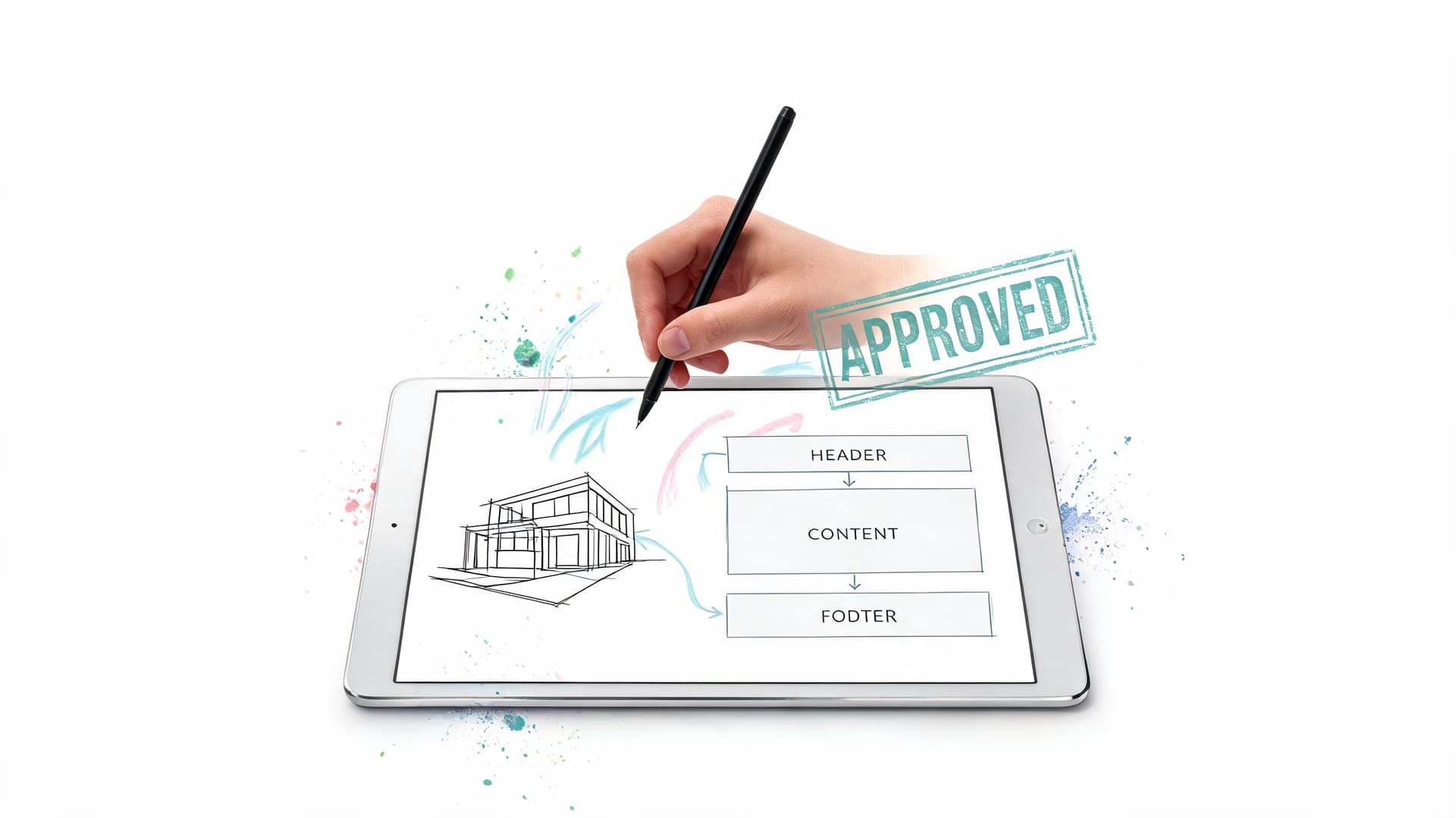
For a software project, this might mean approved wireframes, user flows, system boundaries, and integration assumptions. For a process redesign, it might mean the future-state workflow, exceptions handling, reporting logic, and handoff rules are accepted.
Where teams get this wrong
They ask for "feedback" when they need approval. Those aren't the same thing.
Use card-based tracking for each major design area, and set clear review deadlines. Every card should answer four questions: what was proposed, who reviewed it, what changed, and what is now locked. If you're linking Figma or Adobe XD files, attach them to the approval task, not buried in chat.
Design isn't approved because people stopped commenting. It's approved when the decision owner says the team can build from it.
One more practical point. Include accessibility, compliance, and operational considerations now. They are expensive to rediscover after development starts.
4. Development/Execution Phase Kickoff
This milestone marks the moment planning turns into committed work. If kickoff and requirements gave the team a map, execution kickoff is where people receive actual lanes, systems go live, and task flow begins.
In agile environments, milestone design often works best when tied to iterative checkpoints instead of one giant phase gate. A global manufacturing case study using a PMI Disciplined Agile approach structured milestones around checkpoints such as Sprint Planning Complete, Sprint Review & Retrospective, and Release Deployment (PMI agile case study summary).
That pattern works beyond software. A content team can use "editorial calendar locked," "first review cycle complete," and "publication batch released." A marketing team can use "assets assigned," "review queue active," and "launch sequence started."
How to set this up in practice
Kanban view proves its value in this context. I prefer columns that reflect the actual workflow instead of generic labels. "Drafting," "internal review," "client review," "revision," and "approved" is better than "to do," "doing," and "done" when multiple people touch the same work.
A solid execution kickoff includes:
- Confirmed assignments: Everyone knows what they're responsible for this week, including delegated assistants.
- Operational rules: Response time expectations, blocker escalation path, file naming, and handoff standards.
- Automation setup: Recurring tasks, reminders, status triggers, and dependency alerts.
- Early calibration: Watch the first few work items closely so you can correct bad estimates or vague instructions.
What doesn't work is declaring execution started when staffing, permissions, or tooling still aren't ready. That's how projects create fake momentum.
5. First Major Deliverable Completion
This is the milestone that tells you whether the plan survives contact with reality. Until the first meaningful deliverable is complete, most schedules are still theory.
In the software launch example, beta version release served as a key execution milestone. That's a strong model because a first major deliverable should expose the truth about quality, communication, and review speed while there's still time to adjust the rest of the project.
The best version of this milestone is something stakeholders can inspect. A prototype. A reviewed module. A finished campaign asset set. A configured workflow that runs end to end. If nobody can meaningfully examine it, the milestone may be too vague.
What to learn from the first deliverable
Don't just celebrate it and move on. Use it to recalculate the project.
I usually review three things right away:
- Estimate quality: Were tasks larger than expected, or were they just poorly defined?
- Review friction: Did approvals stall because stakeholders were busy, unclear, or surprised?
- Delegation fit: Which work types were safe to hand off, and which needed tighter supervision?
The first deliverable is your forecasting checkpoint. It tells you whether the rest of the timeline is believable.
What doesn't work is marking the milestone complete because the team is "mostly there." If there are unresolved acceptance issues, call it in review, not complete.
6. Budget & Resource Checkpoint
A lot of projects don't fail because the work is impossible. They fail because nobody realistically assessed spending, team capacity, and burn rate until options were already limited.
This milestone works best at the midpoint or at predefined control points. You're checking whether the current staffing model, vendor use, assistant delegation, and planned work still fit the remaining budget and timeline. If they don't, you change course at this stage.
For teams using pay-per-task delegation, this checkpoint matters even more. Variable-cost execution can be efficient, but only if you actively compare actual output with the budget assumptions behind it. If you need a better framework for that, this guide to resource allocation in project management is worth reviewing.
A practical workflow inside Fluidwave is to tag tasks by cost owner, delivery type, and approval status, then compare completed work against planned spend in your linked budget sheet. That gives you a faster read than waiting for month-end finance reconciliation.
What to review at this checkpoint
- Committed vs remaining budget: What is already spent or effectively locked in.
- Team load: Who is overloaded, underused, or doing work below their skill level.
- Delegation efficiency: Which tasks are good candidates for external help.
- Trade-off options: What can be deferred, simplified, or removed if needed.
If you need specialized technical capacity, external staffing can be part of the equation. For software-heavy projects, teams sometimes solve short-term gaps by choosing to hire Latin American developers for well-scoped delivery work.
What doesn't work is reviewing budget as a finance exercise only. Resource checkpoints are operational decisions, not accounting paperwork.
7. Stakeholder Review & Approval Gate
Every project needs a point where the people funding it, owning it, or depending on it decide whether it should continue as planned. That is what this milestone is for.
This is not a status update meeting. It's a formal gate. Stakeholders review progress, current risks, deliverables, and requested changes, then approve continuation, ask for adjustments, or pause work.
The reason this milestone matters is simple. Stakeholders will always react to visible progress more clearly than to planning documents. If they dislike the direction, you want that tension to surface here, not after the final build is finished.
Run the gate like a decision meeting
A dashboard helps, but don't drown people in screenshots. Present progress against scope, open risks, unresolved decisions, and what approval is needed next. If your communication rhythm is weak, this milestone gets messy fast. A documented project communications plan template makes these review gates much easier to run.
I like to prepare the review around three lenses:
- What is complete: Not activity, but outcomes.
- What is at risk: Timeline pressure, dependency delays, approval bottlenecks.
- What needs a decision: Scope change, budget shift, launch timing, or resourcing.
Stakeholder reviews go badly when the project manager asks for approval without making the decision easy to understand.
What doesn't work is treating silence as approval. Get explicit sign-off, and record conditions attached to it.
8. Quality Assurance & Testing Complete
A project can look healthy right up until testing starts. Then the actual situation becomes evident. This milestone is complete when the work meets agreed acceptance criteria, serious defects are resolved or formally waived, and the team has evidence that the deliverable is ready for release.
That standard is higher than "QA had a look at it." I have seen teams declare testing done because the backlog was smaller and the deadline was close. The critical factors are whether the product behaves correctly under real conditions, whether known issues are understood, and whether someone with authority has accepted the remaining risk.
For software, that usually includes functional testing, regression coverage, user acceptance testing, and, if the release carries security exposure, a targeted security checkup for your software application. For a website or digital rollout, the checklist shifts a bit. Device behavior, accessibility, forms, analytics, redirects, permissions, and content accuracy tend to decide whether launch day is calm or messy.
Treat this milestone like an evidence pack
The cleanest way to manage it is to separate four things: test cases, execution status, defects, and approvals. Once those get mixed together, nobody can tell whether the problem is weak coverage, poor quality, or missing sign-off.
In Fluidwave, I would track this milestone with one workspace for planned test coverage and another for defect triage. Assign defect owners by system area, set severity labels that match release impact, and give one person clear authority to decide what blocks release versus what gets logged for follow-up. That keeps the argument focused on business risk instead of personal opinion.
A few rules make this milestone easier to run:
- Set pass criteria before execution starts: Teams need a shared definition of done before the first bug is logged.
- Classify defects by severity and customer impact: Cosmetic issues and release blockers should never sit in the same bucket.
- Use real user scenarios in UAT: Internal reviewers often miss edge cases that show up in live use.
- Reserve time for fixes and retesting: Without that buffer, testing becomes a paperwork exercise.
The handoff into launch gets smoother when QA results are visible in one place. The milestone should show open defects by severity, failed versus passed tests, outstanding approvals, and a clear recommendation on release readiness.
Testing is complete when uncertainty is low enough to ship with control. Team fatigue is not a valid acceptance criterion.
9. Launch/Deployment & Go-Live
Go-live is the milestone everyone notices, but by the time you get here, most of the success or failure has already been set up by earlier milestones.
This milestone is complete when the deliverable is released, operational checks pass, support coverage is active, and immediate monitoring confirms the rollout is stable enough to keep moving. In the software launch case already noted, final release deployment served as the closure milestone that marked completion of the delivery path.

For a product team, this could mean production deployment plus active incident monitoring. For a marketing team, it might mean campaign launch plus channel checks, form tests, and response routing. For an operations change, it means the new workflow is live and the people using it know what changed.
The launch checklist that matters
This milestone should be managed from a dependency-based checklist, not memory.
- Final readiness check: Approvals, backups, rollback plan, owners on call.
- Execution sequence: What happens first, what depends on what, and who confirms each step.
- Issue routing: Where problems go, who makes rollback calls, and who updates stakeholders.
- Post-launch validation: Check the things that fail subtly, not just the things that fail loudly.
A dress rehearsal helps when the rollout is complex. What doesn't work is improvising launch communications while deployment is already underway.
10. Project Closure & Lessons Learned
Too many teams stop at launch and call the project finished. It isn't finished until the work is handed over, loose ends are closed, and the team captures what should change next time.
Closure is one of the five common milestone categories in project management, and it usually includes activities such as final deliverable approval, handover, retrospective review, and final reporting before the team is fully released (project milestone categories and closure activities). That's not bureaucracy. That's how organizations stop repeating the same mistakes.
A proper closure milestone covers the operational transition, document archive, unresolved issue list, vendor or contractor wrap-up, and the lessons learned session. If virtual assistants or delegated contributors were involved, include them. They often see process friction the core team ignores.
What closure should produce
I want closure to leave behind reusable assets, not just a folder nobody opens again.
That usually means:
- A short retrospective summary: What worked, what failed, what should become standard practice.
- Updated templates: Better briefs, approval steps, task structures, or launch checklists.
- Ownership transfer: Clear handoff to support, operations, or account management.
- Final comparison: Planned scope versus delivered scope, planned timeline versus actual, planned budget versus actual.
Good closure turns one finished project into a better starting point for the next one.
What doesn't work is scheduling the retrospective so late that nobody remembers the details, or skipping it because the team is already on the next deadline.
10 Key Project Milestones Comparison
| Milestone | Implementation Complexity 🔄 | Resource Requirements ⚡ | Expected Outcomes ⭐📊 | Ideal Use Cases 💡 | Key Advantages ⭐ |
|---|---|---|---|---|---|
| Project Kickoff & Scope Definition | 🔄🔄 Medium, stakeholder alignment & chartering | ⚡⚡ Low–Moderate, PM time, stakeholder meetings | Clear scope, baseline plan, reduced rework | New projects, multi-team initiatives, VA delegation | Prevents scope creep; aligns team; reference point |
| Requirements Gathering & Analysis Complete | 🔄🔄🔄 High, deep analysis and validation | ⚡⚡⚡ High, BAs, stakeholders, documentation effort | Single source of truth; fewer revisions; accurate estimates | Complex systems, integrations, UX-heavy projects | Precise specs; enables independent VA work; better costing |
| Design & Architecture Approval | 🔄🔄🔄 High, specialized design & reviews | ⚡⚡⚡ High, architects, designers, prototyping tools | Approved blueprint; fewer design reworks; feasibility validated | Software architecture, app UI/UX, system integrations | Clear developer guidance; early technical risk mitigation |
| Development/Execution Phase Kickoff | 🔄🔄 Medium, environment & process setup | ⚡⚡ Moderate, devs, tools, access configuration | Team readiness; execution baseline; communication protocols | Sprint-based development, content production, campaigns | Confirms readiness; establishes cadence; enables delegation |
| First Major Deliverable Completion | 🔄🔄 Medium, execution milestone & QA | ⚡⚡ Moderate, QA, reviewers, documentation | Early validation; stakeholder feedback; productivity metrics | Prototypes, beta releases, initial product modules | Validates approach; provides forecasting data; boosts morale |
| Budget & Resource Checkpoint | 🔄🔄 Medium, financial review & forecasting | ⚡⚡ Moderate, finance input, usage data | Cost control; reallocation decisions; forecast to completion | Long-running projects, pay-per-task models, cost-sensitive work | Prevents overruns; identifies savings; informs staffing |
| Stakeholder Review & Approval Gate | 🔄🔄🔄 Medium–High, formal presentations | ⚡⚡⚡ High, exec time, consolidated reporting | Executive alignment; go/no‑go decisions; documented approvals | High-impact initiatives, funding stages, client sign-offs | Ensures alignment; enables corrective action; accountability |
| Quality Assurance & Testing Complete | 🔄🔄🔄 High, extensive testing and fixes | ⚡⚡⚡ High, QA teams, test environments, tools | Production-ready deliverable; lower incident risk; compliance | Software releases, regulated products, security-critical work | Ensures reliability; reduces post‑launch issues; compliance proof |
| Launch/Deployment & Go-Live | 🔄🔄🔄 High, cutover and monitoring | ⚡⚡⚡ High, ops, support, monitoring, rollback readiness | Delivered value to users; ROI begins; real-world data captured | Product launches, site migrations, org-wide activations | Realizes value; gathers usage data; celebrates team success |
| Project Closure & Lessons Learned | 🔄🔄 Low–Medium, closeout and retrospection | ⚡ Low, documentation, final reconciliation | Knowledge capture; financial closure; handoff to operations | End of project, handoff to support, organizational learning | Captures improvements; transfers ownership; informs future projects |
Turn Milestones into Momentum
Well-defined milestones turn a messy project into something people can steer. They create checkpoints that force clarity. Has the scope been approved or not? Are the requirements stable enough to build from or not? Is the deliverable properly tested, or is the team just eager to move on? Those are the kinds of questions milestones answer.
That matters because milestones are not just timeline decorations. They're control points. They help teams break complex work into manageable phases, give stakeholders a shared understanding of progress, and make it easier to spot risk before it becomes expensive. They also work especially well when you treat them as outcome markers rather than activity lists. A milestone should signal that a meaningful result has been reached, not just that people stayed busy.
There's another practical benefit. Milestones make delegation safer. When work is spread across internal staff, contractors, virtual assistants, or AI-supported workflows, you need clear handoff points. A vague task list doesn't do that. A defined milestone does. It tells everyone what finished looks like, what needs approval, and what can move forward.
One thing experienced project managers learn quickly is that milestones need maintenance. Planned achievement dates rarely stay frozen, and they shouldn't. Milestone tracking works better when teams review dates regularly, compare the current plan to the baseline, and update expectations as reality changes. That's how milestones stay useful instead of turning into decorative dates on a chart.
The 10 examples above are broad enough to use across product, marketing, operations, consulting, and internal business projects. You won't use them in exactly the same way every time. A small website refresh won't need the same level of rigor as an enterprise system rollout. But the pattern holds. Define the checkpoint. Attach clear approval criteria. Track it visibly. Adjust when the project changes.
If you're managing work in a platform like Fluidwave, the advantage is operational. You can map milestones across list, table, calendar, Kanban, and card views, attach delegated work to each checkpoint, and keep the team aligned on what matters now versus what comes next. That's much more useful than trying to manage a serious project from scattered chats and memory.
Projects don't become easier because the work gets smaller. They become easier because the path gets clearer. Good milestones do exactly that.
If you want a simpler way to organize milestone-based work, delegate tasks, and keep progress visible across different views, take a look at Fluidwave. It can help turn milestone planning into a working system instead of a document that gets ignored after kickoff.
Focus on What Matters.
Experience lightning-fast task management with AI-powered workflows. Our automation helps busy professionals save 4+ hours weekly.