Grab a usable decision tree template, customize it for business and personal calls, and learn best practices that fit team workflows and ADHD-friendly
October 20, 2026 (Today)
Decision Tree Template That Actually Works for Real Choices
Grab a usable decision tree template, customize it for business and personal calls, and learn best practices that fit team workflows and ADHD-friendly
← Back to blog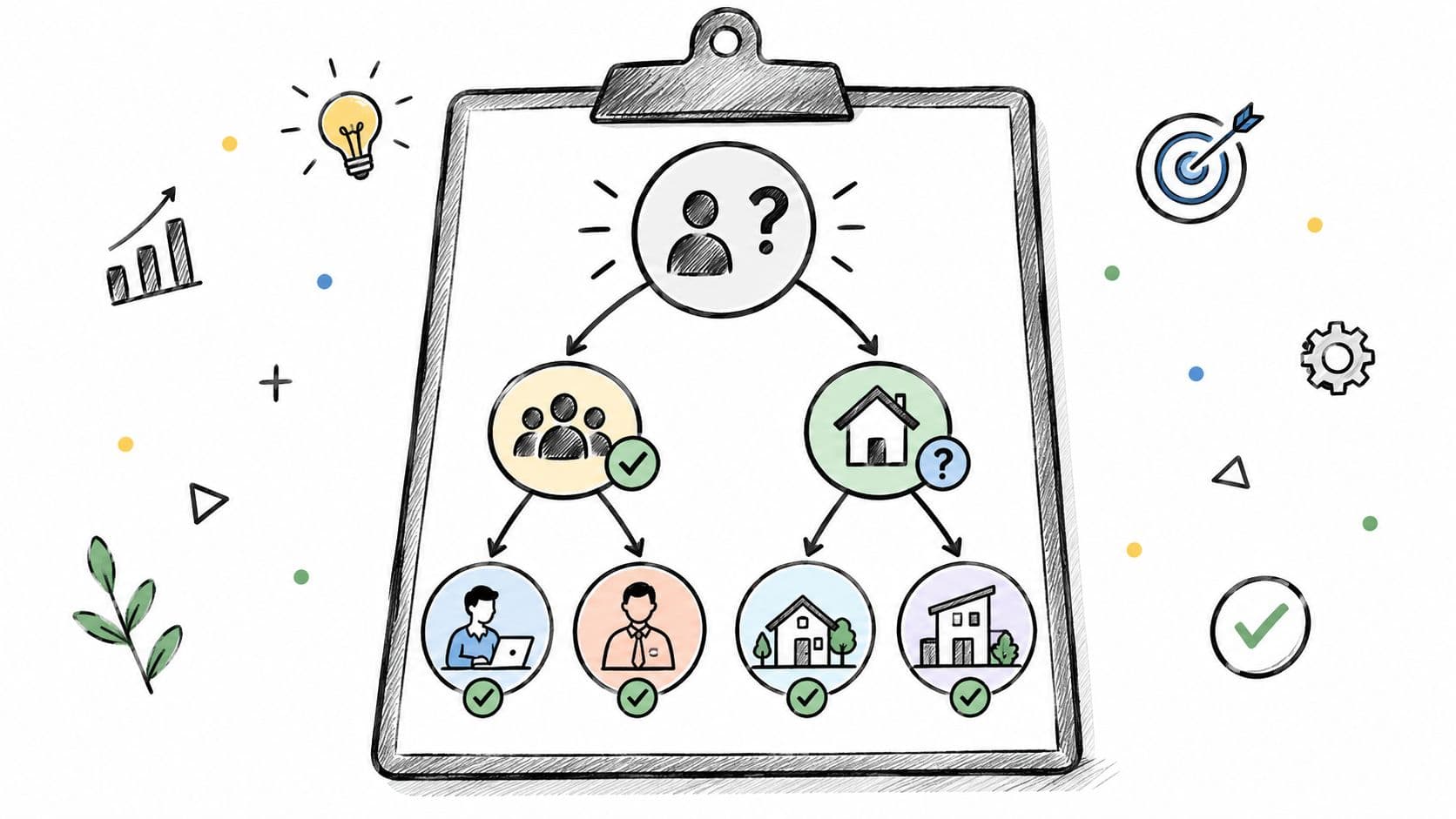
You've got a hiring request open, a vendor proposal waiting, and a message asking whether a project can move forward. Everyone has an opinion. Nobody can say exactly what would change their answer, so the decision stays open and the work stalls.
A decision tree template should help you break that loop. Not by making the diagram look tidy, but by making the next question, the evidence, and the responsible person unmistakable. The useful version also tells you what to do when you don't know the answer.
Why Decision Trees Still Earn a Spot on Your Desk
A stalled decision usually needs more structure before it needs another meeting. Start by separating the question you're answering from the conditions that determine the answer. Then name the action that follows each condition.
That's the basic anatomy of a decision tree: question, condition, outcome. Treat the template as a reusable decision procedure, not a drawing exercise. If someone follows a path and still has to ask what happens next, you haven't finished it.
A durable structure, not a management trend
The underlying logic predates modern machine learning. Psychologists including Hunt and colleagues used full-search tree methods to model human concept learning in the 1960s; Ross Quinlan's ID3 emerged in the late 1970s, using top-down, greedy search and information gain; and Breiman, Friedman, Olshen, and Stone developed CART in 1984, supporting classification and regression through binary splits, as documented in these decision-tree lecture notes.
You don't need to implement those algorithms to borrow the discipline. Ask a clear question, specify a test, and connect the result to an action. That structure works for screening requests, approving expenditure, troubleshooting problems, prioritizing projects, and routing work without specialized statistical software.
Use this visual as a reminder of what the structure should help you do, rather than a promise that a diagram automatically improves judgment.
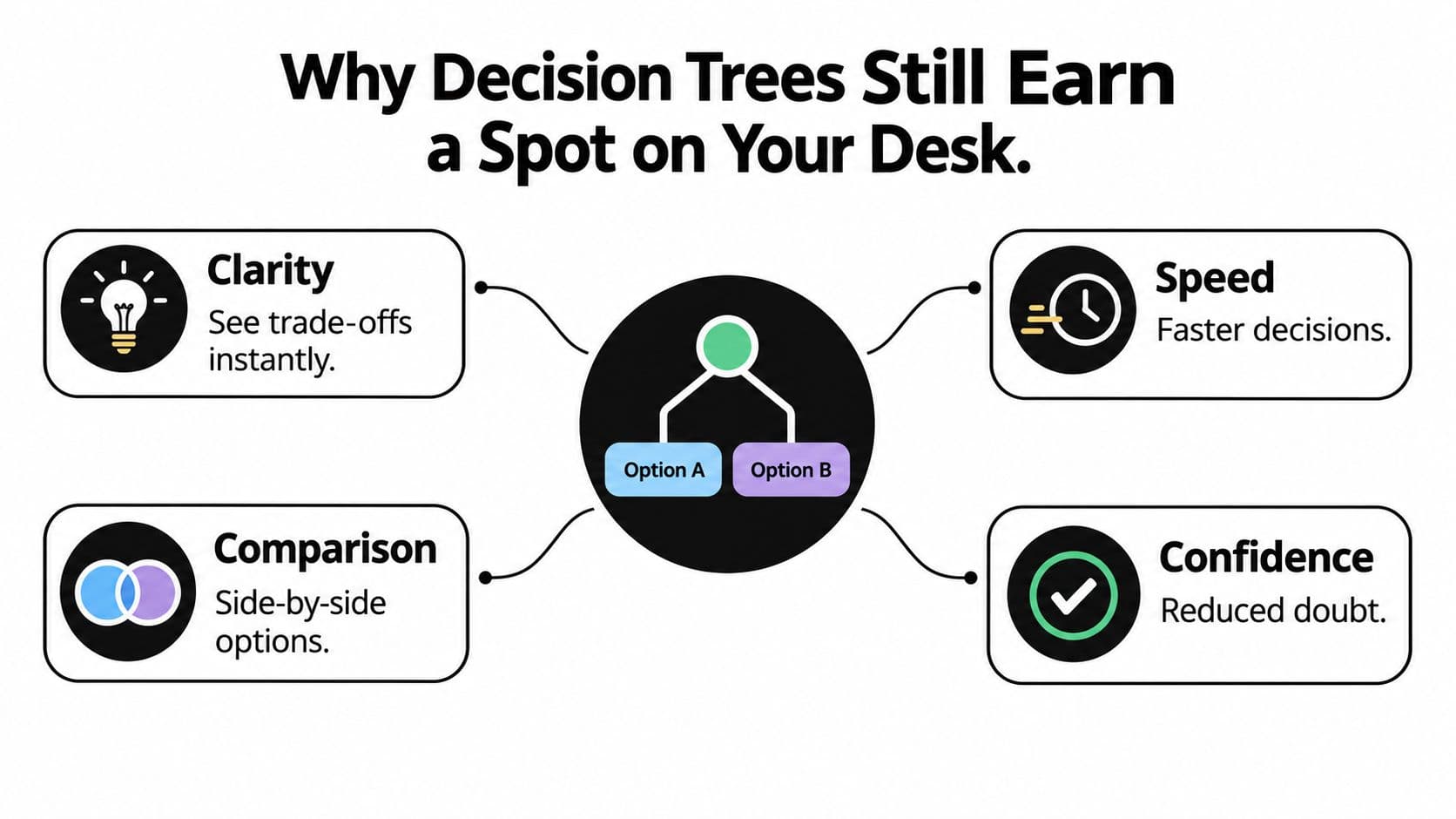
Make your reasoning inspectable
For a property purchase, I'd start with affordability and nonnegotiable constraints before debating preferences. PropLab's real estate decision making framework is a relevant companion when framing that kind of choice.
The same principle applies at work: write down what would rule an option out before you become attached to it.
Practical rule: A decision tree should expose your assumptions, not decorate your preferred answer.
Don't expect the template to remove disagreement or make incomplete evidence disappear. Its job is to show exactly where judgment is required. A clean yes/no diagram that conceals those gaps is less useful than a rough tree that names them.
Three Ready-to-Use Decision Tree Templates
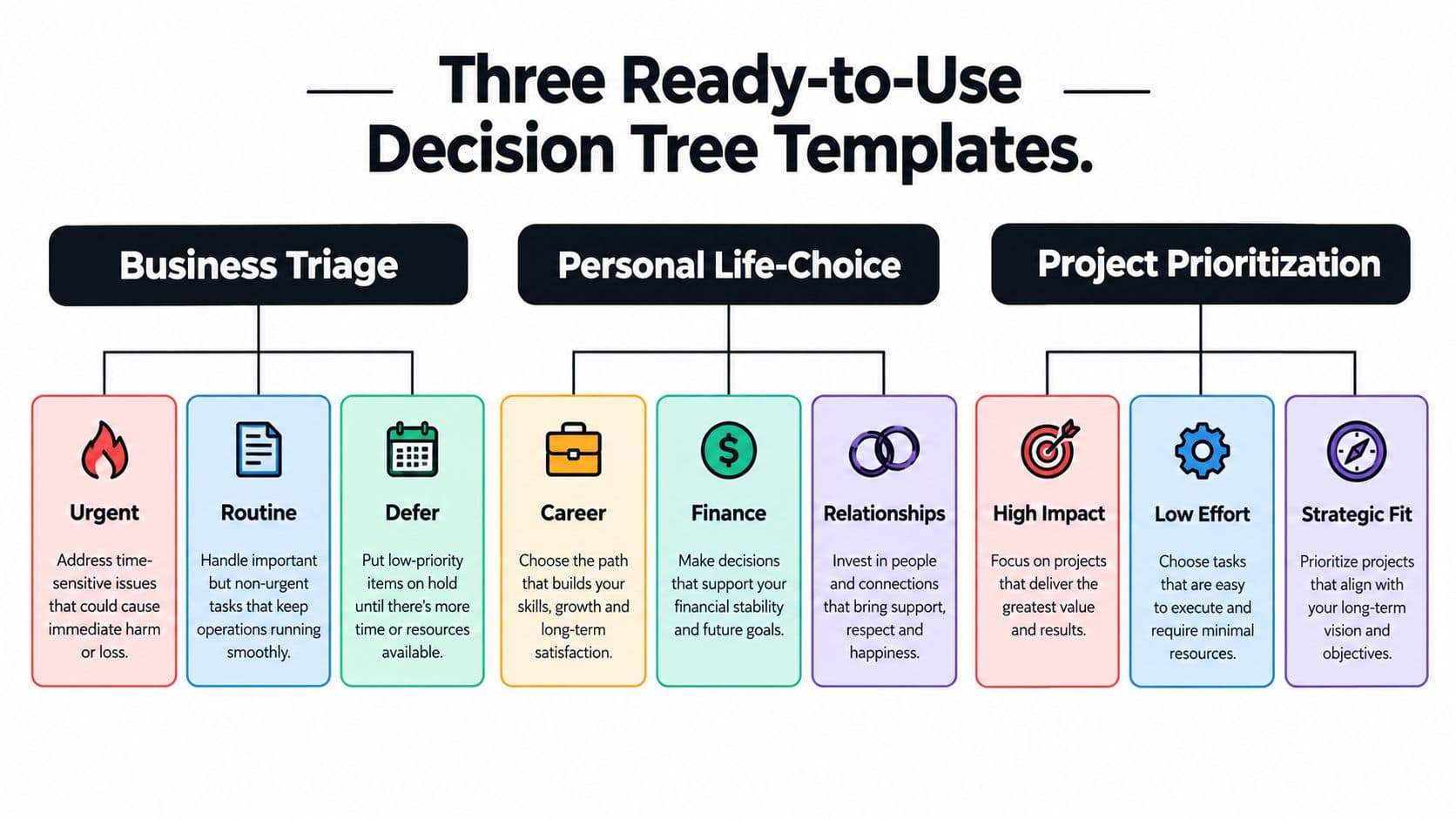
Choose your starting point by the job you need done. Triage routes requests. Personal-choice trees protect constraints. Delegation trees assign responsibility. Trying to make a single elaborate diagram do everything is an easy way to create something nobody uses.
These template shapes provide a useful starting vocabulary. The project-prioritization shape also works as the front end of a delegation tree, provided every selected project ends with an assigned owner.
Business triage for incoming requests
Use this when requests arrive through email, chat, or an intake form and someone must decide where they belong.
- Root question: Does this request require action before the next planned review?
- Urgency test: Check the stated deadline, consequence of delay, and whether another person's work is blocked.
- Terminal actions: Escalate to the duty owner, place in the routine queue, return for clarification, or defer with a review date.
Don't let the requester's urgent label determine the route. Require the consequence of waiting. Otherwise, you've built a visual version of whoever shouts loudest.
Personal life choices with explicit constraints
For a job offer or buy-versus-rent decision, start with feasibility rather than enthusiasm. A useful root question is: Does this option satisfy my nonnegotiable financial and personal conditions?
For a job offer, test compensation against your required income, the schedule against your responsibilities, and the role against work you're willing to do. A failed nonnegotiable condition leads to decline or negotiate. Passing those conditions leads to comparing preferences, not automatic acceptance.
Keep the outputs concrete: request the missing contract terms, negotiate flexibility, investigate the alternative, or accept after review. “Think about it” isn't a terminal action unless you also specify what you're thinking through.
Team delegation with ownership built in
Start with: Can someone else complete this work within documented authority and acceptance criteria? If yes, check capability, access, and available budget. If any condition fails, arrange support or keep the task with its current owner.
| Choose this template | Its distinctive job | Useful endpoint |
|---|---|---|
| Business triage | Route incoming demand | Assigned queue and response |
| Personal life choice | Screen options against constraints | Accept, reject, negotiate, or investigate |
| Team delegation | Transfer execution without losing accountability | Named assignee and acceptance criteria |
Combine the shapes when necessary. A request can pass through triage, receive a priority, and then enter delegation. Keep those stages separate enough that someone can understand their part without reading the entire system.
How to Customize a Template for Your Real Decision
Suppose a small business needs marketing help and is deciding between a full-time marketer and a freelancer. This is a worked example, not a claim that either option is generally better. The useful answer depends on the work, the commitment, and the available supervision.
Write the root question as “Does our marketing workload justify an ongoing employee role?” That's more useful than “Should we hire?” because it tells the team what evidence to gather.
Replace impressions with tests
“Enough work” needs a definition. Use your approved workload forecast, the continuity of responsibilities, and the funding period your business requires for a permanent role. Don't borrow an arbitrary threshold from someone else's template.
Quinlan's 1993 C4.5 extended ID3 with continuous and discrete attributes, missing-data handling, and post-construction pruning, as described in this decision-tree presentation covering C4.5. For an operational template, translate those concerns into explicit inputs, thresholds, exceptions, and review criteria.
Customizing a Template - Field by Field
| Template field | What to write | Example for the marketer question |
|---|---|---|
| Input variable | The information needed to answer | Forecast workload, approved funding, supervision capacity |
| Test or threshold | The documented standard | Workload meets the business's employee-role criteria |
| Branch condition | What qualifies for each route | Sustained demand, project-based demand, or unverified demand |
| Action or outcome | A specific next step | Open a hiring requisition or prepare a freelancer brief |
| Exception handling | What happens when the test can't be completed | Ask the budget owner to confirm available funding |
| Review or pruning criteria | When to revise or remove a rule | Revisit after a material change in scope or funding |
Keep each step answerable
Limit each question to a small set of meaningful routes. For this example, sustained demand can lead to a funding check; project-based demand can lead to a freelancer brief; uncertain demand can lead to a workload audit.
Don't stack workload, budget, and management capacity into a single question. Someone could answer yes to the workload and no to the budget, leaving the branch impossible to select.
If you haven't settled the objective or alternatives, use the steps of the decision-making process before drawing branches. A tree won't fix a poorly framed choice.
Finally, run a recent decision through the draft. Ask a colleague to follow it without your explanation, and watch where they pause. Rewrite vague labels, repair missing endpoints, and remove questions whose answers never change the action.
Designing Branches That Handle Uncertainty
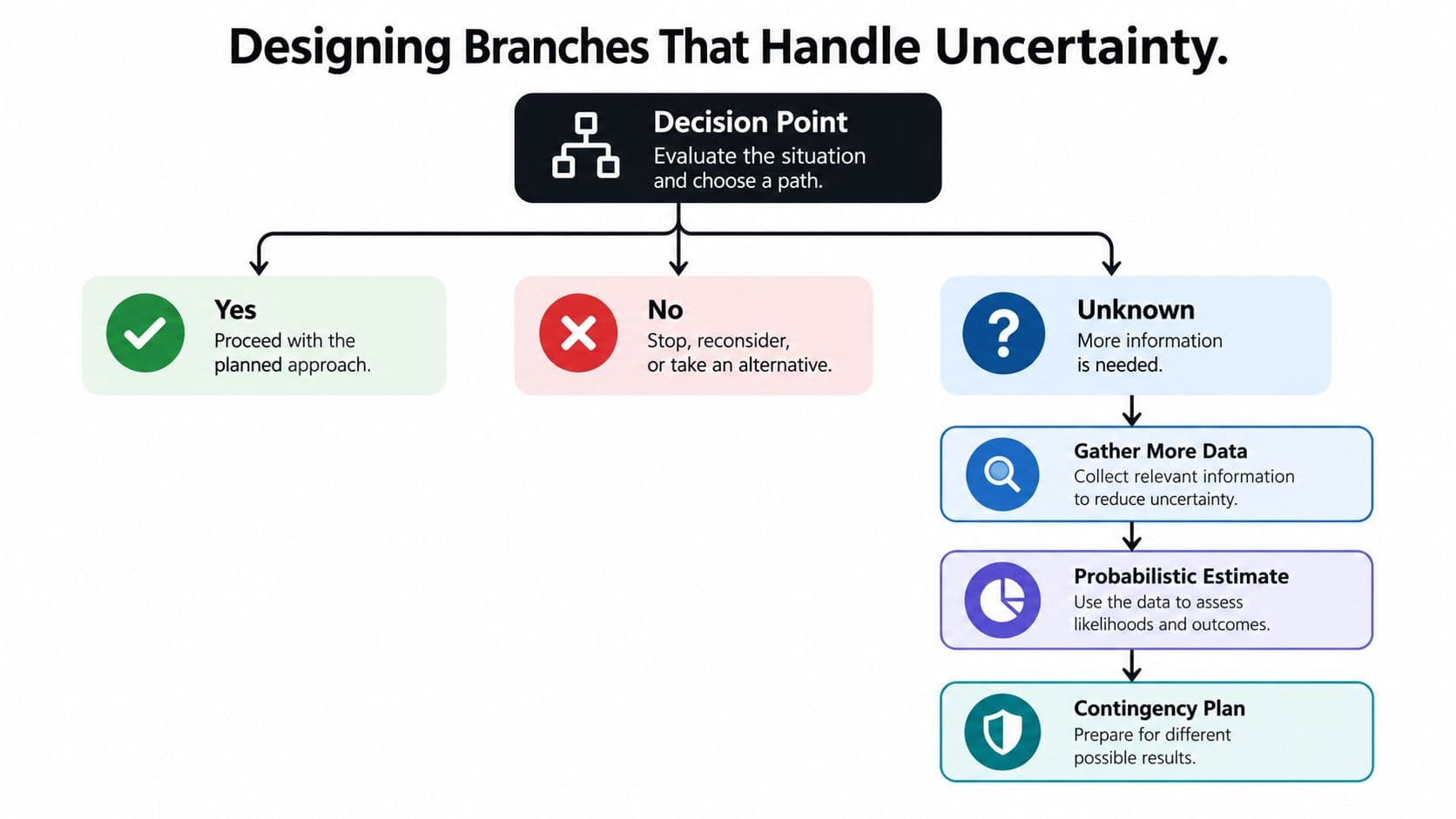
Unknown is not another spelling of no. If a vendor hasn't supplied integration documentation, that doesn't establish that the integration is impossible. It establishes that you lack evidence.
The distinction matters because you need different actions for a failed requirement and an unverified requirement. The decision-tree template guidance on uncertainty explicitly addresses an Unknown branch and documenting probability sources and dates. Build that distinction into the template instead of leaving users to improvise.
The diagram below shows the extra route. Don't interpret it as permission to manufacture a probability whenever evidence is missing.
Give uncertainty an operational destination
Consider a vendor that meets your budget and delivery deadline. Reliability and integration risk remain unresolved. Don't approve the purchase just because the easy checks passed, and don't reject it solely because documentation is pending.
Attach a short evidence-resolution record to the Unknown branch:
- Owner: Name the person responsible for closing the gap.
- Evidence needed: Specify the reference, test result, document, or confirmation required.
- Deadline: State when the information must be available.
- Fallback action: Define what happens if the deadline arrives without evidence.
- Review date: Schedule the next decision checkpoint.
For this vendor, the next action might be assigning someone to obtain a reference and arrange a technical compatibility review. The fallback could be postponing commitment or choosing an already-qualified alternative.
When you can't verify the condition, assign the verification work. Don't force an answer.
Separate choice from chance
A decision node records something you control, such as whether to commission a trial. A chance node records an uncertain outcome, such as whether that trial reveals a compatibility problem.
If you add probabilities, record their source, date, and assumptions, and check that mutually exclusive outcomes reconcile to a complete total. Label judgment-based estimates as judgments. Without a defensible basis, use scenarios rather than numerical confidence.
For competing preferences, Coachful's weighted decision framework for coaches offers a companion format to consider. Keep weighting separate from hard requirements: a strong preference shouldn't cancel a failed safety or contractual condition.
The relationship between decisions and trade-offs also matters here. Choosing a fallback means accepting a consequence, so record that consequence alongside the action.
Plugging Decision Trees Into Team Workflows and Delegation
A diagram attached to a project brief isn't yet a workflow. Someone still needs to receive the task, understand the spending limit, and know when to return it.
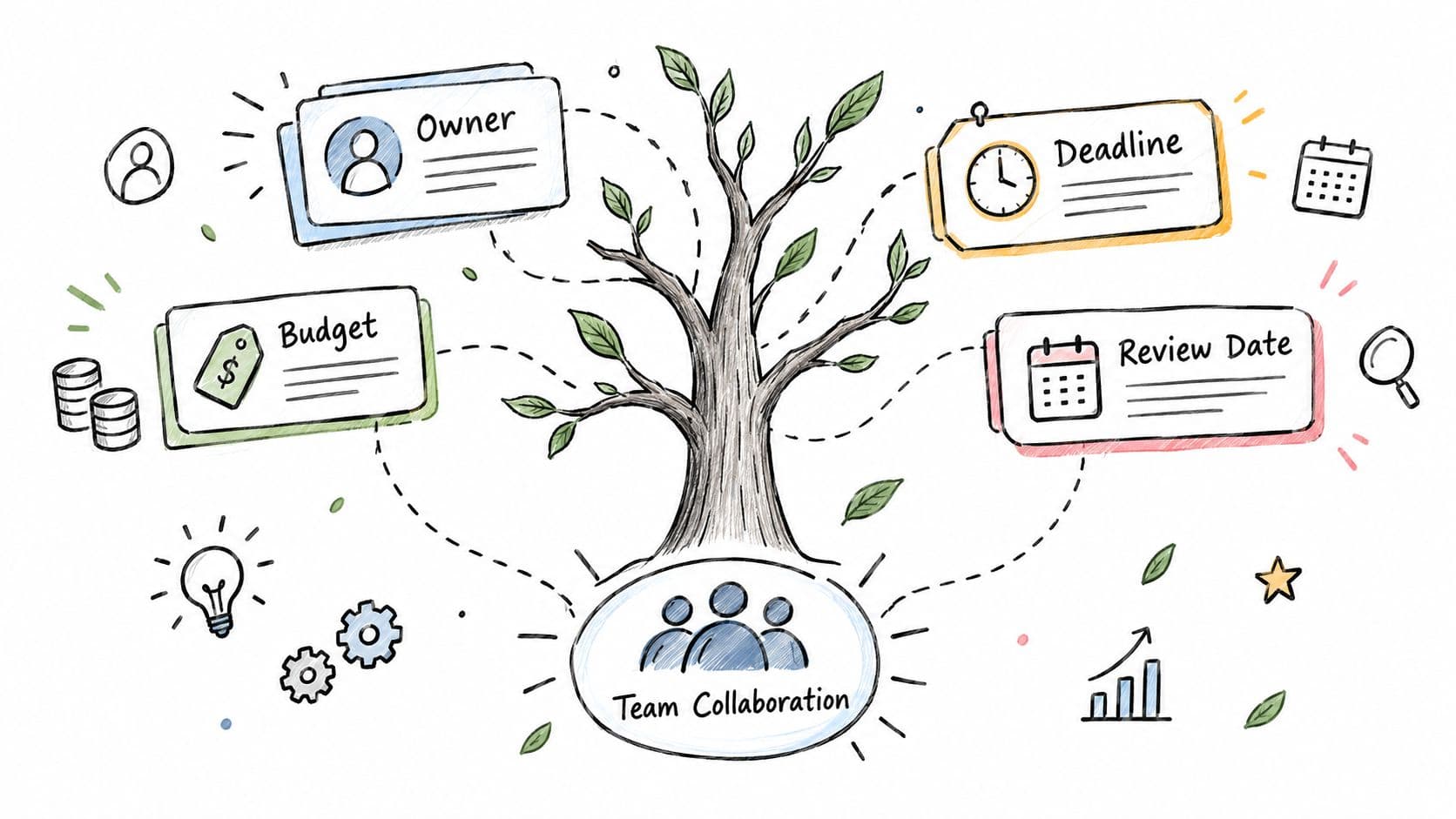
Use the tree to define those handoffs. The illustration below is a reminder that decisions sit alongside people, budgets, and deadlines, not apart from them.
Turn endpoints into task instructions
For each terminal branch, create a task in your shared workspace with a named owner, authorized budget, completion deadline, and review date. Copy the selected path into the task description so the recipient can see why the work reached them.
Keep business framing, evidence preparation, rule construction, validation, and operational review distinct. For data-trained trees, scikit-learn's decision-tree documentation covers complexity controls, pruning, and class-imbalance considerations. For team routing, I recommend a separate human-review destination for low-confidence or high-impact outcomes rather than automatic execution.
A content-approval workflow makes the distinction concrete:
| Condition | Route | Required handoff |
|---|---|---|
| Content meets the approved brief and checklist | Original content owner | Record approval and schedule publication |
| Supporting evidence or permissions are missing | Research assistant | Collect documentation and return findings |
| Claims create legal, contractual, or reputational concerns | Accountable reviewer | Review before publication can proceed |
| Proposed changes exceed the approved scope | Project owner | Confirm scope and budget before further work |
The assistant's assignment is evidence gathering, not final approval. That boundary should appear in the task itself, not in a conversation the assistant never saw.
For a visual companion to the workflow setup, use the video below.
Delegate bounded work, retain consequential judgment
Pay-per-task delegation suits work with a visible finish line: obtain the missing source, compare the proposal against the checklist, or summarize unresolved comments. Define what completed means before assigning it.
Keep final decisions with the accountable owner when they involve confidential judgment, policy exceptions, or commitments beyond the delegate's authority. Access to a task doesn't imply permission to approve it.
The return path matters just as much as the assignment. Require the delegate to attach evidence, identify unresolved points, and send the task back to the relevant decision node. Otherwise, you've moved the uncertainty to someone else's inbox without resolving it.
Making Decision Trees Friendly for Neurodivergent Users
A beautiful tree can still be exhausting to use. Crossing lines, dense labels, and answers that disappear from view turn a simple choice into a memory and navigation task.
For readers with ADHD, dyslexia, low vision, or executive-function difficulties, don't assume the diagram is the clearest interface. Design a focus-first path alongside it, and let users choose how they move through the decision.
Design the interaction, not just the page
Use the accessibility principles of being perceivable, operable, understandable, and strong as design requirements. The discovery and research template collection provides background context for template design; the checklist below is a practical specification I recommend, not a claim that a particular template meets it.
- One question per step: Show the current choice without requiring users to scan the full tree.
- Plain-language labels: Replace internal jargon with the actual condition being tested.
- Persistent answer summary: Keep previous selections visible and editable.
- Linear text alternative: Provide a readable sequence of questions, conditions, and actions.
- Keyboard navigation: Let users reach controls without relying on a mouse.
- Visible progress: Show the current stage without promising a fixed path through every branch.
- Clear recovery: Offer back, edit, save, and request-help routes without erasing completed work.
These aren't interchangeable accommodations. Someone may prefer the full diagram; someone else may need the linear view. Give them options rather than deciding that every neurodivergent user needs the same interface.
Audit the effort you're asking for
Test the tree without explaining it. Ask a colleague to find the starting point, change an earlier answer, locate supporting evidence, and resume after an interruption. Watch for hesitation, not just errors.
A distraction-free task view can support this approach if you keep the current question prominent and supporting material easy to open. Delegation can provide an escape route for an ambiguous research step, but it shouldn't be the only way to complete an inaccessible interface.
For broader work-design ideas, the guide to neurodivergent productivity is a useful companion. Keep the distinction clear: productivity features don't establish accessibility.
If someone can't finish your tree in a sitting, inspect the tree before blaming their attention.
That doesn't mean every complex decision must be immediate. It means you should remove avoidable friction and provide a reliable way to pause, recover context, and continue.
Your First 30 Days With a Decision Tree Template
Start with a personal choice, a team approval, and a delegated research task. Choose decisions that are active enough to test, but bounded enough to revise without disrupting critical work.
A practical rollout
- Week one: Draft the relevant templates on paper. Tighten each root question before adding branches. Even in a different context, the Tarot Chats question phrasing guide offers a useful prompt to examine how you've phrased a binary question.
- Week two: Move the drafts into your task workspace. Assign owners and deadlines, then follow actual cases through to completion.
- Week three: Inspect unresolved cases. Add the uncertainty records and return paths that those cases reveal.
- Week four: Run the accessibility audit. Remove branches that don't affect the action, but don't delete rare safeguards merely because they haven't been used.
Before keeping a template, check its finish line: Can someone answer the current question, revise a previous answer, pause safely, and identify who acts next? If not, revise it.
Treat templates as living documents with an owner and a reason to review them.
A useful decision tree template is small enough to finish, honest enough to admit what it doesn't know, and clear enough to hand off without losing meaning.
Fluidwave combines task management with human-assistant delegation, giving you a place to turn decision-tree outcomes into assigned work. Bring a live decision, create tasks for its endpoints, and define the budget and deadline for any evidence-gathering work you hand off.
Focus on What Matters.
Experience lightning-fast task management with AI-powered workflows. Our automation helps busy professionals save 4+ hours weekly.