Reclaim balance & boost productivity in 2026 with 10 actionable burnout prevention strategies for individuals & teams.
July 1, 2026 (3mo ago)
Burnout Prevention Strategies: Reclaim Balance in 2026
Reclaim balance & boost productivity in 2026 with 10 actionable burnout prevention strategies for individuals & teams.
← Back to blog
It's more than just a bad week. It's the Sunday evening dread, the sense that you're already behind before Monday starts, and the quiet shift from caring about your work to resenting it. If that sounds familiar, you're probably not dealing with ordinary stress. You're getting pulled toward burnout.
Often, the advice received at this point is unhelpful. Take a bath. Practice gratitude. Download a meditation app. None of that is useless, but it's nowhere near enough when the underlying problem is workload, poor priorities, fuzzy expectations, and work that keeps leaking into every corner of life.
That's the part people miss. Burnout usually isn't a character flaw. It's a design problem. The job, the team, the workflow, the manager, and the systems around the work all shape whether someone can sustain effort without breaking down. If those systems are bad, no amount of personal discipline will fully save you.
The good news is that burnout prevention strategies don't have to be vague or soft. They can be operational. You can change how tasks get assigned, how priorities get set, how capacity is reviewed, how breaks are protected, and how managers respond when people start to slide.
If you need a practical reset, start with the basics of how your time is getting spent. These Pretty Progress time management insights pair well with the strategies below.
1. Task Delegation and Workload Distribution
A lot of burnout comes from work that shouldn't be on your plate in the first place.
I see this constantly with founders, department heads, and high performers. They're drowning, but not because all their work is high value. They're buried in scheduling, inbox cleanup, follow-up messages, research compilation, document formatting, and status chasing. None of that is trivial, but it doesn't all require the same person.
What good delegation looks like
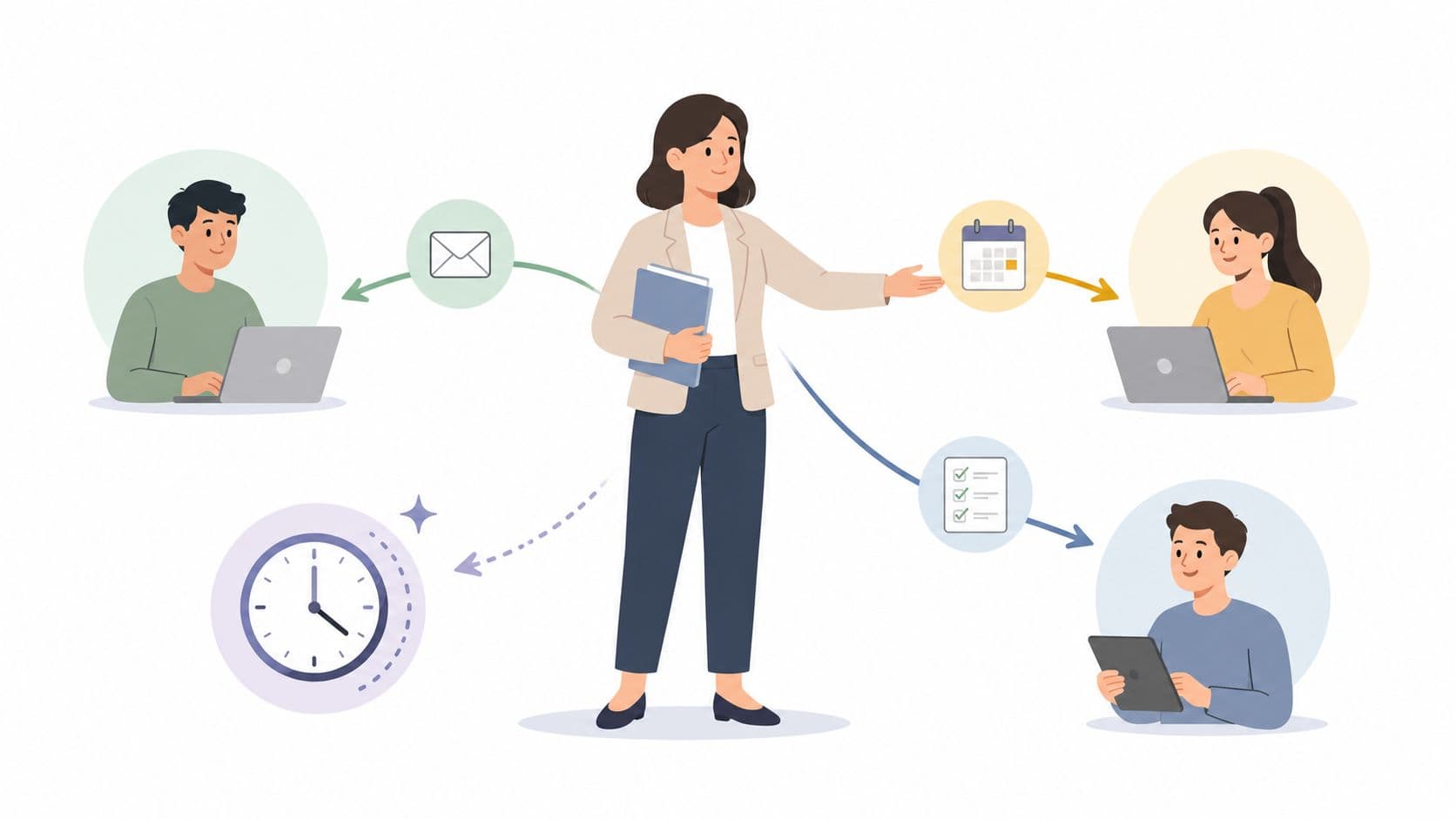
Delegation isn't throwing work over the wall. It's deciding what only you can do, then moving everything else to a capable person or system with clear expectations. A startup founder can hand off calendar coordination to a virtual assistant. A project manager can spread routine follow-ups across the team instead of becoming the bottleneck for every status update.
Fluidwave is useful here because it combines task tracking with pay-per-task delegation. If you want a practical framework, this guide on delegation in management covers the mechanics.
Practical rule: Delegate the repeatable tasks first, not the mission-critical ones. You want early wins, not early chaos.
The trade-off is real. Delegation takes setup time. You have to document the process, define what done looks like, set deadlines, and check quality without hovering. But once that's in place, the mental relief is substantial because you're no longer carrying every moving part in your own head.
- Start small: Hand off one or two recurring tasks first, such as inbox triage or meeting scheduling.
- Write the playbook: A short checklist or Loom walkthrough prevents constant clarification later.
- Define success clearly: State the deadline, priority, format, and what to escalate back to you.
For neurodivergent professionals in particular, delegation can do more than save time. It can reduce the environmental friction that drives chronic burnout when workflows are cluttered, unclear, or built around nonstop task switching.
2. Intelligent Task Prioritization Systems
An overloaded list is exhausting. A ranked list is manageable.
When everything feels urgent, your brain starts treating all work as equally threatening. That creates decision fatigue before you've done a single meaningful task. Intelligent prioritization solves that by giving work an order. Not a vague sense of importance. A real order.
Stop relying on mood
The mistake is reprioritizing all day long. That turns your task list into a slot machine.
Use a consistent framework instead. Product managers often do this naturally with Kanban boards, calendar views, and backlog scoring. The same logic works for anyone else. Separate work by urgency, importance, deadline risk, and business impact. Then review it on a schedule, usually weekly, instead of every fifteen minutes.
For people with ADHD or other executive function challenges, this matters even more. The underserved gap in burnout advice is obvious here. Neurodivergent professionals often burn out because the work environment creates friction, not because they need better self-care. Emerging 2025 to 2026 reporting in the verified data notes that neurodivergent workers account for 30% of burnout cases in high-pressure roles, while most existing content still pushes one-size-fits-all advice instead of structural tools like Kanban, table views, and dynamic task reordering.
How to make the system usable
A prioritization system only works if it reduces thinking load.
- Choose one primary method: Eisenhower matrix, impact-versus-effort, or deadline-plus-impact scoring. Don't stack five methods on top of each other.
- Match the view to the work: Kanban is good for flow, table view is good for detail, and calendar view is good for deadline clustering.
- Protect strategic work: Put long-term tasks into the system before they become emergencies.
The right system should answer one question fast. What should I do next?
Fluidwave's multiple views and auto-prioritization are valuable because they let people work in the format that makes sense to them instead of forcing everyone into the same mental model. That's one of the few practical ways to reduce overwhelm without reducing output expectations.
3. Structured Breaks and Time Blocking
Working longer isn't the same as working better.
People hit burnout when they turn every day into one unbroken stretch of reaction, meetings, and catch-up. Structured breaks and time blocking interrupt that pattern. They create visible limits around effort, which is what most burned-out schedules are missing.
Use your calendar like a workload tool
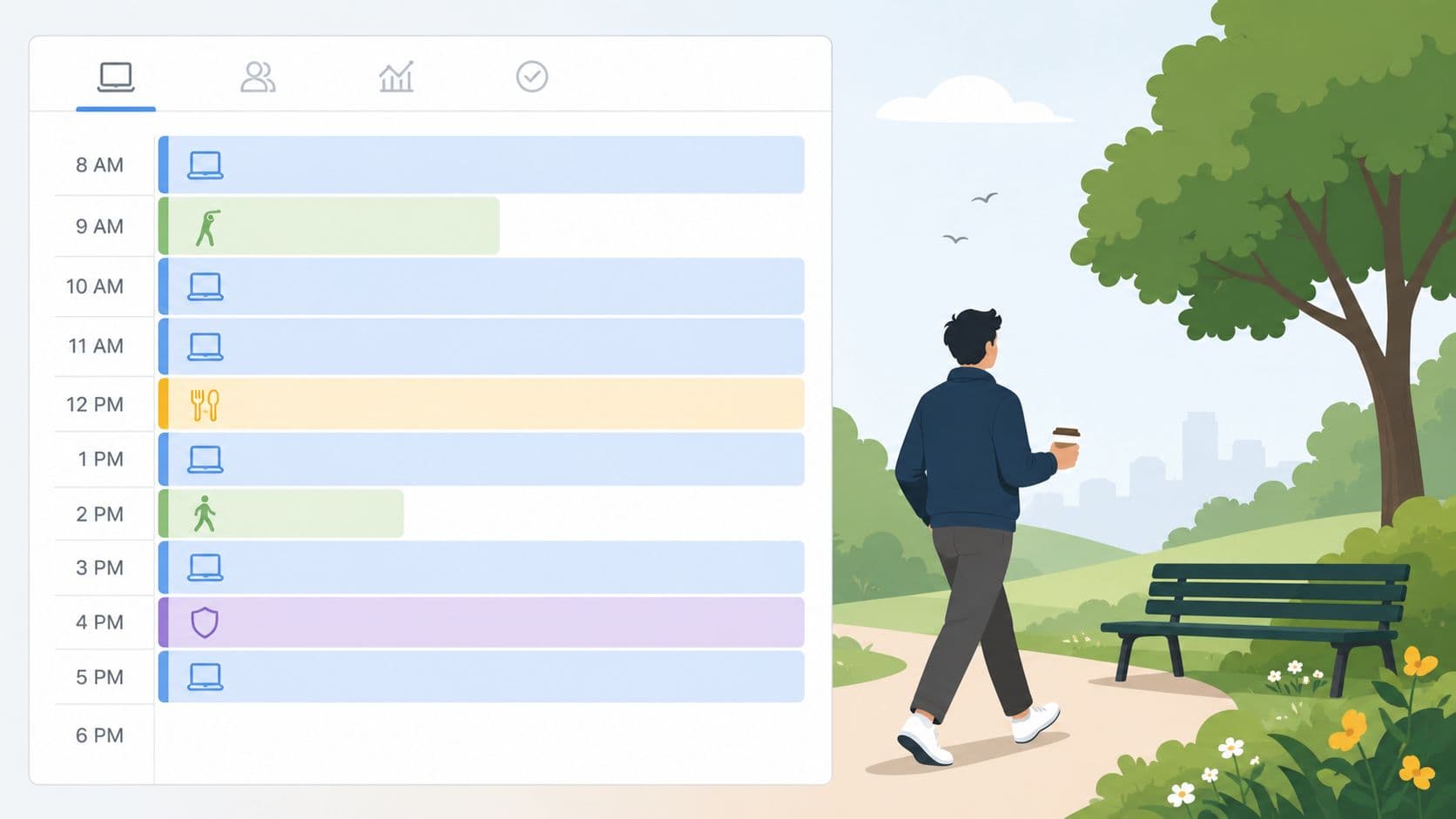
Time blocking sounds simple because it is. Block focused work. Block meetings. Block breaks. Block admin. Then defend those blocks.
A consultant might reserve mornings for client strategy and afternoons for calls. A writer might stack meetings on Monday and leave Thursday morning untouched for deep writing. A project lead might protect Friday afternoon for review, planning, and cleanup so the next week doesn't start in a fog.
The break part matters just as much. In emotionally demanding roles, preventive mechanics are often concrete rather than inspirational. A review in human services highlighted six useful strategies: supervision, discussing hard cases with colleagues, prompt feedback, room to vent with managers or peers, task rotation, and explicit discussion of how to handle emotional demands through work itself, not just general stress advice in the abstract (human services burnout prevention review).
A workable rhythm
Most professionals need less heroic effort and more pacing.
- Schedule breaks as real appointments: If it's not in the calendar, work will absorb it.
- Group similar tasks: Batch meetings, approvals, and email responses so they stop fragmenting the whole day.
- Move during breaks: Walk, stretch, or step outside. Don't replace one screen with another.
If your blocks constantly collapse, that's usually not a discipline issue. It means your workload, availability expectations, or meeting culture need fixing too.
4. Clear Boundaries and Communication of Availability
Burnout loves ambiguity.
If nobody knows when you're available, how fast you reply, or when you're off the clock, work expands until it fills every gap. That's why boundary-setting isn't just personal self-help. It's operating procedure.
Boundaries need to be visible
A boundary that lives only in your head won't protect you. You have to state it.
That can mean core collaboration hours, no-meeting periods, a response-time norm for email, or a hard rule that you don't check messages after work. Remote workers especially need this because home and office can blur into one long half-working state.
The American Psychiatric Association's guidance is blunt on this point. Burnout prevention requires setting clear work hours and refusing to engage with work outside those windows, such as not taking calls during breaks or reading email after hours (APA guidance on preventing burnout).
If your team expects instant access to you all day and all night, you don't have flexibility. You have permanent interruption.
What this looks like in practice
A few examples work better than vague intentions. An executive sets a 24-hour email response norm unless something is marked urgent. A freelancer turns on an autoresponder after hours and puts project updates into a shared workspace instead of accepting random texts. A manager blocks lunch and stops apologizing for being offline for thirty minutes.
- Communicate early: Tell clients, peers, and your team what your availability looks like before problems start.
- Use system support: Status indicators, autoresponders, and shared task boards reinforce the boundary for you.
- Renegotiate when work changes: Product launches, travel, and quarter-end crunches may require temporary adjustments, but temporary needs to stay temporary.
Boundary-setting can feel uncomfortable at first. That discomfort is often a sign that your old pattern was unsustainably open-ended.
5. Workload Visibility and Capacity Management
Monday starts with a quick standup. By Thursday, one person is covering two deadlines, answering three “small” requests, and carrying the coordination work nobody assigned. That pattern is common, and it is exactly why burnout prevention has to include workload visibility, not just personal coping habits.
Burnout grows fast when teams cannot see total demand against actual capacity. People agree to work they do not have room for because the full picture lives in scattered chats, private to-do lists, and optimistic timelines. At the individual level, that creates chronic overextension. At the manager level, it leads to bad staffing calls. At the organizational level, it turns overload into business as usual.
Capacity management fixes a practical problem. It shows what is on each person's plate, how much time the work really takes, and where commitments exceed available hours. That gives leaders a chance to intervene before performance drops, resentment builds, or good people start checking out.
A useful starting point is a clear team capacity planning process that maps committed work against real availability, including meetings, approvals, coordination, and rework.
What good workload visibility looks like
A visible workload system answers four questions every week: what is committed, who owns it, how long it is expected to take, and what gets deprioritized if something new comes in.
That sounds simple. In practice, many teams skip the last part. They keep adding work without removing anything, which makes every plan fiction.
Strong teams review capacity at three levels:
- Individual: Track active work, not just assigned work. Include hidden labor like follow-ups, stakeholder updates, and handoffs.
- Managerial: Compare workload across the team so one reliable person does not absorb all the overflow.
- Organizational: Check whether demand patterns, staffing levels, and delivery promises match reality.
What managers should do this week
Start with a live review of current commitments. Do not ask only whether projects are on schedule. Ask what each person is carrying, what is at risk, and what would break if one more priority gets added.
Then make decisions.
- Review assignment spread: Find the people doing visible tasks and invisible coordination, then rebalance both.
- Estimate actual effort: Count planning time, meetings, approvals, revisions, and context switching. The work is larger than the task title.
- Set a trade-off rule: New work requires a scope cut, a deadline change, or a different owner.
- Flag overload early: If someone is over capacity for two straight weeks, treat it as a management problem, not a personal efficiency issue.
I have seen this fail when leaders ask for transparency and then punish it. If people say they are overloaded and nothing changes, the reporting stops. If they raise a capacity issue and a manager cuts scope or resets timing, the system starts to earn trust.
One of the clearest signs that this is working is simple. A team member can say, “I do not have room for that this week,” and the next conversation is about priorities, not guilt.
6. Automation of Routine and Repetitive Tasks
Some work drains people because it's hard. Some work drains people because it's pointless to do manually.
Repetitive admin is a classic burnout accelerant. Status templates, recurring reminders, file routing, categorization, scheduling nudges, and repeatable handoffs can eat hours while adding almost no human value.
Automate the boring parts first
This isn't about replacing judgment. It's about removing low-value repetition so people can spend more time on work that needs them.
A project operations lead can automate weekly update templates. A founder can create recurring tasks for payroll prep and investor follow-ups. A client services team can route incoming requests by project type instead of manually sorting them each morning.
Here's a useful walkthrough on workflow automation in action:
Where automation helps burnout most
Automation works best when the task is frequent, rule-based, and annoying.
- Create recurring templates: Monthly reviews, status reports, onboarding steps, and check-ins shouldn't start from scratch each time.
- Use routing rules: Send tasks to the right person based on project, department, or task type.
- Review automations periodically: A stale automation can create just as much mess as manual work.
There's a trade-off here too. Automation can make work feel more rigid if you overdo it. The fix is simple. Automate the sequence, not every decision. Leave room for judgment where the work actually changes.
Fluidwave is especially strong when you combine automation with delegation. The system can structure and route the work, then a human assistant can handle the parts that still need context, follow-through, or coordination.
7. Regular Recovery Time and Vacation Actually Taken
A weekend half-spent checking Slack is not recovery.
Neither is a vacation where you “stay available just in case.” If you never fully detach, your body and brain never get the signal that the strain has ended. That's how fatigue turns from temporary to cumulative.
Time off only works when it is real time off
Busy professionals tend to treat vacation as optional. That's backward. Recovery time is maintenance.
I've seen teams improve this by building coverage into the workflow instead of treating absence as a personal inconvenience. Someone owns approvals while you're away. The handoff is documented. The autoresponder names the coverage contact. The work keeps moving without dragging you back in.
Manager check: If your team can't take a week off without chaos, the problem is your operating model, not their commitment.
Longer recovery periods also expose broken systems. If one employee is the only person who knows how to run a process, that isn't expertise. It's fragility.
Make time off easier to take
People are more likely to recover when the mechanics are settled in advance.
- Schedule leave early: Put it on the calendar well ahead of time and treat it as fixed.
- Prepare a handoff note: List active tasks, deadlines, contacts, and decisions that might come up.
- Use a clean autoresponder: State that you're unavailable and direct urgent issues to a named backup.
When leaders don't take real vacation, nobody below them believes they're allowed to either. Culture follows what people observe, not what the handbook says.
8. Focus on Deep Work and Flow State Protection
Fragmented work can burn people out even when the total hours don't look extreme.
That surprises a lot of managers. They assume burnout only comes from sheer volume. Often it comes from the way the work is structured. Endless switching, shallow attention, constant chat notifications, and back-to-back meetings leave people exhausted without the satisfaction of having completed anything meaningful.

Protect the kind of work that restores engagement
Deep work is one of the few parts of modern work that can feel energizing instead of draining. When a developer gets uninterrupted build time or a strategist has a full block to think through a problem, work starts to feel coherent again.
That's why focus protection deserves a place on any serious burnout plan. No-meeting mornings, notification-free blocks, visible focus status, and task queues designed for one substantial priority at a time all help.
Fluidwave's interface is built around that kind of clarity, and this guide on how to achieve flow state connects the theory to actual task design.
Flow doesn't happen by accident
You can improve the odds.
- Block one meaningful task at a time: Deep work fails when the block contains six unrelated tasks.
- Cut active interruptions: Close email, mute chat, and remove visual clutter.
- Match the task to your energy: Do hard thinking when your mind is fresh. Save admin for lower-energy windows.
A lot of people don't need more motivation. They need fewer interruptions and a cleaner run at work that matters.
9. Social Connection and Team Support Systems
Burnout gets worse in isolation.
People can tolerate demanding periods better when they feel supported, understood, and safe being honest about what's not working. Without that, stress turns private. Private stress turns into silent struggle. Then managers act surprised when someone checks out or quits.
Support has to be built into the team
Manager behavior is a critical factor. Gallup identifies five concrete manager actions that help prevent burnout: listen to work-related problems, encourage teamwork and peer support, invite employees' opinions about their work, connect tasks to organizational purpose, and focus on strengths-based feedback while keeping expectations clear enough that people aren't wasting time guessing what good looks like (Gallup on preventing employee burnout).
That sounds basic. It is basic. And it's frequently missing.
A good team support system can be simple. Monthly one-to-ones that include a real wellbeing conversation. Peer mentoring for new managers. A team ritual that creates connection without forcing fake fun. Clear permission to say, “I'm overloaded,” or “I'm not handling this client situation well.”
Make support practical, not performative
A lot of team culture efforts fail because they feel staged.
- Ask better questions: “What's getting in your way?” works better than “How are things?”
- Normalize hard conversations: Stress, confusion, and overload shouldn't require a crisis before they're discussable.
- Use peers well: Colleagues often spot burnout signs before managers do.
The strongest teams don't just have camaraderie. They have routines that make support available before someone reaches the edge.
10. Skill-Building and Career Development Pathways
People burn out faster when work feels endless and static.
Heavy workloads are harder to carry when someone can't see growth, learning, or any path forward. Even a manageable role can become draining if it feels like a dead end. Development changes that. It adds meaning, momentum, and a reason to stay engaged.
Growth is a preventive tool, not a perk
This matters more than many leaders think. People want to know that their current effort connects to future capability.
That can look different across roles. A high-performing coordinator might want stretch projects and exposure to operations. A senior individual contributor might want a specialist path instead of being pushed toward people management. A freelancer might need room to build systems, pricing confidence, or a deeper niche.
There's also a trust dimension here. According to a 2025 MustardHub survey, 46% of workers have already quit jobs because they felt disconnected or unsupported, while 59% are open to supervisor intervention when they're at risk for burnout, which suggests that thoughtful involvement from managers is often experienced as care rather than surveillance (predictive analytics and supervisor intervention findings).
Build development into the work itself
Development doesn't need to wait for an annual review.
- Talk about future direction in one-to-ones: Ask what skills the person wants to build, not just what the team needs right now.
- Create multiple paths: Management isn't the only valid form of progress.
- Tie growth to actual assignments: Let people lead a piece of work, mentor a junior teammate, or own a process improvement.
When people can see progress, work feels less like depletion and more like investment.
10-Point Comparison of Burnout Prevention Strategies
| Strategy | Implementation Complexity 🔄 | Resource Requirements ⚡ | Expected Outcomes 📊 | Ideal Use Cases 💡 | Key Advantages ⭐ |
|---|---|---|---|---|---|
| Task Delegation and Workload Distribution | Moderate, process, training, trust-building | Moderate, onboarding time; pay-per-task or staffing costs | Reclaimed time (4+ hrs/week), reduced decision fatigue | Routine admin, scheduling, research; overloaded leaders | Scales capacity, builds team skills, flexible cost model |
| Intelligent Task Prioritization Systems | Moderate, define criteria and tune rules | Low–Moderate, software and periodic calibration | Clear task order; fewer decisions; aligned priorities | Deadline-driven teams, PMs, neurodivergent users | Reduces analysis paralysis; objective prioritization |
| Structured Breaks and Time Blocking | Low, scheduling habit and discipline | Minimal, calendar tooling and commitment | Improved focus quality; sustainable work rhythm | Knowledge workers, deep-focus tasks | Prevents marathon work; enforces recovery |
| Clear Boundaries and Communication of Availability | Low–Moderate, policy + culture change | Minimal, status tools; leadership buy-in | Lower connectivity anxiety; protected off-time | Remote teams, entrepreneurs, async environments | Stops always-on expectations; models healthy behavior |
| Workload Visibility and Capacity Management | Moderate, tracking, honest estimates, reviews | Moderate, dashboards, manager time, tooling | Prevents overallocation; proactive redistribution | Teams with interdependent tasks and sprints | Detects overload early; improves estimation accuracy |
| Automation of Routine and Repetitive Tasks | Moderate, initial setup and maintenance | Moderate, automation tools, technical expertise | Significant time savings; fewer errors; consistency | Data entry, recurring reports, templated workflows | Eliminates manual steps; reduces cognitive load |
| Regular Recovery Time and Vacation Actually Taken | Low, scheduling and coverage planning | Moderate, backup staffing and policy enforcement | True psychological recovery; reduced long-term burnout | All staff; high-tenure or high-demand roles | Restores capacity; improves creativity and health |
| Focus on Deep Work and Flow State Protection | Moderate, protected scheduling + culture support | Minimal–Moderate, quiet space, meeting discipline | Higher-quality output; increased satisfaction and momentum | Creative work, development, research tasks | Boosts output quality and intrinsic motivation |
| Social Connection and Team Support Systems | Low–Moderate, rituals, 1:1s, manager training | Minimal, recurring time for check-ins and mentoring | Reduced isolation; early burnout detection; resilience | Distributed teams, high-stress environments | Builds psychological safety; improves retention |
| Skill-Building and Career Development Pathways | Moderate, program design, career mapping | Moderate–High, learning budget, mentor time | Greater engagement, retention, long-term growth | Organizations focused on retention and talent growth | Creates meaning and progression; develops capabilities |
From Surviving to Thriving
It usually looks like this. A strong employee starts missing small deadlines, keeps Slack open late, skips breaks, takes on extra work because it feels faster than explaining it, and says they are "fine" right up until performance drops. By the time the problem is visible, the team has already been working in a way that burns people out.
Burnout prevention works when it is built into how work gets assigned, reviewed, and completed. The shift is operational. Teams need clear workload distribution, realistic priorities, protected focus time, visible capacity, real recovery, and managers who know how to step in before strain turns into attrition.
That is the difference this framework tries to make. It goes past individual self-care and treats burnout as a three-level problem. Individuals need tactics they can use this week. Managers need practices that catch overload early. Organizations need systems, staffing discipline, and expectations that do not reward chronic overextension.
Managers sit in the middle of all three levels, which is why manager quality matters so much in practice. I have seen the same role feel sustainable under one manager and exhausting under another. The difference usually comes down to a few plain habits: setting priorities in the right order, spotting uneven workload, removing blockers, saying no to low-value urgency, and making it safe for people to raise capacity issues before they break.
Self-care still has a place. It just cannot carry the full load. If deadlines are unrealistic, staffing is thin, and response expectations are vague, no meditation app is going to solve the problem. Teams need structural fixes. Individuals still need personal discipline, but they should not be asked to compensate for broken operating conditions.
For individuals, the best starting point is the pressure point that keeps wrecking the week. Fix the thing causing repeated friction. If your calendar is fragmented, protect focus blocks. If you answer messages at all hours, set availability rules. If admin work keeps swallowing high-value time, delegate it or automate it. Small changes work when they remove a recurring source of strain, not when they add another ideal to fail at.
For managers, burnout prevention is part of running the team well. Review workloads before sprint plans or deadline commitments are finalized. Ask what is stuck, what can be delayed, and what should be reassigned. In high-stress roles, add debriefs, rotation, and closer supervision. Generic encouragement is not enough when the work itself is the stressor.
For organizations, the true test is whether prevention shows up in planning and policy. Coverage for vacations. Meeting discipline. Capacity review. Manager training. Clear norms for after-hours communication. Career paths that give people a reason to grow instead of endure. If those pieces are missing, a wellness program will read well and accomplish very little.
Tools help when they support the system instead of pretending to be the system. Fluidwave is useful in that narrower, practical sense. It helps teams assign work clearly, surface priorities, offload repetitive tasks, and reduce the constant switching that drains attention. Used well, it supports the individual, managerial, and organizational layers at the same time.
If you want a broader companion read, these strategies to combat remote work burnout are worth pairing with the systems above.
Start with one operating change people can feel within a week. Make ownership clear. Check whether the change reduced load or just renamed it. The goal is not merely to avoid burnout. It is to build a way of working that people can sustain, and still do good work inside.
Focus on What Matters.
Experience lightning-fast task management with AI-powered workflows. Our automation helps busy professionals save 4+ hours weekly.