Learn how an Agile Kanban board works, including its columns, cards, and work-in-progress limits, and how teams use it to keep projects moving.
November 24, 2026 (Today)
How an Agile Kanban Board Works and Why Teams Rely on It
Learn how an Agile Kanban board works, including its columns, cards, and work-in-progress limits, and how teams use it to keep projects moving.
← Back to blog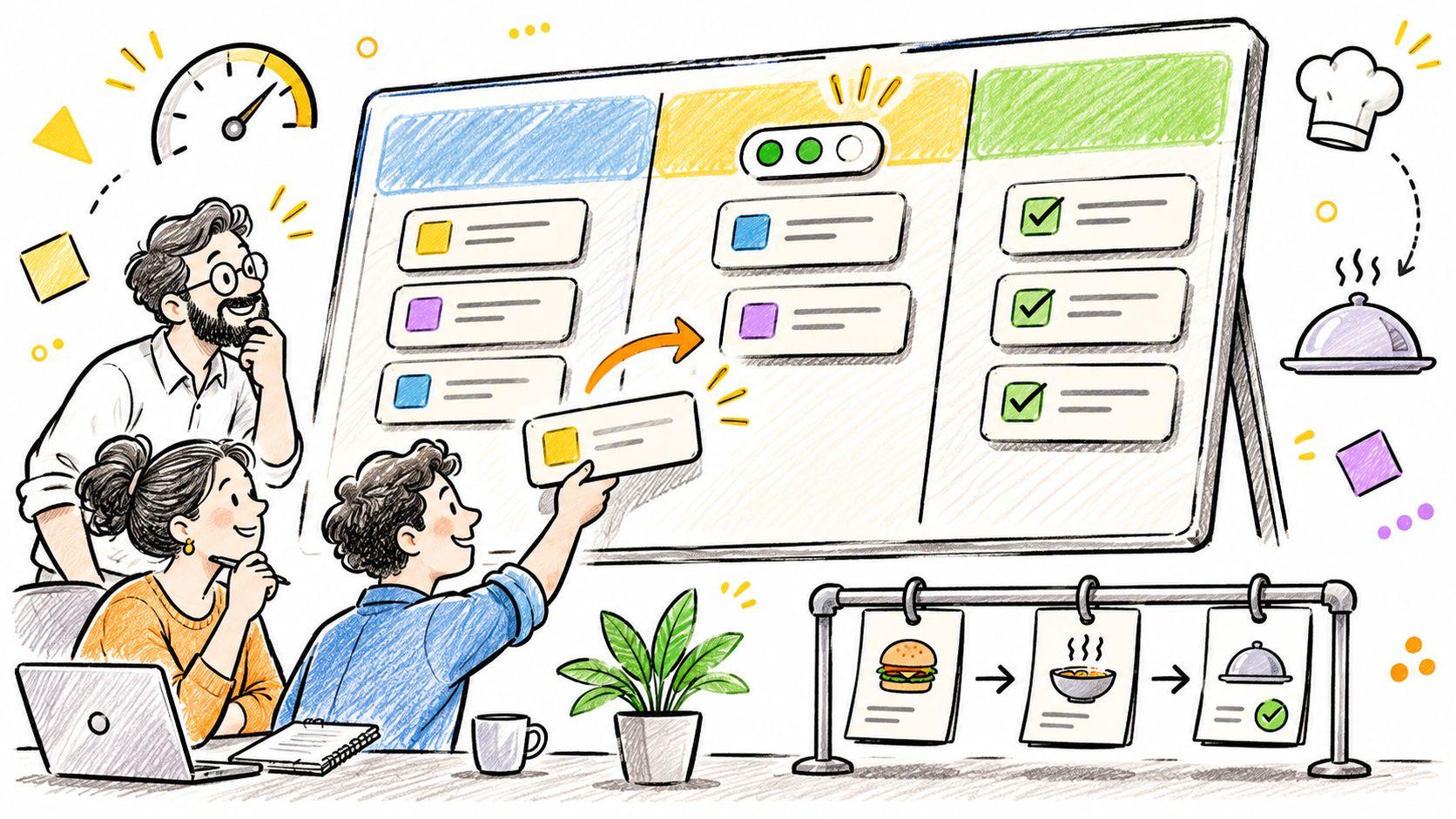
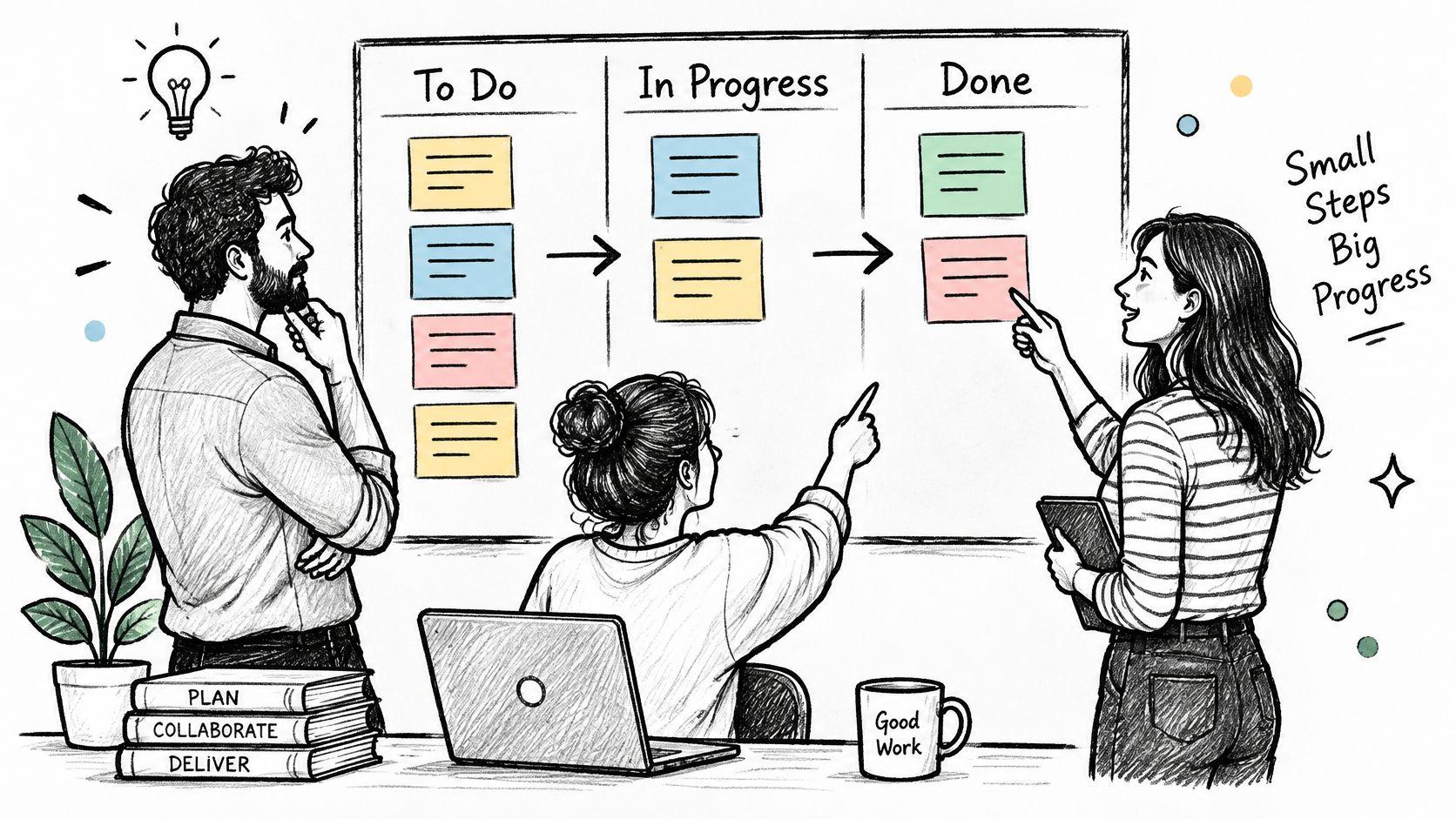
An Agile Kanban board is a visual workspace where tasks move through status columns on their way from request to completion. It gives the whole team a shared, up-to-date picture of what is planned, in progress, blocked, or finished.
How an Agile Kanban Board Works
The easiest way to picture an Agile Kanban board is the order rail in a restaurant kitchen. Every request shows up as a ticket, each station can see what is waiting, and a ticket only moves forward once the step before it is done.
A board like this pulls hidden work into the open. Nobody has to ask, "Where is that task?" or piece together progress from scattered messages. A quick scan of the columns tells the whole story.
Each element on the board has a job to do:
- Columns mark the stages work passes through, such as To Do, In Progress, Review, and Done.
- Cards stand for individual tasks and carry the details someone needs to act on them.
- Swimlanes split the board by owner, priority, project, or any category that helps.
- Work-in-progress limits keep the team from starting more than it can finish.
Before going further, it helps to see how these pieces fit together.
Quick Summary of Agile Kanban Board Essentials
| Element | What It Does | Why It Matters |
|---|---|---|
| Columns | Show each stage of the workflow | Make progress and bottlenecks visible |
| Cards | Represent individual tasks | Keep context and details attached to the work |
| Swimlanes | Divide work into categories | Help teams compare and manage separate queues |
| WIP limits | Cap the amount of active work | Prevent overload and keep tasks moving |
Taken together, these elements do something an ordinary task list can't. A list answers "What needs doing?", while the board also shows where work is moving, where it's stuck, and how much is happening at once. That visibility makes waste easier to spot, whether it's time lost hunting for information or wondering what to tackle next (Gemba Academy).
A good board does more than display activity. It helps the team improve how that activity flows.
What Makes the Board Agile
The "agile" part describes how the board behaves day to day. Priorities shift, new requests come in, and the team can reshape the workflow without waiting for a sprint to end. Kanban works as a continuous pull system, where people pick up work as capacity frees up instead of committing to rigid batches in advance.
That's also what separates a working board from a passive reporting screen. Clear ownership, rules for moving cards, and a shared definition of done are what make it a real coordination tool. Modern Kanban software supports this with filters, configurable cards, swimlanes, and column-level WIP limits (OpenProject).
The sections ahead cover where the board came from, its core components, how teams control work in progress, how Kanban compares with sprint-based planning, and a daily routine for keeping work moving. The best starting point is simple: map a real project onto a board, then let what you see guide the next improvement.
Long before software teams filled columns on a screen, the Kanban board was a physical control system on the factory floor at Toyota.
From Production Cards to Pull-Based Flow
A kanban was simply a card attached to a container of parts. When a workstation used up those parts, the card traveled back upstream and authorized a replenishment.
That small loop kept production from guessing at demand. Work moved forward only when the next stage had room for it, so the signal followed what was actually consumed rather than a forecast that might already be wrong.
Toyota built its company-wide production system in the early 1960s, and this pull logic sat at its heart. Picture a cabinet stocked with materials for an assembly line. Instead of ordering a fixed batch whenever the shelf looked thin, an upstream worker pulled a new card only when the downstream station asked for more.
The result was straightforward. Capacity became visible, and every movement of material was tied to a real need further down the line.
From Factory Signals to Software Columns
When software teams borrowed the idea, the physical cards became task cards and the factory route became status columns. A request enters To Do, moves into In Progress once someone starts it, passes through Review, and lands in Done only when it's truly finished.
Software work, though, rarely travels down a single conveyor belt. A task might wait for approval, pause while another task wraps up, or loop back after a review. A modern Agile Kanban board makes those detours visible without pretending every item follows the same path.
Digital tools keep the control mechanism but drop the paper. Their board actions update a task's status, and the shared board shows exactly where that change belongs.
Visibility works as a control mechanism rather than decoration, which is the whole point of making office work visible.
For executives, assistants, and project teams alike, this changes how the day runs. Instead of piecing together updates from email, chat, and spreadsheets, everyone looks at one shared picture and talks about the next bottleneck.
- Visible cards show requests, owners, and active work at a glance.
- Finite capacity keeps every queued task from starting at once.
- Pull-based movement links new work to capacity as it frees up.
Here's a practical place to start: map your current process onto four real board columns with your team.
Imagine a sorting table in a busy post office. Letters arrive, get dropped into labeled bins for incoming, in progress, and ready to ship, and anyone walking past can see where each one sits. An Agile Kanban board does the same job for tasks.
This concept map breaks the board into its five main parts and shows how each connects to the central idea of visible, flowing work.
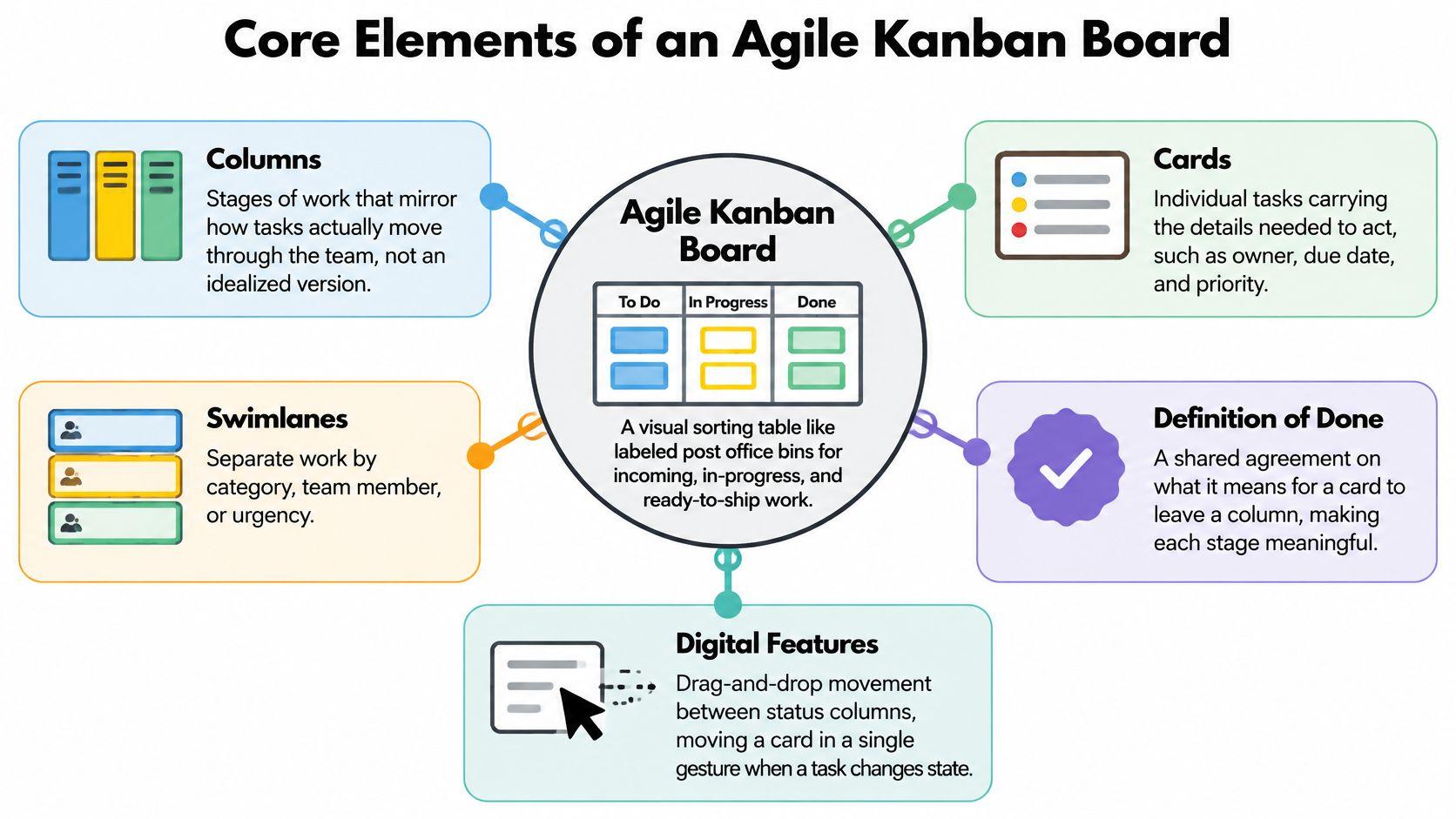
The map makes one thing clear: these parts depend on each other. Columns give cards somewhere to go, swimlanes sort them, and the definition of done keeps every move honest.
Columns Mirror How Work Really Moves
Columns are the stages work passes through. The trick is to build them around how work actually moves on your team, not how a process document says it should.
Say tasks regularly sit waiting for a client reply before anyone touches them. That waiting deserves its own column. A board that hides the real queue is just a pretty wall chart.
Cards Carry Everything Needed to Act
A card represents one task, and it should hold everything someone needs to act on it. Think of it as the shipping label on a parcel.
- Owner shows who is responsible for moving it forward
- Due date shows when the work is needed
- Priority shows where it ranks against everything else in the queue
Swimlanes Keep Competing Work Apart
Swimlanes are horizontal rows that split the board by category, team member, or urgency. A marketing team might run one lane for planned campaigns and another for urgent client fixes, so a rush job never buries the planned work.
Columns show where work is. Swimlanes show whose work it is and how urgent it feels.
Definition of Done Gives Columns Meaning
A column only works when everyone agrees on what it means to leave it. "Done" might mean written, reviewed, and approved, or it might mean deployed to a live site.
Writing that definition on a sticky note at the top of the board keeps two people from moving the same card under different standards.
Digital Features Speed Up Every Move
On a paper board, moving a card means picking it up and placing it again. Digital platforms reduce that to a single gesture.
In Fluidwave, you can drag a task from one status column to the next, and the change shows up for everyone on the team. Assign each task to one member, then group the list by assignee to see each person's queue.
Each element is simple on its own. Together, they turn a stack of tasks into a shared picture the whole team can read in seconds.
A Quick Board Checklist
Before you build yours, check these four points.
- Do your columns match how tasks really flow?
- Does every card show an owner, a due date, and a priority?
- Can everyone state the definition of done for each column?
- Do your swimlanes make urgent work easy to spot?
Fix one gap, then recheck it.
A board crowded with cards can look busy and productive, yet it often hides a real problem. Work in progress (WIP) is the number of items a team has started but not finished, and it's the single most important number on an Agile Kanban board.
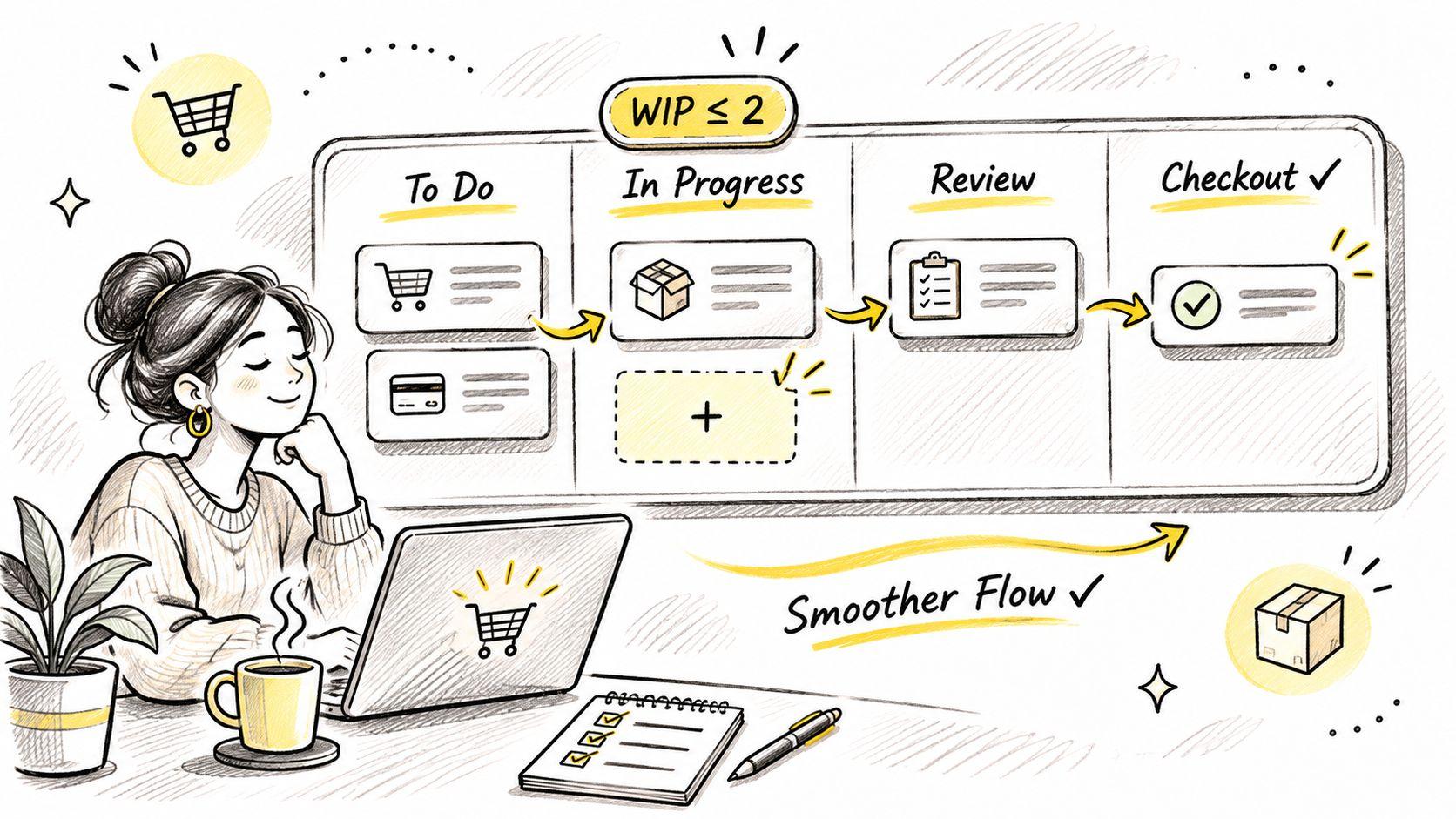
Imagine a grocery store that opens ten checkout lanes but staffs only three. Shoppers bunch up in every lane, and nobody gets out any faster. A team that starts twenty tasks with room for five ends up in exactly the same spot.
Why Starting Less Often Means Finishing More
The evidence backs this up. A study covering more than 8,000 work items across five software teams over four years found that lower WIP generally went hand in hand with shorter lead times. In other words, starting more tasks doesn't mean finishing more of them.
The reasoning becomes clear once you look at what happens on the board:
- Divided attention costs time and energy every time someone switches tasks, and a surprising amount of office work is exactly this kind of waste (Gemba Academy).
- Long queues are hard to read. A column with forty cards doesn't tell you which one is actually stuck.
- Work stuck between stages sits half-finished, tying up value while new items keep piling in behind it.
A full board isn't a sign of productivity. It's a sign that finishing has fallen behind starting.
There Is No Magic Number
No single WIP limit suits every team. The same research found that changing WIP affected different performance measures in different ways, so a limit that helps one metric might hurt another.
That's why limits work best as feedback signals rather than fixed rules. A practical routine looks something like this:
- Set a provisional limit for each column, even if it feels arbitrary at first.
- Keep an eye on lead times, blocked cards, and completion counts.
- Adjust the limit based on what the data tells you, then repeat the cycle.
Even a limit of one can be too strict. Spreading work across a few items helps manage risk, and what you learn from one task can shape how you approach the next. Modern platforms make this easier with column-level WIP limits you can set and tweak as your flow changes (OpenProject).
Want to go deeper? Our guide on work in progress limits walks through setting and adjusting limits step by step.
The payoff is real: fewer handoffs lost in the shuffle, faster cycle times, and a board where every card in progress is actually moving. Once WIP is under control, the natural next question is how Kanban's continuous flow compares with sprint-based planning. That's where we go next.
Plenty of readers already know Scrum or sprint-based planning, so it helps to see where an Agile Kanban board sits beside it. Think of the two models as two different ways of running the same team.
Two Ways to Run the Same Team
A sprint-based team commits to a fixed-length iteration, often two weeks, and agrees on a bundle of work at the start. New requests usually wait for the next planning meeting, unless the team is willing to break that commitment.
A Kanban team works differently. There's no fixed finish line for each cycle. The board stays open all the time, so a new request can enter the moment someone has room to take it on.
The WIP Rule in Plain Language
Kanban runs on one simple rule. Each column carries a work-in-progress (WIP) limit, and once that limit is reached, nobody starts another item until something finishes.
When the board is full, the answer to a new request is "not yet."
That may sound slow, but it protects focus. Say the In Progress limit is three and three cards are already moving. The fourth request waits in To Do until a slot opens up.
What the Research Says
A large comparison of Kanban and Scrum tracked more than 12,000 work items over three years. Kanban tended to improve schedule management and coordination, two friction points busy teams feel almost every week.
Both approaches still supported successful projects, though. So the real question isn't which method wins in theory. It's which one fits the way your work actually arrives.
Matching the Model to Your Work
Comparing the two side by side makes the trade-offs easier to see. The table below sums up the main differences.
Kanban Board Versus Sprint-Based Planning
| Aspect | Agile Kanban Board | Sprint-Based Planning |
|---|---|---|
| Planning rhythm | Continuous flow | Fixed-length iterations |
| New requests | Enter when capacity opens | Wait for the next sprint |
| Scope changes | Adjusted at any time | Mostly locked during a sprint |
| Best fit | Shifting priorities | Predictable, planned releases |
Kanban suits teams whose priorities shift often. Common examples include:
- Service teams handling a mix of incoming work
- Founders juggling operations and new opportunities
- Freelancers whose client demands change week to week
- Virtual assistant operations, where one urgent request can reshape the entire day
Sprint planning still makes sense when the roadmap is stable and stakeholders need firm dates. A product team preparing a release, for example, may prefer the predictability of a two-week commitment.
If you're weighing Kanban against sprints, it also helps to see how the sprint side works in practice. A practical overview is available in this sprint planning for agile teams guide.
Read also: Check out our guide on velocity tracking to see how teams measure throughput once they pick a model.
Whichever model you choose, the board only helps if the team actually reviews it. Try running one for two weeks, then compare how often work stalls.
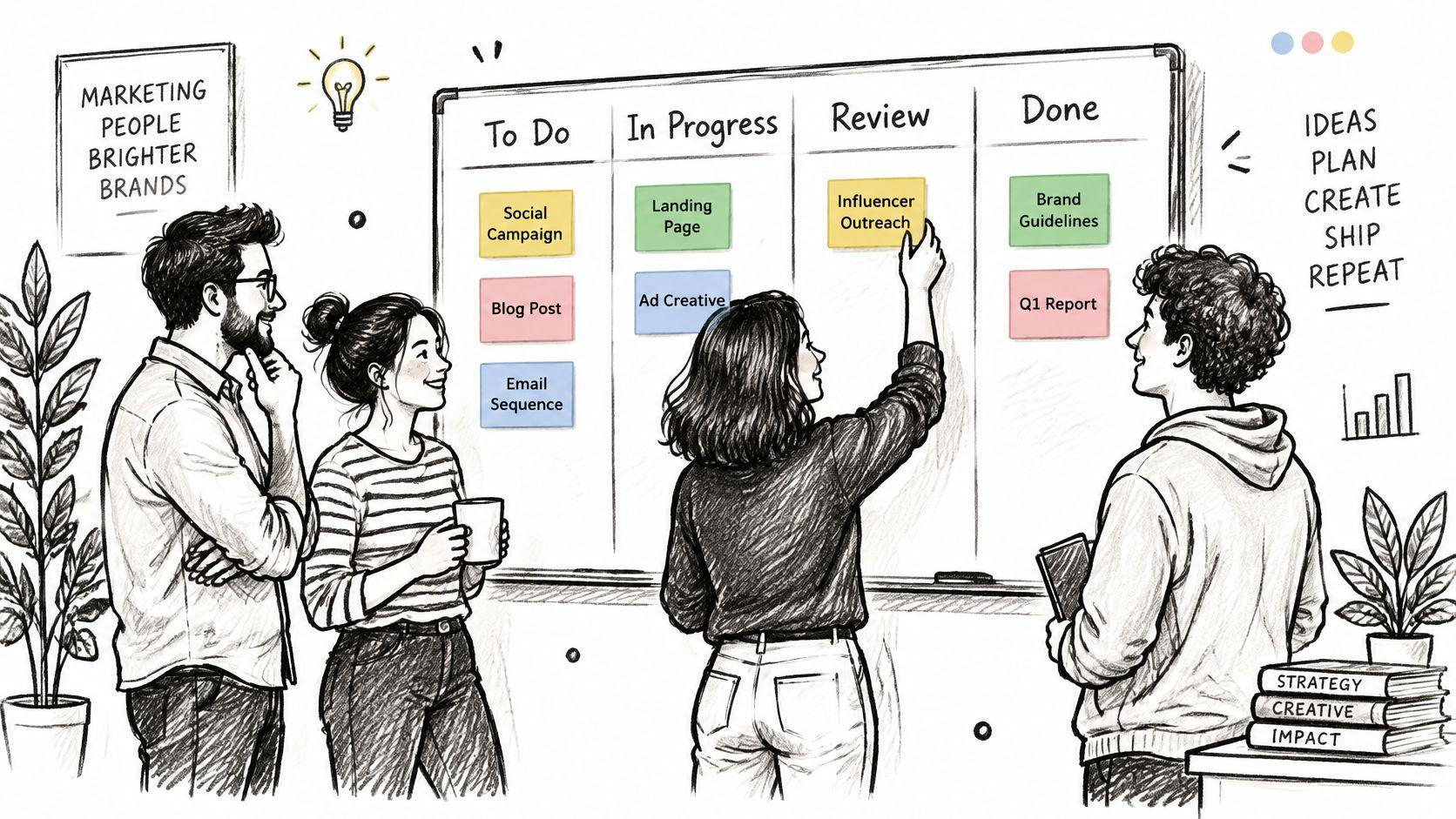
A board earns its keep only when the team works from it every day. Consider a four-person marketing group that runs every request through an Agile Kanban board, from the first rough brief to the finished asset.
A Request Moves Through the Columns
A campaign brief lands on Monday morning. The team lead drops a card into To Do, already labeled with an owner, a due date, and a priority.
Nobody grabs it just because the inbox is noisy. The In Progress column is full, so the card waits until a spot opens up.
When a teammate finishes a draft, they pull the next card across. It moves into Review for a fresh set of eyes, and it only reaches Done once the asset is approved and scheduled.
That pull is the heart of the system. Starting waits on finishing, which keeps the board honest about capacity instead of quietly filling up with half-finished work.
Stand-Ups That Read the Board
The morning check-in runs about ten minutes, and the reason is simple: the board already shows where things stand. Instead of long personal updates, people talk about stuck cards and ready cards.
A useful stand-up stays focused on three questions.
- Which card is stuck, and what would free it up today?
- Which card is ready to pull into the next column?
- Does anyone's queue look heavier than everyone else's?
The board is the status report. The meeting exists only to clear the path in front of the next card.
If your meetings still slide into recaps, our guide on agile methodology meetings explains how to tie them back to the work on the board.
The same habit works well for recurring operational tasks. Some teams use Kanban to manage safety reporting and corrective actions, keep formal compliance records in a dedicated WHS system, and then mirror open items as cards so nothing drifts off the board.
How a Digital Board Extends the Same Flow
Paper works when everyone shares one room. A digital Agile Kanban board keeps the same pull logic working when people are scattered across locations.
In Fluidwave, you drag a task from one status column to the next. The same tasks can also appear as a list, a Kanban board, a Gantt chart, or a calendar, so planners and doers can each work in the view that suits them.
Each task belongs to one team member. Group the list by assignee and every person's queue is visible before the stand-up even starts.
Slack doesn't have to become a second tracking system. With Fluidwave's Slack integration, you can:
- Display any Fluidwave list as a Kanban board inside a Slack channel.
- Edit a card in Slack or in Fluidwave, and the change syncs both ways.
- Add a task with a slash command when a request shows up in chat.
The team no longer has to choose between the conversation and the board. One edit updates both.
A Practical Place to Start
You don't need a perfect process on day one. Map the work you already do into three or four columns, such as To Do, In Progress, Review, and Done.
Set a provisional WIP limit on the active column, even if the number is only a guess. Once a week, compare it against your blocked cards and what actually reached Done, then adjust.
Run this loop on one real campaign this week. The board will quickly show you where the routine still has loose ends.
Once the basics click, a few practical questions tend to follow. Here are the ones colleagues ask most often.
How Many Columns Should a Board Have?
For most teams, three to five columns is the sweet spot. Begin with the stages your work already moves through, such as To Do, In Progress, Review, and Done.
Resist the urge to add columns early. Add one only when a real wait keeps showing up. If you can't explain what a column is tracking, you probably don't need it.
Does a Board Work for a Solo Freelancer?
Yes, and a solo worker can benefit just as much as a large team. Picture a freelancer juggling four or five clients at once. Giving each client their own swimlane puts every commitment on one screen, so nothing hides in an inbox or a notebook.
If you're the only person on the board, the board becomes your memory. Keep it honest, and nothing slips through the cracks.
What Should I Do When Cards Pile Up in One Stage?
A crowded column is useful information. It tells you where work is getting stuck, which is far more valuable than a tidy board that hides the problem. The goal is to find the jam and clear it.
When cards start stacking up, try this:
- Check for a WIP limit. If the column doesn't have one, set a cap on how many cards it can hold.
- Name the blocker. Is it a missing approval, an unclear requirement, or a dependency on someone else?
- Pull the oldest card forward. Finish what has waited longest before you start anything new.
For teams that evaluate specialized software categories alongside their process tools, govcon software can be a useful adjacent resource to explore.
Treat the Board as an Ongoing Habit
A board isn't something you set up once and forget. Review it weekly, adjust your columns and limits, and keep what's working.
Try one on a real project this week, even a small one. A few days of hands-on use will teach you more than any amount of upfront planning.
Fluidwave lets you move tasks between status columns and switch between list, Kanban, Gantt, and calendar views. Start organizing your work with Fluidwave today.
Focus on What Matters.
Experience lightning-fast task management with AI-powered workflows. Our automation helps busy professionals save 4+ hours weekly.