Master agile methodology meetings. Explore every ceremony, from standups to retrospectives. Find agendas & tips for inclusive, outcome-driven sessions.
May 4, 2026 (3mo ago)
Master Agile Methodology Meetings
Master agile methodology meetings. Explore every ceremony, from standups to retrospectives. Find agendas & tips for inclusive, outcome-driven sessions.
← Back to blog
Your calendar is full. Half the meetings don’t need to exist. The other half run long, drift off-topic, and leave everyone less clear than when they started. By noon, your team has talked a lot and decided very little.
That’s the backdrop many bring into agile methodology meetings. They hear “daily standup” and think “one more interruption.” They hear “retro” and think “the same complaints in a new slide deck.” Fair reaction. Bad meetings have trained people to expect waste.
But well-run Agile ceremonies are different. They’re short on ceremony and heavy on decisions. They exist to help teams align, adapt, and move work forward without waiting a week to surface a problem. That only happens when each meeting has a job, a timebox, and a clear finish line.
Why Most Meetings Fail and How Agile Is Different
Most meetings fail for boring reasons. Nobody knows why they’re there. The agenda is fuzzy. The loudest person takes over. A manager asks for updates one by one. Someone raises a real issue, and suddenly a 15-minute sync becomes a 50-minute problem-solving session.
Teams leave with no owner, no next step, and no change in behavior.
Agile meetings were built to fix exactly that. They came out of a different philosophy of work. Instead of trying to control everything up front, Agile favors short feedback loops, visible work, and frequent course correction. That’s why these meetings are narrow by design. A standup is for synchronization. Planning is for commitment. A review is for product feedback. A retrospective is for process improvement.
That structure matters. According to Echometer’s summary of Agile statistics, Agile teams using meetings such as daily standups and retrospectives achieve 25% higher productivity and 50% faster time-to-market, when those ceremonies are structured and time-boxed.
What bad meetings feel like
A bad meeting asks for information people could have read asynchronously. It rewards performance over clarity. It often serves management anxiety more than team execution.
Common signs include:
- Status theater: People report upward instead of coordinating sideways with teammates.
- No decision point: The group talks, but nobody chooses anything.
- Topic drift: Technical design, stakeholder feedback, prioritization, and blockers all get mixed together.
- Missing follow-through: Action items vanish as soon as the call ends.
What good Agile meetings feel like
A good Agile meeting has a useful kind of pressure. People know the purpose. They know what doesn’t belong in the room. They leave with fewer assumptions and sharper priorities.
Practical rule: If a meeting doesn’t change the plan, unblock work, or improve the way the team works, it probably shouldn’t happen.
If you’re trying to tighten your overall meeting discipline before introducing ceremonies, this guide on effective meeting management is worth a read. And if your team works inside Google Workspace, Tooling Studio’s take on agile success for Google Workspace users gives useful context on where Scrum habits fit into everyday collaboration.
The Five Essential Agile Meetings at a Glance
Agile didn’t appear because people wanted more meetings. It appeared because rigid, document-heavy project management kept failing teams that needed to adapt. At the Snowbird Meeting of February 11-13, 2001, 17 software development leaders met in Utah and created the Agile Manifesto, with four core values and 12 principles that shaped the purpose-driven meeting patterns we still use today, as described in Planview’s history of Agile.
Think of these meetings like a strong sports routine. You don’t just show up for the game. You plan, huddle, review performance, and adjust.
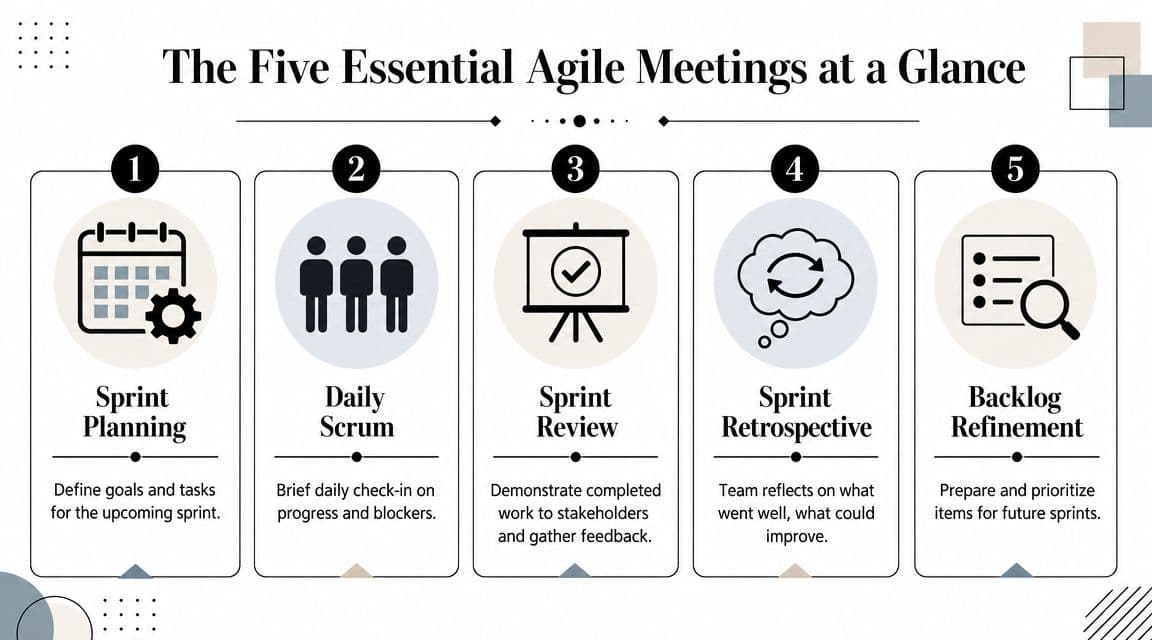
The five meetings and what each one is for
| Meeting | Purpose | Cadence | What good looks like |
|---|---|---|---|
| Sprint Planning | Decide what the team will pursue next and why | Start of sprint | Clear sprint goal, realistic scope, shared understanding |
| Daily Scrum | Synchronize work and surface blockers | Daily | Fast, focused, team-to-team coordination |
| Sprint Review | Show completed work and gather stakeholder feedback | End of sprint | Conversation about product value, not slideware |
| Sprint Retrospective | Improve how the team works | End of sprint, after review | Honest reflection, one or two concrete changes |
| Backlog Refinement | Prepare upcoming work so planning isn’t a mess | Ongoing | Top items are clear, sized, and worth discussing |
Why this system works
These meetings form a loop. Planning starts the work. Standups protect the flow of work. Review checks whether the product is moving in the right direction. Retrospective checks whether the team is working in the right way. Refinement keeps future work from arriving half-baked.
What breaks teams isn’t usually one bad ceremony. It’s when all five blur together.
The standup is not planning. The review is not the retrospective. Refinement is not a dumping ground for every idea anyone has ever had.
Keep those lines clean, and Agile meetings become useful instead of repetitive.
The Cadence Meetings Sprint Planning and Daily Standups
These are the rhythm meetings. When they work, the sprint feels calm. When they don’t, the team spends days recovering from confusion that started in the first hour.
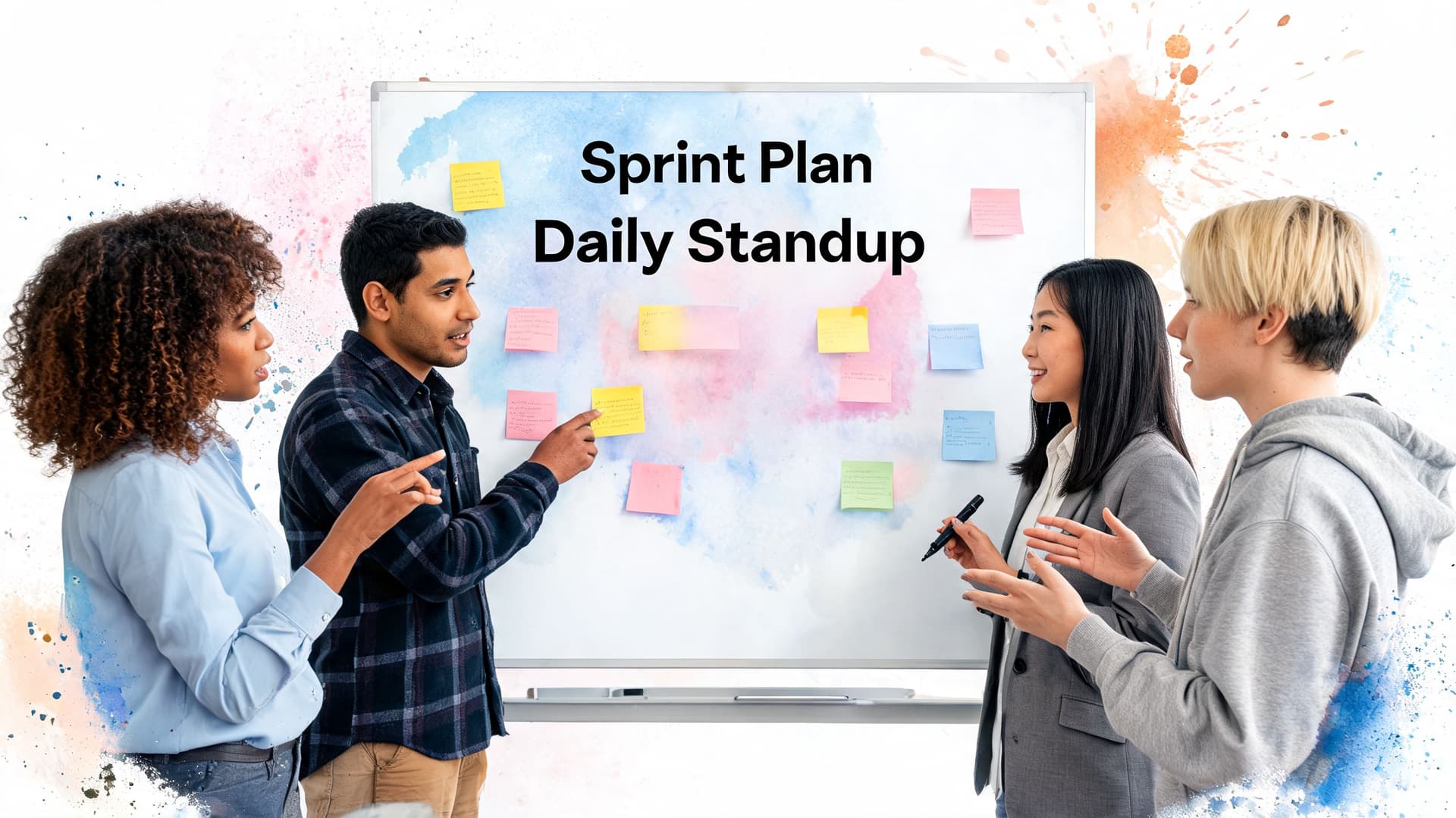
Sprint planning that leads to a real commitment
Sprint Planning should answer two questions. What are we trying to achieve this sprint, and what work gives us a realistic shot at achieving it?
Teams get into trouble when they treat planning like contract negotiation. The product side pushes for more. Engineering harbors doubts about the scope. Nobody says it plainly, and the sprint starts with a built-in miss.
A better pattern looks like this:
- Start with a sprint goal. One sentence is enough. If you can’t explain the sprint in plain language, the backlog is probably driving the team instead of the other way around.
- Pull in candidate work. Don’t start by filling capacity to the brim. Start with the work most connected to the goal.
- Estimate relatively, not theatrically. In Agile sprint planning, teams often use Planning Poker with the Fibonacci sequence (1, 2, 3, 5, 8, 13, 20). According to Atlassian’s guide to Agile estimation, that approach improves sprint commitment accuracy by 25% compared to hour-based estimates because it focuses on relative effort.
- Expose uncertainty early. If one developer says “3” and another says “13,” don’t rush to average it out. That gap is the conversation.
- Stop before the team is overloaded. Good planning leaves some room for reality.
A simple planning agenda
- Sprint goal review
- Top backlog items
- Dependencies and risks
- Estimation and scope check
- Final commitment
Daily standups that don’t turn into status theater
The Daily Scrum is a tactical huddle. It is not a performance review. It is not a mini planning session. It is not the place for the manager to hear every task update.
The classic prompts still work when used correctly:
- What changed since yesterday
- What am I focused on today
- What is blocked or at risk
The trick is in who the updates are for. They’re for peers doing the work, not for an authority figure collecting proof of motion.
The standup runbook
| Keep | Cut |
|---|---|
| Blockers, coordination needs, handoff issues | Detailed problem-solving |
| References to actual work items | Rambling personal task lists |
| Fast decisions on who follows up | Manager-by-manager interrogation |
| Consistent time and format | Surprise attendees and shifting rules |
A healthy standup has some urgency to it. If a blocker appears, assign the follow-up and move on. Don’t make eight people sit through a debugging session they can’t help with.
If the standup regularly runs over, the problem usually isn’t the clock. It’s that the team is using the meeting to compensate for weak backlog clarity or poor ownership.
Common pitfalls and fixes
- Planning becomes technical design: Split it. Capture the design topic and schedule the right people separately.
- The loudest estimators dominate: Use silent reveal in Planning Poker so junior voices aren’t anchored by senior ones.
- Standup turns into reporting to the Scrum Master: Change the physical or virtual orientation. Have people address the board and each other.
- Blockers are vague: Push for precision. “Waiting on API clarification from Priya” is useful. “Stuff is blocked” is not.
The Feedback Meetings Sprint Review and Retrospective
A lot of teams damage both meetings by combining them. They demo a few tickets, toss in some process complaints, and call it done. That shortcut saves calendar space and kills learning.
The Sprint Review is about the product. The Retrospective is about the system the team works in.
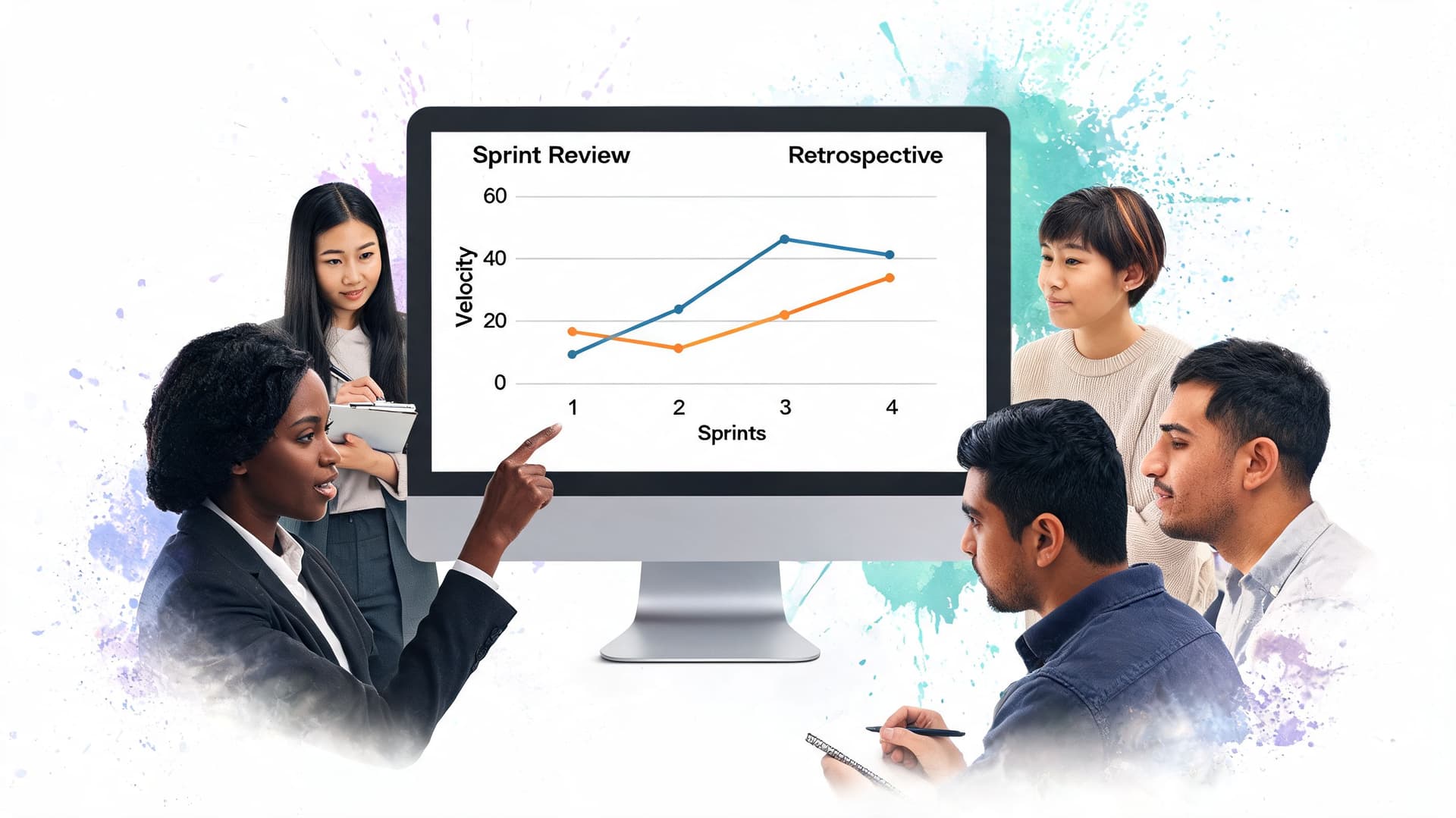
Sprint review that gets useful feedback
A good review shows actual completed work. Not mockups pretending to be done. Not a slide deck summarizing effort. Real product increments that stakeholders can react to.
That keeps the conversation grounded. The question shifts from “Did the team stay busy?” to “Did this sprint move the product in a useful direction?”
Run the review like this:
- Reconnect the group to the sprint goal
- Show completed work in the product
- Ask stakeholders what this changes
- Capture product feedback and backlog implications
- Close with decisions, not applause
What doesn’t work is turning the review into a sign-off gate. Reviews are more valuable when stakeholders treat them as an opportunity to steer, clarify, and react.
Retrospectives that improve the team instead of blaming people
The retrospective needs privacy, candor, and discipline. It is one of the few meetings where the team gets to speak openly about friction in the work itself.
That only happens if the room feels safe enough for people to name problems without getting pinned to them.
According to Workhuman’s discussion of Agile meetings, periodic check-ins such as daily standups can expand error-learning by 40% and prevent issue escalation by 30% to 50% through knowledge sharing and blocker identification. That same logic carries into reviews and retrospectives. Shorter feedback loops help teams catch and correct issues before they harden into habit.
Better retro prompts
Don’t use the same tired template every sprint. Rotate formats so people think, not just repeat.
- Mad Sad Glad: Good for surfacing emotion without losing structure.
- Start Stop Continue: Good when the team needs practical behavior changes.
- Starfish: Keep doing, less of, more of, stop doing, start doing.
- Timeline retro: Useful after a chaotic sprint with multiple incidents or pivots.
Coach’s note: A retrospective has failed if the team leaves with a list of grievances and no experiment to try next.
The mistakes I see most often
| Meeting | Mistake | Better move |
|---|---|---|
| Review | Stakeholders no-show or multitask | Send a tight agenda and show why their feedback changes priority |
| Review | Team demos unfinished work | Only review what meets the agreed standard of done |
| Retrospective | The same complaints repeat every sprint | Limit the group to one or two changes to test |
| Retrospective | Discussion becomes personal | Anchor comments in workflow, handoffs, tools, and decisions |
If your reviews are lifeless, the issue usually isn’t format. It’s that stakeholders have learned their input won’t change anything. Fix that, and attendance gets easier.
The Preparatory Meeting Backlog Refinement
Backlog Refinement doesn’t get much glamour, but it saves teams from a lot of pain. When refinement is missing, Sprint Planning gets clogged with basic requirement questions, oversized stories, missing dependencies, and arguments nobody is ready to have.
Refinement is the prep kitchen. Planning is the dinner service.
What refinement is actually for
The point is simple. The top of the backlog should be ready enough that the team can discuss trade-offs, not decipher what the item even means.
That usually includes:
- Clarifying intent: What problem does this item solve, and for whom?
- Breaking down oversized work: If a story feels too broad to discuss cleanly, split it before planning.
- Spotting hidden dependencies: Legal review, design assets, test data, outside approvals. Catch them now.
- Rough sizing: Enough to compare relative effort, not enough to fake certainty.
- Reordering priority: If feedback changed the situation, the backlog should reflect it.
What refinement is not
It isn’t a substitute for strategic product thinking. It isn’t a venue for every stakeholder to drop in fresh ideas. And it shouldn’t become a long recurring meeting where the team debates edge cases forever.
A lean refinement session often works best with the people closest to upcoming work. Keep the circle small enough to decide, but broad enough to expose risk.
The best Sprint Planning sessions often look easy from the outside. That’s usually because refinement did the hard work earlier.
A practical contrast
| Backlog Refinement | Sprint Planning |
|---|---|
| Prepares likely future work | Commits to near-term work |
| Clarifies and reshapes items | Selects and sequences items |
| Tolerates some uncertainty | Requires shared confidence |
| Focuses on readiness | Focuses on execution |
Teams building new products often need even sharper refinement habits because the backlog changes fast. If you’re operating in that mode, Myaigi’s guide to an AI-powered MVP launch is a useful example of why early product work benefits from cleaner prioritization and faster learning loops.
Large organizations may add extra coordination layers, such as Scrum of Scrums, but extra ceremony is rarely the solution. They need cleaner backlog inputs. Start there.
Runbooks for Inclusive and Hybrid Agile Meetings
A lot of Agile advice still assumes the whole team is in one room, processing information in the same way, with the same tolerance for interruption. That’s not how teams generally work now. Hybrid setups add friction. Neurodivergent teammates often pay a higher cost for forced context switching, vague facilitation, and surprise participation.
Existing guidance often misses that hidden tax, as noted in Team O’Clock’s discussion of unnecessary Agile meetings. That gap matters. A meeting can be “efficient” on paper and still drain the people you most need to hear from.

Hybrid meeting rules that actually help
Hybrid meetings fail when the in-room group becomes the main meeting and remote attendees become spectators. You fix that with design, not good intentions.
Use these rules:
- One shared source of truth: Put the board, backlog, notes, and action items in a digital space everyone can see equally.
- Remote-first facilitation: Even if many are in the office, speak as if everyone is joining remotely.
- Visible turn-taking: Don’t rely on people “jumping in.” Call turns deliberately.
- Decisions in writing: End every ceremony with written owners and next steps.
If your team needs broader support for distributed collaboration, this guide on how to manage virtual teams complements these meeting practices well.
A facilitator opening script
Try this at the start of a standup or retro:
“We’ll keep this focused and predictable. Agenda is on screen. We’ll go in order, and chat responses count the same as spoken ones. If something needs a deeper discussion, I’ll park it and assign a follow-up.”
That one script removes a surprising amount of ambiguity.
Neurodivergent-friendly adjustments
Many teams can improve tomorrow without changing tools or budget.
Make these changes:
- Send the agenda early. Surprise is expensive for people who need processing time.
- Define what kind of input you want. “Thoughts?” is too broad. “What blocker could stop this by Friday?” is usable.
- Allow written participation. Chat, shared docs, or comments often produce better input than round-robin speaking.
- Use plain language. Avoid jargon stacked on jargon.
- Protect deep work. Cluster meetings where possible so people aren’t yanked in and out of focus all day.
- Offer async alternatives when the ceremony allows it. Some updates don’t need everyone live.
A short explainer can help your team reset facilitation habits:
Runbook examples you can use tomorrow
Inclusive daily standup
- Before the meeting: Share the board link and expected prompts.
- During the meeting: Start with blockers, not recaps.
- For hybrid teams: Read chat answers aloud so remote input enters the shared conversation.
- After the meeting: Post a short written summary with owners.
Inclusive retrospective
- Prework: Ask everyone to add notes privately before discussion starts.
- Facilitation: Group patterns before debating causes.
- Discussion rule: Critique systems, handoffs, and decisions. Don’t diagnose personalities.
- Close: Pick one experiment and define who will check whether it helped.
Good facilitation isn’t about making meetings feel warmer. It’s about making participation more reliable, especially from people who won’t fight for airtime.
Automating Your Agile Rituals with Fluidwave
Strong Agile habits still fall apart when the admin around them gets sloppy. The agenda lives in one place. The backlog lives in another. Retro actions disappear into chat. Someone says, “I’ll follow up,” and nobody does.
That’s where automation earns its keep. Not by replacing judgment, but by removing the repetitive friction that makes teams resent the meetings in the first place.
What should be automated
Start with the obvious repeatables:
- Reusable agendas: Create templates for Planning, Daily Scrum, Review, Retrospective, and Refinement.
- Action capture: Turn retro decisions into tasks immediately, with owners and due dates.
- View switching: Move between Kanban, calendar, list, and table views depending on the ceremony.
- Follow-up reminders: Make sure the team sees unresolved blockers and agreed experiments again.
A useful rule is simple. If a ceremony ends with manual copy-pasting, scattered notes, or “Can someone write that down?”, the workflow needs tightening.
Where tools help and where they don’t
Software can make meetings shorter. It can’t make them honest. A template won’t fix a weak sprint goal. An automation rule won’t save a retrospective built on blame. But the right system does make it easier to preserve consistency, especially for busy teams and people who lose momentum when context gets fragmented.
That’s also why clean written output matters. If your team uses AI to help draft summaries, tools like Humanize AI Text can help smooth rough machine-generated wording before it gets shared broadly.
For the operational side, strong automation matters most after the meeting ends. This article on how to automate tasks is a good companion if you want to reduce the manual cleanup that usually follows team rituals.
The real payoff
The payoff isn’t “more Agile.” It’s fewer dropped decisions, less meeting rework, and more uninterrupted time for actual execution. That matters even more for hybrid teams, executives, freelancers, and neurodivergent professionals who already burn too much energy on coordination overhead.
When Agile methodology meetings work, they create momentum. When the follow-through is automated, that momentum survives the calendar.
If you want a simpler way to turn meeting decisions into tracked work, reduce admin overhead, and protect more deep-focus time, try Fluidwave. It helps teams organize tasks, automate follow-up, collaborate in real time, and delegate work without turning every next step into another meeting.
Focus on What Matters.
Experience lightning-fast task management with AI-powered workflows. Our automation helps busy professionals save 4+ hours weekly.