Struggling with focus? Discover 8 evidence-based ADHD productivity tips, from time blocking to delegation, designed to work with your brain, not against it.
June 12, 2026 (3mo ago)
8 ADHD Productivity Tips That Actually Work in 2026
Struggling with focus? Discover 8 evidence-based ADHD productivity tips, from time blocking to delegation, designed to work with your brain, not against it.
← Back to blog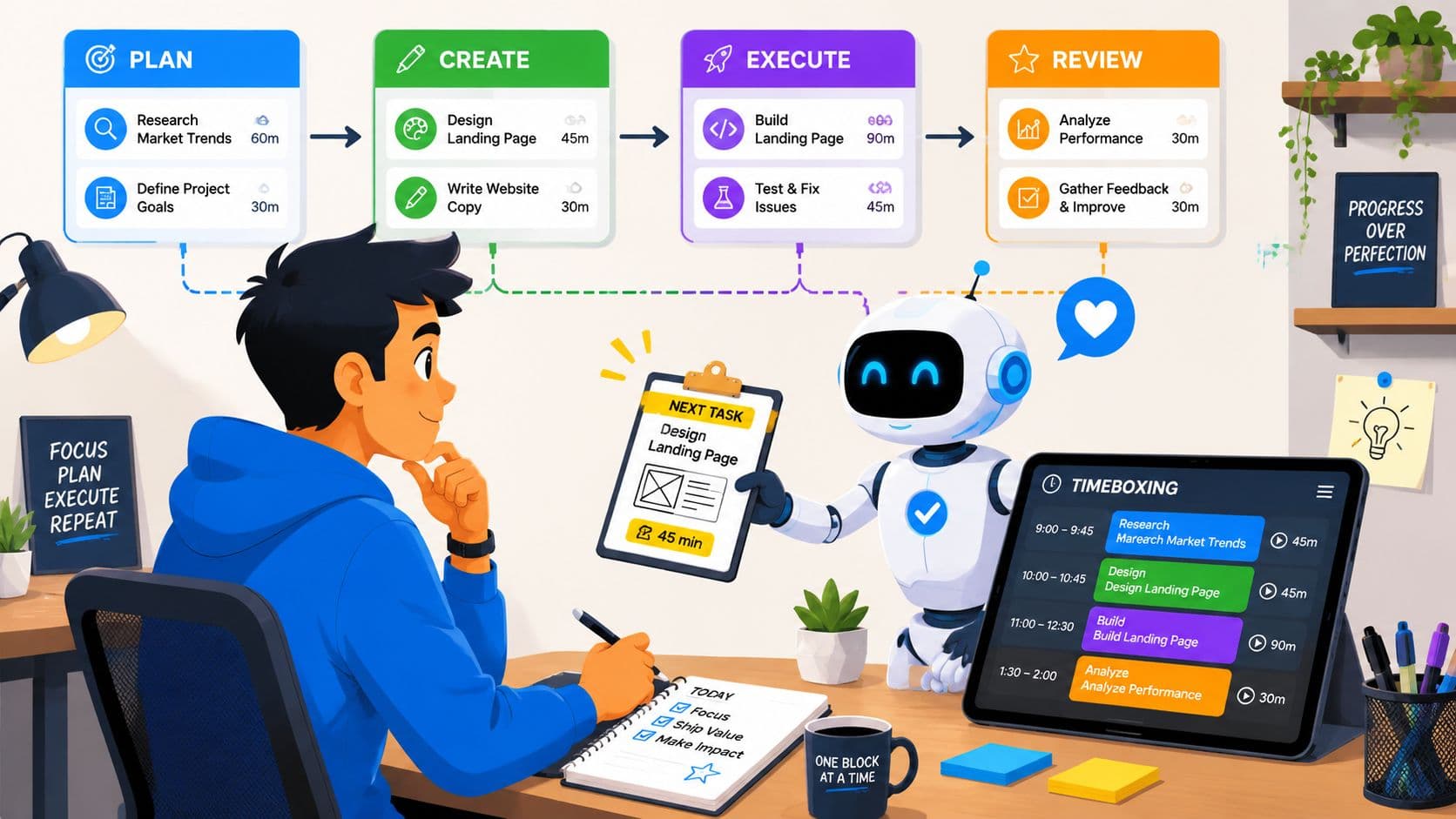
It is 9:07 a.m. You have a full day, a clear priority, and somehow you are already three tabs deep, replying to a message you did not plan to answer yet. That pattern is familiar for many adults with ADHD. The problem usually is not knowing what matters. The problem is converting intention into action, then doing it again after every interruption.
ADHD productivity breaks down at the level of execution. Interest, novelty, urgency, sleep, friction, and environment can all change performance from one hour to the next. Russell Barkley's work on executive function helped frame that gap clearly. Practical clinical guidance on ADHD time management strategies points in the same direction. Structure outside the brain often works better than trying harder inside it.
That is the lens for this article.
Good systems for ADHD reduce the number of choices you have to make in the moment. They make the next step visible, put time around open-ended work, create accountability before motivation shows up, and remove repeat decisions that drain attention. I have seen the biggest gains come from building an external support layer: calendar rules, micro-tasks, timers, checklists, body doubling, automations, and delegated admin work.
A task manager like Fluidwave can hold that system in one place if you use it as more than a to-do list. It can become an externalized executive function tool: tasks broken into starter steps, recurring routines preloaded, priorities visible, and follow-up work captured before it disappears. Pair that with delegation to a virtual assistant for scheduling, inbox triage, research collection, or status chasing, and you stop asking your working memory to run operations it does not handle well.
That is why even a simple practice like time blocking for ADHD matters. The goal is not perfect discipline. The goal is a personalized system that makes starting easier, protects focus, and helps you recover quickly when the day goes sideways.
1. Time Blocking and Time Boxing
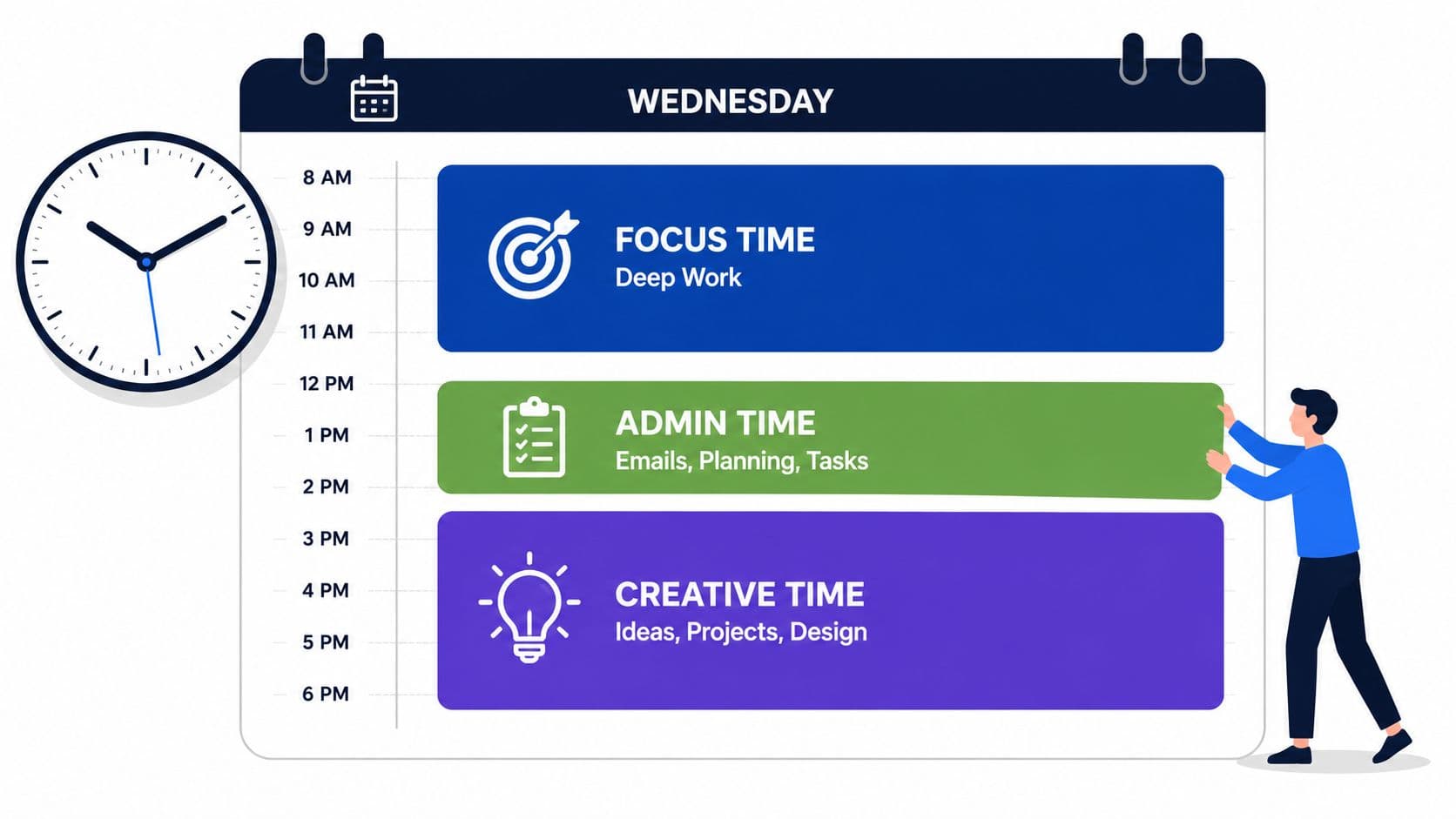
A blank day is a decision factory. For ADHD brains, that usually means wasted energy before actual work even begins. Time blocking cuts down that friction by deciding in advance what kind of work belongs where.
Time boxing adds the missing boundary. If you're prone to hyperfocus, it stops one "quick" task from swallowing half the day. If you're avoidant, it makes the task feel finite enough to begin.
What this looks like in real work
A software developer might reserve the first part of the morning for deep coding, then place bug triage and Slack replies later. A marketing manager might batch email approvals into a short admin block instead of letting inbox traffic interrupt creative work all day. An executive might protect one recurring block each week for strategic planning, not because it's urgent, but because otherwise it never happens.
One practical guide on time blocking for ADHD fits well here because calendar-based planning gives the day visible structure. That's useful when "I'll do it later" keeps dissolving into context switching.
Practical rule: Don't block every minute. Leave transition space between blocks.
That transition space matters. One expert source on ADHD productivity recommends planning for roughly 10% of task time as wind-up and wind-down time because switching tasks has a real cost (Work Brighter on ADHD productivity tradeoffs).
How to make it usable
- Start with bigger blocks: Begin with broad categories like focus work, admin, meetings, and recovery time before you try to schedule the day too tightly.
- Match the block to the task: Deep work needs protected time. Email and approvals usually fit better in shorter windows.
- Review the calendar weekly: If you keep skipping a block, the problem may be timing, energy mismatch, or unrealistic scope.
- Use visual cues: Color-coding by task type helps many people see overload before it becomes chaos.
For a clinical perspective, ADHD time management strategies can complement this kind of structured scheduling.
2. Task Breakdown and Micro-Tasking
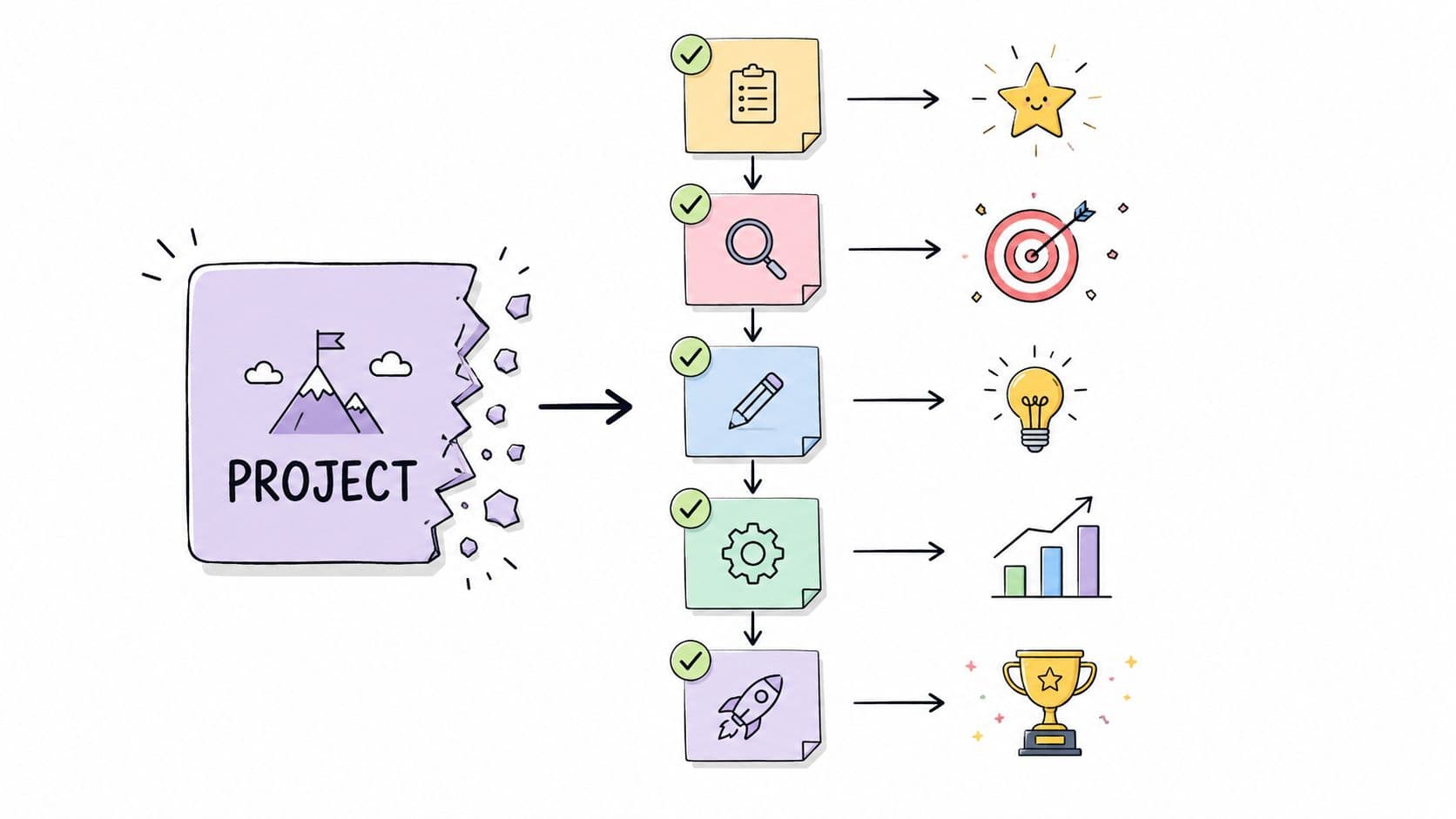
You sit down to "finish the report," open three tabs, check one message, and lose ten minutes before the real work even starts. That pattern is common with ADHD because the brain is being asked to solve two problems at once: what the project means, and what to do first.
Micro-tasking reduces that startup load. A vague project becomes a sequence of visible actions: open the doc, paste in the outline, write the first heading, pull last month's numbers, message Sam for the missing data.
That matters because task initiation is often the hardest part.
The right level of small
A useful micro-task is small enough to start without debate, but large enough to move the project forward. If "draft webinar plan" still creates resistance, break it down again. "Write working title" is clearer. "List three audience problems" is clearer. "Choose date from calendar" is clearer.
The fastest test is emotional friction. If a step feels heavy, abstract, or oddly slippery, it is still too big for your current state.
This is not about chopping everything into absurdly tiny pieces. Too much fragmentation creates overhead, and overhead is its own form of avoidance. The goal is a clean next action, not a task list with fifty decorative checkboxes.
A better implementation plan
Take a project like launching a webinar. In a standard to-do list, it becomes one intimidating line item. In an externalized system, it becomes a short chain of actions you can assign, defer, or complete in order.
- Planning: Write a rough title
- Content: List five talking points
- Setup: Create the registration page
- Assets: Pull headshot and bio
- Promotion: Draft the invite email
- Support: Ask someone to proof the page
Inside a tool built for this structure, use subtasks and nested projects so the project stays visible while the next action stays obvious. A guide to task management for ADHD is useful here because hierarchy changes behavior. You stop asking your brain to hold the whole project in working memory.
Fluidwave is especially useful when you pair breakdown with execution rules. Create one parent project, add subtask templates for repeatable work, and tag each step by context such as writing, admin, waiting, or review. Then only surface the next available action instead of the whole pile. If you want to pair micro-tasks with short focus sprints, Pomodoro technique for productivity fits well with this setup.
The smaller the first step, the easier it is to begin before avoidance gets momentum.
Delegation fits naturally here too. Micro-tasks are often the easiest units to hand off because they are specific and low ambiguity. Research gathering, formatting, transcription, follow-up emails, file cleanup, and data entry usually do not require your highest-focus time. If you work with a virtual assistant, assign those steps directly from the task manager, keep your instructions attached to the task, and reserve your own effort for decisions, synthesis, and final review.
That is the larger point. Task breakdown is not just a motivation trick. It is a way to build an external executive function system that holds sequence, reduces ambiguity, and makes delegation possible.
3. The Pomodoro Technique with ADHD Modifications
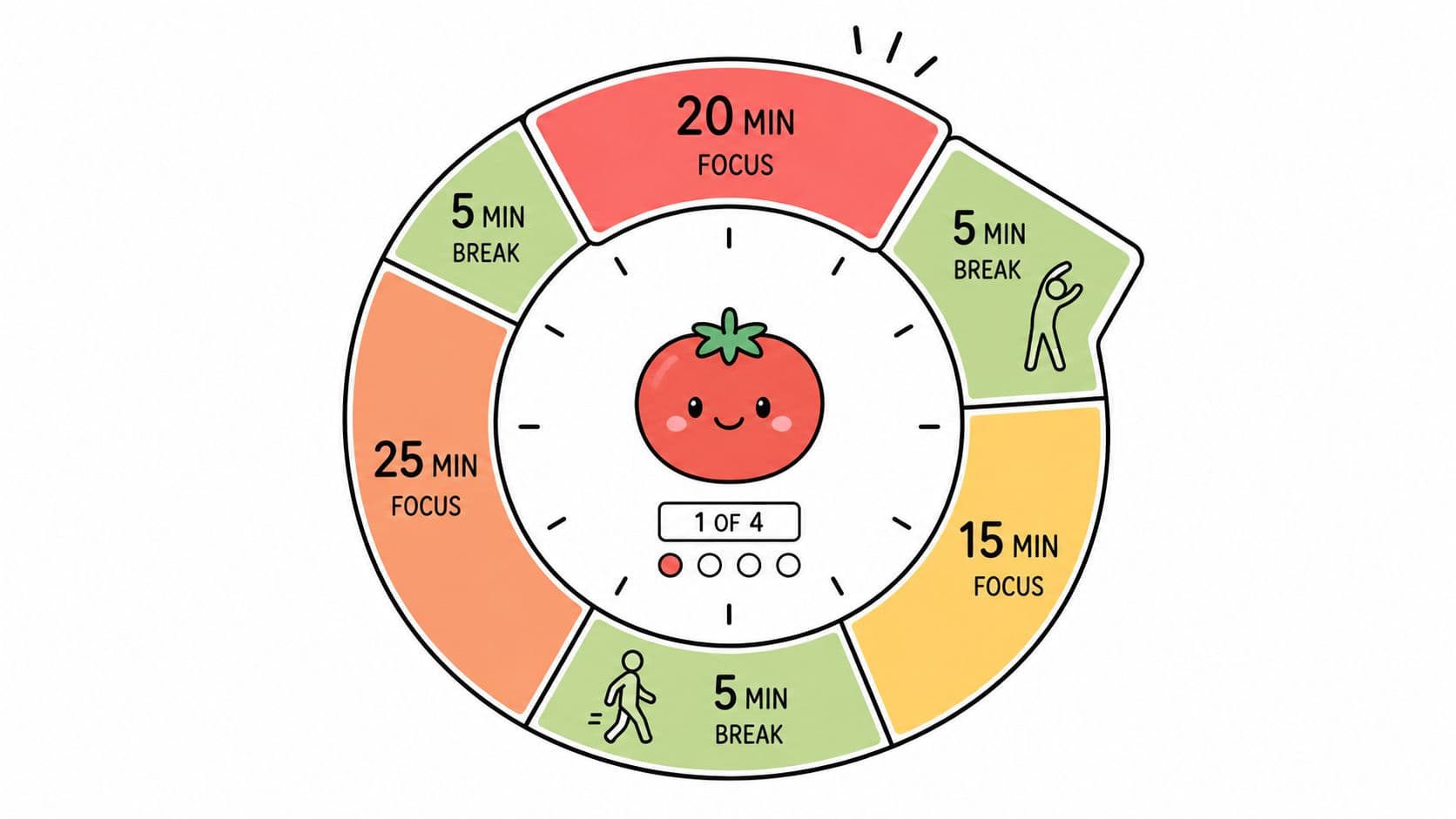
You sit down to work, set a 25-minute timer, and feel resistance before the first minute passes. That does not mean timed focus sessions failed. It usually means the interval was wrong for your brain, the task was too vague, or the break had no guardrails.
That distinction matters with ADHD. A timer can create urgency, reduce the "I have all day" trap, and make starting less expensive. But the classic 25 and 5 formula is a template, not a rule.
Clinical guidance on adult ADHD from the National Institute of Mental Health describes impaired executive function, time perception, and sustained attention as core features that often interfere with task persistence (NIMH adult ADHD overview). In practice, shorter focus windows often work better because they lower the threat level of starting. Longer windows can work too, but usually only after momentum is already present.
Use the interval that fits the job:
- 10 to 15 minutes: admin, email, approvals, form filling, follow-ups
- 20 to 30 minutes: drafting, planning, reading, documentation
- 30 to 45 minutes: coding, analysis, strategy, deep writing after you are already engaged
The implementation piece is what makes this useful. Do not start a timer for "work on project." Start it for one visible outcome, such as "draft intro," "review 3 invoices," or "clean up CRM duplicates." A practical guide to the Pomodoro technique for productivity helps, but the greatest advantage comes from attaching each sprint to a single task inside your system.
In Fluidwave, set up recurring focus sprint templates by task type. One template might be 15 minutes plus a 5-minute reset for admin. Another might be 30 minutes plus a 10-minute break for writing. When a task enters your Today view, the timer rule is already chosen. That removes one more decision at the moment your executive function is weakest.
Breaks need structure.
Unplanned breaks are where good sessions disappear. If the break includes your phone, inbox, or social media, the timer often ends without you. A better break is predefined and physical: refill water, stretch, step outside, clear the desk, or write the next starting sentence before standing up.
I also recommend a simple re-entry rule. Before each break, leave a note for your future self that says exactly what resumes next. "Open paragraph two and add one example" works. "Keep writing" does not.
There is a trade-off here. Very short intervals reduce avoidance, but they can interrupt deep work just as you are settling in. Longer intervals protect momentum, but they raise the activation cost. The fix is not to pick one perfect number. The fix is to build a menu of sprint lengths and match them to task difficulty, interest, and current energy.
This approach also makes delegation cleaner. If a virtual assistant can own the prep work, queue triage, formatting, or follow-up steps around a focus block, your timed sessions stay reserved for decisions and high-value thinking. That is the larger goal. The timer is one part of an externalized executive function system, not a standalone trick.
4. External Accountability and Body Doubling
You sit down to send one important email. Twenty minutes later, the draft is still half-written, three tabs are open, and your brain has automatically switched tasks twice. Then a coworker joins a video call, you say what you plan to finish in the next 25 minutes, and the email gets sent. Same task. Different level of external structure.
That pattern is common with ADHD because attention regulation is heavily context-dependent. The presence of another person can raise arousal, reduce drift, and create enough social friction to keep a task active. Body doubling works for that reason. It gives your brain a visible container for follow-through.
A 2015 study in the Journal of Attention Disorders reported better task completion during structured peer-supported work for people with ADHD, which fits what many clinicians and coaches see in practice. You can review the citation record here: Journal of Attention Disorders study listing.
The practical point is simple. If tasks repeatedly stall in isolation, stop treating solo execution as the default.
How to use it in a way that actually holds up
Body doubling works best when the expectations are specific and light. The other person does not need to teach, supervise, or solve the task. They need to witness the plan, stay present, and confirm the outcome.
A setup I recommend includes four parts:
- A defined task: "Draft client recap" is better than "work on email"
- A visible time boundary: 20, 30, or 45 minutes
- A check-in at both ends: State the target at the start, report status at the end
- A tracking tool: Log the session in Fluidwave or your task manager so progress exists outside your head
That last step matters. Accountability falls apart when it lives only in chat messages and memory. In Fluidwave, create a tag for "needs witness" or "accountability session," then add a due time and a review point. If a task has stalled for two days, route it into that view automatically. You are building an externalized executive function system, not relying on motivation to return at the right moment.
There are trade-offs. Body doubling helps activation and persistence, but it can interrupt deep work if the check-ins are too frequent or if the partner becomes a distraction. Match the format to the task. Admin, email, invoicing, and document cleanup respond well to tighter accountability. Writing, analysis, and strategic planning usually need longer quiet blocks with a brief check-in before and after.
A virtual assistant can also serve as a structured accountability layer. This is underused. Instead of asking a VA only to execute tasks, assign them a follow-through role: confirm that you reviewed the draft, ask for the missing approval, ping you at the scheduled start time, and mark the task complete only after the deliverable is sent. That removes a lot of dropped handoffs.
Here are formats that work well:
- Virtual coworking: Shared video, cameras on or off, one sentence on the goal, one sentence on the result
- Peer accountability: Message a colleague with a finish line and a deadline
- Manager check-ins: Shorter review cycles for projects that disappear without external visibility
- Assistant follow-through: A VA tracks status changes, missing inputs, and send-confirmation
If everything feels equally urgent, accountability sessions can turn into random busywork. A clear prioritization rule keeps the right task in the room. This guide can help you boost your focus and productivity before you schedule the check-in.
Use shared presence first. Use problem-solving only when the task is blocked. For many people with ADHD, that small shift is what turns intention into completed work.
5. Automated Workflows, Decision Removal, and Delegation
People often frame productivity as doing tasks faster. For ADHD, a better question is: how many unnecessary decisions can you remove before the task even reaches you?
Decision fatigue is expensive. So is re-deciding the same thing every week.
Remove recurring friction
If you constantly ask yourself where to capture tasks, how to name them, when to follow up, who should handle routine requests, or what to do after each meeting, you are burning attention on system maintenance instead of work.
Automation helps when the rule is stable. Templates help when the task repeats. Delegation helps when the work matters but doesn't require your brain specifically.
A practical setup might include:
- Task templates: Weekly reports, client onboarding, meeting follow-ups
- Rules-based routing: Admin tasks go to an assistant, not your brain
- Default priorities: Deadlines and dependencies sort items before you see them
- Review triggers: Certain tasks automatically require approval or status checks
A good prioritization framework can also support this. Boost your focus and productivity is a useful reference point because ADHD systems break down when everything feels equally urgent.
Here's a walkthrough to pair with the idea:
What to delegate first
Don't start by delegating a mission-critical strategy project. Start smaller.
Delegate the tasks that are repetitive, clearly defined, and emotionally sticky. Inbox sorting, calendar coordination, document cleanup, research collection, invoice processing, formatting decks, and status tracking are good candidates. Once the instructions are clear, the handoff gets easier.
This is one of the most practical ADHD productivity tips because it treats support as infrastructure, not failure.
6. Environmental Design and Distraction Elimination
You sit down to answer one email. Ten minutes later, Slack is open, three tabs are competing for attention, your phone lights up, and the original task is gone. For ADHD brains, that shift often starts before any conscious choice. The environment cues the next behavior first.
Research summarized by the World Health Organization on mental health at work points in the same direction. Work settings that reduce unnecessary friction and support different cognitive needs help people perform better and stay more engaged (WHO mental health at work guidance). The practical takeaway is simple. Focus improves faster when you remove triggers than when you rely on self-control after the trigger appears.
Build a workspace that cues the right task
A useful workspace does one job. It tells your brain what happens here.
That usually means stripping the space down to the materials for the current task, then adding cues that support follow-through. Keep the report open, not the whole project archive. Put the notebook, charger, and water within reach so you do not create extra exits from the task. If auditory input pulls your attention around, use brown noise, music without lyrics, or silence based on the work. Writing and planning often need less input. Repetitive admin work may benefit from a steady sound layer.
A few reliable adjustments:
- Reduce visible options: Leave only the current task materials on the desk
- Control sound intentionally: Match silence or background audio to the type of work
- Remove interruption points: Turn off nonessential notifications before starting
- Separate contexts: Keep leisure apps, devices, or locations out of the work zone when possible
I often tell clients to stop designing for their best intentions and start designing for their most distractible hour. That changes the setup. The phone goes across the room, not face down on the desk. Open tabs get closed before focus starts, not after attention slips. Headphones become a cue for task mode, both for you and for other people around you.
Make the digital environment easier to stay inside
Physical clutter matters. Digital clutter usually hits harder because it moves, pings, and refreshes.
A clean digital workspace starts with one visible next step. If you use Fluidwave or another task manager, keep only active tasks in the main view and push everything else into later, waiting, or reference lists. That turns the app into an external executive function system instead of a wall of overdue guilt. Your screen should answer one question quickly: what is the next action?
Blocking tools help too. If you need options for website blockers, notification control, and app limits, combat digital distractions effectively. Then pair those tools with rules. Social apps stay blocked until lunch. Email opens at set times. Chat stays muted during deep work unless a specific person can break through.
The right setup depends on the job. A consultant on client calls may need tight notification filters. A designer may need a visually quiet desktop with one working file at a time. A founder may need a virtual assistant to batch low-value digital noise, such as inbox sorting or calendar reshuffling, so the screen shows decisions only they can make.
The goal is not a perfect, sterile workspace. The goal is an environment that makes the next useful action easier than the distraction.
7. Gamification and Reward Systems
ADHD brains often respond better to immediacy than importance. That's not laziness. It's a motivation pattern. Distant rewards usually lose to near-term stimulation.
Gamification works when it makes progress visible now, not someday.
Use rewards that arrive fast
This doesn't mean turning your workday into a video game. It means adding enough feedback to keep the task loop alive.
A useful reward system can include:
- Visible completion markers: Checkmarks, progress bars, done lists
- Micro-rewards: Tea, music, a quick walk, a short enjoyable break after completion
- Milestone rewards: Something bigger after a cluster of finished tasks
- Social rewards: Telling a colleague or accountability partner what you completed
The mistake is making rewards too delayed or too abstract. "I'll feel proud when the quarter ends" usually won't move an ADHD brain at 2:10 p.m. "When I finish this batch, I get ten minutes outside" might.
Reward completion quickly enough that your brain connects effort with payoff.
Keep it supportive, not shaming
Some tracking systems backfire because they turn one missed day into a moral event. That's rarely helpful. The better approach is to measure momentum without punishing interruptions.
If you're using a task manager, treat completion tracking as feedback, not a report card. You want proof of progress. You don't need another mechanism for self-criticism.
Simple systems often beat elaborate ones. A founder trying to clear approvals may only need a visible streak of completed priorities. A freelancer may do better with a points-based system tied to client deliverables. A team can use opt-in shared progress if it feels motivating, not performative.
8. Energy Management and Task-Energy Matching
You sit down at 3:30 p.m. to do strategy work, stare at the document for 20 minutes, then answer three emails, reorganize a list, and wonder why the day disappeared. For many adults with ADHD, the problem is not laziness or lack of planning. It is task mismatch. The job required clear thinking and working memory, but your brain had enough fuel left only for maintenance work.
Capacity shifts throughout the day. Sleep debt, medication timing, stress, novelty, food, social friction, and sensory load all change how much executive function is available. Productivity improves when the work matches the state you are in, not the state you hoped to have.
Match the task to the state
High-energy windows usually support work that needs inhibition, working memory, and cognitive flexibility. That includes writing, problem-solving, planning, difficult conversations, and decisions with trade-offs. Lower-energy windows are better for predictable tasks such as scheduling, inbox cleanup, expense coding, status updates, and file organization.
I usually tell clients to stop labeling time as "free" and start labeling it by function. A 45-minute block can be a deep-focus block, an admin block, a social block, or a recovery block. That small change makes planning more realistic.
Research on adults with ADHD supports external structure and shorter task segments as a way to reduce overwhelm and increase follow-through. A review in the Journal of Occupational Health discussing workplace functioning in adults with ADHD is available here: https://onlinelibrary.wiley.com/journal/13489585. The useful takeaway for practice is simple. Smaller, clearly bounded tasks are easier to place into the right energy window.
Build a simple energy map
Track your state for two weeks using plain labels inside your task manager or notes app. Sharp. Foggy. Restless. Social. Flat. Avoid detailed journaling. You are looking for patterns, not writing a memoir.
Then map your task types against those patterns:
- Sharp: writing, strategy, analysis, planning, decisions
- Restless: errands, standing meetings, quick calls, inbox triage
- Social: collaboration, client updates, feedback conversations
- Foggy or flat: admin, receipts, calendar cleanup, checklists, routine approvals
An externalized system offers valuable support. In Fluidwave, tasks can be tagged by energy demand, not just deadline or project. A virtual assistant can also pre-sort your task list into "deep work," "shallow admin," and "waiting on others," so you are not spending your best cognitive window deciding what to do.
That matters because ADHD often turns task selection into its own drain. If a low-energy brain has to scan 40 mixed-priority tasks, avoidance goes up fast.
Use energy planning, not mood-based planning
Mood is unreliable. Patterns are more useful.
A practical weekly setup looks like this:
- reserve your strongest recurring window for one cognitively heavy category
- keep a prepared list of low-energy tasks for the late-day slump
- avoid stacking meetings right before work that needs synthesis or writing
- protect the day after heavy social or meeting load for lighter execution work
- review the plan weekly and remove work that no longer fits your real capacity
One expert source on sustainable ADHD systems makes this point well. The system has to be revisited and simplified as life changes, rather than treated as fixed forever (expert perspective on sustainable ADHD systems).
The trade-off is straightforward. Energy-based planning can look less "optimized" on paper because you are not forcing every hour to carry the same kind of load. In practice, it usually produces more finished work and fewer shutdowns.
Sometimes the right move is not pushing harder. It is assigning the next hour a different job.
8 ADHD Productivity Strategies Compared
| Technique | Implementation Complexity 🔄 | Resource Requirements ⚡ | Expected Outcomes ⭐📊 | Ideal Use Cases 💡 | Key Advantages ⭐ |
|---|---|---|---|---|---|
| Time Blocking and Time Boxing | Medium 🔄, requires initial planning and weekly adjustments | Low–Moderate ⚡, calendar app, planning time | High ⭐📊, clearer daily structure; less decision fatigue | Scheduled workdays, deep-focus sessions, routines | External structure prevents task expansion; visual planning |
| Task Breakdown and Micro-Tasking | Medium 🔄, needs decomposition skill and maintenance | Low ⚡, task manager, upfront planning time | High ⭐📊, reduces overwhelm; increases completion rates | Large projects, writing, complex deliverables, delegation | Frequent small wins; easier time estimates and delegation |
| Pomodoro Technique (ADHD-modified) | Low 🔄, simple routine but needs personalization | Low ⚡, timer or app; minimal setup | Moderate–High ⭐📊, improved focus and regular recovery | Short-focus tasks, writing, coding, preventing burnout | Regular breaks, simple repeatable structure; adaptable intervals |
| External Accountability & Body Doubling | Low–Medium 🔄, coordinate people and expectations | Moderate ⚡, partner/platform time; scheduling | High ⭐📊, often large boost in on-task time and completion | Remote workers, people responsive to social pressure | Real-time motivation and emotional support; reduces procrastination |
| Automated Workflows & Delegation | High 🔄, upfront rule-design and testing | Moderate–High ⚡, automation tools, templates, assistants | High ⭐📊, significant time saved; fewer low-value decisions | Repetitive tasks, scaling workflows, entrepreneurs/teams | Eliminates decision fatigue; ensures consistency; scalable |
| Environmental Design & Distraction Elimination | Low–Medium 🔄, setup and habit maintenance | Low ⚡, physical tweaks, blocking apps, headphones | High ⭐📊, fewer interruptions; longer focus periods | Open offices, home workspaces, any deep-work needs | Immediate, often low-cost gains; synergizes with other methods |
| Gamification & Reward Systems | Medium 🔄, design incentives and tracking system | Low–Moderate ⚡, apps or simple reward stock | Moderate–High ⭐📊, boosts motivation and habit formation | Boring/routine tasks, habit building, reward-responsive people | Leverages ADHD reward sensitivity; makes progress tangible |
| Energy Management & Task-Energy Matching | Medium 🔄, tracking patterns and flexible scheduling | Low–Moderate ⚡, energy logs, schedule flexibility | High ⭐📊, sustainable productivity; reduced burnout | Roles with scheduling flexibility; variable-energy individuals | Aligns tasks to biological rhythms; improves success and recovery |
Building Your Personalized ADHD Productivity Stack
The best ADHD productivity tips are the ones you'll keep using after a chaotic week, a bad night's sleep, or a day full of interruptions. That is the true test. Not whether a system looks clean on paper, but whether it still supports you when your executive function is shaky.
You don't need all eight strategies at once. In fact, that's usually a mistake. Start with one friction point. If your mornings disappear in indecision, use time blocking. If every project feels too big to begin, switch to micro-tasking. If you work well when someone else is present, build in body doubling before you spend months blaming yourself for not being able to work alone.
The bigger pattern here is externalization. ADHD often improves when the plan is visible, the next step is obvious, the environment has fewer traps, and accountability lives outside your head. That's why simple calendars, timers, check-ins, templates, and delegation can outperform more complex systems that rely on memory and self-control alone.
It's also why tradeoffs matter. Pomodoro can help with activation but interrupt deep flow if the interval is wrong. Gamification can spark momentum but become childish if the rewards feel fake. Time blocking can create structure but become another source of shame if every block is unrealistic. A strong system isn't rigid. It adapts.
This is also where modern tools can help if you use them the right way. A platform like Fluidwave may fit well for people who want one place to see tasks in different views, externalize priorities, and delegate defined pieces of work to assistants instead of carrying the full load alone. That matters because many ADHD problems are not about knowing what to do. They're about reducing the friction between knowing and doing.
Keep your first version small. Pick two strategies and run them for a week. For example:
- time blocking plus transition buffers
- micro-tasking plus modified Pomodoro
- body doubling plus visible task tracking
- delegation plus recurring templates
Then review what happened. Not in a punitive way. Just ask: what helped me start, what helped me stay engaged, and what created more resistance than it solved?
That's how sustainable ADHD productivity gets built. Not through self-blame, and not through generic hacks. Through a stack of supports that matches the way your brain functions.
If you want a place to put that system into practice, Fluidwave combines task management, multiple planning views, automation, and pay-per-task delegation in one workflow. For people building an externalized executive function system, that mix can be useful because it helps turn plans into visible tasks, and visible tasks into follow-through.
Focus on What Matters.
Experience lightning-fast task management with AI-powered workflows. Our automation helps busy professionals save 4+ hours weekly.