Curious what is a workflow? Learn the basics with simple examples and see how it streamlines tasks, boosts productivity, and automates processes.
March 8, 2026 (4mo ago) — last updated March 9, 2026 (4mo ago)
What Is a Workflow? A Simple Guide for How Work Actually Gets Done
Curious what is a workflow? Learn the basics with simple examples and see how it streamlines tasks, boosts productivity, and automates processes.
← Back to blog
Let's be real, "workflow" is a word that gets tossed around a lot in business meetings, and it usually sounds way more complicated than it needs to be. At its core, a workflow is just a repeatable series of steps to get something done. Think of it like a recipe. Whether you're making your morning coffee or launching a new product, you're following a workflow.
What's a Workflow, Really?
You're already a pro at using workflows, even if you don't call them that. It's the predictable path you follow from a starting point—like an empty coffee mug—to a finished result—that perfect cup of coffee.
This whole idea of breaking down work into logical steps isn't some brand-new business fad. It actually has roots in scientific management principles that go all the way back to 1911. What is new is just how vital this concept has become. The global market for workflow automation, valued at USD 26.1 billion in 2026, is projected to climb to USD 37.45 billion by 2030. That's a huge shift in how the world gets work done.
Why You Should Consciously Design Your Workflows
The real magic kicks in when you stop letting workflows happen by accident and start designing them on purpose. This is how you turn chaotic, fire-drill situations into smooth, predictable systems that just work.
A well-designed workflow is your single source of truth for any given task. It spells out exactly who does what, by when, and what comes next. It kills the guesswork and frees up mental energy for everyone on your team.
When you nail this, you’ll see some immediate benefits:
- Improved Team Productivity: Everyone knows exactly what they need to do, letting them focus on their piece of the puzzle without confusion.
- Fewer Errors and Less Stress: A clear plan dramatically cuts down on the chances of someone missing a step or making a costly mistake.
- Predictable Results: You get the ability to accurately estimate timelines and know what the final outcome will actually look like.
Ultimately, getting a grip on your workflows is the first step to fundamentally changing how you operate. With the right tools, you can map out these steps, spot the bottlenecks holding you back, and even automate the mind-numbing parts of the process. For a closer look at the next level, our guide on what is workflow automation shows how it can completely transform your team’s capacity. By mastering your workflows, you’re not just getting more organized—you’re building a foundation for productivity that lasts.
The Three Building Blocks of Any Effective Workflow
Every workflow, no matter how simple or complicated, is built from the same three fundamental parts. Think of it like that recipe again: you start with ingredients, follow a series of steps, and end up with a finished dish. Getting a handle on these components is the first step to truly understanding how your own work gets done and, more importantly, where you can make it better.
This diagram shows how a workflow isn't just a random to-do list, but a structured path designed for predictability and productivity.
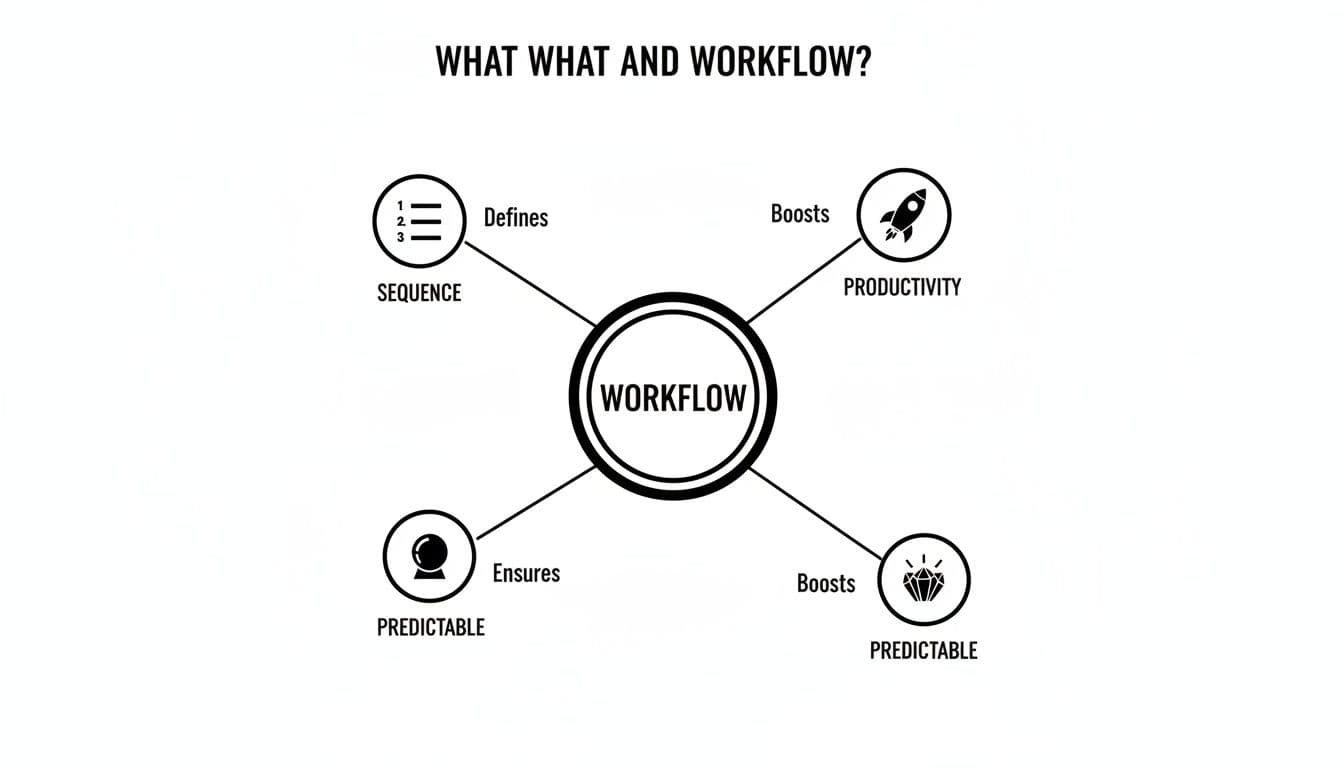
As you can see, a workflow provides a clear sequence that leads to a reliable outcome. Let's break down each building block using a classic business process: onboarding a new employee.
1. Inputs: The Raw Materials
An input is whatever you need to get the ball rolling. It could be information, a document, a request from a customer, or any other resource that kicks off the process. Nothing happens without the right inputs.
For our new employee onboarding, the most critical input is the signed offer letter. Until you have that, the process is stuck. Other necessary inputs would include the new hire's personal details for payroll, completed tax forms, and a confirmed start date. These are the non-negotiables.
2. Transformations: The Work Itself
Transformations are the actual steps you take to move the process forward. This is where the work happens—data gets entered, tasks get completed, and value gets created. Each transformation takes an input and changes it, getting it ready for the next stage.
Think of transformations as the verbs of your workflow. They represent action and effort, turning raw materials into real progress. This is where most bottlenecks tend to hide, but it’s also where you’ll find the biggest opportunities for improvement.
In our onboarding example, the transformations are all the activities that turn a candidate into a team member:
- Creating a company email and all the necessary system logins.
- Scheduling orientation meetings and initial training sessions.
- Setting up their workstation with a computer, phone, and other gear.
- Adding them to the right team chats and project management tools.
3. Outputs: The End Result
The output is the final, measurable result of the workflow. It's the whole reason you started the process in the first place—the successful completion of the sequence.
When onboarding a new employee, the output isn't just a checked-off list. The true, desired output is a fully integrated, productive team member who feels welcomed and is set up for success from day one. A well-designed workflow always has a clear, valuable output that directly supports a larger business goal.
Finding the Right Workflow for the Right Job
One of the biggest mistakes people make is trying to force a single workflow model onto every single task. You wouldn't use a screwdriver to hammer a nail, and the same logic applies here. To truly understand what a workflow is, you have to recognize that different kinds of work require different sequences.
When you match the right type of workflow to the right job, your operations become so much more effective. In fact, most businesses are already juggling all three types at once, whether they realize it or not. The trick is learning to spot them and manage them properly.
Process Workflows
Think of a process workflow as the assembly line of your business. These are for highly predictable, repeatable tasks that need to be done the exact same way every single time. Consistency is the name of the game.
In a typical office, you see these everywhere:
- Approving invoices: An invoice comes in, gets a manager's approval, goes to accounting, and gets paid. It's a fixed sequence.
- Processing expense reports: An employee submits their report, it’s checked against policy, approved, and then reimbursed. The steps don't change.
- Publishing a weekly blog post: The post is written, edited, formatted for the web, scheduled, and then published.
Because these workflows are so predictable, they are the perfect candidates for automation and optimization.
Project Workflows
Where process workflows are all about repetition, a project workflow is for a unique, one-time initiative. It still has sequential steps and a clear plan, but the entire workflow is custom-built for a specific goal with a definite start and end date.
A great example is redesigning your company website. You aren't doing that every week. The work would follow distinct phases like initial research, design mockups, development, content migration, and the final launch. Each step is a milestone in a larger, finite project.
Project workflows provide a clear roadmap for tackling unique challenges. They guide you from point A to point B when the path isn't one you travel every day.
Case Workflows
Finally, we have the case workflow. This is what you need when the path to a solution is totally unpredictable. Instead of a rigid, step-by-step sequence, a case workflow gives a knowledgeable expert a toolkit of potential actions they can use to solve a complex problem.
A classic example is a tricky customer support ticket. The support agent doesn't follow a script. They investigate, gather information, maybe chat with the engineering team, and test different solutions until they figure it out. The workflow is fluid, adapting on the fly as new information comes to light.
This push to organize work into structured, project-based, or adaptable flows is driving huge investments. The market for Robotic Process Automation (RPA)—a technology built for process workflows—is expected to reach USD 23.9 billion by 2026. With some estimates suggesting that nearly 70% of managerial work could be automated, it's pretty clear where the industry is heading. If you're curious about this trend, you can explore more insights on the shift toward optimized work on Kissflow. Understanding each workflow type is the first step in deciding where to apply these powerful strategies.
How Mapping Workflows Transforms Team Productivity
It’s one thing to talk about having a workflow, but it’s another thing entirely to actually see it. The real transformation happens when you get those processes out of people's heads and onto a shared map. This simple act of visualizing brings incredible clarity to a team, sharpening focus and cutting out the guesswork that leads to costly mistakes.
Think about a marketing team trying to launch a new campaign. In the "before" picture, work is a mess of emails, frantic Slack messages, and shoulder taps. The graphic designer has no clue when the copy will be ready, the social media manager accidentally posts content that hasn't been approved, and the project lead is stuck playing detective just to get a status update. It's stressful, inefficient, and nobody is ever quite sure what's supposed to happen next.

Now, let’s look at the "after" picture, where that same team has mapped out its process.
Creating a Single Source of Truth
With a clear, visual workflow, every step is laid out for everyone to see. The team instantly has a single source of truth. The designer sees the exact trigger for their task (final copy received), the social media manager knows the approval stage is non-negotiable, and the project lead gets a real-time view of the campaign’s progress without having to ask a single person.
This transparency doesn't just clear up confusion; it empowers people. Team members no longer just see their own little piece of the puzzle—they understand how their work directly impacts the next person in line. Strong processes for sharing information are a huge part of this; in fact, these 10 knowledge management best practices to streamline your team's workflow can dramatically improve how your team operates.
A documented workflow acts as your team’s playbook. It removes ambiguity, reduces mental load, and allows everyone to focus on execution instead of organization.
The Power of Predictability
Once a process is mapped, it becomes predictable. This "after" team can now give reliable timelines and manage their resources without constant fire drills. They can spot potential bottlenecks long before they become emergencies and fine-tune the steps to get even better over time. The chaos is replaced by a calm, collaborative rhythm.
The contrast is stark:
- Before: Constant check-ins, missed handoffs, and wasted effort.
- After: Seamless transitions, clear accountability, and smooth, reliable progress.
By taking a few hours to map a workflow, you aren't just drawing a chart. You're building a foundation for focused, productive, and far less stressful work. If you're ready to start mapping, our guide on the best workflow visualization tools can help you pick the right software for the job.
How to Build and Optimize Your First Workflow
Alright, theory is great, but now it's time to roll up our sleeves and actually build something. Mapping out a workflow isn't some high-level exercise just for process consultants—it's a practical skill anyone can master. By following these five straightforward steps, you can take a process that feels chaotic and turn it into a smooth, reliable system.
Let's walk through creating your first workflow from the ground up.
Step 1: Pick a Recurring Process to Improve
Start small. Seriously. Don't try to fix your company's biggest operational headache on your first go. Instead, choose a process that happens regularly and always feels a little clunky, time-consuming, or prone to mistakes.
Good candidates are often things like:
- Putting together and sending a weekly newsletter.
- Handling customer refund requests.
- Onboarding a new freelance contractor.
The key is to pick something you know well, where the pain points are obvious. This way, you'll see the positive impact of your changes almost immediately.
Step 2: List Out Every Single Task
Once you have your process in mind, it's time to play detective. Write down every single action involved, from the very first trigger to the final outcome. Be ridiculously specific and leave nothing out, no matter how tiny it seems.
For that "weekly newsletter" workflow, your task list might look something like this:
- Decide on the main topic for the week.
- Find three relevant articles to feature.
- Write the introduction and body copy.
- Brainstorm and draft a few subject lines.
- Create a header image.
- Build the email in the marketing platform.
- Send a test version to the team for review.
- Make edits based on feedback.
- Schedule the final email to go out Friday at 9 AM.
This detailed list is the raw material for your workflow map. Don't skip the details!
Step 3: Arrange Tasks and Identify Dependencies
Now, take that list and organize the tasks in chronological order. As you do this, keep an eye out for dependencies—these are the tasks that can only start after another one is finished. For example, you can't "send a test email" until the email is actually "built in the marketing platform."
This is where a visual tool, like the boards in Fluidwave, really shines. You can turn each task into a card and arrange them in columns that represent each stage, making those dependencies impossible to miss.
The image below gives you a sense of how a process breaks down into clear, sequential stages—which is exactly what you're building here.
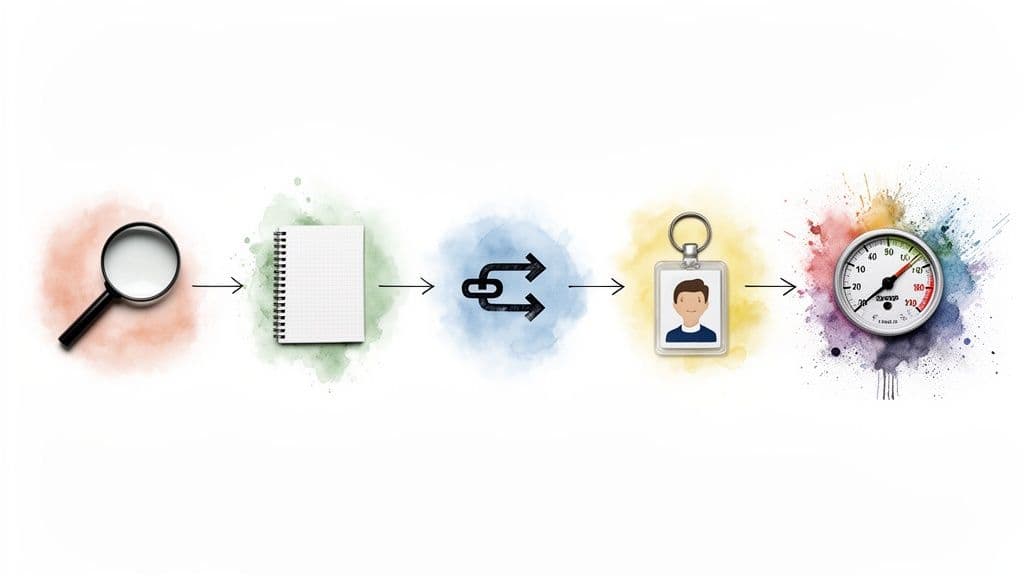
Seeing your process mapped out visually helps you understand its natural flow and pinpoint how one step logically leads to the next.
Step 4: Assign Clear Ownership
A task without an owner is a task that will inevitably get forgotten. For every step in your workflow, assign one person who is ultimately responsible for getting it done. Even if a few people chip in, a single owner is essential for accountability.
Clear ownership is what kills the dreaded, "Oh, I thought you were doing that" problem. It turns a simple checklist into an accountable plan of action.
Step 5: Spot Bottlenecks and Find Ways to Automate
With your workflow mapped and every task assigned, take a step back and look at the whole picture. Where do things get stuck? Where do delays always seem to pop up? These are your bottlenecks. Maybe getting an approval takes days, or manually moving customer info from one app to another is a tedious nightmare.
These bottlenecks are your biggest opportunities. Look for any repetitive, rules-based tasks and ask the magic question: "Can a machine do this for me?" Using a platform like Fluidwave, you can set up automations that move tasks along, delegate steps to AI, or notify the right person at the right time. This is how a static flowchart becomes a living, breathing system that works for you.
Power Up Your Workflows with Smarter Tools
Getting a handle on what a workflow is and mapping it out is a massive first step. But the real breakthrough in performance happens when you implement that map using the right tools. A great platform doesn't just digitize your flowchart; it turns a static plan into an active, intelligent system that works for you.
This is exactly where a tool like Fluidwave comes in. It's designed to be much more than a glorified to-do list, with smart features built in to reduce the mental friction of managing your work. The goal is to help you truly master your workflows, not just keep track of them.
Automation That Thinks Ahead
What if your workflow tool could do more than just send a reminder when something is due? With AI-powered automation, a platform can intelligently sort and prioritize tasks based on deadlines, who's involved, and what needs to happen first. This means you spend less time trying to figure out what to do next and more time actually getting it done.
It's a subtle but powerful shift from manually organizing your day to having an assistant that does it for you. This frees up the mental energy that’s normally drained by constant decision-making, letting you focus on the high-value work that actually moves the needle. To see how these systems operate under the hood, our guide to AI-powered workflow automation breaks it all down.
On-Demand Delegation for Ultimate Flexibility
One of the most effective ways to improve any workflow is to delegate tasks. The problem is, hiring full-time help for specific, occasional steps in a process just isn't practical for most of us. Fluidwave tackles this challenge head-on with its on-demand delegation feature.
Delegation is a core principle of effective workflow management. It’s about ensuring the right task is handled by the right person at the right time, without creating unnecessary overhead.
This feature lets you instantly offload specific tasks within your workflow—things like market research, data entry, or even creating social media graphics—to a network of skilled virtual assistants. You only pay for the completed task, which gives you a modern, incredibly flexible way to execute key steps without the commitment of a new hire.
This hybrid model, blending your core team with on-demand talent, ensures every part of your workflow is handled by an expert, precisely when you need them. It’s the best way to build a process that is both lean and remarkably effective.
Frequently Asked Questions About Workflows
As you start applying these ideas, a few questions almost always pop up. It's one thing to understand the concept, but another to put it into practice. Let's tackle some of the most common ones we hear.
What Is the Difference Between a Workflow and a Process?
It's easy to use these terms interchangeably, but there's a small distinction that's actually pretty useful.
Think of a process as the big-picture goal—the 'what.' For example, "onboarding a new employee" is a process. It’s the entire journey from a signed offer letter to a fully integrated team member.
A workflow is the 'how.' It's the specific, repeatable sequence of steps you follow to complete that process. This would include the tasks like sending the welcome packet, setting up their IT access, scheduling orientation meetings, and assigning their first project. The workflow is the series of actions that brings the process to life.
Can I Create Workflows for My Personal Life?
Absolutely. This isn't just for the office. Applying workflows to your personal life is one of the fastest ways to cut down on decision fatigue and mental clutter.
You already have personal workflows, you just might not have written them down. Think about things like:
- Your morning routine: A step-by-step sequence to start your day feeling calm and prepared.
- Weekly meal prep: A structured plan from choosing recipes to grocery shopping and cooking.
- Planning a vacation: A checklist that takes you from booking flights to creating an itinerary so you don't miss a thing.
The goal isn't to make your life rigid. It's about automating the predictable stuff so you can free up mental energy for the things that truly matter—like actually enjoying your morning coffee or your vacation.
How Do I Decide What to Automate in My Workflow?
This is where the real magic happens. Start by finding the biggest pains and the most boring tasks in your current workflow. The best candidates for automation are always the things that are repetitive, rules-based, and time-consuming.
Look for tasks like sending follow-up emails, moving data from a form into a spreadsheet, or generating a standard weekly report. Every one of these is a perfect opportunity for automation. Freeing yourself from that low-level work is what gives you the time and focus for the strategic thinking that only a human can do.
If you're looking for inspiration on what's possible, checking out the best AI tools for product design workflows can open your eyes to some powerful opportunities.
Ready to stop juggling tasks and start mastering your day? Fluidwave combines intelligent automation and on-demand delegation to build workflows that actually work for you. Start simplifying your work today.
Focus on What Matters.
Experience lightning-fast task management with AI-powered workflows. Our automation helps busy professionals save 4+ hours weekly.