Virtual assistant vs personal assistant compared on tasks, pay, legal status and hidden management costs, with a clear guide to choosing the right model.
November 23, 2026 (Today)
Virtual Assistant vs Personal Assistant: How to Choose
Virtual assistant vs personal assistant compared on tasks, pay, legal status and hidden management costs, with a clear guide to choosing the right model.
← Back to blog
The standard advice is to hire a virtual assistant and pocket the difference. That advice holds only when the tasks you hand over are written down, repeatable and easy to check. Hand over ambiguous work with no brief and the cheaper hourly rate becomes the most expensive line in your budget, because you've hired yourself as project manager.
What decides this isn't virtual versus in person. It's three things multiplied together: how complex the task is, how much autonomy it needs, and how continuous the support has to be. Get those right and the hourly rate is a detail. Get them wrong and no discount rescues you.
I'd start by counting the hours you'd spend briefing, checking and chasing, then compare that against the invoice. Everything below is how I'd run that comparison for an executive, a founder or a small team working from a shared task list.
Where the Two Roles Actually Differ
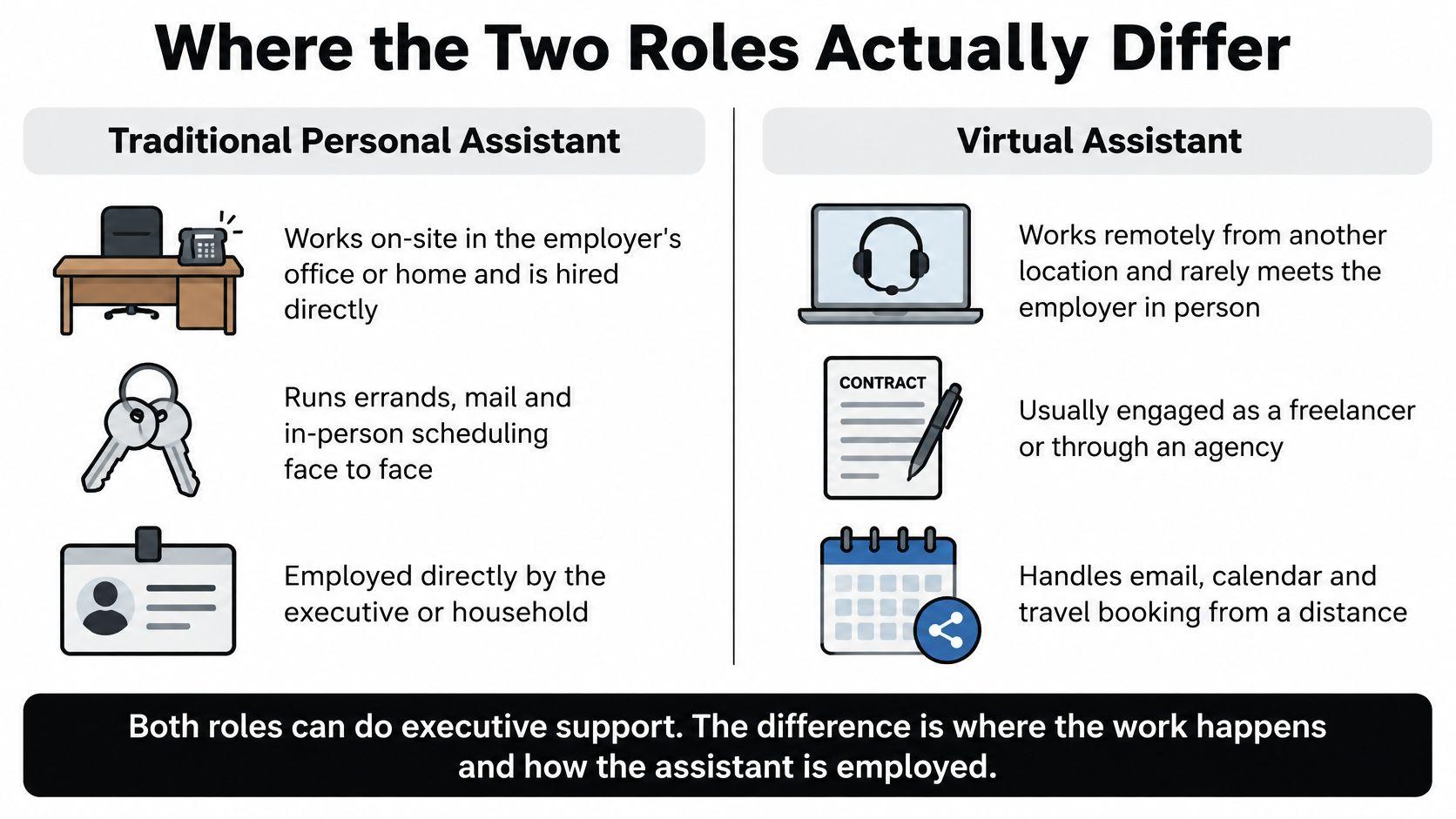
The job title tells you less than the work pattern does. Both personal and virtual assistants can manage an executive's calendar, handle email and arrange travel. The practical difference is where the assistant works, how the relationship is set up, and how much coordination the client must provide.
A traditional personal or executive assistant is usually hired directly by one person or organization and works on-site. That arrangement suits tasks tied to the office, such as coordinating in-person schedules, preparing meetings and handling physical documents. A virtual assistant performs many similar knowledge tasks remotely, including calendar management, email, research, bookkeeping, customer support and travel coordination. Virtual assistants commonly work as freelancers, contractors or through outsourced arrangements, as described in the occupational profile of executive assistants.
The on-site role remains an established occupation. The remote model developed as communication tools, cloud software and online labor marketplaces made it practical to deliver assistance without sharing a workplace. For buyers, that shift changed how support can be purchased: a virtual assistant may be engaged by project, hour or task rather than through a full-time employment commitment.
The trade is straightforward: remote support offers more flexible arrangements, while placing more coordination on the client. That added management work can include briefing tasks, confirming priorities and checking progress. The balance depends on how complex the work is, how much autonomy it needs, and how consistently someone must be available.
| Criterion | Personal assistant | Virtual assistant |
|---|---|---|
| Work location | On-site, in the employer's office | Remote, from the assistant's own workspace |
| Employment | Usually employed directly by one person or organization | Freelance, contract or outsourced, often per project |
| Typical scope | In-person scheduling, office coordination, meeting preparation, physical documents | Calendar and email, research, bookkeeping, customer support, travel coordination |
| Commitment | Ongoing, usually full-time or close to it | Hourly, by project or by task |
| Availability | Tied to the employer's working day | Set by the provider and the time zones covered |
Read the rows as operating differences, not as a ranking of capability. A personal assistant's regular presence can reduce the effort of explaining work that depends on the office or requires continuity throughout the working day. A virtual assistant may reduce the commitment when the work is digital and can be handed over in clear pieces. If the work is ambiguous, frequent check-ins can absorb the time saved by choosing a remote arrangement.
Read the rows against your own week
Look at the work that came up in your last seven days. How often did a task require someone in a room, handling a delivery, attending a meeting or responding to an in-person interaction? If those needs make up only a small part of the workload, an on-site arrangement may commit you to more presence than the tasks require.
Then count the digital handoffs: calendar changes, research questions, receipts and email. These can be done remotely, but the handoff still needs enough context for the assistant to act without repeated clarification. A clear brief reduces management load; unclear work pushes decisions and follow-up back to you.
The deciding question is how much of the work needs a person physically present, and how much autonomy and continuity it demands.
Which Responsibilities Suit Each Role
Put the roles side by side and the task lists overlap far more than the job titles suggest. A virtual assistant with access to your calendar and inbox can cover most of the daily surface area of an on-site assistant. What they can't do is walk a signed contract to a colleague's desk or catch the finance director in the corridor before a board meeting.
Sort responsibilities by what they demand rather than by who usually performs them. Three tests settle most arguments: does the task need physical presence, does it need judgment and relationship context, and does it repeat often enough that a written process beats a person's memory. A task that fails all three belongs with whoever is closest. A task that passes the third test cleanly can be handled from anywhere.
Where the split actually falls
Physical document handling and in-person meeting preparation are the clearest cases for a personal assistant. Custody of paper, room setup, courier handoffs and greeting a visitor all depend on being there, and no amount of video calling changes that.
The middle ground is wider than many expect. Travel booking and itinerary changes work remotely as long as approval limits are written down: a cap per booking, a rule for changes within 24 hours, a named person who signs off on anything above the cap. Without those rules, the same task becomes a chain of messages asking permission.
| Responsibility | Better fit | Why |
|---|---|---|
| Physical document handling | Personal assistant | Requires presence and secure physical custody |
| In-person meeting setup and room preparation | Personal assistant | Depends on proximity to the office |
| Calendar and inbox triage | Virtual assistant | Digital and repeatable once rules are written |
| Travel booking and itinerary changes | Either, leaning virtual | Done remotely if approval limits are set |
| Research and data gathering | Virtual assistant | Scales by project without extra headcount |
| Bookkeeping and invoice follow-up | Virtual assistant | Works from digital records and set schedules |
| Negotiation and stakeholder judgment | Personal assistant | Needs context, relationships and accountability |
| Customer support and routine follow-ups | Virtual assistant | Structured scripts and measurable outcomes |
| Confidential executive matters | Personal assistant | Direct employer relationship and closer oversight |
Practical rule: if you can't describe the finished task in two sentences and name what "done" looks like, it isn't ready for a remote handoff yet.
The edge case worth planning for is system access. A virtual assistant with delegated access to your calendar, email and files can absorb most of the scheduling and correspondence load, but only once the priority rules and exception paths are documented. Which senders get a same-day reply, which meetings can be moved without asking, and what happens when two executives both claim Thursday at 2pm. Write those down and the work travels. Leave them implicit and you'll spend the week answering questions instead of doing your job.
If you're unsure how wide an executive's task list really runs, this breakdown of executive assistant tasks is a good list to sort against.
Before you talk to anyone about rates, list every recurring task from the past two weeks and tag each one against the table. Count the columns. That count is your answer, and it's more reliable than any general recommendation.
What Each Model Really Costs
An hourly quote is not a complete cost comparison. In May 2025, secretaries and administrative assistants overall had median annual pay of $48,310, or $23.23 an hour, according to the Bureau of Labor Statistics occupational outlook. Executive secretaries and executive administrative assistants had a median of $76,590, while legal secretaries had $55,570, medical secretaries $45,930, and other administrative assistants $47,540.
These are employee medians, not total employer costs. Payroll taxes and benefits add to the expense of a direct hire. A virtual assistant engaged for defined deliverables may charge by the hour or task, but comparing that quote with an employee's salary leaves out the work required to manage the arrangement.
| Role | Median annual pay |
|---|---|
| Secretaries and administrative assistants, all | $48,310 |
| Executive secretaries and executive administrative assistants | $76,590 |
| Legal secretaries and administrative assistants | $55,570 |
| Medical secretaries and administrative assistants | $45,930 |
| Other administrative assistants | $47,540 |
| Virtual assistant, hourly or per task | Set per engagement, by hour or by task |
The cost that never makes it into the table
Remote work moves management overhead onto the client: briefing, quality checks, handoffs and follow-ups stay with you. An embedded assistant can retain context and take ownership of follow-ups, while a remote assistant may need the brief and next steps made explicit each time. The difference matters most when tasks are complex, exceptions are frequent or the work depends on continuity.
That time does not appear on an invoice, but it still has a cost. A lower hourly rate may offer little saving if you spend substantial time explaining assignments, reviewing results and chasing unfinished work.
Track that management time for a week. Record time spent writing briefs, checking output and following up, then multiply those hours by the value of your own time. Add that amount to the assistant's invoice and compare the total with the loaded cost of an employee. The hourly rate alone cannot show which arrangement uses your time more efficiently.
For a side-by-side view of employment structure and overhead, see how CS Outsource compares hiring models. For common pricing structures, including hourly and per-task arrangements, read how much a virtual assistant costs.
Per-task pricing works best when the deliverable is clear and repeatable. If the work still needs a detailed brief, several rounds of review or ongoing follow-up, the management cost remains, even when the invoice is organized by task.
Employment Status and Legal Exposure
Remote work doesn't decide employment status. Control and economic dependence do. A personal assistant hired directly is generally treated as an employee when the organization controls the work and the person depends on that employer for income. The Department of Labor's rule, effective March 11, 2024, requires an economic-reality analysis instead of relying on a contract label, per the DOL worker classification rule.
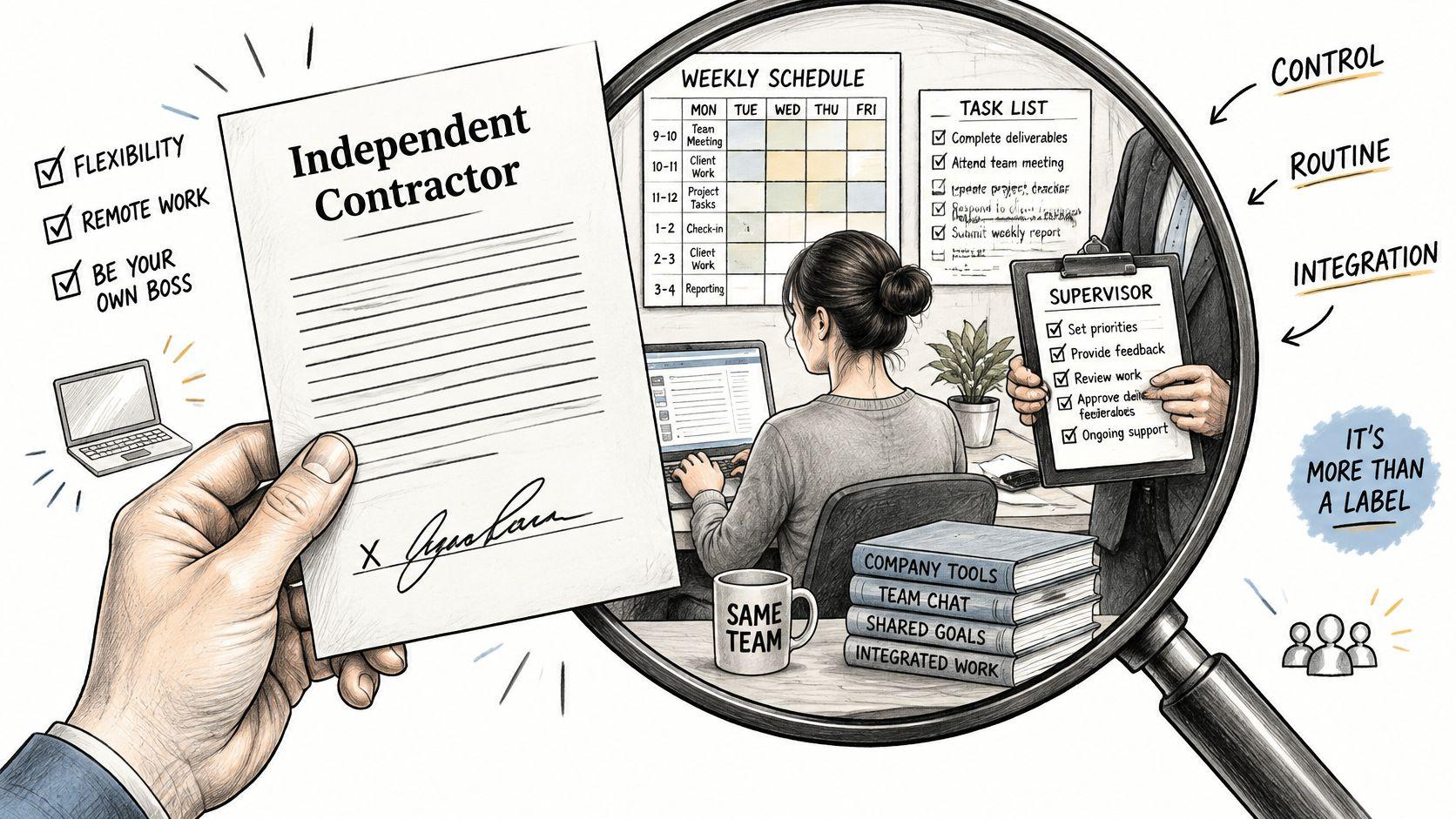
The analysis weighs six factors, and it's worth reading them as a checklist rather than a legal formality, because each one describes how the relationship runs:
- Opportunity for profit or loss: whether the assistant can make or lose money by managing the work well.
- Investment: what each side puts in, from equipment to tools to software.
- Permanence: how long the relationship is expected to last.
- Control: how much you direct the how and when, not just the what.
- Integral work: whether the role is central to the business rather than peripheral.
- Skill and initiative: whether the assistant brings independent judgment and business skill.
The arrangement that fails the test
Say you engage an assistant on a contractor agreement. She works your hours in your time zone, uses your accounts and your equipment, takes no other clients, and reports to you throughout the day. On paper she's a contractor. Under the economic-reality test she looks like an employee, and the agreement doesn't protect you from a misclassification finding.
The practical consequence is coverage. Independent contractors are in business for themselves and aren't covered by the Fair Labor Standards Act's federal minimum-wage and overtime protections. Employees are. A written agreement that says "contractor" doesn't move the assistant into that category if the relationship says otherwise.
Cross-border arrangements add a second layer. The International Labour Organization surveyed 3,500 workers in 75 countries across digital labour platforms, documenting how assignments, pay and social protection work when a platform sits in the middle, including fluctuating access to tasks and protections that don't travel with the work, as set out in its report on digital labour platforms. An assistant engaged that way typically handles her own taxes, benefits and payment risk.
Test your own setup against the six factors. Does she take other clients, set her own hours, supply her own tools, stand to profit or lose on the engagement, work on something core to your business, and exercise independent judgment? If most answers point to you controlling all six, manage the relationship as employment and get advice before you scale it.
Where AI Assistants Fit Between the Two
AI adoption in remote-capable roles moved fast. Use rose from 28% in Q2 2023 to 66% by Q4 2025, with frequent use climbing from 13% to 40%, and office and administrative support carries the highest share of potentially automatable tasks among the occupational groups tracked, at 46%, according to industry tracking of AI use in professional services.
None of that converts into "replace the assistant". An automatable share is a measure of task type, not a verdict on your workflow. Complex client communication, phone calls, nuanced research, negotiation and anything empathy-heavy still land on a person. The mistake is treating AI as a cheaper substitute for a virtual assistant rather than as a layer with a specific shape.
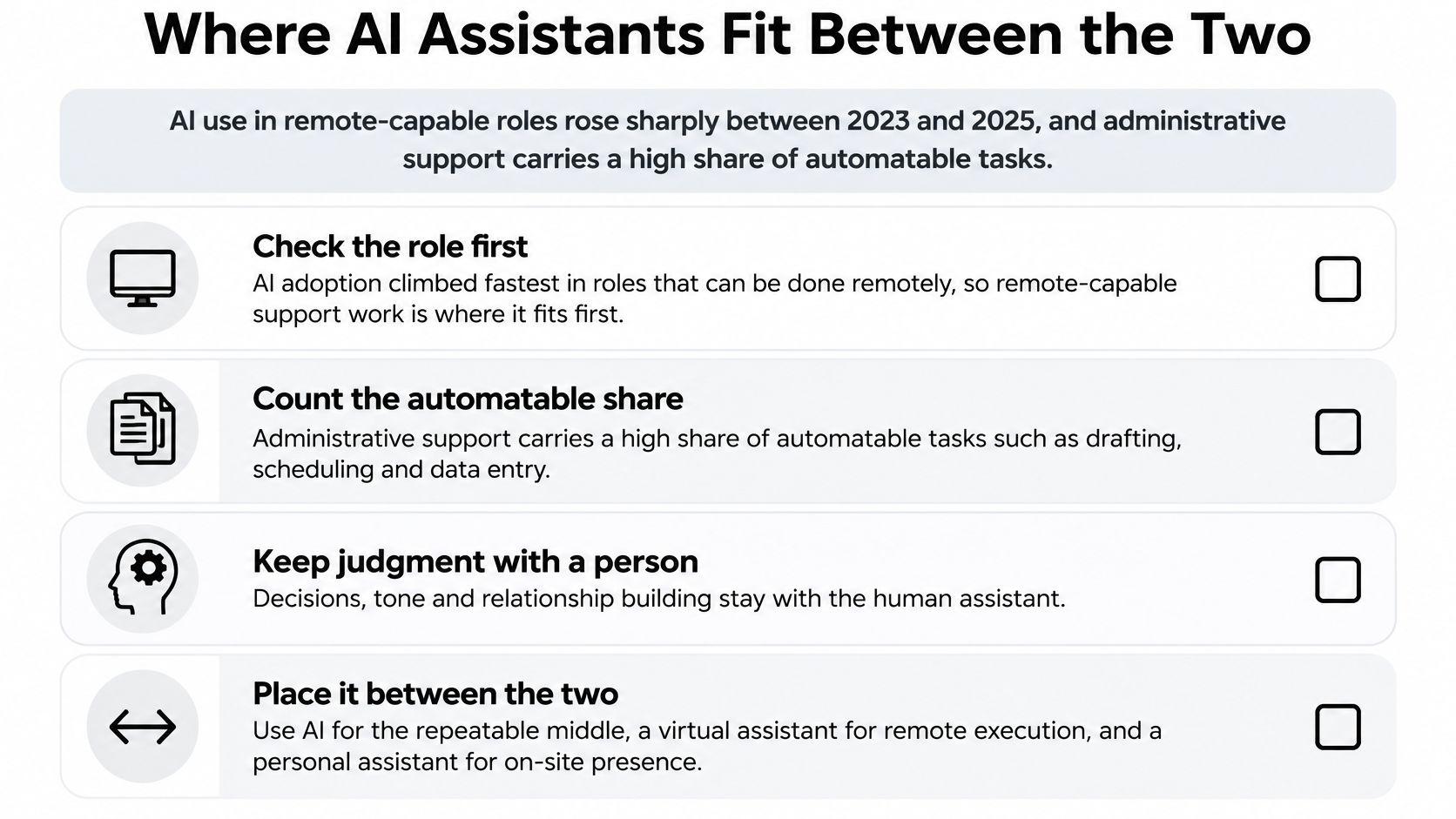
My framework is risk-based, and it has three tiers:
- Automate the repeatable and low-risk: intake, categorization, reminders, first drafts, summarization, information retrieval. Nothing leaves the building without a review step.
- Delegate to a human for judgment and relationships: negotiation, sensitive disclosure, tone calls, anything where the wrong sentence costs a client.
- Require approval before external commitments: anything irreversible, anything contractual, anything that emails someone outside your organization.
Where AI earns its place, and where it doesn't
The ceiling is lower than the marketing suggests. On the GAIA benchmark, 466 questions built to test reasoning, tool use and information seeking, overall human accuracy came in at 92% against 15% for GPT-4 with plugins, according to the GAIA benchmark paper. Reliability degrades when instructions are underspecified, several tools have to work together, or real-world judgment is required.
The gain is real but uneven. Access to a generative-AI assistant raised issues resolved per hour by 14% on average across 5,179 customer-support agents, and the improvement was concentrated at the bottom: novice and lower-skilled workers gained 34% while experienced workers saw little change, per the field study published in the Quarterly Journal of Economics. That pattern argues for AI as a ramp-up tool and a first-pass accelerator, not as the final control layer.
Our AI assistant uses your tasks, email, calendar and contacts as context, so "push the invoice follow-ups to Thursday" lands against real records instead of a blank chat box. The AI mode asks Claude to weigh task names and context when ordering work and when splitting long tasks across several sessions, and it runs slower per run than the default. Auto-prioritization and the Active filter hide tasks you can't act on right now and put the most important one at the top, which matters most if your bottleneck is deciding what to do next rather than sheer volume.
Know the boundary. Fluidwave doesn't include time tracking, dashboards, custom fields or integrations with Jira and Linear, so it fits personal task control far better than team-level reporting. If you need a project dashboard, keep it elsewhere.
If you're working out where the AI layer should stop, this guide to the AI personal assistant covers the handoff between automated and human work in more detail.
Then check the failure modes before you connect anything. An automated step that fails without warning is harder to catch than a person who tells you they're stuck, so review output before it leaves your inbox. Confirm where task data and contact details get processed before you connect a mailbox. And name the person who takes over when a step can't be finished, because "the AI handles it" is not an escalation path.
Which Model Fits Your Situation
Demand isn't in question. In 2025, 72.24% of surveyed business leaders, founders and executives reported relying on an administrative or executive assistant, according to Piralto's executive survey as reported by Outsource Teams. The useful question is which arrangement fits the work in front of you, and that comes down to those three variables interacting: complexity, autonomy and continuity.
High on all three and you're describing an embedded role. Low on all three and you're describing a remote contract.
| Situation | Better choice | Reason |
|---|---|---|
| Executive who needs someone on-site every day | Personal assistant | Physical presence and ongoing context matter most |
| Founder with scattered admin and no steady workload | Virtual assistant | Paid per task or project, without a salary commitment |
| Professional with ADHD who forgets follow-ups | Virtual assistant with automation | Capture, reminders and follow-up matter more than presence |
| Team with defined deliverables and a shared tracker | Virtual assistant | Scope is set by a written brief and milestones |
| Role with confidential, sensitive decisions | Personal assistant | Direct accountability and closer oversight |
| Seasonal or overflow workload | Virtual assistant | Capacity can be added and reduced as needed |
The failure cases are predictable. A virtual arrangement collapses when nothing is documented: the assistant keeps asking which of the two invoice systems is real, decisions live in your head, and the work stalls between messages. A personal arrangement becomes expensive when the workload is light, because you're paying for continuous availability during a week that only needed four hours of help.
The cheaper option is the one that needs less of your attention per completed task.
That's the differentiator I'd put above every other factor. A rate only tells you what an hour costs. Attention tells you what the hour delivered.
Confirm the Model Before You Hire or Delegate
The order of operations matters more than the decision itself, because a good model applied to an undocumented workflow fails anyway.
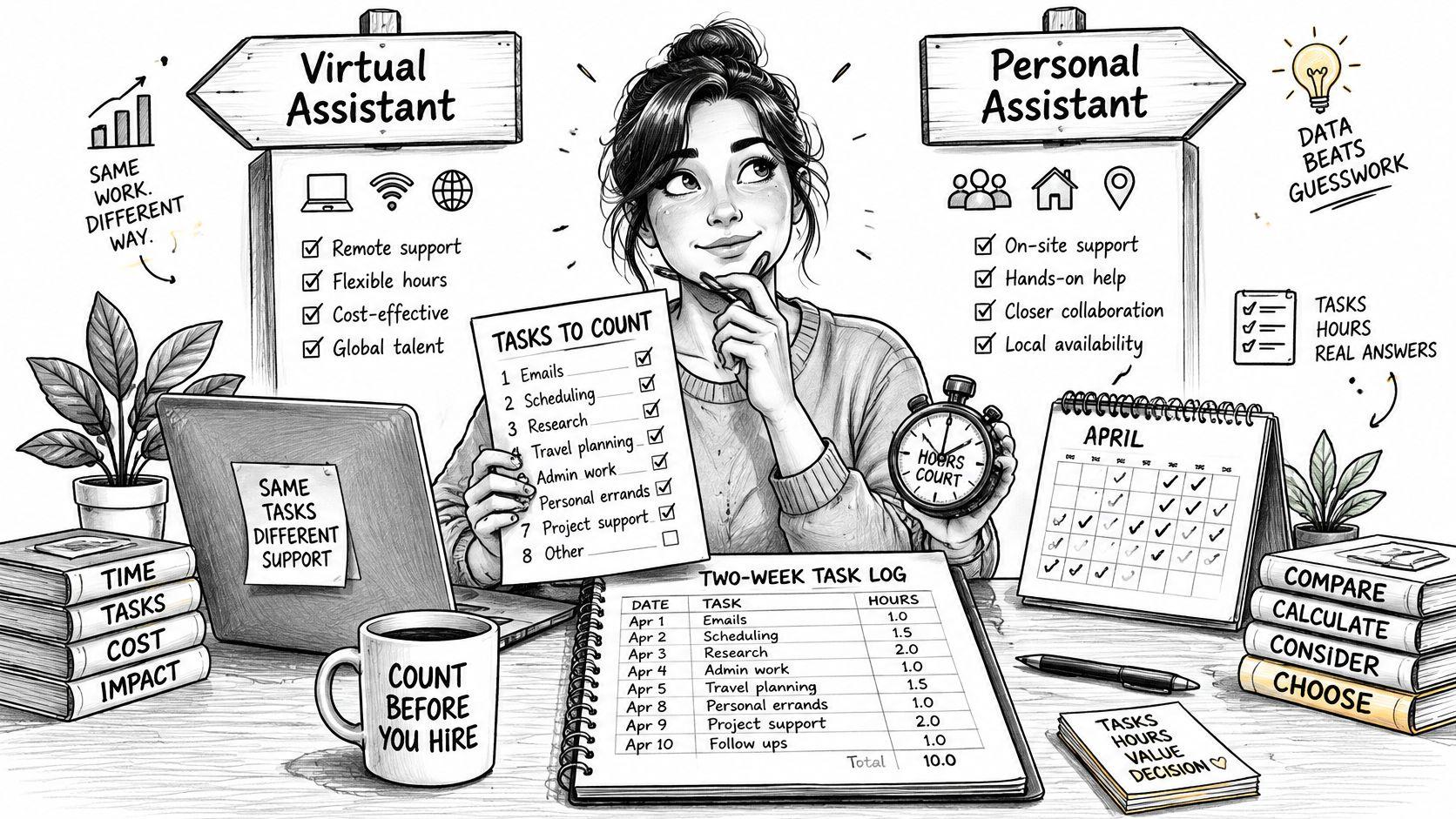
- Log every recurring task from the last two weeks, with the time each one took. Memory undercounts small repeated jobs badly, and those are exactly the tasks worth handing over.
- Tag each task by complexity, sensitivity and whether it needs someone physically present. This is what lets you match your list against the situation table instead of guessing from job titles.
- Estimate the weekly hours you'd spend writing briefs, checking output and chasing follow-ups. That number, not the invoice, is the actual cost of a remote model.
- Compare the totals and pick a model. If most tasks are defined and low-sensitivity, a virtual assistant is the likely fit; if presence and confidentiality dominate, it isn't.
- Write a brief with a deadline, a budget, the source constraints and the approval points. Name what must come back to you before anything goes external, so the boundary is agreed rather than assumed.
Then delegate one low-risk, well-defined task first. Measure how much rework it needs. Expand only when that rework rate is low enough that you're not spending more time correcting than doing.
When you post a task to our marketplace, you agree the price and milestones with the assistant directly, which keeps the scope explicit from the start. The marketplace, which connects you with human virtual assistants who can take tasks off your list, is in public beta.
Fluidwave puts your tasks, email and calendar in one place, so the work you're deciding about is already written down where you can price it. The AI assistant handles the repeatable layer, and when a task needs a person, you post it to the marketplace, agree the price and milestones, and hand it to a human assistant without leaving your task list. Start at Fluidwave and post the one low-risk task from this week's log to see what a real handoff costs.
Focus on What Matters.
Experience lightning-fast task management with AI-powered workflows. Our automation helps busy professionals save 4+ hours weekly.