Tired of distractions? Discover how the best time blocking apps can transform your schedule and boost focus. Your complete guide for 2026 is here.
March 5, 2026 (7mo ago) — last updated March 17, 2026 (7mo ago)
The Best Time Blocking Apps to Reclaim Your Focus and Productivity
Tired of distractions? Discover how the best time blocking apps can transform your schedule and boost focus. Your complete guide for 2026 is here.
← Back to blog
At its heart, a time blocking app is designed to help you plan every minute of your day. Instead of just having a to-do list, you assign each task to a specific block of time on your calendar. It’s the difference between knowing what you need to do and knowing exactly when you're going to do it.
Why Time Blocking Is Your Secret Weapon for Productivity

Do your days ever feel like a blur of back-to-back meetings, with an endless to-do list that never seems to shrink? You’re not alone. Most of us feel like we’re passengers on a runaway train, constantly reacting to urgent demands instead of steering our own day. This is where time blocking totally changes the game.
Think of it less as a rigid, restrictive system and more as a framework for taking back control. Suddenly, you're the architect of your day. By intentionally scheduling not just your meetings but also your actual work, you turn your calendar from a list of obligations into a real plan for what you want to accomplish.
From Reactive to Proactive
The real magic of time blocking is how it fights decision fatigue. When your calendar is wide open, you burn precious mental energy just figuring out what to do next. That constant self-negotiation is a perfect recipe for procrastination and context-switching.
With time blocking, you’ve already made the decision. Instead of asking yourself, "What should I do now?" you just look at your schedule and see, "It's 10 AM, time to work on the project proposal." All your focus can go into the task itself, not the planning.
This method also forces you to be honest about how long things actually take. Over time, you’ll get a much better feel for your own capacity, helping you set achievable goals and sidestep the stress of an overbooked schedule.
The Foundation of Deep Work
One of the biggest payoffs is creating protected time for deep work—those high-value, mentally demanding tasks that actually move the needle. When you put a "focus block" on your calendar, you're sending a clear signal to yourself and your team that this time is off-limits.
This proactive mindset is the key to making any productivity method stick. While time blocking helps you schedule your day, you can apply the same principle of intentionality to other areas. For instance, finding ways to automate administrative tasks—like learning about automation in accounting—frees up even more time for the deep work you’ve scheduled.
Understanding the Rise of Time Blocking Tools
If you think time blocking is just another productivity fad for the super-organized, it’s time to look again. What was once a niche technique has gone mainstream, and the explosion of time blocking apps signals a major shift in how we manage our professional lives. These tools are quickly becoming essential for anyone trying to get meaningful work done.
So, what's behind this? A huge part of it is the move to remote and hybrid work. The physical boundaries of the office—the commute, the set hours, the closed doors—have pretty much disappeared. This leaves many of us struggling with scattered schedules, a constant barrage of notifications, and the blurring line between work and home. In this new reality, we’re all looking for ways to create structure and protect our focus.
The Booming Market for Focus
This demand isn’t just a feeling; the numbers tell a pretty clear story. The global Time Blocking App market is seeing some wild growth, with projections hitting an estimated USD 2.15 billion by 2025. This isn't just a niche market; it shows a widespread need among professionals and teams for a more deliberate way to work. You can dig into the specifics in the latest market intelligence report.
This trend is also reflected in the wider time management software industry.
The chart below breaks down how different groups, from individual users to large companies, are driving this growth.
As you can see, both personal and commercial users are adopting these tools like crazy. It just confirms that the struggle to manage time effectively is a shared one, no matter where or how you work.
Why This Growth Is Good News for You
This booming market is more than just an interesting business trend; it has direct benefits for you. Fierce competition among developers is fueling a wave of innovation, resulting in more powerful, intuitive, and genuinely helpful tools.
This rapid evolution means you get access to apps with better features, smarter AI-driven scheduling, and seamless integrations with the calendars and project management tools you already use.
At the end of the day, the growth in time blocking apps gives you a proven way to take back your day from the constant demands on your attention. As these platforms get more sophisticated, they get better at helping you turn chaos into focused, productive work, making it that much easier to hit your biggest goals.
How to Choose the Right Time Blocking App for You
With so many time blocking apps on the market, just picking one can feel like a full-time job. The secret is to cut through the marketing fluff and focus on what will actually fit into your day-to-day reality.
What works for a solo freelancer is completely different from what an executive or a busy team needs. It’s no surprise these tools are taking off. Commercial users are on track to make up over 55% of the market by 2025. This isn't just a local trend, either—North America represents up to 40% of the market, while the Asia-Pacific region is projected for 25% growth by 2030.
The results speak for themselves. According to market data, 72% of users report a significant improvement in focus after just three months. You can dive deeper into these trends in the time blocking app market to see the full picture.
Start By Identifying Your Core Needs
Before you even look at a feature list, you need to get really clear on what you’re trying to fix. Are you drowning in client work, or are you a manager desperate to carve out focus time for your team? The answer will immediately narrow your search.
Ask yourself a few honest questions to find your starting point:
- What’s my single biggest time management headache? (Is it too many meetings? Procrastination? No time for deep, concentrated work?)
- Who else needs to see what I’m working on? (Is this just for you, or do you need to share it with a team, an assistant, or clients?)
- How complex are my projects? (Are we talking simple daily to-do lists or complex, multi-stage projects with dependencies?)
Your answers act as a filter, helping you tune out the options that aren’t built for you and zero in on the ones that are.
Essential Features to Look For
While everyone's workflow is a little different, there are a few non-negotiable features that any decent time blocking app has to have. Think of these as the foundation of your entire productivity system.
The goal isn’t to find an app with the most features, but one that does the most important things exceptionally well. A complicated tool often creates more friction than it solves.
Here’s a look at what the best time blocking apps all have in common and what you should look for when evaluating your options.
| Feature | Why It Matters for Productivity | Ideal For |
|---|---|---|
| Two-Way Calendar Sync | Prevents double-booking and saves you from manually updating multiple calendars. It ensures your schedule is always the single source of truth. | Everyone, but especially professionals who live by their calendar (e.g., Google Calendar, Outlook). |
| Integrated Task Management | Lets you drag tasks directly from a to-do list onto your calendar. This closes the gap between knowing what to do and deciding when to do it. | Users who want one tool to manage both their tasks and their time, avoiding constant app-switching. |
| Flexible Drag-and-Drop | Life happens. A fire drill from your boss or a last-minute client request means you need to be able to reschedule blocks in seconds, not minutes. | Dynamic roles where priorities can shift quickly, like project managers, executives, and freelancers. |
| Clear Visual Interface | A cluttered, confusing layout defeats the purpose of time blocking. Color-coding and a clean timeline reduce mental strain and make your plan easy to read. | Visual thinkers and anyone prone to feeling overwhelmed by a packed schedule. |
| Collaboration & Delegation | The ability to share your schedule or assign time blocks to team members is critical for coordinating group efforts and protecting collective focus time. | Managers, team leads, and executive assistants who manage schedules for others. |
An app that masters these core functions will give you a solid foundation for building a more intentional and productive workday.
Deeper Dive into the Must-Haves
Let's break down a few of those features a bit more.
-
Intuitive Calendar Integration This is the big one. The app has to sync perfectly with your main calendar, whether that’s Google Calendar or Microsoft Outlook. If the sync isn't a true two-way street—meaning changes in one place instantly reflect in the other—you're just creating more work and risking embarrassing scheduling mistakes.
-
Flexible Scheduling and Task Management Your schedule isn't set in stone, so your app shouldn't be either. The best tools offer fluid, drag-and-drop functionality, letting you move blocks around effortlessly when things change. They also bring your to-do list into the same environment. This allows you to pull tasks directly onto your calendar, turning abstract "to-dos" into concrete appointments with yourself. If your needs go beyond a simple list, our guide on task management software comparisons can help you find a more powerful solution.
-
Clear Visual Interface Time blocking is all about bringing clarity and intention to your day. If the app's interface is a mess, it's working against that goal. You need a design that's clean, visual, and easy to understand at a glance. Things like color-coding, distinct timelines, and an uncluttered layout are crucial—they should reduce your mental strain, not add to it.
Building a Smarter Schedule with Fluidwave
Understanding the theory behind time blocking is a great start, but the real magic happens when you put it into practice. This is where we go from talking about features to actually building an intelligent schedule in Fluidwave. It’s about making your calendar stop being a passive record of appointments and start being an active plan for your day.
Instead of facing a blank calendar every morning, you can begin with a solid framework. This is how Fluidwave helps you turn a simple to-do list into a dynamic roadmap for getting your most important work done.
From To-Do List to Time-Blocked Reality
First things first, let's get your calendar set up for time blocking. This doesn't mean painstakingly dragging every single task over one by one. The smarter way is to create dedicated blocks for different modes of work, like 'Deep Work,' 'Client Calls,' or 'Admin.'
Once those foundational blocks are on your calendar, Fluidwave’s integrated task management really starts to shine. You can build out your task list with everything on your plate, then let the system’s smart features help you slot those tasks into the right blocks. It’s a simple but powerful way to finally connect your what with your when.
Supercharge Your Week with Templates
Let’s be honest—parts of your week are predictable. Maybe Mondays are for deep strategic work, and Friday afternoons are for clearing your inbox and wrapping up loose ends. Instead of rebuilding that structure from scratch every week, Fluidwave lets you create templates for your ideal schedule.
Think of a template as your weekly blueprint for success. By creating a 'Focus Monday' template, for example, you can instantly protect your most valuable focus time with just one click.
This simple act of templating your week cuts down on decision fatigue. With your core structure already in place, you can spend your mental energy doing high-impact work instead of just planning it. For more inspiration, check out our guide on creating a time blocking schedule template.
The process of picking the right tool always comes down to a few key steps.
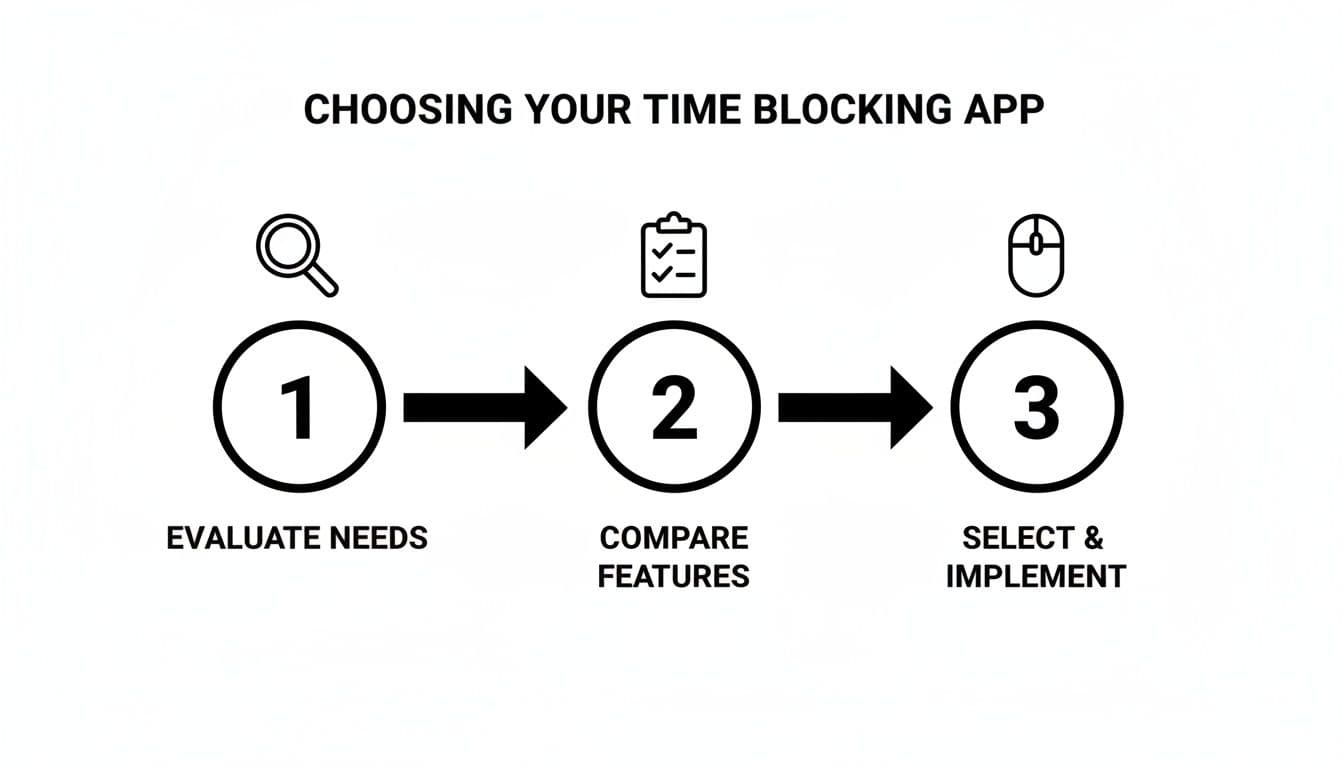
As you can see, choosing an app is a deliberate process of evaluation, not just a random guess.
Use AI and Delegation for True Efficiency
This is where your smart planning gets a serious execution boost. Fluidwave’s AI can auto-schedule tasks from your list directly into your pre-defined time blocks. It intelligently fits them into the available slots based on priority and duration, solving the daily logistical puzzle for you.
But the real game-changer is delegation. With Fluidwave, you don’t just schedule a task—you can assign it to a virtual assistant right inside the time block.
Imagine you have a two-hour block for 'Marketing Prep.' Within that block, you can delegate specific tasks like 'Draft social media posts' or 'Research competitor keywords' to a skilled assistant. You’ll see updates as the work gets done, all without having to break your own focus. This turns your schedule from a personal plan into a collaborative engine, freeing you up for the strategic work only you can do.
Time Blocking Workflows for Different Professionals
Time blocking is definitely not a one-size-fits-all solution. A CEO’s ideal schedule looks completely different from a freelance designer's, and neither resembles the day of a busy project manager. The real magic happens when you adapt the technique to your specific role using time blocking apps.
Think about it: a simple to-do list might get you through a day of straightforward tasks, but it quickly crumbles under the weight of complex responsibilities. A properly tailored time-blocking workflow, on the other hand, transforms your calendar from a passive record of appointments into a strategic tool that reflects the unique demands of your job.
For Executives and Leaders
If you're in a leadership position, your most precious resource isn't just your time—it's your focused attention. Your schedule is likely a minefield of back-to-back meetings and urgent requests, leaving almost no room for the strategic thinking that actually moves the business forward.
An effective time-blocking workflow for an executive is all about carving out and protecting that high-level thinking space.
- Strategic Thinking Blocks: Get serious about scheduling recurring, non-negotiable blocks for what you might call "CEO Time" or "Strategic Planning." This is your time for deep work on company vision, competitive analysis, or long-term goals. Protect it fiercely.
- Delegation and Review Blocks: Instead of letting requests pull you in a dozen directions, batch them. Schedule specific windows to review your team's work and delegate new tasks. This makes you far more efficient and empowers your team to operate without constant check-ins.
- Buffer Time: Your day is bound to have surprises. By adding 30-minute "flex time" blocks between major meetings, you give yourself a cushion to handle unexpected issues without seeing your entire schedule go up in flames.
For Collaborative Teams
On a team, time blocking becomes a group exercise in protecting collective focus. The main goal here is to fight back against meeting fatigue and ensure every person has the uninterrupted time they need to make real progress on their most important work. Without a shared system, one person's focus time is inevitably another's "quick question."
A team-wide time blocking system creates a common language for respecting each other's time. When everyone can see shared "no meeting" zones, it becomes easier to collaborate asynchronously and reduce interruptions.
Here are a few strategies that work well for teams:
- Shared Focus Blocks: Try implementing team-wide "Deep Work" blocks, maybe on Tuesday and Thursday mornings, where internal meetings and non-urgent messages are completely off-limits.
- Themed Days: Bring some structure to the week by assigning themes to certain days. Think "Meeting Mondays" or "Project-Focused Fridays." This helps everyone plan their week with more intention.
- Visible Schedules: Use collaborative time blocking apps that allow team members to see when someone is in a focus session. This visibility removes the friction of guessing when it's a good time to connect.
For Neurodivergent Professionals
For neurodivergent individuals, especially those with ADHD, a lot of standard productivity advice can feel rigid and even counterproductive. The good news is that a flexible approach to time blocking can provide much-needed structure without feeling suffocating. The key is building a system that works with your brain, not against it.
When designing a workflow, it’s helpful to lean on expert guidance, like these strategies for coping with ADHD and Autism, to find what works best for you.
The idea is to use time blocking less as a strict set of rules and more as a visual guide to reduce decision fatigue. By pre-deciding what to work on and when, you dramatically lower the mental energy needed just to get started.
Common Time Blocking Mistakes and How to Fix Them
So you’ve decided to give time blocking a serious try. That's a great first step, but like any new habit, there are a few common pitfalls that can quickly turn your perfectly crafted schedule into a source of daily stress. Knowing what these are ahead of time will help you build a system that actually works for you.
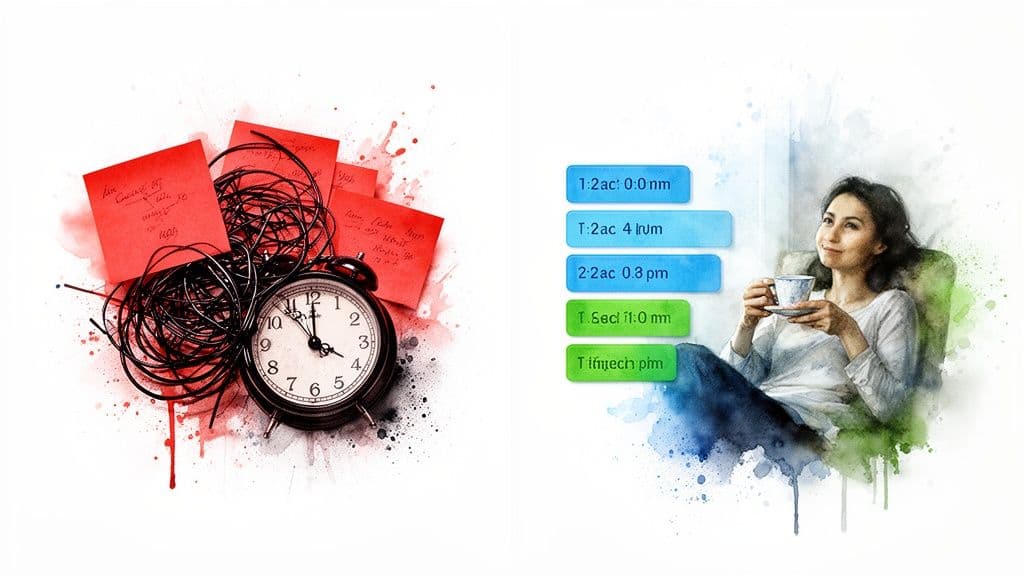
The biggest and most common mistake? Over-scheduling. It’s so tempting to fill every last minute of your day, creating a beautiful, color-coded calendar that screams productivity. The problem is, reality is messy. A single meeting that runs over or an unexpected phone call can throw that entire rigid plan into chaos.
Being Too Rigid with Your Plan
This leads directly to the next trap: treating your schedule as law instead of a guide. Life happens, and priorities shift. The goal isn’t to force yourself to stick to the original plan no matter what; it’s to adapt intelligently when things change.
With time blocking, you’ve already made the decision. Instead of asking yourself, "What should I do now?" you just look at your schedule and see, "It's 10 AM, time to work on the project proposal." All your focus can go into the task itself, not the planning.
When you fail to adjust, you end up feeling constantly behind schedule. This triggers a destructive cycle of mental fatigue, largely due to the high cost of frequent task-hopping. We've written more about what context switching is and how it quietly sabotages your focus.
Underestimating Task Duration
Finally, almost everyone starts out being wildly optimistic about how long a task will take. We think we can draft that report in an hour, but it really takes 90 minutes. When you consistently underestimate your work, you’re building a schedule that's destined to fail, leading straight to frustration and burnout.
The good news is that these problems are all fixable with a few strategic adjustments:
- Build in Buffers: This is non-negotiable. Always schedule 15-30 minute "flex time" or "buffer" blocks throughout your day. Use them to absorb delays, grab a coffee, or handle the small things that pop up. They are your schedule's shock absorbers.
- Embrace the Drag-and-Drop: When a priority shifts, don't just abandon your plan in frustration. A good time blocking app lets you simply drag and drop blocks to create a new, realistic plan for the rest of your day. This is adapting, not failing.
- Track Your Time (for a little while): For just one week, pay close attention to how long your common tasks actually take. This isn't about policing yourself; it's about gathering data. Use this real-world intel to create future schedules that reflect reality, not wishful thinking.
Frequently Asked Questions About Time Blocking
Even after you're sold on the concept, a few practical questions often pop up before you start. Let's walk through some of the most common concerns to make sure you can hit the ground running with confidence.
Is Time Blocking Good for Unpredictable Schedules?
It’s a common misconception that time blocking only works for people with perfectly predictable days. In reality, it's one of the best tools for managing chaos because it gives you a solid default to return to when things go off the rails.
Think of your time-blocked schedule as a flexible blueprint, not a rigid mandate. The trick is to bake in buffer zones by scheduling dedicated "flex time" blocks. These are your built-in safety nets for dealing with urgent client calls or unexpected problems. When a fire drill starts, you can simply adjust your blocks for the day, knowing you have a clear plan to fall back on once the dust settles.
Can Time Blocking Apps Help with ADHD?
Yes, absolutely. Many people with ADHD find time blocking apps to be a game-changer for managing focus and executive function. The visual layout of a blocked-out day answers the "what should I be doing right now?" question before it even has a chance to create anxiety. This clarity dramatically lowers the mental barrier to getting started.
For many, the act of assigning a task to a specific, visible time slot transforms an abstract 'to-do' into a concrete, manageable appointment.
Features like color-coding can provide helpful visual cues, and built-in timers can create the structure needed to stay on task. The best way to begin is to start small. Block just one or two non-negotiable tasks into your day. Once you get the satisfaction of completing those, you build the momentum to make the habit stick.
How Can I Get My Team to Use Time Blocking?
Getting a team on board works best when you present time blocking as the solution to a shared pain point. Are people constantly complaining about meeting fatigue or a lack of uninterrupted work time? That’s your opening.
Instead of making it a top-down rule, introduce it as an experiment to protect everyone's focus and improve work-life balance. A great starting point is to establish shared "deep work blocks"—a few hours each week where no internal meetings can be scheduled. When people see their colleagues respecting their focus time in a shared calendar, it creates a powerful culture of mutual respect for everyone’s most valuable resource: their attention.
Ready to put these ideas into practice? Fluidwave combines flexible scheduling, task management, and powerful delegation features to help you build a smarter, more intentional week. Start reclaiming your focus today.
Focus on What Matters.
Experience lightning-fast task management with AI-powered workflows. Our automation helps busy professionals save 4+ hours weekly.